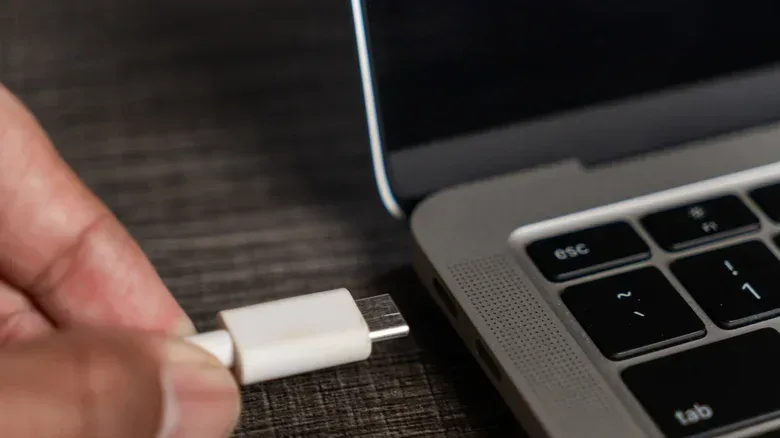
A USB-C cable may look like an ordinary charging or data lead while hiding a very important distinction: it could merely be a standard cable with no stated water protection, or it could be an engineered, ingress-rated connection intended for wet and dirty environments. The connector shape alone does not settle the question. USB-C is a connector standard, not a promise that a cable can be submerged, used in rain, or connected while wet.
The most dependable way to identify a waterproof USB-C cable is to find its IP rating. IP stands for Ingress Protection, a code defined by the International Electrotechnical Commission’s IEC 60529 standard. It describes how well an enclosure resists entry by solid material and liquids. For a cable advertised for serious protection against water, the useful ratings to look for are generally IP67 or IP68.
That distinction matters for anyone setting up electronics where splashes, weather, washdown conditions, or accidental water exposure are realistic possibilities. Waterproof USB-C products are used in environments including manufacturing, construction, maritime work, and electric-vehicle charging systems. They can also be found in several physical formats, including male, female, and angled cables. But the buying rule remains simple: do not treat words such as “water resistant,” “rugged,” or “sealed” as substitutes for an official IP rating.
Start with the IP code, not the product photo
An IP code uses two numerals. The first numeral is the protection level against solids such as dust. The second numeral is the protection level against water. In other words, an IP rating is more informative than a vague waterproof claim because it communicates two different protections in a compact, standardized format.
- IP67: The cable is dust-tight and is designed to withstand immersion in up to one meter of water for up to 30 minutes.
- IP68: The cable is dust-tight and suitable for continuous immersion, typically at depths beyond one meter. The precise conditions vary by manufacturer, so the maker’s specification still matters.
There is an important practical takeaway in the difference between those labels. IP67 describes a defined, limited immersion test. It is useful protection for an accident or temporary submersion, but it should not be casually interpreted as permission to leave a connection underwater indefinitely. IP68 signals continuous-immersion suitability, yet it is not one universal depth-and-time guarantee. A buyer should check what the manufacturer says about the specific IP68 product rather than assume every IP68 cable has identical limits.
The first digit is just as meaningful in real use. A cable carrying an IP67 or IP68 label is also dust-tight under this scheme. That is valuable in the same locations where water resistance becomes useful: job sites, marine settings, outdoor installations, and other places where grit can work its way into a connector. Water is not the only intruder that can compromise an exposed connection.
What makes a cable’s connector water-resistant?
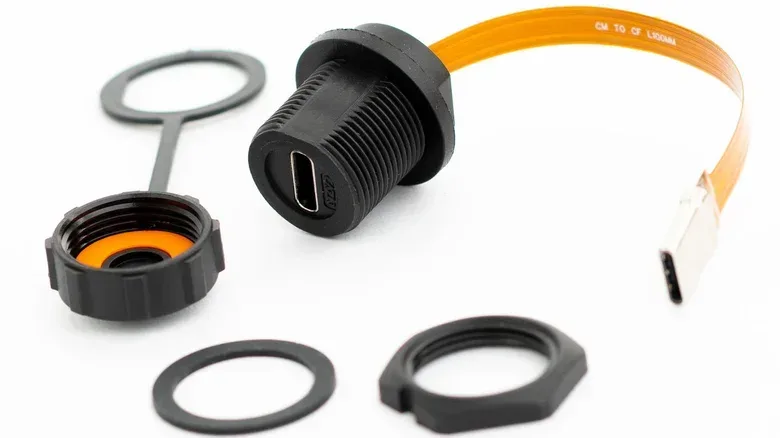
Protection is generally concentrated around the point where the plug and receptacle meet. A waterproof USB-C cable may use a silicone rubber seal, gasket, or locking collar around the connector to limit water ingress. The engineering is about the whole mated connection, not merely the cable jacket. A thick-looking wire by itself does not establish that water cannot reach the contacts.
Some designs use a threaded bayonet coupling. As its collar is tightened, a rubber seal is compressed to form a watertight link. This is a very different proposition from simply inserting a familiar USB-C plug into an open port and hoping a splash does no harm. A locking, sealed coupling is intended to maintain a barrier at the connection point.
Related coverage includes How to Tell Whether a USB-C Cable Is Actually Waterproof.
Materials can also offer clues to a cable’s intended environment, although they are not replacements for the rating. Cables built for prolonged exposure may use tough synthetic rubber such as neoprene. In applications where chemical or solvent resistance is required, manufacturers often use fluoroelastomer, also known as FKM. These materials speak to durability demands beyond a typical desktop charging cable, but buyers should still verify the actual listed IP certification.
Why ordinary USB-C cables should not be assumed safe around water
USB-C is unusually capable and correspondingly complex. Its connector contains 24 contacts that can connect to data or power wiring inside the cable. That is 20 more pins than USB-A, a difference that helps explain USB-C’s faster data-transfer capability. It also means there are many conductive points that should not be exposed to moisture and then energized.
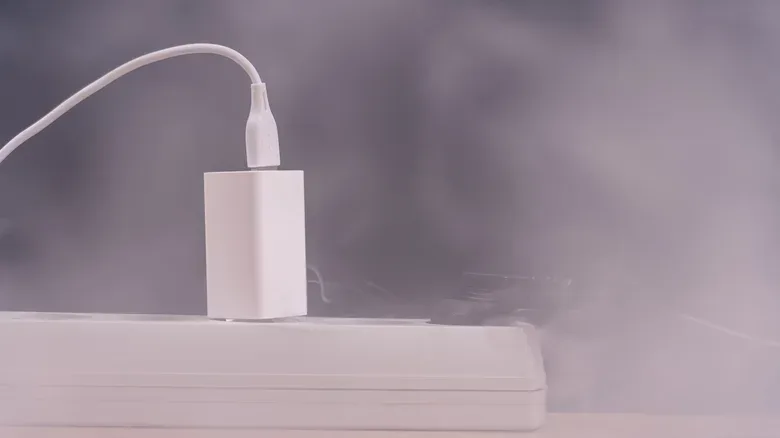
If water enters a connector, it can create a short circuit that damages connected equipment. Moisture left behind can corrode the contacts over time. A wet cable that shorts can also overheat, creating a potential fire risk. The risks are not limited to whether a cable can still charge in the moment; corrosion can turn into a delayed reliability problem.
This is why a waterproof rating needs to be understood correctly. An IP-rated cable is designed to resist ingress under stated conditions. It is not a reason to connect a visibly wet cable to a device. Never plug in a wet cable, including one marketed as waterproof. The rating can be a meaningful protective feature, but it does not erase the hazards associated with energizing moisture around a connector.
A practical checklist before buying
- Locate the full IP rating. Look for IP67 or IP68 rather than relying on broad language such as “waterproof” or “water resistant.”
- Read both digits. The first indicates dust protection; the second covers water. A water claim without a meaningful solids rating tells an incomplete story about the connection’s protection.
- Match the rating to the scenario. IP67 covers immersion up to one meter for 30 minutes. For continuous immersion, an IP68 product may be required, with the manufacturer’s particular limits checked before use.
- Inspect the connection design. Seals, gaskets, locking collars, and threaded couplings are relevant features because the joint between cable and device is where protection must work.
- Verify the product specification. A cable should provide an official IP rating. If it does not, there is no reason to assume it offers the needed protection.
- Consider the environment beyond plain water. Where solvents or chemicals are part of the job, a cable using FKM may be relevant; a standard-looking consumer cable may not be appropriate.
Price can offer some context, but it should not be used as proof. Basic waterproof cables can be available for around $10, while very rugged products made for harsher conditions may cost roughly ten times as much. The higher price may reflect construction and use case, but the actual IP documentation is still the item that answers the central question.
If a cable gets wet, dry it before deciding whether to reuse it
A cable that has been exposed to water does not automatically belong in the trash. If the contacts show no corrosion, it can generally be used again after it has thoroughly dried. The safest immediate response is straightforward: unplug it, shake the connector ends so water can escape, and let it dry for 24 to 48 hours.
Two popular improvised approaches should be avoided. Do not use a hair dryer, because the heat can damage the cable. Do not bury the connector in rice, either; rice can introduce dust and grit into a part that relies on clean electrical contacts. Drying time and airflow are less dramatic than those shortcuts, but they do not add heat or debris.
After the cable has dried, inspect the contacts for signs of corrosion before returning it to service. Pay attention to its behavior once it is used again. If it becomes hot, replace it. Heat after water exposure is a warning sign that should not be ignored, especially given the possibility of a moisture-related short.
The same general attitude—inspect first, then protect expensive equipment—also applies to other gaming and tech hardware. For a different kind of preservation check, see this inspection guide for disc rot, bronzing, and pinholes. The specific failure modes differ, but in each case the aim is to spot a problem before it becomes permanent damage.
The key distinction: rated protection versus marketing language
The useful question is not whether a USB-C cable seems sturdy, has a rubbery exterior, or survived one accidental splash. It is whether its protection has been clearly specified through an IP rating and whether that rating fits the intended exposure. A standard USB-C cable might endure some water contact, but the USB-C specification itself does not require water resistance and gives no guarantee.
For temporary immersion protection, IP67 is the clear baseline to seek. For sustained immersion, IP68 may be appropriate, provided the manufacturer’s stated conditions meet the job. In either case, the cable’s seals and locking hardware should be treated as functional elements, not cosmetic extras. And even the best-rated cable must be unplugged and dried after it gets wet before it is connected to a device.