
A used copy of Mario Kart: Double Dash!!, Metroid Prime, Shadow of the Colossus, God of War, Sonic Adventure or Shenmue can look alarming without being unreadable—or look clean while hiding a serious problem. Disc rot is an informal description, not a diagnosis that can be made reliably from one marketplace photograph. The buying decision should begin with the format, then move through observable evidence and the seller’s willingness to provide it.
The three platforms also create different inspection problems. GameCube uses a small proprietary optical disc, Dreamcast software uses GD-ROM, and PlayStation 2 games can use either CD-ROM or DVD-ROM media. Identify the exact release before interpreting a mark, and treat every listing photograph as a claim to verify rather than proof of condition or originality.
Start With the Format, Not the Spot
GameCube software uses an approximately three-inch Nintendo GameCube Disc based on Matsushita optical-disc technology, with about 1.5GB of capacity. Its unusual size and distinctive artwork are useful identification clues, but neither proves that the disc is original or functional. Ask to see the actual disc rather than relying on the case, catalog art or a stock photograph. A copy of Metroid Prime with the wrong disc, an incomplete set or a replacement label is a different purchase from the advertised item.
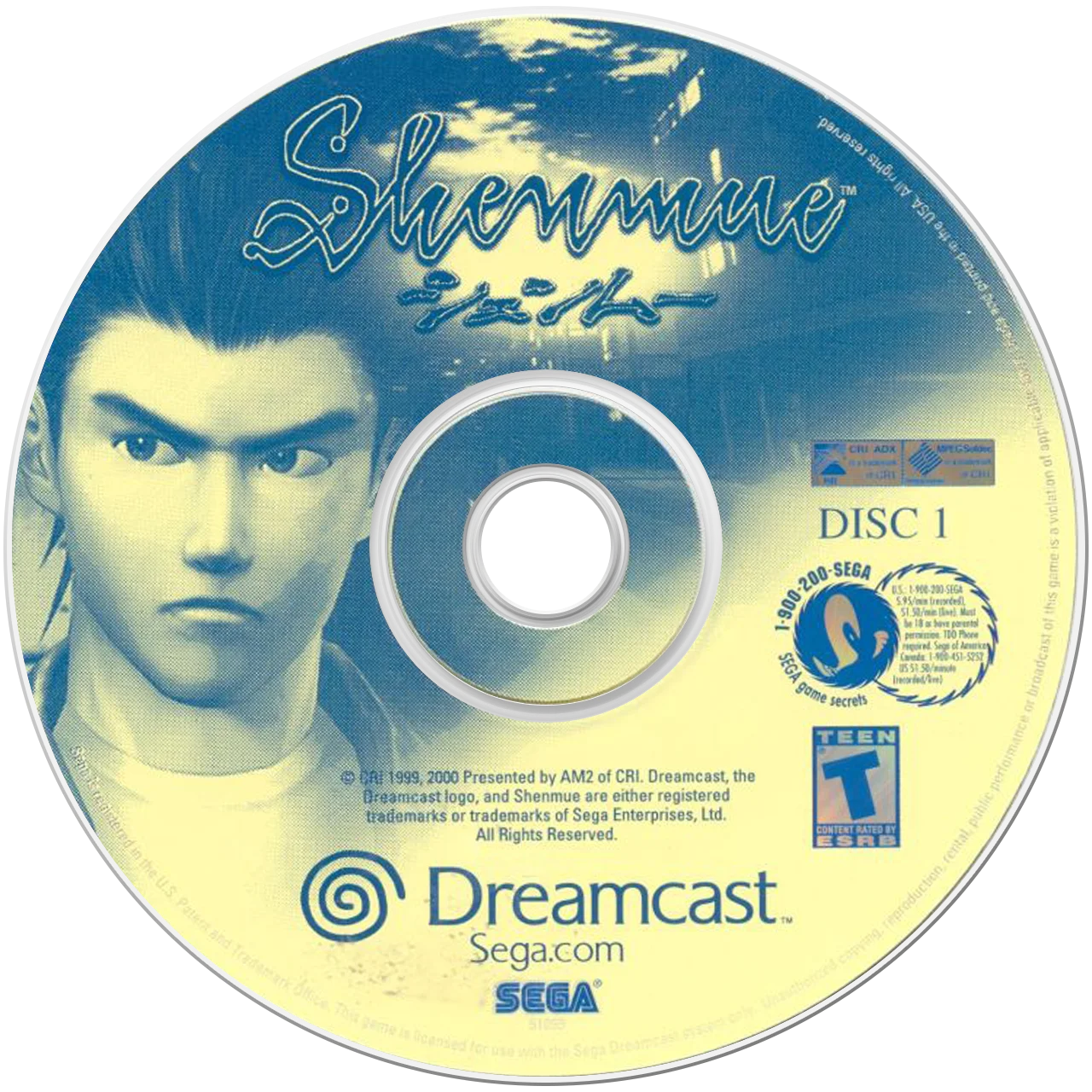
Dreamcast software was released on Sega’s GD-ROM format. Sega’s software documentation identifies the GD-ROM as intended for use with the Dreamcast system, and a visibly burned CD-R, reproduction-looking disc or disc whose format the seller cannot explain should not be treated as an original Sonic Adventure or Shenmue copy. PlayStation 2 releases require another distinction: some games use CD-ROM media and others use DVD-ROM media. The media type affects how much weight to give label-side damage, discoloration and scratches. Record the region, title, disc number and media type before judging condition.
- Request a straight-on photograph of the actual disc, not only the box.
- Confirm the region and exact edition against the console you intend to use.
- For PS2, establish whether the release is CD-ROM or DVD-ROM.
- Treat an unverified burned or reproduction-looking Dreamcast disc as a stop or specialist-research purchase.

What Disc Rot Can and Cannot Mean
Optical-disc deterioration can involve oxidation, hydrolysis, corrosion, mechanical stress or separation between layers. These processes may increase read errors, but visual inspection cannot measure error rates or predict a precise failure date. A disc may still boot because error correction compensates for damaged data, while a different disc with no obvious discoloration may fail because of dirt, a damaged hub, a weak optical drive or a compatibility mismatch.
Separate the visible condition you can describe from the cause you cannot establish. “A cloudy patch crosses the reflective area” is useful. “This is definitely chemical rot from a particular factory” is not justified by a photograph. Crazing, missing reflectivity, layer separation and corrosion deserve separate notes from radial scratches or a cracked center ring. The distinction matters because cleaning may address dirt, but it cannot reverse lost reflective material or a separating disc layer.
Pressed game discs and recordable discs also age differently. Factory-pressed media uses molded data structures, while CD-R and DVD-R media use recording dyes. A buyer should not apply assumptions about dye-based recordable media to every original game disc, nor assume that a pressed disc with unusual color is automatically a burned copy. Format, construction and edition still need to be established together.
- Describe location, shape, extent and whether the mark appears on one layer or both.
- Do not promise that a working title screen proves long-term health.
- Do not assign a chemical cause, factory or remaining lifespan from color alone.
- Treat visible layer separation or missing reflective material as materially higher risk than ordinary light wear.
Bronzing, Browning and Harmless Color Changes
Bronze or coffee-colored discoloration can indicate reflective-layer corrosion on some pressed compact discs, but color is not conclusive. Printed artwork, a tinted reflective surface, glare, smoke residue, warm indoor lighting and camera white balance can all change the apparent color. A seller’s image may also show a reflection of the room rather than a change in the disc itself. Compare the same area under neutral lighting and from more than one angle before making a claim.
A gold or bronze appearance is not automatically a defect. Some optical media have naturally colored reflective layers, and preservation references note that disc color by itself does not establish whether a particular item is readable or deteriorating. Conversely, a disc can have a serious reflective-layer problem without presenting as an obvious brown circle in a photograph.
The affected format matters. A brown appearance on a PS2 CD should not automatically be judged by rules developed for every DVD. A PS2 DVD’s construction places its data and reflective structures differently, so the buyer should document both sides and avoid universal label-side assumptions. GameCube and Dreamcast discs likewise require format-specific caution. If discoloration is broad, uneven, accompanied by clouding or paired with read failures, value it as uncertain media rather than bargain on a presumed harmless appearance.
- Ask for daylight or neutral-white photos with flash reflections minimized.
- Request an image of the whole disc and a close view of the discolored area.
- Compare the labeled side, read side and center area rather than judging one crop.
- Walk away when discoloration is extensive, unexplained and unsupported by a return option.

Pinholes and Light-Transmission Checks
Tiny bright dots can be a warning when they represent holes or missing reflective material, but a marketplace photograph cannot prove that. Dust, a highlight, JPEG compression, sensor noise and a bright reflection can look like a pinhole. A useful seller request is a carefully lit photograph of the disc held in front of a strong, diffuse light source, plus ordinary straight-on images of both sides. Several matching views are more informative than one dramatic close-up.
A genuine light-transmission point still does not reveal its exact cause, depth or effect on every file. The location matters because damage over a data area may be more consequential than an isolated mark near an unused region, but a buyer usually cannot map that safely from a listing photo. A light-source image is an inspection aid, not laboratory evidence or a readability test.
Ask the seller to photograph the same area with and without backlighting. If the bright point moves with the reflection, it may be glare. If it remains fixed across multiple views, it deserves more caution, but it is still not proof of a particular chemical process. Multiple dots, irregular missing reflectivity, spreading discoloration or a refusal to provide a controlled image should move the decision toward no purchase.
- Ask for a backlit image and an unlit image of the same region.
- Check whether the bright point stays fixed as the disc angle changes.
- Do not confuse dust or glare with a confirmed hole.
- Treat several transmission points or missing reflective sections as a stop condition unless the price and return protection fit substantial risk.
Crazing, Clouding and Layer Separation
Milky patches, snowflake-like patterns, fine branching distortion and visible boundaries between disc layers are different concerns from ordinary surface scratches. They may reflect stress, manufacturing variation, moisture exposure or separation, but the buyer does not need to identify the exact mechanism to make a cautious decision. If the layers appear to be lifting, bubbling or separating at the edge, the disc has a physical risk that a short boot test cannot erase.
Rapid changes in temperature and humidity can contribute to warping, separation and other stresses. A seller’s statement that an item was stored indoors is useful context but not proof of stable conditions. Look at the outer edge, center ring and any transparent areas for waviness or a seam that appears to open. Do not flex the disc to investigate. Pressure can turn a questionable disc into a cracked one, and forcing a damaged disc into a console is not a safe test.
Clouding can also be a photographic or surface issue. Ask whether the disc was recently cleaned, and request a new image after the surface has dried. Do not let a seller polish away evidence before documenting it. A shiny surface may hide remaining damage, and cleaning cannot reunite separated layers.
- Ask for edge-on photographs without asking the seller to bend the disc.
- Record whether clouding is localized, widespread, patterned or near the hub.
- Stop when layers visibly separate, the disc is warped or the edge is lifting.
- Do not use heat, solvents, abrasives or improvised pressure tests.
Read-Side Scratches Versus Label-Side Damage
Light read-side scratches may be harmless, while deep, clustered or tracking-disruptive damage can produce uncorrectable errors. Radial direction, circular grooves and a damaged center area are useful observations, but no scratch pattern alone guarantees playability. Small scratches on the laser-reading side may be tolerated because the data layer sits below the surface, while deep or wide damage can still interfere with focus and tracking.
Compact-disc data and reflective layers sit close to the labeled side, making a deep label-side scratch or puncture especially concerning on CD media. A small indentation or pinhole can permanently remove reflectivity from that area. That principle must not be transferred wholesale to PlayStation 2 DVD releases because their construction differs. For a PS2 copy of God of War or Shadow of the Colossus, inspect both sides and identify the disc type before deciding how serious a mark is.
A disc that has been aggressively resurfaced may look glossy while losing material or retaining damage outside the photographed area. Ask whether resurfacing was performed, by whom and why. Do not buy a damaged disc on the assumption that a machine will make it safe, especially when the seller cannot show the original condition or offer a meaningful return.
If cleaning is appropriate, use only a soft cloth and water with straight strokes from the center outward, following Nintendo’s GameCube guidance. Do not use abrasive cleaners, solvents or scratch-removal machines as a first response. Cleaning cannot repair corrosion, pinholes, cracks or delamination.
- Classify scratches as light, deep, radial, circular, clustered or hub-adjacent.
- Ask whether the disc has been resurfaced and request an honest description of the result.
- Inspect the label side as carefully as the read side.
- Do not buy a damaged disc on the assumption that a machine will make it safe.
Inspect the Hub, Center Ring and Outer Edge
A center-ring crack is mechanical damage, not disc rot. It can begin as a fine fracture and worsen when the disc is clamped or removed. Stress whitening, branching lines, chips around the hub, a warped edge or missing material near the clamp all deserve their own description. A title screen does not make a cracked disc a sound purchase, because handling and rotation can change the risk.
Look for the circular hub, transparent ring, outer edge and any visible separation between the printed and clear portions. A replacement case can conceal a poor fit or missing insert, while a tight spindle can place extra force on an already damaged disc. Do not test a questionable disc by repeatedly inserting and ejecting it. If the seller cannot show the center ring clearly, treat the missing evidence as part of the risk rather than assuming it is intact.
The same rule applies across the three platforms. A small GameCube disc, PS2 DVD or Dreamcast GD-ROM can be mechanically compromised even when its surface looks attractive. Never ask a seller to enlarge a center hole, repair a crack with adhesive or bend a disc to demonstrate flexibility. Those actions create additional damage and do not establish authenticity.
- Request a close image of the hub and outer edge at an angle.
- Reject cracked, deformed or repaired discs for normal collection use.
- Do not let a successful boot override a visible mechanical safety concern.
- Ask how the disc is stored and whether it has been removed from a tight case repeatedly.
Edition, Authenticity and Contents Checks
A label, seal, hub ring, inner code or reflective appearance can support an identification, but none authenticates a game alone. Match the title, region, publisher marks, disc count, label layout, inner markings and case contents against reliable references for the exact release. A replacement case may be perfectly serviceable, but it should not be presented as original packaging. The same applies to a reproduction label or a burned disc that resembles a Dreamcast release.
The six games in this guide illustrate why edition details matter. Sonic Adventure and Shenmue can appear in different regional packaging and, in Shenmue’s case, a multi-disc set. Shadow of the Colossus and God of War may have different printings or package contents. GameCube discs are physically distinct from standard full-size discs. Ask for photos of every disc in a set, not only the most attractive one.
A Dreamcast disc that is clearly a CD-R or reproduction should be described as such, not treated as an original GD-ROM because it boots. Some Dreamcast systems can read certain CD-based software, but that functional fact does not change the item’s identity or collecting value. Likewise, a copied label, replacement case or matching title screen cannot establish an original factory pressing.
- Match title, region, disc number and platform before comparing condition.
- Request all discs, manuals, inserts and the case interior when completeness matters.
- Treat seals, codes and labels as supporting evidence, never standalone proof.
- Ask for a return if the delivered edition or contents differ from the listing.
Seller Questions That Produce Evidence
Good questions ask for observable evidence rather than a stronger promise. Request straight-on images of both sides, the hub and the outer edge, with the seller’s own item in frame. Ask whether the disc is original, whether it has been resurfaced, what console and region were used for testing, and whether the test reached anything beyond the title screen. A seller who says “works” without explaining the test has supplied limited information, not a guarantee.
Ask about storage only as context: prolonged sunlight, a hot vehicle, damp conditions or a damaged case may matter, but a confident storage story cannot prove future reliability. Ask whether the disc was stored in its original case and whether it has visible clouding, bronze patches, pinholes, label damage or hub stress. The goal is not to obtain a diagnosis from the seller; it is to expose missing evidence.
Keep messages and payment on the marketplace. Do not move to off-platform payment or accept pressure to bypass buyer protection. If the seller refuses a clear photo, dismisses visible damage, or says returns are impossible while asking a collector to trust an uncertain disc, the evidence threshold has not been met.
- Ask for current, item-specific photos rather than stock images.
- Request an honest statement about resurfacing, reproduction status and testing.
- Ask what the return period covers and who pays return shipping for an inaccurate listing.
- Keep all communication and payment within the marketplace’s protections.
Compatibility and Testing Before Checkout
Confirm that the disc matches the console you actually own. Region, media type, console model and any required accessories can affect the result. A known-good system is essential, because a weak or misaligned optical drive can make a healthy disc appear bad, while a forgiving drive can temporarily read a deteriorating one. Do not open or modify the console as part of a marketplace inspection, and do not treat another buyer’s test video as proof for the specific item.
A short video showing a boot screen is useful but limited. It may not test later data, audio, video playback, saving, multi-disc progression or intermittent read errors. A test that reaches the main menu is evidence of one successful read sequence, not a certification of the entire disc. A failure can also be caused by the console, region mismatch, dirty media or incorrect edition, so compare against a known-good game before assigning blame.
Once delivered, photograph the package and disc before handling it, compare it with the listing, and test within the return window using safe handling. Preserve the listing if the disc fails or differs from its description. Do not repeatedly retry a cracked, warped or visibly separating disc.
- Verify region, title, disc count and console compatibility before paying.
- Prefer a test on a known-good matching console, but recognize its limits.
- Test promptly after delivery while the return period remains open.
- Document packaging, disc condition and any failure before requesting a remedy.
Total Cost, Returns and Marketplace Protection
The cheapest uncertain disc is not automatically the economical choice. Compare the complete cost: item price, protected shipping, tax, a replacement case or manual, possible professional resurfacing where appropriate, return postage and the time or risk of finding another copy. A clearly photographed copy with ordinary wear may cost less overall than a visually dramatic bargain that arrives unreadable. Do not invent a current fair price; compare several genuinely matching editions and condition descriptions instead.
Set a maximum risk before checkout. A collectible complete copy may justify a stricter condition threshold than a replacement disc for ordinary play, while a rare edition may warrant qualified conservation advice rather than an impulsive cleaning attempt. If a disc has suspected chemical deterioration, assume that a future failure is possible even if the current seller test succeeds.
Keep payment on-platform, retain screenshots and do not waive marketplace protections. If the seller’s description says untested, price the missing proof as uncertainty. If the listing says working but refuses meaningful evidence, the return policy becomes part of the purchase decision, not a substitute for inspection. Check who pays return shipping, how long the claim window lasts and whether the platform requires photographs or video evidence.
- Separate disc condition from case, manual and edition value.
- Budget shipping protection, taxes, replacements and return risk.
- Compare like-for-like sold examples without treating one listing as a price authority.
- Stop when the total risk exceeds the value of a clearly documented alternative.
Walk-Away Conditions and Safe Preservation
Walk away from unexplained pinholes, spreading discoloration, visible layer separation, a cracked hub, missing reflective areas, a burned or reproduction-looking disc, severe warping, or a seller who will not provide clear evidence. Also stop when the exact edition cannot be established or marketplace protection is being removed. These are decision rules for limiting downside, not claims that every questionable disc is already dead.
For a disc you keep, handle it by the edge and center hole, return it to a proper case, and store it away from direct sunlight, high heat and high humidity. Keep discs individually supported rather than loose in a stack, and avoid bending them off tight hubs. Use only gentle, manufacturer-compatible cleaning. Nintendo specifically advises water and a soft cloth for GameCube discs, with straight strokes from the center outward; Sega’s Dreamcast documentation likewise warns against chemicals and damaged discs.
Do not use solvents, abrasive compounds, aggressive resurfacing or improvised light and heat treatments. Do not open a console or adjust its laser as a first response. If a valuable disc shows possible delamination or chemical deterioration, consult a qualified optical-media conservator or specialist and preserve the return option before experimenting. The best purchase is often the one with enough evidence that no diagnosis by photograph is required.
- Reject physical cracks, separation and missing reflective material for ordinary buying.
- Keep the original listing, messages and photographs until the return period ends.
- Use reversible handling and safe cleaning only.
- Seek qualified help when preservation value is high and the cause remains uncertain.
Disc appearance is evidence, not a verdict. Start by identifying whether the item is a GameCube disc, Dreamcast GD-ROM, PS2 CD-ROM or PS2 DVD-ROM, then separate discoloration, pinholes, scratches, hub damage and layer separation. Ask for controlled photographs and honest testing details, while accepting that neither can replace technical error testing or guarantee future readability.
When the seller cannot show the disc clearly, the edition is uncertain, or physical deterioration carries meaningful downside, keep your buyer protection and walk away. A documented copy with ordinary wear is usually a safer collecting decision than a cheaper disc whose condition depends on a guess.