A Fitbit’s battery has two different jobs to do over its lifetime. First, it needs to get you through as many days as possible between charging sessions. Second, it needs to remain healthy enough that the tracker is still useful months or years from now. Those goals overlap, but they are not exactly the same.
The straightforward rule is that power-hungry features should be used deliberately rather than left running by default. An always-visible screen, bright display, continuous health monitoring, GPS and a flood of phone notifications all make a wrist tracker more useful in specific moments. They can also turn a multi-day wearable into a device that needs attention far more often.
Fitbit battery estimates generally fall in the range of four to 10 days, depending on the model and settings. Fitbit Edge and Fitbit Air are each rated for up to seven days per charge. Rated figures, though, should be treated as a best-case planning tool rather than a promise that every setting can remain enabled without consequence.
Start with the screen: it is the most obvious daily drain
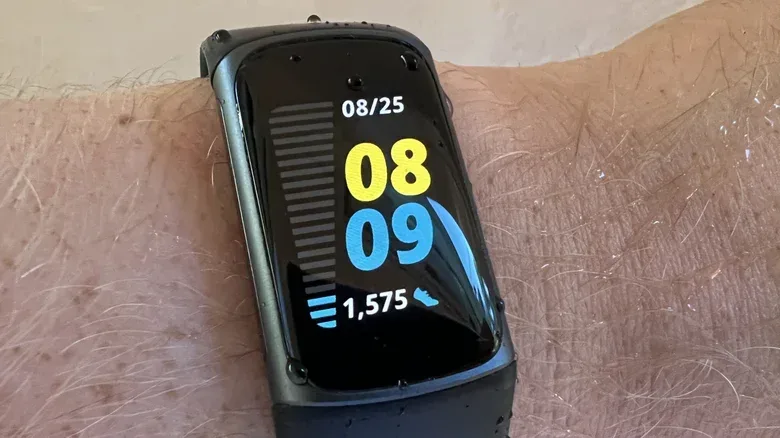
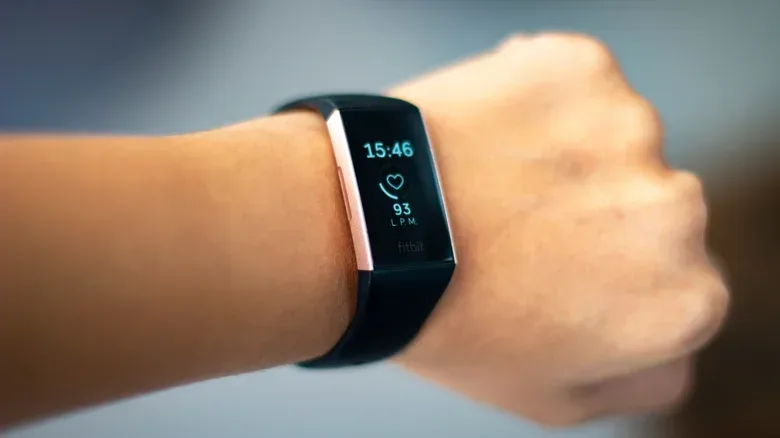
The display is one of the simplest places to reclaim battery time because it is also one of the features users interact with most. Always-on display means the screen continues to show information rather than going dark when the tracker is not actively being checked. It is convenient for glancing at the time, workout data or a notification, but the convenience has a pronounced energy cost.
On the Charge 5 and Charge 6, Inspire 3, Sense 2, Versa 2 and Versa 4, using an always-on display can reduce battery life to about three days per charge. On Fitbit Edge, it can bring the estimate down to just two days. For anyone who values fewer charging interruptions over an always-visible clock face, turning that setting off is likely the highest-impact change to make.
Other display settings can support the same goal:
- Lower screen brightness when you are indoors and do not need maximum visibility.
- Select a shorter screen timeout on models that offer one, so the display does not remain lit longer than necessary.
- Avoid animated clock faces if battery endurance matters more than visual flair.
These adjustments are not about making a tracker less usable. They are about matching its behavior to the moment. A brighter display may be worthwhile outside; a longer timeout may be helpful during an activity. Leaving both enabled all day simply asks the battery to pay for convenience even when nobody is looking at the screen.
Understand the difference between built-in and phone GPS
GPS is another major source of battery drain, especially during outdoor exercise. Built-in GPS means the Fitbit itself determines location. That lets the tracker record a route without relying as heavily on a nearby phone, but location tracking requires substantial power.
Related coverage includes How to Make Your Fitbit Battery Last Longer.
The battery estimates with GPS use show why it deserves special attention. Fitbit Edge can provide up to 10 hours of GPS use. Charge 4, Charge 5 and Charge 6 are listed at up to five hours, while Sense, Sense 2, Versa 3 and Versa 4 can reach up to 12 hours.
Those are very different numbers from the usual day-based battery estimates, and they describe a different kind of use. A Fitbit that lasts several days for everyday step tracking may have a far shorter run time when it is actively tracking a route. That does not necessarily indicate a defective device; it reflects the extra work required from the tracker.
If your Fitbit offers adjustable GPS behavior, consider using the connected phone’s GPS for outings where carrying the phone is already practical. Turn GPS off entirely for workouts where route data will not be useful. A treadmill session, for example, may not need location tracking at all. The useful question is not whether GPS is good or bad, but whether its data will change what you do with that workout afterward.
Notifications and smartwatch extras add up
A Fitbit can quietly become an extension of every app on a phone. That is often the point—but it is worth deciding which alerts actually belong on a wrist. Calls, messages and calendar reminders are clear candidates because they can be time-sensitive. Repeated app alerts that are easy to ignore on the phone are less compelling, particularly if they cause frequent screen wake-ups and vibrations.
Review notification permissions and keep the essentials. This trims background interruptions while also making the tracker feel less like a tiny emergency room pager. The practical benefit is twofold: fewer unnecessary alerts can reduce battery use and make the alerts that remain easier to notice.
Other functions should be treated as occasional tools if longer time between charges is the priority:
- Music controls
- Navigation
- On-wrist calling
- Contactless payments
These features can be valuable, and there is no need to swear them off permanently. The sensible approach is to use them for the situations that justify them rather than assuming every capability must be constantly active.
Continuous SpO2 tracking is another important setting to review. SpO2, or peripheral oxygen saturation, is a measurement related to the oxygen saturation of blood. Continuous tracking is identified as a significant battery drain. Anyone frustrated by unexpectedly quick battery loss should check whether this form of monitoring is enabled before assuming the battery itself has failed.
Updates and charging habits are part of battery care
Keep Fitbit software up to date. This is a routine maintenance step, but it matters because device software governs how features, syncing and power management operate. Updating is not a magic battery cure, and it does not guarantee a particular battery result. It is, however, a sensible baseline before drawing conclusions from unusual drain or inconsistent behavior.
Use the charging cable supplied with the device whenever possible. Fitbit chargers are proprietary, meaning they are designed for specific devices rather than being a universal cable connection. Replacement chargers exist for some models, but an official replacement from Google or Amazon is the safer default when the original is lost.
Battery health also benefits when charging is kept away from temperature extremes. Do not charge the tracker below 32 degrees Fahrenheit or above 113 degrees Fahrenheit. A cool, dry environment is the better choice for both charging and storage.
That attention to basic maintenance is familiar to anyone looking after older electronics. The specifics differ by device, but avoiding careless heat exposure, keeping software current and diagnosing the actual component involved are all useful habits. For a separate PC-side troubleshooting task, this guide on finding your GPU in Windows without opening your PC is a reminder that identifying the hardware and settings involved comes before making assumptions about performance.
Protect the tracker, not only its charge level
Getting a few more hours from a charge is useful. Preserving the overall battery for longer is more valuable. Fewer charge cycles can contribute to longevity, which is one reason the display, GPS and notification adjustments matter beyond their immediate battery-saving effect.
Environmental care is equally important. Avoid wearing the Fitbit in very high humidity, severe cold and saltwater sources, including when the model is water-resistant. Water resistance should not be interpreted as a free pass for every environment. Saltwater and extreme conditions introduce risks beyond the ordinary daily situations a wrist tracker may encounter.
If the tracker will not be used for a while, do not leave it plugged in indefinitely. Charge it fully and, if the model provides a power-off option, switch it off before storing it. For long-term storage, charge it at least once every six months. This helps avoid a deep discharge state, where a battery has been left depleted for such a long period that it may be difficult to recharge or recover.
This guidance is especially relevant if an injury, travel or a change in routine means the Fitbit is headed into a drawer for months. A dormant device needs a small amount of planning; otherwise, the day you want to use it again may become the day you discover it will not power up.
When settings are not the real problem
Even careful use cannot prevent every battery from aging. Eventually, a wearable may reach the point where software settings no longer explain its behavior. Rapid draining, a display that repeatedly turns on and off, unusually slow recharging, syncing trouble and noticeable lag can all be warning signs that replacement should be considered.
It is helpful to separate a setting-driven problem from a broader device problem. If battery life worsens after enabling always-on display, GPS or continuous SpO2 tracking, those are clear areas to adjust. If the tracker drains quickly despite restrained settings, takes an unusually long time to charge, struggles to sync or performs slowly, the issue may be more fundamental.
Fitbit trackers are expected to last up to three years, although older models can remain functional with diminished battery endurance. That distinction matters if you plan to hand down a device, keep it as a backup or sell it when upgrading. A tracker does not have to deliver its original battery estimate to retain some value and usefulness, but an honest assessment of its condition is important.
Fitbit Edge changes the replacement calculation
Fitbit Edge is described as the brand’s first model with a replaceable battery. That is a significant distinction from a typical sealed wearable because it offers a route to a longer usable device life through a replacement battery and servicing rather than requiring a complete tracker replacement when battery health becomes the limiting factor.
For buyers who hold onto devices for years, that feature changes the practical conversation. The usual battery-saving measures still matter: they can extend time per charge and reduce needless strain. But a replaceable battery potentially reduces the stakes when the battery eventually wears out, provided replacement and servicing make sense for the owner.
The best Fitbit battery strategy is therefore not one dramatic trick. Disable always-on display if multi-day endurance matters, manage brightness and timeout settings, use GPS only when route tracking is worthwhile, cut unneeded notifications and review continuous SpO2 tracking. Keep the software current, use an appropriate charger, avoid temperature extremes and store an unused tracker correctly. Those choices make the device more predictable now and give it a better chance of remaining useful later.