A smart home can feel like a tiny convenience empire right up until the internet connection falls over and the empire reveals it was held together by a cloud login. Lights may stay in their last state. Routines can miss their scheduled time. A device that seemed perfectly capable of handling one simple job may suddenly need a server somewhere else to approve the next move.
That is mostly annoying when the affected device is a decorative light strip or a soundbar. It becomes a much bigger concern when automation is involved in home security, comfort, accessibility, or other tasks where a delayed response is not merely inconvenient.
The practical answer is not necessarily an expensive custom installation. It is to design around local control: equipment that can communicate and run at least some automations within the home, even when the wider internet is unavailable. That design choice also makes a useful distinction clear: losing internet access and losing power are different failures, and each needs its own plan.
Why internet-dependent smart devices can stop being smart
Many smart-home accessories connect directly to Wi-Fi and retrieve instructions from a cloud service. This is one reason they are often straightforward to set up. Connect the device, sign in through an app, and the accessory can receive commands and participate in routines managed outside the house.
The weak spot is obvious during an outage. If a device relies on that remote service to obtain, evaluate, or trigger a routine, it may have no local fallback. It could simply preserve its current state or lose key controls until connectivity returns. Even a routine that sounds uncomplicated, such as switching a light on or off at a particular time, may not happen if the product has no way to store and process that instruction locally.
It is also worth separating an internet failure from a local-network failure. A working Wi-Fi network does not guarantee that the internet is working, and an internet connection does not help much if the router itself is having problems. Wi-Fi instability can have its own causes and patterns; the same basic reliability question matters when keeping connected entertainment devices usable, as covered in this guide to worsening evening Wi-Fi and more stable gaming.
For smart-home planning, the key question is therefore not simply, “Does this accessory have Wi-Fi?” It is: what still works if the cloud cannot be reached?
Put a local hub at the center of the setup
A hub-based setup gives the home a local coordinator. The hub can still connect online, but it can also hold and process many automations locally while power remains available. That means compatible lights, locks, and sensors can continue talking to the hub without waiting for a distant service to respond.
Related coverage includes How to Build a Smart Home That Still Works Offline.
There are limits. An automation based on current weather conditions needs live information from outside the home, so it cannot fully operate during an internet outage. Remote sharing and remote notifications can likewise be unavailable. Local operation is not magic; it is a way to keep local actions local.
This distinction is especially important for security. A camera might continue recording to storage attached to a local hub, yet online alerts or more advanced features may still require a connection. If dependable security coverage is needed in an area where internet outages happen regularly, a cellular backup is a meaningful requirement rather than a luxury add-on. It supplies another path to the outside world when the primary service fails.
Home hubs can come in several forms
The word “hub” does not always mean a single dedicated box. Within Apple Home, for instance, HomePods and Apple TVs can function as home hubs, supporting remote access as well as local automation. Some camera arrangements can use local hub storage. Matter-compatible smart speakers and displays are also able to execute offline commands, although that capability is not consistently put to work by every major platform.
The practical implication is to inspect the actual local-control behavior of the devices and ecosystem being considered. A compatibility badge alone does not explain which commands, routines, or storage options remain available offline. The desired result is specific: essential accessories should retain useful local functions when the internet disappears.
Understand the radios: Wi-Fi, Thread, Zigbee and Z-Wave
For the most robust local arrangements, a hub can communicate with accessories through Thread, Zigbee, or Z-Wave rather than making every product a direct Wi-Fi client. These are low-power, low-bandwidth wireless standards designed for accessories such as lights, locks, and sensors.
Low bandwidth means they are not intended for data-heavy roles. They suit a light receiving an on/off or brightness instruction far better than a device that needs to move large amounts of media. That is a limitation, but it also helps explain why these standards are relevant to basic home automation: their purpose is dependable, small-scale device communication rather than high-throughput networking.
All three are described as mesh standards. In a mesh, compatible accessories can help extend the network, reducing the chance that a more distant device loses its link simply because it is farther from the hub. This can be useful in a home where a single central device cannot reliably reach every room.
- Thread is the preferred option in this group because some Wi-Fi accessories can also serve as Thread border routers.
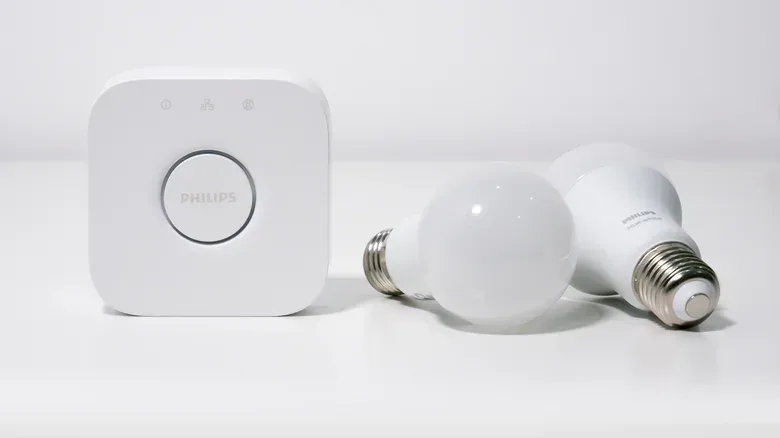
- Zigbee remains a proven route for local device control; the Philips Hue Bridge is one example of a Zigbee-based hub.
- Z-Wave is another low-power, low-bandwidth mesh option for linking a hub and compatible accessories.
A border router is the bridge between a Thread network and another network. In practical terms, it helps Thread accessories communicate beyond their own mesh. The point is not to buy a standard because its name sounds futuristic. It is to select accessories and a hub that share a local communication path, then verify that the system can handle the automations that matter.
Plan separately for a power outage
Local hubs protect against an internet failure, not against a loss of electricity. If the hub, router, accessories, and the systems they control have no power, local processing cannot do very much. The ideal arrangement would combine a hub-based ecosystem with whole-home battery backup, but that is out of reach for many households. Whole-home battery systems can cost thousands or even tens of thousands of dollars, and not every smart accessory is available in a hub-compatible version.
That does not mean resilience has to be all or nothing. A more realistic approach is to decide which functions truly need a fallback and prioritize those. It may be perfectly acceptable for decorative panels or a soundbar to be unavailable for half an hour. The same calculation is different for lighting that people rely on to move safely around a home, or for a security setup where continuity matters.
Look for accessories with their own redundancy: a battery, physical controls, or ideally both. A physical button is valuable precisely because it does not require the app, the cloud, or sometimes even the local network. Battery operation gives an accessory another degree of independence when AC power fails.
The Philips Hue Go illustrates the idea. It can connect to a Hue Bridge but also includes a battery, allowing it to function as a portable lamp. It can remain lit for hours without AC power and can cycle through basic effects via an onboard button or Bluetooth app commands. It is not a whole-home backup system, but it demonstrates the value of retaining a basic direct control path.
Smart thermostats provide another useful example of thinking in layers. As long as the HVAC system has power, they continue operating on their last schedule. That does not solve every outage scenario, but it means the loss of internet access does not automatically erase temperature control.
A practical shopping and setup checklist
Resilience is easiest to achieve before the cart fills up with devices that each demand a separate cloud service. When comparing products, focus on failure behavior, not just their most polished online features.
- Identify essential functions. Separate safety, security, and comfort needs from convenience features. Not every accessory deserves the same backup plan.
- Favor local automation. Choose a hub and compatible accessories that can store and run important routines inside the home.
- Check the connection method. For core lights, locks, and sensors, consider Thread, Zigbee, or Z-Wave hub arrangements rather than relying solely on direct Wi-Fi devices.
- Ask what requires live data. Weather-driven rules, remote sharing, alerts, and advanced online functions may not survive an internet loss even in a locally capable system.
- Keep manual control available. Buttons, switches, and other backup controls are not old-fashioned failures of smart-home design; they are part of a sensible fallback.
- Consider battery-powered redundancy selectively. Portable or battery-backed accessories can keep some basic functions available when mains power is gone.
- Match security planning to local conditions. Where service interruptions are common, cellular backup deserves serious consideration for a security system.
The overarching lesson is modest but important: a smart home should not be judged only by what it can automate on a normal day. Its quality also shows in what remains controllable when Wi-Fi misbehaves, the internet goes out, or the power situation changes. A local hub, compatible mesh devices, and a few deliberate fallback controls can keep the useful parts of the setup from becoming expensive decorations at exactly the wrong time.