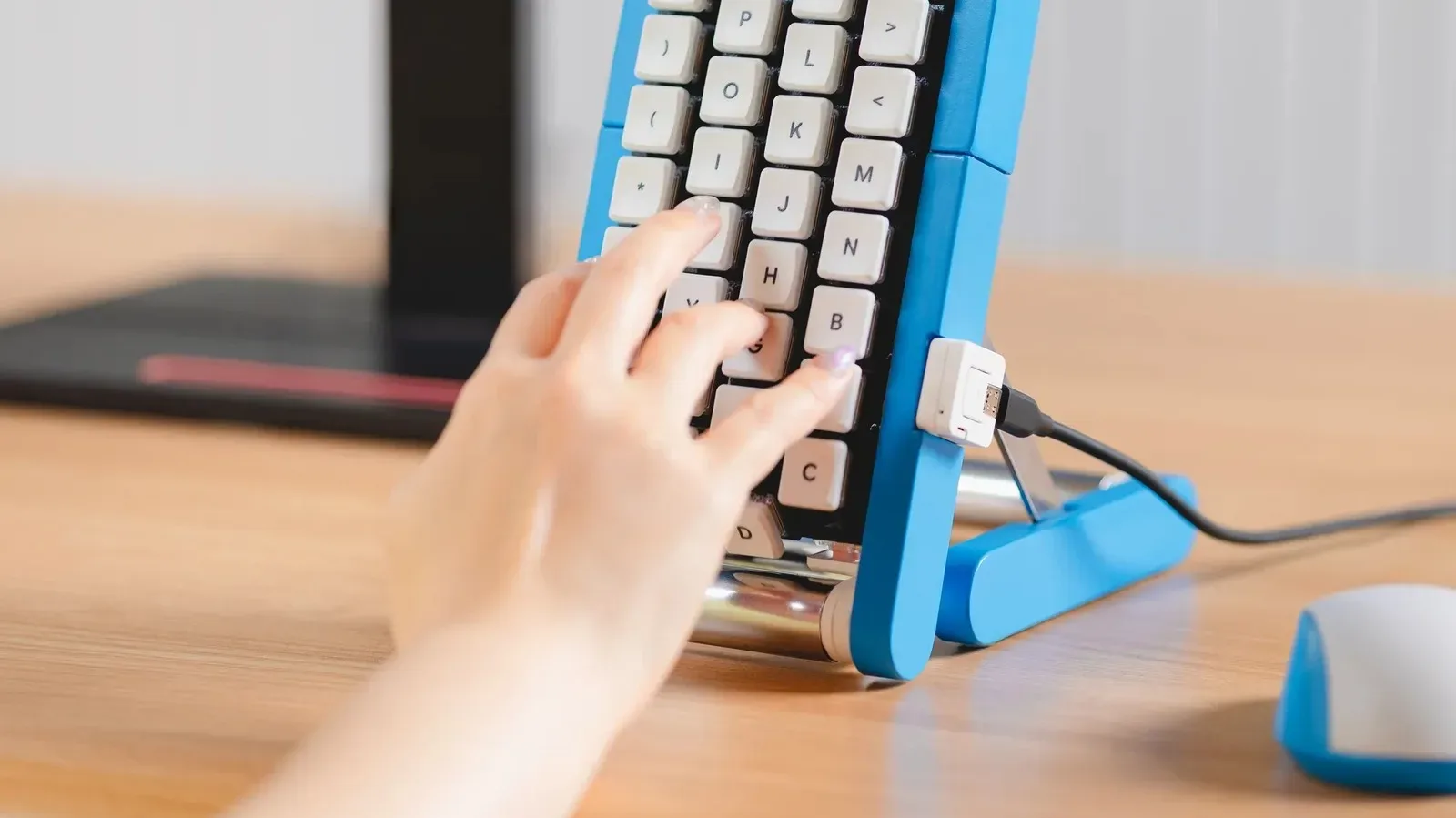
There are keyboards built for speed, comfort, silence, portability, competitive play, and the noble goal of making every desk look like a tiny spaceship cockpit. Google Japan’s newest Gboard-themed prototype is built around a less familiar proposition: what if the keys refused to stay still?
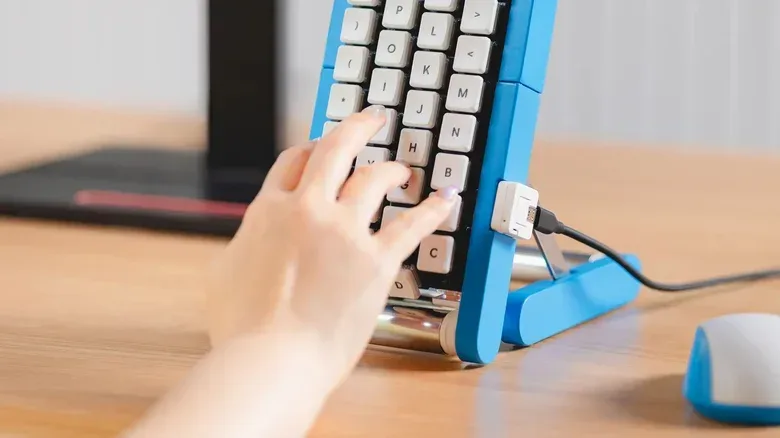
The conveyor-belt keyboard resembles an office keyboard joined to a miniature production line. Rather than a fixed grid of letters waiting beneath a user’s fingers, its keys travel around a rotating mechanism and arrive at the typing position in sequence. The intended gag is immediate. Conventional typing requires fingers to travel to the correct key; this machine flips the relationship so the user waits for the correct key to travel to them.
It is a joke device, not a retail product, and that distinction matters. Nobody should mistake this for a new ergonomic standard, an accessory coming to a store shelf, or an argument that typing needs more industrial ambience. Yet it is more than a quick mock-up. Plans have been made available through GitHub, making it a DIY project for people with the skill, hardware, space, and unusually high tolerance for a keyboard that turns every sentence into a timing exercise.
That combination—real construction effort applied to an intentionally impractical input method—is the entire charm. The project belongs to a long-running Gboard tradition from Google Japan that repeatedly asks a sensible design question, then follows the answer in the least sensible physical direction possible.
A keyboard that makes patience a feature
The conveyor concept is presented as a one-handed typing solution. Its deliberately straight-faced rationale is that a user need not move their hand over a traditional layout. Instead, they wait for the required key to come around. The purported fatigue benefit is obvious as comedy: reduced hand movement is exchanged for the potentially limitless patience needed to wait for the letter you want.
There is a real interface-design idea hiding inside the silliness. An input method is simply the method used to turn an action into text or commands: pressing keys, tapping a phone screen, writing characters by hand, making gestures, or using a switch. Good input methods minimize friction between intent and result. Usually that means preserving a predictable arrangement and making frequently used actions quick to reach.
A conveyor keyboard intentionally adds latency: the time between deciding to enter a character and being able to do it. If the appropriate key has just passed the typing area, the user must wait for another circuit. That makes it fundamentally unsuited to fast, reactive work. A chat message, a search query, or a game command becomes less like typing and more like catching a particular item as it passes on a belt.
It also turns the keyboard into a physical performance. On a standard layout, skilled typists develop muscle memory: an automatic learned sense of where each key sits. The conveyor model removes that stable spatial map. Its player must visually track an ever-changing arrangement and react at the right moment. In gaming terms, it is a typing interface with an unnecessary moving-target mechanic and no option to lower the difficulty.
Related coverage includes Google Japan’s Conveyor Belt Keyboard Turns Typing Into a Moving Target.
That is why the premise works. It takes a familiar promise in peripheral marketing—less strain, smoother workflow, smarter ergonomics—and stretches it until the proposed remedy is plainly worse than the problem. The device does not mock accessibility needs or alternative input methods; rather, it spoofs the tendency to describe any complicated mechanism as frictionless innovation.
The joke has a practical DIY footnote
Unlike a purely fictional product rendering, the conveyor-belt keyboard has build plans available on GitHub. That does not make it a recommended daily driver, and it does not imply that Google is selling it or offering consumer support for it. It means technically capable makers can inspect the project and, if they choose, attempt to reproduce it.
For a builder, the appeal is not productivity. It is the challenge of coordinating a moving physical system with keyboard input, then seeing a deliberately absurd concept actually function. For everyone else, the practical implication is simpler: admire the engineering from a safe distance and keep using a stationary keyboard.
The project also lands at a moment when keyboard habits are not confined to physical desktop layouts. Gboard is Google’s keyboard app for Android, where text entry can involve taps, swipes, voice, handwriting, and other approaches depending on language and user preference. If a phone seems to be producing the wrong text before anyone starts contemplating conveyor belts, mundane settings are generally a better place to start; changing a saved location, for example, is a far more useful task covered in this guide to updating a Google Maps home address.
A tradition built on taking input devices too literally
The conveyor entry is the newest chapter in an ongoing series of Gboard-related joke hardware from Google Japan. The tradition began in 2010 with a drum-set keyboard sporting hundreds of keys. The underlying reference was language input: Japanese uses thousands of Kanji characters, far beyond what can fit directly onto a normal keyboard. Rather than trying to solve that complexity conventionally, the concept turned it into a percussion spectacle.
After that initial drum-kit notion, the series continued with annual “suggestions” from the team. Beginning in 2016, the releases became associated with October 1. The common formula is consistent: identify an ordinary inconvenience or a recognizable way people enter text, then create physical hardware that takes the premise to an unreasonable extreme.
The one-key and one-button era
In 2012, the series proposed a Morse-code keyboard made of a single key. It was framed as a lesson in simplicity after the hundreds of keys on the drumset version. Morse code reduces input to timed short and long signals, so a single control is conceptually plausible even if it is hardly the most immediately approachable way to write day-to-day messages.
The unusual idea gained an unexpected real-world echo later: Gboard added Morse code input on Android in 2018. That does not retroactively make the one-key gag a mainstream keyboard replacement. It does show why this series is more interesting than random gadget nonsense. Real input systems can take forms that initially sound strange, particularly when they are designed around different needs and physical constraints.
In 2013, a flipcard keyboard escalated the waiting game. A user pressed one button, then waited as a flipcard cycled through characters until the desired one appeared. The conveyor belt keyboard is effectively this philosophy given a larger footprint and a factory-floor costume: the machine dictates the pace, while the human stands by for their letter.
Interfaces for nails, breath, bubbles, and soup spoons
The 2014 concept featured a robotic arm with a joystick-controlled finger intended for touchscreen users with long or painted nails. In 2015 came a party-blower keyboard, using an infrared sensor to determine characters from the strength of a blow. Both ideas riff on the gap between a person and a screen: instead of improving direct touch, they pile on a wonderfully disproportionate intermediary.
2016 introduced a mechanical flick-typing keyboard. Flick typing is a common Japanese smartphone text-entry style in which users can swipe from a small set of keys—described here as twelve—to access more characters quickly. The physical joke was to mount keys on joystick gimbals, translating a touchscreen gesture convention into an elaborate mechanical object.
Then came the 2017 bubble-wrap keyboard, which purported to read a sheet of bubbles and convert popped cells into text. In 2018, a handwriting keyboard had users draw characters across the keyboard itself. The 2019 spoon keyboard treated the amount of bend in a metal soup spoon as the input signal.
These projects are funny because their mechanisms are legible. Everyone understands popping bubble wrap, bending a spoon, or scribbling with a finger. The comedy comes from turning those comprehensible actions into an unnecessarily indirect way to enter a letter. They are also reminders that human-computer interaction does not begin and end with QWERTY. A sensor can interpret force, movement, pressure, direction, or a handwritten shape. Whether it should do so is another question.
The recent Gboard oddities get even more physical
The series returned in 2021 with a traditional Japanese teacup keyboard. Its supposed answer to spilled tea was to position keys around the outside of the cup. The design treats the most likely victim of a spill—an ordinary keyboard—as though the only logical fix is to combine the beverage vessel and the typing hardware.
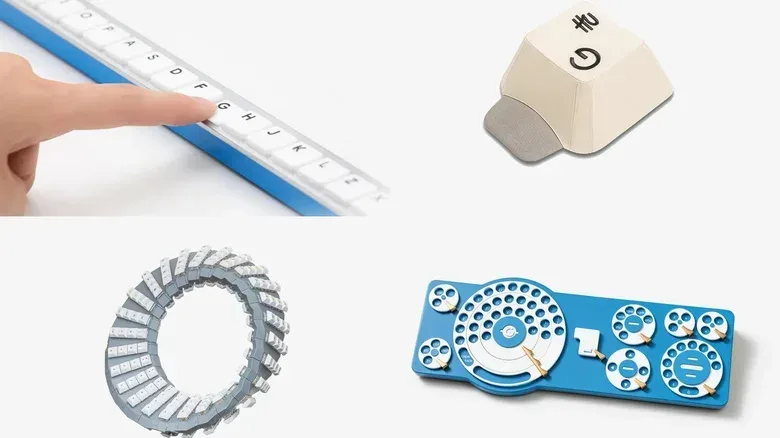
In 2022, the Gboard bar version laid keys out alphabetically in a single row. That concept gently targets people who struggle to remember the locations of keys in a normal layout, while replacing the challenge of remembering positions with the task of traversing an extremely long line of letters.
The 2023 Gboard hat version made the user wear a giant keycap-shaped hat, rotate it to choose a character, and press down to confirm the selection. It takes the physicality of a keyboard and puts it on the user’s head. The absurdity is not merely visual: entering a message becomes a full-body ritual.
For 2024, Google Japan offered a double-sided keyboard shaped like a Möbius strip. A Möbius strip is a loop made by twisting a band once before joining its ends, producing a surface with no conventional inside and outside. Putting keys on both sides of such a form creates a perpetual object ideally suited to jokes about flipping it, including one aimed at backend development. The humor may depend on technical wordplay, but the object itself communicates the central idea: this keyboard never really ends.
In 2025, the series finally reached the rotary phone keyboard, where users selected a character by dragging it around a circular rotary interface. It is a neat collision of old telephone behavior and modern text-entry expectations. It is also proof that even when a historical interface seems like an obvious candidate for parody, there is apparently always room to turn it into another keyboard.
Why these designs land with gamers and gadget people
For people who enjoy controllers, arcade cabinets, unusual PC peripherals, and modded hardware, the appeal is easy to recognize. Input devices shape how a task feels. A joystick, fight stick, steering wheel, mouse, touch display, or keypad can make the same software feel radically different. Google Japan’s joke keyboards use that truth as their engine: take the humble act of text entry seriously enough to build a working physical object, then choose the most hilariously ill-advised control scheme available.
The conveyor belt is particularly effective because it reverses a foundational expectation. We expect tools to wait for us. A controller stays in our hands. Keys remain in their familiar places. A moving keyboard instead asks the operator to adapt to the machine’s schedule. That is the factory gag, but it is also the precise opposite of what people usually mean by a convenient user interface.
No one needs this device for productive typing. That is not a failure of the project; it is the punchline. The real accomplishment is making a keyboard that looks mechanically credible enough to provoke one fleeting thought: “Could I use that?” The answer is almost certainly no. The better answer is that someone made the plans anyway, which is exactly why the conveyor-belt keyboard deserves a slow, rotating salute.