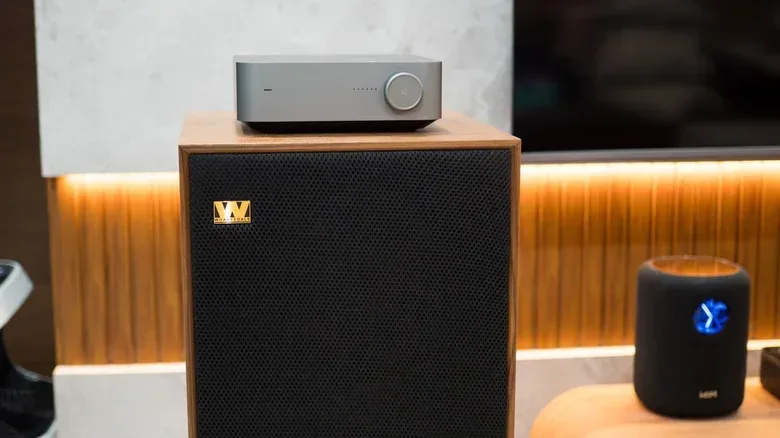
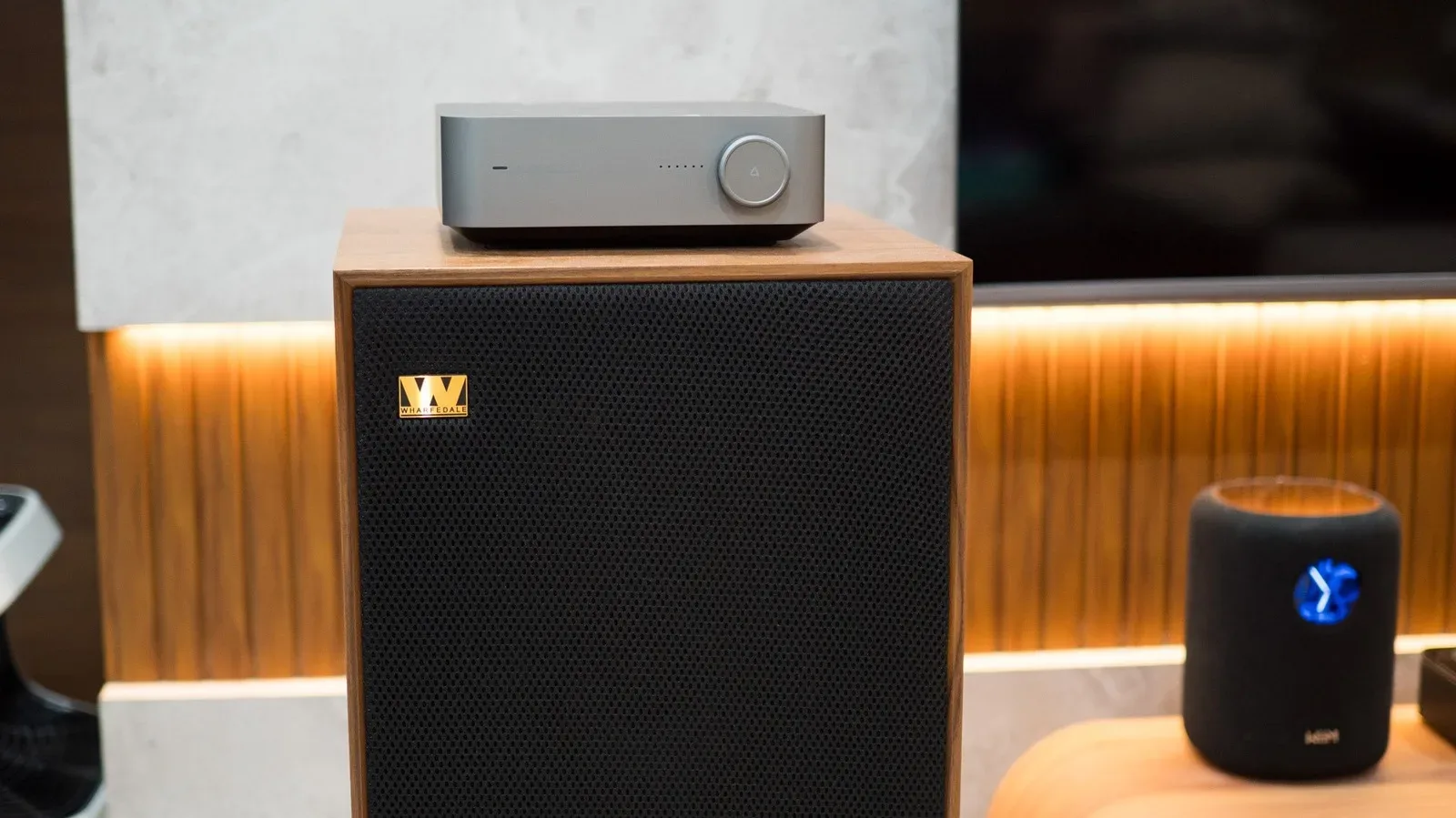
Older speakers, stereo receivers and AVRs do not suddenly become useless just because they lack Wi‑Fi. If their amplifier stages, inputs and speakers still suit the room, a small network music streamer can be the missing link between a dependable old system and a modern music library. The result is not a cosmetic restoration of old hardware; it is a practical division of labor. The existing stereo continues handling amplification and speakers, while a new component handles network playback and phone-friendly control.
That approach matters for anybody who likes the sound, look or physical controls of their current equipment but wants to stream music without repeatedly plugging a phone into an auxiliary cable. It can also be a more flexible route than buying an entirely new smart stereo. A separate streamer can be upgraded or moved to another system later, while the amplifier and speakers remain in service.
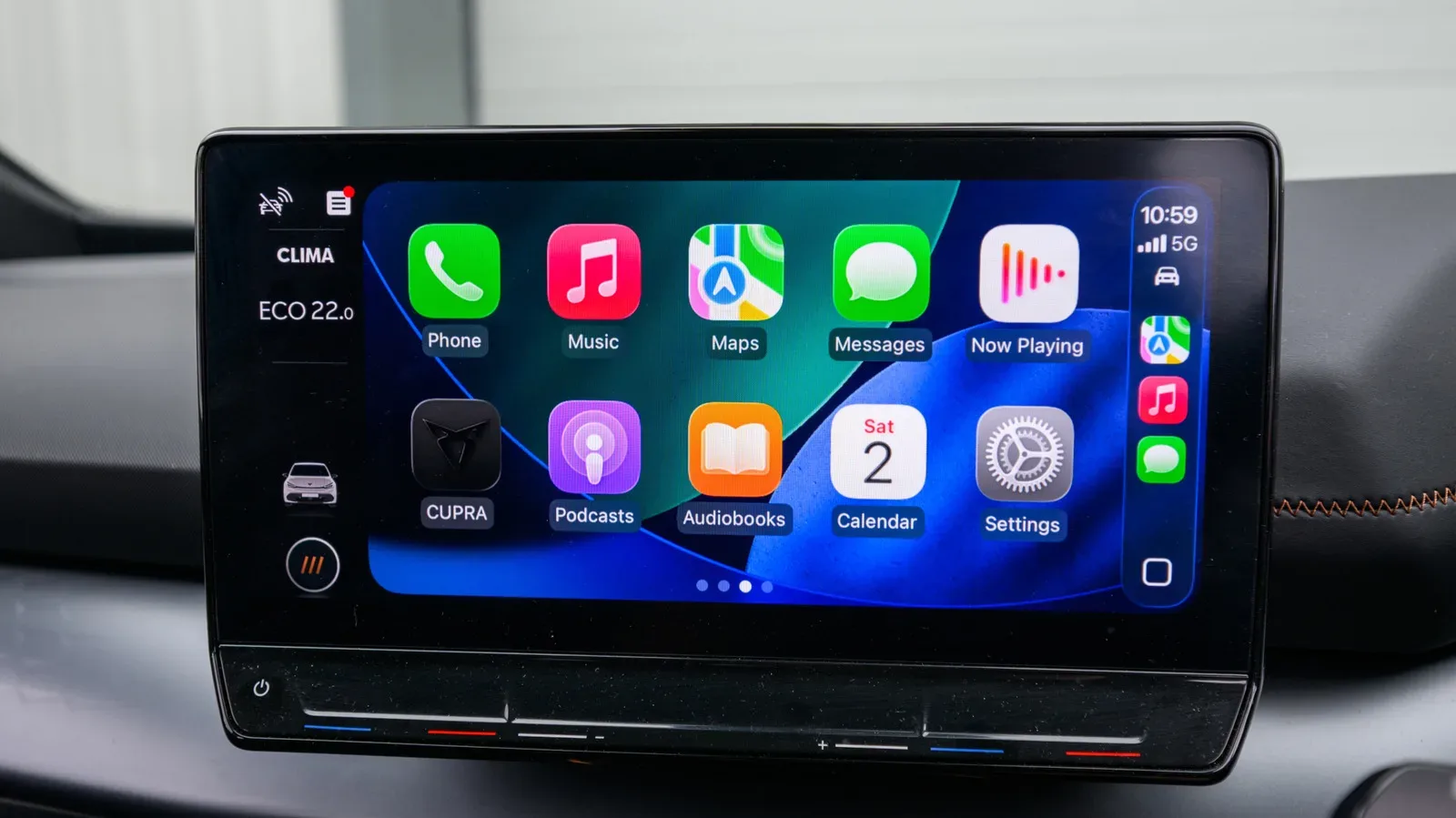
The basic idea is straightforward: connect a streamer to the stereo’s analog or digital input, join the streamer to home Wi‑Fi, then select music from a compatible app or service. Depending on the device, playback can be started through AirPlay, Google Cast, Spotify Connect, Tidal Connect, Roon, Bluetooth, or a manufacturer’s own app. For phone-based music control in other contexts, a fixed playback control can also make a meaningful usability difference, as with CarPlay’s MiniPlayer approach. The same principle applies here: reduce the number of awkward steps between choosing an album and hearing it through the system already in the room.
A streamer is more than a Bluetooth adapter
A Bluetooth receiver is the cheapest, simplest answer to an old stereo’s connectivity problem. Units are available for under $25, and pairing one with a phone can put music through the system quickly. That is a reasonable solution where occasional, basic wireless playback is the only goal.
But Bluetooth is not the same as making the stereo a networked audio system. It relies on a direct phone-to-receiver link, and the codec used for that link affects the transmitted audio. Two commonly encountered codecs are SBC, short for Subband Codec, and AAC, or Advanced Audio Coding. Even when a music service is set to a lossless tier, the Bluetooth path may still impose the codec limitations of the devices at either end.
Lossless, in this context, means audio delivered without discarding information from the original digital file or stream. That does not guarantee that every listener will prefer the result, nor does it make speaker placement or room acoustics irrelevant. It simply describes the signal path the streamer can support. Wi‑Fi streamers can also offer options a basic Bluetooth receiver normally lacks: higher-resolution streaming support, a broader set of physical inputs and outputs, service-native controls, and synchronized multi-room playback.
There is a convenience distinction as well. With AirPlay, Google Cast, Spotify Connect or Tidal Connect, a compatible device on the home network can be selected as a playback destination. The phone is primarily a controller rather than the sole short-range wireless source. That makes a streamer a stronger fit for a stereo used every day, especially in a household where more than one person may want to queue music.
Start with the equipment you actually have
The most useful purchase depends less on the age of the stereo than on its connections and whether it already includes an amplifier. Speakers generally fall into two broad groups:
Related coverage includes How to Add Wi-Fi Streaming to an Old Stereo.
- Powered speakers contain their own amplification. A streamer can feed them directly through an appropriate line-level connection.
- Passive speakers need an external amplifier or receiver. A streamer can connect to that existing amplifier, or a streaming amplifier can replace the separate streamer-and-amp combination.
An older AVR, which means audio-video receiver, normally already provides amplification and several inputs. In that setup, a standalone streamer is the logical add-on. The streamer supplies the network functions while the AVR continues powering passive speakers and, where applicable, working with the rest of the home-theater gear.
Connection type deserves attention before choosing a model. Analog line connections carry an already converted electrical audio signal. Digital optical and coaxial connections send digital audio onward to another component, such as a receiver or standalone DAC. A DAC is a digital-to-analog converter: the circuitry that turns a digital stream into an analog signal an amplifier can use. Choosing between analog and digital outputs is therefore partly about deciding which component’s DAC will be used.
That is not merely spec-sheet trivia. Someone with a receiver or external DAC they already want to retain may value optical or coaxial output. Someone with powered speakers and no need for extra boxes may prioritize a simple analog line-out. The right streamer is the one that matches the inputs already available, rather than the one with the longest feature list.
WiiM’s range maps to several common setups
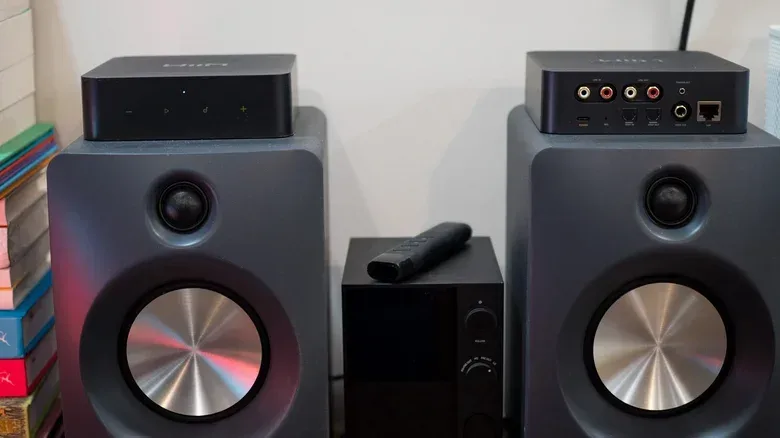
WiiM’s products illustrate how different streamer designs can target different systems. The $89 WiiM Mini is a compact, puck-shaped option with 3.5mm connectivity. For an older receiver or stereo that only needs a straightforward path onto the home network, it is positioned as the entry-level choice.
The $169 WiiM Pro expands the connection options. It includes Google Cast, AirPlay 2, Tidal Connect, Spotify Connect, Roon Ready support and Bluetooth 5.0, alongside a Texas Instruments PCM5121 DAC. It provides line-in, line-out, optical connectivity and coaxial output. That makes it adaptable: it can feed powered speakers, connect to an existing amplifier for passive speakers, or pass digital audio to an existing DAC.
The $249 WiiM Pro Plus retains the Pro’s general design and connectivity but uses an AKM 4493SEQ DAC and includes a remote. That model makes the most sense when the buyer intends to use its analog output and sees value in the different DAC or the bundled physical control. If digital output to a receiver or external DAC is the planned route, the practical importance of the streamer’s onboard DAC may be reduced.
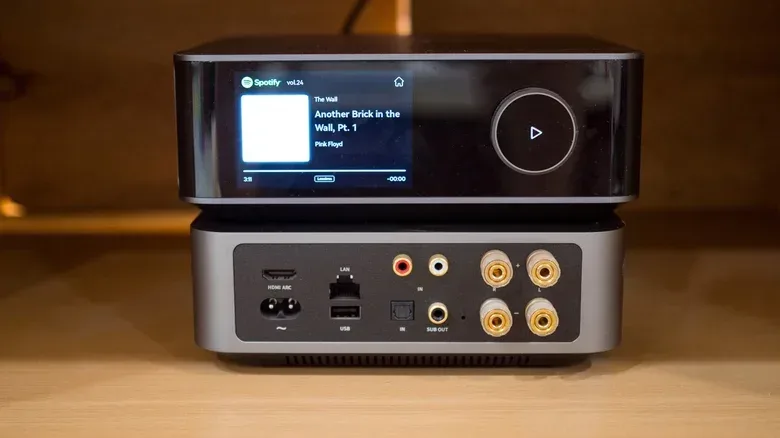
At the higher end, the $349 WiiM Ultra uses an ESS ES9038 Q2M DAC, adds HDMI ARC, and has a built-in display for album art and other information. HDMI ARC stands for Audio Return Channel. In this use case, it allows audio from a TV to return through HDMI to the audio device, opening a route for a stereo system to serve TV sound as well as music playback. It is a feature to prioritize only if television integration is part of the plan; it should not automatically dictate a purchase for a music-only setup.
Alternatives mentioned in the same general category include the $99 Arylic LP10 and $199 LP20. Their presence is a reminder that the category is broader than one brand. The decision framework remains the same: compare the available outputs, supported playback ecosystems and the needs of the existing system before treating any individual model as the default answer.
Passive speakers may call for a streaming amplifier
A standalone streamer assumes there is already amplification in the chain. Owners of passive bookshelf speakers who do not have a suitable amp, or who want to simplify a system, can instead consider a streaming amplifier. It combines network playback, digital conversion and speaker amplification in one chassis.
The $549 WiiM Amp Ultra is specified at 100 watts per channel into 8 ohms and 200 watts per channel into 4 ohms, using two TI TPA3255 amplifier chips. Ohms measure electrical impedance, a characteristic relevant to how an amplifier and speakers work together. Those numbers should be treated as part of matching a component to a speaker system, not as a standalone promise that one unit will sound better in every room.
The Amp Ultra includes an ESS ES9039 Q2M DAC, Wi‑Fi 6, Bluetooth 5.3, a screen, HDMI ARC, Google Cast, Tidal Connect, Spotify Connect, DLNA and Roon Ready support. DLNA is a networking standard commonly used for sharing media across devices on a local network. The combination means the unit can operate as the central hub for passive speakers while accommodating music-streaming and TV-audio duties.
The $329 WiiM Amp is a lower-powered option, rated at 60 watts per channel into 8 ohms and 120 watts into 4 ohms. It also includes HDMI ARC and the broader connectivity approach. The meaningful comparison is not simply “more watts is better.” A buyer should first establish whether they need a new amplifier at all, then consider the power needs of their speakers, the desired connectivity and whether a display is worth paying for.
Room correction can be the upgrade people hear most
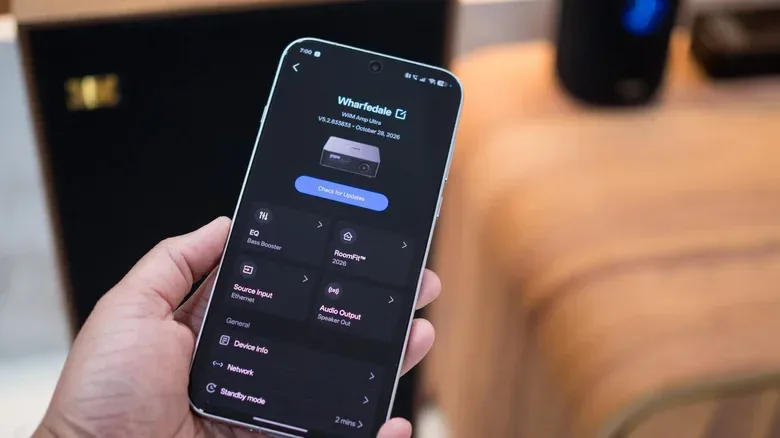
Network playback is the headline feature, but room correction may be the more consequential addition for some systems. WiiM’s RoomFit feature uses acoustic measurements to adjust the frequency curve based on the listening position, with a phone used in the process. In plain language, it attempts to account for how the room alters sound after it leaves the speakers.
This addresses a basic fact of home audio: speakers do not perform in a vacuum. Their placement, nearby walls and the listening position all influence perceived bass, treble and balance. A capable pair of speakers can still sound uneven in a difficult room. Room correction is an attempt to tailor output to those conditions rather than assuming the speaker’s default response will translate unchanged into every space.
It is important to separate the supported capability from a universal guarantee. Room correction can be useful because it gives the user a way to measure and adjust a system from the listening position. It cannot turn a streamer into new speakers, create an ideal room, or remove every limitation of the components already present. Still, it is a strong reason to look beyond bare-bones wireless adapters when improving an established setup.
Multi-room support favors a modular upgrade
Using two or more compatible streamers can create multi-room playback, and the WiiM Pro can also be integrated with existing Google or Amazon Echo devices. That is one of the clearest arguments for adding intelligence as a separate layer. A well-functioning vintage receiver in one room need not be discarded just to join a broader home-audio arrangement.
This modular approach has another benefit: it avoids locking every future change into one all-in-one device. A user can retain an amplifier, change the streamer, add a DAC, introduce powered speakers elsewhere, or build a second room over time. Not everyone needs that expandability, but it is valuable for people whose systems evolve gradually.
A practical buying checklist
- Identify the speaker type. Powered speakers can accept a streamer directly; passive speakers require an amplifier or receiver.
- Inspect current inputs. Check whether the stereo offers analog, optical or coaxial connections before shopping.
- Decide whether TV audio matters. If it does, HDMI ARC is worth considering. If it does not, paying extra for it may be unnecessary.
- Choose the playback ecosystems that matter. AirPlay, Google Cast, Spotify Connect, Tidal Connect, Roon and DLNA are not interchangeable for every household.
- Consider the role of the DAC. An analog connection uses the streamer’s DAC; a digital connection may let an existing receiver or DAC handle conversion.
- Separate essentials from upgrades. A small streamer may be enough for one stereo, while room correction, multi-room support and a screen are optional layers rather than requirements.
The core takeaway is refreshingly unglamorous: keep audio hardware that continues to do its job, then add the exact missing function. For an older stereo, that may be a compact streamer. For passive speakers without a current amplifier, it may be a streaming amp. Either route can put modern network music controls alongside equipment that would otherwise be left behind for no better reason than a missing Wi‑Fi logo.
Shop the products
Check current price, model and availability at the retailer.