A smartphone battery is a consumable component: it will wear over time, even if every charging session looks perfectly ordinary. The useful goal is not to chase a mythical “perfect” percentage or refuse to charge overnight under all circumstances. It is to reduce the situations that add avoidable strain—especially heat, extended time at full charge and unreliable charging hardware.
Most current phones already do part of the work. iPhones offer Optimized Battery Charging, Pixel devices offer Adaptive Charging, and Galaxy phones include Battery Protection options. Those tools make charging less hands-on, but they are not magic shields. A phone can still get too warm under bedding, in a hot car, during a demanding game, or with a damaged cable. Settings also need to be enabled in some cases.
For people using a phone for gaming, streaming, navigation or social apps throughout a long day, the practical answer is usually balance: use a charge limit when extra endurance is not necessary, charge on a clear hard surface, and save demanding use for after the phone has finished charging. Here are the habits that matter most and the less stressful alternatives.
1. Leaving the battery at 100% for long periods
Reaching 100% is not itself a disaster. The concern is leaving a lithium-ion battery at that level for prolonged stretches. A battery can age more quickly when it remains completely full, which is why manufacturers have created charging features intended to reduce the time spent at 100%.
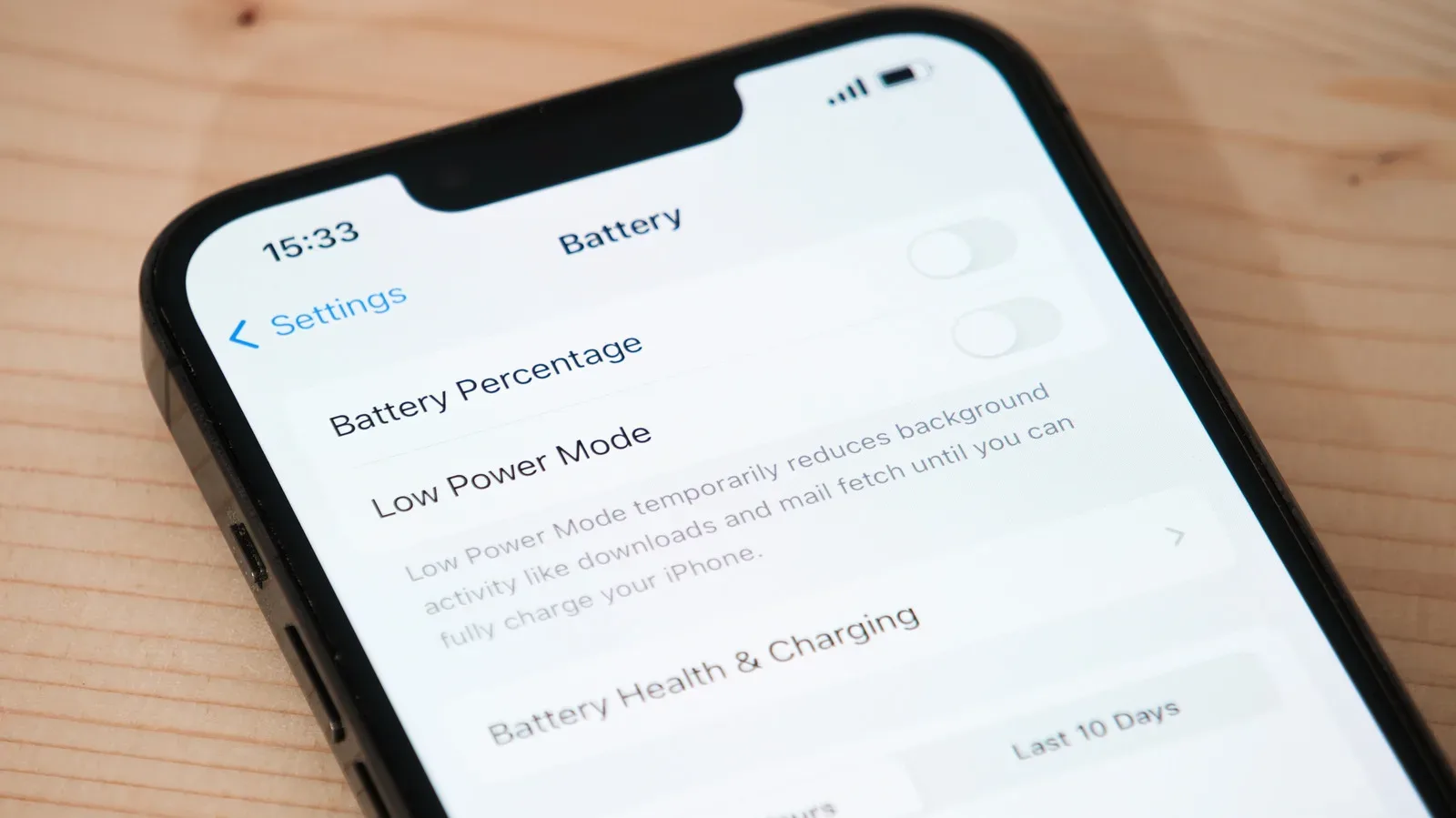
Optimized charging is the broad idea behind these features: the phone adjusts charging behavior rather than simply pushing to full capacity as quickly as possible and holding there. Exact behavior varies by device. On iPhone 15 models and later, users can select a charging limit between 80% and 100% through Settings > Battery > Charging. Older iPhones place Optimized Battery Charging under Settings > Battery > Battery Health & Charging.
Pixel users can find charging controls at Settings > Battery > Battery health > Charging optimization. The available choices include Adaptive Charging and Limit to 80%; the 80% limit is available on the Pixel 6a and later. On Galaxy devices running One UI 6.1 or later, go to Settings > Battery > Battery protection. Selecting Maximum stops charging at 80%.
An 80% ceiling is a trade-off, not a commandment. It may leave up to one-fifth less usable charge for the day. If a lengthy commute, travel, navigation, event coverage or a game-heavy day makes every percentage useful, temporarily allowing a full charge is sensible. The more sustainable routine is to use the limit on ordinary days and disable it when the extra capacity has a real purpose.
Overnight charging is not automatically the villain
Older advice often framed overnight charging as a guaranteed battery killer. Current battery-management tools make that claim too simple. Phones can use their built-in optimization features to avoid spending unnecessary time fully charged. The bigger issue is the environment around the phone: overnight charging beneath a pillow or blanket can trap heat, and a worn or unsuitable charger remains a problem no matter the time of day.
Related coverage includes 5 charging habits that wear out your phone battery.
In other words, an overnight charge on a hard, open surface with approved hardware is a much different situation from an overnight charge buried in fabric. Enable the protective setting available on the phone, then give it room to stay cool.
2. Treating 0% as a required part of battery care
Modern lithium-ion batteries do not need to be drained to 0% before they are charged. There is no battery-health benefit in deliberately running a phone empty before plugging it in. Topping up at convenient points during the day is fine.
This is easier to understand with the term charging cycle. A cycle does not require one uninterrupted journey from 100% to 0%. It describes using an amount of energy equal to the battery’s full capacity, even if that usage happens across multiple sessions. Using 50% one day and 50% the next, for example, adds up to the equivalent of one cycle. Two smaller recharges during a day are not inherently worse simply because there were two connections to a charger.
The more important warning concerns long-term storage. A phone that is fully drained and left that way for an extended period can eventually lose its ability to hold a charge. If a spare handset is going into a drawer for a long time, charge it to roughly 50%, turn it off, and restore it to about 50% again after six months.
That approach is particularly useful for an older handset being kept for a specific utility role rather than daily mobile use. A spare can still be useful as a household controller; this guide to turning an old phone into a smart-home remote covers one practical reuse. If it will sit unused before that role begins, do not store it empty.
3. Charging in places that turn the phone into a tiny heater
Heat is the central theme in sensible battery care. Lithium-ion batteries do not respond well to high temperatures, and warmth can shorten their lifespan. iPhones are designed to operate between 0 and 35 degrees Celsius, or 32 and 95 degrees Fahrenheit. Very hot conditions can contribute to faster battery aging.
Some heat sources are obvious, such as a parked car on a hot day. Others are easy to overlook because they look cozy or convenient: a phone charging under a pillow, tucked beneath a blanket, or pressed into another soft surface that holds heat. These setups obstruct the easy dissipation of warmth that a clear, hard, flat surface provides.
Phones have safeguards. They may slow charging or pause it if the device becomes too hot. Pixel phones, for example, can restrict charging to around 70% to 80% after hours of charging in high heat. These protections are valuable, but they are a response after heat has become an issue—not a reason to ignore a hot environment.
- Charge on a hard, flat surface rather than a bed, couch or pile of clothing.
- Keep the phone out of direct sun and away from heat trapped in a parked vehicle.
- Use a shaded, open location where air can circulate around the device.
- If the handset regularly feels hot while charging, remove its case while it charges.
Removing a case is not mandatory for every charging session. It is a targeted response when a particular phone-and-case combination seems to hold in too much heat. The goal is not to make charging fussy; it is to eliminate the obvious heat trap.
4. Playing, streaming or otherwise pushing the phone while it is plugged in
Charging generates warmth. Demanding phone use can generate warmth, too. Combining both can raise the temperature further, which is the part that matters for long-term battery wear.
Games and video streaming are two common examples of activities that can warm a phone. The risk is more noticeable when other heat factors stack up: a hot day, the phone running navigation, a charger connected, a video playing, and a bulky case all create a less forgiving situation. It is not one app or one cable in isolation; it is the cumulative heat load.
For energy-hungry activities, a simple routine is preferable: charge first, then play, watch or browse afterward. That separates two sources of heat. If the phone becomes unusually warm, unplug it, close demanding apps and let it cool before continuing.
Fast charging and wireless charging can add warmth as well. That does not make either method automatically unsuitable, but it makes basic heat awareness more relevant. If an iPhone displays a temperature warning, switch it off and move it to a cooler place. Do not try to power through a temperature warning with another game, a video stream or continued charging.
Why this matters for mobile gaming
Mobile games can be particularly demanding because they may keep the display active, require sustained processor work and use a network connection at the same time. That is a normal use case for a modern phone, not an error. The charging-related adjustment is timing: avoid turning a heavy game session into a simultaneous charge session when possible, especially in a warm room or vehicle.
If convenience requires charging while using the phone, reduce the other heat contributors that are under your control. Put it on an uncovered hard surface, avoid direct sun, and stop if it becomes hot. Those measures are more useful than obsessing over individual percentage points.
5. Using a poor cable, an incompatible charger or a flawed wireless setup
The charging equipment matters as much as the wall outlet. Damaged or incompatible cables and chargers can heat up the phone, and a bad cable can also heat the charging port. Do not continue using accessories that are visibly damaged or behaving abnormally. Replace them with the correct cable and charger for the phone, using original or certified products that meet the device’s listed ratings.
Certified here means an accessory is approved to meet the relevant requirements rather than simply being an unknown item that happens to fit the port. Physical fit alone does not make a cable or charging brick an appropriate choice. Heat, unreliable charging and damage are all reasons to stop using suspect hardware.
Wireless charging deserves an extra setup check because it creates heat as part of its operation. A thick case or a metal case can slow charging or prevent it altogether. Objects between the phone and its charging pad—including a credit card or key—can also interfere with the process.
If a wireless charge stops unexpectedly, the phone may have paused because it became too warm and is waiting to cool before resuming. Before assuming the charger has failed, check the basics:
- Remove a thick or metal case, or try charging without the case.
- Take away cards, keys and any other object between the phone and the pad.
- Center the phone on the charger.
- Confirm that the wireless charger is certified.
- Move the charger and phone to a cooler, clear surface if either feels hot.
Wireless charging can be convenient, but it works best with careful alignment and a clean contact area. A misaligned phone, unnecessary material between the coils, or a case that impedes charging can turn a routine top-up into extra heat and unreliable behavior.
A practical battery-care routine
The best routine is one you will actually keep. Enable the charging optimization offered by your phone, use an 80% limit when the day allows it, and allow a full charge when you genuinely need the range. Charge before a long gaming or streaming session rather than during it. Keep the phone uncovered and out of heat traps. Replace damaged accessories rather than gambling on them.
For a device placed in long-term storage, aim for approximately 50%, power it down, and revisit that level after six months. For a phone on a daily schedule, do not feel compelled to run it to zero, and do not panic over every charge to 100%. The highest-value improvements are the ordinary ones: less time sitting full when it is unnecessary, less exposure to heat, and better charging hardware.