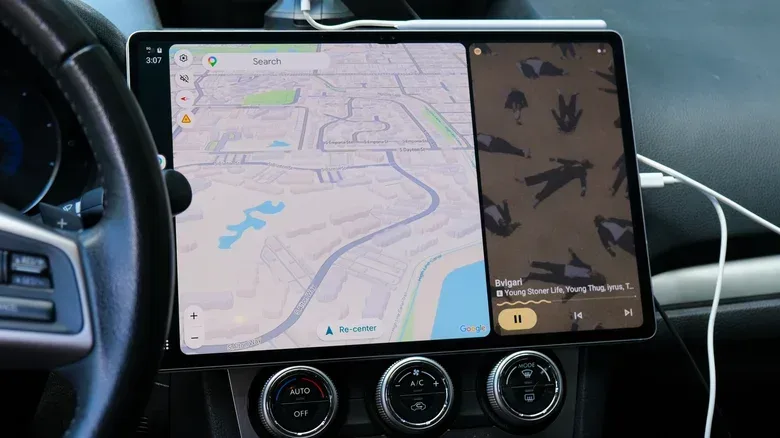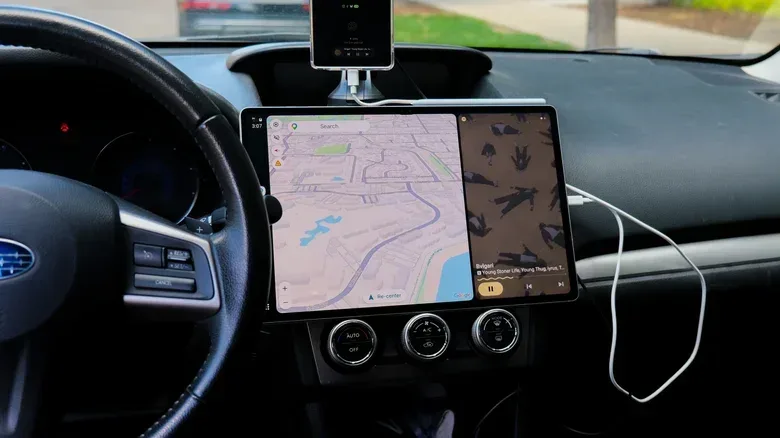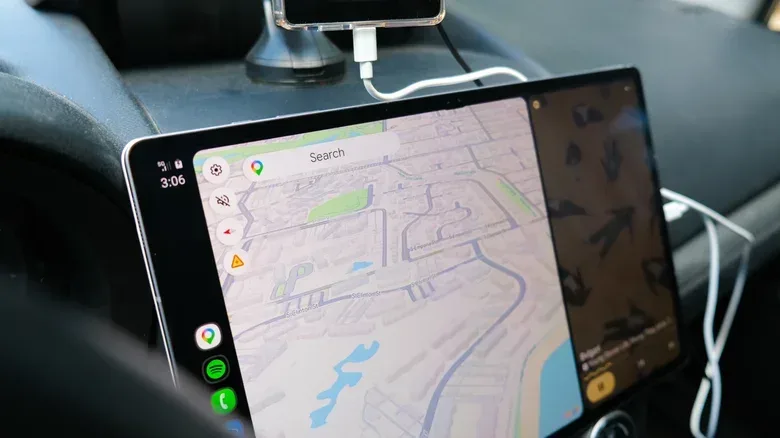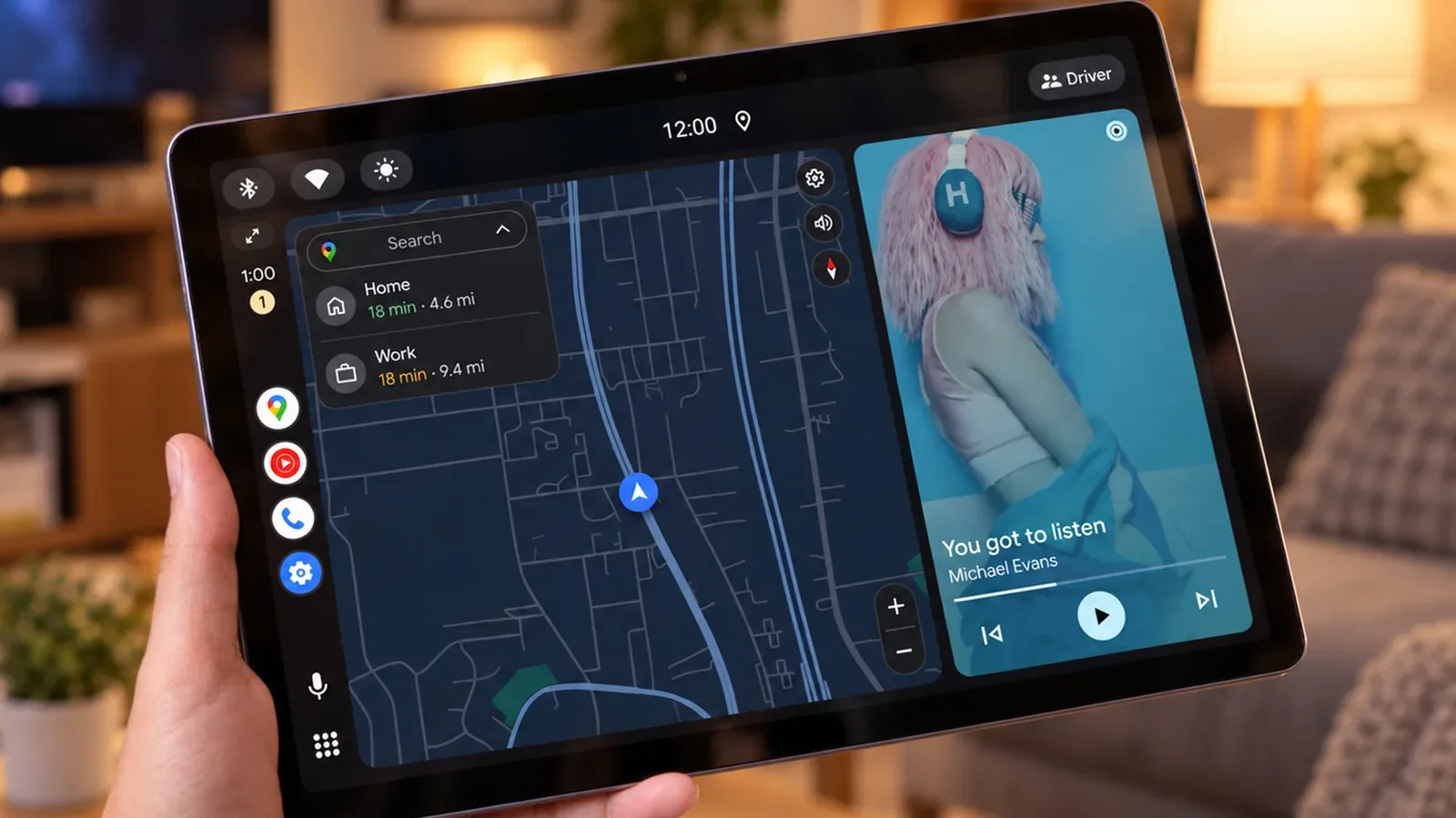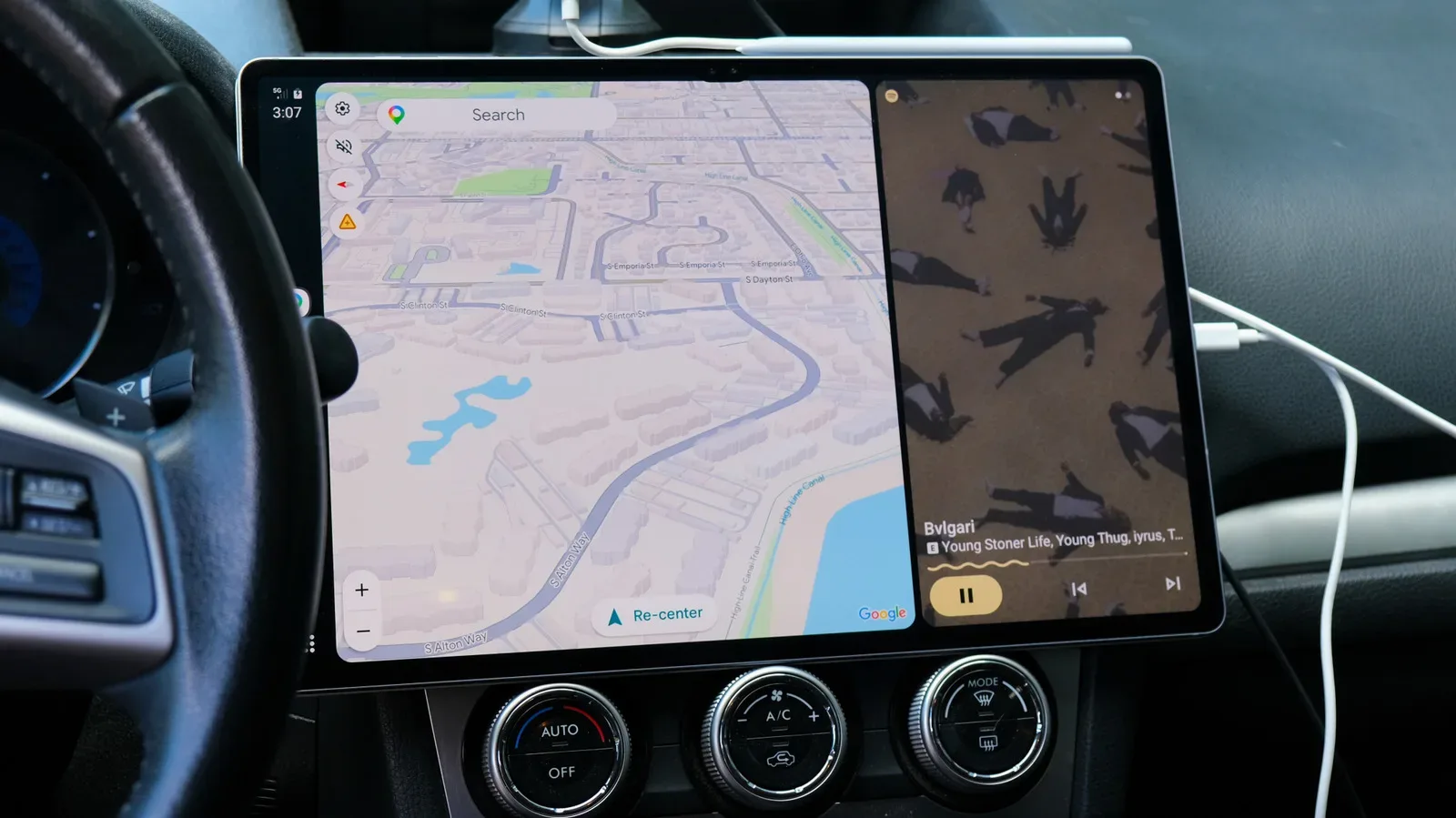
An Android tablet that has become too slow or too neglected for everyday apps may have another job waiting in the driveway. The Open Headunit app can turn a tablet into a display for Android Auto, effectively presenting the car-friendly phone interface on the tablet rather than on a factory-installed infotainment screen.
That idea has obvious appeal for drivers of older vehicles, or for anyone whose car lacks Android Auto support. Instead of replacing a dashboard head unit—which can be expensive, technically involved, or both—a tablet can serve as the visible interface while the phone remains the device doing the underlying work. Navigation, media controls and compatible Android Auto functions are then shown on a much larger screen than the phone itself.
It is not a magic conversion of every old slate into a factory-quality car system. The setup has connection choices, permissions, audio-routing decisions and mounting questions. Hardware compatibility is also not guaranteed, especially on truly old tablets. Still, the approach is a potentially practical reuse project for an otherwise sidelined device.
What Open Headunit changes
Android Auto is the driving-focused interface that normally connects an Android phone to a compatible vehicle display. It presents selected navigation and media functions in a layout designed for use in a car. In the usual setup, the vehicle’s built-in touchscreen is the screen the driver sees.
Open Headunit changes the display side of that equation. The app makes the phone treat the tablet as though it were an Android Auto head unit, letting the tablet show the Android Auto interface. The phone continues to handle the processing, while the tablet principally provides the screen and the app layer that enables the connection.
That distinction matters for anyone hoping to revive aging hardware. A tablet does not necessarily need to run every demanding modern app smoothly to be useful in this role, because the phone is doing the central Android Auto work. But the tablet still must boot reliably, run Open Headunit, maintain a stable connection and display the interface properly. A nonfunctional screen, a boot loop or persistent connection trouble will stop the project before the phone’s processing power becomes relevant.
The app is available through Google Play for just under $4, while a free GitHub route is also available for people comfortable with a more technical installation process. That cost structure makes it notably different from replacing a vehicle head unit, particularly for somebody who already owns the tablet.
A tablet-only display is not the entire car-audio solution
The biggest practical wrinkle is that a screen in the car is only one part of an infotainment setup. The tablet needs a path to the car’s audio system if music, spoken directions or other media are meant to play through the vehicle speakers.
Open Headunit supports several connection approaches: USB, Wi-Fi, Bluetooth and, on compatible tablets, Android Auto directly on the device. Which one works best depends on the phone, tablet and car involved. The app includes a configuration tool intended to guide users through its important settings, but it is sensible to expect some experimentation rather than a guaranteed plug-and-play experience.
USB emerged as the more reliable option in one reported setup after wireless Android Auto proved troublesome. Once the appropriate permissions were enabled and Open Headunit was set as the default for USB connections, plugging in the phone consistently launched Android Auto on a Samsung Galaxy Tab S10 Ultra. Playback could resume through the tablet’s speakers.
That is a useful proof of the basic concept, but it is not evidence that every tablet and phone combination will behave identically. The tested tablet was a recent, high-end model, not the old hardware this project will often be intended to rescue. Two attempted older-device checks did not produce usable results: a 2013 Nexus 7 remained in a boot loop, while a 2019 Galaxy Tab S6 Lite had a display malfunction.
In other words, the software’s architecture gives old tablets a plausible second act, but it cannot repair failing hardware. Before buying mounts, hubs or cables, the sensible first check is simply whether the tablet starts, holds a stable display and can run the app long enough to establish an Android Auto connection.
USB, Bluetooth and the latency problem
Latency is the delay between an event and the result you hear or see. In this case, it can mean audio arrives noticeably after a command or on-screen action. Even when a Bluetooth chain works, a delay can make the experience feel clumsy for music control and other responsive tasks.
Bluetooth was used to send tablet audio to a car stereo in the reported configuration, but the delay was too high. A USB-C hub with a 3.5 mm headphone jack, followed by an auxiliary cable into the car’s own 3.5 mm input, reduced that delay. It is a decidedly wired workaround, but it illustrates the core trade-off: convenience is not always the same as responsiveness.
For a prospective setup, the practical lesson is to treat the display connection and the audio connection as separate decisions. A tablet may show Android Auto perfectly while the audio route remains inconvenient or laggy. Conversely, a car may have a usable auxiliary input that makes wired audio straightforward even if Bluetooth is disappointing.
- USB: A potentially dependable way to connect the phone and tablet, although it may require permissions and default-app settings.
- Wi-Fi: An available connection method, but suitability will vary by the specific hardware combination.
- Bluetooth: Can connect audio to a vehicle stereo, though delay may be an issue.
- 3.5 mm auxiliary audio: A wired alternative when a compatible USB-C hub and the car’s aux input are available.
Gemini in Android Auto is supported as part of this arrangement. That adds another reason to view the tablet as a display companion to the phone rather than a standalone retrofitted car computer: the phone-connected Android Auto environment is the feature set being surfaced on the larger panel.
The large-screen advantage is real, but so are the dashboard compromises
The visual appeal is easy to understand. Android Auto on a 14.6-inch, 2K AMOLED display can feel far more expansive than a small older factory screen—or a phone held in a cupholder. Larger panels can make navigation and playback controls easier to read at a glance, which is the appeal behind using a tablet in the first place.
But a dashboard is not a desk. A tablet needs to be supported securely and positioned sensibly. The reported temporary arrangement placed the tablet in a tray below the existing head unit, while longer-term possibilities included multiple MagSafe-style car mounts paired with magnetic rings on the tablet, or a dedicated car tablet mount.
Those are mounting ideas rather than universal recommendations. Tablet dimensions and weight vary considerably, as do dashboard surfaces and mount designs. Anyone exploring this route should assess whether the planned mount actually supports the particular tablet and whether the screen placement leaves essential vehicle controls accessible. A giant display is only an upgrade if it remains stable and usable.
There is also a straightforward security implication: a tablet left visibly installed can attract thieves, even if it is an older model with limited resale value. A removable setup has a practical advantage. Being able to take the device when parking avoids turning a repurposed tablet into a permanent invitation through the window.
Who this makes sense for
Open Headunit is most compelling for a specific kind of driver: someone who has a functioning Android tablet, owns a car without built-in Android Auto, and would rather not undertake a head-unit replacement. It is especially relevant where the existing dashboard system is awkward to replace or where an official repair is costly. One 2015 Subaru example involved a failed factory head unit and a dealer replacement cost above $2,000, while a self-installed aftermarket alternative required time and car-installation confidence the owner did not have.
That does not make the tablet route a universal substitute for a proper built-in head unit. It leaves cables, mounting, audio routing and removal at the end of a trip on the table. It may take time to identify a connection method that works reliably. Wireless functionality can be frustrating, and old tablets can fail for reasons unrelated to the app.
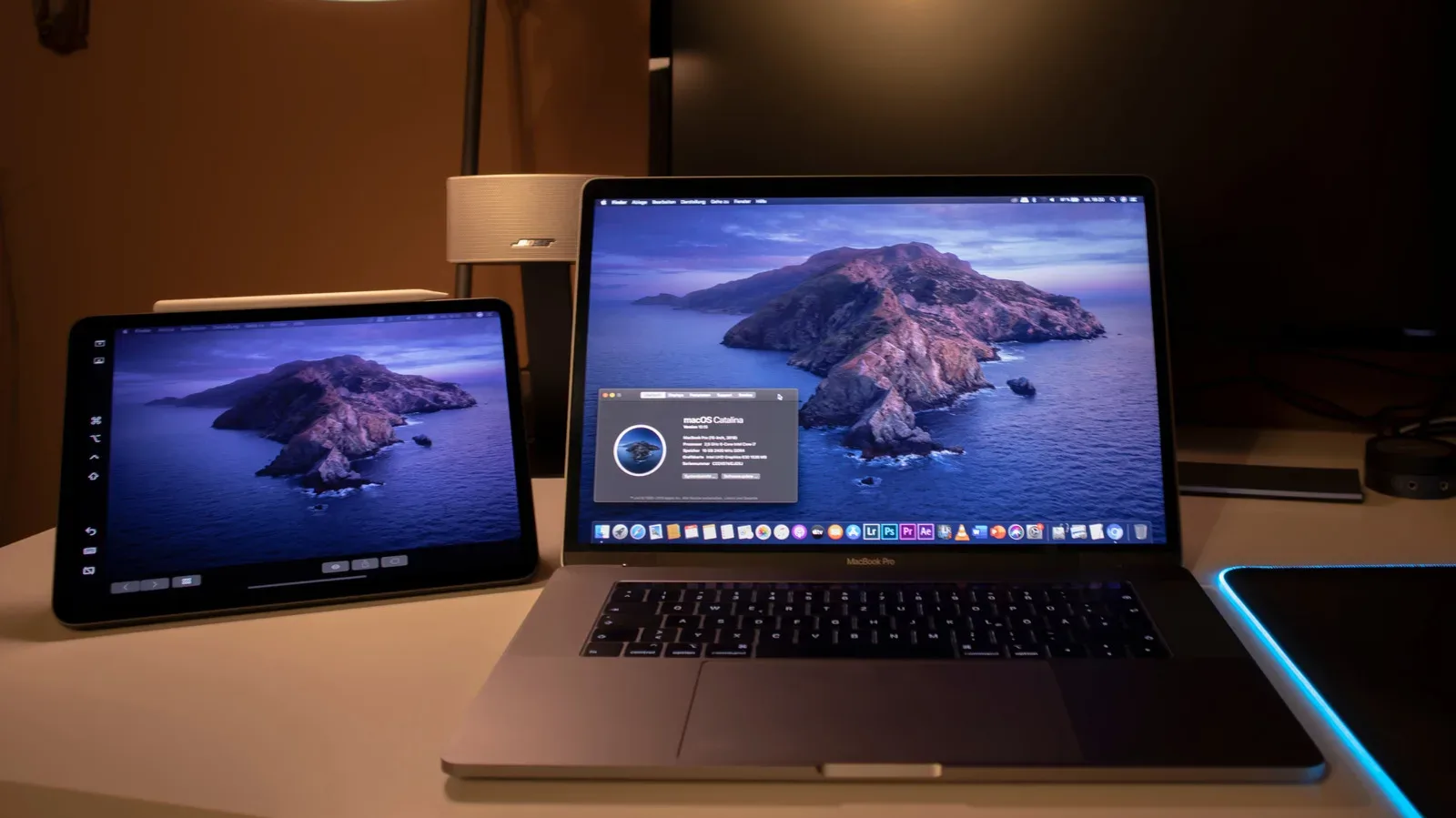
However, the project’s value is in its flexibility. It can let someone try a larger Android Auto interface using equipment already on hand rather than committing immediately to an expensive dashboard overhaul. And if the tablet serves other purposes away from the car, the same removable-device logic can be attractive. Repurposing screens for specialized tasks is not limited to vehicles; a tablet can also fill a display role at a desk, as explored in using a tablet as a second screen for a computer.
A realistic checklist before committing
The strongest version of this idea is a trial, not an assumption. Confirm the basics with the tablet and phone you actually own before spending further money or designing a permanent dash installation.
- Check the tablet’s health. It needs to boot, display normally and remain usable. A device with a boot loop or screen failure is not a candidate.
- Install and configure Open Headunit. Use its configuration process, grant the required permissions and be prepared to set it as the default for USB if that is the selected connection.
- Test connection methods. USB, Wi-Fi, Bluetooth and direct on-device Android Auto support may not perform the same way on every set of devices.
- Test audio independently. Determine whether Bluetooth latency is tolerable or whether a hub and auxiliary connection are better suited to the car.
- Decide on removal and mounting. A temporary placement can validate the concept before a more involved mounting plan. Consider the tablet’s weight and the risk of leaving it in view.
The result will not look or behave exactly like a factory infotainment system, and it should not be presented as one. Yet Open Headunit offers a notably economical workaround where the ingredients line up: a working Android tablet, a compatible phone, a usable audio path and a driver willing to configure a few moving parts. For the right older car, that discarded tablet may be less of a coaster and more of a surprisingly large Android Auto screen.