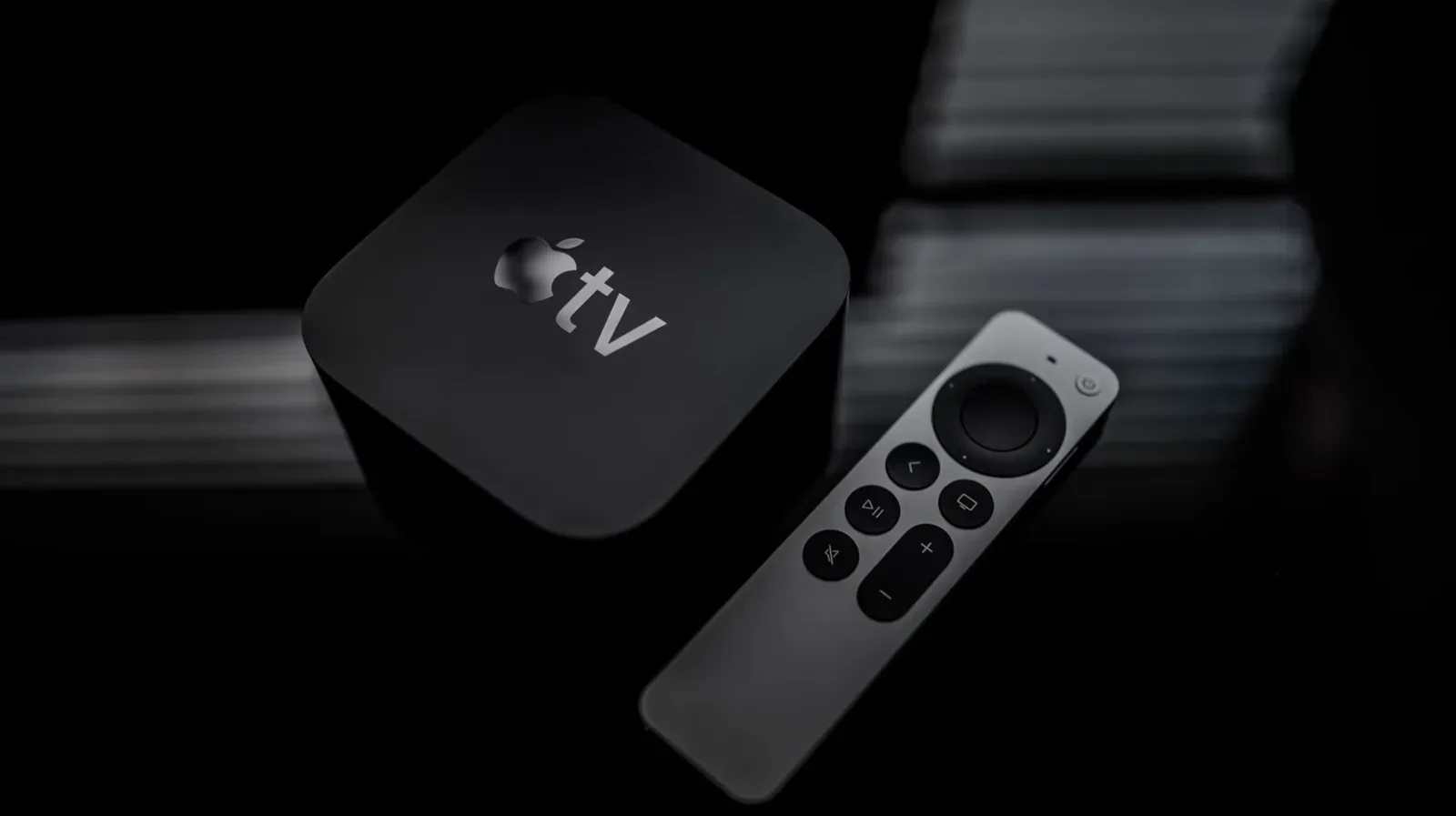
Not every screen needs to be retired just because streaming apps have become a normal part of watching TV. If an older television still produces a picture you like, a small streaming device can add the connected side of a modern smart TV without requiring a full television replacement.
The core idea is uncomplicated: connect a streaming stick or hub to the TV, switch the television to the corresponding input, connect the device to the internet, and sign in to the streaming services you use. The television continues to do the job it always did—display video and play sound—while the separate device supplies the menu, apps, and online features.
For players, this can also be a sensible way to keep a familiar display in a secondary room, a retro setup, or a living-room entertainment station. It does not turn an old television into a new gaming display, nor does it change its native picture capabilities. What it does provide is a convenient route to streaming video and online entertainment while preserving a screen that may otherwise still be perfectly useful.
The first thing to check: HDMI
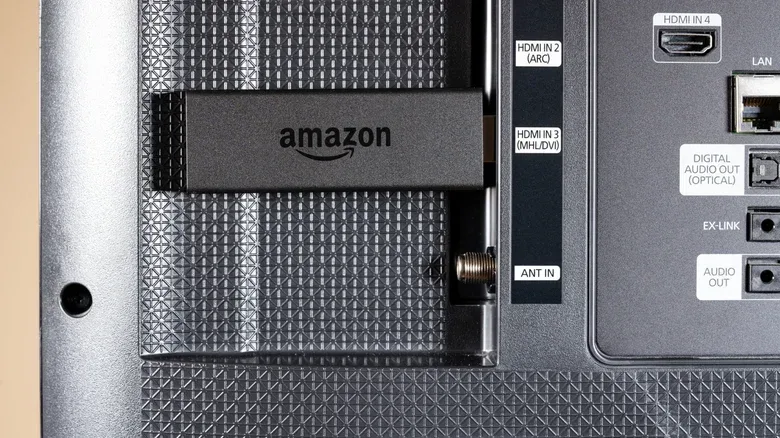
The most straightforward compatibility check is whether the television has an HDMI port. HDMI is the familiar compact, flat connector used by many modern entertainment devices. It carries digital audio and video over one cable, which is why it is the usual connection for streaming sticks.
Inspect the back and sides of the TV carefully. HDMI sockets are commonly grouped with other inputs, although their placement is not always convenient. On some sets, ports face downward or toward the side rather than directly outward. That can make the connection awkward, particularly when the television is close to a wall, but it is worth checking the edges before concluding that the set lacks HDMI.
Once a stick is plugged in, use the television remote to select the matching input. This is an important distinction: the stick does not replace the TV’s usual input controls. The TV must be set to the HDMI input carrying the stick’s signal before its setup screen or home menu can appear.
What HDMI solves
With HDMI in place, the basic conversion is close to plug-and-play. A compact device such as an Amazon Fire TV Stick, or another available streaming option, plugs directly into the port. After initial setup and account sign-in, the device acts as the front door to supported streaming services.
That approach is appealing because it separates the smart interface from the television itself. The display can remain in use even if its original software is absent, limited, or simply not part of the set at all. In practical terms, the streaming stick becomes the part of the setup that handles online entertainment.
Older connections may still leave a path forward
No HDMI port does not automatically mean the project is impossible. Some older televisions instead use RCA inputs or an RF input. RCA refers to the older red, white, and yellow-style connectors often found on legacy equipment. RF is an even older antenna-style input. Adapters are available for televisions with those kinds of connections, potentially allowing a streaming setup to work where direct HDMI access is unavailable.
However, the adapter route adds complexity. Direct HDMI is the cleanest and simplest arrangement because the streaming device is designed to use that connection. Anyone trying to equip a significantly older television should recognize that adapters may be necessary rather than assuming the same one-step setup will apply.
That practical difference matters most when helping another person get set up. A device that is easy to plug into an HDMI port and select from the TV’s input list is one thing; an older display requiring conversion hardware is another. In those circumstances, replacing the television can be the less complicated option even if it costs more.
Streaming stick versus a new smart TV
The major argument for a streaming stick is cost. Streaming sticks and hubs can be available for about $30, while even a low-cost smart TV can cost around $150. Those figures do not settle every buying decision, but they show why adding a device to an existing television can be a compelling alternative when the display itself is still doing its job.
There is also a convenience argument. A streaming device is small, does not demand new furniture or a new mounting plan, and generally avoids the disruption of replacing a larger piece of hardware. For a bedroom TV, spare-room setup, or a television that already fits a particular space, the ability to add streaming without moving a screen can be the real benefit.
Buying a smart TV, meanwhile, combines the screen and connected interface into a single product. That may be the better path when a television is substantially older or when simplicity is the priority. It may also be more practical for someone who would benefit from having one modern device rather than a TV, an external stick, a separate remote, and potentially adapters.
Availability is part of the equation, too. Non-smart televisions are becoming harder to find in stores. A shopper who already needs a new screen may therefore encounter smart models as the standard choice. In that case, trying to avoid smart-TV features entirely may be less realistic than it once was.
What the conversion does—and does not—change
Calling an older set “smart” after adding a streaming stick is useful shorthand, but it helps to be precise. The new device gives the setup an app-based interface and access to online entertainment. It does not inherently change the physical characteristics of the television panel or resolve every limitation associated with an aging display.
In other words, the stick is an upgrade to access and navigation, not a promise that an old screen will perform like a newly purchased model. The value is in retaining a display that still suits your needs while modernizing the way content reaches it.
That is especially relevant for gaming households. A television can have one role for games and another for streaming, and an HDMI input is shared real estate. Before committing to a stick, look at how many ports the set has and what is already connected. A console, another media device, or other hardware may already occupy the easiest-to-reach inputs. Planning the connection layout first prevents a supposedly simple upgrade from becoming a constant cable swap.
For anyone already weighing wider entertainment hardware purchases, seasonal platform promotions can also affect the overall budget; PlayStation’s reported 2026 Black Friday sale plans are one example of how display and game-hardware decisions can overlap. The streaming-stick option is not necessarily a substitute for a new TV, but it can leave more room for other equipment when a current screen remains usable.
Accessibility deserves to be part of the choice
Price and setup ease are not the only considerations. If accessibility features are important, a new smart TV may be preferable for some buyers. Roku and Samsung smart TVs are noted for accessibility options that can support people with hearing loss or low vision.
This is a case where “cheapest” and “best fit” can be different answers. An external streaming device can be an economical route to apps, but a new smart TV may offer a more integrated experience for a person who needs strong accessibility support or who would find multiple connected components difficult to manage.
A practical decision checklist
- Keep the existing TV and use a streaming stick when the screen still works well, it has accessible HDMI, and the goal is primarily to add streaming access at a lower cost.
- Investigate adapters when the TV has RCA or RF connections but no HDMI, while keeping in mind that this makes the setup less direct.
- Consider a new smart TV when the existing set is substantially older, requires a complicated connection solution, or needs to be especially simple for its intended user.
- Put accessibility first when hearing-loss or low-vision accommodations are central to the purchase; Roku and Samsung are options to examine for those features.
- Check input usage before buying so a streaming stick does not unexpectedly displace a console or other device from the only convenient HDMI port.
For many people, the humble HDMI port is the dividing line between an older TV that is merely old and one that can still fit comfortably into a streaming-focused home. A small external device will not make every television the ideal centerpiece of a modern setup. But where the display is sound and the connection is available, it can add the functions many viewers actually want without making a full replacement the default answer.