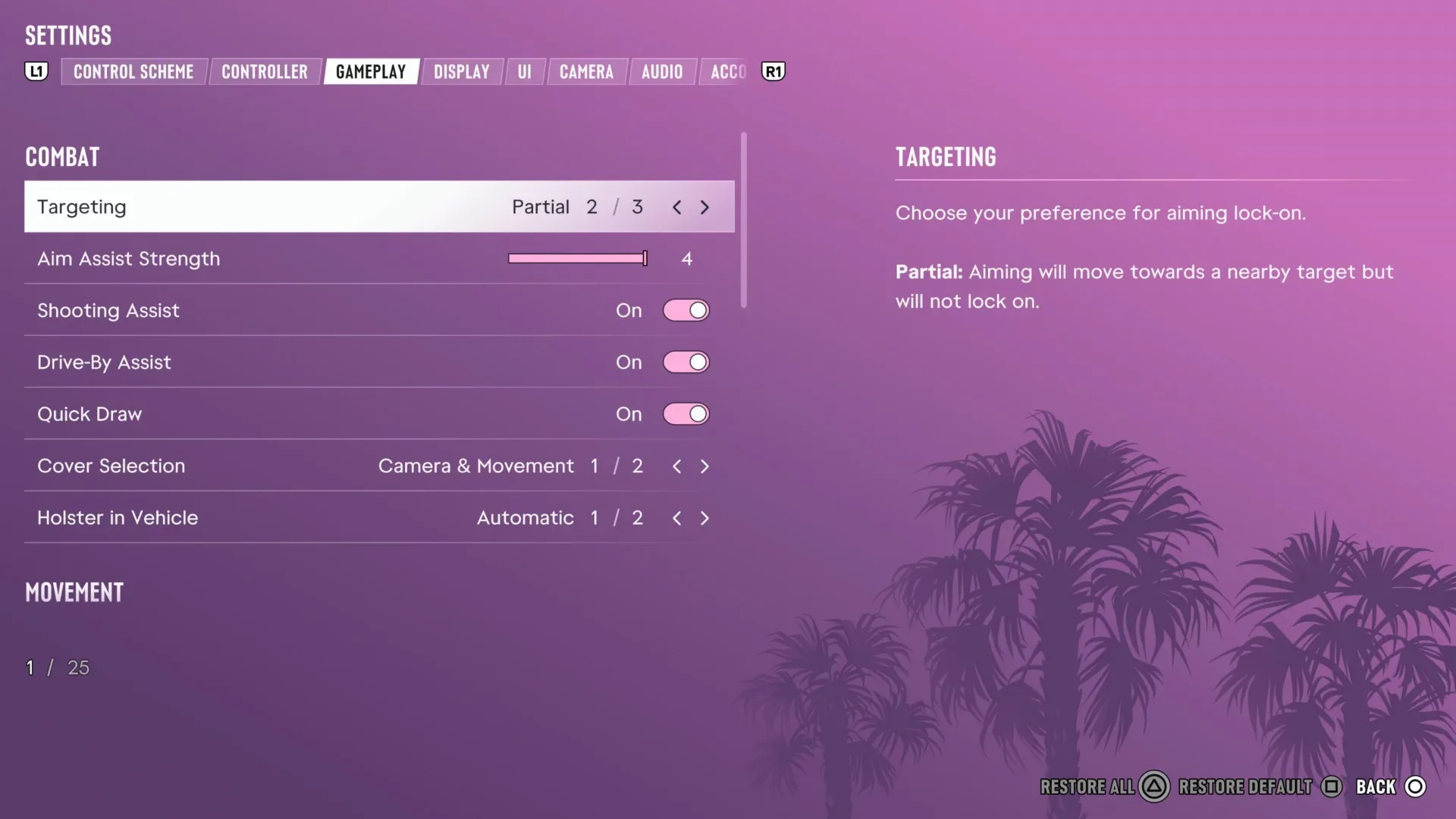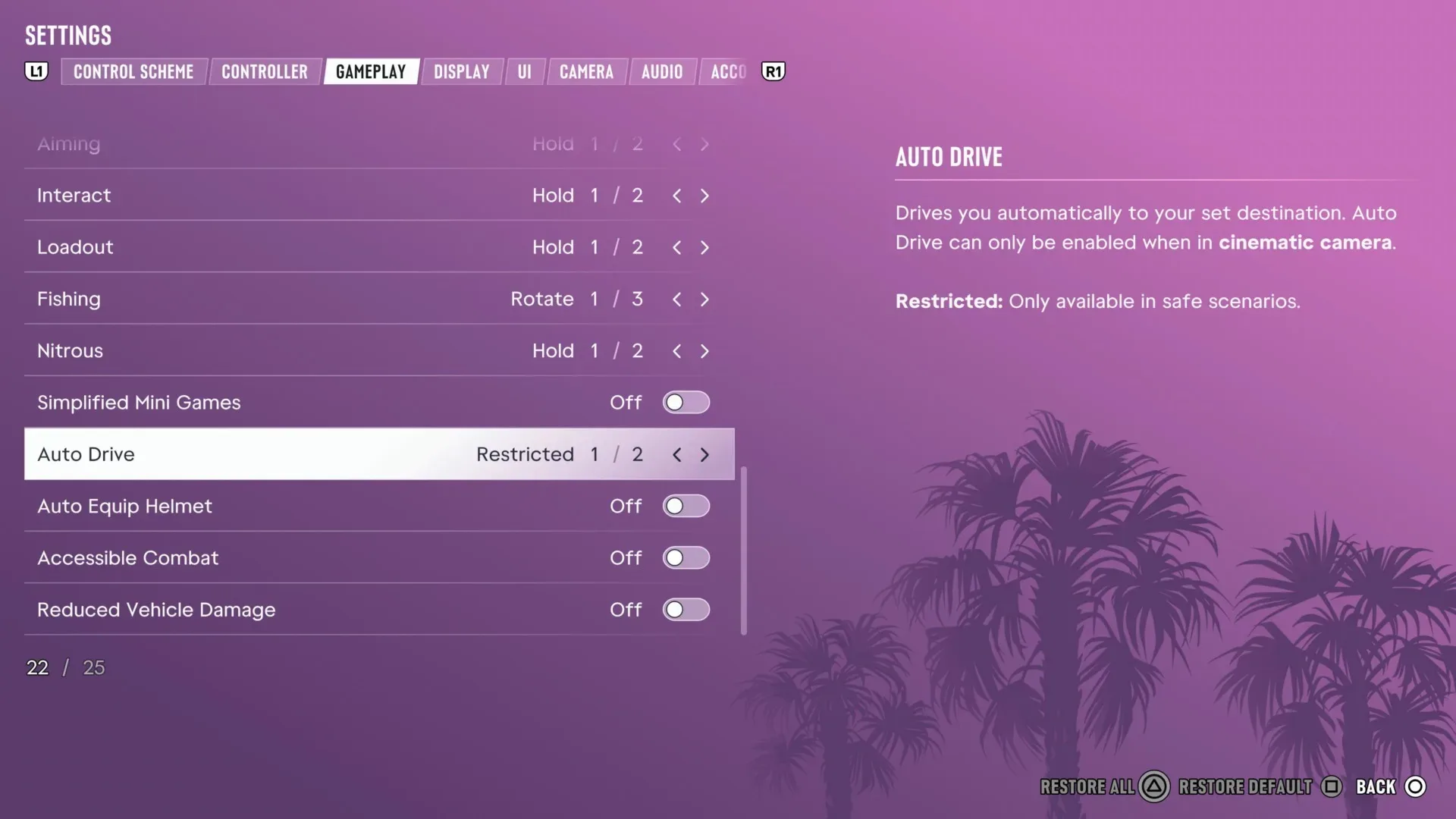

Grand Theft Auto 6 includes accessibility settings that can be adjusted from the start of the game, offering alternatives for players who find its controls, driving, combat, or activity inputs a barrier to progress. Crucially, these are not framed as unlockable cheats: using them does not prevent saving and does not disable trophies or achievements.
That distinction matters. A player may want to follow the story, explore the world, or simply get past one demanding sequence without making a permanent, achievement-blocking trade-off. GTA 6’s settings provide several ways to lower particular kinds of friction rather than asking everyone to interact with every system in exactly the same way.
The notable options highlighted in the Accessibility section are Simplified Mini Games, Auto Drive, Accessible Combat, and Reduced Vehicle Damage. Other settings can make actions such as boosting while driving easier as well. Some of these adjustments substantially change the game’s challenge, and the menu explicitly warns that combat and vehicle-damage changes were not part of the experience’s original balance.
How to find GTA 6’s accessibility options
- Pause the game.
- Scroll to the bottom of the pause menu and open Settings.
- Press RB or R1 to move to the Gameplay section.
- Scroll down to the Accessibility area.
The settings can be reached at any point during play. That is useful because an option that does not seem necessary early on may become valuable when a particular mission, driving situation, or control-intensive activity proves difficult.
For broader early-game orientation beyond these settings, see our GTA VI checklist covering saving, navigation and Chapter 1 choices.
Accessibility settings are not cheats
In everyday conversation, players sometimes use “cheat” to mean any tool that makes a game easier. GTA 6 draws a more useful line. Cheats are typically optional modifiers connected to separate rules, conditions, or unlock requirements. The accessibility options here are available immediately and are intended to help people who cannot comfortably progress with the standard controls, mechanics, or difficulty.
The practical consequences are clear:
- They do not need to be unlocked by completing the game or meeting a task requirement.
- They do not block trophies or achievements.
- They do not stop the player from saving.
That does not mean every setting is consequence-free in play. Accessibility can be essential for one player and a major reduction in tension for another. GTA 6’s own warnings on accessible combat and vehicle damage make that point directly: players who do not need those aids may find the game much easier, potentially to the point that its usual stakes feel diminished.
Related coverage includes GTA 6 Accessibility Settings Aim to Make Missions, Driving and Combat More Approachable.
The important takeaway is that difficulty is not a single knob. Trouble with a trigger-timing activity is different from trouble steering through traffic, and both are different from finding firefights overwhelming. GTA 6’s menu addresses several of those obstacles separately, letting players target a specific problem rather than automatically lowering everything.
Simplified Mini Games reduces demanding input timing
Simplified Mini Games makes several activities easier, including exercising, hotwiring vehicles, and shooting hoops. These activities can depend on precise timing or on controlled use of the analog triggers, such as easing a trigger rather than fully pressing it.
In this context, a mini game is a smaller, self-contained activity within the larger open-world game. It may use a control rule that differs from normal walking, driving, or shooting. Such sequences can be entertaining variety for some players, but they can also become a hard stop for anyone who has difficulty with timing windows, fine pressure control, repetitive inputs, or rapidly changing prompts.
Turning on Simplified Mini Games is therefore a focused adjustment. It does not describe a broad combat or driving overhaul. Instead, it addresses activities where performance depends heavily on the physical demands of an input method. A player who enjoys GTA 6’s main driving and action systems but gets stuck hotwiring a vehicle or completing an exercise-related activity has a direct setting to try first.
When Simplified Mini Games may be the best first change
- You repeatedly miss timing-based prompts despite understanding what the game wants.
- Analog trigger pressure is uncomfortable or inconsistent.
- A side activity or mission interaction is holding up progress even though driving and combat feel manageable.
- You want to spend less time repeating an activity and more time on exploration or narrative progress.
Because it is narrowly aimed at activities, this setting may preserve more of the game’s standard challenge than global changes to fighting or vehicle durability. It is a sensible first stop when the obstacle is clearly an interaction rather than the overall mission.
Auto Drive can handle travel, with limits
Auto Drive allows the game to drive for the player in more relaxed situations, such as travelling to a mission. It also has sub-options. One of them, Unrestricted, permits Auto Drive during pursuits or chases rather than limiting it to quieter travel.
Auto Drive should not be understood as flawless autopilot. The menu warns that the driving AI can still collide with objects or other vehicles. It can reduce the workload of getting across the map, but it does not promise perfect routes, perfect avoidance, or a guaranteed clean getaway.
That caveat is significant in a game where vehicles can be involved in close traffic, pursuit pressure, and damage. Players should treat Auto Drive as assistance, not as a way to eliminate every risk associated with a journey. If it makes an error, that is consistent with the setting’s warning rather than evidence that it has failed to activate.
What the Auto Drive options change
Auto Drive changes who is responsible for the continuous steering and navigation inputs. For a player who finds long trips tiring, struggles to track routes while handling the vehicle, or would rather focus on the destination than every turn, that can be a meaningful accessibility benefit.
The Unrestricted variant expands its use into higher-pressure situations. Chases and pursuits ordinarily combine route choice, obstacle avoidance, speed management, and reactions to other vehicles or enemies. Allowing driving assistance there can lower the number of simultaneous tasks a player has to manage. However, the AI’s ability to crash means the player should not assume it will turn every pursuit into an effortless success.
Accessible Combat changes the balance of firefights
Accessible Combat reduces enemy health and reduces the damage inflicted on the player. Put plainly, opponents go down more easily while the player can take more punishment.
This is a substantial gameplay adjustment rather than a small control convenience. Combat challenge often comes from the relationship between how quickly enemies can defeat the player and how much effort is required to defeat them. Changing both sides of that relationship makes encounters significantly more forgiving.
For players who are blocked by firefights, who cannot reliably manage the standard pace and input demands of combat, or who primarily want to see missions through, that may be exactly what is needed. Repeated failure can interrupt the story and make a game inaccessible in a literal sense: progress becomes impossible or unreasonably difficult under the default setup.
At the same time, the warning attached to Accessible Combat deserves attention. GTA 6 was not built around this modified balance. Players who activate it simply to rush through resistance may discover that fights lose urgency or become boring. That is not an argument against using it; it is a reason to choose it deliberately and to revisit the setting if the experience stops feeling satisfying.
A practical way to approach combat assistance
If a specific fight is the issue, try the option for that roadblock rather than treating it as a statement about how the whole game must be played. Since these settings can be reached from the pause menu, players have room to adjust to their circumstances. There is no trophy, achievement, or saving penalty described for doing so.
That flexibility also means accessibility is not an all-or-nothing label. A player may only need help during a particularly intense mission, after fatigue sets in, or while learning the game’s systems. Others may want the option active throughout their playthrough. Both uses align with the setting’s purpose: removing an obstacle to play.
Reduced Vehicle Damage protects cars from collisions and shootouts
Reduced Vehicle Damage makes the player’s vehicle less vulnerable to damage in crashes and shootouts. A collision such as a T-bone impact—or repeated damage during an action sequence—will be less likely to leave the vehicle unusable.
A T-bone collision is a side impact in which one vehicle strikes the side of another, forming a rough “T” shape. These hits can be especially disruptive because they may abruptly knock a vehicle off course and, under ordinary damage rules, contribute to a car becoming unusable. Reducing vehicle damage does not mean collisions cease to matter. It means the mechanical consequence is softened.
This setting can be particularly relevant to missions where driving and combat overlap. A player might have enough difficulty keeping up with a route or surviving enemy fire without the additional possibility that the car fails before the objective is complete. Protecting the vehicle removes one common compounding pressure: a single rough sequence is less likely to become a total failure because the car can no longer continue.
Like Accessible Combat, Reduced Vehicle Damage carries a warning that it moves away from the balance the game was built around. The trade-off is straightforward. Less vehicle fragility may make high-risk travel and action scenes more manageable, but it can also reduce the tension that comes from trying to preserve a working car amid collisions and gunfire.
Check the menu when one specific control becomes a barrier
The four headline settings are not the entire Accessibility section. GTA 6 also includes options that make certain actions, including boosting while driving, friendlier to control. The most productive habit is to identify the actual source of the difficulty before changing everything at once.
- If the issue is timing or trigger control in an activity, begin with Simplified Mini Games.
- If the issue is sustained steering or route management, investigate Auto Drive and its sub-options.
- If the issue is surviving firefights, consider Accessible Combat.
- If crashes or gunfire repeatedly disable the vehicle needed to continue, try Reduced Vehicle Damage.
- If a particular driving action feels awkward, look for the additional control-friendly options in Accessibility.
The result is a more adaptable GTA 6 experience. Players can still choose the standard balance, but they are not forced to abandon progress when a particular mechanic does not work for them. And because the settings remain compatible with saving and achievement or trophy progress, the decision to use assistance does not require an extra penalty beyond the gameplay trade-offs a player chooses for themselves.