Running out of save space feels sudden, but the real mistake usually happens much earlier. A card label looked large enough, a returning player assumed one console’s storage language worked like another’s, and a few harmless extra files turned a comfortable setup into a bad decision at the next save prompt. That pattern is especially common if you rotate among PS2, GameCube, and Dreamcast, because the three platforms teach players to think about storage in very different ways.
Sony presents the official PlayStation 2 card as a Memory Card (8MB) for PlayStation 2 format software. Nintendo’s GameCube documentation centers official memory cards by block totals such as 59 and 251, and tells players to check each game’s own requirements. Sega’s Dreamcast adds another wrinkle because the Visual Memory Unit is both a memory card and a small display accessory, so it is easy to remember the gadget and forget how aggressively one game can consume its free blocks.
The goal here is not to flatten those systems into one universal formula. It is to make them easier to live with. If you track each platform in its own native unit, verify what a specific game needs, and keep a small reserve instead of squeezing every card to the edge, you can avoid the classic last-minute choice between tonight’s new file and a save you did not intend to lose.
Why memory-card labels mislead people across these three systems
The first trap is thinking the number printed on a memory card answers the whole problem by itself. It does not. A PS2 owner sees 8 MB and naturally starts thinking in megabytes. A GameCube owner sees Memory Card 59 or Memory Card 251 and starts thinking in blocks. A Dreamcast owner often remembers the VMU as a controller accessory with its own screen and mini-game gimmicks, which can make the underlying save-storage limits feel fuzzier than they really are.
Those habits matter because they shape deletion decisions. If you grew up with PS2, it is tempting to look at a GameCube card and mentally translate its blocks into a megabyte estimate, then assume you understand how roomy it is. Nintendo’s own material points you away from that shortcut. The company tells players to check packaging, instruction booklets, and the memory-card icon because some games use one block and others use much more. Dreamcast is even less forgiving of borrowed assumptions. Treating a VMU like a smaller PS2 card or a simpler GameCube card is exactly how one game ends up consuming most of a supposedly available unit.
The safest mindset is to ask four questions before you start deleting or reshuffling anything. Which console is this for? What unit does that console actually use for planning? How much does this specific game require for its own save data? How much empty space do you want left over after that save exists? Once you answer those four questions, save management becomes a routine organization job instead of an emergency.
- Do not convert PS2, GameCube, and Dreamcast storage into one homemade cross-platform formula.
- Track save requirements in the native unit the original platform uses.
- Treat the number on the card as a starting point, not as a complete storage plan.
- Keep spare space on every active card or VMU so the next save does not force a rushed deletion.
PS2: the 8 MB card is its own standard, and PS1 rules still matter on the same console
Sony’s PlayStation 2 documentation identifies the Memory Card (8MB) for PlayStation 2 as the card used with PlayStation 2 format software, with a capacity of approximately 8 MB. That sounds simple until older PlayStation software enters the picture. Sony also documents the original PlayStation memory card separately as a 15-block card with about 120 KB of capacity for PlayStation format software. A PS2 can sit at the center of both storage systems, but the formats are not interchangeable just because the console can run both generations of software.
Sony’s guidance is important here. PS2-format game data cannot be saved or copied to the older PlayStation memory card. PlayStation-format game data also cannot be used directly from the PS2 8 MB card in place of a PS1 card. Sony notes that original PlayStation data can be copied to a PS2 card for storage, but it cannot be loaded directly from that PS2 card for play. In practice, that means a mixed PS1 and PS2 setup is not one pooled library of saves. It is two different save ecosystems sharing one console shell.
That distinction matters even if you only care about PS2 games today, because it trains you to make notes by software format instead of by the box under the television. Sony also warns that saving and loading procedures vary by title and that some software designates a specific memory-card slot. So a good PS2 plan does not stop at buying an 8 MB card. It also records which games are long-term residents, which ones are temporary experiments, and whether any of them expect particular slot behavior.
- Use the PS2 8 MB card for PS2-format software.
- Keep original PlayStation saves on a PlayStation memory card when you need to load them for play.
- Do not treat a backward-compatible PS2 setup as one unified save standard.
- Check each game’s own instructions before assuming either memory-card slot will behave the same way.
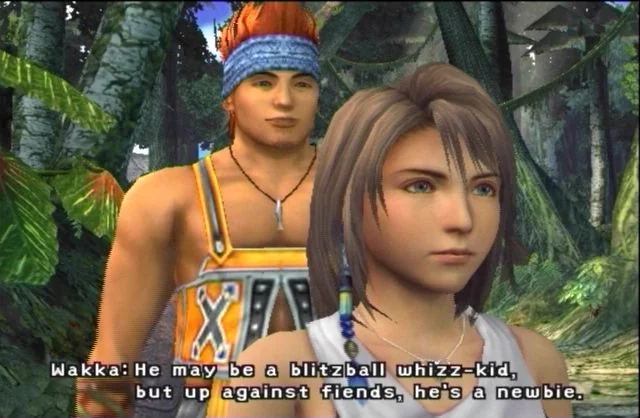
Final Fantasy X is a good example of why PS2 planning should start before the campaign does
The original Final Fantasy X manual states that each save file uses at least 64 KB of space on a Memory Card for PlayStation 2. That is not a crisis on its own. The useful lesson is what players usually do with a long RPG after that first file exists. A single-file plan sounds tidy until a difficult boss, a side activity, or a fear of missing progress convinces you to keep a backup slot. Then you add a milestone save. Then perhaps a second household member starts a file of their own.
If you expect Final Fantasy X to be one of your active games for months, write that behavior into the plan instead of treating it as a surprise. Three regular files already reserve at least 192 KB for that game. Four reserve at least 256 KB. The point is not that Final Fantasy X is unusually gigantic by PS2 standards. It is that long campaigns tend to accumulate files because cautious players make sensible choices. The safest storage plan leaves room for that normal behavior instead of pretending one permanent RPG file will cover everything.
This is where categories help more than pure capacity. A daily-use PS2 card filled with one long RPG, a few fighting-game profiles, several unfinished experiments, and old data you were too nervous to delete can become annoying long before it becomes mathematically full. Many collectors get cleaner results by designating one PS2 card mainly for long-form games and another for lighter-rotation material. That is not mandatory, but it reduces the odds that a 50-hour campaign ends up competing with disposable test saves.
- Treat long PS2 RPGs as likely multi-file games even if one file is technically enough.
- Reserve space for the number of files you expect to keep, not just the minimum needed to start.
- Separate long-term campaign saves from low-priority test saves when possible.
- Use the PS2 Browser for routine review before a major session, not after a save warning appears.
GameCube: blocks matter because Nintendo tells you to plan by game, not by vague size impressions
GameCube is where many cross-platform assumptions break down. Nintendo’s preserved support pages identify Memory Card 59 as a 59-block card and Memory Card 251 as a 251-block card. One preserved page also uses a 4 MB label for Memory Card 59, but that is preserved accessory wording, not permission to force GameCube planning into a universal megabyte conversion chart. Nintendo’s own manuals and support material repeatedly steer players back to the block counts and to the game-specific save information in the instruction booklet or packaging.
That advice matters because GameCube software can vary sharply in how it uses storage. Nintendo’s accessories information explicitly says some games use one block to save and others use more, and it tells buyers to check how many spare blocks are needed. In other words, the meaningful question is not whether a card sounds large in the abstract. The meaningful question is whether your actual library includes a few tiny resident files or several games that quietly turn a smaller card into a cramped one.
Nintendo also gives practical slot guidance. The company’s preserved Memory Card 251 support page says the card should generally be inserted in Slot A, although it may be recognized in Slot B as well. That is a small but useful planning detail, because plenty of collectors assume both slots are equally safe defaults for every situation. They often are, but your notes should reflect what Nintendo and the game manual actually say, not what seems likely from memory.
- Track GameCube capacity in blocks, because that is how Nintendo documents official memory cards.
- Use the game’s own booklet or packaging for title-specific save requirements.
- Prefer Slot A for your main GameCube save card unless a title’s own instructions say otherwise.
- Do not treat a GameCube memory card as a substitute for an SD card in a different setup.
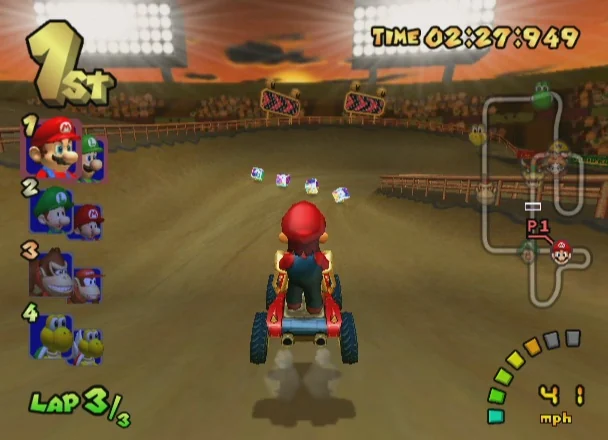
Mario Kart: Double Dash!! shows how one GameCube game can have a simple core save and extra optional storage on top
Mario Kart: Double Dash!! is a practical GameCube example because its original manual separates the basic save from optional extra data. The game requires 3 empty blocks to create a new game data file. It also takes 5 empty blocks to save one ghost-data file. That immediately gives you a better planning model than a generic statement that the game is small or moderate. Your real footprint depends on how you use the game after that first save exists.
If your household only wants a standard game-data file for unlocks and records, your baseline is 3 blocks. If one player keeps two Time Trial ghosts, that total becomes 13 blocks. If several people in the house enjoy time trials and keep ghosts for comparison, the space commitment rises again even though the game itself still felt easy to fit when you created the first file. That is exactly why Nintendo tells players to check the title’s own requirements instead of trusting instinct.
This also changes how you think about card choice. On a Memory Card 59, a permanent 3-block resident is trivial, but a multiplayer favorite with a growing set of ghost files can slowly claim a noticeable share of the card. On a Memory Card 251, the same habit is far easier to absorb. That does not mean everyone needs the larger official card. It means you should match the card to the way the game lives in your home. A party staple that stays in rotation for years deserves a more durable plan than a game you will finish once and shelve.
- Separate a GameCube game’s required base save from its optional extra files.
- For Mario Kart: Double Dash!!, plan 3 blocks for the core game-data file and 5 additional blocks for each ghost file you intend to keep.
- Expect household multiplayer favorites to stay active far longer than a short solo campaign.
- Choose card size by play habits, not by the abstract appeal of a bigger number.
Dreamcast: the VMU needs separate planning because one game can dominate a unit
Dreamcast gets much easier to manage once you stop comparing the VMU to every other memory card as if the differences are cosmetic. Sega’s Visual Memory Unit manual describes it as an external memory card with a file storage capacity of up to 200 blocks. That is the baseline you should use for save planning on original hardware. It is also why broad statements about the VMU being small, fine, or probably enough are not very useful until you look at the game in front of you.
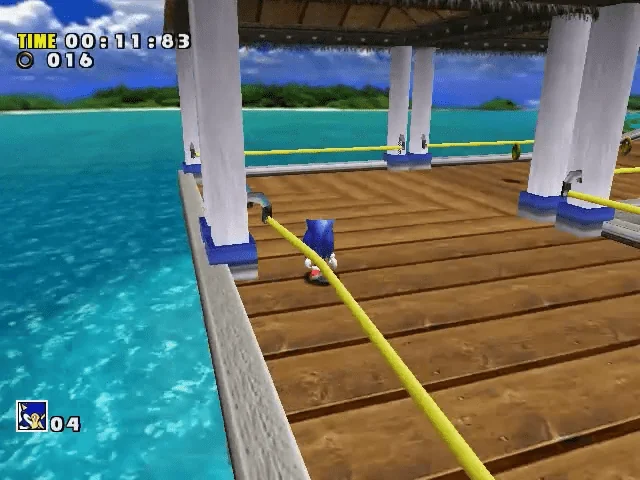
Sonic Adventure provides the kind of hard reality check collectors need. The original manual states that 10 blocks are needed to save game files and 128 blocks are needed to maintain the A-Life system used to save Chao creatures. It also states that playing Chao Adventure on the VMU requires 128 blocks of free memory. That means Sonic Adventure can be either a moderate Dreamcast save or a near-dedicated-VMU game depending on whether you care about the Chao side of the package.
This is exactly why Dreamcast planning should live in its own notebook column instead of borrowing PS2 or GameCube logic. If you only think, I have a VMU and it worked last time, you may overlook how little headroom remains after one Chao-friendly game settles in. A collector who intends to spend serious time with Sonic Adventure’s Chao features should assume that VMU will be heavily committed and organize other Dreamcast saves around that fact.
- Treat the Dreamcast VMU as its own storage ecosystem.
- Use the official VMU capacity figure of up to 200 blocks as the planning baseline for original hardware.
- For Sonic Adventure, separate the 10-block game-save requirement from the 128-block A-Life and Chao-related requirement.
- Assume Chao-focused Sonic Adventure play can justify dedicating most of one VMU.
A small three-game inventory: how to turn these numbers into a plan before anything gets deleted
Once the units and per-game requirements are clear, the next step is to build a tiny inventory that describes behavior as well as size. You can keep it on paper, in a notes app, or in a simple spreadsheet. For each game, record the title, console, native storage unit, minimum verified requirement, optional extra files, how many files you realistically expect to keep, and which card or VMU is assigned to it.
Using the three example games here, the sheet becomes immediately useful. Final Fantasy X is a PS2 title with save files that use at least 64 KB each. A cautious player who expects to keep three standing files should reserve at least 192 KB for that campaign, and a four-file plan should reserve at least 256 KB. Mario Kart: Double Dash!! needs 3 GameCube blocks for a new game-data file, then 5 blocks for each ghost you intend to keep. A family setup with one standard save and two ghost files would reserve 13 blocks. Sonic Adventure needs 10 Dreamcast blocks for game files, but a Chao-friendly plan jumps to 138 blocks once you include the 128-block A-Life requirement.
Notice what this does to decision-making. Final Fantasy X becomes a long-term PS2 resident, not a one-file afterthought. Mario Kart: Double Dash!! becomes a persistent household file that may quietly grow as ghosts accumulate. Sonic Adventure becomes the strongest argument in the group for near-dedicated storage, because 138 of a VMU’s 200 blocks is a very different planning reality from a simple 10-block campaign save. None of those conclusions required a universal conversion table. They only required reading each platform and game on its own terms.
- Include title, platform, native unit, verified minimum save size, optional extra files, expected file count, assigned card, and spare-space buffer in your inventory.
- Reserve at least 192 KB for three regular Final Fantasy X save files, or at least 256 KB if you expect to keep four.
- Reserve 3 blocks for Mario Kart: Double Dash!! core data, then add 5 blocks for each ghost file you intend to keep.
- If Sonic Adventure will include Chao and A-Life saving, plan around 138 VMU blocks rather than the 10-block core save alone.
How much spare space should you keep? More than the minimum prompt suggests
A storage setup can be technically functional and still be badly managed. That usually happens when a player treats every empty block or spare kilobyte as wasted space and fills the card right to the edge. In practice, free space is what protects you from rushed choices. A backup file before a difficult section, a sibling starting a file, a few ghost records, or a newly active side mode can all expand a game’s footprint without doing anything unusual.
A good reserve is not the same on every platform, but the principle is. On PS2, keep enough headroom that one long campaign does not trap you into deleting unrelated saves just to make another backup. On GameCube, try to leave enough room for at least one new active title or a small batch of optional files, especially if you are still using a 59-block card. On Dreamcast, take spare space even more seriously because a single game with large VMU features can crowd the unit faster than many returning players remember.
The reserve is what turns a warning into a routine maintenance note instead of a crisis. When there is headroom, you can stop, review your notes, and decide calmly what belongs on that card. When there is no headroom, the console picks the moment for you, and that moment is usually the least convenient time to make a careful archival choice.
- Leave enough room for one more active save and one backup-style file on your daily-use storage.
- Treat reserve space as part of the plan, not as wasted capacity.
- Keep a larger buffer on smaller GameCube cards and on heavily used Dreamcast VMUs.
- If you dislike micromanagement, leave more free space than the bare minimum.
When it makes sense to dedicate a card or VMU
Not every collection needs one card per game, but some situations genuinely benefit from dedicated storage. Long RPGs, completion-heavy games, and titles that mix a standard save with extra records or side data often become easier to live with when they are not fighting for the same remaining space as everything else. Dedicated storage is not about drama. It is about preserving your willingness to keep backups and milestone files because you are not constantly negotiating with a crowded card.
On PS2, a dedicated or mostly dedicated card makes sense if your active library is heavy on long campaigns. On GameCube, dedicated storage can help when a household keeps permanent multiplayer residents that should not be disrupted by temporary experiments. On Dreamcast, the case can be even stronger because one game like Sonic Adventure, if you care about Chao-related storage, can absorb most of a VMU’s practical room all by itself.
There is also a simple organizational benefit. A label that says Active PS2 RPGs, Main GameCube Party Saves, or Dreamcast Chao VMU tells you more than a capacity sticker ever will. It reduces uncertainty before you even power the console on, which is exactly what prevents hurried deletions later.
- Dedicate storage when a game encourages multiple long-term files or large optional save data.
- Use separate storage for permanent household favorites when possible.
- Label cards by role, not only by capacity.
- Keep experimental saves away from storage that holds irreplaceable long campaigns.
Routine housekeeping is better than emergency deletion
Sony’s PS2 Browser supports copying and deleting saved data between memory cards, which makes it a practical tool for regular housekeeping instead of last-ditch cleanup. The same broader habit applies across these platforms even though the interfaces differ: review intentionally, archive intentionally, and delete only after you know what else shares that storage. Five minutes before a long session is much safer than a rushed decision after the game has already told you there is not enough room.
Housekeeping also means respecting platform limits outside the save file itself. A PS2 that runs PS1 games is not one unified storage pool. A GameCube memory card is for GameCube save data, and Nintendo specifically notes that it cannot replace an SD card. If you rotate between a GameCube and a Wii, Nintendo says only Wii model RVL-001 can use Nintendo GameCube memory cards. That kind of edition note belongs in your setup plan because it affects where your active saves can actually travel.
The best outcome is predictable storage. You know which card is for daily PS2 use, which GameCube card carries long-term party saves, and which VMU is safe to hand to a Dreamcast game with larger demands. Once those roles are clear, save management stops being a recurring annoyance and becomes another tidy part of maintaining the collection.
- Use the console’s built-in save manager or browser before major sessions.
- Archive or copy with a plan instead of deleting in frustration.
- Record hardware-edition limits if you move cards between compatible systems.
- Keep active storage and archive-oriented storage clearly separated.
The easiest way to stop regretted deletions is to stop treating retro save storage as one big interchangeable category. PS2, GameCube, and Dreamcast each have their own units, their own official terminology, and their own practical limits. Once you respect those differences, the confusion around blocks versus megabytes mostly disappears.
A small inventory is enough to change the experience. Verify each game’s requirement from original documentation, note how many files you really expect to keep, leave a reserve, and be honest about which titles are permanent residents. Do that before you start the game, and you are much less likely to sacrifice an old save just to make room for tonight’s session.