1. The Controller Is the Console’s Argument
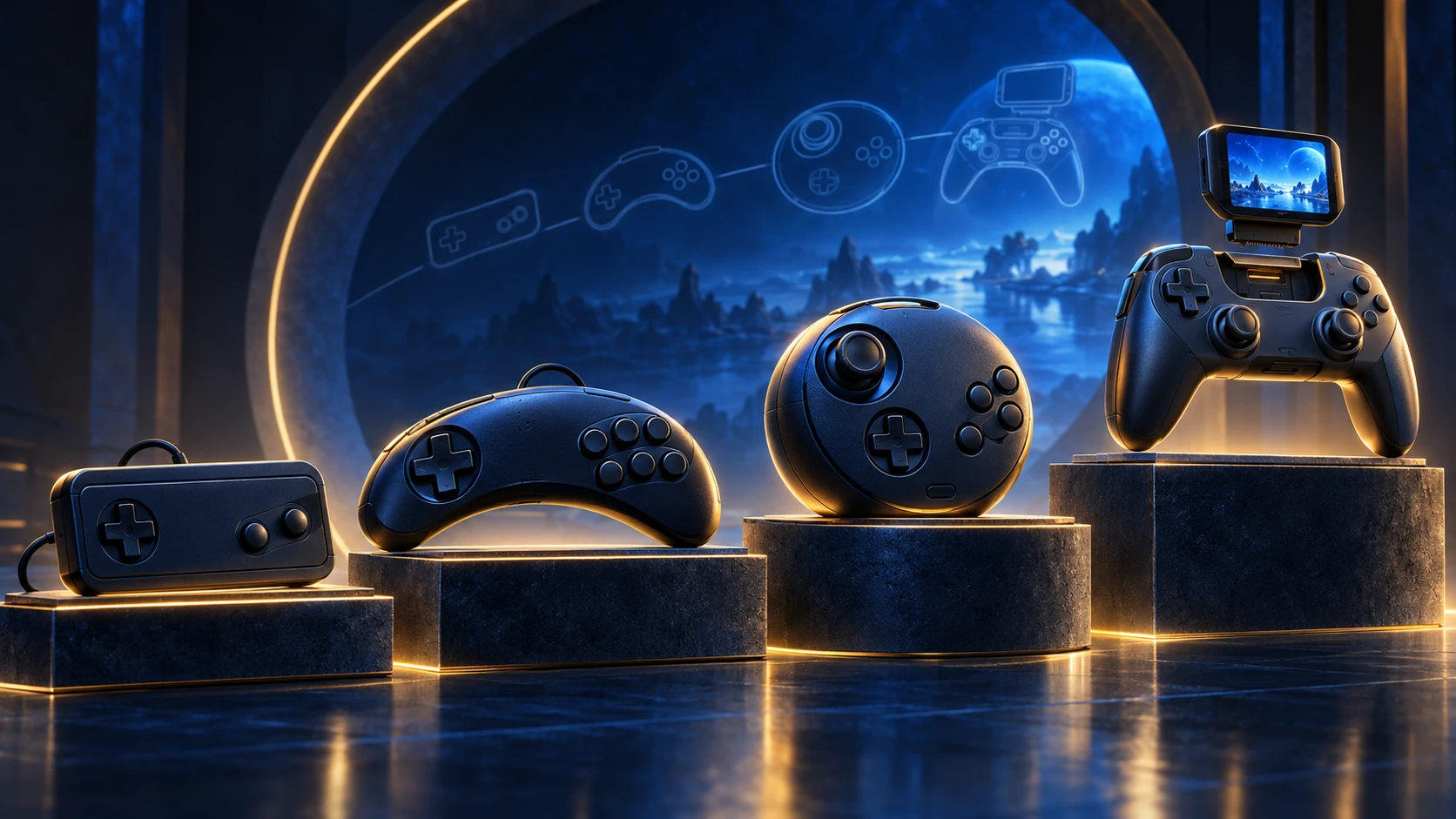
A console can be described through its processor, storage format, display output, software library, or industrial design. It can also be understood through the object placed in the player’s hands. That object is not merely a collection of buttons. It is a mechanical interface, an electrical protocol, a software contract, and, in Sega’s later systems, a possible platform for other devices.
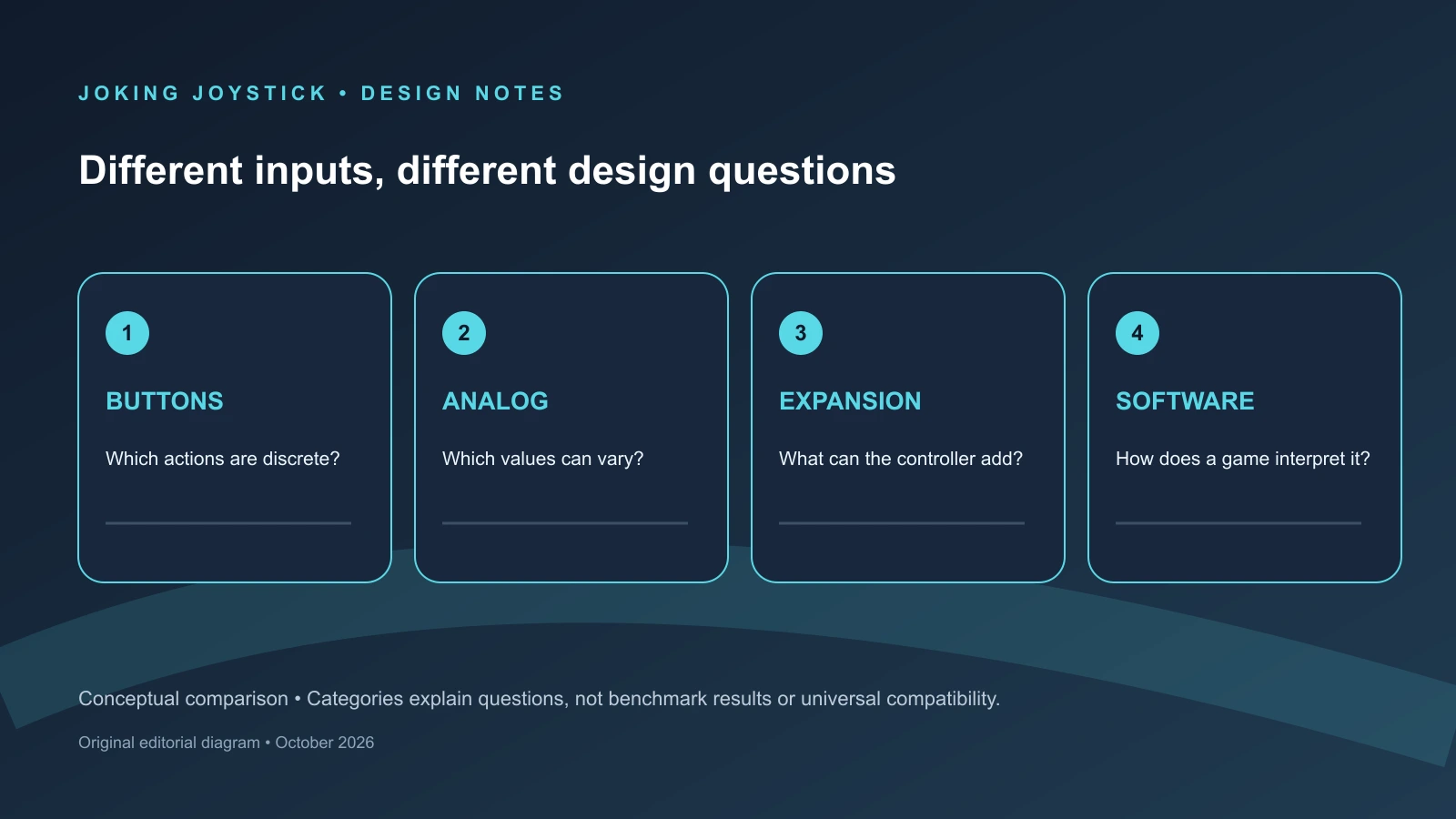
This controller-centered view provides a different subject from a general history of Sega hardware. It does not retell a sequence of launches or reproduce each machine’s internal specifications. Instead, it asks four linked questions. What physical actions can the player make? How are those actions transmitted to the console? What does the software recognize and use? Can the controller host something beyond switches, such as another peripheral, removable storage, or a display?
The first layer is mechanical. A directional pad, face button, shoulder control, analog stick, trigger, wheel, or light-gun sensor gives the player a particular physical vocabulary. Button count matters, but so do grouping, spacing, travel, resistance, and the distinction between a digital switch and a variable control. A two-button pad does not merely offer fewer commands than a six-button pad. It encourages software to organize actions differently and asks the player to move a thumb through a narrower range of possibilities.
The second layer is electrical. A console must receive more than the fact that a controller is connected. It must determine which inputs are active and, in some cases, what kind of device is present. Sega’s early digital pads could present a compact set of directional and button states. The Mega Drive six-button controller complicated that arrangement by requiring additional interrogation phases so the host could retrieve X, Y, Z, and Mode states. The physical presence of three more buttons therefore had consequences inside the communication method.
The third layer is the software contract. Hardware can offer an input that a game does not use. A six-button pad does not make every Mega Drive title a six-button game, and an analog controller does not guarantee that software reads analog values. Saturn’s 3D Control Pad makes this especially clear. Its documentation distinguishes Standard Control Pad Mode from 3D Control Pad Mode and warns that software compatibility matters. Analog control was present in the hardware, but its usefulness depended on the game recognizing the relevant mode and interpreting the values.
The fourth layer is the peripheral interface. A controller can remain a passive endpoint, or a system can define recognized formats for other connected devices. Saturn’s SMPC documentation specifies peripheral IDs, peripheral types, and data sizes, while Dreamcast’s Maple specification defines controller-function data fields and device status. Those documents establish recognized data structures. The broader claim that Sega treated controllers as “platforms” is an editorial interpretation, not Sega terminology, and should be read as such.
This distinction matters because controller history is not a smooth march from simple to advanced. Each design solves one problem while creating another. The compact Master System pad is easy to describe and broadly reusable, but it offers only two principal action buttons. The Mega Drive three-button pad adds a stable digital vocabulary without making the controller physically complex. The six-button version increases command density, but its extra states require special interrogation and software support. Saturn offers both a mature digital pad and a conditional analog experiment. Dreamcast places one analog stick, two analog triggers, and expansion sockets in a controller whose physical form must serve several different kinds of software.
The first three chapters of this feature begin with digital pads because digital control establishes the assumptions that later designs must either preserve or challenge. The Master System controller offers a compact two-button vocabulary. The Mega Drive and Genesis three-button pad expands that vocabulary while remaining a general-purpose device. The official six-button controller then tests how much command information one thumb can manage without abandoning the D-pad, Start button, or familiar two-handed posture.
That sequence should not be read as a universal hierarchy. A larger number of inputs is not automatically a better design. A digital pad can provide predictable states and straightforward software mapping. An analog control can provide a range of values but may require a different software model. A specialized peripheral can make one kind of action more direct while becoming less useful elsewhere. Sega’s controller history is consequently a history of trade-offs between command density, flexibility, recognition, and physical specificity.
The question of where information belongs becomes more important in the later chapters. Early digital pads place nearly everything under the thumb while the television remains the sole display. Saturn adds analog movement but still leaves the controller primarily as an input device. Dreamcast changes that boundary through its expansion architecture. A removable VMU can store data, communicate with the console, show information on its own screen, and operate independently. In this feature, the VMU matters not as a separate handheld history but as the clearest example of a controller becoming a host interface.
The chapters that follow keep those layers separate. Mechanical descriptions identify what a player can physically operate. Protocol discussion explains how the console receives the information. Software analysis distinguishes hardware presence from actual use. Comparisons and measurements describe particular samples rather than universal comfort or superiority. That separation is necessary if Sega’s controllers are to be understood as designs rather than as a sequence of nostalgic reputations.
2. Master System: The Compact Digital Pad
The Master System control pad is easy to overlook because its documented layout is restrained. The U.S. Master System II documentation identifies a control pad with directional control and two principal action buttons, while the exact system functions and shell details must remain tied to the named model and region. That restraint is the design subject: a compact digital-input solution intended for general software rather than one specialized genre.
Its directional control translates movement into discrete states: up, down, left, right, and combinations where the hardware and software accept them. The two principal buttons provide a small action vocabulary. Games can assign them differently, but the physical controller does not give the player a large bank of immediately available commands. That limitation is also a form of predictability. The player can identify the entire action surface without learning several rows of buttons or a mode-dependent arrangement.
The surviving manuals and service material need to be read as model-specific evidence. The United States Master System II manual identifies the control pad as a system component and lists the Light Phaser separately. That separation establishes two product categories: the general-purpose pad and a specialized pointing-and-firing device. It does not establish that every earlier Master System controller used exactly the same shell, button behavior, or pause arrangement.
The safer regional conclusion is narrower. The United States Master System II documentation and the European service documentation establish model-specific controller documentation; they do not by themselves establish a universal Master System controller specification. A Japanese Mark III pad, a North American Master System controller, a European Master System II pad, and a Brazilian-market product should not be treated as interchangeable evidence simply because they belong to the same broad family.
Service documentation provides another useful perspective. The European service manual identifies a control-pad assembly and assigns it a part number. That establishes the pad as a distinct documented hardware unit within the service documentation; it does not, by itself, prove the extent of field serviceability or describe every controller revision.
The pad’s compactness also separates it from purpose-built peripherals. A light gun asks the player to point at the display, while a wheel requires a different hand movement from a conventional directional pad. The standard Master System pad instead accommodates movement, actions, menus, and other software through the same basic posture. Its generality comes from the software contract: games can assign the two buttons to different functions, but the physical control surface stays consistent.
The limited button count constrained the number of simultaneous physical commands available to software. A game could assign the two buttons differently, use combinations, or rely on contextual functions, but those possibilities remained software strategies rather than additional dedicated controls. These are consequences of a small physical vocabulary, not universal defects in every title.
The same limitation could encourage clarity. With only two principal action buttons, the software’s control scheme had fewer physical distinctions to communicate. The player did not need to remember whether an action belonged to an upper row, lower row, shoulder button, or mode layer. That does not mean every game was equally clear, or that every player preferred the arrangement. It means that the controller imposed a relatively narrow set of possible relationships between thumb position and action.
It is important not to turn that narrowness into a universal ergonomic verdict. Whether a controller feels comfortable depends on the individual, the shell revision, the region, the condition of the rubber contacts and buttons, and the position in which it is held. It is safer to describe the design in observable terms. The player receives a compact shell, a digital directional control, and two principal action buttons. The layout concentrates the available commands rather than distributing them across a larger face.
Regional comparison can be useful when it is specific. A measured comparison might record shell width, height, and thickness across identified samples; cable exit position; directional travel; button travel; and mass. Those results should be labeled as editorial measurements. They cannot establish that every controller from the same territory used identical dimensions, particularly when revisions and replacements are involved.
Condition is another reason to avoid absolute judgments. A decades-old controller may have worn contacts, softened rubber, a damaged cable, or a replacement shell. Two products carrying the same regional label can therefore behave differently after years of use. Historical analysis should prioritize the documented layout and function, with hands-on testing used to describe particular samples rather than an entire product family.
The Master System pad’s relationship with specialized peripherals clarifies its purpose. The separate Light Phaser listing does not establish that the standard pad was inadequate. It establishes that a different physical action required a different device. Sega could preserve the compact general-purpose pad while offering an input mechanism organized around aiming. The controller family therefore included specialization at the platform level even when the standard pad itself remained deliberately simple.
That arrangement established a baseline for later designs. When the Mega Drive added a third face button, it did not discard the digital pad’s basic logic. It expanded the available action vocabulary while preserving the division between directional movement and face-button commands. The three-button controller’s significance lies partly in how modestly it changes the problem.
3. Mega Drive/Genesis Three-Button: A Pad Built Around Economy
The three-button Mega Drive and Genesis controller should be understood as a stable digital architecture, not merely as a six-button controller with three missing inputs. Its central arrangement is familiar: a directional pad, A, B, and C buttons, and Start. That combination gives software more direct action commands than the Master System pad while retaining a compact, largely digital interface.
The face buttons form the controller’s main expansion over the earlier two-button design. Three buttons can support distinct actions without requiring every game to rely on combinations or context-sensitive reassignment. The layout also leaves room for software flexibility. A game can use one button for jumping, another for attacking, and the third for a secondary action, or it can assign functions according to its own control model. The hardware does not dictate one genre-specific use.
That point matters because the controller is sometimes described retrospectively through the six-button pad and fighting games. The three-button controller predates that pressure test. It served platformers, action games, sports titles, shooters, and arcade conversions, among other software. Nothing in the basic layout proves that Sega designed it specifically around fighting games. Its more defensible description is a general-purpose digital pad with a larger command vocabulary than the Master System’s.
The arrangement of the A, B, and C buttons also established a posture that later Sega controllers would develop rather than abandon. The player’s left thumb operates the D-pad while the right thumb covers the face buttons. Start remains a separate system-control button. Software can reassign the face buttons, but the physical division between movement and action stays familiar. That continuity matters when comparing three-button and six-button controllers: the later model adds available commands while preserving the broad relationship between the hands and the pad.
The controller’s economy is visible in the absence of analog values. The D-pad communicates directional states rather than a degree of tilt, and the face buttons communicate pressed or released conditions. That makes the hardware suitable for software built around discrete movement and action. It does not mean that every game behaves identically; games can interpret simultaneous directions, repeated presses, or held buttons differently. The controller supplies the states, while the software determines how those states become movement and action.
Regional and revision differences need to stay visible. A Japanese Mega Drive pad and a North American Genesis pad belong to the same functional family, but they should not be assumed to be identical in shell, labeling, cable, or construction. Early and later shells can differ as well. A controller bundled with a particular console revision is evidence for that package and model, not automatically for every Mega Drive or Genesis unit.
The three-button pad’s relationship to later controllers is also electrical, not only physical. The six-button interface requires additional interrogation phases so the host can retrieve X, Y, Z, and Mode states. The three-button pad’s simpler behavior is therefore not just a description of its visible controls. It reflects a different communication expectation. A game designed around ordinary three-button reading does not automatically gain access to the later controller’s extra inputs merely because both devices belong to the same general controller family.
The software contract consequently has two sides. A three-button game may be playable with a six-button pad in some circumstances, but that does not make it a six-button title. Conversely, a game that supports the additional inputs must be able to request and interpret the relevant states. The existence of a compatible physical connection is not proof of complete software support. This distinction prevents the later controller from being treated as though it retroactively changed the capabilities of the entire library.
The three-button design demonstrates the value of command economy. Three face buttons offer more direct actions than two, but they do not overwhelm the player with a large upper and lower row. Software can reserve one button for a less frequent function, use combinations, or employ Start for pauses and menus. Those choices are not dictated completely by the controller, but they are made within the space the controller provides.
A careful comparison can use measurements without turning them into universal comfort rankings. Representative Japanese and North American samples might be compared for shell width, face-button spacing, distance between the D-pad and the face-button center, cable exit position, mass, and button travel. Such observations must identify the exact samples and distinguish editorial measurements from Sega specifications. They describe those controllers at the time of testing, not every pad sold under the same name.
That distinction is especially important when modern replicas enter the discussion. A reproduction that copies the A/B/C arrangement belongs to a different hardware category from an original Mega Drive or Genesis controller. Its compatibility and physical behavior should be established from its own documentation or testing, not inferred from its appearance. Unless a specific reproduction has been examined, the article should not make generic claims about its internal switches, materials, connector, or electrical interface.
Condition can also alter any hands-on comparison. A worn D-pad, fatigued button membrane, or damaged cable changes the result. An original controller with replacement parts is not necessarily representative of its factory condition, while a modern reproduction may be new but intentionally different in its actuation. Historical analysis should therefore separate documented design features from observations made on individual samples.
The three-button pad’s economy is most apparent when considered against the problem of adding more commands. A designer can add buttons, introduce combinations, alter software context, or replace the pad with a specialized peripheral. The Mega Drive’s standard controller chooses a moderate expansion. It gives software a third direct face command but does not yet reorganize the entire control surface.
That balance held until software placed greater pressure on simultaneous access to distinct actions. Fighting games provided one prominent test because six attack strengths map naturally to six face buttons. But the broader design issue was not one game or genre. It was whether a player could reach more commands immediately while retaining the D-pad and the familiar two-handed posture. The official six-button pad answers that question by increasing command density in the same general space.
4. Six Buttons, One Thumb: The Fighting-Game Pressure Test
The official Mega Drive and Genesis six-button controller is best understood through three separate facts. Physically, it adds X, Y, and Z above the existing A, B, and C buttons. Electrically, it requires additional interrogation phases so the host can retrieve those expanded states. In software, the arrangement matters only when a game recognizes and uses it. Keeping these facts separate prevents the controller from becoming a vague symbol of the fighting-game era.
The physical layout preserves the essential structure of the earlier pad. The D-pad remains on the left, Start remains available, and the player still uses the right thumb for face-button actions. The new upper row increases the number of commands that can be reached without pressing a combination or moving to a shoulder control. The arrangement is therefore an exercise in command density: more immediate face inputs within a familiar controller posture.
The six buttons are not simply arranged as a straight line. The A, B, and C row is paired with X, Y, and Z above it, creating two tiers under the thumb. That geometry allows software to associate related actions across the rows. A fighting game can place punches on one row and kicks on the other, with strength varying across the three positions. The layout does not require that assignment, but it makes the relationship legible and physically available.
Street Fighter II is a useful focused example because its six punch-and-kick commands make the six-button arrangement immediately understandable. Three strengths of punch and three strengths of kick fit the six face buttons without asking the player to hold a modifier or cycle through states. Yet the game should not become the entire explanation. The controller also provides a higher command ceiling for other software, whether or not individual titles used every input.
The protocol is part of the design story. The six-button controller requires additional interrogation phases so the host can retrieve X, Y, Z, and Mode states. This means that the controller is not merely a three-button device with hidden contacts. The console must communicate with it in a way that distinguishes the extra information. The physical addition therefore has an electrical consequence, and software support depends on the system and game handling that behavior correctly.
This protocol description should not be generalized to every later or third-party device that resembles the original pad. A modern USB replica may translate its buttons through a different interface. A third-party controller may implement the original interrogation behavior, emulate it imperfectly, or use another method entirely. The six-button protocol explains the official controller’s expanded state model; it does not certify the behavior of every reproduction.
Availability did not equal support. A six-button controller could be connected to a system, but an older or incompatible game might continue to use only the inputs it expected. Conversely, a title could provide explicit support for the extra buttons. Any historical account should use manuals, software documentation, or checked technical material for particular examples rather than claiming that six-button control was universal across the Mega Drive and Genesis libraries.
The Mode button requires the same caution. It is part of the official six-button controller’s documented control arrangement, but its precise significance should be described through checked technical or consumer documentation. It should not be turned into a broad claim that every game used the button in the same way, or that its presence automatically made the controller compatible with all software. A button’s physical existence and a game’s interpretation are separate facts.
Regional identification remains essential. Japanese Mega Drive and North American Genesis controllers share the central six-button concept, but branding, shell revisions, packaging, and other details may differ. Early and later official models should be identified separately where the physical evidence supports that distinction. A controller sold with a particular title or bundle should not be used as proof that the same model was standard in every market.
The physical design also raises a question about reach. More commands are available without a modifier, but the thumb must cover a larger vertical area. A player may need to lift or rotate the thumb between rows, and the exact demand depends on spacing, button height, hand size, and the condition of the individual sample. The appropriate editorial language is comparative and qualified: a layout places the rows closer together or farther apart; a particular sequence requires more or less thumb movement in the tested sample. It should not become a universal ergonomic verdict.
Measurements can make that argument more precise. A controlled comparison might record the distance from the D-pad center to the face-button group, the spacing between the lower and upper rows, the amount of thumb movement required to move from A to X or C to Z, and accidental presses during a defined sequence. Button diameter, shell dimensions, mass, cable length, and D-pad travel can also be recorded. The result would describe the tested samples, not establish that one regional pad is comfortable for every player.
The button rows also create a visual and cognitive relationship. The lower row retains the familiar A/B/C labels, while the upper row introduces X/Y/Z. That naming scheme lets the software refer to six distinct actions without inventing a new letter system or hiding commands behind a mode layer. It also makes the controller’s expanded purpose visible before a game is started. The player can see that the device offers more than the basic three-button arrangement, even though the software may not use every state.
That visibility did not eliminate the need for software explanation. A game manual might identify which buttons perform which actions, whether the six-button controller is recommended, or whether a Mode setting is required. Without such information, a player can connect the controller and still encounter a title built around only three inputs. The physical layout expands the possibilities; it does not rewrite the game’s control contract.
The six-button pad therefore represents a different kind of expansion from a specialized peripheral. A Light Phaser replaces the standard control mechanism with pointing. A wheel changes the physical gesture. The six-button pad keeps the D-pad and general-purpose shell while increasing the number of discrete commands immediately available under one thumb. It is an additive design, but the addition reaches into the electrical protocol and software layer.
That combination explains why the controller remains historically significant without requiring claims of universal superiority. Its design addresses a clear problem: how to make six related actions available while retaining a conventional digital pad. It does so through a two-row face-button layout and additional interrogation phases. Whether that solution works well depends on the software, the particular controller, the player, and the task being performed.
The Master System’s two-button pad made a small digital vocabulary broadly reusable. The Mega Drive three-button pad expanded that vocabulary while remaining economical. The six-button version retains the same D-pad-centered posture but makes six face commands immediately available. It is not the final answer to controller design, and it does not replace the earlier pad for every game. It is a pressure-tested answer to the problem of increasing simultaneous command access without abandoning the digital pad.
5. Beyond the Pad: Purpose-Built Peripherals
A standard controller is valuable because it can serve many kinds of software. Its directional control and action buttons provide a general vocabulary that a game can reinterpret. A specialized peripheral makes a different trade: it changes the physical action so that one category of software can ask for a more direct gesture. Sega’s early accessory history is therefore not just a list of optional products. It shows when adding another button would not solve the control problem.
The Master System Light Phaser is a clear example. The U.S. Master System II documentation lists the Light Phaser separately from the control pad, treating the two as different forms of system input. The pad asks the player to navigate with a directional mechanism and trigger actions with two buttons. The light gun replaces that arrangement with pointing and firing. Its body, grip, trigger, and relationship to the television are organized around selecting a location on the screen rather than navigating a general-purpose control surface.
That substitution is more important than the accessory’s name. A light gun does not merely provide another button layout. Its pointing position supplies information that a D-pad cannot express economically. A standard controller could assign a button to “fire,” but it could not reproduce the physical act of aiming at a particular place on the display. The specialized device exists because the input mechanism itself is part of the game’s activity.
The Light Phaser should nevertheless be described within the limits of the surviving documentation. Its inclusion in the U.S. Master System II manual establishes its separate status in that product context. It does not establish identical availability, packaging, connector arrangements, or software support for every Master System model or territory.
The distinction between general-purpose and specialized input is also visible in the way software must respond. A control pad supplies states that can be interpreted by many genres: a direction, a button press, or a pause-related command. A light gun supplies a pointing event and a trigger action whose usefulness depends on software designed to read them. The peripheral’s physical specificity makes the experience more direct for the intended activity, but less general for everything else.
A second strategy changes the number of participants rather than the mechanism under one player’s hand. Saturn’s SMPC documentation includes a Mega Drive-related peripheral category and defined multi-terminal data formats. Those technical references support comparison with Sega’s earlier accessory assumptions, but they do not by themselves establish the retail history, regional availability, or exact player capacity of every multi-controller product.
These arrangements expand a different resource from the six-button pad. One adds information under a thumb; the other can provide additional controller paths. The more specific claims about enumeration and player assignment belong to a named technical implementation, so here the distinction remains an editorial comparison rather than a universal description of every multi-controller device.
The physical adapter can create the possibility of additional participants, but the software contract determines whether that possibility is used. A game has to recognize the relevant arrangement and assign the connected inputs meaningfully. This is the same broad separation seen with the six-button controller: physical and electrical capability do not prove that every title supports or uses it.
The Sega Tap is useful here only as a technical comparison. Saturn’s SMPC material identifies a Mega Drive-related peripheral format, showing that the later system-management documentation could account for more than the standard Saturn pad. That does not establish universal cross-system compatibility, identical retail distribution, or a continuous commercial strategy across territories.
Saturn technical documentation distinguishes several peripheral formats, including the standard Control Pad, the 3D Control Pad, steering-related input, and multi-terminal formats. That distinction is useful without becoming a complete accessory catalogue: the system-management material defines different data formats for different kinds of input, while individual retail products and regional availability require separate documentation.
The wording matters. The documentation establishes peripheral IDs, peripheral types, and data sizes, allowing the system to recognize defined data formats and locate the next peripheral data table. It does not, by itself, prove that Sega had a complete universal category system for every accessory sold in every market. Nor does it justify saying that all attachments were automatically compatible. The safe conclusion is narrower: Saturn’s peripheral-management material provided a technical basis for identifying defined device formats.
That basis makes comparisons between a pad and a light gun possible at the system level even though the objects have almost nothing in common as things held by the player. One provides digital directions and action states; the other is built around pointing and firing. A console that can recognize defined peripheral data formats has a way to distinguish those roles. The port is no longer merely a socket for one standard object. It is an entry point for multiple kinds of input, each of which still depends on software support.
Specialization also has a cost. A light gun is less useful for ordinary navigation. A wheel is not a natural replacement for a six-button pad. An arcade stick may suit a game built around rapid lever movement and large buttons while being less practical for software designed around a compact controller. The value of a specialized device therefore comes from how closely the physical action matches the software’s central task, not from a general claim that the device is superior.
Official status and regional availability should remain attached to each example. A Sega-documented product belongs to the company’s own platform design. A licensed or third-party device may perform a similar function without revealing Sega’s original priorities. A Japanese technical listing is not proof of identical retail distribution in North America or Europe, and a product mentioned in a manual is not necessarily evidence that it was bundled with every console revision.
Purpose-built peripherals reveal the limits of the standard pad without making the pad obsolete. A general controller remains useful because it can serve many software types. A specialized device becomes worthwhile when the central action depends on pointing, steering, lever movement, multiple simultaneous players, or another gesture that buttons cannot express economically.
By the Saturn era, Sega’s system documentation could distinguish a conventional digital controller from analog, steering, and multi-controller formats. This is best treated as a technical basis for comparison, not as proof of a deliberate developmental bridge from one generation to the next. The evidence shows recognized formats and system-management functions; the broader lineage is an editorial interpretation.
The resulting design history is more varied than a simple march from two buttons to analog sticks. Sometimes Sega increased the number of commands under one thumb. Sometimes it replaced the input mechanism, created room for more players, or shaped the body around a particular genre. The standard pad remained the flexible center, while purpose-built peripherals tested what a controller could become when generality was no longer the only priority.
6. Saturn’s Digital Pad: The Mature Six-Button Layout
The standard Saturn Control Pad deserves to be considered on its own terms. It is often discussed mainly as the controller that preceded Sega’s 3D Control Pad, but that framing makes its digital design seem provisional. The Saturn pad is better understood as a mature six-button layout that adds shoulder inputs while preserving the direct, switch-based control language developed during the Mega Drive and Genesis era.
Its face is organized around A, B, and C with X, Y, and Z above them. The D-pad remains the principal directional mechanism, and Start remains separate from the action cluster. L and R occupy the shoulders. The result is six immediately available face commands and two additional shoulder inputs, arranged without the 3D Control Pad’s analog-control mode switch.
This is not simply the Genesis six-button controller with two buttons moved to the shoulders. The relationship between the hands changes. The right thumb still has access to the six-button face arrangement, but the index fingers can reach L and R without leaving the D-pad-and-face-button posture. Software can reserve the shoulder buttons for functions that would otherwise compete with the six face commands, or it can use them as additional actions in its own control scheme.
The U.S. Saturn manual describes the directional, face, shoulder, and system controls as distinct parts of the standard controller. That functional separation is useful because it shows how the input vocabulary was organized for the player. The D-pad is not an analog directional control in disguise, and the face buttons are not interchangeable with the shoulder buttons simply because all of them produce button states. Their physical locations create different expectations about how they will be reached.
Compared with the Genesis six-button pad, the Saturn controller increases command availability in two ways. It retains the two-row face-button structure associated with six-button digital play, while adding L and R outside the thumb’s central cluster. The extra controls can reduce the need to assign every function to the six face buttons, although the extent of that benefit depends on the software. A game may use the shoulders for navigation, defensive actions, camera control, or another function, but the hardware alone does not determine the assignment.
The digital character is as important as the number of buttons. The standard pad reports directional and button states rather than variable movement values. That makes it suitable for software requiring a clear distinction between pressed and unpressed directions, rapid changes, or deliberate diagonals. It does not make the pad universally superior to an analog controller. It means that the player and software receive a different kind of information.
This distinction becomes important when comparing it with the Saturn 3D Control Pad. Sega’s accessory documentation lists the standard Control Pad separately from the 3D Control Pad. The two products are not merely identical shells with a hidden setting. One is a conventional digital controller with a six-button face arrangement and shoulder buttons; the other adds an analog directional mechanism and analog-oriented operation. Their coexistence indicates that digital control remained a complete design solution rather than a technology waiting to be replaced.
The standard pad is particularly legible in software that benefits from discrete input. A player can press a direction, release it, and change direction without managing a range of intermediate values. Face-button sequences can be performed with a predictable relationship between physical press and reported state. These properties are useful for two-dimensional action, fighting, puzzle, menu, and arcade-style software, but they should be described as characteristics rather than as a universal ranking of the controller.
Unlike the 3D Control Pad, the standard Saturn pad does not require selection of an analog-control mode. That is a comparative hardware observation, not a claim that every Saturn software configuration lacked startup or compatibility considerations. The 3D pad’s manual makes those conditions explicit because its operation changes with the selected mode. The standard pad’s simpler relationship with software should not be expanded into a claim about every Saturn accessory or title.
Regional and model distinctions should remain attached to any specific physical claim. Saturn controllers were sold in different markets and revisions, and a documented U.S. manual establishes the functions of the U.S. product described there. It does not prove that every Japanese, European, or later replacement controller had identical shell geometry, button feel, cable construction, or internal parts. A comparison with a Genesis pad should identify the actual samples or documented models under discussion.
Measurements can clarify the comparison without turning it into an unsupported ergonomic verdict. A controlled test could record shell width, D-pad dimensions, face-button spacing, the distance from the D-pad to the face-button cluster, L/R travel, button travel, mass, and grip angle. These observations would show how a particular Saturn pad differs from a particular Genesis six-button pad. They would not establish that all Saturn pads feel the same or that every player will prefer one design.
The D-pad is especially difficult to summarize with a single adjective. Its behavior depends on the mechanism, wear, shell condition, and the way the player applies pressure. A test may document diagonal activation or the amount of movement before a state changes, but a result from one controller should not become a claim about every Saturn revision. The same caution applies to the face buttons and shoulder controls.
The Saturn pad’s importance lies in its completeness within the digital model. It does not need an analog predecessor label to justify its existence. It offers a high command count, a separate directional mechanism, shoulder access, and a conventional controller relationship with software. The later 3D Control Pad explores another kind of movement, but the standard pad remains the clearer expression of Sega’s six-button digital architecture.
That architecture also fits Saturn’s peripheral-management system. The SMPC documentation defines peripheral IDs, peripheral types, and data sizes, allowing software to recognize defined data formats and locate the next peripheral data table. The standard pad is consequently one recognized device format among several, not an accidental default that the system architecture ignores. Sega could distinguish a digital pad from other defined peripheral formats while preserving the pad’s ordinary button-state behavior.
Seen this way, the Saturn digital controller is not a halfway point between Genesis and Dreamcast. It is a mature endpoint for one branch of Sega’s design work. It preserves the advantages of discrete input while increasing the number of direct commands and separating face actions from shoulder actions. The analog experiment that follows should be understood as a conditional alternative, not as proof that the standard pad had already become obsolete.
7. Saturn 3D Control Pad: Analog Control Arrives With Conditions
Sega’s Saturn 3D Control Pad introduced analog control as an additional operating mode rather than as a universal replacement for the standard pad. The U.S. consumer product should be called the 3D Control Pad here. “Multi Controller” appears in Saturn technical documentation as a peripheral category, but the available evidence does not justify treating the regional names as interchangeable in every context.
The U.S. 3D Control Pad manual distinguishes Standard Control Pad Mode from 3D Control Pad Mode. In Standard Control Pad Mode, the 3D directional pad is inactive and L/R are not analog inputs. In 3D Control Pad Mode, the directional control and triggers provide analog operation to compatible software. L/R should not be described as wholly inactive in standard mode; the documented distinction concerns their analog behavior.
This is more precise than saying that the triggers are inactive in standard mode. The manual’s distinction concerns analog behavior, not necessarily the total absence of every L/R response. The safe conclusion is that analog directional and analog-trigger functionality is unavailable in the standard mode, while the controls may still be interpreted as ordinary digital inputs depending on the surrounding software context.
The controller’s simultaneous D-pad and analog directional control is also significant. Sega did not remove the established digital mechanism in order to make room for analog movement. Instead, the product carries both input models. The player can use the D-pad when software expects discrete states and use the analog control when compatible software reads variable directional information. The physical coexistence acknowledges that the two mechanisms solve different problems.
The mode switch makes that distinction visible. The manual warns that users should select the appropriate mode before starting the Saturn and that software compatibility affects operation. The instruction is not merely a note about convenience. It tells the player that the console and software do not necessarily renegotiate the controller’s behavior casually during play. Mode selection is part of the startup relationship between hardware and software.
Analog hardware alone does not create analog gameplay. A game must identify or support the relevant controller behavior and interpret the values it receives. The manual’s compatibility warning makes this explicit, and Saturn software documentation can establish support title by title. The presence of the 3D Control Pad in a game’s instructions is stronger evidence for that game’s intended use than a general claim that all Saturn software accepted analog control.
NiGHTS into Dreams provides a documented demonstration without standing in for the entire Saturn library. Its documentation identifies the 3D Control Pad and describes controls associated with it. The game shows why an analog directional system could be meaningful: movement can be expressed through degree and direction rather than only through a collection of digital states. That example demonstrates a use case; it does not prove that every Saturn title benefited from the same input.
The L and R controls further distinguish the analog mode from the standard pad. In the 3D Control Pad manual, the triggers are associated with analog operation, not simply presented as ordinary shoulder buttons that happen to be attached to a larger shell. Their physical travel and software interpretation belong to the analog contract. A title may use them for variable actions, but the exact assignment remains software-specific.
The Japanese term Multi Controller and the U.S. name 3D Control Pad should not be silently treated as proof that the names are interchangeable in every context. The Saturn technical material identifies a Multi Controller category, while the U.S. consumer manual establishes the operating modes and warnings for the product sold under the 3D Control Pad name. Regional packaging, release timing, bundling, and documentation may differ.
Bundling also requires qualification. A controller included with a particular game or package is evidence of that package’s intended configuration, not proof that every Saturn owner received one or that the accessory had the same retail status in every territory. The feature should distinguish a separately documented controller, a product bundle, and a later replacement or third-party version.
The physical mode switch creates a different relationship between player and software from the Genesis six-button pad. The Genesis controller can expose extra button states through additional interrogation phases, while the Saturn 3D Control Pad asks the player to select a control mode before play. Both designs rely on software recognition, but the Saturn arrangement makes the distinction visible on the controller itself. The switch communicates that there are two operational expectations.
A comparison with Dreamcast hardware can be made through measured geometry, provided the samples are identified. Useful observations include analog-stick travel, trigger travel, switch movement, shell dimensions, grip angle, and the position of the analog control relative to the D-pad. These measurements can show whether the Dreamcast stick sits higher, travels farther, or places the triggers differently in the tested controllers. They should not be used to assert a direct copy relationship or a universal ergonomic hierarchy.
The physical design reveals an unresolved transition between digital and analog control. It is reasonable to infer that Sega’s product strategy sought to support software benefiting from analog movement without discarding the digital pad, but that is an editorial inference rather than a documented statement of intent. The evidence itself shows a distinct product whose operation depended on mode selection and software support.
That condition does not make the product an incomplete controller. It is a design choice with practical consequences. The player receives a D-pad for digital precision, an analog directional control for variable movement, analog-oriented triggers, and a switch that makes the distinction explicit. The cost is that software must know which mode it supports and the player must select the correct one.
Saturn’s analog controller therefore sits between two design philosophies. It preserves the standard pad’s digital vocabulary while adding a second movement system, but it does not integrate both as one universally transparent input layer. Its significance is not that Sega finally discovered analog control. It is that Sega made analog control available under conditions, exposing the dependence between mechanical capability, device mode, startup behavior, and software support.
8. Dreamcast: Analog Triggers, One Stick, Two Sockets
The Dreamcast controller treats the controller as both a hand-held control surface and an expansion platform. Its main body contains one analog stick, a separate digital D-pad, four face buttons, two analog triggers, and Start. Behind that familiar list are two physical expansion sockets and a Maple Bus connection that gives the controller a defined identity within the Dreamcast peripheral system.
The Maple specification defines the Dreamcast controller as a recognized controller function with digital-button, digital-direction, and analog-input fields. The consumer documentation separately establishes the controller’s two physical expansion sockets. Together, these sources support the narrower statement that compatible devices could be inserted into the sockets and communicate with the Dreamcast through its peripheral interface.
The change from Saturn is visible in the face-button count. The Saturn standard pad provides six face buttons, while the Dreamcast controller uses four primary face buttons and places greater emphasis on the analog stick, triggers, and expansion system. This is not simply a reduction in available controls. It is a redistribution of control categories. The right thumb has fewer face commands, while the hands gain access to analog movement, variable trigger input, and devices inserted into the controller.
The separate D-pad remains important in that arrangement. Its presence means the Dreamcast controller does not define analog movement as the only legitimate directional method. A player can still use discrete directional input for software and menus that call for it. The stick and D-pad are physically distinct rather than one mechanism that changes behavior through a mode switch. That separation differs from the Saturn 3D Control Pad’s explicit Standard-versus-3D operating modes.
The single analog stick encodes a particular control assumption: one continuous directional axis is central, while other actions are distributed among the face buttons, triggers, D-pad, and software-specific mappings. The absence of a second stick should not be described automatically as a failure. It is an observable characteristic of the controller’s input vocabulary. Games using camera control, aiming, or other secondary movement had to assign those functions within the available controls or use specialized devices.
The analog triggers add another variable input surface. Their travel can communicate more than a simple pressed-or-released state when software reads the analog value. Depending on the game, that value may be associated with acceleration, braking, aiming, pressure, or another gradual action. The controller provides the capability; the software contract determines whether it is used and what it means.
As with Saturn’s 3D Control Pad, analog hardware should not be confused with universal analog support. A Dreamcast title may use the stick but treat the triggers digitally, or it may read trigger values for one particular action. Official manuals and developer material can establish the controls intended for named software. A general description should say that the controller offers analog triggers, not that every Dreamcast game uses them as continuously variable inputs.
The two expansion sockets change the controller’s role more fundamentally than an added button does. They provide physical locations for removable devices, most notably the VMU, through which compatible hardware could communicate with the Dreamcast. Calling the controller a “host” is this feature’s analytical shorthand for that documented socket-and-peripheral relationship.
The VMU developer material describes controller-side Maple communication and distinguishes it from the device’s standalone operating mode. That distinction is important to the controller story. When inserted, the VMU is not merely a memory card hanging from the side of the console. It is located in the player’s hands, connected through the controller’s expansion path, and capable of presenting information on a screen positioned close to the controls.
The socket geometry creates practical consequences. An inserted VMU adds mass behind the controller’s main shell and places a screen where the player may be able to see it while holding the pad. Two inserted devices can change the balance further. Those observations should be measured on identified hardware rather than generalized from memory. Useful editorial measurements include controller mass with and without a VMU, balance, insertion depth, socket dimensions, analog-stick travel, trigger travel, and D-pad size.
Measurements also need to distinguish official regional products from third-party controllers. A third-party Dreamcast pad may imitate the button arrangement while changing shell dimensions, cable construction, trigger mechanisms, socket fit, or Maple Bus behavior. It should not be used as evidence for the official Dreamcast controller unless the particular claim concerns a shared, documented standard.
The controller’s body reflects a compromise among competing uses. The D-pad and four face buttons retain a conventional pad vocabulary. The stick and triggers support variable actions. The sockets invite additional devices. None of those elements guarantees that the controller will feel balanced or equally suited to every genre, and this feature should avoid universal comfort claims. A measured sample can be heavier with a VMU inserted, or a trigger can travel farther than a Saturn trigger in the tested units, without those observations becoming judgments for every player.
Expansion also affects software expectations. Maple Bus can identify a connected device, but a title still has to recognize and interpret the relevant data if it is to use the peripheral’s specialized functions. A compatibility recommendation about an unsupported controller should therefore be read narrowly: it concerns possible software behavior, not a guarantee of fallback operation.
This distinction separates identification from support. The bus can provide a defined way to describe a connected device, yet a game still has to decide what to do with the information. A controller may report analog fields, but software may ignore them. A VMU may be present, but a title may use it only for storage rather than display. The electrical architecture creates options; the software contract gives those options meaning.
The Dreamcast design therefore retains selected Saturn ideas while reorganizing them. It keeps a D-pad, analog movement, and analog triggers, but places them in a controller with four face buttons rather than Saturn’s six-button digital arrangement. It replaces the Saturn controller’s visible analog-mode switch with a controller whose analog controls are part of its normal hardware vocabulary. It adds two sockets so that compatible devices can communicate with the Dreamcast through the controller.
The result is not simply an analog pad. It is an integrated mechanical and electrical platform. One stick and two triggers establish a particular model of movement and action; the D-pad and face buttons preserve digital control; the sockets extend the controller beyond its shell; and Maple Bus identification lets the console describe connected devices in defined formats. The VMU becomes the most visible expression of that platform, but the design begins with the controller’s decision to make expansion part of the player’s grip.
9. The VMU Inside the Controller Interface
The VMU is often introduced as a memory card with an LCD screen, but that description begins in the wrong place for a controller history. Its relevance here is documented by the Dreamcast controller socket: the removable unit could provide display, controls, storage, and connected or standalone operating modes. The broader standalone-device history belongs elsewhere.
This article uses “VMU” as the general term for the controller-integrated device. A regional terminology distinction is not necessary to the controller comparison here, so the discussion focuses on the documented hardware relationship: the controller provides an expansion socket and communication path, while the inserted unit remains a separate peripheral.
The physical arrangement determines why the device belongs in this feature. A conventional memory card is attached to the console, where it provides storage but is normally invisible during play. The VMU could be inserted into a Dreamcast controller, placing its screen and buttons close to the player’s hands. Storage became something that could be carried, selected, and viewed rather than a hidden service performed somewhere inside the console.
That location also changed the direction of information. In an ordinary controller interaction, information usually travels from the player to the console: a button is pressed, a direction is selected, and the game responds on the television. With a VMU installed, information could travel from the game into the player’s hands. The television remained the principal display, but the controller could carry a smaller, more localized display alongside the main picture.
The VMU’s screen was not a replacement for the television. Its size and viewing angle made it better suited to compact information than to the complete game image. A status value, icon, prompt, map element, or player-specific symbol could fit where a full scene could not. The design therefore divided the interface between two displays rather than attempting to make the small LCD a miniature television.
This division could be useful in multiplayer situations. The main screen was shared, while information intended for one player could be placed on that player’s controller. The arrangement did not automatically create hidden information or meaningful asymmetry; software still had to implement those ideas. The hardware merely made them possible without requiring another television or a second console.
The same principle applied to ordinary status information. A player could look toward the controller for a small piece of data while the main action continued on the television. The display’s value depended on what the software placed there and how easily the player could read it. A VMU screen was supplementary by design, and its usefulness came from being close and selective rather than large and comprehensive.
The device also had its own controls. The directional pad and A and B buttons allowed the VMU to do more than display a passive label or store a file. When attached to the Dreamcast, those controls could participate in functions defined by software. When removed, they became part of the device’s standalone operation. This distinction matters because the VMU was not simply a screen bolted onto a memory card; it was a removable peripheral with an interface of its own.
Connected and standalone operation used different communication circumstances. When the VMU was attached to the Dreamcast controller, it communicated through the controller’s Maple Bus connection. When removed, it could operate through its independent serial mode and its own battery-supported functions. The two modes should not be collapsed into one claim about “the VMU.” They describe different relationships between the device, the console, and the player.
The buzzer is worth describing accurately. Developer material documents a buzzer or limited sound-output function, not a general-purpose audio player. Its presence reinforces the VMU’s status as an active accessory, but it should not be inflated into a claim that the device offered broad independent audio playback. As with the display, the hardware supplied a capability whose practical meaning depended on software.
The storage function completed the controller relationship. Save data or other transferable game files could travel with the removable device. A player could remove one VMU and insert another, making the memory card physically selectable and portable. This did not create modern-style save states; it created removable game data stored on a peripheral that could also display information and operate independently.
The distinction is important because the VMU’s storage was not only a technical resource. The player could see the device, handle it, remove it, and place it in another controller. The memory card became part of the physical ritual of using the console. Its presence in the controller also made storage a visible component of the game interface rather than an entirely hidden part of the system.
Technical transfer-rate figures should be kept in their proper place. They describe communication interfaces, not the time required for an entire game feature to appear or the experience of using every VMU application. The important historical point is that the connected and standalone modes were different, and that the controller socket gave the Dreamcast a way to communicate with a removable secondary device.
The physical consequences are just as relevant as the protocol. A VMU adds mass behind the controller and changes its balance. Its screen must be viewed through an opening in the controller shell, and its visibility depends on how the player holds the pad. Inserting a second unit changes the weight and available display arrangement again. These effects belong to the controller interface even though the VMU is a separate product.
The viewing angle also creates a useful design qualification. The screen is near the hands, but near does not mean equally readable in every position. A player may need to tilt the controller, glance downward, or adjust the grip. The VMU therefore changes the physical relationship between reading and playing. It places information closer to the player while also asking the player to divide attention between the television and the controller.
This makes the VMU different from a second television display. A television remains in the shared visual field and can show information to everyone in the room. A controller-hosted display is associated with one physical device and one player. The distinction is not automatically better or worse; it changes who can see the information and where the player must look to receive it.
That change should not be exaggerated into a claim that every Dreamcast game used the VMU in an equally important way. Some software treated it primarily as storage. Some used the screen or controls more visibly. Some applications made little use of its additional possibilities. The hardware’s historical significance lies in the interface Sega made available, not in a claim that every developer exploited it fully.
The VMU belongs in a controller history for this reason. Its wider software catalog, model chronology, collecting variations, and standalone history are separate subjects. Here, its significance is the moment when Sega allowed a controller to host an independent interface: a removable device that could receive game data, return data to the console, show information beside the main screen, and continue to function away from the Dreamcast.
10. Dreamcast Expansion and Its Limits
The Dreamcast controller’s expansion sockets suggested flexibility, but flexibility is not unlimited compatibility. The remaining question is how far the documented socket-and-bus arrangement could support a controller-integrated device without making every title, attachment, or physical configuration interchangeable.
The general software principle is narrower: a title must recognize and interpret the relevant device data if it is to use a peripheral’s specialized functions. Maple Bus supplies a technical basis for describing connected devices, but it does not make every title automatically compatible with every attachment.
The expansion model still had clear physical limits. A controller had only so much room for sockets, cable routing, grip space, and attached weight. An accessory could be technically recognized yet awkward to hold, difficult to view, or poorly matched to the posture required by its software. A controller-hosted screen might work well for a compact status display but be unsuitable for dense information. A bus can identify a device; it cannot solve its ergonomics.
Software recognition creates a second limit. A game may identify an attached peripheral, ignore it, use only part of its controls, or require a particular device for a mode to function. A general recommendation that software continue operating when an incompatible controller is inserted should be understood as a software-behavior guideline, not a promise that every game will offer a useful fallback. The presence of a peripheral does not establish that its functions are available in every title.
The documented VMU is the concrete example used here because its controller connection, display, storage, controls, and buzzer are supported by the available materials. Other Dreamcast attachments should not be treated as established examples without product-level documentation. The broader conclusion remains limited: an identified device can add capabilities through the controller’s expansion path, but its practical functions still depend on software support.
Saturn provides a useful technical comparison because its SMPC documentation already defines multiple peripheral formats. Dreamcast’s distinctive step was to combine a structured peripheral bus with a controller whose sockets could host removable devices. This is a comparison of documented interfaces, not a claim of direct design lineage.
That combination moved some complexity from hardware into software. Developers had to know which controls a device exposed, how its status data was represented, and what the game should do when a different controller was connected. A flexible interface widened the range of possible devices, but it also widened the range of cases a game might need to handle.
The Dreamcast controller’s expansion sockets therefore tested the limits of modularity. They allowed compatible devices to communicate with the console over Maple Bus, but they did not make every device universal, every title compatible, or every attachment comfortable in every situation. The expansion system was powerful because it gave software and hardware more possibilities. It was demanding because those possibilities still had to be designed, recognized, and used deliberately.
11. From Physical Protocols to Software-Defined Input
Modern systems often place an original Sega controller behind several layers of translation, such as an adapter, operating system, emulator, frontend, or game profile. This paragraph is an editorial comparison, not a universal description of every modern device. Its purpose is to distinguish the fixed hardware protocols discussed here from contemporary systems that commonly remap inputs in software.
A digital control reports states such as pressed, released, or direction selected. An analog control reports a range of values. A trigger may provide a variable reading rather than a binary shoulder-button state. The difference matters because assigning a digital button to an analog trigger does not automatically create a useful analog range. Conversely, assigning an analog stick to a digital direction requires thresholds that convert gradual movement into an on-or-off result.
The Saturn 3D Control Pad makes this distinction visible through its physical mode switch. Its manual separates Standard Control Pad Mode from 3D Control Pad Mode and warns that software compatibility matters. In the standard mode, the analog directional pad is inactive and L/R are not analog inputs. In the 3D mode, the directional control and triggers provide analog operation. The same product therefore presents different functional expectations according to a physical selection made before play.
A modern emulator can reproduce the resulting assignments through profiles, but that is an editorial comparison rather than evidence that it reproduces the original mode negotiation. A software profile can switch mappings, but it may do so invisibly, through a menu or shortcut rather than through a physical control on the pad. The replacement can be more flexible while still changing the interaction model.
Dreamcast’s Maple Bus provides a different kind of structure. The controller specification defines a recognized controller function with digital directions, digital buttons, analog keys, analog levers, and status data. The system could distinguish an attached device through defined fields rather than treating every connection as the same anonymous input stream.
Modern emulators generally expose original device behavior through profiles and mappings. That is an editorial comparison, not evidence that they reproduce Maple-level negotiation. A USB or Bluetooth controller normally reaches the operating system through another abstraction. The emulator may know that it has a gamepad with certain buttons and axes without receiving the original Dreamcast device identity in the same form.
Remapping can reproduce function without reproducing form. A modern controller with four face buttons can be mapped to a Saturn game, but the player still lacks the Saturn pad’s six-button arrangement. A six-button handheld can provide the correct number of commands while using a different D-pad, shell, button travel, and thumb position. An analog trigger can be assigned to a Dreamcast trigger function without matching the original trigger’s range or resistance.
This suggests two useful meanings of authenticity. Functional authenticity asks whether the software receives the commands and values it needs. Physical authenticity asks whether the player reaches those commands through a comparable arrangement, mechanism, and posture. A modern handheld may be functionally effective while being physically unlike the Sega controller. Neither standard answers every question about the experience.
The distinction is especially clear with the VMU. A software overlay can display VMU-related information on the main screen, and a modern profile can assign VMU commands to ordinary buttons. Those solutions may preserve access to data, but they do not reproduce a small removable display attached to the controller. The original interface divided information between the television and a player-held screen. A software window may reproduce content while changing privacy, viewing angle, physical attention, and the relationship between the hands and the display.
Steam Deck makes the abstraction broader still. Its listed controls include analog sticks, analog triggers, trackpads, gyro, and assignable rear buttons. A player can configure those controls through software, assign commands to surfaces that Sega never placed on a controller, or create profiles for particular games. This is unlike Saturn’s visible mode switch. The Deck can let software redefine a large input surface rather than selecting from a small number of hardware-defined modes.
That flexibility does not establish a direct technical descent from Sega’s protocols. Maple Bus and modern operating-system input systems solve different problems. The useful comparison is conceptual: both recognize that a controller can be more than a fixed list of contacts. Sega formalized peripheral identity and status on Dreamcast; modern platforms often place identity, mapping, and behavior in software layers above the physical device.
Device identity can affect how an emulator handles a game. A title that expects a Saturn digital pad may need a different profile from one designed around the 3D Control Pad. A Dreamcast title may require analog movement, analog triggers, or a VMU display. If a modern system presents every device as the same generic gamepad, the user may need to configure those distinctions manually.
The original Sega controllers made their assumptions visible. The six-button pad increased digital command density physically and electrically. Saturn’s analog experiment added variable input while preserving a D-pad and requiring a mode choice. Dreamcast organized controller and expansion devices through a structured bus. Modern systems often collapse those distinctions into configurable profiles and recreate them through software when necessary.
The result can be convenient, but it is not identical. A six-button layout, analog trigger, D-pad, or controller-mounted display carries information through its physical arrangement. Remapping can preserve the commands; it cannot make every physical relationship survive. Modern compatibility is therefore best understood as a translation between interfaces, not as a transparent continuation of Sega’s original hardware.
Related hardware searches
These are Amazon US search links. Check the exact model, compatibility, condition, seller, warranty, regional fit, price and availability before buying.
- Sega Genesis six button controller — search Amazon US
- Sega Saturn 3D Control Pad — search Amazon US
- Dreamcast VMU — search Amazon US
Affiliate disclosure: As an Amazon Associate, Joking Joystick earns from qualifying purchases. Search results do not guarantee stock or price.