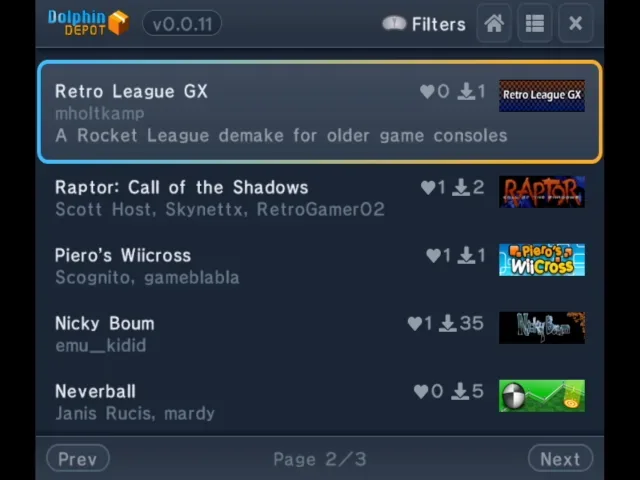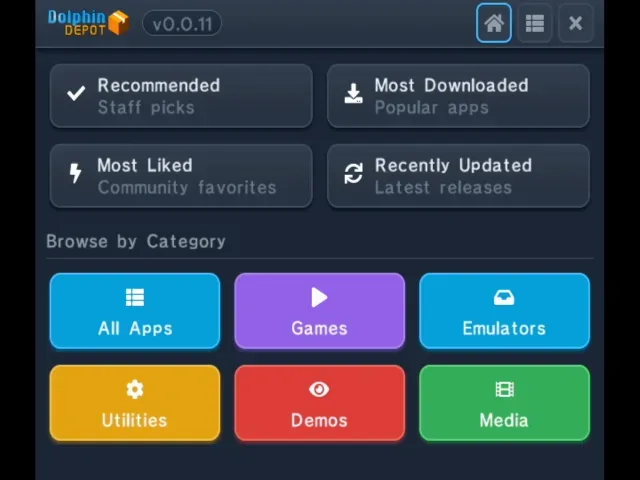
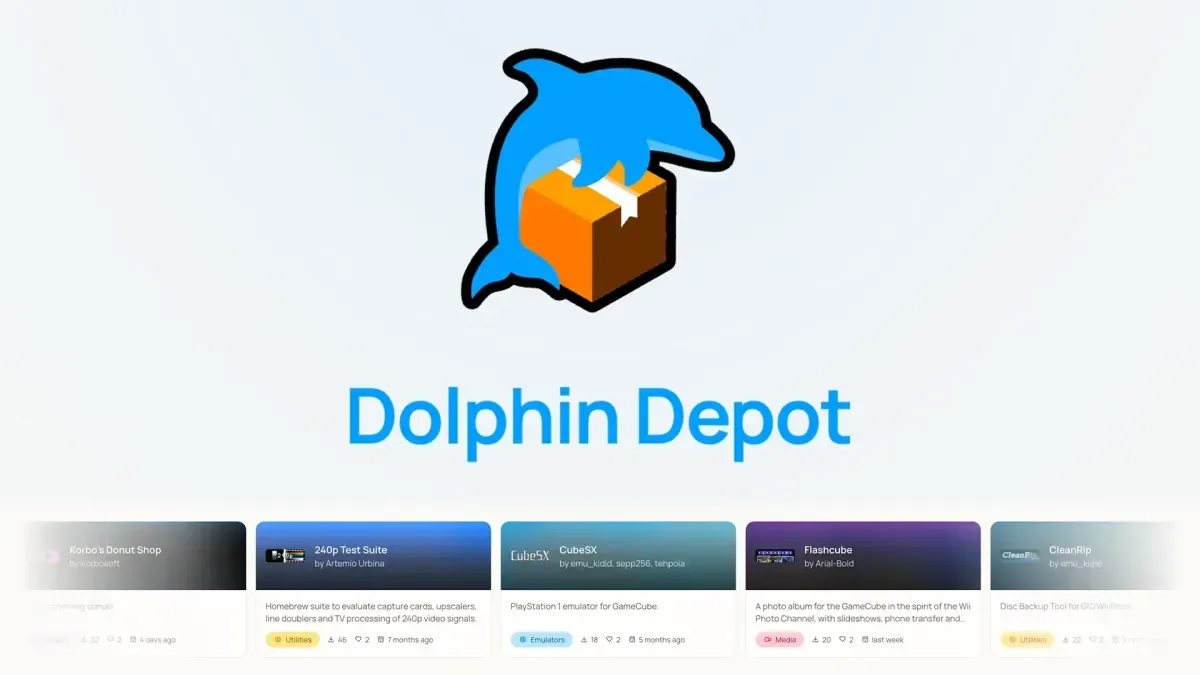
The Nintendo GameCube’s homebrew scene has a new distribution project called Dolphin Depot, a beta app store designed to run on the original console hardware. Its premise is direct and potentially very useful: rather than hunting through scattered downloads, GameCube owners with the right homebrew, networking and storage setup can browse a catalogue and install supported homebrew software from the console itself.
That does not turn every GameCube into an all-purpose modern download machine. Dolphin Depot has meaningful hardware requirements, and it remains in beta, so bugs are possible. But the project addresses a practical issue that has long surrounded enthusiast software: discovering an application, understanding which version is appropriate, and locating a download can be more difficult than actually using it. A single console-facing catalogue could make that process far less fragmented for people already equipped to run GameCube homebrew.
What Dolphin Depot is trying to solve
Homebrew is software made outside a console maker’s official publishing and approval process. On GameCube, that can encompass original games, utilities, emulators and other community-built programs. The software itself is only one part of the equation, though. Users have also needed a way to make their console execute it, a place to store it, and often separate steps to find and transfer files.
Dolphin Depot’s role is to centralize the discovery and download side of that process. It is an app store in the functional sense: users browse a selection of homebrew projects and download them to supported storage. The important distinction is that it is not an official Nintendo storefront, nor does it eliminate the need for a modified or otherwise homebrew-capable GameCube. It sits on top of an existing enthusiast setup.
The project began development in February and has involved developer webhdx alongside contributions from the wider GameCube homebrew community. It is now available as a beta release. That status matters: prospective users should expect that parts of the experience may change and that issues can occur while the project matures.
The three things a GameCube needs
Dolphin Depot requires three broad pieces of hardware or capability: a way to launch unsigned code, a supported network connection, and supported storage for downloaded applications. Each has a separate job, so having only one or two of them is not enough for the intended direct-download workflow.
1. A console capable of running unsigned code
Unsigned code means software that has not been authorized through Nintendo’s official signing process. A standard retail GameCube normally expects approved software. To use homebrew, owners need an entry point that permits community-made applications to run.
Supported approaches can include game-save exploits, modchips such as PicoBoot or PicoLoader, and an optical drive emulator, commonly shortened to ODE, such as GC Loader or FlippyDrive. An ODE is hardware that provides an alternative to relying on the console’s original disc-reading route, allowing software to be launched from compatible storage arrangements. The precise setup is up to the owner; the essential requirement is that the GameCube can already execute homebrew.
Related coverage includes Dolphin Depot Brings a Homebrew App Store to GameCube.
This is an important practical boundary. Dolphin Depot is a way to obtain and organize software after a homebrew route exists. It is not presented as a method for converting an unmodified console into a homebrew-capable one.
2. A supported network adapter
Because the app store retrieves software online, the GameCube must have a compatible network adapter. Dolphin Depot supports the official Nintendo Broadband Adapter and the modern ETH2GC alternative.
Compatibility is specific here. The Nintendo Modem Adapter is not supported, and neither is the FlippyDrive Ethernet Adapter. Those exclusions are worth checking before anyone assumes that an adapter-shaped accessory or an Ethernet-related add-on will do the job. The project’s supported list, rather than a device’s name or apparent similarity, is what determines whether the direct-download feature can work.
For a console of this era, the ability to browse and download software on the hardware itself is part of the appeal. Yet it also means network hardware is no longer an optional extra for this particular experience. Someone who can already launch homebrew from local storage may still need additional equipment before Dolphin Depot becomes useful.
3. Compatible storage and an SD card
Downloads need somewhere to go. Dolphin Depot supports SD2SP2, SD Gecko, and MMCE storage options when paired with an appropriately sized SD card. In simple terms, the storage device is the destination for the homebrew applications retrieved through the catalogue.
The storage requirement is not merely administrative. It is what makes the store’s download function actionable on the console. A user can browse a catalogue with compatible networking, but saving and later launching software requires a supported place to store it. It is also sensible to consider available card capacity before accumulating multiple applications, although no particular card size is specified for Dolphin Depot beyond the need for one appropriate to the user’s setup.
What is in the catalogue?
The available selection includes original and ported-style game projects as well as emulation software. Examples named for Dolphin Depot include Retro League GX, described as a Rocket League demake; a range of Game Boy emulators; a PlayStation 1 emulator; and the vertical shooter Raptor: Call of the Shadows.
That mix illustrates why a curated catalogue could matter. Homebrew is not one single category of software. One owner may be looking for an original GameCube game, another for a utility, and another for an emulator. Bringing multiple types of project into one interface makes the GameCube feel less like a machine that only launches files manually and more like a platform with an approachable software library.
It is also worth separating two related ideas. An emulator is software that aims to reproduce the behavior of another system so that software made for that system can run in an emulated environment. Dolphin Depot making an emulator discoverable does not mean every game or program will behave identically, nor does it settle questions around the software a person chooses to use with that emulator. The confirmed point is narrower: the catalogue includes Game Boy emulators and a PS1 emulator among its homebrew offerings.
Why a dedicated storefront-style interface matters
For established homebrew users, the difference may sound modest: applications can already be downloaded elsewhere and copied to storage. In practice, packaging discovery and downloading into one GameCube-native interface could reduce the number of separate steps between hearing about a project and trying it.
That has benefits beyond convenience. Centralization can make it easier for users to see that a project exists at all, especially when community releases are spread among individual project pages, social posts and discussion threads. It can also give the scene a clearer front door for newcomers who have already completed the more technical job of preparing their console.
The limitation is equally important. A store interface does not automatically make every homebrew project compatible with every GameCube configuration, and beta software should not be treated as friction-free. Owners will still need to verify their launch method, network adapter and storage hardware. The project is best understood as a new layer of usability for a hobby that still depends on hardware compatibility and some technical preparation.
A beta release with a focused audience
Dolphin Depot is most immediately relevant to people who already own a GameCube and either have, or intend to build, a supported homebrew setup. The required combination is clear:
- A GameCube that can launch unsigned code through a compatible exploit, modchip or ODE route.
- An official Nintendo Broadband Adapter or ETH2GC for networking.
- SD2SP2, SD Gecko or MMCE storage with a suitable SD card.
Users of the Nintendo Modem Adapter or FlippyDrive Ethernet Adapter should take particular note that those network options are not supported. That is the sort of detail that can be easy to overlook while collecting parts for an older console, but it directly affects whether the app store can connect as intended.
There is a broader retro-gaming significance, too. Projects such as Dolphin Depot show how an older console can continue gaining practical new capabilities through community software and hardware. The GameCube is still the same machine, with its original limitations and required accessories, but a browser-like catalogue for new software changes how owners can engage with the modern projects built around it. For another example of enthusiasts finding new uses for older Nintendo hardware and software ecosystems, see this look at Pokémon FullDex’s widescreen DS goal.
For now, the sensible expectation is a promising beta rather than a finished universal solution. Dolphin Depot offers a direct path to browse and download selected homebrew on original GameCube hardware, provided the owner has the supported means to run it, connect it and save its downloads. That is a focused achievement—and a useful one for a community whose software has often been harder to find than it should be.