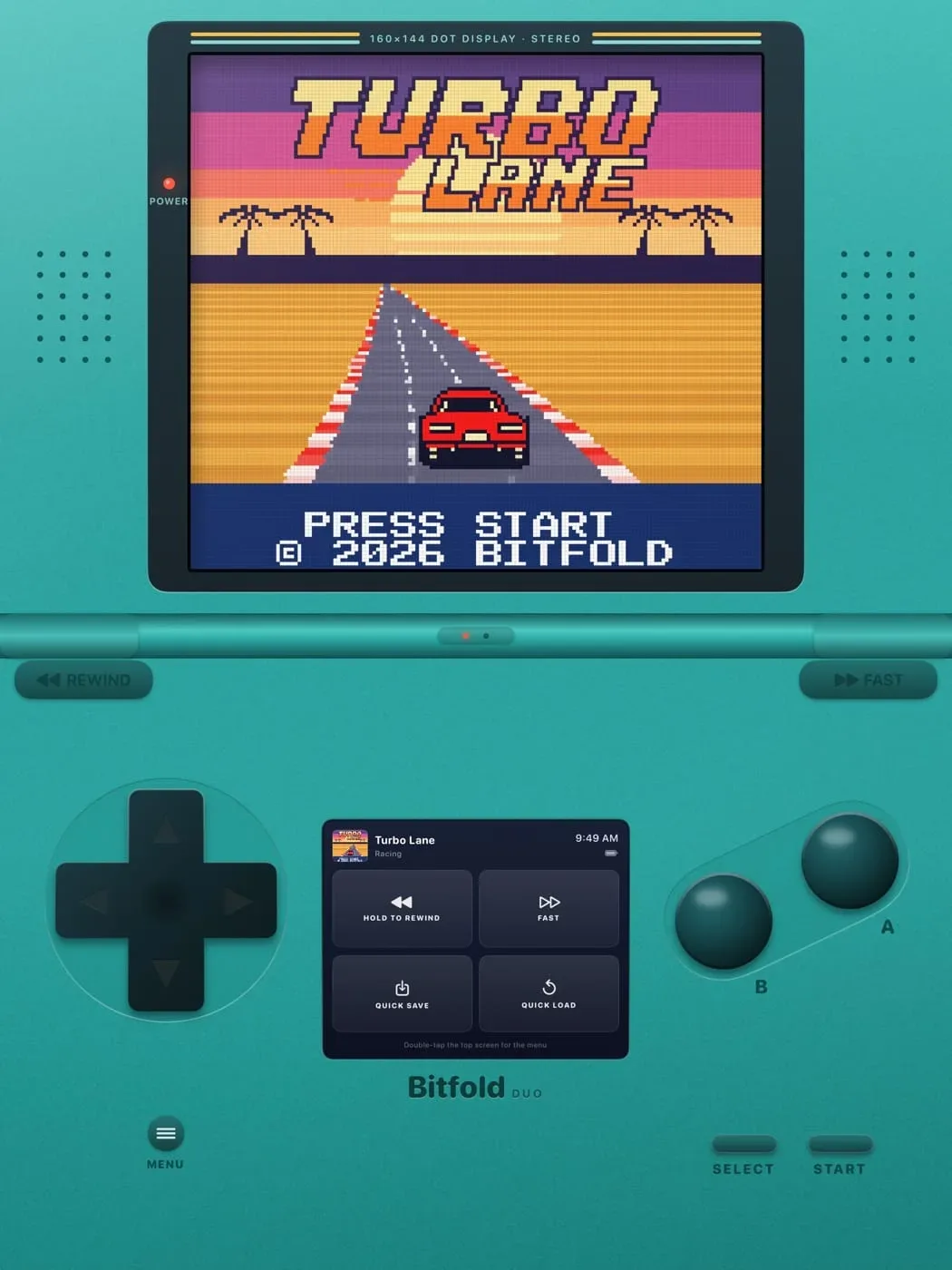
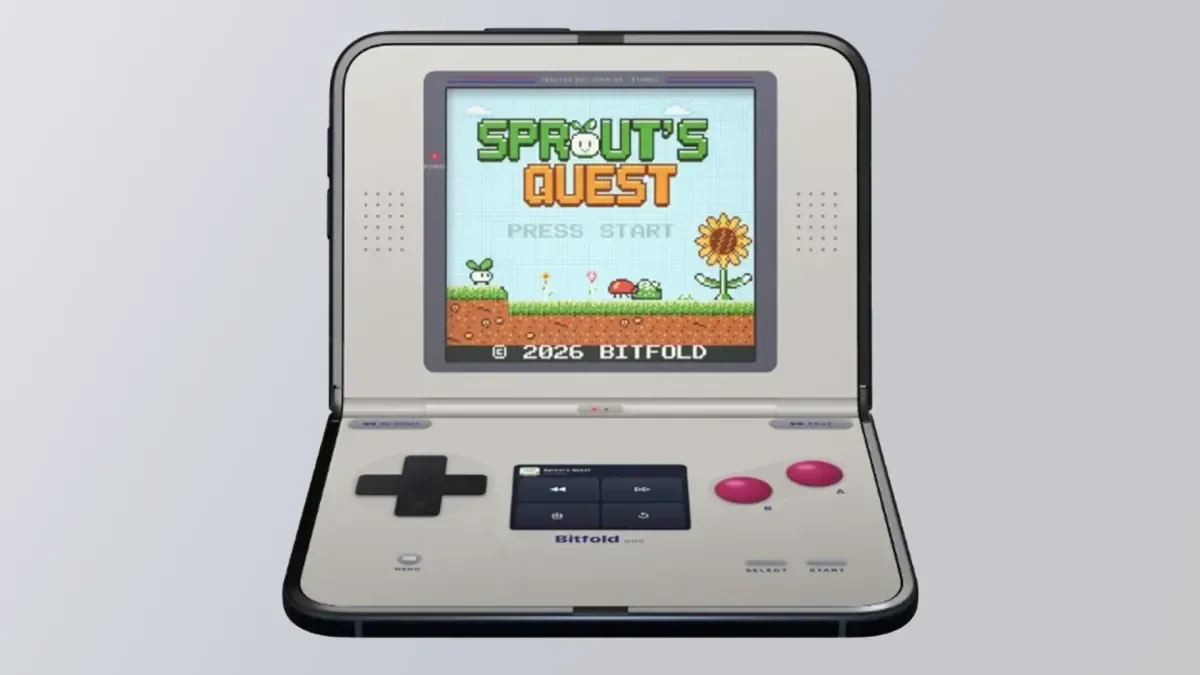
Bitfold is pitching a very specific kind of retro-gaming experience: a Game Boy and Game Boy Color emulator designed around the folding displays of Apple’s iPhone Duo. Its premise is immediately understandable. Rather than simply placing an old handheld screen in the middle of a modern phone, Bitfold reshapes its controls and play area as the device changes position.
That focus could make it an interesting addition for people who want a dedicated-feeling Game Boy setup on a foldable phone. But the app arrives with a more complicated proposition attached. Bitfold includes 12 original games, and its developers lean heavily into AI-assisted development. The included software is therefore not merely a bonus library; it is central to the question of what Bitfold is trying to be, and whether that library adds meaningful value to an emulator built around a respected open-source core.
A Game Boy interface built around the fold
Bitfold currently supports .gb and .gbc games: file types associated with Game Boy and Game Boy Color software. Users can add cartridge images they own in .gb, .gbc or .zip form. A ZIP file is a compressed archive, which can make it easier to store or move compatible game files without handling every file separately.
The on-screen interface supplies the essentials of a classic handheld: a directional pad, A and B face buttons, and Start and Select. The difference is how that familiar arrangement responds to the Duo’s configurations:
- Closed: Bitfold presents itself as a compact pocket-console experience on the outer display.
- Laptop-style fold: The game occupies the upper half, while controls and a companion screen sit below. The app visually incorporates a console hinge over the phone’s real fold.
- Book-style fold: The display becomes two pages, with the layout arranged so the playable interface does not sit directly on the crease.
Most importantly, play is said to continue as the device moves between these modes. That sounds like a small convenience, but it is a key usability detail. A foldable-specific interface loses much of its point if a player has to pause, restart or wrestle with menus every time the hardware is repositioned.
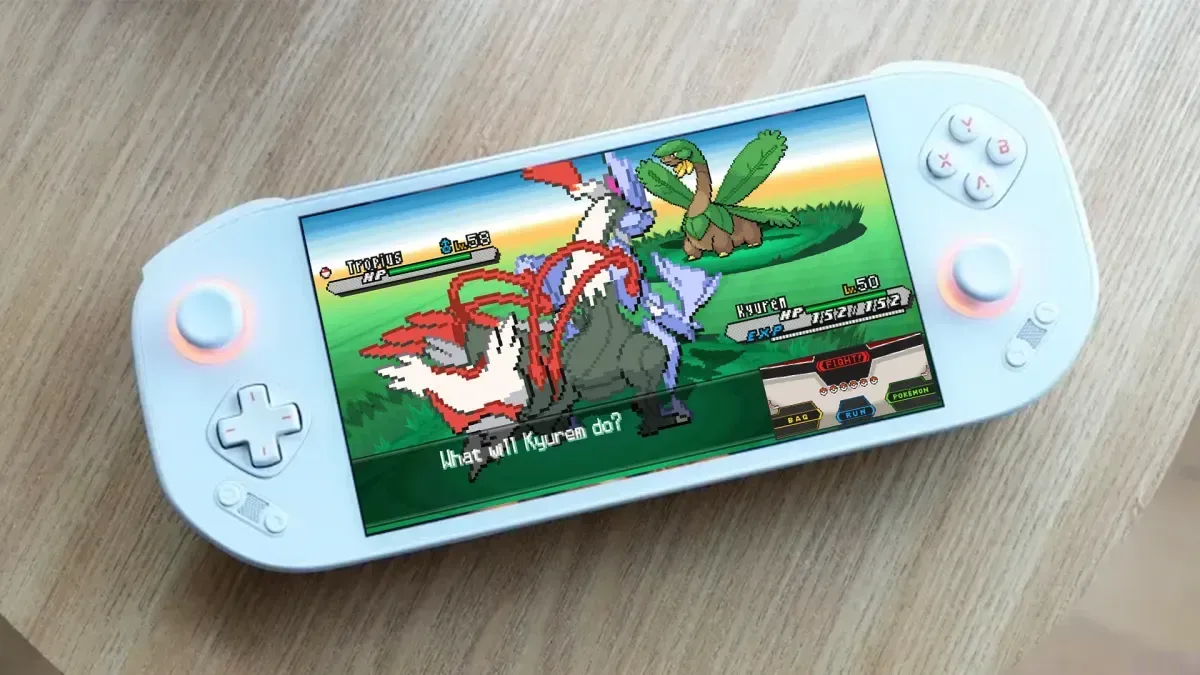
There is a broader design lesson here. Foldables do not automatically make emulation better simply by supplying more screen area. The useful work is in deciding where the game image, virtual buttons and secondary information should go, then making those elements move without interrupting play. Other projects have explored how unusual phone displays might change old games’ presentation, including an effort to place DS Pokémon games across a widescreen setup. Bitfold applies that same device-aware thinking to a single-screen handheld format.
SameBoy provides the emulation foundation
Under the visual shell, Bitfold uses the open-source SameBoy core. An emulation core is the part of an emulator responsible for recreating the behavior of the original hardware in software. The interface can change dramatically from one app to another, but the core determines how the game code is interpreted and how the emulated machine behaves.
Bitfold lists several expected quality-of-life tools:
Related coverage includes Bitfold Brings Game Boy Emulation to iPhone Duo, With AI-Made Games Raising Concerns.
- Rewind: lets a player roll play backward, which can be useful after a mistake.
- Fast-forward: speeds up gameplay, often helpful during repetitive sequences.
- Save states: snapshots of the game at an exact moment, separate from the save system originally included in the cartridge.
- Battery saves: support for games that originally stored progress through battery-backed cartridge memory.
- Haptics: tactile feedback through the phone.
- Bluetooth controller and keyboard support: alternatives to touch controls for players who prefer physical inputs.
Those are worthwhile features, but they are also increasingly familiar expectations for mobile emulation. The strongest practical distinction presented here is not the checklist itself. It is the fold-aware presentation layered over it.
Bitfold also says it has no advertisements, accounts or tracking, and that the app never connects to the internet. For players who prefer an offline, self-contained emulator, that is a clear appeal. It would mean the advertised experience does not depend on creating a profile or remaining online just to use local game files and core features.
The 12 bundled games are the difficult part of the pitch
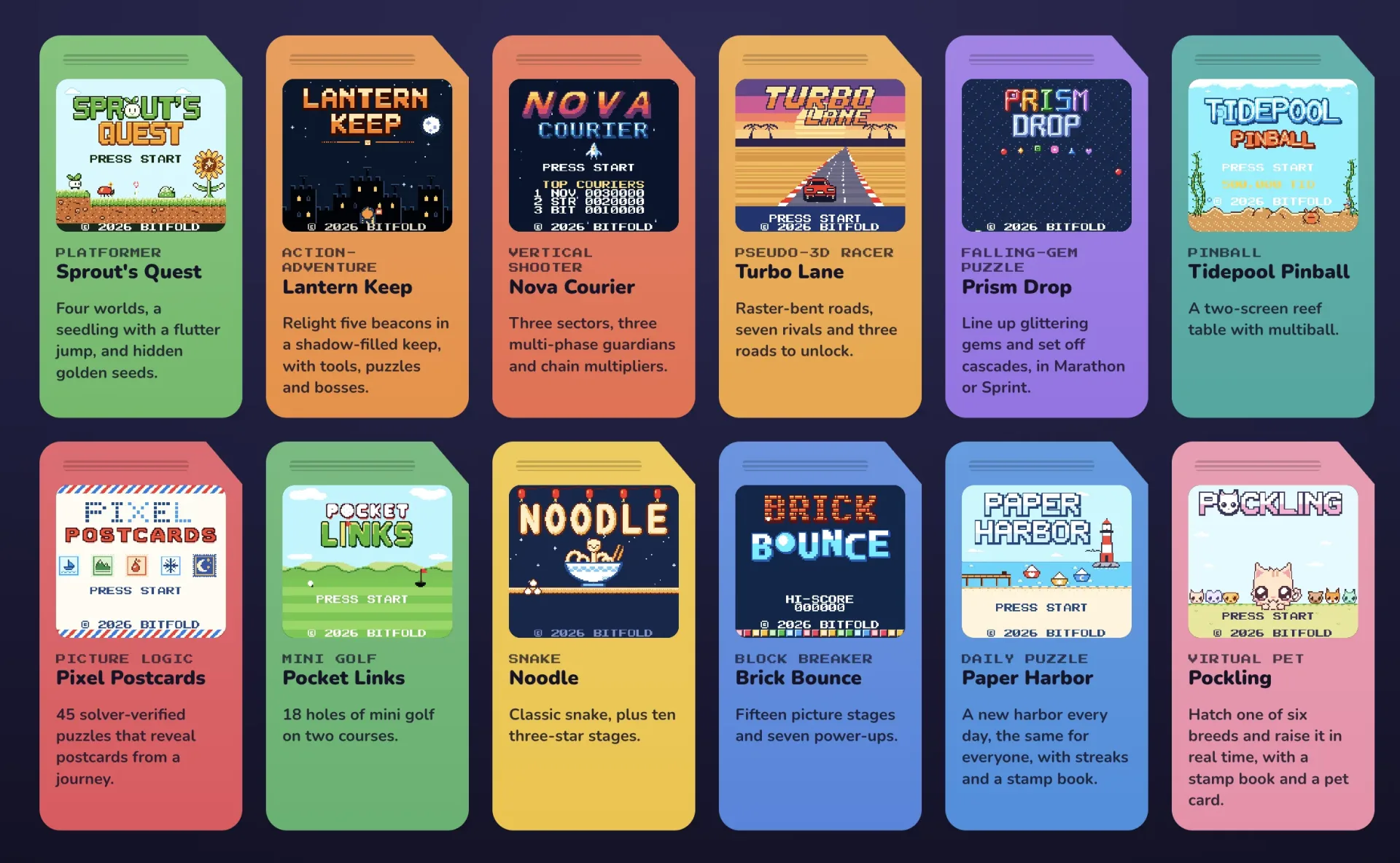
Alongside the emulator, Bitfold includes 12 “Bitfold Originals”: Sprout’s Quest, Lantern Keep, Nova Courier, Turbo Lane, Prism Drop, Tidepool Pinball, Pixel Postcards, Pocket Links, Noodle, Brick Bounce, Paper Harbour and Pockling. Each is supplied as a cartridge image, meaning the app treats these bundled titles in the same general form as compatible Game Boy software.
In principle, original games could be a smart way to make an emulator feel like a product rather than a bare utility. New games made for old-style hardware can give players a legal, immediate way to try an app’s features without needing to load their own files. They can also showcase an emulator’s compatibility and input design.
In Bitfold’s case, though, the AI-assisted approach complicates that advantage. The available information does not establish that the games have been carefully authored, thoroughly tested or developed with a distinct creative identity. Criticism has instead centered on their apparent lack of quality and on visuals that seem to imitate recognizable intellectual properties.
That concern deserves to be separated into two parts. First, AI-assisted development is not, by itself, a useful measure of whether a game is good. The relevant questions are whether a game is coherent, polished, original, and made with appropriate care. Second, the resemblance of a game’s look or concept to established properties can be a serious creative and legal-adjacent concern even where a project calls itself “original.” A retro-styled game does not need to be generic, and nostalgia is not a substitute for a distinct point of view.
For a retro app, the bundled library can signal the values of the project. If those games feel disposable, then they may weaken the carefully considered foldable UI rather than strengthen it. The app starts looking less like a tool designed to celebrate Game Boy software and more like a visual novelty wrapped around quickly generated content.
What prospective users should weigh
Bitfold can be assessed as two connected but separate products: an emulator interface and a bundle of new games. The first has a tangible hook. Its layouts appear purpose-built for the iPhone Duo’s outer and inner screens, and it includes support for standard Game Boy and Game Boy Color file formats alongside useful emulator conveniences.
The second is less persuasive from the supplied details. Players looking for freshly made Game Boy-style games may reasonably want more than a title list and cartridge images. They may want confidence in the work’s authorship, originality and overall craft. Those points matter especially in retro spaces, where independent developers and homebrew creators often put substantial effort into making software that respects both the technical limits and the artistic language of old systems.
There are also practical boundaries. Bitfold supports Game Boy and Game Boy Color software only for now, so it should not be mistaken for an all-purpose multi-system frontend. Anyone interested in it should approach it primarily as a specialized, foldable-friendly GB/GBC player. The app is free through the App Store and is also available to try in a browser without an account, which lowers the barrier to judging its interface personally.
That leaves Bitfold with a split identity. The folding-device implementation sounds inventive: a game that continues through layout changes, a clamshell view that uses the lower display for controls, and a book view that avoids placing key content on the crease are all sensible decisions. Yet the decision to foreground AI-assisted bundled games of questionable quality risks distracting from the app’s best idea.
For iPhone Duo owners who specifically want GB/GBC emulation that embraces the shape of their hardware, Bitfold may be worth examining on its interface merits. But its originals should be treated as an unproven extra, not the reason to choose it. A polished emulator experience is built on dependable compatibility, thoughtful controls and respect for the games people bring to it. The foldable presentation may deliver the first two; the bundled AI-assisted library has more to prove on the last point.