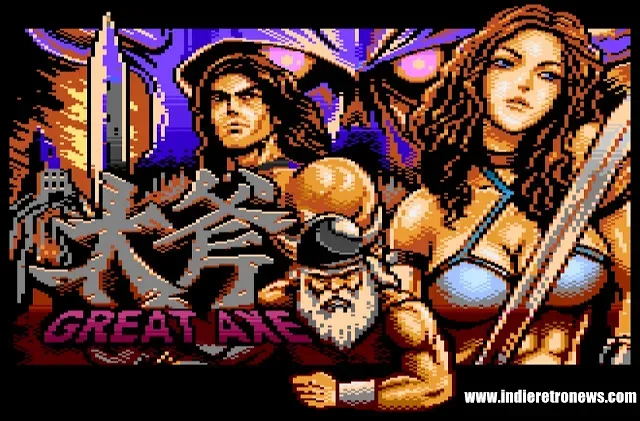
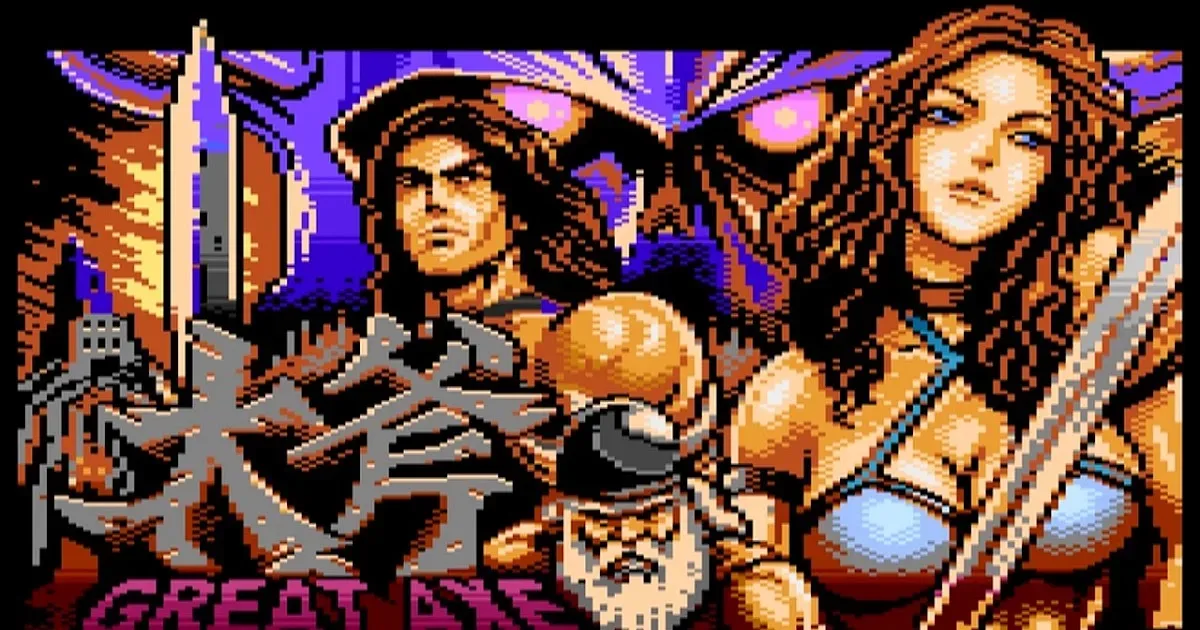
Great Axe, a new free and non-commercial conversion inspired by Sega’s 1989 arcade classic Golden Axe, is now available for Atari XL/XE computers and the XEGS. Developed by the A-8bit Redefined Team, the project aims to bring the full five-stage sword-and-sorcery journey to 8-bit Atari hardware, including the final demo sequence.
The conversion was built from scratch rather than adapted from code used on other platforms. Its technical foundation is a newly created engine designed to show as many as five large software sprites at once while maintaining smooth fine scrolling. That combination is central to the project’s pitch: recreating a side-scrolling arcade-style action game on the Atari XL/XE family without limiting it to a specially expanded machine.
Great Axe supports both PAL and NTSC systems, and is intended to run on stock 64 KB Atari XL/XE hardware as well as the XEGS and upgraded configurations. For a project made for a machine family with a wide range of regional video standards and modern loading options, that broad compatibility is as notable as the game itself.
A familiar arcade quest, rebuilt for Atari 8-bit
Golden Axe, credited to creator Makoto Uchida, is the 1989 arcade sword-and-sorcery action game at the center of Great Axe’s inspiration. Great Axe is described as a fan port, but its development approach matters: the team says it did not use code from other platforms. In practical terms, that means the Atari version’s systems had to be newly implemented for this hardware rather than simply transferred from an earlier release.
That distinction does not turn Great Axe into an official Sega release, nor does it establish a one-to-one technical match with the arcade original. It does, however, explain why the project is significant to enthusiasts of the Atari 8-bit line. It is a contemporary homebrew effort built around the challenge of presenting an arcade-style scrolling action game on computers and consoles first introduced decades ago.
The release covers all five original stages, ending with the final demo sequence. A complete stage count is meaningful for players because retro conversions can sometimes focus on a single level, a technical demonstration, or a partial work-in-progress. Here, the stated goal is a full journey through the original game’s stage structure rather than a short showcase of its visual style.
What the custom engine is doing
Great Axe’s engine is said to handle up to five large software sprites alongside fine scrolling. Both terms are worth unpacking because they describe the practical problems a game like this must solve.
A sprite is a movable on-screen graphic, generally used for characters, enemies, projectiles or other objects that need to move independently from the background. “Software sprites” means the game’s own code is responsible for drawing and updating those objects rather than relying exclusively on a fixed pool of dedicated hardware sprite resources. The stated five-large-sprite target therefore speaks to the engine’s ability to juggle multiple prominent moving figures on screen at the same time.
Related coverage includes Great Axe Brings Golden Axe’s Five-Stage Quest to Atari XL/XE.
Fine scrolling refers to movement that progresses in small visual increments instead of stepping abruptly from one screen position to the next. In a side-scrolling action game, it is what lets the environment travel across the display with a smoother sense of motion as the player advances. Great Axe’s use of smooth fine scrolling is particularly relevant because the game is attempting an arcade-like presentation on Atari XL/XE equipment with only 64 KB required.
The two features complement each other. Scrolling backgrounds establish a moving world, while large moving character graphics populate that world. The challenge is not simply drawing either element once, but updating them together responsively throughout combat. Great Axe’s design is therefore focused on the kind of technical balance that defines strong 8-bit homebrew: make an immediately recognizable action game feel alive while staying within the limits of the target machine.
PAL and NTSC support matters
Great Axe supports both PAL and NTSC formats. Those standards are associated with different regional video systems, and software designed around one format can require adjustments to behave properly on the other. By supporting both, the conversion is positioned for users across the Atari XL/XE community rather than only owners of one regional configuration.
The team also lists compatibility across the entire Atari XL/XE line, from stock hardware and the XEGS to upgraded systems. The baseline requirement is an Atari XL/XE or XEGS with 64 KB of memory. That is a useful detail for prospective players: the game is not presented as a showcase reserved solely for an expanded or heavily modified computer.
There is a broader preservation angle here as well. Contemporary releases for older machines are often played through a mix of original hardware, add-on loading devices and emulators. Supporting stock systems while also acknowledging newer ways people use vintage hardware gives a project a better chance of reaching both longtime owners and curious newcomers.
That old-meets-new appeal also sits alongside a wider fascination with arcade games inside modern releases. For a very different example, GTA 6’s reported arcade-cabinet games show how the cabinet format continues to be used as a setting for newly made interactive experiences. Great Axe takes the opposite route: it puts a newly developed technical framework to work on the actual class of vintage machine that homebrew developers still keep active.
How to run Great Axe
For original hardware, the listed requirements are straightforward, though the loading method is important. Players need an Atari XL/XE or XEGS with 64 KB and one or two joysticks. The release supports Joy2B+, an enhanced joystick arrangement that can provide an additional button input where compatible hardware is used.
- Required machine: Atari XL/XE or XEGS with 64 KB.
- Video formats: PAL and NTSC are supported.
- Controllers: One or two joysticks; Joy2B+ support is included.
- Real-hardware loading: The supplied ATARIMAX CAR file requires a compatible device such as SUB-CART or AVG CART.
- Emulation: Altirra is identified as a compatible option.
The file format and loading-device note should not be overlooked. A CAR file is not simply a standard disk image to be treated like every other Atari software file. The release information specifically identifies compatible cartridge-loading hardware for use on a real machine. Owners planning to play on original equipment should confirm that their setup can load the supplied ATARIMAX CAR file before expecting it to run.
For those without an Atari XL/XE or XEGS at hand, Altirra is named as an emulator that works well with the release. Emulation can be the more accessible route for exploring the conversion, while compatible cartridge devices provide the path for playing it on physical Atari hardware.
Credits behind the conversion
Great Axe credits Vega for the main code. Vega and Gaspar are credited with graphics, while Miker handled music and sound effects. The credits underline that the conversion is a collaborative production with separate programming, visual and audio roles, rather than a simple repackaging of an existing version.
The project is offered as a community-minded, non-commercial release. Its value lies in the combination of a recognizable arcade template, a complete five-stage structure, broad Atari 8-bit compatibility and a purpose-built engine. For Atari XL/XE and XEGS players, Great Axe is a new reason to connect a joystick—whether that joystick is plugged into original hardware or mapped through an emulator.