The Xbox Wireless Controller in Carbon Black is listed at $43, against a stated $65 list price. That is a meaningful reduction for a first-party pad, particularly for players replacing a controller with worn sticks, unreliable buttons or a tired cable connection. It also makes sense as a second controller for shared-console households, or as one controller intended to move between an Xbox and a Windows PC.
The important word is listed. Retail prices can change quickly, and a discount does not erase the need to check the final price, seller and delivery details before buying. Still, the stated $22 difference from list price puts the deal’s value in practical terms: buyers are paying less for a controller designed to work across several common Xbox and PC setups, rather than choosing a cheaper peripheral that may only suit one device.
What this controller is built to do
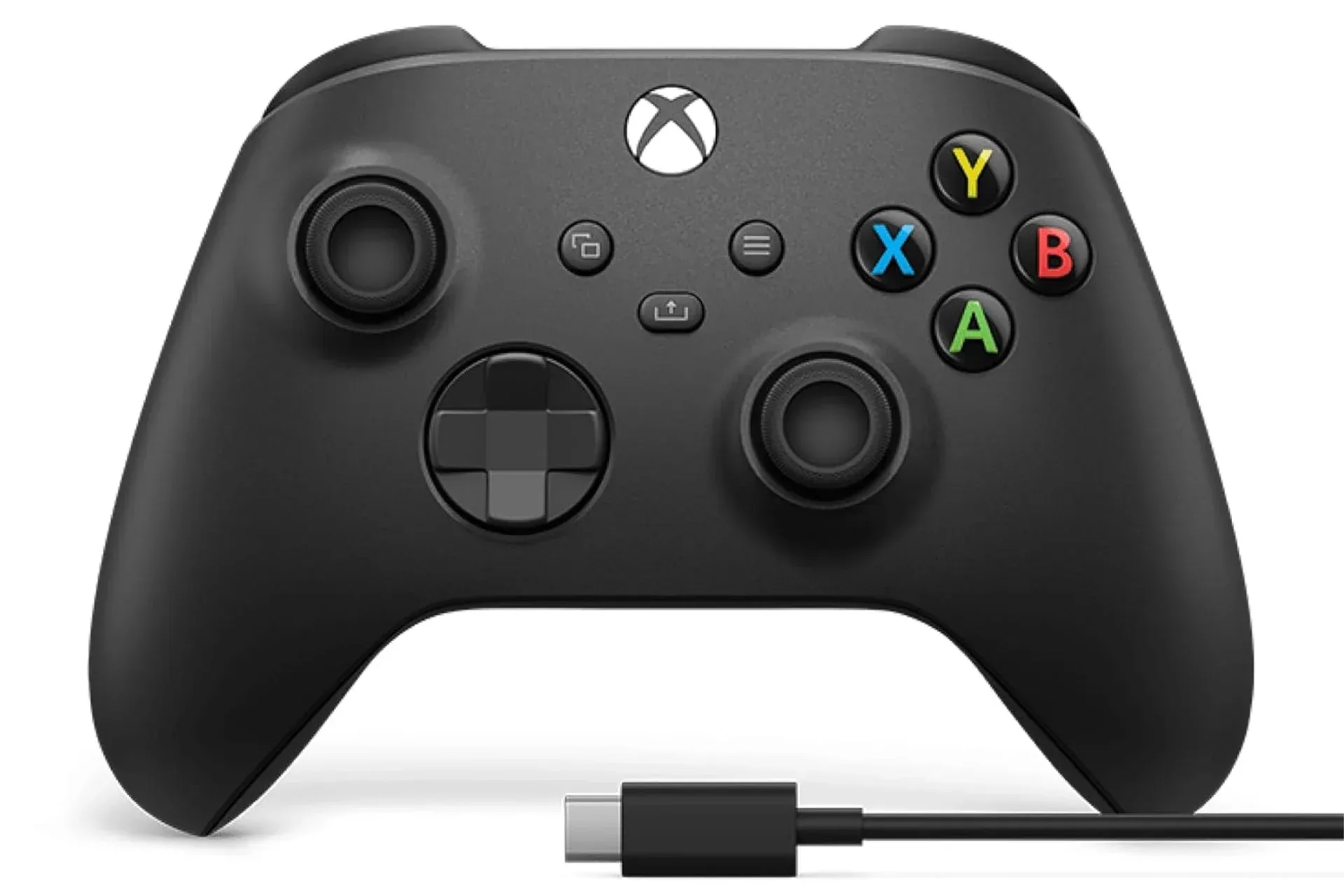
Microsoft’s current standard controller is an updated version of a long-running Xbox layout. The familiar arrangement remains: offset analog sticks, face buttons, shoulder bumpers, analog triggers, a directional pad, a central Share button and a 3.5 mm headset jack. The refinements highlighted here are physical as much as functional. Textured surfaces extend across the triggers, bumpers and rear grip areas, while the controller’s shaping has been adjusted for comfort during longer sessions.
Texture is not a flashy specification, but it addresses a simple issue: a controller should remain secure and predictable when a match becomes intense or hands become warm. It will not change a game’s response time or compensate for poor wireless conditions, but a steadier grip can make the device more comfortable to hold and less likely to shift in the hand when players are using triggers and bumpers repeatedly.
The controller also includes a hybrid D-pad. In basic terms, the D-pad is the directional control operated by the thumb, often used for menus, 2D movement, retro titles and fighting-game inputs. A hybrid design aims to combine the clear directional reference of a cross-shaped pad with more accommodation for diagonal presses. That matters in games where players must move from down to down-forward to forward in one smooth motion, such as quarter-circle inputs in fighting games. It can also matter in platformers where an accidental diagonal is the difference between a clean jump and an inconvenient visit to the nearest respawn point.
Whether any D-pad feels ideal remains a personal preference, especially for dedicated fighting-game players. The practical point is that this is not merely a console controller for analog-stick games. Its design considers genres that lean heavily on directional inputs.
Connection options are the main reason to consider it
The Carbon Black Xbox Wireless Controller supports three relevant ways to connect: USB-C, Bluetooth and Xbox Wireless. Those terms can sound interchangeable, but they describe different routes from controller to device.
- USB-C means a wired connection. Plugging the controller into a compatible Windows PC via USB-C provides a direct physical link, and Windows recognizes the controller without a complicated setup process.
- Bluetooth enables a cable-free pairing option for compatible devices. This is useful for a PC or a television-based setup where a cable running across the room would be inconvenient.
- Xbox Wireless is Microsoft’s wireless connection method for the Xbox ecosystem. It is also relevant to people who use the same controller with both an Xbox console and a PC setup.
For a buyer with only one console, these choices may look like excess flexibility. For someone using an Xbox in one room and a PC in another, they are the central feature. The controller can fit into a wired desk arrangement, a couch-and-TV PC arrangement, and Xbox use without requiring a completely different gamepad for each scenario.
Related coverage includes Xbox Wireless Controller in Carbon Black Is Listed at $43.
That flexibility is especially useful when the same pad is shared among devices. A wired USB-C session at a desktop can be followed by wireless play at a television or on a console, avoiding the idea that a controller belongs permanently to one room. Buyers should still confirm their specific device’s compatibility and preferred connection method before treating any wireless setup as automatic. “Wireless” is a capability, not a promise that every screen and every configuration will behave identically.
PC players also have a reason to value the standard Xbox layout. Many games use Xbox-style button prompts, and the controller is broadly familiar across PC gaming. That does not make it objectively superior to every alternative; controller shape, D-pad preference and stick placement are subjective. It does mean that players who switch between Xbox and Windows are less likely to need an adjustment period every time they change platforms.
Small features that reduce friction
The Share button offers a one-press route to capturing screenshots or recordings. This is a convenience feature rather than a performance upgrade, but it is the kind of convenience that tends to be appreciated only after a memorable moment has already passed. A strange physics failure, a close win or an unexpectedly cinematic scene is easier to preserve when capture is immediately accessible on the controller.
The 3.5 mm jack has an equally straightforward purpose: it supports compatible wired headsets. For players who already own a wired headset, that can be preferable to adding another wireless accessory, another charging routine or another connection process. It is also helpful for a second-controller situation, where keeping voice chat available does not require buying a separate audio solution for every person on the couch.
Then there is the Xbox Accessories app, which allows button remapping and personalized profiles. Button remapping means assigning a controller input to a different function. The use case is not necessarily competitive optimization. Some players prefer a different button position for comfort; others may want a layout that better fits a particular game or their accessibility needs. Profiles add the ability to preserve different arrangements rather than rebuilding them each time.
Remapping does have limits in a practical sense. It changes the controller’s input layout, not the design of a game. On-screen instructions may still display the game’s default prompts, so users should remember which profile is active. But the feature adds useful control over a device that can be used across multiple genres and platforms.
Cloud gaming expands where it can be used
The controller also works with cloud gaming on Android and iOS devices. In this context, cloud gaming means the game runs remotely and its video is streamed to a phone or tablet, while the player’s controller inputs are sent back over the network. The phone or tablet becomes the display, not necessarily the machine doing all the game processing locally.
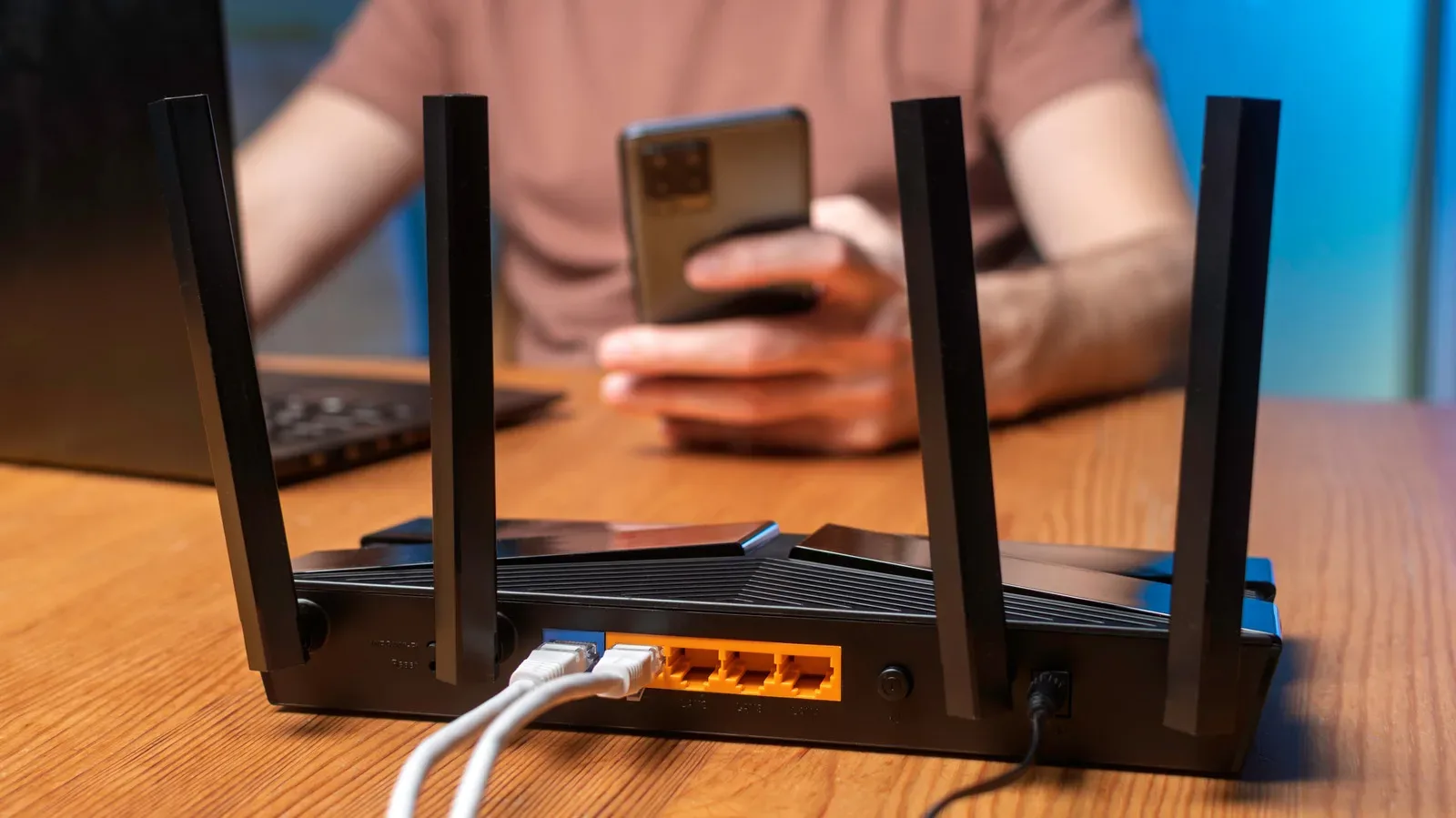
This can make a familiar controller layout available on a smaller screen, but it also introduces a condition that applies to every streamed experience: network quality matters. A strong controller cannot fix slow or unstable internet, home Wi-Fi congestion or the delay between an input and what appears on screen. Players considering phone or tablet cloud play should treat their connection as part of the setup. For a useful primer on diagnosing one common source of online gaming issues, see how too many devices on home Wi-Fi can affect gaming lag.
That caveat does not undermine the controller’s portability. It clarifies what the controller contributes: familiar physical controls on a device category that is normally touch-first. For players who dislike virtual on-screen buttons, that can be a substantial quality-of-life upgrade, provided the streaming environment is suitable.
Who the $43 listing suits best
This listing is most compelling for a few clear groups. First are Xbox owners replacing a controller that is physically worn or no longer dependable. Second are PC players who want a conventional Xbox-style pad with both wired and wireless options. Third are households that need another controller for local multiplayer, guests or simply fewer arguments over whose turn it is with the functional gamepad.
It may be less urgent for players who already own a controller they like and do not need cross-device support. A sale is only a saving if the controller fills a real need. Likewise, anyone buying principally for cloud gaming should first be confident in the network side of that experience; the gamepad is only one part of the chain.
At the stated $43 price, though, Microsoft’s Carbon Black controller offers a direct, relatively uncomplicated proposition: a first-party Xbox controller with USB-C, Bluetooth, Xbox Wireless, a remappable layout, a hybrid D-pad, headset support and mobile cloud-gaming compatibility. The discount makes that broad compatibility easier to justify for players whose old pad has finally started filing for retirement.
Shop the products
Check current price, model and availability at the retailer.