Microsoft has begun rolling out an Xbox PC app update to Xbox Insiders that focuses on two things players notice immediately: how long the app takes to get out of the way, and how hard it is to find the thing they came to launch. The company says the revised app can start up up to 60 percent faster, while its Home, Store and Game Pass sections may load up to 50 percent faster. Individual windows within the application are claimed to open up to 65 percent faster.
Those figures are based on Microsoft’s internal testing, so they are best read as a ceiling rather than a guarantee. Hardware, installed games, connection conditions and the state of a particular PC can all influence the result. Still, the direction is clear: the update is intended to reduce the small, repetitive delays between opening the Xbox app, locating a title, checking the store or Game Pass catalog, and getting back to playing.
The build is reaching Xbox Insiders first, which gives Microsoft a chance to gather feedback before a wider release. It also means the changes described here should not be treated as confirmation that every PC user has them today.
What the performance claims actually cover
“Up to” matters in each of Microsoft’s measurements. An app that launches up to 60 percent faster will not necessarily launch at that exact rate on every machine or every attempt. The same applies to the stated improvements for pages and in-app windows. Internal test results establish the company’s target performance improvement, not a universal stopwatch outcome.
Even so, the update addresses several distinct moments of friction rather than one broad claim that the app is simply “faster.” Startup refers to opening the app itself. Page loading concerns the Home, Store and Game Pass areas. Window opening refers to views or panels within the app. Breaking those interactions out is useful because they affect different parts of a normal session.
- App startup: Microsoft says the Xbox PC app now launches up to 60 percent faster.
- Core pages: Home, Store and Game Pass pages are said to load up to 50 percent faster.
- In-app windows: Windows inside the app are claimed to open up to 65 percent faster.
For players, startup is the most visible number: it defines the wait before the library or storefront is even available. Faster core pages matter after that, especially for anyone moving between a personal landing page, the shop and the Game Pass catalog. Quicker windows could make smaller tasks feel less interrupted, though Microsoft has not detailed every type of in-app window covered by that measurement.
A library update aimed at fewer dead ends
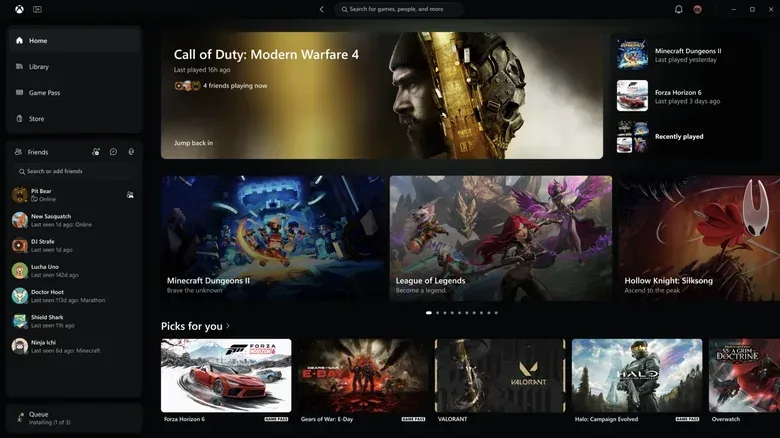
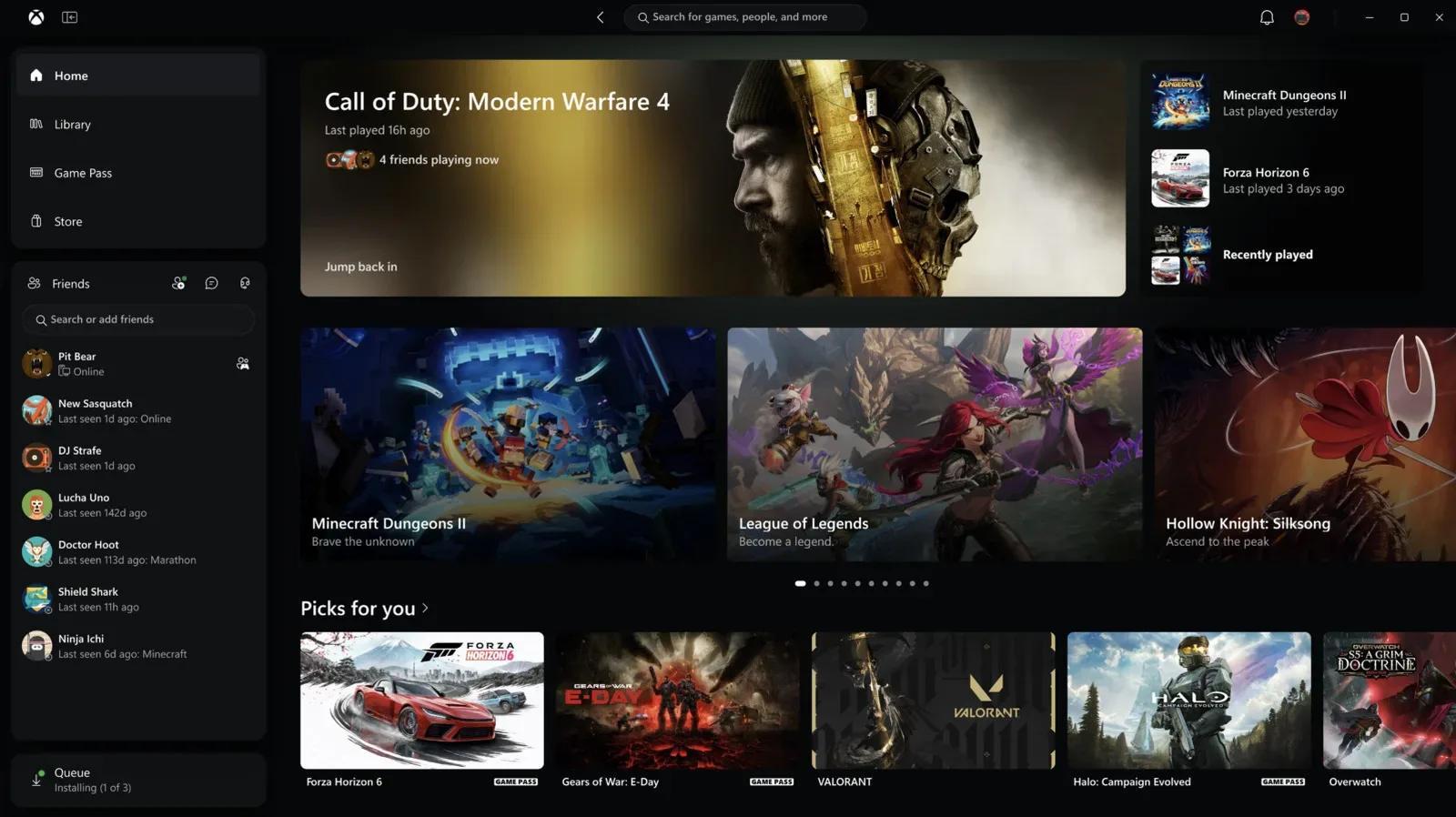
The app’s redesign is not limited to response time. Microsoft says library navigation has been improved through updated filters and game organization. That is a practical change for an app expected to manage installed titles as well as help people browse for something new.
A filter is a control that narrows a larger list based on selected criteria. In a game library, filters can turn a long wall of entries into a more manageable set. Better organization serves a similar purpose: rather than asking players to remember exactly where an item sits, the interface should make the collection easier to scan and sort through.
Microsoft is also consolidating search. The new unified search covers games, installed titles, people and add-ons in one place. In this context, unified means the user does not need to start in separate areas of the app merely because the target is a game, a person, installed software or additional content. The app is trying to make search a common starting point rather than a collection of narrowly separated tools.
That may sound like a modest interface adjustment, but it changes the workflow. A player who wants to check whether a game is already installed, locate an add-on, or find a person no longer has to decide which section is most likely to contain the answer before searching. Whether that works smoothly will depend on the relevance and clarity of results, details Microsoft has not specified. The basic structural intent, however, is straightforward: fewer navigation guesses before finding the right destination.
Social features move into the main route through the app
Friends and other social features are being placed in the main navigation. Navigation is the persistent set of controls used to move among major areas of an application. Moving social tools there indicates that Microsoft wants them to be treated as a core part of the PC Xbox app experience rather than a feature tucked away behind another view.
The update also includes redesigned game cards, a refreshed Home page and revised Settings. Game cards are the visual interface elements representing games in a library or browsing view. Their redesign is therefore more than decoration: cards are often where a player identifies a title at a glance and decides what to open next. Microsoft has not laid out the precise visual or information changes in those cards, but it says the overall app has a cleaner appearance.
Settings is where many software options are organized, so a refresh there can matter for discoverability even when it does not add a headline feature. No new settings options were specified, and the update should not be read as a promise of them. The confirmed point is a refreshed Settings experience alongside the broader visual cleanup.
Why the update is meaningful without being flashy
There is no newly announced game, hardware feature or subscription tier attached to this update. Its value lies in the routine actions around games: opening the client, switching sections, locating an installed title, browsing Game Pass, finding an add-on or getting to social functions. Software that handles those jobs quickly and predictably asks less of the player before the actual game begins.
The distinction between speed and organization is important. A faster app can still be confusing if common actions are difficult to locate. A tidier layout can still be frustrating if pages hesitate every time the user moves. Microsoft is targeting both sides at once, pairing claimed performance gains with filters, consolidated search, changed navigation and a refreshed visual structure.
There is also a reasonable expectation to keep in check. Because this is an Insider rollout and because the performance figures come from internal testing, the update’s real-world effect will vary. Players should judge it by familiar tasks on their own systems: how quickly the app appears, how fast the pages they regularly use load, whether searches reach the right destination and whether the updated library tools reduce scrolling and menu hopping.
The wider Xbox interface refresh
Separately from the PC application update, Microsoft says its refreshed Xbox web experience will begin rolling out automatically to more players soon. The web version was previewed in January and is available now at play.xbox.com.
Microsoft is also bringing a similar redesign to Xbox cloud gaming apps for TVs and VR headsets. Cloud gaming refers to games delivered through remote servers rather than running wholly on the local device. The company’s statement identifies the affected device categories and the similar redesign, but does not provide further feature details or a timetable in the information available here.
Together, the PC app work, broader web rollout and planned TV and VR cloud-app redesign point to a shared emphasis on interface consistency across Xbox’s various access points. That does not mean every version will function identically; the supplied details only establish that a similar redesign is rolling out to the cloud gaming apps. What is confirmed is a clear priority on making the routes into Xbox content feel faster, cleaner and easier to navigate.
For more Xbox coverage, see our Xbox news hub’s report on the PC app refresh.