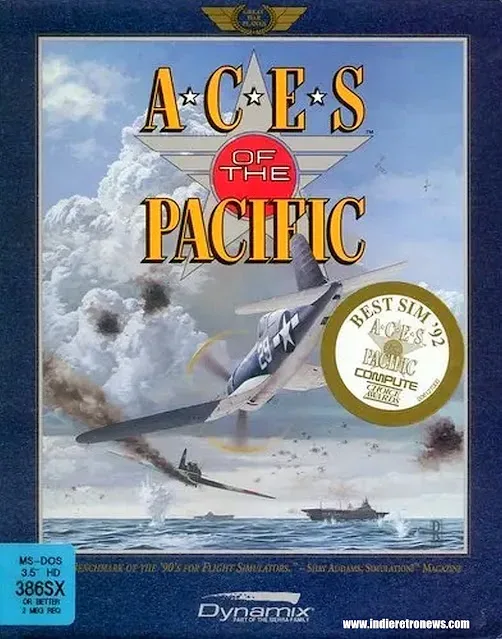
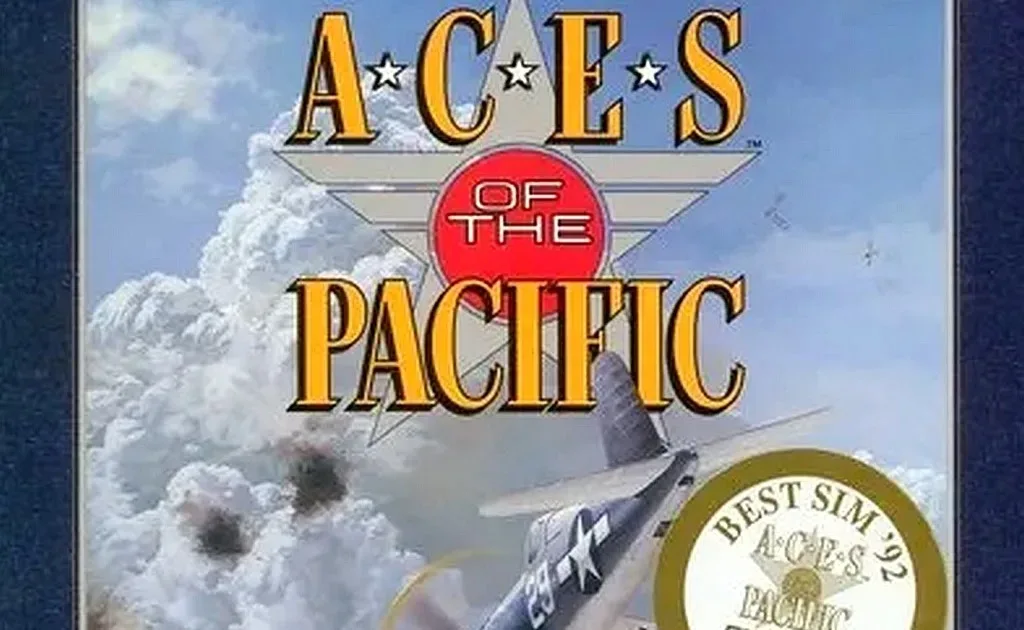
Aces of the Pacific: Enhanced is an unofficial modernization of Dynamix’s 1992 MS-DOS combat flight simulator, designed to let the original game operate more comfortably on current PC hardware without discarding its core identity. Developed by Kylofon through reverse-engineering, with AI assistance, the project is a native modern-PC version rather than simply a visual filter placed over the old game.
That distinction matters for a simulation built around flying in the World War II Pacific theater. The original’s appeal was not merely its period aircraft or its historical setting. It offered individual missions and longer career modes, and it let players fly with several U.S. and Japanese services: the United States Navy, Marines and Army Air Forces, plus the Imperial Japanese Army and Navy. Enhanced retains that foundation while addressing the practical gap between an early-1990s DOS release and a modern display, keyboard and PC setup.
A modernization focused on the original game
The stated aim is preservation alongside technical improvement. Enhanced keeps Aces of the Pacific recognizable while updating the way it renders and accepts inputs. This is important context for players who want the original campaign structure and simulator design rather than a remake with newly invented missions, systems or progression.
Its enhancements are concentrated in areas where old PC games can be awkward today: display resolution, aspect ratio, view distance, smoothness and key handling. The project supports a smooth 3D view running at the display’s refresh rate, resolutions up to 2560 × 1600 with anti-aliasing, and an optional 16:9 widescreen presentation.
Anti-aliasing is a rendering technique intended to reduce the jagged appearance of diagonal edges. In a flight game, that can affect the readability of aircraft silhouettes, ship outlines and the horizon. It does not change what an aircraft is or how it performs; it changes how cleanly the image is drawn.
Refresh rate refers to how often a display updates its image. A view that runs smoothly at that rate should make camera movement and on-screen motion feel less visibly stepped than an older presentation constrained by the expectations of its original hardware. The supplied feature list does not make claims about simulation changes or frame-rate numbers, so the safest reading is that this is a presentation improvement rather than a promise of altered flight modelling.
Visibility changes are especially relevant to a flight simulator
Enhanced increases view distance to three times the original distance and is described as drawing the finest aircraft and ship models at every range. It also adds distance haze, a smoother sky and a softer horizon.
Those adjustments are more consequential in an aerial game than they might be in a smaller-scale action title. Flight simulations ask players to interpret space across long ranges: an object that begins as a speck may become a recognizable aircraft, ship or terrain feature only gradually. A longer view distance and cleaner distant rendering can make that process easier to read on modern high-resolution displays.
Distance haze deserves a little explanation. It is the visual softening of faraway scenery and objects, often used to communicate depth. Rather than making the far horizon look like a hard, artificial boundary, haze can establish a more gradual transition between nearby space and the distance. Together with a soft horizon and smoother sky, it is meant to make the old game’s outdoor vistas look less abrupt without replacing their underlying design.
The optional 16:9 setting is similarly practical. Widescreen displays are common, whereas the 1992 original was made for the display conventions of its era. Optional support is a meaningful detail: players who prefer a wider modern view can enable it, while the feature is not presented as a mandatory reinterpretation of the original image.
Controls receive a small but useful rethink
The modernization is not limited to graphics. Enhanced allows held direction keys to combine. The supplied example is holding Left and Down to pull through a turn. This addresses a basic keyboard limitation in older game input handling: some games treat simultaneous directional presses less flexibly than current players expect.
In practice, combined held directions make it easier to issue more than one control intent at once. In a flight game, a turn is not always a single isolated action; the player may want to turn while changing pitch. The feature is not a claim that the simulator has been rebuilt around a different control model. It is a targeted usability change that makes keyboard input more expressive.
Enhanced also separates flaps-down and flaps-up commands into distinct keys. Flaps are aircraft control surfaces associated with low-speed handling, including takeoff and landing contexts. Whatever a player’s preferred control scheme, separate commands remove the need for one key to serve as a directionless toggle. That can make it easier to know exactly which input is being issued at a given moment.
A launcher with configurable key bindings rounds out the changes. Key binding is the process of assigning a game action to a chosen keyboard key. For a title with many possible flight controls, it is an important convenience: a player can arrange commands around their own habits instead of being locked into an inherited layout.
The compatibility requirement is specific
The most important installation detail is also the easiest one to miss: Aces of the Pacific: Enhanced requires the CD-ROM version 1.2 of Aces of the Pacific. That edition includes WWII: 1946.
The floppy releases are not interchangeable with the required CD-ROM build. Version 1.0, version 1.01, version 1.2 with Patch B, and the 1946 expansion disk are all identified as separate game builds that do not run with Enhanced. This is not a minor version-number caveat. Having a release called “1.2” is not enough if it is the floppy/Patch B edition rather than the CD-ROM 1.2 version.
That constraint follows from the project’s technical approach. Reverse-engineered modernization work must target a particular version of a game’s code and files. Separate original releases can differ enough that a compatible modern layer cannot simply assume they behave identically. Players preparing a folder should therefore verify the exact edition before treating an installation problem as a graphics, launcher or control issue.
The launcher and the game itself are said to identify which version is in a selected folder. That gives users a direct first check: confirm the folder holds the CD-ROM 1.2 release before changing settings or investigating further. An archive copy is also referenced with instructions to obtain AcesotP.zip and use the files in its AcesotP\DYNAMIX\AOTP folder.
A practical pre-launch checklist
- Use the CD-ROM 1.2 edition, the version that includes WWII: 1946.
- Do not substitute the floppy 1.0, 1.01 or 1.2/Patch B releases, or the separate 1946 expansion disk.
- Point the launcher at the appropriate game folder and use the launcher or game identification to confirm the version.
- Set preferred key bindings before beginning a career or mission session.
- Choose whether the optional 16:9 presentation suits the player’s display and preference.
Why this kind of project has value
Aces of the Pacific occupies a notable place in PC flight-sim history. It was published by Sierra On-Line and developed by Dynamix, which followed it with Aces Over Europe in 1993. The Pacific game has been regarded by many players as a defining World War II Pacific-theater flight simulation, even in comparison with contemporaries such as 1942: Pacific Air War.
That reputation provides the reason a careful modernization is useful. The original game’s campaigns, national-service choices and individual mission options are part of what players are returning for. Yet the obstacles to revisiting an MS-DOS game can be very different from the game itself: aging display assumptions, limited view distances, rigid key behavior and uncertainty over which original release is compatible.
Enhanced addresses those friction points while keeping the historical game at the center. It is not presented as an official replacement, nor as a newly authored simulation. Its value lies in making one specific classic easier to revisit on contemporary PCs, with clearer imagery and more adaptable input but without claiming to reinvent the 1992 experience.
For retro PC players, the project is also a reminder that preservation is not only about storing old files. It can involve ensuring a particular build remains understandable and usable amid changing hardware. That issue is especially familiar to anyone thinking about the difference between access and durable ownership in PC game libraries, a topic explored in this look at digital libraries and ownership.
In this case, the boundaries are explicit: players need the right original CD-ROM release, and Enhanced supplies the modern-facing layer. With high-resolution support, smoother 3D output, improved long-distance presentation, widescreen as an option and more flexible keyboard controls, Kylofon’s project gives the original flight sim a clearer route onto modern machines while preserving the missions and careers that made it endure.