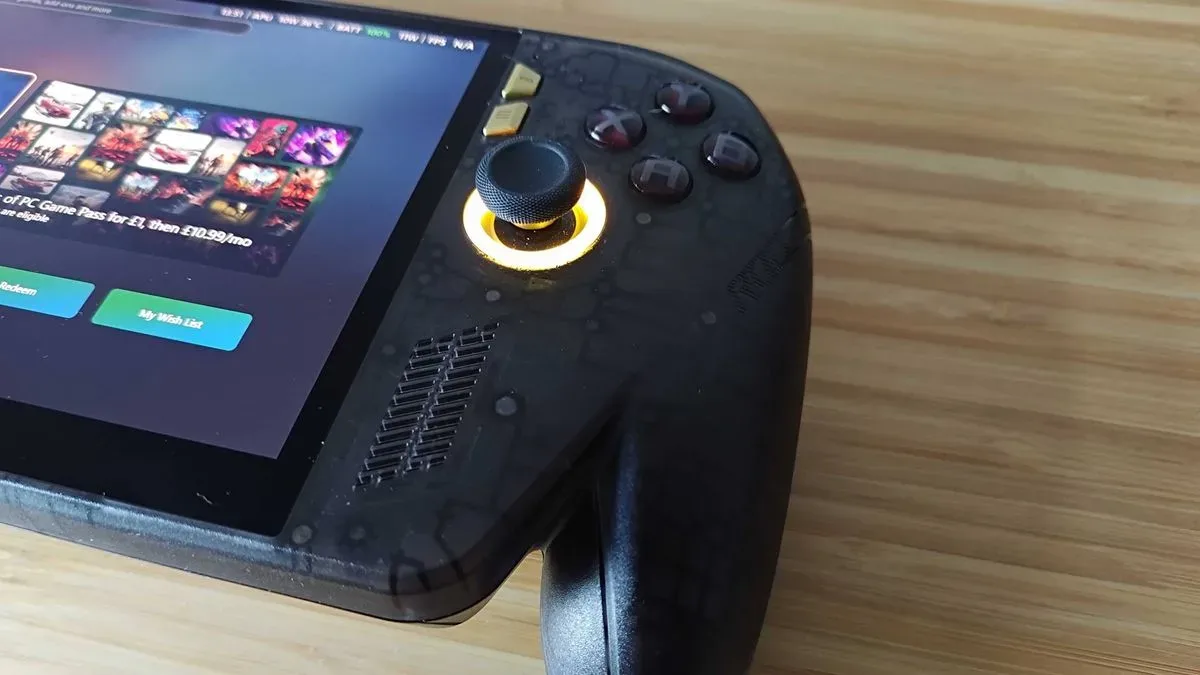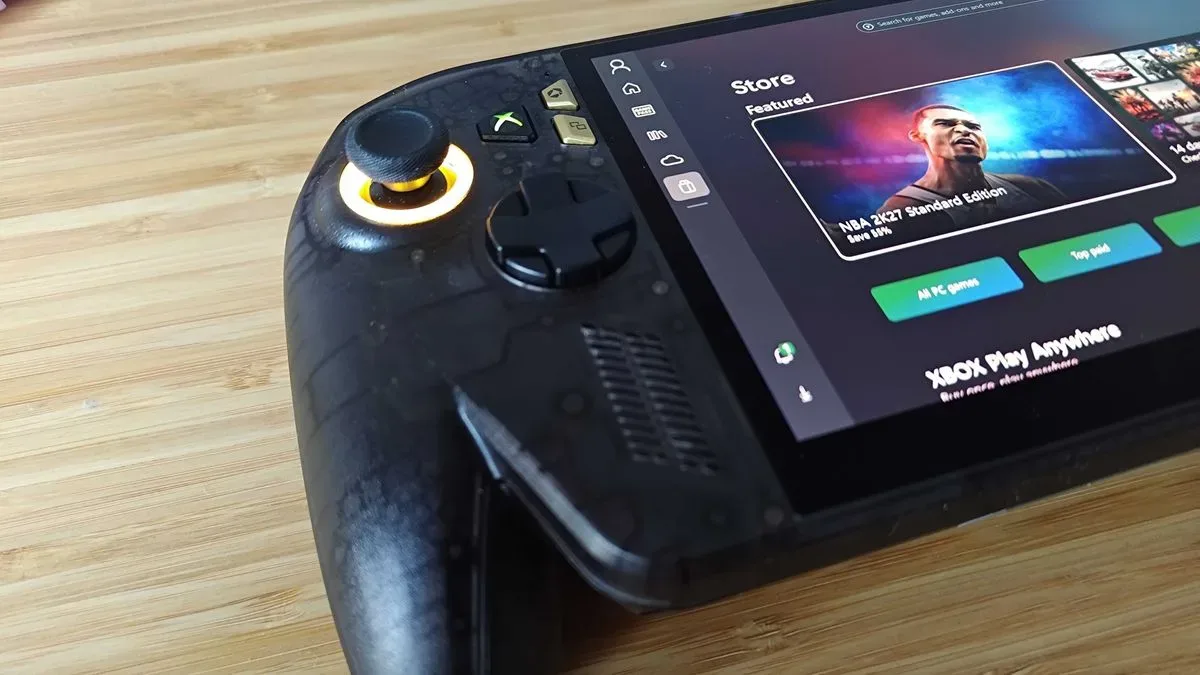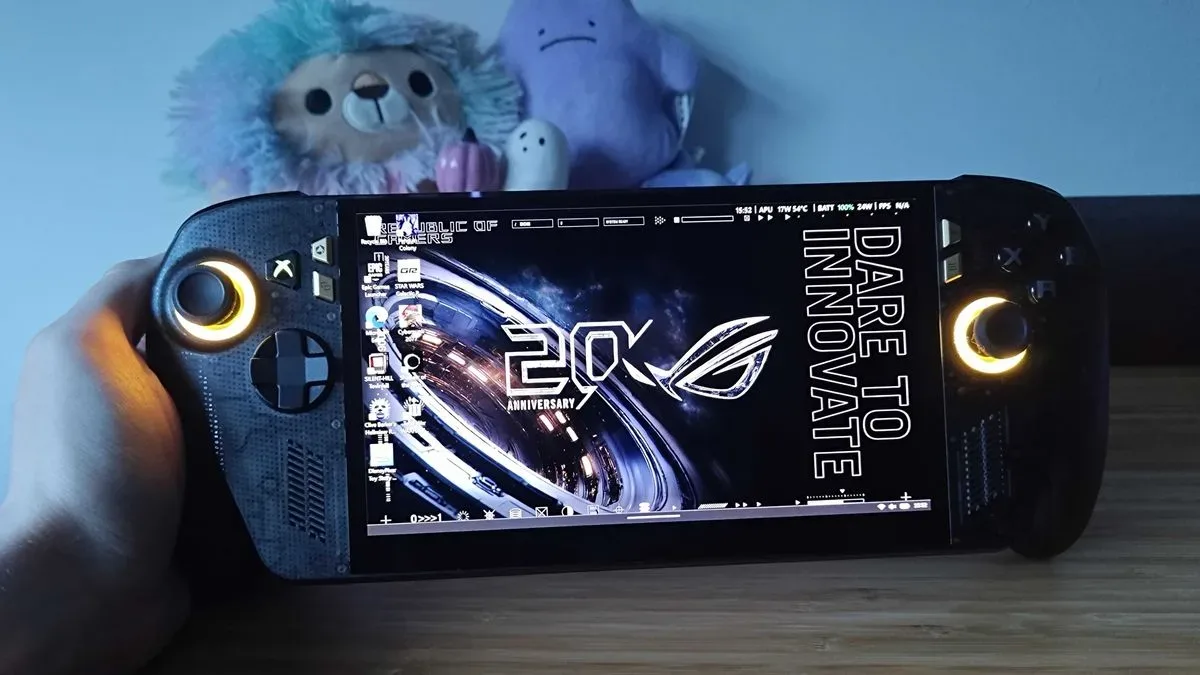
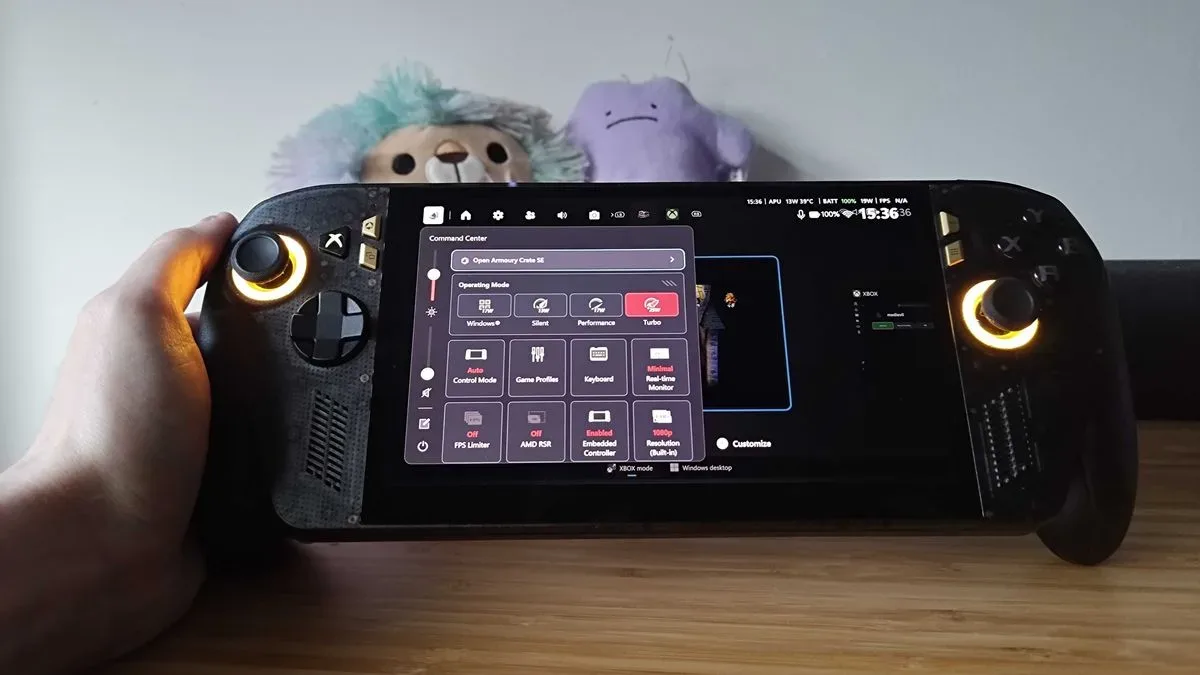
The ROG Xbox Ally X20 is a premium handheld PC built around an awkwardly simple proposition: its best upgrades are genuinely appealing, but the performance remains essentially where it was on the ROG Xbox Ally X. Asus and Microsoft have replaced the prior 1080p, 120Hz IPS screen with a brighter 7.4-inch OLED display, refined the physical controls, and introduced TMR thumbsticks. The result is a more polished machine—but also one priced at $1,299.99 / £1,399.99.
That figure is $300 above the previous Xbox Ally X. For prospective buyers, the decision is therefore less about buying access to a faster class of portable hardware and more about deciding how much an OLED panel, improved controller feel, and a translucent anniversary treatment are worth. It is a distinction that matters in a handheld market where a screen can change the whole character of games, while a four-figure price can change who the device is for.
An OLED upgrade with unusually strong headline specs
The defining X20 upgrade is its 7.4-inch, 1080p OLED panel. It supports a 120Hz refresh rate, is rated at 297 pixels per inch, reaches 1,400 nits in HDR and 600 nits in SDR, and includes FreeSync Premium Pro support. Those are substantial specifications for a handheld display, especially alongside the move from IPS to OLED.
OLED, short for organic light-emitting diode, differs from an IPS LCD because individual pixels emit their own light. In practical terms, that enables black areas of an image to appear truly black rather than faintly lit. It can also improve perceived contrast and color intensity. An IPS screen still has advantages of its own, but the X20’s panel aims squarely at the visual strengths that have made OLED handhelds attractive: dramatic HDR highlights, richer dark scenes, and a more vivid image in games with bold art direction.
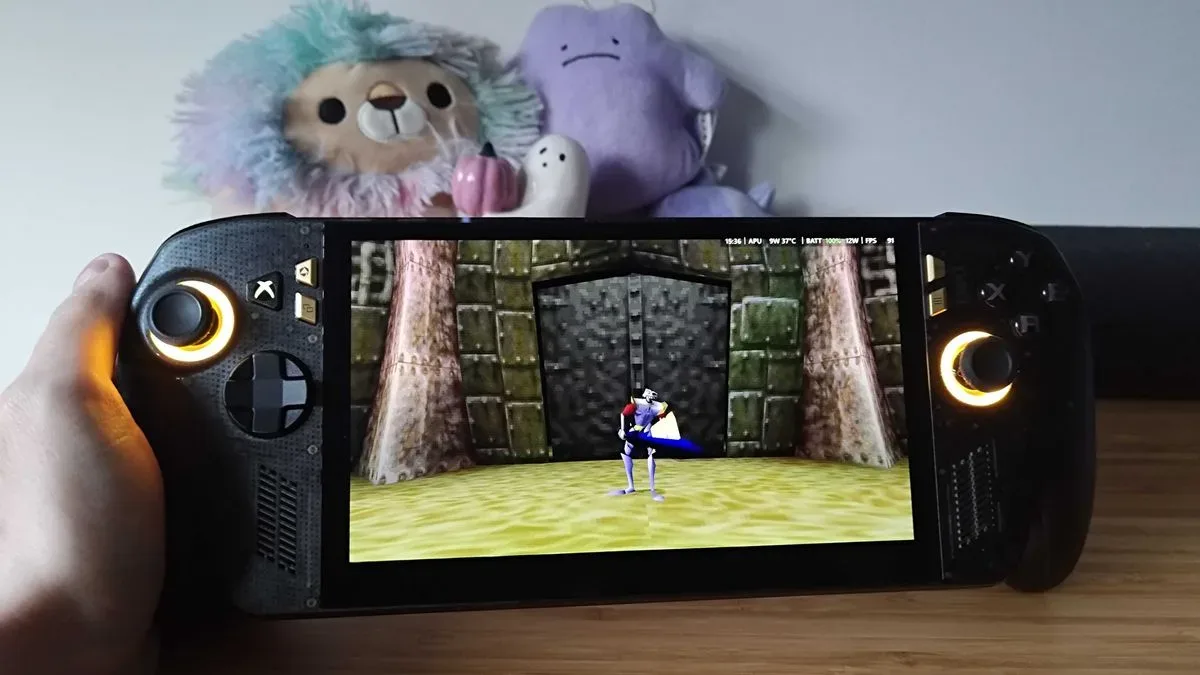
The reported effect is not limited to newer, demanding releases. Cyberpunk 2077 can make use of HDR, while older-looking material and projects such as MediEvil Recomp can also benefit from stronger contrast. That is an important point for a Windows handheld, where owners may use one device for current PC releases, older games, storefront libraries, and emulation-adjacent software projects. A better screen improves each of those uses without a game needing a specific performance patch.
Brightness is another major part of the equation. A glossy display can reflect light, but the X20’s high brightness is intended to make it more usable in bright rooms and daylight. The panel’s 120Hz refresh rate is similarly valuable, though it should not be mistaken for a promise that every new PC game will run at 120 frames per second. A refresh rate describes how often the display can update; frame rate describes how many completed frames the hardware and game actually produce. The X20 can display fast-moving games more fluidly when performance allows, but its underlying processing hardware has not received a generational leap.
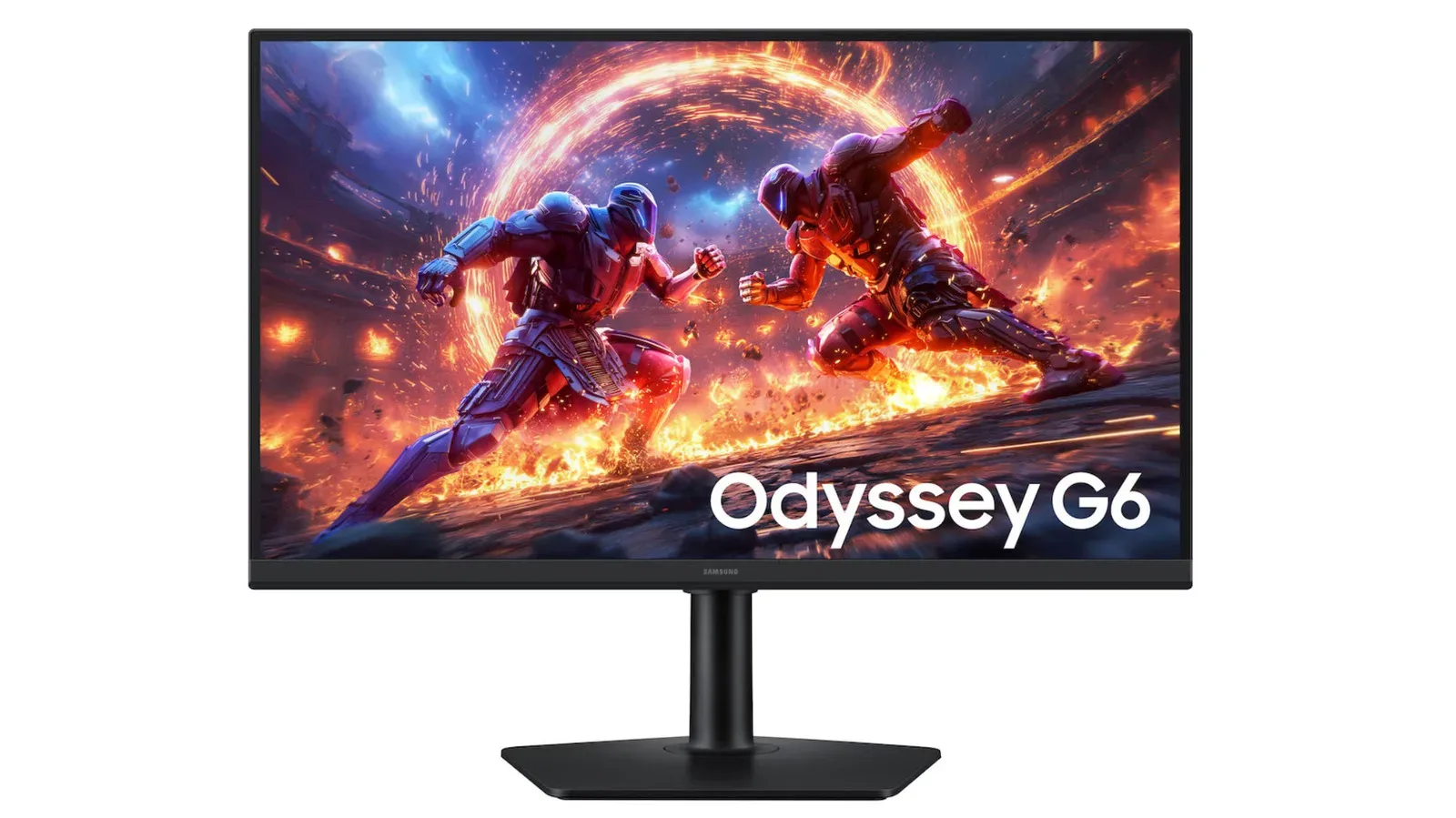
For a broader look at how manufacturers are chasing extreme refresh-rate numbers in gaming displays, see Samsung’s 1,100Hz Odyssey G6 announcement. The X20’s 120Hz target is far more conventional, but it remains an ambitious feature for a portable PC screen paired with 1080p rendering.
Familiar hardware, improved grip and an anniversary shell
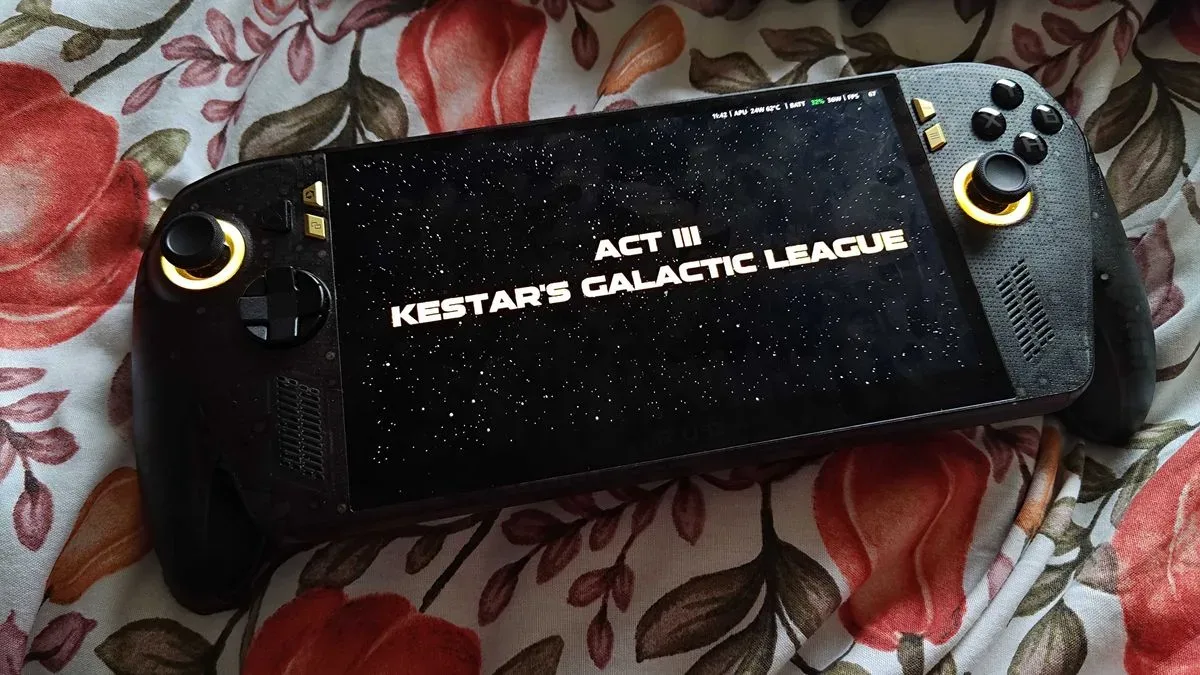
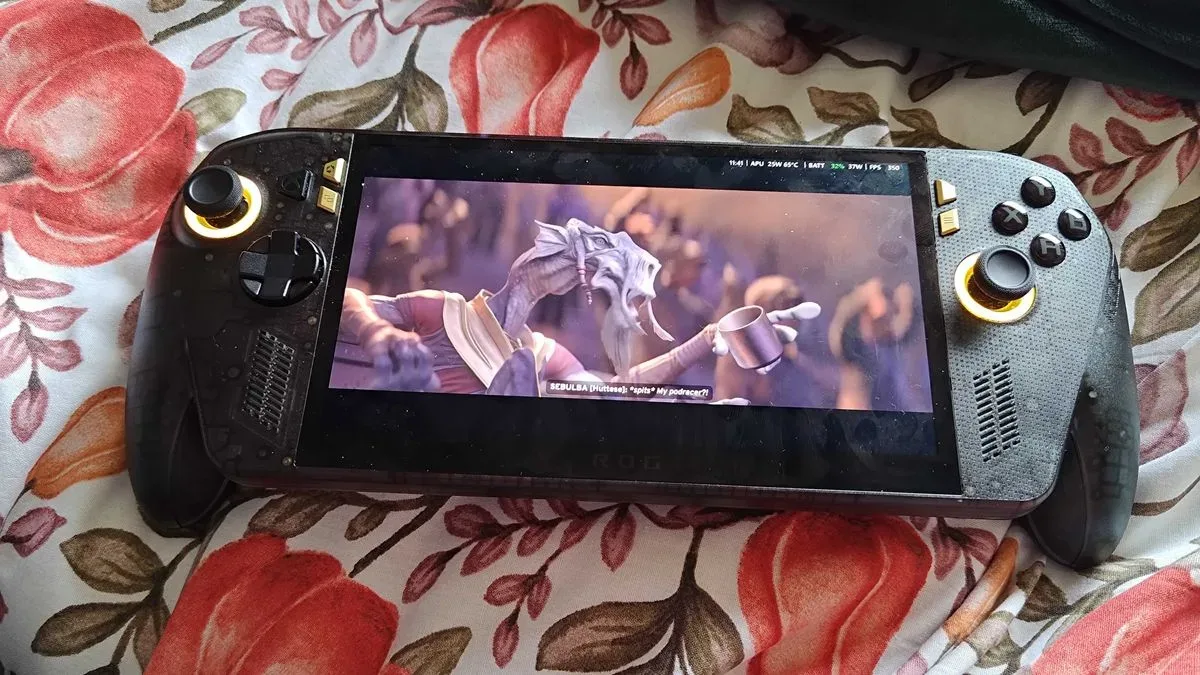
From a distance, the X20 looks close to its predecessor. It retains the controller-like rear grips, asymmetrical stick layout, and a design language closer to a console controller with a display attached than a compact rectangular PC handheld. Its smoked-transparent body and gold accents provide the visible distinction, while rubberized rear grips and extra mass alter the feel slightly in the hands.
Related coverage includes ROG Xbox Ally X20 Review: A Brilliant OLED Handheld With a Price Problem.
The X20 weighs 756g, compared with 715g for the Xbox Ally X. That 41g difference is not enormous, but portable comfort is cumulative: a handheld that feels manageable for a quick session can become tiring when held unsupported for longer. The revised grips reportedly improve stability, though the added weight may encourage players to rest their elbows or otherwise support the device.
The “X20” branding refers to the 20th anniversary of the Republic of Gamers brand, rather than an Xbox anniversary edition. That explains the translucent presentation, but it does not fundamentally make the model look like a new platform. Buyers hoping for an unmistakable visual overhaul may see a sophisticated special-edition finish rather than a redesigned handheld.
The controls make a quieter but meaningful case for the X20
The less obvious revisions may be among the most practical. The face buttons are largely unchanged, but the sticks now use TMR technology, while the D-pad, triggers, and bumpers have been revised to more closely resemble those on an Xbox Wireless Controller.
TMR stands for tunnel magnetoresistance. In this context, it is a magnetic sensing approach for thumbstick input. Its key consumer-facing promise is resistance to stick drift, the problem in which a controller registers movement without the player touching the stick. The X20’s TMR sticks are described as offering improved accuracy as well as immunity to the wear pattern associated with conventional drifting sticks. Long-term reliability always takes time to establish in the real world, but the technology is a meaningful specification for a portable expected to be used heavily.
The new concave D-pad uses clicky dome contacts, and the triggers have more of the damped, familiar resistance associated with Xbox controllers. These sound like minor alterations on a spec sheet. In practice, the D-pad can be central to side-scrollers, fighting games, menus, and quick directional toggles, while trigger texture influences every racing, shooting, and driving game. The revisions are aimed at making the machine feel less like a compact Windows computer with game controls and more like an Xbox-flavored portable console.
That is exactly the audience this approach seems designed to attract: players who want their existing PC game libraries in a carryable format but would prefer a conventional controller feel over the more experimental layouts sometimes seen on handheld PCs.
Same Ryzen Z2 Extreme performance, with the usual Windows variables
The X20 uses the same AMD Ryzen Z2 Extreme platform as the earlier Xbox Ally X, so it should not be treated as a performance successor. It is better understood as a screen-and-controls revision. Benchmark results reinforce that position, while also illustrating why direct comparisons across months of Windows updates, driver changes, and game patches deserve caution.
At 1080p with low settings and no upscaling, Cyberpunk 2077 averaged 52fps. That sits close to the 54fps figure previously recorded on the Xbox Ally X. Total War: Warhammer 3 reached 60fps, though about four frames lower than a previous result. Shadow of the Tomb Raider averaged 62fps, compared with 64fps on the older model.
Those small deltas do not establish that the newer machine is slower. On a Windows handheld, drivers, the operating system, a game update, background activity, and settings can all influence a result. What they do establish is more straightforward: the OLED X20 does not add a meaningful performance tier over the existing Z2 Extreme device.
Star Wars Galactic Racer provides a useful illustration of how settings choices shape handheld play. At 1080p and low settings, it reached a reported 115fps average in testing on Jakku. Medium settings with AMD FSR enabled instead produced an approximately 70fps average with a more console-like visual result on the small OLED display.
AMD FSR, or FidelityFX Super Resolution, is an upscaling technology. It can render a game internally at a lower resolution and reconstruct the image for the display, reducing the GPU workload. Frame interpolation can create additional displayed frames between rendered ones, potentially improving apparent motion smoothness, though it may also introduce visual oddities. The X20’s display may help disguise some compromises thanks to its color, contrast, and 120Hz capability, but the familiar handheld trade-off remains: higher visual settings and higher frame rates consume more power.
Xbox Big Screen Experience remains preferable to desktop Windows—without escaping the jank
The software story is more complicated. Xbox Big Screen Experience is a controller-oriented Windows 11 overlay intended to make launching and managing games feel closer to a console interface. It brings libraries from multiple storefronts into a carousel-style experience and avoids placing the standard Windows desktop at the center of every interaction.
There have been incremental improvements, including a fuller Game Bar, performance optimization, and compatibility with more portables. Yet the experience still reportedly carries persistent rough edges. These include occasions when newly opened apps do not automatically take focus, games can launch twice, or the built-in controls may not be recognized as expected. The Epic Games Store can be particularly troublesome, and desktop scaling may need adjustment if a library is not visible in Xbox Mode.
This does not make Big Screen Experience useless. The interface is presented as preferable to navigating conventional Windows 11 on a small touchscreen, especially when jumping among different PC storefronts. But it does mean buyers should approach the X20 as a handheld PC with a more console-like front end, not as a closed console appliance. Basic troubleshooting, occasional desktop interaction, and software quirks are still part of the ownership model.
Battery life depends sharply on the game and power profile
The handheld carries an 80Wh battery. Demanding games are expected to run for roughly three to four hours in some situations, but high-power use can pull that estimate down. In 30W Turbo Mode while playing Star Wars Galactic Racer, the X20 reportedly lasted around two hours. By contrast, MediEvil Recomp ran for around five hours before a recharge was needed.
Those results underline the basic portable-PC reality. The 80Wh capacity is substantial compared with many devices using 40Wh to 50Wh cells, but power draw rises quickly when a modern game, high screen brightness, and a 30W performance mode are combined. Lowering wattage and brightness can preserve charge, at the potential cost of performance or visual impact. A high-wattage charger remains a sensible companion for longer trips.
Who should consider it?
The ROG Xbox Ally X20 makes its most coherent case to a buyer who already accepts the cost of an enthusiast Windows handheld and places a high value on OLED image quality. The brighter 1080p 120Hz panel, TMR sticks, refined D-pad, and more convincing Xbox-controller feel are real improvements. They are not marketing decorations.
For owners of the existing Xbox Ally X, however, the proposition is harder. Performance is effectively unchanged, the shape is familiar, and the software remains a work in progress. The X20 is a more luxurious version of the same core idea rather than a reset of it. Anyone primarily seeking higher frame rates, a major processor leap, or a clean console-like operating environment will not find that transformation here.
Ultimately, its screen is both its strongest feature and the reason its value debate is so sharp. The X20 appears capable of delivering an excellent portable PC gaming experience, but at $1,299.99 / £1,399.99 it asks buyers to pay a considerable premium for visual quality and input refinements rather than new levels of performance. That makes it a compelling luxury handheld, not an automatic upgrade.