A Microsoft Surface Laptop configuration has been listed on Amazon for $1,350, down from a stated usual price of $1,700. That is a $350 difference, or roughly 21% off. As with any retailer-led price, the listing, configuration, seller, and availability can change without warning, so shoppers should verify the details at checkout rather than treating the figure as permanent.
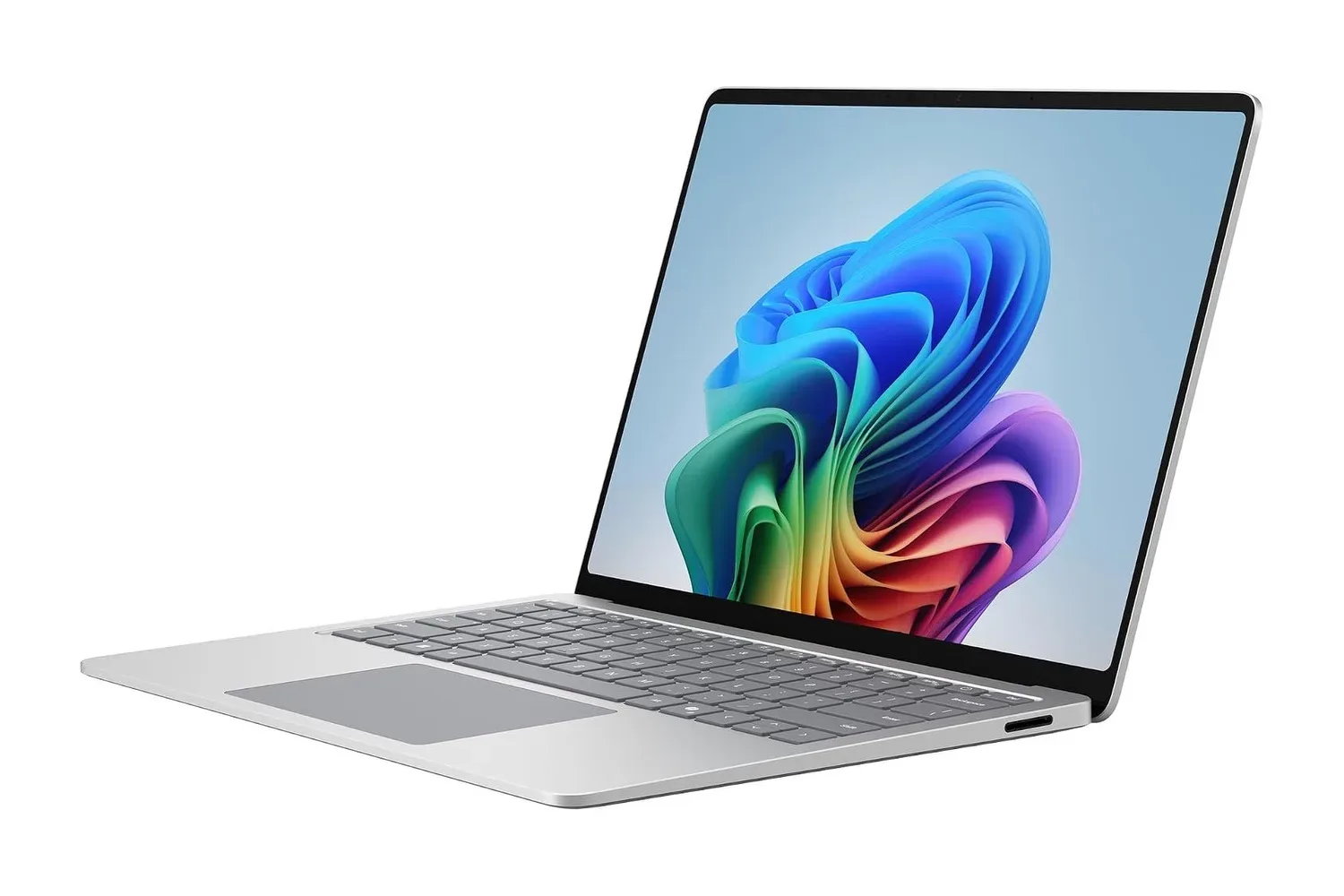
The significant part of this particular Surface story is not just the discount. It is the kind of Windows notebook Microsoft is offering: an aluminum laptop built around a Snapdragon processor, a 13.8-inch PixelSense touch display, and a neural processing unit intended to handle supported Copilot+ PC functions on the machine itself. It is a modern productivity-first design, but its mix of touchscreen input, claimed all-day battery potential, useful legacy connectivity, and Windows flexibility could also appeal to PC players who need one computer to juggle work, study, game libraries, launchers, guides, Discord, and creative projects.
A Snapdragon Surface Laptop at a lower listed price
This Surface Laptop uses Snapdragon silicon rather than the Intel or AMD chips many PC buyers expect. Snapdragon is based on Arm architecture, a design approach that emphasizes energy efficiency. In a thin laptop, that can matter more than a benchmark chart ever does: less energy consumed during everyday tasks means a better chance of getting through a day of documents, browsing, messaging, and video calls without immediately hunting for an outlet.
That does not mean every buyer should assume identical battery results. Workloads vary enormously. A day of writing, web research, and streamed music is different from exporting video, running many demanding browser tabs, compiling code, or playing a current PC game. Screen brightness, connected accessories, background apps, and power settings also shape how long a charge lasts. Still, the premise of Arm-based hardware is especially relevant for people who prioritize mobility and a laptop that spends less of its life tethered to a charger.
For gaming-adjacent use, that efficiency can be valuable even if this should not automatically be viewed as a replacement for a dedicated gaming laptop or desktop. A portable Windows system that can comfortably handle community management, game guides, clips, schoolwork, emulation research, indie titles with compatible software, and travel-day entertainment serves a different purpose from a high-wattage machine designed to push demanding new releases at maximum settings.
Arm-based Windows PCs also deserve a little homework before purchase. Native application support and emulation compatibility can differ from conventional x86-based Windows hardware, especially with niche utilities, anti-cheat implementations, older games, specialized peripherals, or professional tools. Anyone with a must-run game or program should check its current compatibility status first. The same common-sense restraint applies to Windows tweaks generally; a supposed one-click performance fix can create a much bigger problem, as our look at why MSI Mode is not a secret GPU FPS switch explains.
Local Copilot+ work is the central feature pitch
The laptop’s neural processing unit, or NPU, is positioned as the hardware responsible for supported Copilot+ functions locally rather than requiring that processing to be sent to a remote server. That distinction is important in principle. Local processing can make certain features usable without Wi-Fi and can reduce reliance on a round trip to an online service for every task.
The included Windows 11 Copilot+ feature set is said to cover several practical tools:
- Live Captions can translate spoken language from supported sources into English in real time.
- Windows Studio Effects includes video-call adjustments such as background blur and eye-contact effects.
- Cocreator can generate artwork from sketches or written prompts.
These tools make the most immediate sense for people who regularly attend calls, watch material in other languages, collaborate remotely, or make quick visual concepts. A creator could use a rough doodle as a starting point for an idea; a student might benefit from captioning; a remote worker may appreciate video cleanup. Their usefulness will naturally depend on the individual workflow, the relevant app support, and whether the results match the user’s expectations. AI features should be considered part of the package, not a guarantee that every task suddenly becomes effortless.
There is also a broader privacy and reliability angle. If a supported function is processed on-device, it can continue working when a network connection is unavailable. That could be helpful on a flight, in unreliable public Wi-Fi territory, or when a person simply does not want every small convenience feature to depend on a connection. Local capability does not remove the need to understand the settings of any software used with sensitive material, but it is a noteworthy part of the Copilot+ PC pitch.
A tall touchscreen built for more than tapping around
The Surface Laptop’s 13.8-inch PixelSense display supports both touch and stylus input. Touchscreens on clamshell laptops remain a matter of personal preference, but there are moments where reaching up to scroll a page, annotate a document, or navigate a creative app feels more direct than shifting back to a trackpad. Stylus support adds another route for notes, markup, quick diagrams, and sketching.
The panel also uses a taller aspect ratio than many widescreen laptops. Extra vertical room is easy to undervalue until someone spends hours with long documents, code windows, spreadsheets, web pages, or a guide open beside a project. More information visible on screen can mean less repeated scrolling, which is a small quality-of-life gain that compounds across a workday.
Brightness is another practical consideration for a portable notebook. The display is described as being suited to viewing near windows, where reflections and ambient light can make weaker panels tiring to use. Prospective buyers should still think about their specific environment, particularly if they routinely work outdoors or in harshly lit locations, but a bright screen is never an unwelcome feature on a laptop meant to leave the desk.
Keyboard, chassis, and ports keep the practical stuff in view
Thin laptops often demand compromises that users notice only after they have typed a few thousand words or used the trackpad for a full afternoon. The Surface Laptop aims to avoid some familiar pitfalls. Its keyboard retains a standard layout without shrinking the arrow keys, offers more key travel than many ultra-thin notebook keyboards, and sits alongside a comparatively roomy trackpad for gesture controls.
Those details matter to writers, spreadsheet workers, and anyone whose gaming hobby involves an absurd amount of chatting, build planning, mod documentation, or online roster management. A capable processor is great, but an unpleasant keyboard is a daily tax. Likewise, a larger trackpad can make ordinary navigation less fussy when a mouse is not available.
The chassis is aluminum, a material associated here with keeping weight down while maintaining rigidity. The stated aim is resistance to flex in the keyboard deck and lid, the sort of durability concern that becomes obvious after repeated commutes and bag travel. No laptop is invincible, and a protective sleeve remains wise, but build quality is a legitimate factor in the cost of a machine intended to remain in service for years.
Microsoft has also retained a combination that is becoming less common on thin systems: USB-C, USB-A, and Surface Connect. USB-C supports the current ecosystem of chargers and accessories, while USB-A saves owners of older flash drives, wired accessories, and wireless mouse receivers from immediately needing a dongle. Surface Connect remains available for compatible charging and accessories. It is an unglamorous selection, perhaps, but ports are the difference between plugging something in now and discovering another adapter has become a required side quest.
Who should consider the listing, and who should pause
At the reported $1,350 listing price, this Surface Laptop appears geared toward buyers who value a premium-feeling, portable Windows 11 computer with a touchscreen, on-device Copilot+ features, and an efficiency-oriented Snapdragon platform. It is particularly easy to understand for office users, students, travelers, writers, and creators whose typical day revolves around browser work, communications, documents, media, and supported creative tools.
It may also make sense as a companion PC for players who already have access to a console, desktop, or handheld for demanding games and want a flexible laptop for everything surrounding the hobby. But people buying specifically for broad PC game compatibility, intensive 3D work, or known x86-only tools should investigate their own software list before committing. The right question is not whether Arm Windows is universally good or bad; it is whether this particular laptop runs the things a particular person needs.
The sale changes the value calculation, not the need for that compatibility check. A $350 reduction from the stated $1,700 price is substantial, and the Surface Laptop’s combination of a 13.8-inch touch display, aluminum construction, local NPU-driven features, and mixed old-and-new port selection makes it more than a generic thin notebook. Just make sure the attractive number on the product page matches the exact model and the work—or play—that will actually land on its screen.
Shop the products
Check current price, model and availability at the retailer.