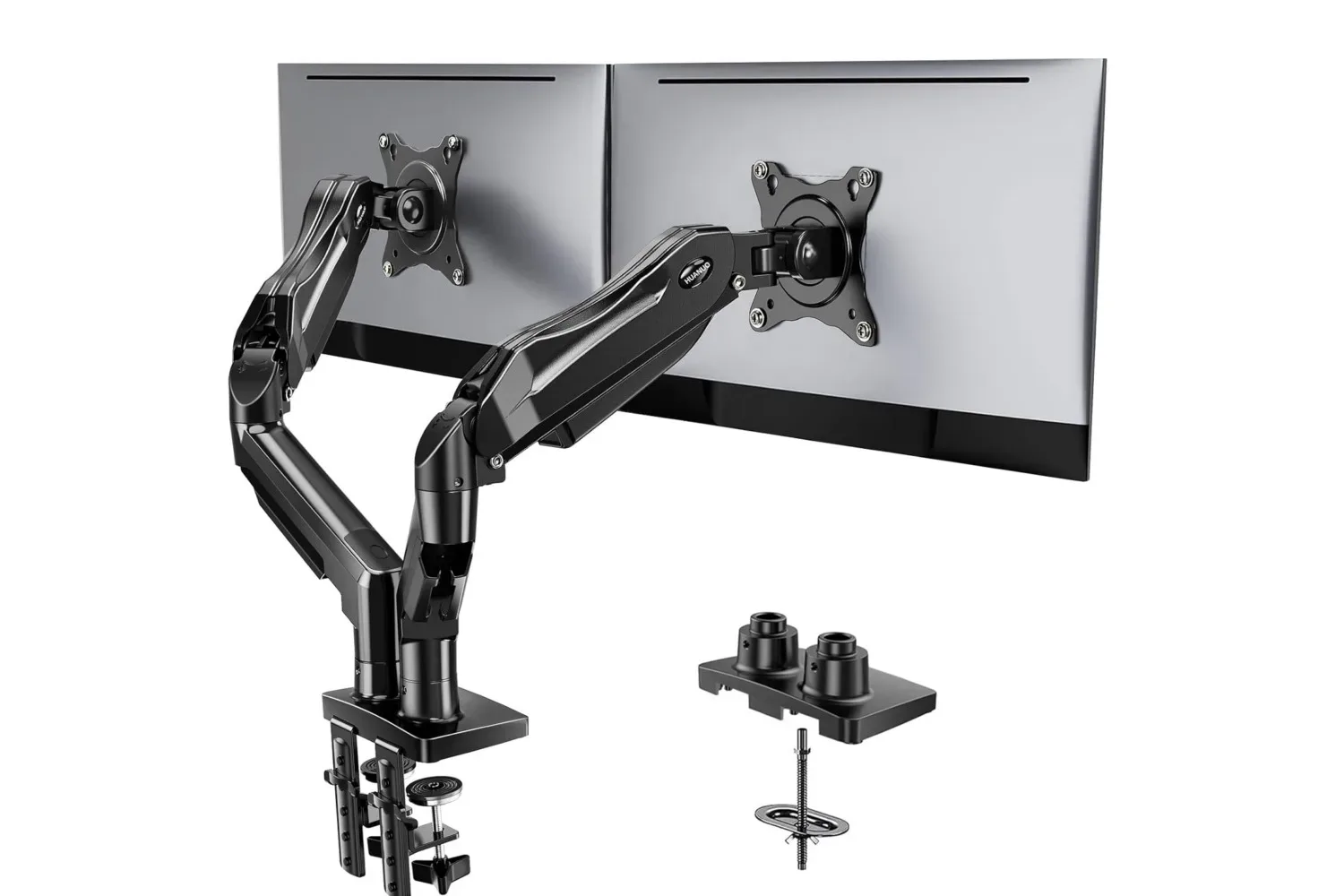
A dual-monitor arm is one of those PC desk upgrades that can make a setup feel dramatically different without changing the PC itself. The Huanuo FlowLift dual monitor stand was listed at $60, a $10 reduction from its stated usual $70 price. An additional 5% checkout discount may be available to eligible shoppers, though that is not guaranteed, and the listing was described as a limited-time offer.
The sensible reason to consider it is not simply that two screens can look tidier floating above a desk. A monitor mount can free the surface area otherwise occupied by two display bases, while allowing each panel to be placed nearer, farther away, side-by-side, or in a vertical orientation. For a gaming PC space that also handles chat, guides, streaming tools, browser windows, schoolwork or a workday, that flexibility can matter more than the discount itself.
But desk arms are not universal accessories. The important part of this particular deal is the compatibility checklist. The FlowLift is specified for two monitors between 13 and 32 inches, with support for up to 19.8 pounds per arm. Each display also needs visible VESA mounting holes using 75 x 75 mm or 100 x 100 mm spacing. The desk needs scrutiny, too: the recommended setup is a clean wooden desktop from 0.59 to 3.54 inches thick, with no crossbeam or panel obstructing the intended mounting point.
That makes this a potentially useful upgrade for a compatible two-display PC arrangement, but not an automatic purchase based on screen size alone.
What the FlowLift changes on a two-screen setup
A conventional monitor stand places the weight of a display on a base sitting directly on the desk. With two monitors, those bases can consume a surprising amount of usable space, especially when a keyboard, mouse mat, speakers, charging gear and a controller all need a home. A dual-arm mount moves the support structure to one reinforced base and holds the displays above the surface.
In practical terms, this creates room beneath the monitors for the items that would otherwise be squeezed around their bases. It also changes how easily a user can tune screen placement. The FlowLift’s arms can pull screens closer for a nearer view, arrange them next to each other, and rotate one or both screens vertically.
Portrait orientation is particularly relevant for text-heavy tasks. A vertically rotated screen can show more of a long webpage, chat feed, document or reference material at once. Meanwhile, the other display can remain in landscape orientation for a game, video, editing timeline or primary application. The key advantage is choice: the mount is intended to support adjustments that fixed display stands may not make convenient.
For a PC player, a second display can be useful even when the game stays on the main panel. It can hold voice-chat controls, a browser, a map, capture software or background media. That does not mean everyone needs a monitor arm; some desks already have plenty of room, and some monitor stands offer adequate adjustment. The FlowLift’s appeal is primarily for people who want to reclaim desk space and more actively control how two displays sit in front of them.
Related coverage includes Huanuo FlowLift Dual Monitor Stand Listed at $60 for Desk Upgrades.
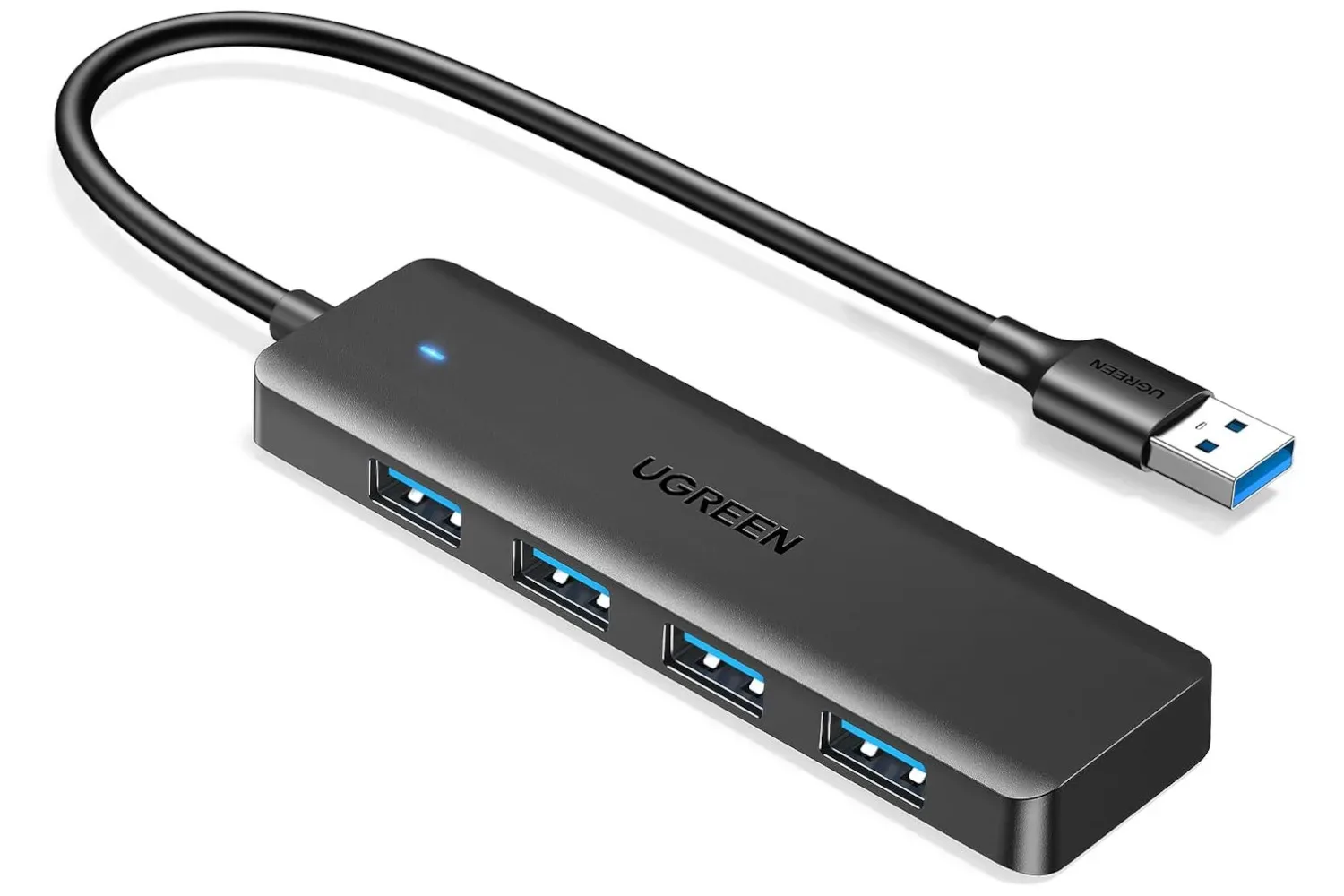
Those refining the rest of a desktop setup may also want to consider smaller cable and peripheral changes. A four-port USB hub deal for gaming desk upgrades is another example of an accessory aimed at keeping frequently used connections more accessible.
The checks to make before treating the price as a deal
The $60 listing is only a saving if the stand fits both monitors and the desk. The following checks are more important than the stated $10 reduction.
1. Check each monitor’s actual weight
The FlowLift supports a maximum of 19.8 pounds per arm. That is not a combined allowance to split across two displays: each mounted monitor needs to remain at or below that limit. Buyers should use the monitor’s documented weight rather than estimating from screen size. A 32-inch display can be within the limit, but size alone does not establish weight compatibility.
This is also worth checking separately for each side. Two displays in the same setup may look similar while having different weights, particularly if they are different models. A configuration is only suitable if both screens meet the arm’s limit.
2. Confirm VESA mounting holes are visible
VESA is the standardized pattern of mounting holes on the rear of many monitors. It is what lets a monitor attach to a compatible arm rather than resting on its own stand. For the FlowLift, the required patterns are 75 x 75 mm or 100 x 100 mm.
Visible mounting holes are explicitly part of the compatibility requirement. Before ordering, inspect the rear of both displays or consult their specifications. A monitor can be in the supported 13-to-32-inch size range and still be unsuitable if it lacks the needed VESA pattern or if its mounting points are not accessible for this use.
3. Measure the desktop, not just the monitor
The stated desk recommendation is a wooden surface between 0.59 and 3.54 inches thick. That range should be treated as a firm pre-purchase measurement task, not a detail to address after the mount arrives. Thickness determines whether the base can be installed as intended.
Clearance beneath the chosen section of desk matters as well. Crossbeams, panels and other obstructions under the mounting area can interfere with installation, even if the visible top of the desk looks ideal. A clean mounting surface and accessible underside are part of the stated recommendation.
This is an easy issue to miss on desks with drawers, built-in cable structures or reinforced rear edges. Take a look at the exact place where the base would go rather than assuming the entire desk has the same usable space.
4. Think about where the arms will need to move
Adjustability is the main reason to choose a dual monitor mount, so the desk position should leave enough room to use it. The FlowLift is designed to let the displays come closer, sit side-by-side, and rotate vertically. A buyer who wants one panel in portrait orientation should plan the layout around that intended arrangement rather than assuming every rotation will be comfortable in every available space.
There is no need to overcomplicate this step. Decide what the normal arrangement will be: two horizontal screens, one horizontal and one vertical, or a setup where one monitor is pulled closer when needed. Then make sure the desk location supports that routine.
Why the monitor-size range needs context
The stated 13-to-32-inch range is useful, but it answers only one of several compatibility questions. Screen size describes the diagonal measurement of the display; it does not tell a buyer whether the display weighs less than 19.8 pounds, whether it has compatible VESA holes, or whether those holes can be used. Nor does it determine whether the desk can accept the base.
That distinction is important because accessories with several physical requirements can appear broadly compatible at a glance. In this case, a safe quick checklist is: screen size, monitor weight, VESA pattern, hole visibility, desktop material and thickness, and under-desk clearance. If any one of those is uncertain, confirm it before placing an order.
The reinforced base is intended to secure the displays, but proper compatibility and installation remain central to getting the intended benefit. The mount is a support product, not an alternative to verifying the specifications of the gear attached to it.
Interpreting the $60 listing
At the reported $60 price, the FlowLift was $10 below its stated regular $70 price. The possible extra 5% discount at checkout was presented as eligibility-dependent, so shoppers should not treat it as part of the guaranteed price. Likewise, the limited-time nature of the offer means the $60 figure should be checked on the listing before a purchase decision is made.
The deal is most compelling for someone who has already established that their two monitors and desk meet the requirements. For that buyer, it is a lower-cost opportunity to add independent screen positioning and reclaim desktop space. For someone still unsure about a monitor’s weight, mounting holes or desk clearance, the practical value is in taking measurements first. A fast-moving discount does not solve a physical mismatch.
In short, this is a straightforward PC setup accessory with clear specifications: two 13-to-32-inch displays, no more than 19.8 pounds each, visible 75 x 75 mm or 100 x 100 mm VESA holes, and a suitable unobstructed wooden desk surface measuring 0.59 to 3.54 inches thick. If those conditions line up, the $60 listing offers a modest saving on a dual-screen mount built around a cleaner, more adjustable desk layout.
Shop the products
Check current price, model and availability at the retailer.