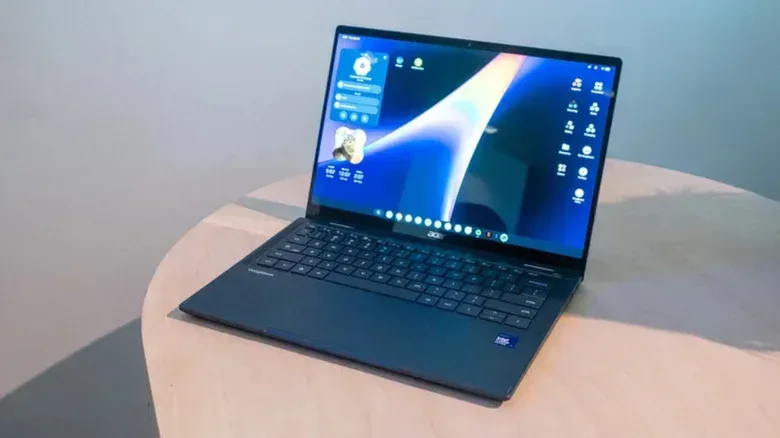
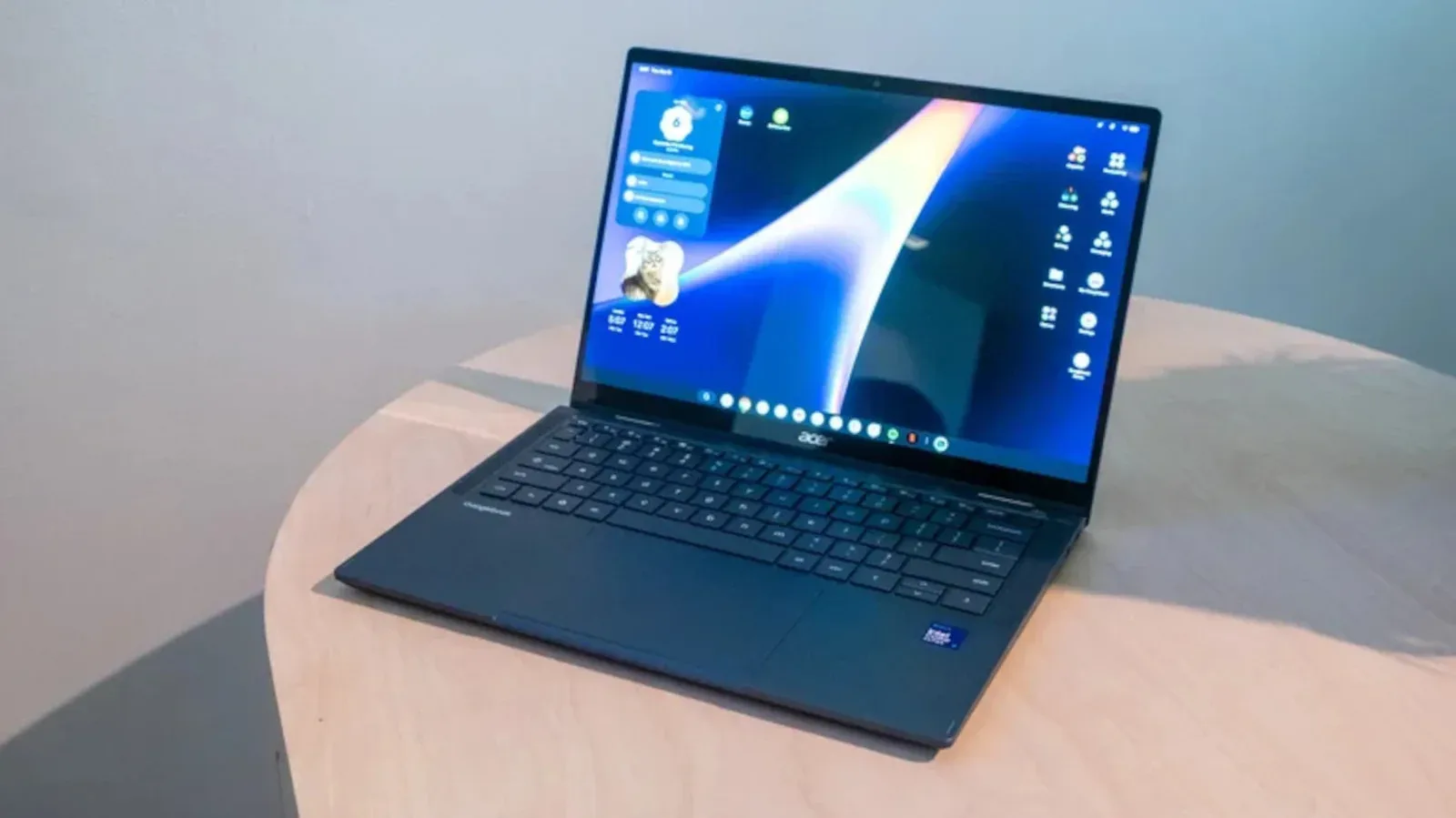
A new Googlebook is supposed to begin with a sign-in screen, a few setup choices and the pleasant realization that the expensive rectangle has successfully become a computer. For some Acer Googlebook 14 owners, the opening act instead became an endless restart cycle. Google has now deployed a fix through the device’s initial setup process, targeting the boot-loop issue that prevented affected machines from reaching a usable desktop.
The relevant update is build CL3B.260622.286.R2. For an affected Acer Googlebook 14 that is still being set up—or for a newly purchased unit—the intended remedy is unusually simple: begin setup. The build is applied during initialization, so there is no separate manual download described for users stuck at this early stage.
That is important because this was not a minor annoyance appearing after weeks of ownership. Reports described the problem occurring on first power-on, at the point where a new laptop needs to complete its own system update before it can move to the next setup screen. A failure there denies buyers access to the device altogether. It also turns a routine automated restart into a particularly effective form of tech-induced dread.
What went wrong during Acer Googlebook 14 setup
The Acer Googlebook 14 is among the launch models in the Googlebook line. It is positioned as the least expensive option in the initial range and the only 2-in-1 model, combining conventional laptop use with a tablet-style configuration. Its appeal is straightforward: a convertible machine can suit note-taking at school or work while retaining a physical keyboard for longer tasks. The wider Googlebook proposition also emphasizes Android interoperability, high-end hardware and Google Gemini integration.
On some units, however, initial setup involved a system update that could not cleanly finish. That update needs an automatic restart. Under normal circumstances, the laptop installs the required files, restarts, and resumes setup. The reported failure meant the restart did not lead to the next stage. Instead, the machine attempted the same update again, encountered the interruption again and continued repeating the process.
That repeated cycle is known as a boot loop. “Booting” is the process in which a device starts its operating system. A loop occurs when it cannot reach that usable state and returns to the beginning of the startup sequence over and over. The loading screen is therefore not necessarily evidence that the machine is still making progress; in a loop, it can be revisiting the same failed handoff indefinitely.
Google’s update notes identify the underlying issue as a boot-slot priority error. In plain language, a device can maintain boot slots—places containing system versions or system startup information—so it has a valid operating-system installation to start. A priority error means the system does not successfully select a valid OS to boot. If an update is incomplete or interrupted, the machine may be left unable to complete the transition from the old state to the updated one.
That does not mean every Acer Googlebook 14 was affected. The reports describe a subset of users, and the issue was not universal. But an issue that strikes only a small percentage of buyers can still be highly damaging when it occurs at setup, because the affected person has no chance to judge the laptop’s normal performance before deciding whether to return it. Some buyers reportedly did just that, including people who opted for a more expensive Lenovo Googlebook 15 instead.
What owners and prospective buyers should do
The practical guidance supplied with this fix is narrow but welcome. Users starting fresh should proceed with the regular setup flow and allow the initialization update to apply. The update build is CL3B.260622.286.R2. Since the correction is delivered as part of setup, the important point is not to hunt through settings that cannot yet be reached; it is to begin the setup process so the revised build can be installed.
- New Acer Googlebook 14 owners: Start the standard initialization process and allow the setup update to run.
- Owners who previously encountered the loop: The fix is designed to be applied during initialization, rather than requiring a separate in-system update process.
- People comparing launch models: The availability of the repair removes a specific setup concern, but it does not erase the fact that early software problems can matter more on a brand-new platform.
The available information does not establish a broader hands-on troubleshooting procedure, nor does it promise that every startup problem has the same cause. A laptop stuck on a loading screen can fail for different reasons. Here, the known issue is specifically tied to the initial update process and the boot-slot priority error addressed by the new build. Treating every startup fault as this one would be a bad diagnosis; treating this known fix as irrelevant to an Acer Googlebook 14 caught in the described setup loop would be equally unhelpful.
The November update reaches beyond the restart bug
The boot-loop repair is the headline item because it addresses a total setup blockage, but the November update also covers several other issues. Another Acer-specific fix concerns the transition between tablet and laptop use. Some users could lose keyboard and touchpad input after converting the Googlebook 14 into tablet mode and then returning it to laptop mode.
That is a meaningful issue for a 2-in-1. A convertible device relies on its ability to change roles without making the return journey awkward. Tablet mode is useful for touch-led tasks and handwritten-style note-taking; laptop mode depends on the keyboard and touchpad working when they are needed again. Losing those inputs after rotating the device back undermines the central convenience of the form factor, even if the screen itself continues functioning.
Other repairs named for the update include excessive memory use during AI tasks, an HDR video playback error and Bluetooth mice failing to automatically reconnect after a restart. These are different kinds of fault, but together they describe the unglamorous reality of launching a new computing platform: the product must handle startup, input changes, wireless peripherals, video and demanding AI workloads consistently, not merely advertise them.
Memory usage refers to how much working system memory an activity occupies while it is running. When an AI task uses more memory than intended, it can leave less capacity for other processes and contribute to poorer responsiveness. The update is said to address excessive usage in that area, though the available notes do not quantify the improvement or specify which AI tasks were most affected.
HDR, short for high dynamic range, is a video and display format intended to represent a wider range of brightness and color than standard dynamic range. An HDR playback error does not necessarily affect every video, but it matters because video formats require the system, app and display path to cooperate correctly. Fixing it is a compatibility and reliability improvement rather than a new feature.
Bluetooth mouse reconnection is perhaps the least dramatic item on the list, yet it is exactly the sort of detail that shapes daily use. A mouse that pairs successfully but does not automatically reconnect after a restart introduces repeated friction into an otherwise ordinary workday. A smooth computer experience is often a pile of tiny expectations being met: the system starts, the keyboard responds, a mouse reconnects and a video plays as expected.
Why early updates matter for Googlebook
Googlebook is entering a category where buyers already have established alternatives. The line is framed around a closely connected Android-oriented hardware and software experience, with Gemini as part of that pitch. That puts reliability under extra scrutiny: a unified ecosystem is attractive when its pieces cooperate seamlessly, but a highly visible setup failure makes the integration story feel less convincing before customers have even completed onboarding.
The Acer Googlebook 14 faces particular pressure because it is the lower-cost launch option and the sole convertible in the initial group. Buyers selecting it are not necessarily shopping for a fallback model; they may specifically want the price advantage and the 2-in-1 design. A setup bug that causes a return risks pushing those people toward a different manufacturer rather than merely toward another configuration of the same machine.
The boot-slot fix also has implications beyond a single model, though those implications should be stated carefully. The error concerns the process of applying an update and choosing a valid operating system to boot. That kind of logic is relevant to software delivery more broadly. It is therefore reasonable to see the repair as valuable protection against comparable failures during future updates, not simply a patch for one frustrating batch of Acer machines. It is not evidence, however, that every Googlebook model had the issue.
Community reports are part of the repair loop
Many items on the update list align with issues raised in the r/Googlebooks community. A Google representative said the engineering team is monitoring that community to surface problems it may not otherwise see quickly. That does not make a discussion thread a substitute for formal support, and it does not prove every report will become a software fix. It does show that user reports can help identify patterns—especially when a problem appears only under a particular setup sequence, hardware state or peripheral combination.
For owners, the useful lesson is specificity. A report is more actionable when it clearly identifies the model, when the problem happens, what action precedes it and what result follows. “It is broken” conveys the emotional truth of a boot loop, but “Acer Googlebook 14 repeatedly restarts during its initial update and never advances through setup” gives engineers a condition they can compare with other cases.
Googlebook users concerned about the platform’s Gemini connection may also want to review broader account controls. Our guide to Gemini privacy settings worth checking before a prompt, camera session or voice request explains why the settings side of an AI-enabled ecosystem can deserve as much attention as the hardware update side.
For now, the key development is that Acer Googlebook 14 buyers no longer need to confront the known setup boot loop without a direct fix. Build CL3B.260622.286.R2 is intended to be installed during initialization, while the same November package addresses tablet-to-laptop input loss, AI-related memory use, HDR playback and Bluetooth mouse reconnection. It is a substantial reliability-oriented patch for a device whose first impression should be a working computer—not a very determined loading screen.