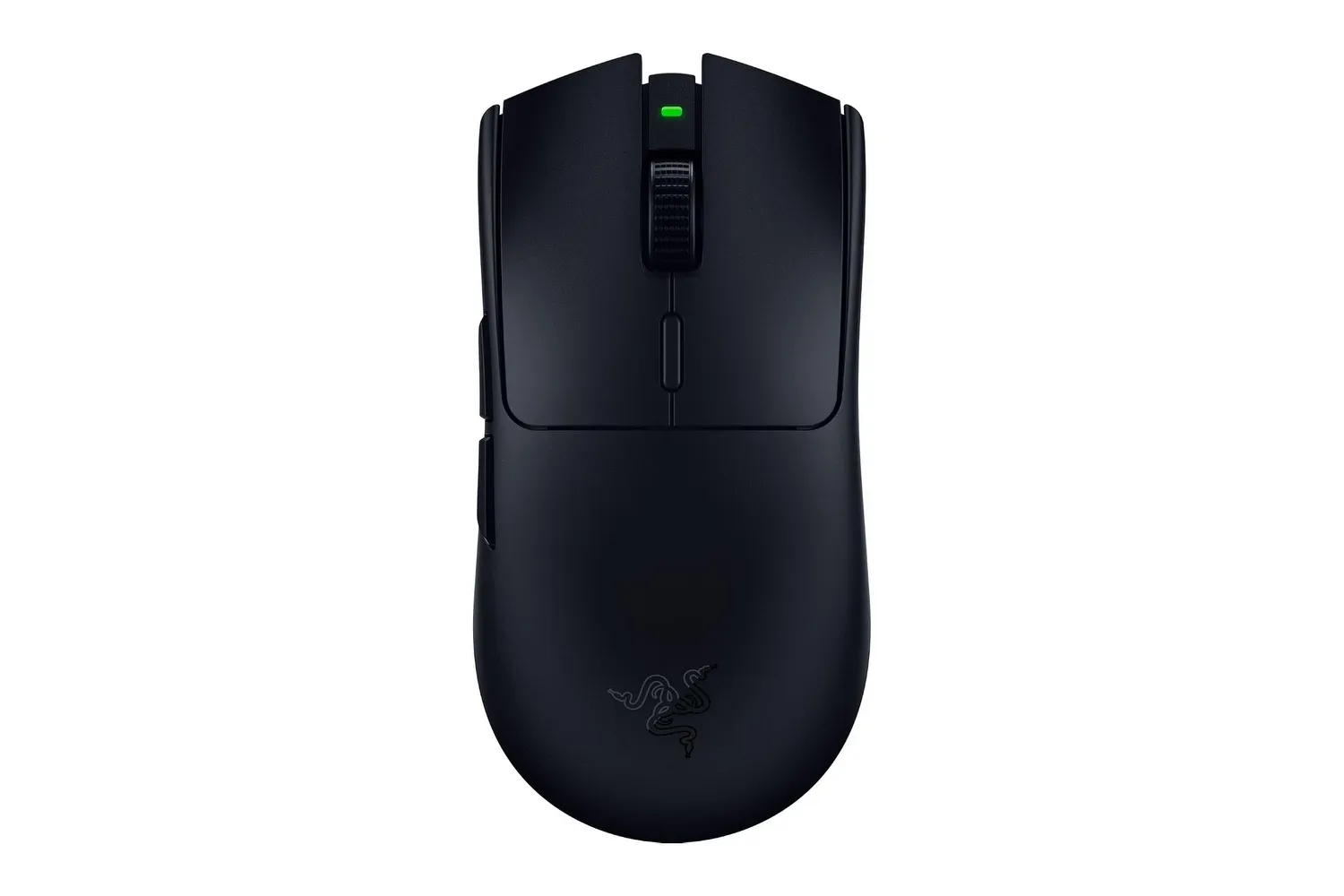
The Corsair Nightsword V2 Wireless is taking a different route from the ultralight mice built around the promise of faster flicks and leaderboard glory. This is a large, right-handed mouse shaped around palm-grip comfort and extra controls, with its biggest differentiator coming from the wider Corsair and Elgato family: a dedicated button that opens a virtual Stream Deck.
That makes the Nightsword V2 Wireless more than another attempt to cram a high-end sensor into a featherweight shell. At $129.99 / £119.99, it is a premium-leaning multipurpose peripheral aimed at players, streamers and people who use the same desk for work and games. It offers 11 buttons, 2.4GHz wireless, Bluetooth and wired connectivity, plus a claimed maximum battery life of 170 hours under specific settings.
But this is also a case where the central idea is stronger than several of the physical details. The mouse’s optical primary switches are responsive but reportedly feel hollow. Its scroll wheel is softer and less decisive than some rivals, while the PTFE feet create more drag than the smoother skates found on comparable hardware. The Stream Deck integration is genuinely distinctive, but prospective buyers should be sure they will actually use it.
A palm-first shape, not an ultralight speed run
Corsair lists the Nightsword V2 Wireless at 89g. That number will look comparatively heavy to shoppers focused purely on competitive first-person shooters, where extremely light designs and fingertip or claw holds are often favored. Yet weight is not the only way to judge a mouse. In the broader class of larger, button-rich ergonomic models, 89g is relatively restrained: the Razer Basilisk V4 Pro is described as 100g, and Logitech’s G502 X Plus as 106g.
The Nightsword’s shape is deliberately built around a relaxed palm grip. Its body is broad and fairly flat, with a softened central hump and an extended rear section that runs low toward the desk or pad. Rather than leaving a sharp drop-off behind the palm, that tail supports the lower part of the hand. The expected payoff is comfort over longer sessions, especially for users who prefer to settle their whole hand onto the shell instead of keeping the mouse mobile beneath a claw grip.
There is a trade-off. A raised, freer rear can give claw users more room for tiny direction changes made with the thumb and little finger. With the Nightsword V2 Wireless supporting the hand more fully at the back, that kind of fine repositioning can feel more constrained. It is therefore a mouse whose ergonomics should be considered before its headline specifications. A 33,000 DPI sensor and 750 IPS tracking figure are substantial on paper, but the physical grip and shape will dictate whether those capabilities suit a particular player.
DPI, or dots per inch, describes how far the cursor moves in relation to physical mouse movement; it is a sensitivity setting rather than a universal measure of real-world accuracy. IPS, meaning inches per second, describes the sensor’s rated tracking speed. Both are useful specification points, but they cannot compensate for a shape that fights a user’s natural grip.
The matte exterior replaces the previous Nightsword’s more extensive body texturing, though texture remains around the thumb rest. The softer matte treatment is intended to keep the hand more comfortable, but it is also prone to fingerprints and shine from skin oils. Construction is otherwise described as solid, with no internal rattle and no meaningful flex across the top and bottom panels, although squeezing the sides can produce some creaking.
Related coverage includes Corsair Nightsword V2 Wireless Review: Stream Deck Muscle Meets Uneven Mouse Basics.
The virtual Stream Deck is the actual headline feature
The Nightsword V2 Wireless’s signature control is a dedicated side button configured through Elgato’s Stream Deck software. Pressing it brings up a virtual Stream Deck, allowing the user to access macro actions and compatible plugins without placing a separate physical Stream Deck device on the desk.
A macro is a predefined command or sequence of commands assigned to a single input. In games, that can mean a shortcut for an action a title allows players to bind. Outside games, macros can be used for workflow tasks. The practical appeal here is not simply that the Nightsword has another button—it has 11 in total—but that one button serves as a gateway to a larger software-driven set of functions.
That distinction matters. A conventional mouse side button normally has one direct assignment at a time. The virtual Stream Deck approach can expose an on-screen collection of commands instead. For streamers, that could make the mouse a convenient entry point to Stream Deck tools and plugins. For users who alternate between gaming and productivity, it potentially gives the same hand a faster route to common computer actions.
There are setup requirements. Elgato’s Stream Deck application is needed to configure and use the full feature set. The remaining mouse controls can be customized through Corsair Web Hub or iCUE, with the browser-based Web Hub presented as the more straightforward option. Anyone considering the product specifically for its Stream Deck access should treat that software dependency as part of the purchase: the integration is the Nightsword’s strongest argument, but it is not a standalone hardware function divorced from an installed application.
The arrangement on the left side includes the virtual Stream Deck button, two conventional side buttons and two more inputs beside the left primary click. The scroll wheel also supports click and left-right tilt functions. This packs many controls into reach, which can be useful when quick access outweighs a minimalist design. The cluster is reported to work well when the thumb is placed centrally, allowing it to roll across the buttons without losing hold of the mouse.
Still, density creates risk. The dedicated Stream Deck button can be touched unintentionally during fast forward movement. That does not erase its utility, but it reinforces the Nightsword’s identity as a tool for deliberate, macro-heavy usage rather than the cleanest possible control layout for every game.
Polling rate and connections: flexibility, with a question of priorities
Corsair supports three connection modes: 2.4GHz wireless, Bluetooth and wired use. That gives the Nightsword V2 Wireless flexibility across a desktop, laptop or shared work-and-play setup. The 2.4GHz mode is the gaming-oriented wireless connection, while Bluetooth can be useful for broader device compatibility; wired operation is an option when a cable is preferable.
The mouse also advertises an 8,000Hz polling rate. Polling rate is the frequency at which a mouse reports its position and inputs to a computer. Higher figures can reduce the interval between reports, but that benefit is more relevant to some fast, competitive use cases than others. On a large palm-oriented mouse centered on productivity functions and a virtual Stream Deck, the value of 8,000Hz is less obvious than it would be on a specialist esports-focused model. It may be welcome flexibility, but it should not be mistaken for the reason this particular device stands apart.
Battery endurance is a more practical part of the package. Corsair rates the Nightsword V2 Wireless for up to 170 hours on a 2.4GHz connection at a 1,000Hz polling rate with RGB lighting disabled. Those conditions are important: the maximum is not a blanket figure for every lighting and polling configuration. Even so, switching off RGB and using 1,000Hz are attainable settings for a user who prioritizes longer stretches between charges.
Good tracking meets weaker tactile details
By the available assessment, the Nightsword V2 Wireless tracks responsively and has enough speed for faster movement. Its combination of supportive ergonomics and battery longevity also makes it plausible as an all-day mouse rather than a device reserved only for an evening session. The critical complaints are more tactile than functional.
The optical primary switches actuate precisely and keep noise relatively low, a potential advantage in shared rooms or office use. Optical switches use a light-based actuation method rather than the traditional metal-contact mechanism associated with many mechanical switches. Yet the main clicks are said to feel hollow and less tightly resolved than expected at this price. For a mouse, that sensation matters: clicking and scrolling are the two interactions a user will repeat most often.
The scroll wheel receives the sharper caution. Its notches are felt and it remains usable for actions such as cycling weapons, but the steps are softer and less confidence-inspiring than the more pronounced tactile feedback offered by the Razer Basilisk line. In plain terms, it works, but it does not project the firm, exact response some buyers expect from a $100-plus peripheral.
The standard PTFE skates—low-friction feet on the underside of a mouse—are also described as merely serviceable. They provide more resistance than the feet on the Razer Basilisk V4 Pro. This is not necessarily disqualifying for a palm-grip design, where absolute low-weight gliding is not the point, but it adds to the feeling that the physical fundamentals are less polished than the software concept.
Who should consider it?
The Nightsword V2 Wireless makes the most sense for a specific kind of user: somebody who values a comfortable right-handed palm shape, wants many inputs under one hand and expects to use Elgato’s Stream Deck ecosystem frequently. That could include a streamer, a player with lots of bindings, or someone turning the same computer between work and games. For those buyers, the virtual Stream Deck is not a gimmick; it is the feature that can justify choosing this mouse over a more conventional alternative.
For players chasing the lightest and most nimble FPS tool, the Nightsword’s size, 89g weight and rear support make it a less natural fit. The same applies to shoppers who have no use for Stream Deck controls. In that scenario, the awkward potential for accidental presses, softer wheel feedback, hollow-feeling main clicks and less-slick skates become harder to overlook at $129.99 / £119.99.
The result is a product with a clear personality rather than a universal recommendation. Corsair has made a mouse that trades the usual ultralight arms race for comfort and software-driven control depth. That is a welcome direction—provided the virtual Stream Deck will become part of a buyer’s routine rather than a seldom-used button on an otherwise expensive mouse. For more PC-focused gaming coverage, see our report on the Mouthwashing film adaptation and its director.