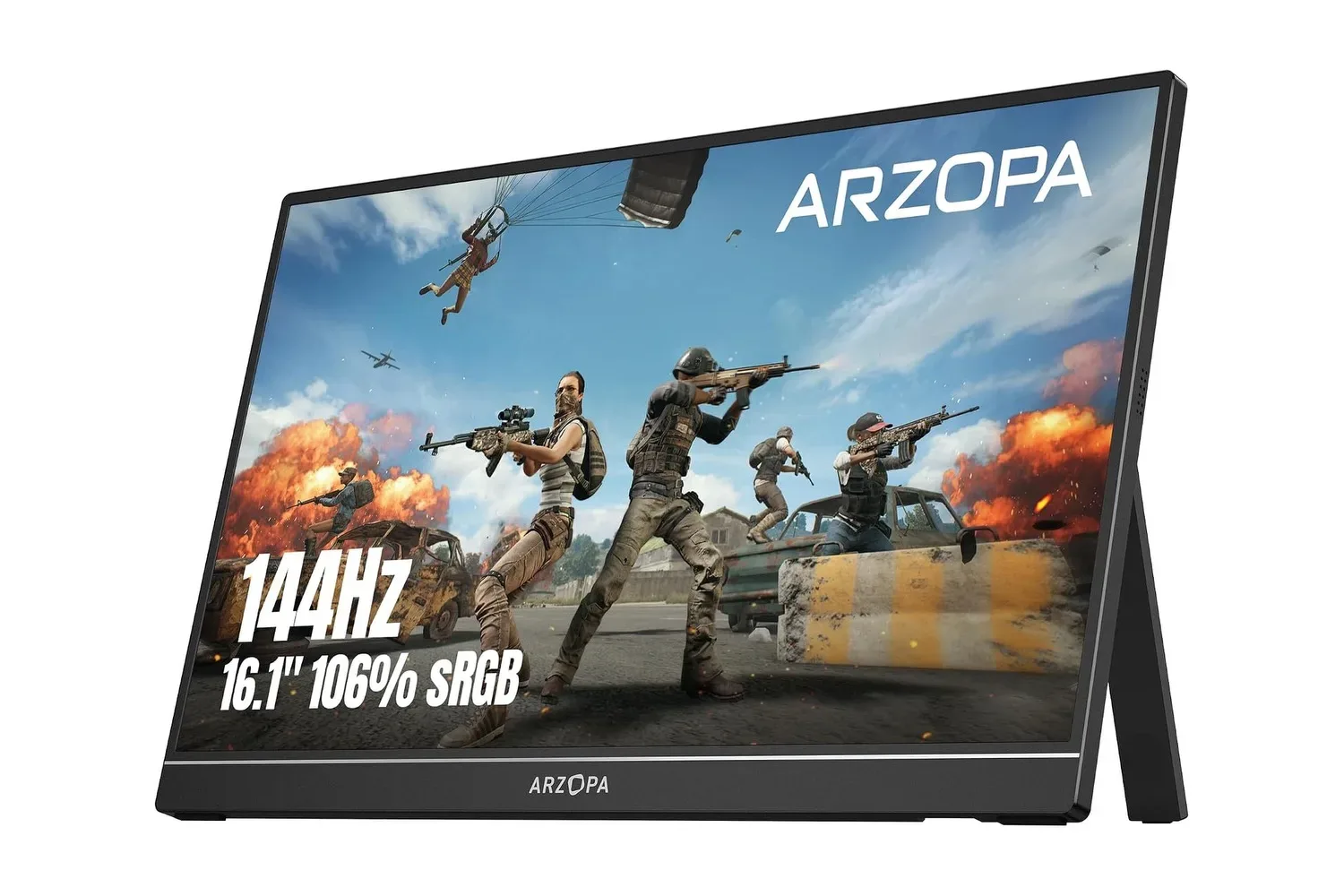
Gamers looking to add a second screen without committing desk space to a conventional monitor may want to note the current listing for ARZOPA’s 16.1-inch Z1FC portable gaming monitor. It is listed at $97, reduced from $130—a $33 reduction, or 25% off that stated price.
The attraction is not just the discount. The Z1FC combines a larger-than-tablet 16.1-inch screen with a 1,920 x 1,080 resolution, a 144Hz refresh rate and an IPS panel in a chassis listed at roughly 1.7 pounds and 0.35 inches thick. It also has an adjustable integrated kickstand, built-in speakers, two USB-C ports and mini HDMI. On paper, that makes it a flexible extra display for a laptop, a compatible handheld, or a console setup where a full-size monitor is inconvenient.
The most practical caveat is compatibility. A single-cable setup depends on the connected device supporting DisplayPort Alternate Mode over USB-C. Buyers should verify that capability before treating USB-C as a guaranteed video connection.
What the Z1FC’s display specifications mean
The monitor uses a Full HD, or 1080p, panel. At its native 1,920-by-1,080 resolution, it matches a common output target for PCs, consoles and handheld devices while avoiding the extra performance demand that can come with driving a higher-resolution display. For a portable screen, native-resolution use is especially straightforward: the image does not need to be scaled to fit the panel.
Its stated 144Hz refresh rate means the panel can update the displayed image up to 144 times per second when the source device and connection are delivering an appropriate signal. Refresh rate is often confused with a game’s frame rate. They are related but separate. A 144Hz display can refresh frequently, but the game and hardware still need to produce frames at a matching or suitably high rate for the full benefit in motion.
That distinction matters most in fast-moving games. First-person shooters and racing games can make quick camera movement easier to follow at higher refresh rates, and the screen may feel more immediate while tracking a target or rapidly changing direction. It can also make ordinary desktop use—such as scrolling pages or dragging windows—appear smoother. It does not, by itself, guarantee lower input lag, higher in-game performance, or a particular frame rate.
The Z1FC is described as an IPS display. IPS, short for in-plane switching, is a panel type associated here with wide viewing angles and accurate color. Those characteristics are useful beyond competitive play. A person working beside a laptop user can more easily see the extra display, and a second screen used for visual work can benefit from stronger color presentation. ARZOPA lists 106% sRGB color-space coverage, HDR10 support and 300 nits of brightness.
Those terms should be read carefully. sRGB is a standard color space widely used across the web and consumer displays; the stated 106% figure describes the monitor’s claimed coverage relative to that space. HDR10 is a format the monitor supports, while 300 nits is its stated brightness measurement. Neither specification alone describes every aspect of image quality. They are useful points of comparison, but shoppers should focus on whether 1080p, portability and connectivity suit the device they already own.
The connection question: USB-C is not one universal answer
The Z1FC has two USB-C ports that support DisplayPort Alternate Mode and Power Delivery, plus a mini HDMI input. This is the most important part of the specification sheet because it determines how easily the monitor fits into a particular setup.
DisplayPort Alternate Mode is a USB-C capability that lets a compatible device send video through its USB-C connection. When a laptop, phone or tablet supports it, one USB-C cable can carry both the display signal and power to the monitor. That is the cleanest arrangement for a temporary dual-screen desk, a hotel table or a small dorm workspace: fewer cables to pack, route and power.
Not every USB-C port carries video, however. USB-C describes the connector shape, not necessarily every signal a device can output. If a laptop’s USB-C connection does not support video output, the stated alternative is to use the included mini HDMI-to-HDMI cable for the picture and connect power to the monitor through its other USB-C port. In practical terms, that turns a one-cable arrangement into a two-cable one, but it still allows the screen to work with devices that have HDMI output.
- Single USB-C cable: intended for compatible laptops, phones and tablets with DisplayPort Alternate Mode, carrying video and power.
- Mini HDMI plus USB-C power: intended for devices without USB-C video output but with HDMI available.
- Two USB-C ports: give users more flexibility in cable placement, including positioning the screen on either side of a laptop.
ARZOPA includes a USB-C-to-USB-C cable, a USB-C-to-USB-A cable and a mini HDMI-to-HDMI cable. The USB-A cable is relevant for power arrangements where a standard rectangular USB-A port is available, while the mini HDMI cable handles video from a full-size HDMI source. Having those cables in the box reduces the likelihood that a basic setup immediately requires another purchase, though it does not remove the need to confirm device output support.
Where a portable 144Hz monitor fits best
A portable monitor is fundamentally a compromise between screen size and mobility, and the Z1FC leans toward providing a more substantial second panel while remaining bag-friendly. At 16.1 inches, it is intended to deliver extra workspace without requiring the footprint of a desktop monitor. The fold-flat kickstand and aluminum body reinforce that travel-oriented purpose.
For PC gaming, a portable monitor can serve as the primary display in a temporary setup or as an additional screen for chat, maps, guides or streaming controls. Its 144Hz panel is most relevant when the connected PC can make use of that refresh rate. Readers following current PC releases, including reports such as AION 2’s early player activity, may see the appeal of an easily moved screen for gaming away from a fixed desk.
For handheld and console users, the stated use cases include expanding the experience of a Steam Deck or Nintendo Switch. The mini HDMI connection offers a familiar route for HDMI-equipped hardware, while USB-C video support can simplify connections for compatible devices. The key point is that the monitor is an external screen: the connected hardware, its supported display modes and the cable arrangement determine the final experience.
It also has a less glamorous but potentially more valuable role as a productivity display. Extending a laptop desktop creates space for a document, browser, chat window or reference material beside the main task. Mirroring a screen can help with presentations. The IPS panel’s wide viewing angles support sharing that display with someone seated nearby, and the built-in speakers mean it can produce audio for video calls, games or music without automatically requiring headphones.
What to check before buying
The $97 listing is the headline, but a portable monitor is only a good deal when it connects cleanly to the intended hardware. Prospective buyers should start with the ports on their laptop, phone, tablet, handheld or console. Specifically, determine whether USB-C supports DisplayPort Alternate Mode, whether HDMI output is available, and how the monitor will receive power in the planned configuration.
Next, think about the location. The integrated stand is designed for desk, hotel-table, counter and dorm-room use, but a portable display still needs a stable surface and enough clearance for its cables. Its 1.7-pound stated weight and thin profile make it easier to carry than a traditional monitor, while the aluminum body is positioned as added protection for travel.
Finally, set expectations around the 144Hz label. It is a meaningful feature for smooth motion and responsive-feeling desktop navigation, particularly in games that can supply high frame rates. It is not a universal upgrade that overrides the limits of the connected device or every game’s performance. The more broadly applicable strengths are the 16.1-inch 1080p IPS screen, flexible USB-C and mini HDMI options, included cables, compact design and built-in kickstand.
For a buyer who needs those specific capabilities, ARZOPA’s stated $97 price turns the Z1FC into a notably lower-cost route to a large portable second screen. For anyone relying on one-cable USB-C video, confirming DisplayPort Alternate Mode first remains the step that matters most.
Shop the products
Check current price, model and availability at the retailer.