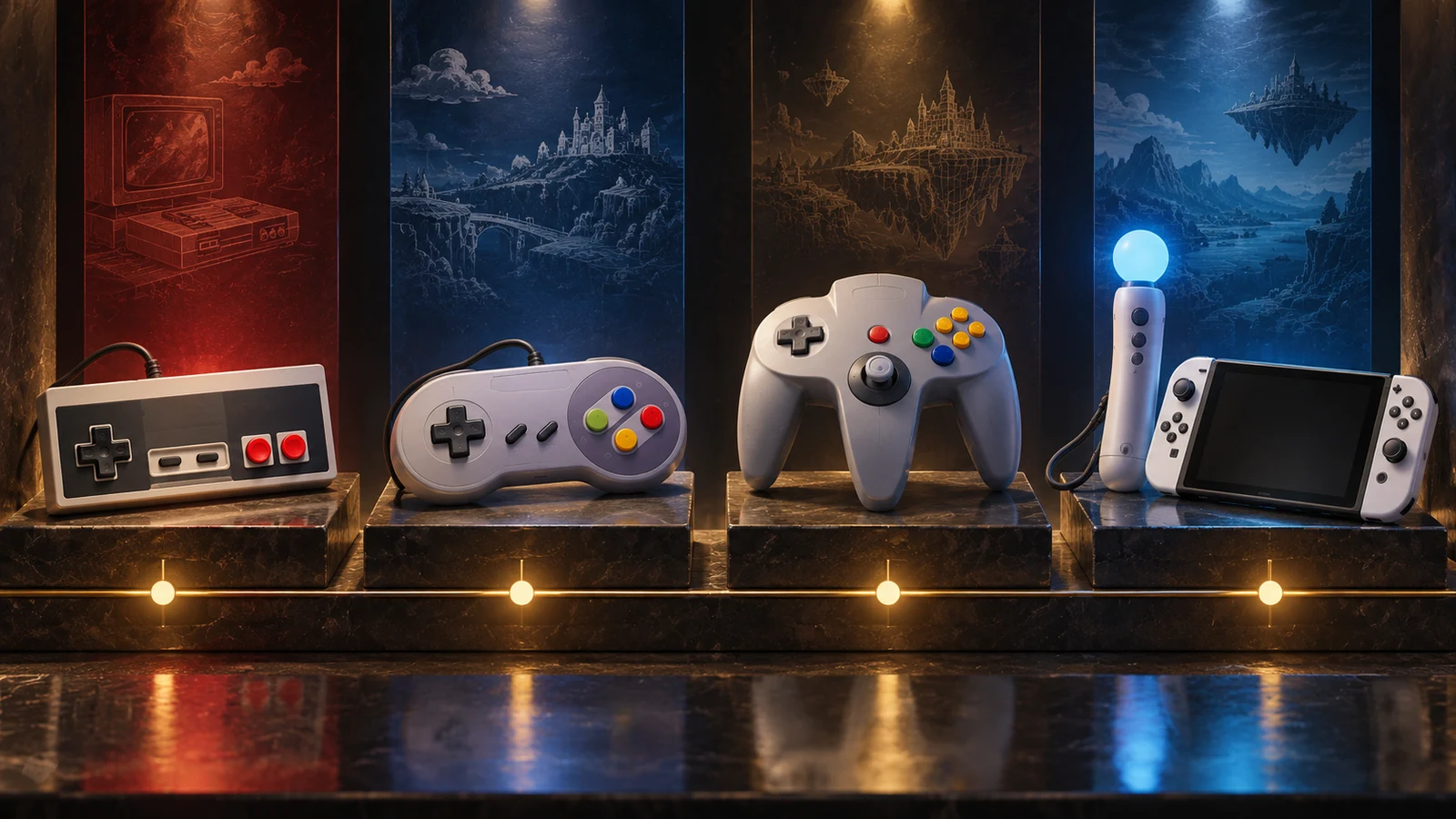
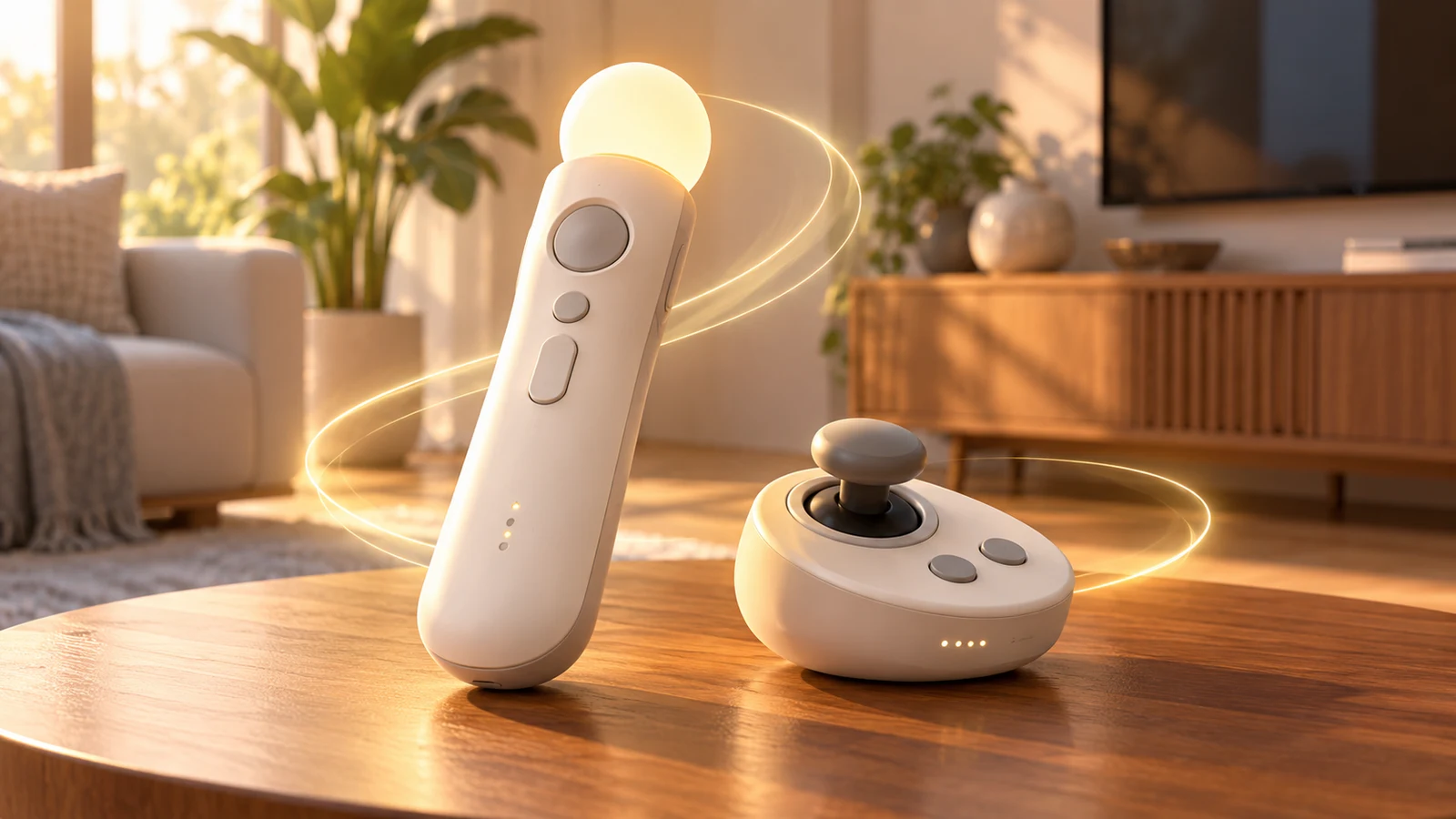
Researched feature, October 25, 2026: This is a history and interface-design analysis, not a durability test, compatibility guarantee, or ranking of every Nintendo controller. The original illustrations below are conceptual editorial artwork, not Nintendo product photography or diagrams.
The controller as Nintendo’s changing promise
Nintendo controller history is often told as a parade of memorable shapes: the flat NES pad, the three-pronged N64 controller, the two-handled GameCube pad, the motion-sensitive Wii Remote and the detachable Joy-Con. That sequence can look like a search for the definitive controller, as if each generation corrected the last one. A more useful reading is less tidy. Nintendo has repeatedly changed its assumptions about who is holding the controller, where they are sitting, what a game should ask the body to do and whether play is primarily individual or shared.
That makes the controller more than an input device. It is a compact statement of Nintendo’s design promise. The NES pad promises directness: a directional cross and two face buttons make the game legible before a player has learned much else. Later designs promise different kinds of possibility. The N64 controller makes room for a central analog stick and a new relationship with three-dimensional movement. The Wii Remote asks the living room to become part of the interface. Joy-Con treats the controller as something that can remain attached to a console, separate into two pieces or be held sideways by one player.
This feature therefore treats controller history as researched editorial analysis, not as a durability test or a universal ranking. It does not attempt to declare one Nintendo controller objectively best, most comfortable or most reliable for everyone. Those judgments depend on hands, habits, games, furniture, age, and expectations that have changed across generations. Instead, the question is what each design reveals about the problem Nintendo was trying to solve—and what new compromises appeared when that solution reached actual players.
The original NES controller remains important partly because its promise is so economical. Its flat profile and compact arrangement reduce the distance between seeing an instruction and understanding the action. The design assumes that a player will look toward the screen, keep both hands in a stable position and express most intentions through a small number of digital inputs. Its influence is not proof that simplicity always wins; it is evidence that a limited vocabulary can feel powerful when a game’s rules are built around it.
Nintendo’s current NES support presents its Switch Online version as preserving that original design while adding the practical changes required by a modern wireless accessory, including wireless use and charging. That distinction matters. The newer product is not presented as a replacement shape or a reinterpretation of the old control language. It is a promise of continuity: the feel and arrangement associated with the NES pad can be brought into a contemporary setup without pretending that contemporary play has the same physical requirements as play in the original hardware era.
The N64 controller complicates any idea that Nintendo simply moved from good design to better design. Its original 1996 gray form is unmistakable because it distributes control across three grips and places the analog stick at the center of a new spatial logic. That arrangement assumes that three-dimensional movement deserves a different physical emphasis from the NES’s directional cross. It also asks players to understand a controller through the game perspective it enables, rather than through a familiar rectangular surface alone.
Nintendo’s current wireless N64 controller keeps that original gray design as its reference point but adds USB-C charging, Capture and HOME controls, and built-in rumble in place of the original Rumble Pak arrangement. Those additions show how preservation is never perfectly neutral. A modern recreation can protect a recognizable silhouette while translating its surrounding infrastructure for a newer console. The result promises historical familiarity and present-day convenience at once, though those promises are not identical to owning the original accessory ecosystem.
The GameCube controller makes another argument about the body. Nintendo’s archived description emphasizes a two-grip design, an A button as the home position, an analog stick, analog triggers and built-in rumble. This is a controller organized around a primary action and a more settled two-handed posture. Its design suggests that complexity need not mean visual equality among every button; hierarchy can be a form of guidance. The A button’s prominence gives the hand a place to return to, while the sticks and triggers expand the range of movement without abandoning the familiar grip.
The WaveBird then separates wireless freedom from the later assumption that a controller must communicate directly with the console through contemporary wireless standards. Its receiver-based design and channel pairing document a room-level concern: players should be able to move away from the system without turning the controller into an unexplained piece of magic. Nintendo’s historical annual-report claim of more than 100 hours of battery life belongs to that period and should be understood as a manufacturer claim, not as a fresh test or a timeless performance guarantee. The larger point is that the WaveBird made distance part of the controller’s meaning.
By the Wii era, Nintendo was no longer designing around a single default posture. Wii support documents a Wii Remote, a Classic Controller and GameCube-controller options, a lineup that makes coexistence part of the platform’s identity. The Wii Remote addressed motion and pointing, while the other options preserved more conventional forms of control. This was not a clean replacement of old habits with new ones. It was an admission that a living room may contain different players, different games and different levels of interest in embodied input at the same time.
Joy-Con extends that argument by making separation itself a feature. Switch material describes detachable controllers, horizontal SL and SR use, an accelerometer, a gyroscope and HD Rumble. Those details support several assumptions at once: a player may use two controllers, one controller, a screen-held setup or a television setup; motion can supplement buttons; and feedback can be communicated through more than a simple vibration motor. The promise is flexibility, but flexibility also transfers decisions to the player. A smaller piece in each hand, a sideways controller and an attached pair do not ask the body to work in exactly the same way.
Seen across these designs, Nintendo’s history is not a staircase toward one perfect shape. It is a record of changing answers to four linked questions: what a hand can comfortably do, what a room makes possible, what a game needs to communicate and how many people the system expects to include. The NES pad values clarity, the N64 controller reframes movement, the GameCube pad builds hierarchy into its grip, the WaveBird loosens the cable’s authority, the Wii broadens the menu of postures and Joy-Con turns adaptability into a visible part of the hardware. The important continuity is not a shape but a willingness to make the controller carry Nintendo’s current theory of play.
Famicom and NES: a compact language for the living room
The Family Computer and Nintendo Entertainment System established a controller vocabulary that was almost startlingly small: a directional cross, two face buttons, and two centrally placed system buttons. The rectangular pad did not try to resemble a steering wheel, an instrument panel, or a miniature arcade cabinet. It presented a flat, readable surface for the hands. That restraint mattered because the games it served were largely built from discrete decisions: move left or right, climb or descend, jump, fire, confirm, pause, or begin again.
Its most recognizable feature was the directional cross, commonly called the D-pad. Rather than separating movement into four independent buttons, the cross made the four directions feel like one coherent control. A thumb could press an edge to move horizontally or vertically, or settle into a corner to combine directions when a game allowed it. That arrangement suited screens governed by lanes, platforms, ladders, menus, and scrolling horizons. It translated a small number of digital states into something the player could understand immediately.
The cross also gave movement a physical grammar. Left and right were not abstract entries in a list; they occupied opposite sides of the same object. Up and down were equally legible, arranged on the central axis. That symmetry helped the controller communicate without explanation. A player could look down briefly, feel the shape under a thumb, or learn it through repetition. The layout’s intelligence was not that it offered limitless nuance. It was that it made a limited set of choices quick to locate and difficult to confuse.
The A and B buttons completed the action side of that language. Their job was not to imitate every control found in an arcade machine. Instead, two buttons created a flexible division of labor that games could interpret in different ways. One might be the primary action while the other handled a secondary action, or both could serve related functions whose meaning changed from one game to another. The important point was consistency at the hand level: the player knew where the buttons were even when the software gave them different verbs.
Start and Select added a second layer without crowding the play surface. They were not competing with the D-pad and A/B buttons for constant attention. They acted as the controller’s vocabulary for beginning, pausing, choosing, or moving between options, depending on the game. Their placement separated ordinary play from these broader commands. That distinction is easy to overlook now, but it helped define a clear relationship between the player, the active game, and the system around it.
This was a compact digital layout in the fullest sense. It did not measure speed continuously, as an analog control does, and it did not ask the player to manage several independent triggers, sticks, or paddles. It reported discrete inputs, which matched the logic of many early home-console games. Characters often advanced through deliberate steps, menus highlighted one choice at a time, and challenges were organized around timing and direction. A controller that emphasized unmistakable digital states could therefore feel direct rather than limited.
Compactness also suited the living room. The pad occupied relatively little visual and physical space, leaving the television to dominate the shared environment. It was an object that could be picked up for a short session, passed between players, and understood by someone who was not already familiar with game hardware. That does not mean every player found the shape equally comfortable, or that the design eliminated fatigue. It means the controller made a persuasive trade: very little surface area in exchange for a focused set of commands.
The rectangular form reinforced that focus. Its broad face gave the thumbs obvious destinations, while the straight edges made its orientation easy to read. There was no need to identify a top-heavy arrangement of controls before play could begin. The controller’s silhouette and button placement worked together as a kind of visual sentence: direction on one side, action on the other, system commands between them. The result was not luxurious, but luxury was not the design’s primary argument. Clarity was.
That clarity became especially valuable in two-dimensional games, where the relationship between position, timing, and direction was usually visible on one screen or along a defined scrolling path. The D-pad could ask for a change in heading while A or B asked for an immediate response. Because the controls were near each other, the player could alternate between movement and action without relocating the hand. The arrangement made the controller feel like a small instrument for rhythm and judgment, not a collection of unrelated switches.
There is a temptation to describe the NES pad as merely simple, but simple is not the same as undeveloped. Its limits created a stable design language. Developers could build challenges around a small group of inputs, and players could carry their understanding from one game to another even when the rules changed. The controller did not need a separate mechanism for every possibility. It offered a common frame in which software supplied the variety. That division of responsibility was one reason the pad remained so recognizable.
Nintendo’s modern NES controller for Switch Online preserves that original design while changing the surrounding experience with wireless operation and charging. The comparison is revealing: the familiar cross, A/B pair, and Start/Select arrangement still communicates effectively because its core problem has not changed. A player still needs to move through a digital space, choose from clear options, and trigger actions without searching across a crowded surface. The Famicom and NES pad’s lasting achievement was therefore not minimalism for its own sake. It was the creation of a compact language that made 2D play easy to read, easy to repeat, and broad enough for software to keep speaking through it.
Super NES: more buttons, softer curves, a wider game vocabulary
The Super NES controller did not discard the basic logic of the NES pad; it stretched that logic around a more demanding generation of games. The directional pad remained on the left, the primary action buttons stayed under the right thumb, and the player still held a compact, two-handed object rather than a collection of separate controls. What changed was the controller’s willingness to give games more verbs. Two extra face buttons and a pair of shoulder buttons made room for actions that no longer had to compete for the same small set of inputs.
That expansion mattered because 16-bit games could ask the player to manage more than movement and a single confirmation-or-cancel pair. A controller could now distinguish several attacks, tools, menu choices, defensive actions, or context-sensitive commands without requiring every function to be hidden behind pauses or awkward combinations. The hardware did not dictate a richer vocabulary by itself, but it made one practical. More buttons offered designers another way to separate actions that previously would have been forced into rotation, repetition, or temporary reassignment.
The shoulder buttons were the most consequential addition because they changed where control happened. L and R sat beneath the index fingers while the thumbs remained available for the directional pad and face buttons. That division created a rough hierarchy: thumbs handled frequent navigation and obvious actions, while the fingers could reach commands that were important without necessarily belonging in the central face-button cluster. The arrangement also let a player hold one input while pressing another, a small physical advantage that could support more layered interactions.
Yet shoulder placement was not simply a matter of adding two convenient switches. Reach became part of the design conversation. A face button asks the thumb to leave its current position; a shoulder button asks an index finger to curl or press downward. Those movements are different, and each has a different cost when the player is already steering, selecting, or holding another command. The Super NES layout therefore distributed effort across the hand instead of merely increasing the number of places a thumb had to travel.
The four face buttons formed a second major shift. Rather than treating the right side as two isolated destinations, the controller presented a compact group: A and B on the lower and right side of the cluster, with X and Y above and to the left. The arrangement gave the thumb a small field of nearby choices. It also created a useful distinction between a familiar lower pair and a new upper pair, allowing designers to add commands while preserving some continuity for players coming from the NES.
That grouping made the buttons easier to understand as a family, but it did not make them interchangeable. Their relative positions mattered. A player could move between neighboring commands with limited thumb travel, yet the same closeness raised the possibility of pressing the wrong member of the group. The controller’s color coding and labeling helped establish identity, while the physical layout supplied a kind of map. Neither solution removed the need to learn which command belonged to which finger movement.
Continuity was especially important because a new controller had to feel like an extension of an established habit, not a complete reset. The directional pad retained its prominent left-side role, and the original two-button logic remained available within the expanded face cluster. Players could carry forward a familiar relationship between direction and action while learning new inputs around it. That balance allowed the Super NES pad to signal progress without making the NES experience feel obsolete in every respect.
The tension appeared whenever a game used the expanded layout aggressively. New commands can reduce repetition, but they also increase the number of relationships a player must remember. A controller with more inputs can make a system feel more expressive or more demanding, depending on how clearly those inputs are grouped and assigned. The Super NES design offered capacity rather than a universal answer: a thoughtful mapping could make an action feel immediate, while a crowded one could turn the same abundance into hesitation.
Its softer curves supported that broader vocabulary in a quieter way. Compared with the sharply rectangular NES pad, the Super NES controller presented a more rounded body and flared grips that invited the hands to settle around it. That shape did not eliminate reach issues, and comfort remains partly subjective, but it reflected a more deliberate attempt to accommodate several fingers at once. The shell, button grouping, and shoulder controls worked together as one proposition about how a player should hold and operate a gamepad.
It is tempting to describe this controller as the moment every modern convention was born, but that would flatten the history. The Super NES combined ideas that would be refined, rearranged, or challenged by later designs; it did not close the question of what a controller should be. Its importance lies more in the clarity of the compromise. It preserved directional control and a recognizable action side while treating extra commands as part of the main interface rather than as an inconvenience.
The result was a controller that made complexity feel spatial. Actions were not only assigned names in software; they occupied zones of the hand. The left thumb navigated, the right thumb selected among a four-button neighborhood, and the index fingers gained their own pair of responsibilities. That division could support faster decisions because the player did not have to search one crowded area for every command. It also made the physical act of playing a kind of memory system, with position helping reinforce function.
The Super NES pad’s lasting lesson is therefore less about a particular button count than about controlled expansion. Adding inputs works when continuity tells players where the old habits went, grouping makes the new choices legible, and reach keeps those choices practical. Its four face buttons and shoulder controls widened the language available to games, but they did so by negotiating with the body rather than ignoring it. That negotiation became one of the defining paths from the simple NES pad toward increasingly expressive controllers.
Nintendo 64: the experiment that made grip a design question
The Nintendo 64 controller treated the familiar gamepad as an unresolved design problem. Instead of asking both hands to settle around one continuous shell, it offered three separate prongs radiating from a central body. The arrangement looked unusual because it was unusual: one grip carried the directional pad, another carried the analog stick and its underside trigger, and the third carried the face-button cluster. The controller was not merely a new shape wrapped around old assumptions. It proposed that different games might deserve different ways of holding the same device.
That proposal made the N64 pad an ergonomic wager. A conventional controller encourages a single default posture, with the thumbs generally finding the same broad regions and the index fingers resting along the same upper edge. The N64 controller instead put a choice in the player’s hands before a game had even begun. Hold the left and middle grips and the D-pad becomes the main directional tool. Hold the middle and right grips and the analog stick, A and B buttons, and C buttons become the working area. A player could also shift between positions as a game’s demands changed. None of these positions needs to be declared universally correct; each reveals what Nintendo thought a controller should prioritize.
The central analog stick was the most consequential part of that experiment. Positioned on the middle prong, it gave the controller a dedicated physical control for graduated movement rather than the directional pad’s discrete presses. Its location also changed the relationship between the hands. In the common middle-and-right grip, the left thumb operates the analog stick while the right thumb handles the face buttons and C buttons. That separates movement from many actions in a way the NES pad did not attempt. In the left-and-middle grip, by contrast, the left thumb can use the D-pad while the right hand works the analog stick and nearby controls. The hardware therefore makes “primary movement” a contextual decision.
The stick’s position also helps explain why the controller can feel less immediately legible than a two-grip pad. On a conventional layout, the left thumb’s destination is visually and physically familiar. Here, the player must understand which two handles belong together for the task at hand. The middle prong is not simply a center point to be ignored; it is the hinge of the controller’s logic. It carries the control most associated with the system’s move toward analog input, while also forcing the hands to approach the shell from different angles. That is an interesting solution, though not one that eliminates the cost of learning the layout.
The trigger arrangement reinforces this division of labor. L and R sit on the outer shoulders, while the Z trigger is placed beneath the central grip. This creates a layered set of possibilities rather than a single row of equivalent shoulder buttons. The outer triggers can be reached when the hands are spread across the left and right grips, while Z is available to the hand supporting the middle section. In a middle-and-right position, the underside trigger becomes especially associated with the left hand, leaving the right thumb to concentrate on the action buttons. In a left-and-middle position, the same physical control participates in a different hand relationship. The design makes trigger access part of the grip decision.
That logic is more significant than the controller’s silhouette alone. The N64 pad does not just provide extra buttons; it distributes them across a body whose handles imply separate roles. Face buttons occupy the right side, the D-pad occupies the left, and the analog stick claims the middle. The result is a controller that seems to ask whether a game is primarily analog, primarily digital, or comfortable moving between both. The question is productive, but it also means that the controller’s ergonomic character cannot be judged from one hand position while ignoring the others.
The accessory port beneath the controller’s central area extends this idea beyond the shell itself. The original N64 controller could work with accessories such as the Rumble Pak, which added vibration through the controller rather than making rumble a permanent feature of every pad. That arrangement made the underside space functional as well as structural. It also meant that the controller and its accessories formed a small ecosystem: the base input device could be supplemented according to the needs of a particular setup. The controller’s unusual center was therefore part of a broader piece of hardware planning, not only an attempt to find a novel handhold.
It is important to separate that original arrangement from Nintendo’s current wireless N64 controller. The modern version preserves the visual and control-language reference to the original gray design from 1996, but it is not simply the old controller with a cable removed. Nintendo’s current model adds USB-C charging, Capture and HOME controls, and built-in rumble. Because rumble is built into the reissue, it does not reproduce the original need for a Rumble Pak to provide that function. Those additions make the wireless model a contemporary interface shaped around an older layout, rather than a museum piece presented unchanged.
That distinction also affects how the N64 controller sits within Nintendo’s later history. The GameCube controller returned to a two-grip form, with an A-button home position, an analog stick, analog triggers, and built-in rumble. That arrangement made the default grip more conventional while retaining ideas about differentiated input and pressure-sensitive shoulder controls. Later Wii support allowed several controller paths, including the Wii Remote, Classic Controller, and GameCube controller. Nintendo was no longer committed to making one three-pronged body carry every style of play.
Still, the N64 experiment remained useful because it exposed the assumptions hidden inside a gamepad. A player holding the left and middle grips is not using a defective version of the middle-and-right posture; that player is engaging with the D-pad-centered side of the design. Someone staying on the middle and right grips is not necessarily ignoring half the controller; that position makes the analog stick and action controls the most direct relationship. The broad handle spacing can feel natural for one task and awkward for another, but those judgments depend on the game, the player, and the desired control emphasis.
In that sense, the N64 controller’s lasting importance is less about whether its three-pronged shape should have become the standard. It made grip visible as a design question. The analog stick, Z trigger, shoulder buttons, D-pad, face buttons, and accessory port were arranged as a set of possible partnerships, not as a single unquestioned template. The current wireless reissue updates that experiment with modern console controls and built-in features, while the original gray controller remains the clearer statement of the wager itself: sometimes the most important ergonomic choice is deciding which two parts of the controller belong in your hands.
Rumble, accessories and the controller as a system
The N64 Rumble Pak is useful because it makes a controller’s boundaries visible. The gray N64 pad could be used as the main input device, while rumble arrived through a separate accessory fitted to the controller. That arrangement treated feedback as an add-on rather than an inseparable part of the shell. It also suggested that a controller could be more than a fixed collection of buttons and sticks: it could provide a connection point for functions that were added, removed, or changed independently of its basic shape.
That distinction matters when looking at Nintendo’s later hardware. The N64’s original 1996 gray design is recognizable as a controller before any accessory is attached. Its identity comes from its three-pronged body, central stick and face-button layout, while the Rumble Pak changes what the device can communicate physically. The important point is not to treat the accessory as a minor footnote. It established a model in which the controller was a platform with room for another component, and in which a feature could be optional without being irrelevant to the design.
Modern N64 support presents a different solution to the same question. Nintendo’s current wireless N64 controller keeps the visual reference to the original gray design but includes built-in rumble instead of relying on the original Rumble Pak. It also adds USB-C charging and Capture and HOME controls. Those additions show how a later version can preserve the silhouette and historical vocabulary of an older controller while reorganizing its functions internally. What had once been an external module is now part of the controller’s own equipment, alongside controls shaped by a newer platform.
This is more than a story about convenience. Moving rumble inside the shell changes the controller’s status from a base unit awaiting an accessory to a more complete system in itself. An optional module makes the boundary between controller and peripheral obvious; built-in feedback hides that boundary. Neither approach is automatically superior in every context. The external Rumble Pak made the feature legible as an add-on, while integrated rumble makes the controller easier to describe and use as a single object. The contrast helps explain why Nintendo’s controller history cannot be reduced to button layouts alone.
The GameCube controller illustrates another stage of integration. Nintendo’s archived description emphasizes its two-grip design, the A button’s home position, an analog stick, analog triggers and built-in rumble. Here, feedback is listed with the primary controls rather than presented as an accessory that must be supplied separately. The controller’s physical design and its response features are treated as one coordinated arrangement. Its significance lies less in any isolated specification than in the way Nintendo framed the pad as a complete, distinctive instrument.
Wireless operation introduced a different kind of separation. The WaveBird did not simply put every piece of the system inside the controller. It used a receiver connected to the console, with channel pairing between the controller and receiver. That architecture moved the cable out of the player’s immediate space while retaining a separate communication component. In other words, “wireless” did not mean “self-contained.” It meant that the system had been redistributed across a controller, a receiver and the console connection between them.
Battery claims also show why historical controller descriptions need careful wording. A Nintendo annual report stated more than 100 hours for the WaveBird, but that is a historical manufacturer claim, not a fresh test or a universal prediction for every setup. The broader design lesson does not depend on turning that figure into a performance guarantee. The WaveBird is important because it makes the controller system visible in a new way: the pad, receiver, channel relationship and power arrangement all contribute to the experience of using it.
By the Wii era, Nintendo supported a family of input paths rather than a single replacement for the traditional pad. Its support material documents the Wii Remote, Classic Controller and GameCube-controller options. That lineup placed motion-oriented input beside more conventional controls, with accessories and existing hardware helping define what the console could feel like. The controller was no longer just the object held in both hands; it was part of a menu of physical interfaces, each carrying different assumptions about how the player and software would meet.
The Switch makes the system idea especially explicit through detachable Joy-Con. Each controller can be used with the other as a pair, or positioned horizontally with its SL and SR buttons available for that orientation. The Joy-Con also include an accelerometer, gyroscope and HD Rumble. These details combine detachable hardware, reconfigurable handling and embedded sensing in one product family. Compared with the N64’s separate Rumble Pak, the distinction between “controller” and “accessory” has become less stable: the components can be separated physically while still being designed as parts of a larger control system.
That flexibility should not be mistaken for a promise that every arrangement behaves identically. A detachable controller, a receiver-based wireless pad and an accessory-equipped N64 controller all distribute functions differently. Their designs invite different questions about what must be attached, what is built in and what the console recognizes as part of the input setup. Keeping those questions separate avoids unsupported assumptions about compatibility or performance. The historical thread is the changing location of functionality, not a claim that one architecture universally improves on another.
The current NES controller support makes the same point from the opposite direction. Nintendo describes its Switch Online NES controller as preserving the original design while adding wireless and charging changes. The familiar form remains the central reference, but the way the controller connects and receives power belongs to a later system. Across the NES, N64, GameCube, Wii and Switch generations, Nintendo repeatedly revisits this balance: preserve enough of the old object to retain its identity, then decide which functions should be external, integrated or redistributed. The controller becomes not merely a shell for inputs, but a system whose boundaries can move.
GameCube: the A button as a home position
The GameCube controller is a useful break from the idea that good hardware must look balanced. Nintendo’s archived design explanation presents it through a set of deliberate choices: two grips, a clear A-button home position, an analog stick, analog triggers, and built-in rumble. None of those features is especially mysterious on its own. What makes the controller distinctive is how they are arranged into a hierarchy. Instead of treating every input as an equal member of a tidy grid, the design gives the hand and the eye a preferred starting point.
That “home position” matters because a controller is partly an instrument for remembering where things are. A symmetrical layout can make a device appear orderly, but order is not the same as legibility. The GameCube’s primary face button establishes a visual center, while the nearby buttons are organized in relation to it. This turns the face into something closer to a map with a landmark than a collection of identical destinations. The player does not have to regard every button as equally important before building a mental model; one button helps explain the rest.
Asymmetry can therefore work as a legibility tool. A strong visual anchor reduces the amount of interpretation required at a glance, particularly when the controller is being learned as a physical object rather than studied as a diagram. The point is not that an irregular shape is automatically clearer. Irregularity can also confuse, especially when it lacks a recognizable center. In the GameCube design, the asymmetry has a job: it announces priority. The arrangement says, in effect, that one input is the reference point and the others occupy supporting positions around it.
That hierarchy also gives the controller an unusually strong identity. Many pads are recognizable only in outline, or because of a logo placed on familiar hardware. The GameCube pad is recognizable through its internal grammar. The large central A button, the surrounding face-button arrangement, and the separated grips make it look like a specific argument about how hands should approach play. Its silhouette and its control map reinforce each other. A memorable controller is not merely one that photographs well; it is one whose choices remain easy to describe after the novelty has faded.
The two-grip structure contributes to that argument in a less theatrical way. It divides the controller into a stable left-and-right relationship while allowing the face controls to remain visually concentrated. Nintendo’s explanation does not frame the grips as decoration. They are part of the attempt to create a clear place for each hand and a clear route toward the central controls. That makes the controller feel authored rather than generic. The shape is communicating posture, orientation, and priority before any button is pressed.
The analog stick adds another layer to the hierarchy. A stick is not simply another face button enlarged; it represents continuous directional input, requiring a different kind of interpretation from an on-or-off press. Placing it within the controller’s main navigation area gives the hand a prominent analogue control without abandoning the face-button cluster. The design consequently separates kinds of input by both position and form. A player can read the controller through contrast: stick versus button, primary button versus secondary buttons, grip versus central face.
The analog triggers continue that separation at the back. Their travel makes them distinct from ordinary switches, and their placement gives the index fingers a separate control channel from the thumbs. That arrangement is legible because the fingers encounter different physical actions in different regions. It also shows why a controller can be memorable without being visually simple. The GameCube pad is not minimal in the strict sense; it is selective. It gives each input family a recognizable role, then makes the roles coexist in a shape that does not pretend they are interchangeable.
Built-in rumble completes the design as a form of communication rather than merely a collection of commands. Visual layout tells the hands where to go, while vibration can return information through the same object. It is important not to turn that into a universal promise about how every player experiences feedback. The more modest point is that rumble makes the controller feel responsive in a channel that is separate from the screen and speaker. The hardware is not only receiving instructions; it is also capable of answering them physically.
The later WaveBird idea shows how the same design language could be separated from a cable without becoming anonymous. Its receiver-based wireless arrangement and channel-pairing process treated wireless play as a system involving both controller and receiver, not as an invisible replacement for a wire. Historical Nintendo material also reported more than 100 hours of operation, a manufacturer claim that should be understood in that context rather than treated as a current independent test. The important design lesson is that wireless freedom did not require erasing the controller’s recognizable physical identity.
Yet the GameCube controller is not universal, and that limitation is part of its significance. A layout built around a dominant A button and a strongly differentiated face may be immediately intelligible to some users while feeling unusual to others. The same asymmetry that creates a memorable landmark can make familiar conventions less useful. A controller can be clear on its own terms without being the easiest translation from every other controller. Legibility is always legibility for a particular arrangement, not a guarantee that all arrangements will feel interchangeable.
This is where the controller becomes important in Nintendo’s broader history. The NES pad pursued compact simplicity; the N64 controller made its three-pronged form part of its identity; the GameCube controller instead made hierarchy the headline. Its lesson is not that every future pad should copy the A-button-centered face. Rather, it demonstrates that a controller can earn recognition by giving its controls a visual logic strong enough to become character. Familiarity may come from repetition, but memorability can come from a well-chosen exception.
The GameCube design therefore sits between standardization and expression. It uses recognizable ingredients—an analog stick, triggers, face buttons, and rumble—but refuses to arrange them as a neutral kit. The A button becomes a home position, the two grips establish orientation, and asymmetry turns the surface into a readable hierarchy. That combination may not suit every preference, and it should not be described as universally superior. Its achievement is narrower and more interesting: it proves that a controller can be easy to identify because it is willing to make a clear decision about what matters most.
WaveBird: the room gets larger
The GameCube WaveBird changed wireless play by treating the controller as a small radio system rather than a cable with extra reach. A receiver plugged into a GameCube controller port handled the connection, while the player held a separate controller with no physical lead running back to the console. That distinction matters. The WaveBird did not merely make the cord longer; it moved the point at which the player had to remain connected from the console itself to the room’s arrangement.
Its receiver-based design also made the setup visible. The controller and receiver had to be set to the same channel, creating a simple pairing process before play began. This was not an invisible, automatic relationship in the way modern wireless accessories often try to be. The player had a channel to select, a receiver to connect, and a reason to check both if the controller did not respond. Those steps added a little ceremony, but they also made the wireless link legible: this controller was talking to that receiver on the selected channel.
That channel system was useful in a shared space. Multiple wireless controllers could be arranged through their receiver and channel settings rather than relying on a tangle of leads stretching from the front of the console. The idea was less about turning the GameCube into a general-purpose wireless hub than about making several individual controller connections manageable. Each player’s freedom still depended on the receiver being connected properly, but the physical separation between people and console became much easier to organize.
With a wired GameCube controller, the practical question is often, “How far can the cable reach?” The answer determines where people sit, whether the console needs to be placed on a table or floor, and how much slack crosses the room. The WaveBird substitutes a different question: “Where should the receiver and players be positioned?” Once the receiver is at the console, the seating arrangement can spread outward without each person dragging a cable through the middle of it.
That sounds ordinary now, but it represented a meaningful change in console furniture. A television setup could be arranged around viewing angles and available seating instead of around the controller ports’ reach. Players could sit farther back, shift seats, or avoid placing their feet near a cable path. These are not dramatic new abilities, and they do not change what the buttons do. They change the background logistics of play, which is exactly why the improvement could become easy to overlook once it worked.
The WaveBird was not simply the archived GameCube controller with its cord removed. Nintendo’s wired GameCube controller was described around a two-grip shape, a central A-button home position, an analog stick, analog triggers, and built-in rumble. The WaveBird preserved the broad control language while omitting rumble. That omission made the wireless version a noticeably different instrument, even when its shape and button arrangement kept it familiar.
Rumble is easy to classify as an extra until a controller that lacks it makes the absence apparent. The screen can still provide the visual information, and the buttons and sticks still provide the direct controls, but the hands no longer receive that additional physical signal. The WaveBird therefore traded one kind of convenience for another: less restriction in the room, but fewer cues in the controller. Whether that trade feels worthwhile depends on how much a player values freedom of placement against tactile feedback.
The omission should not be turned into a confident story about one definite engineering motive without evidence. It is reasonable to view the choice as part of the practical compromises of a battery-powered, receiver-based design, but the useful historical point is simpler: wireless play was not achieved with no consequences. The WaveBird asked players to accept a controller that behaved differently from the rumbling wired GameCube pad in exchange for removing the cable from the seating area.
Battery life was part of that exchange as well. A Nintendo annual report stated a figure of more than 100 hours, which should be treated as historical manufacturer material rather than a fresh independent test or a promise that applies identically to every use pattern. Even with that qualification, the figure shows the product’s intended relationship with maintenance. The WaveBird was designed to make long stretches of play possible without turning cable-free use into a constant charging routine.
That battery-based independence also clarifies why the receiver mattered. A wireless controller still needed a physical bridge to the console, so the room became freer but not completely connectionless. The receiver occupied a controller port and remained part of the setup. In return, the player’s hands were no longer attached to that port by a lead. Wireless freedom was therefore distributed across two objects: a powered controller in the player’s hands and a small receiver left at the console.
The idea fits into Nintendo’s broader controller history as a change in what “compatibility” means for the body and the room. Later platform support could still account for GameCube-controller options alongside Wii Remote and Classic Controller options, showing that different control arrangements could coexist within Nintendo’s console ecosystem. The WaveBird’s contribution was narrower and more concrete: it preserved a recognizable GameCube control layout while changing the distance between the player and the machine.
Seen from the perspective of later detachable controllers, the WaveBird can look like an early version of a familiar expectation: the console no longer dictates exactly where everyone sits. But its limitations are part of its identity. It used receiver pairing, required attention to channel selection, omitted the GameCube pad’s built-in rumble, and relied on a historical battery-life claim rather than a cable. Its achievement was not making the controller disappear. It made the cable disappear from the room’s layout, and that was enough to make console play feel physically larger.
Wii Remote and Nunchuk: motion, remotes and changing who can play
The Wii Remote changed the question a game controller seemed to ask. Earlier Nintendo pads generally announced themselves as game equipment: a directional cross, a cluster of face buttons and, later, sticks and triggers arranged for thumbs and fingers. The Wii Remote looked more like an ordinary household remote, an object that could be held in one hand and pointed at a screen. That familiar shape did not make every game simple, nor did it erase the value of practiced control. It did, however, make room for an invitation: try moving, pointing or turning the controller instead of first learning a dense button layout.
That invitation mattered because motion was presented as one way to interact, rather than as a new technical requirement for every kind of play. A player could aim at a screen, tilt a controller, make a gesture or use buttons on the remote itself. Those actions could feel immediate in situations where a conventional pad might seem abstract, especially when a game asked for a physical response that matched what appeared on screen. But “immediate” is a situational judgment, not a universal fact. Motion can be intuitive for one person and imprecise, tiring or simply less comfortable for another.
The Wii Remote’s remote-like design also changed the social meaning of picking up a controller. Its buttons were visible on a narrow face, and its one-handed form did not initially signal the same level of commitment as a traditional gamepad held in both hands. That visual message could encourage someone to participate without already identifying as a regular player. The result was not that games suddenly became universally approachable. Rather, the controller offered more entry points, allowing a room to negotiate play through pointing, movement, short button inputs or observation before deciding how deeply to engage.
The Nunchuk showed that Nintendo was not abandoning conventional control so much as splitting the job between two hands. Connected to the Wii Remote, it added an analog stick and extra buttons while the remote supplied its own controls and motion functions. This arrangement supported games that needed movement in one hand and aiming, actions or gestures in the other. It could feel less like holding a single traditional pad and more like combining a pointing device with a compact control unit. That separation broadened the vocabulary of play, but it also introduced another arrangement to learn.
The Nunchuk was therefore an important qualification to the idea of the Wii as a motion-only machine. Some games could ask for a physical gesture, yet still depend on an analog stick for navigation and buttons for ordinary actions. The player might alternate between motion and familiar inputs, or use them together. This mixture made motion most convincing when it complemented an established control scheme instead of trying to replace every button with a shake or tilt. Nintendo’s design was strongest when it treated bodily input as another layer of meaning and timing.
There was also a conventional alternative in the Classic Controller. Its shape and layout returned attention to directional input, face buttons and shoulder controls, making it a better fit for software built around sustained, precise button work or for players who preferred a familiar handheld arrangement. The presence of that option is significant: the Wii’s identity was not dependent on forcing every player into the remote-and-Nunchuk format. Nintendo’s own support materials also documented GameCube-controller options, preserving another established style for compatible uses.
Those alternatives made the Wii a meeting point between several controller traditions. The Wii Remote could be held upright, turned sideways or paired with the Nunchuk. The Classic Controller could provide a more recognisable two-handed pad, while a GameCube controller offered its own distinctive layout where supported. No single option was automatically best. Each made certain relationships between player and game more prominent: pointing and gesture, split-hand movement, conventional button patterns or the particular feel of an older Nintendo pad.
That variety is especially important when discussing who can play, because “accessible” is not a single experience. A remote form may be easier for someone to understand at a glance, while a person with limited comfort with motion may prefer buttons. A gesture can make an action feel expressive, but it can also be difficult to repeat consistently. A traditional controller may seem complicated at first and become dependable with practice. Without testing a particular person, game and setup, it is safer to say that the Wii supplied different routes into play than to claim that its motion system solved accessibility.
The remote-like approach also encouraged a different kind of spectatorship. Someone watching could understand the broad intention of pointing or moving even without knowing every button combination. That visibility could turn play into a more legible shared activity, particularly in a living-room setting. Yet the visible gesture was only one part of the interaction. The player still had to manage timing, camera or pointer behavior where relevant, and the limits of a game’s interpretation. The controller made the action easier to see, not necessarily easier to master.
In historical terms, the Wii Remote and Nunchuk sit between the simplicity of the NES pad and the layered complexity that later controllers would bring. They did not discard directional pads, sticks or buttons; they repositioned them around a new premise. A controller could be a pointer, a wand, a sideways pad or one half of a two-part device. That flexibility helped Nintendo present games as activities to be performed as well as systems to be learned, while leaving room for players who wanted a more orthodox control method.
The lasting lesson is less “motion controls replaced the gamepad” than “the gamepad stopped being the only metaphor.” The Wii Remote asked what might happen if a controller resembled an object used outside games, then let the Nunchuk and Classic Controller answer with more specialised choices. Motion could welcome curiosity, support a different rhythm of play and make interaction more visible, but it remained an option whose value depended on the person, the software and the moment. That balance—invitation without insisting on one correct way to play—would shape Nintendo’s next controller experiments.
Wii U: the screen becomes part of the controller conversation
The Wii U GamePad proposed that a controller did not have to be merely an input device pointed at the television. It could also be a nearby screen, with its own timing, framing and information hierarchy. That altered the basic relationship established by the NES pad: instead of sending every action toward one shared display, the player could divide attention between a public image on the TV and a personal image held in the hands. The interesting question was not whether a controller could contain a screen, but what a second screen was for.
This made the GamePad a design branch rather than a simple continuation of Nintendo’s previous experiments. The NES controller concentrated play into a compact arrangement of buttons. The Nintendo 64 added an analog stick and a distinctive three-pronged grip. GameCube refined that approach around a dominant A button, analog movement and pressure-sensitive triggers. Wii then treated the controller as a pointer and motion instrument. Wii U kept that expanding vocabulary while adding a display that could sometimes show the same play space and sometimes reveal information the television did not.
A second screen changes attention before it changes controls. A television normally establishes a shared front: everyone in the room sees the same game state, whether they are playing or watching. A GamePad screen can interrupt that arrangement by asking the player to look down, then back up. That movement may be useful, deliberate or mildly disruptive, depending on the task. The controller therefore becomes part of the game’s visual composition. Designers are no longer arranging only menus and characters on a television; they are arranging glances between two physical surfaces.
That split can support private information without requiring a separate device. A map, inventory, setup panel or other reference material can occupy the controller while the television preserves the main action. In principle, this keeps the central screen less cluttered and lets a player consult information without pausing the broader presentation. It also changes the social meaning of the room. One person may hold information that others cannot see, creating a small but meaningful difference between playing together and seeing everything together.
The GamePad could also make the television less mandatory. Software designed around the controller’s display could allow play to continue away from the main screen, within the limits established by that software and the system’s connection. That possibility reframed the TV from an absolute requirement into one possible destination for the image. It was not the same as making the console portable: the console still occupied a fixed place in the home, and the controller’s role depended on a nearby system. Even so, it questioned the assumption that living-room play must always face one large display.
Second-screen design also creates a different multiplayer conversation. The television can remain a common arena while the GamePad gives one participant a distinct role or viewpoint. Other players may continue using conventional controllers, including options associated with the Wii and GameCube traditions, while the GamePad supplies information or actions unavailable to everyone equally. This arrangement can produce asymmetry without making the whole game asymmetric. One person may manage a private layer while the group still shares the outcome on the television.
That possibility is more significant than any individual feature because it changes what “fair” or “clear” means. A conventional multiplayer screen promises that everyone has access to the same visible evidence. A controller display can deliberately break that promise, which may create surprise, cooperation or uncertainty. It can also create a burden if the private view demands constant checking. The design succeeds when the split has a readable purpose; it is less persuasive when the second screen merely repeats information that could have stayed on the television.
The physical act of holding a display adds another layer of compromise. A screen in the controller must remain visible while buttons and sticks are used, but hands naturally cover parts of a device and eyes cannot focus equally on two surfaces at once. Looking down can make a player feel more connected to a private tool, yet it can also weaken awareness of the shared image. The result is not automatically more immersive. It is a negotiated form of attention, in which convenience, interruption and context depend on how often the design asks the player to switch views.
This is why the GamePad should not be judged only by whether every game needed its display. A controller can establish a design language even when many experiences use its special capabilities lightly. The important experiment was to make the controller a possible interface layer: a place for touch interaction, private data, alternate viewpoints and off-TV presentation. Some of those roles could be central, while others might be occasional conveniences. Treating the screen as optional in one context does not make the underlying idea meaningless.
The Wii U branch also clarifies the difference between a controller screen and a modern second-screen habit. Phones and tablets already encourage people to divide attention, often while a television plays something else. A dedicated controller can make that relationship intentional rather than incidental. Its display belongs to the same game system, shares its input context and can be designed around the television instead of competing with it as a separate app. The trade-off is that this coordination is more specialized: it asks the hardware, software and player to agree on a particular division of labor.
Later controller designs would make different choices about where flexibility mattered most. Detachable Joy-Con, horizontal use, motion sensing and HD Rumble emphasize changing the shape and location of input rather than placing a full game view in the hands. That contrast makes the GamePad’s contribution easier to see. Its central idea was not simply “put a screen on the controller.” It was to make attention itself part of the control scheme, dividing the living room into a shared display and a personal interface.
That experiment remains valuable precisely because it did not need to become the only future. The screen-equipped controller exposed both the promise and the cost of private, portable and split-screen information. It showed that a controller could mediate between the player and the television in more than one direction: sending commands, displaying context, redirecting the eyes and sometimes loosening the TV’s authority. As a branch in Nintendo’s controller history, the Wii U GamePad expanded the question from “How should a game be controlled?” to “Where should the player be looking, and who is allowed to see what?”
Switch: Joy-Con turns the controller into a kit
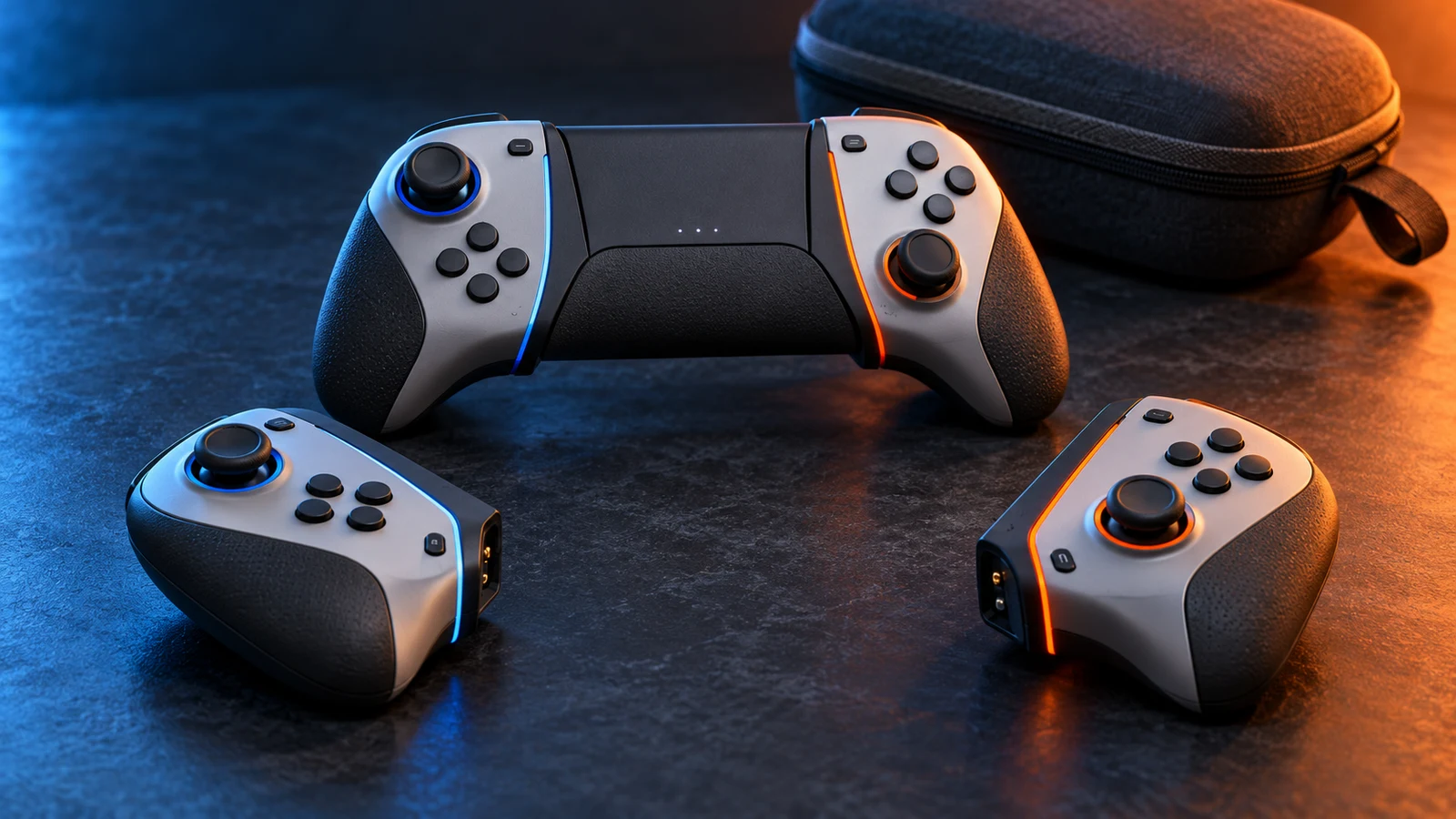
Joy-Con changes the question a console controller is expected to answer. Instead of offering one fixed object, Nintendo supplies a small collection of parts that can be rearranged around the player and the screen. The two controllers can remain attached to the console, sit together in a grip, or separate into individual units. That makes the Switch controller less like a single instrument and more like a kit: the same hardware can serve handheld play, tabletop sessions, shared play, and a more conventional setup without requiring a different console.
The detachable design also gives the Switch a clear social idea. A controller does not always have to belong to one complete player station. In compatible games and modes, one Joy-Con can be turned sideways and used by one person while another person uses the other. The small controllers are therefore not merely halves of a larger pad; they can become two modest invitations to play. That matters in a system built to move between private handheld use and a screen viewed by a group. A second player can be included with fewer parts to pass around, even if the resulting controls are necessarily more limited.
Horizontal use makes that sharing possible, but it also reveals the compromise behind it. Turned sideways, a Joy-Con presents a compact row of face buttons and a stick, with the SL and SR buttons providing shoulder-style inputs along the upper edge. The arrangement is clever because it lets a narrow object function as a complete, self-contained controller. It is not the same as shrinking a full traditional pad without consequence, though. Button spacing, surface area, and the available hand positions all change when the controller is held alone, so whether it feels natural depends on the player, the game, and the length of the session.
When the Joy-Con are used together, the Switch can restore a more familiar two-handed relationship. They may be held separately, allowing the hands to adopt somewhat independent positions, or placed in a grip that brings the controls into the outline of a conventional gamepad. In handheld mode, the rails make the controllers part of the console itself, prioritizing an all-in-one object over flexible hand placement. These are not simply cosmetic arrangements. Each one changes where the thumbs rest, how the wrists are angled, and how much the player can adjust their posture.
That flexibility is the strongest argument for compact hardware, and also its central ergonomic tradeoff. Small controllers are easier to split, store, attach, and share, but they have less room for generous grips and broad control surfaces. A Joy-Con can disappear into a portable setup in a way that a full-size pad cannot. The same compactness may feel restrictive to some hands or during demanding, extended play, while another player may prefer the ability to hold the two sides apart. There is no single comfort verdict that applies to every person or every configuration; the kit creates options rather than solving ergonomics once and for all.
Motion sensing adds another layer to the kit. Joy-Con includes an accelerometer and a gyroscope, allowing supported software to interpret movement and orientation as inputs alongside buttons and sticks. In design terms, that means the controller is not only a small collection of switches. It can be held as an independent object, tilted, pointed, or moved in ways that would be awkward to express through a conventional button layout alone. Motion does not replace ordinary controls across the system, but it gives developers another vocabulary for actions and another reason to treat each detachable half as an active device.
HD Rumble makes the Joy-Con feel more like a responsive object than a silent plastic shell. Its feedback can communicate events through vibration, giving the controller a physical channel for information in addition to the display and sound. The important point is not that rumble turns every action into a sensation, but that the feature supports more varied feedback than a simple on-or-off buzz implies. Used well, it can reinforce the Switch’s emphasis on compact, self-contained controllers: each small unit can report something to the hand that is holding it, whether the Joy-Con are paired or separated.
The word “paired” describes more than one arrangement here. A left and right Joy-Con can operate as a matched set, with each side contributing a different group of controls, or they can be recognized as separate controllers for supported multiplayer formats. They can also be paired with the console while physically detached, preserving the system’s wireless character away from the rails. The result is a controller architecture that treats configuration as part of the play session. Instead of selecting one permanent shape before starting, players can change the relationship between the controls and the screen as circumstances change.
That approach carries a social logic that older single-pad designs generally did not prioritize. A classic controller assumes that sharing means handing over the whole device or connecting another complete controller. Joy-Con instead makes the first split feel built into the product. One person can use the system in a handheld arrangement, then the two pieces can become separate inputs around a television or tabletop screen. This is particularly economical in physical terms, though not necessarily in control complexity: a divided setup may offer fewer buttons and a smaller grip than a dedicated pad, so the game must support the idea for it to work well.
Nintendo also offers a route for players who want the Switch to behave more like a traditional home console. The Pro Controller provides a larger, unified alternative with the familiar logic of a central gamepad: both hands meet around one body, the main controls have more room to breathe, and the overall shape is designed for that single-controller relationship. It does not erase the point of Joy-Con. Rather, it separates two goals that Joy-Con tries to combine: portability and social flexibility on one side, and a more conventional full-size control experience on the other.
The Switch’s controller story is therefore less about discovering one perfect successor to the NES pad than about loosening the definition of “the controller.” Joy-Con treats controls as detachable components, shared objects, motion sensors, and sources of physical feedback at once. That produces genuine versatility, but versatility always asks the player to accept some compromises in scale and shape. With a grip, a sideways half, a handheld attachment, or a Pro Controller, the system offers different answers to different situations. Its innovation lies in making those answers part of the same controller family.
The present tense: reissues, compatibility and controller memory
Classic controllers now occupy an unusual place in Nintendo’s Switch ecosystem. They are accessories for present-day hardware, but they also function as carefully managed reminders of earlier machines. An official wireless NES or Super NES controller is not simply an old object pulled from a cupboard and sold again. It is a new product that borrows a familiar shape, button arrangement and visual language while adapting those ideas to a system built around wireless play, charging and software services. That makes these controllers preservation-adjacent: they preserve a way of interacting with games without pretending that the past can be reproduced unchanged.
The Switch Online NES controller makes that distinction especially clear. Its purpose is to preserve the original NES controller’s design, including the compact rectangular form and direct, uncomplicated control scheme, but the modern version adds wireless operation and a way to recharge it. Those additions alter the practical relationship between player and hardware. The controller no longer depends on a cable running to an original console, and it belongs to a modern accessory routine involving charging and storage. The result is historically recognizable rather than literally original, which is arguably the more useful kind of preservation for a current platform.
The Super NES controller follows a similar logic while carrying a different memory of play. Its familiar cross-shaped directional pad, face buttons and shoulder buttons represent the transition from the NES’s stripped-down vocabulary to a broader 16-bit control language. A modern official version allows that arrangement to be used with Switch software intended to evoke the Super NES period, while wireless operation and charging keep it compatible with contemporary expectations. The value is not merely cosmetic. Button spacing and the shape of the controller can recall how games were learned and played, even though the electrical connection, surrounding console and software environment have changed.
The N64 controller is a more complicated piece of controller memory because its three-pronged body was built around several ways of holding it. Nintendo’s current wireless version deliberately points back to the original gray design from 1996, but it also makes its modern status obvious. It includes USB-C charging, Capture and HOME controls, and built-in rumble. That rumble is not the same arrangement as the original Rumble Pak, which was a separate accessory. The distinction matters: the new controller preserves the expected sensation and layout as part of one contemporary product, rather than reconstructing every piece of the old accessory chain.
That N64 reissue therefore preserves a set of associations as much as a shell. The unusual shape recalls the question of which grip a game expects, the central stick recalls an era when analog control was becoming central, and the extra controls place the object inside the Switch’s operating system. Its compatibility is consequently conditional on the software and platform context that support it; owning a familiar controller does not turn every Switch game into an N64 game. Preservation here is selective, with Nintendo retaining the features most useful to recognition while adding the controls required by a modern device.
The GameCube presents a different case because its controller already had a strong identity that extended beyond its appearance. Nintendo’s archived description emphasizes the two-grip design, the A button’s home position, an analog stick, analog triggers and built-in rumble. Those details explain why a GameCube-style controller can remain meaningful even when it is used outside the original console. The large primary button, asymmetrical layout and trigger feel are not decorative references; they are a particular theory of how a player should find the important controls.
GameCube support also belongs to a longer compatibility story. Nintendo’s Wii documentation treated the Wii Remote, Classic Controller and GameCube controller as distinct ways of accessing games and functions, showing that the company had already begun presenting older control schemes as options within a newer system. On Switch, GameCube-oriented controllers continue that process of translation. They can preserve the memory of a particular Nintendo machine, but their usefulness depends on the software accepting that input and on the modern platform supplying the necessary connection method. A reissue can keep a control idea alive without guaranteeing universal behavior.
The WaveBird adds another layer to this history. Its wireless play depended on a receiver and channel pairing, so it was never simply a cable-free version of the standard GameCube controller. It established a model in which freedom from the console was achieved through a dedicated communication arrangement. Historical Nintendo material also reported more than 100 hours of battery life for the WaveBird, but that is a manufacturer claim from its period, not a fresh test or a promise that should be projected onto every modern wireless controller. Remembering the WaveBird accurately means remembering both its convenience and the particular technology that enabled it.
The official wireless Genesis-style controller brings a third-party console tradition into Nintendo’s preservation program without erasing its origin. Its importance lies in the recognizable Sega layout and the way that layout represents a different answer to the same basic question: how should a 16-bit gamepad organize movement and actions? Within Switch services, the controller can make that historical distinction visible and tangible. It is not a Sega Genesis controller transported unchanged into the present, but a modern Nintendo-supported accessory that acknowledges another branch of console history.
Wireless NES, Super NES, N64 and Genesis-style controllers also turn ownership into part of the memory. Their designs invite players to identify a generation before a game has even loaded, while charging and wireless pairing place them firmly in a contemporary living room. That tension is productive. If the products were exact replicas in every practical detail, they might be awkward to use with current hardware. If they were generic wireless pads with retro colors, they would lose much of their historical meaning. Their design work sits between those extremes.
Joy-Con makes that negotiation even more visible because it treats the controller as a modular, sensor-equipped system rather than a fixed classic pad. The two Joy-Con units detach, can be used separately in horizontal play with SL and SR, and contain an accelerometer, gyroscope and HD Rumble. Those features support forms of interaction that older controllers did not have, while the detachable construction can also echo the idea that a controller’s physical arrangement is part of a console’s identity. Joy-Con does not preserve one historical controller; it preserves the modern expectation that control can be rearranged around the player and the software.
The Switch ecosystem consequently treats controller history less like a museum display and more like a living vocabulary. Classic reissues make older layouts available, compatibility determines where those layouts can speak clearly, and modern additions prevent the objects from becoming stranded artifacts. Their success as preservation-adjacent products is therefore subjective and partial: they can recover a familiar rhythm, silhouette or set of hand positions, but they cannot restore the original screen, console, cables, software context or period of play. What they preserve is the possibility of remembering through interaction, using new hardware to keep old controller ideas present.
What Nintendo’s controller history actually teaches
Nintendo’s controller history is often presented as a sequence of shapes: the rectangular NES pad, the three-pronged N64 controller, the twin-grip GameCube pad, the Wii Remote, and the detachable Joy-Con. That catalogue is useful, but it misses the more consistent idea underneath. Nintendo repeatedly treated the controller as an interface to a place and a social setting. The important question was not simply which buttons a machine needed. It was where players would sit, how they would share the room, what kind of movement a game invited, and whether an older style still carried meaning.
The NES controller established a vocabulary of directness. Its directional cross and compact button layout make the pad feel like an extension of a fixed, screen-facing position: two hands, one television, and commands that can be understood without explanation. The current Switch Online NES controller preserves that original design while adding wireless and charging changes. That makes it a useful choice when the goal is to recover the shape and rhythm associated with classic NES play, rather than merely to obtain a general-purpose modern gamepad.
That distinction matters because a faithful reproduction is not automatically the most versatile controller. The NES layout is compelling precisely because it belongs to a particular kind of play: concise inputs, a familiar orientation, and a strong connection to an earlier console environment. It can be a sensible pick for NES titles and for players who value historical continuity. It is less persuasive as an all-purpose answer to every game on a contemporary system, where different layouts and control features may be more appropriate.
The N64 controller shows Nintendo treating physical design as part of a new place in gaming. Its original gray form is immediately recognizable, but its significance is not just visual. The three-grip arrangement suggested that different games might ask the player to occupy the controller differently. Nintendo’s current wireless N64 version retains that original design while adding USB-C charging, Capture and HOME controls, and built-in rumble instead of relying on the original Rumble Pak. In other words, it preserves the object’s identity while adapting its relationship to a current console.
This is a useful warning against judging retro controllers only by modern ergonomic expectations. The N64 pad can look unusual when removed from its intended context, yet that unusual shape is part of the historical argument it makes. Someone choosing it should do so for access to that particular layout and era of design, not because “retro” guarantees universal comfort. The practical decision is whether the controller’s distinctive arrangement helps the software and setting being used, or merely adds nostalgia to a mismatched session.
The GameCube controller presents a different solution: a two-grip design organized around an A-button home position, an analog stick, analog triggers, and built-in rumble. Its lesson is that familiarity can be engineered around a central action rather than around symmetry. The face buttons do not need to form a neutral grid if the designer believes one input should feel like the center of attention. For buyers or households choosing an extra controller, that makes the GameCube pad especially relevant when its particular layout is the intended language, not simply when any wired or compatible pad would do.
The WaveBird extended that same thinking into the room. Its receiver-based wireless play and channel pairing addressed the social geography of a living room: players could sit farther from the screen and avoid running a cable across the space. A historical Nintendo annual report stated more than 100 hours of battery life, but that remains a manufacturer claim from its period, not a fresh test or a promise about present-day use. The broader point survives the qualification: wireless design changed where a player could belong in the group without changing the basic GameCube control vocabulary.
Wii made the social setting even more explicit by offering several controller paths rather than one replacement for all others. Nintendo’s support material documents Wii Remote, Classic Controller, and GameCube-controller options. That combination suggests a console designed to move between bodily pointing or motion-oriented interaction, more traditional button control, and continuity with an earlier platform. Choosing among them should therefore begin with the room and the activity. A controller for passing around during a shared session may serve a different purpose from one selected for a seated, conventional control style.
Joy-Con continues that modular approach, but makes the controller itself part of the console’s flexibility. The units detach, can be used horizontally with SL and SR buttons, and include an accelerometer, gyroscope, and HD Rumble. Those features do not merely lengthen a specification list; they support several social arrangements, from one console being shared in a compact form to two people using separated controls. The practical trade-off is that modularity creates more choices to understand. A prospective owner should consider whether detachable, rearrangeable control is valuable in their household, rather than treating every included mode as equally important.
Across these examples, Nintendo’s strongest designs are not necessarily the ones with the most functions. They are the ones whose functions reinforce a clear relationship between player, software, and room. The NES pad concentrates attention. The N64 controller makes an unusual grip part of the platform’s identity. GameCube emphasizes a central button hierarchy. WaveBird changes seating distance. Wii expands the menu of social interaction. Joy-Con turns separation and reconfiguration into ordinary parts of the console’s use. These are connected experiments, even when the hardware feels dramatically different.
The qualified conclusion is that Nintendo did not consistently treat controllers as neutral components, but neither did every unusual design become universally successful or comfortable. Shape, sensors, wireless operation, rumble, and legacy layouts are meaningful only in context. For practical use, choose a controller by the place and people involved: a recreation of a classic setup, a shared living-room session, a conventional seated game, or a flexible system used in several ways. Nintendo’s history teaches that the best controller is often the one that makes the intended setting feel natural—not the one with the longest feature list.
Related controller searches
These are Amazon US search links rather than claims about a particular listing. Before buying, check the exact model, compatibility, seller, price, warranty, availability, and regional fit.
- Nintendo Switch Pro Controller — search Amazon US
- Nintendo Switch Joy-Con pair — search Amazon US
- Nintendo Switch Online NES controller — search Amazon US
- Nintendo Switch Online Super NES controller — search Amazon US
- Nintendo Switch Online Nintendo 64 controller — search Amazon US
Affiliate disclosure: As an Amazon Associate, Joking Joystick earns from qualifying purchases. Search results do not guarantee stock or price.