A foldable phone does not automatically need another app that merely stretches a familiar interface across a larger screen. The more playful iPhone Duo software takes the opposite approach: it treats the hardware’s fold, hinge, inner display, outer display and changing orientations as parts of the interaction.
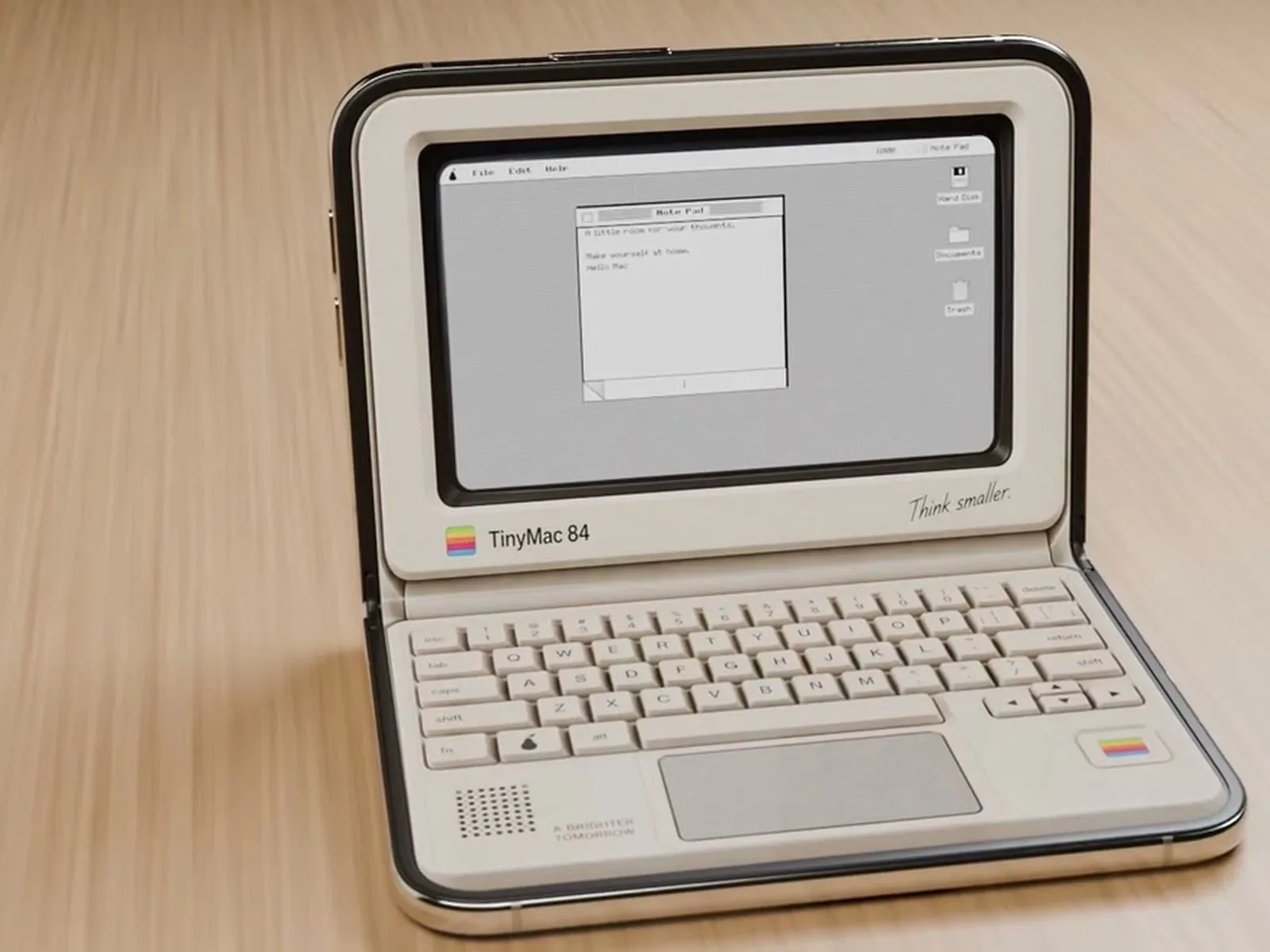
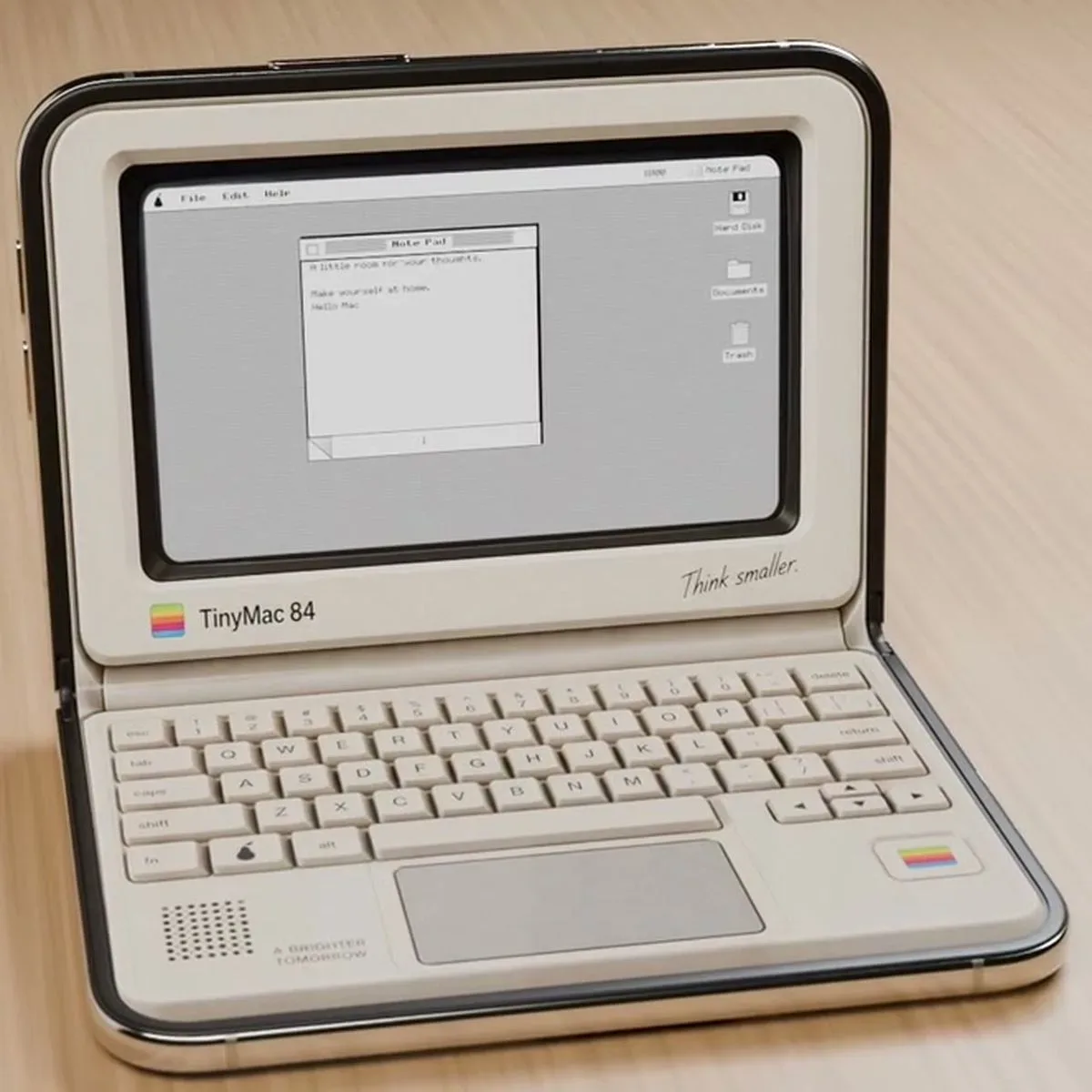
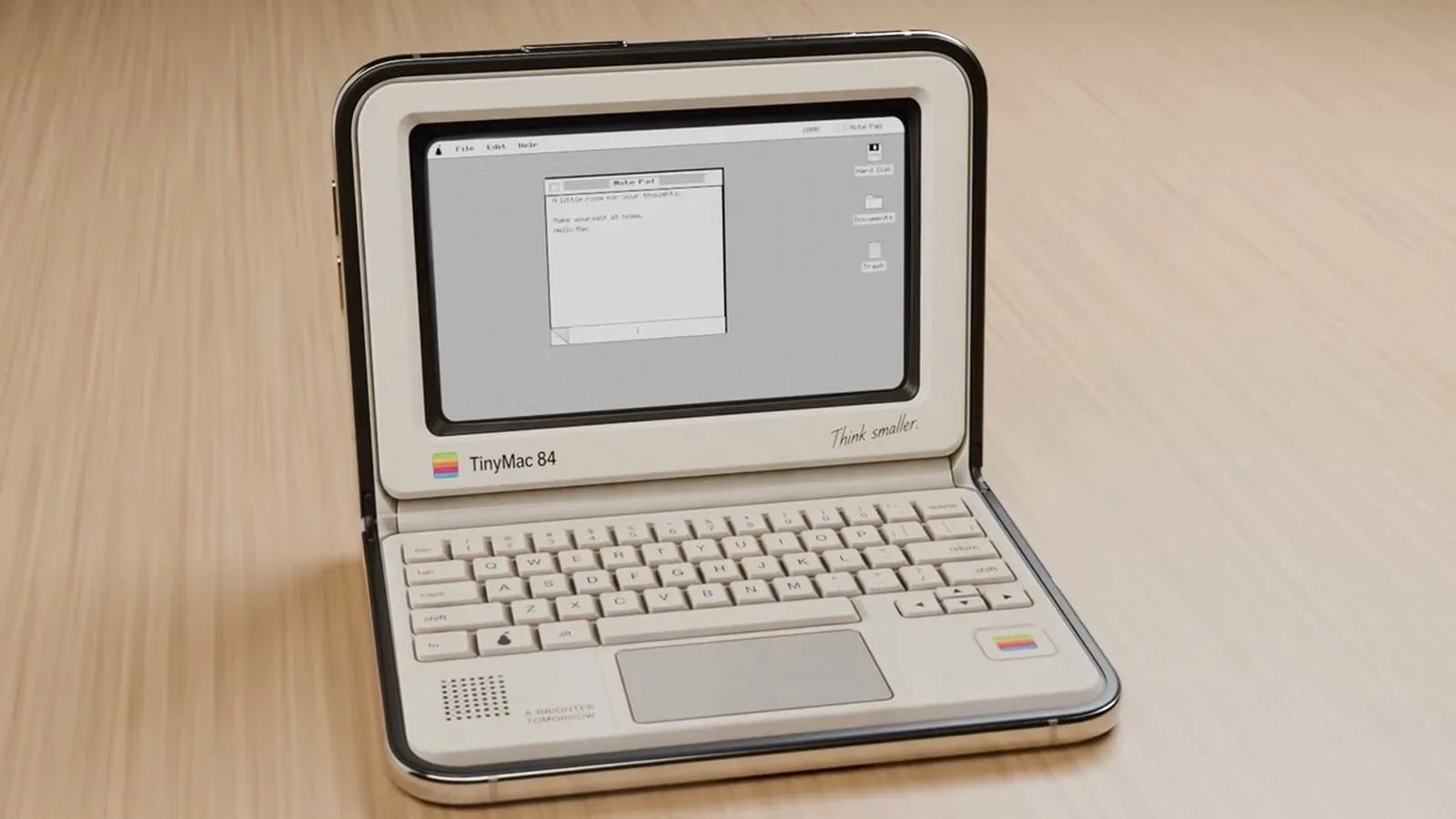
That has produced a remarkably physical set of ideas. An app can ask the user to shut the device to toast a virtual sandwich, open and close it as an accordion’s bellows, or use the two halves of the screen as the separate displays of a Nintendo DS. Other apps lean into the look of older objects, framing the Duo as a compact Macintosh-style computer, notebook or cassette player.
The unifying design language is skeuomorphism: software that borrows the visual cues, controls or behavior of a real-world object. On a conventional slab phone, that often means a decorative leather texture or a button made to look three-dimensional. On the Duo, some developers are going further. Closing the device, changing which screen is visible, or moving the hinge can become an actual part of the app’s rule set.
The fold is becoming an input, not just a screen divider
Several apps demonstrate the difference clearly. Toastie, priced at $2.99, is a grilled-cheese game in which players prepare ingredients and then close the iPhone Duo to cook the sandwich. The timing of that closed state matters because the aim is a perfectly toasted result. The premise is knowingly silly, but it illustrates a practical point: the physical action is tied to the game’s outcome rather than being an incidental animation trigger.
Fold Accordion, also $2.99, maps the Duo’s hinge movement to an accordion’s bellows. Users open and close the device while playing, and a learn mode illuminates the keys required for songs. Foldissimo offers another accordion option. These apps turn a feature that is normally a concern of device design—the hinge—into a performance control.
Duometry makes the fold itself the challenge. It presents a target angle, asks players to estimate it by folding the Duo, and then lets them lock in their guess. It is a simple concept, yet it is unusually specific to hardware that can hold varying positions.
Orisuji similarly makes the transition between screens meaningful. The paper-maze game begins on the inner display, then asks players to fold to the outer display as they solve puzzles. Meanwhile, Foldfish uses unfolding to cast, tapping to throw, and holding to reel in a catch. In each case, the physical gesture is a verb in the app’s design rather than a shortcut to a different layout.
A Nintendo DS-shaped use case for Delta
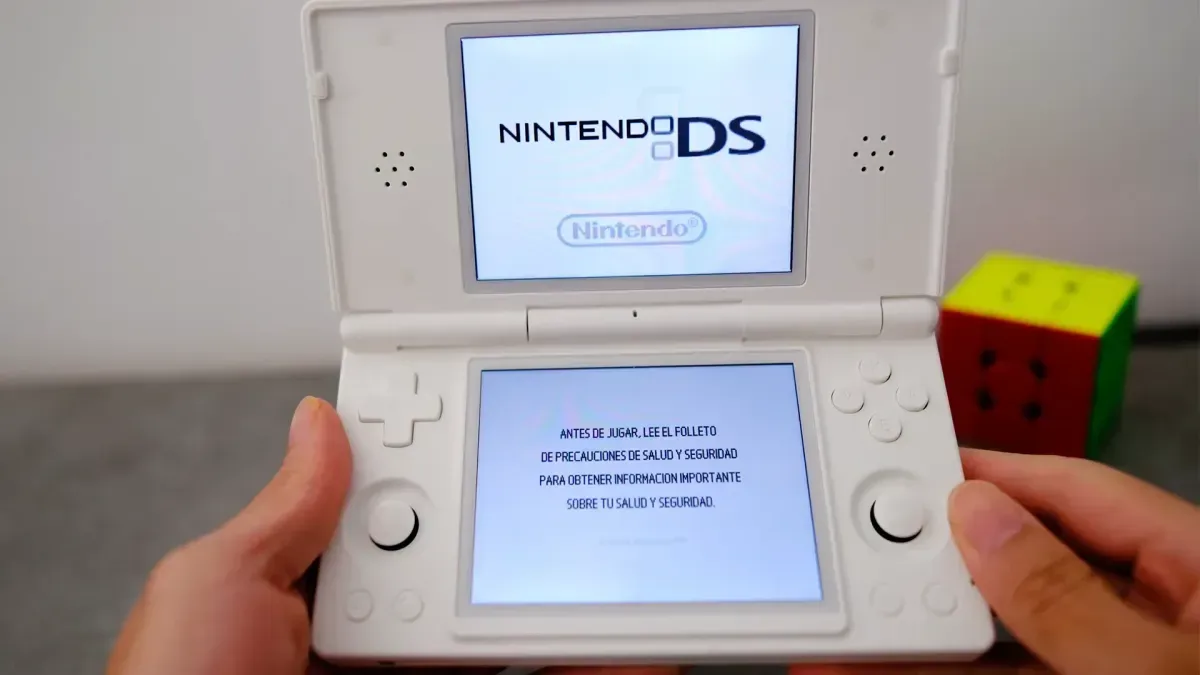
For games, the most immediately recognizable adaptation is the free Delta Game Emulator. Its iPhone Duo update gives the device a Nintendo DS-style setup, with DS controls and an arrangement that makes sense of the system’s two-screen identity.
An emulator is software that recreates the behavior of another system so software made for that system can run within it. Delta supports games from multiple systems, but the DS presentation is especially apt for a foldable: closing the Duo makes it resemble the shell of the handheld and places the current game into sleep mode.
That sleep behavior matters aesthetically as much as functionally. Nintendo DS hardware was built around opening and closing a clamshell, so mimicking that ritual creates a closer correspondence between the emulated platform and the device running it. It does not transform a foldable phone into original DS hardware, but it demonstrates why a form factor can shape the feel of an interface, not merely its dimensions.
It also fits into a broader conversation about the ways software makers and platform owners govern games and apps. For a separate example of how quickly rules and transparency debates can become central to developers, see the dispute over Steam’s AI disclosure rule. The Duo examples are less about policy and more about interface possibility, but both show that software ecosystems are shaped by choices well beyond raw processing power.
Old computers, cassettes and notebooks on a folding phone
The Duo’s portability and ability to sit partly open invite a wave of miniature-object simulations. Tiny Computers costs $3.99 and presents retro computer options inspired by machines including the Macintosh, Commodore 64, Amiga 500, iMac G3 and iBook G3. It is intended to work particularly well in a seated orientation, where one portion can serve as a display and the other as a virtual keyboard.
This is skeuomorphism in its most overt form: a contemporary foldable device impersonates an older computer arrangement. The appeal is not that the Duo literally becomes a vintage computer. Rather, the partly folded posture provides enough separation between screen and controls to suggest one.
Deck-Man, priced at $4.99, applies the same thinking to a cassette player. Users open the Duo to select music and insert a virtual cassette, then snap it shut to begin playback. TypeDraw, also $4.99, uses a notebook metaphor: it appears as a notebook when closed and opens onto writable pages. TypeDraw supports Apple Pencil.
These apps are not all trying to maximize efficiency. Selecting music from a cassette or opening a notebook may add steps compared with a standard player or notes app. That is the point. The interaction is designed to make software feel like a specific object, with a beginning, middle and end that mirrors its physical inspiration.
Creative tools make room for the hardware gesture
Fold & Squish, a free app from the developer behind Tiny Computers, uses the fold to create Rorschach-style artwork. A user paints on one half of the display, closes the phone, rubs a finger over the outer display to “squish” the paint, and opens it to view the completed image. The process turns the act of closing the phone into a simulated printmaking step.
Lake, a free adult coloring-book app, has been updated for the iPhone Duo with a full-page coloring surface in portrait orientation. Apple Pencil support is planned. The distinction here is subtler than in Toastie or Fold Accordion: the device does not necessarily simulate a physical object’s mechanism, but the larger portrait canvas changes how a coloring page can be presented.
TypeDraw’s Pencil support works in a related direction. A stylus-compatible foldable can make a notebook metaphor more compelling when its writable surface and the chosen input method both support the illusion. Still, the key fact is the present support for TypeDraw and the stated future update for Lake; the available information does not establish a timetable for Lake’s Pencil addition.
Modes matter: seated, portrait and tent
The iPhone Duo app list underscores that “foldable” is not one layout. Developers are designing around distinct physical positions.
- Seated orientation: Tiny Computers uses this posture to divide virtual display space from its keyboard.
- Portrait: Lake uses portrait holding for a full-page coloring area.
- Tent mode: Living Earth is positioned as a fit for the Duo standing in tent form, providing a clock, local weather for a chosen location and a rotating globe. Unfolding gives the globe the whole display.
- Closed state: Toastie uses it for cooking, Deck-Man uses it to begin music playback, and Delta uses it to put a game into sleep mode while visually recalling a DS shell.
For buyers and developers, that is the practical takeaway. A foldable’s value is not limited to extra square inches of display. It offers new contexts: propped on a desk, held upright as a page, partially folded as a mini laptop, or shut without fully abandoning the current activity. The best concepts here identify one of those contexts and make it central.
Relaxation and focus apps use the Duo differently
Not every application turns the hinge into a game mechanic. Portal, offered at $2.99 per month, provides more than 100 natural-environment “portals,” including a lava river in Iceland and a cloud forest in Costa Rica. It includes calming sounds, breathing exercises, focus timers and sleep timers. Its relevance is less about impersonating a physical object and more about supplying a visual, audio-focused experience across the Duo’s screen space.
Fold Focus, at $5.99 per month, takes a more explicit stance on device habits. It is a Pomodoro timer that encourages users to keep the Duo closed while working, studying or creating. Pomodoro refers to a time-management approach built around focused work intervals and breaks. In Fold Focus, time spent with the phone shut contributes to building a virtual city.
This is an interesting counterpoint to the other apps. Many Duo experiments reward opening, bending or repeatedly closing the hardware. Fold Focus rewards leaving it closed. Both approaches make the device’s physical state legible to the app, but they attach opposing meanings to it: interaction in one case, intentional distance in the other.
Small ideas, specific hardware
The remaining games add to the sense that developers are still testing the boundaries of a new interface. Nitelore is a free neon-colored anti-gravity racing game designed to look striking on the iPhone Duo. Living Earth puts its visual emphasis on a spin-able globe and local conditions. Even where an app’s mechanics are not fully detailed, the common theme is clear: these projects are made with the foldable display and its possible poses in mind.
Prices range from free offerings such as Delta, Fold & Squish, Lake, Foldfish and Nitelore to one-time paid apps including Tiny Computers, Toastie, Fold Accordion, Living Earth, Duometry, Deck-Man, TypeDraw and Orisuji. Portal and Fold Focus instead use monthly subscriptions. Anyone browsing these apps should note that their purposes vary considerably—emulation, art, music, productivity, relaxation and lightweight games—so the most useful choice depends on which aspect of the Duo format is appealing.
What makes the collection noteworthy is not a claim that every idea is essential software. A toaster game and a fold-powered accordion are deliberately niche. But they expose possibilities that generic responsive design can miss. When a device can be folded, propped, closed and reopened, its physical state can become part of an app’s vocabulary. The iPhone Duo’s early app experiments are treating that vocabulary with a welcome amount of weirdness.