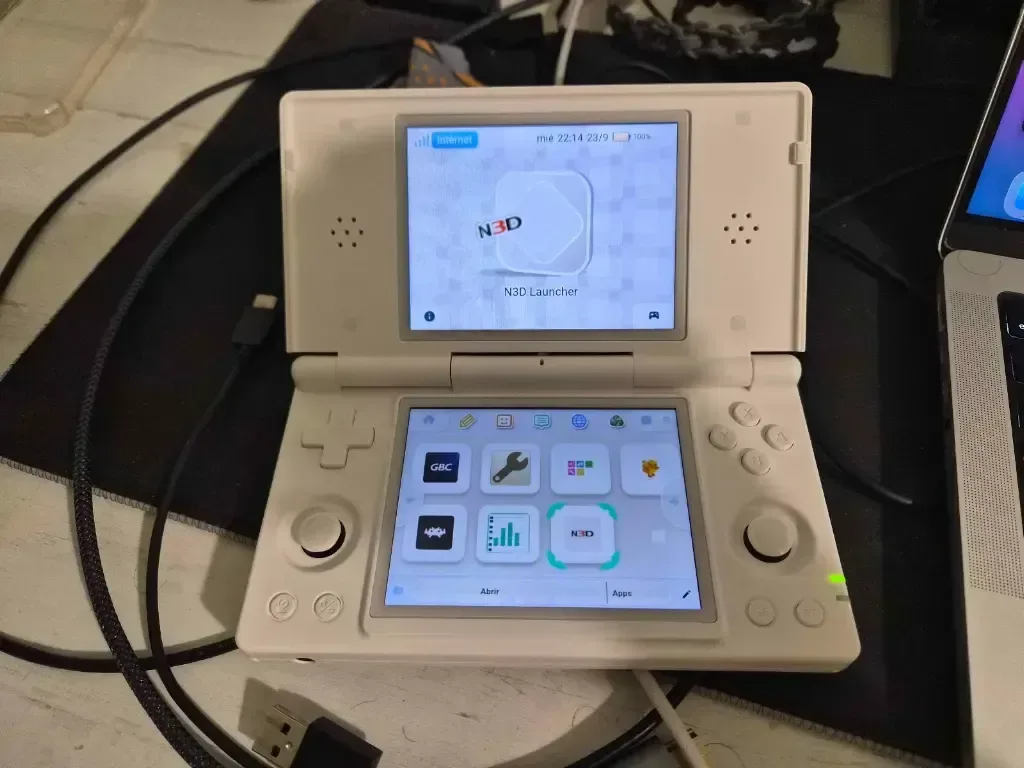
Android handhelds can run games, emulators, media apps, and ordinary mobile software, but their home screens rarely feel designed around the hardware in players’ hands. NitroDeck, a free Android launcher from Mr. Rubik, is trying to narrow that gap with an upcoming update intended for dual-screen Android devices, including the ANBERNIC RG DS.
The launcher already applies a Nintendo DS-inspired presentation to Android. Its next revision is expected within the next week or two and is designed to make practical use of two screens at once rather than simply placing a single-screen phone interface on a device that happens to fold or have a second display. NitroDeck is available now through Google Play, although the dual-screen update is not yet available.
That distinction matters. The current app is not being presented as a newly released dual-screen launcher; it is an existing launcher with a planned update. How consistently the finished version handles the particular dimensions, screen placement, controls, and quirks of different dual-screen Android hardware remains something users will only be able to assess after it arrives.
A launcher is the part of Android that shapes the whole device
On Android, a launcher is the software that provides the home-screen experience: app browsing, icons, folders or catalogs, navigation behavior, and often visual themes. It does not replace Android itself, nor does it turn hardware into a different console. What it can do is make the device’s most frequently used screen feel more focused and purpose-built.
NitroDeck’s stated pitch is a visual, controller-friendly home environment rather than a conventional app grid. It can catalog installed Android applications, provide alphabetical search, and support touch, keyboard, and gamepad input. For a handheld used primarily for games, that approach could mean less time tapping through a standard phone-like interface before launching an app or browsing a local library.
Mr. Rubik has previously made Android launchers modeled after the look of older platforms, including PlayStation 2, Wii U, and PSP-style interfaces. NitroDeck takes its cues from the Nintendo DS and DSi, and the incoming work is described as the creator’s first attempt at a launcher made with a two-screen setup in mind.
What the planned dual-screen update is trying to accomplish
The ANBERNIC RG DS is the device being used for testing. Its DS-like physical form makes it a natural match for an interface modeled after Nintendo’s dual-screen handhelds. The key appeal is not merely nostalgia: two displays create a useful division of labor. One screen can foreground the selected app or game while the other can hold navigation, decorative surfaces, system information, or another supporting element.
NitroDeck is expected to use that format for a “classic dual-screen launcher layout.” The supplied feature list also identifies both DS-style and DSi-style launcher interfaces. That wording suggests users will have at least two related visual treatments, though the available details do not establish exactly how each layout will distribute menus or content between screens.
Related coverage includes NitroDeck Android Launcher Update Targets Dual-Screen Handhelds With DS-Inspired Interface.
For people considering the update, the sensible expectation is a launcher built around the feel of the DS family rather than a full recreation of Nintendo system software. Android apps, Android’s own operating-system behavior, and the emulators a user chooses remain separate pieces of the setup. NitroDeck’s contribution is the interface that organizes access to them.
Game libraries, apps, and the “cartridge” metaphor
The app’s feature list includes local libraries for DS, DSi, and Game Boy Advance titles, plus tools for using files from folders selected by the user. It also places ROMs and emulators in a cartridge-themed section. A ROM in this context is a game file used with compatible emulation software; an emulator is software that reproduces the behavior of another system sufficiently to run supported software.
That organizational layer may be useful for handheld owners who keep their game files locally and want their installed Android software in the same interface. The emphasis on folders chosen by the user is significant: NitroDeck describes a local-library workflow rather than a storefront or cloud account built into the launcher.
However, a launcher does not itself establish the legality of any game file placed in a library. Users remain responsible for their games, files, emulator choices, and compliance with applicable law and platform rules. Nothing in the available details indicates that NitroDeck provides games or acts as a game store.
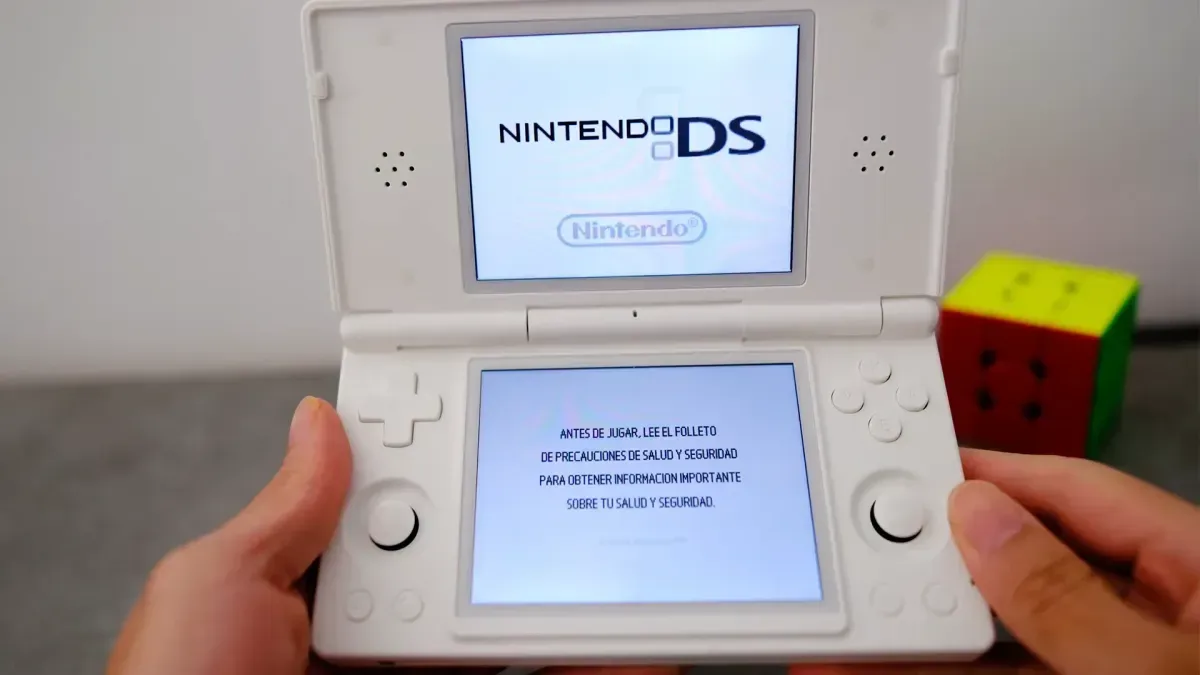
The DS resemblance is carried further by a startup sequence said to include DS-style boot imagery and sound. Along with the cartridge presentation, that degree of imitation is central to the app’s appeal—and also the reason it may draw scrutiny. Nintendo’s visual identity and startup elements are closely associated with its hardware and software. The available information does not identify any formal action or policy decision concerning NitroDeck, so claims about its legal status would be premature. Still, the project’s unusually close stylistic reference point is worth recognizing as a practical uncertainty around a third-party launcher.
Features beyond the retro presentation
NitroDeck is not limited to a skin. Its listed tools include custom application icons sourced from local images, icon-pack support, optional notification badges, sound and haptic-feedback toggles, and local backup/export functions. The alternate home surface can use the owner’s photos, offering a way to personalize the secondary visual area without abandoning the DS-inspired structure.
- Installed app catalog: a browsable collection of Android applications rather than a conventional generic home-screen grid.
- Local icon customization: users can replace app imagery with images stored on their device.
- Gamepad-friendly navigation: controls intended for a handheld’s physical buttons, alongside touch and keyboard support.
- Notification badges: optional indicators that an app has a pending notification.
- Haptics: vibration feedback associated with interface actions, which can be enabled or disabled.
- Backup/export: local tools intended to preserve or move launcher configuration.
The offline-first claim is another notable part of the design. Mr. Rubik describes NitroDeck as requiring no account and using no analytics or tracking. In simple terms, that means its advertised design does not depend on a sign-in identity or on transmitting usage metrics for analytics. For a personalized launcher that may index local folders and custom images, that emphasis could appeal to users who prefer a self-contained setup.
Why controller navigation is more than a small extra
A standard Android home screen is usually made for fingers. On a compact handheld, physical controls can be a faster and more comfortable way to move through a library. NitroDeck’s controller support is therefore one of its more consequential features, particularly when paired with alphabetical search and an app catalog.
A good controller-oriented launcher should allow users to get from power-on to a chosen application with predictable directional input, clear selection focus, and minimal need to reach for the touchscreen. NitroDeck says its controls are designed for handheld Android devices, but the practical quality of that promise will depend on the final update. It is not yet clear how it will behave across other dual-screen Android models, how broadly it will support varying button layouts, or whether all parts of configuration will be equally gamepad-accessible.
Those are not minor implementation details. On a dual-screen device, readability, focus behavior, and the handoff between the screens can make the difference between a themed interface and one that feels genuinely integrated with the hardware.
What to watch once the update lands
Prospective users should keep the present scope in view. The update is specifically being tested on the ANBERNIC RG DS, and that is the clearest hardware reference available. “Dual-screen Android handheld” should not be read as a guarantee of identical results on every device with two displays.
The most useful things to check after release will be straightforward:
- Whether the launcher detects and uses both displays as intended on the target hardware.
- How smoothly physical controls work through the catalog, search, settings, and local libraries.
- Whether existing Android apps and selected local folders are easy to organize.
- How backup and export work before investing time in extensive icon and library customization.
- Whether the visual imitation and boot presentation remain acceptable to the platforms distributing the app.
For now, NitroDeck’s appeal is clear: it attempts to give a dual-screen Android handheld a coherent DS-era identity from the moment its owner turns it on, while retaining everyday Android apps and locally organized game libraries. The app is already free to download, but the part that makes it most relevant to DS-shaped Android hardware is still pending. Until that update arrives, its promise is a compelling interface concept rather than a finished verdict on dual-screen Android usability.
It also arrives during a period when platform identity remains a powerful pull for players, whether the conversation is about new releases or the history and design language surrounding them. For a broader look at the industry’s current gaming conversation, see the Golden Joystick Awards 2026 nominations.