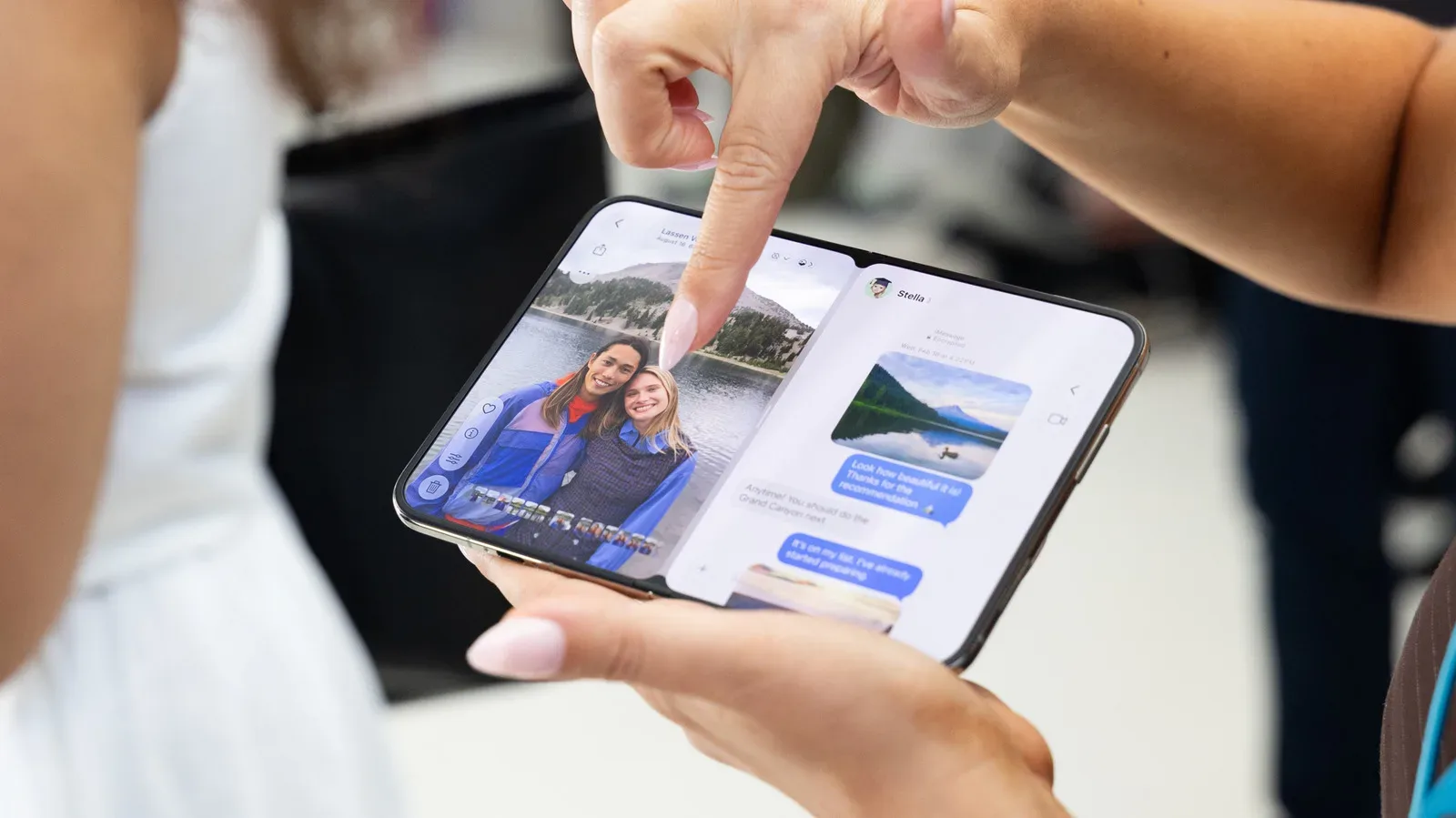
FaceTime calls on iPhone Duo come with a small but noticeable social-tech wrinkle: the device does not offer the Eye Contact setting. That means Duo owners cannot enable Apple’s visual adjustment intended to make it appear as though they are looking directly into the camera while they watch the other caller on-screen.
It is an easy feature to overlook until a call feels subtly wrong. People naturally look at a face on the display, not the tiny camera that captures them. To the person on the other end, that creates the familiar impression that their caller is looking slightly away. On iPhone Duo, a user noticed that their gaze seemed “a little off” during a call, leading to the discovery that Eye Contact was not present in settings.
The absence is notable not simply because one switch is missing. It highlights a broader challenge for devices that depart from the conventional phone layout: features based on cameras, screen position, and the direction of a user’s gaze can become far more complicated when the hardware can fold and offer more than one screen arrangement.
What FaceTime Eye Contact is designed to do
Eye Contact arrived with iOS 14. It uses machine learning—software trained to recognize and process visual patterns—to make a subtle correction to a caller’s eyes during a FaceTime video call. The aim is not to alter where someone is actually looking. Rather, it adjusts the on-screen image so their gaze appears closer to the camera lens.
That distinction matters. During a normal call, the other person’s face usually sits below, above, or otherwise slightly apart from the front-facing camera. Looking at that face is how conversation works, but it can read as averted eye contact to the remote participant. Eye Contact tries to close that gap in the transmitted video.
On a typical phone, the mismatch is comparatively predictable. The front camera is near one edge of a single display, while the call participant’s image is generally somewhere else on that same panel. A correction can be designed around a relatively small, mostly vertical difference between the viewer’s line of sight and the camera’s position.
iPhone Duo appears to present a more difficult version of that problem. Its inner-display under-display camera sits toward the right side of the screen. In a FaceTime call, the face a user is watching would ordinarily be closer to the display’s center. Instead of accounting for a modest up-or-down separation, the system may need to accommodate a larger sideways offset.
The missing setting is unlikely to be just about Face ID
At first glance, iPhone Duo’s lack of Face ID and a TrueDepth camera system might seem the obvious explanation. But that theory does not fit the available comparison: iPhone SE models with Touch ID also provide the Eye Contact option in Settings.
That makes camera placement a more persuasive possibility than the absence of Face ID alone. It is still important to separate that explanation from a confirmed reason. The confirmed part is straightforward: Eye Contact is not available on iPhone Duo. The explanation involving the off-center inner camera is a reasonable technical inference, not a stated confirmation of why the feature was excluded.
Under-display cameras also add another layer to the situation. Here, the camera is positioned beneath the display rather than occupying a conventional visible cutout or camera area. Whatever its visual advantages, its placement on the right side means the relationship between camera, screen content, and a user’s eyes differs from the geometry used by a standard iPhone.
Folding states make gaze correction a moving target
The Duo’s physical design complicates matters beyond the placement of a single camera. The position of that camera relative to a user’s eyes changes depending on which display is being used and how the phone is folded. Put simply, the device does not always present FaceTime in one fixed orientation.
For Eye Contact, that matters because the feature has to produce a convincing adjustment rather than an obvious manipulation. A correction suitable for one screen, posture, or folded state may be unsuitable for another. When the camera is farther to one side, software would need to account for a more pronounced horizontal gaze discrepancy. When the device changes configuration, the relevant geometry can change too.
This is why “just move the eyes toward the lens” is an incomplete description of the task. The software has to determine where the camera is, infer where a person’s eyes are directed, and transform the visible result in a way that remains believable. A larger sideways correction could be technically more demanding and may also carry a greater risk of looking unnatural.
Apple’s existing handling of another gaze-focused capability points in the same direction. Eye Tracking, an accessibility feature that uses gaze as an input method, is already limited to situations where iPhone Duo is fully open. That restriction does not establish the reason Eye Contact is missing, and the two features do different jobs. But it does show that the Duo’s multiple physical states can matter when software relies on where a user is looking.
Eye Contact and Eye Tracking solve different problems
The similar names can make these features sound interchangeable, but they are built for distinct purposes:
- FaceTime Eye Contact changes the appearance of a caller’s gaze in outgoing video so that it seems more camera-directed.
- Eye Tracking is a gaze-based accessibility tool, using where a person looks as a way to interact with the device.
Both rely on an understanding of a user’s eyes and gaze, which is why their Duo limitations are worth considering together. But one is a video-call presentation effect and the other is an input method. The restriction on Eye Tracking should not be read as proof that Eye Contact cannot ever work on iPhone Duo. It is evidence only that at least one gaze-related feature is currently constrained by the phone’s fully open state.
What this changes for FaceTime calls
For Duo owners, the immediate practical effect is uncomplicated: there is no Eye Contact setting to switch on. Calls can still proceed normally, but the usual disconnect between looking at a caller’s face and looking into the camera may be more visible than some users expect.
That is not the same as a camera failure or a FaceTime malfunction. The reported issue is the feature’s absence, not evidence that video calls themselves are broken. Nor is there evidence here of a workaround, a promised update, or a timetable for Eye Contact support on iPhone Duo. Users should be cautious about treating online speculation as confirmation that a software update will add it.
There are, however, simple behavioral ways to reduce the appearance of looking away in any video call: briefly look toward the camera when making an important point, and avoid assuming that watching the person’s on-screen image will read as direct eye contact to them. Those habits are not replacements for Apple’s processing, but they explain the core visual mismatch the feature was designed to address.
For buyers, the episode is a useful reminder that a novel device shape can affect software details as well as obvious hardware traits. Foldable or multi-display designs do not merely change screen size; they change where cameras sit, which screen holds call controls, and how facial or gaze-based systems interpret the user. The same theme comes up in the broader ownership equation around the device, including the repair considerations discussed in iPhone Duo repair math and AppleCare.
A small omission with a meaningful design lesson
Eye Contact is a modest quality-of-life tool, not the foundation of FaceTime. Yet its absence on iPhone Duo reveals how much invisible coordination is required to make modern communication software feel natural. On a familiar slab phone, designers can work from stable assumptions about where a camera sits relative to a display. On a device with an under-display camera positioned to one side and multiple folded configurations, those assumptions no longer hold as neatly.
The most likely explanation is therefore not a simple missing component, especially given Eye Contact’s presence on Touch ID-equipped iPhone SE models. The more compelling possibility is that iPhone Duo’s camera and display geometry demands a type of correction that differs materially from the one used on regular iPhones.
Until Apple says more, that remains analysis rather than an official explanation. What is certain is narrower: iPhone Duo does not include FaceTime Eye Contact, and owners who notice an off-center gaze during calls are seeing the effect of that omission rather than overlooking a hidden setting.