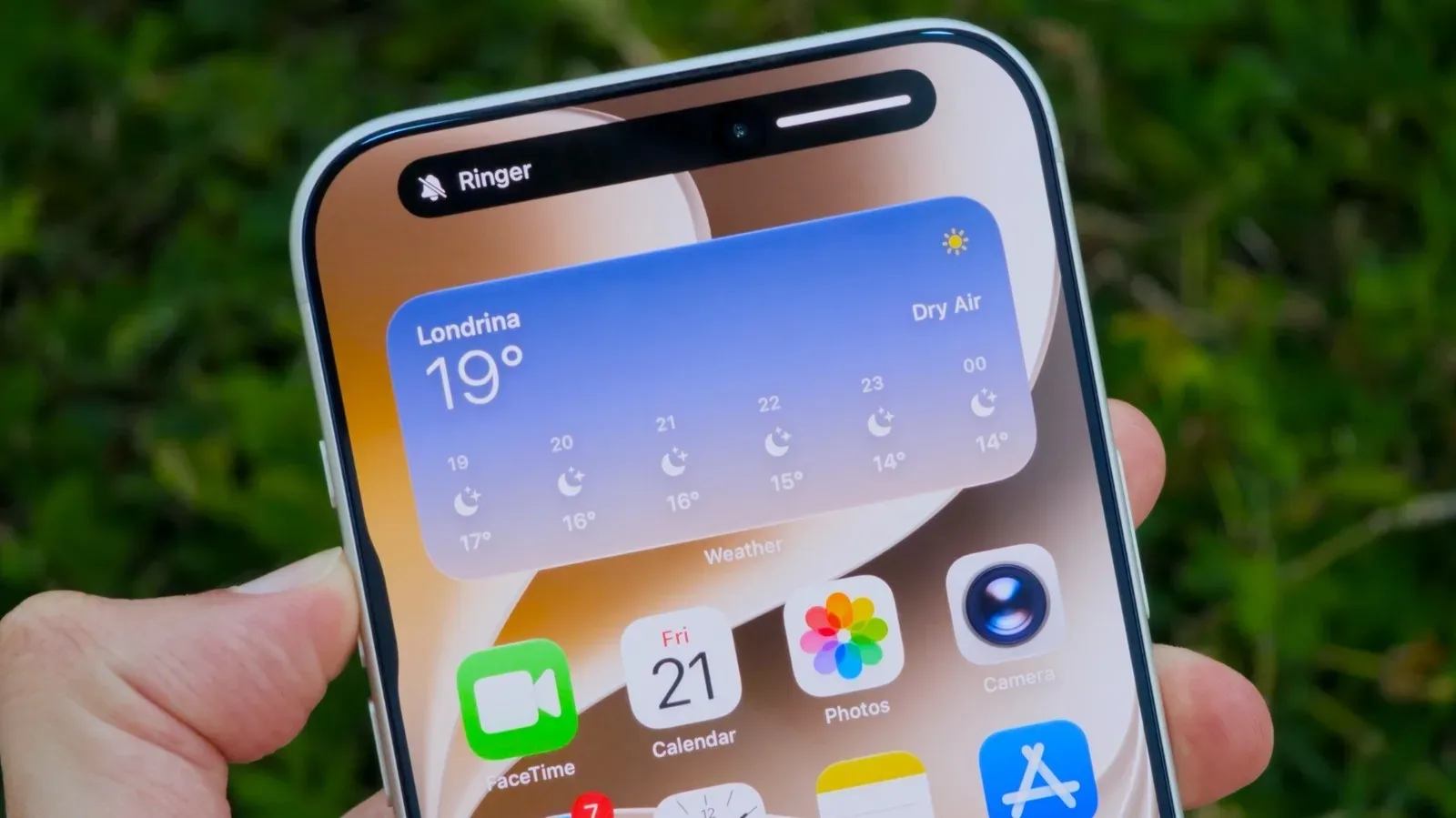
For years, the iPhone bedtime routine has contained a small but consequential bit of volume-management anxiety: turn down the ringtone so calls and alerts do not interrupt the night, then wonder whether that same move has quietly weakened tomorrow morning’s alarm. iOS 27 is set to make that balancing act far less awkward by introducing independent volume control for alarms and timers.
The change is modest in appearance but potentially huge in everyday use. An iPhone owner can keep ringtone and alert sounds low—or mute those categories entirely where appropriate—while choosing a distinct, louder level for alarms and timers. In other words, the device can remain a considerate bedside companion overnight without surrendering its job as the morning’s increasingly panicked dungeon master.
It is a quality-of-life adjustment rather than a flashy headline feature, but those are often the software changes that become indispensable. A separate alarm-volume slider gives people a more direct answer to a familiar need: notifications should not be able to compete with an important wake-up call just because both once shared a volume relationship.
How to separate alarm volume from ringtone volume in iOS 27
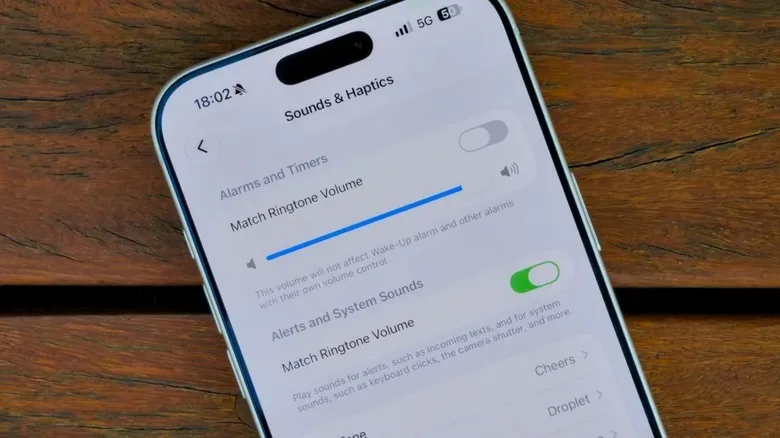
Once an iPhone is running iOS 27, the relevant controls are found in Settings, under Sounds & Haptics. The feature sits in an Alarms & Timers section.
The key setting is called Match Ringtone Volume. Turn that toggle off, and iOS 27 reveals a dedicated slider for alarms and timers. Set the slider to the level that makes sense for the room, the distance from the bed, and the seriousness of the appointment or school run waiting on the other side of sleep.
- Open Settings on the iPhone.
- Select Sounds & Haptics.
- Find the Alarms & Timers section.
- Switch off Match Ringtone Volume.
- Use the newly available slider to choose an alarm-and-timer volume.
After that, future ringtone-volume changes should no longer alter the selected volume for alarms and timers. The intended result is straightforward: calls and alerts can be kept at a lower level, while a wake-up alarm retains the louder setting chosen specifically for it.
That is particularly useful for anyone who prefers a quiet phone during an evening game session, a movie, a meeting, or overnight hours. There is no need to preserve a loud ringtone merely as insurance for the next day’s alarm. It also removes one of those settings traps that feels invisible until it causes a very visible problem—namely, waking up late.
Why an independent slider matters
A ringtone is usually a request for attention from somebody else. An alarm is an instruction from your past self, who was extremely confident that you would be grateful at 6:30 a.m. They are not the same kind of sound, and iOS 27’s new control treats them accordingly.
Some people want calls to be audible throughout the day but soft enough not to dominate a room. Others need notifications subdued while concentrating, streaming, or playing a game, yet still need a reliably prominent timer for cooking, breaks, medication reminders, or a scheduled departure. A shared volume setting forces compromises between those tasks. A separate control turns them into distinct decisions.
The feature is also helpful for users who set their phone on the other side of a room to avoid the classic half-awake snooze-button loop. In that setup, an alarm may need considerably more volume than a ringtone does during normal daytime use. With iOS 27, the alarm can be configured around the practical reality of waking up, not around the comfort level of a phone call arriving at lunch.
With separate controls, lower ringtone volume no longer has to mean lower alarm volume.
There is an equally valuable reverse scenario. Someone may want a gentle alarm and timer level while allowing a louder ringtone during working hours. Independent controls do not dictate which category must be loud; they simply provide the freedom to decide.
More sound controls are part of the update
iOS 27’s sound-management changes extend beyond alarms and timers. The update also offers more options for holding system sounds at their own fixed volume. This includes sounds associated with notifications and the keyboard.
The principle is similar to the new alarm control. If a person does not want system alerts to rise or fall with ringtone adjustments, they can switch off the applicable matching option in the Sounds & Haptics settings. That separation may be welcome for anyone who needs an audible alarm but does not want every notification or keyboard tap to become an unexpectedly loud co-star.
This is less about making an iPhone noisy and more about making it predictable. A device used throughout work, entertainment, travel, communication, and sleep has multiple sound jobs. When several categories are tied together, one quick change can have unintended consequences. Breaking those links offers more deliberate control over what the phone says, when it says it, and how insistently it says it.
Do the volume buttons change ringtones or media?
iPhone users can also choose whether the physical volume buttons affect ringtones or only media playback. That capability is not new to iOS 27, but it remains relevant in a broader discussion of volume control because it determines what happens when the side buttons are pressed.
For people who frequently adjust music, videos, or game audio, having the buttons handle media alone can reduce the chance of changing ringtone behavior by accident. Conversely, users who prefer immediate control over calls and alerts may choose the alternative behavior. The important point is that this setting is worth checking, especially for anyone trying to build a dependable alarm routine.
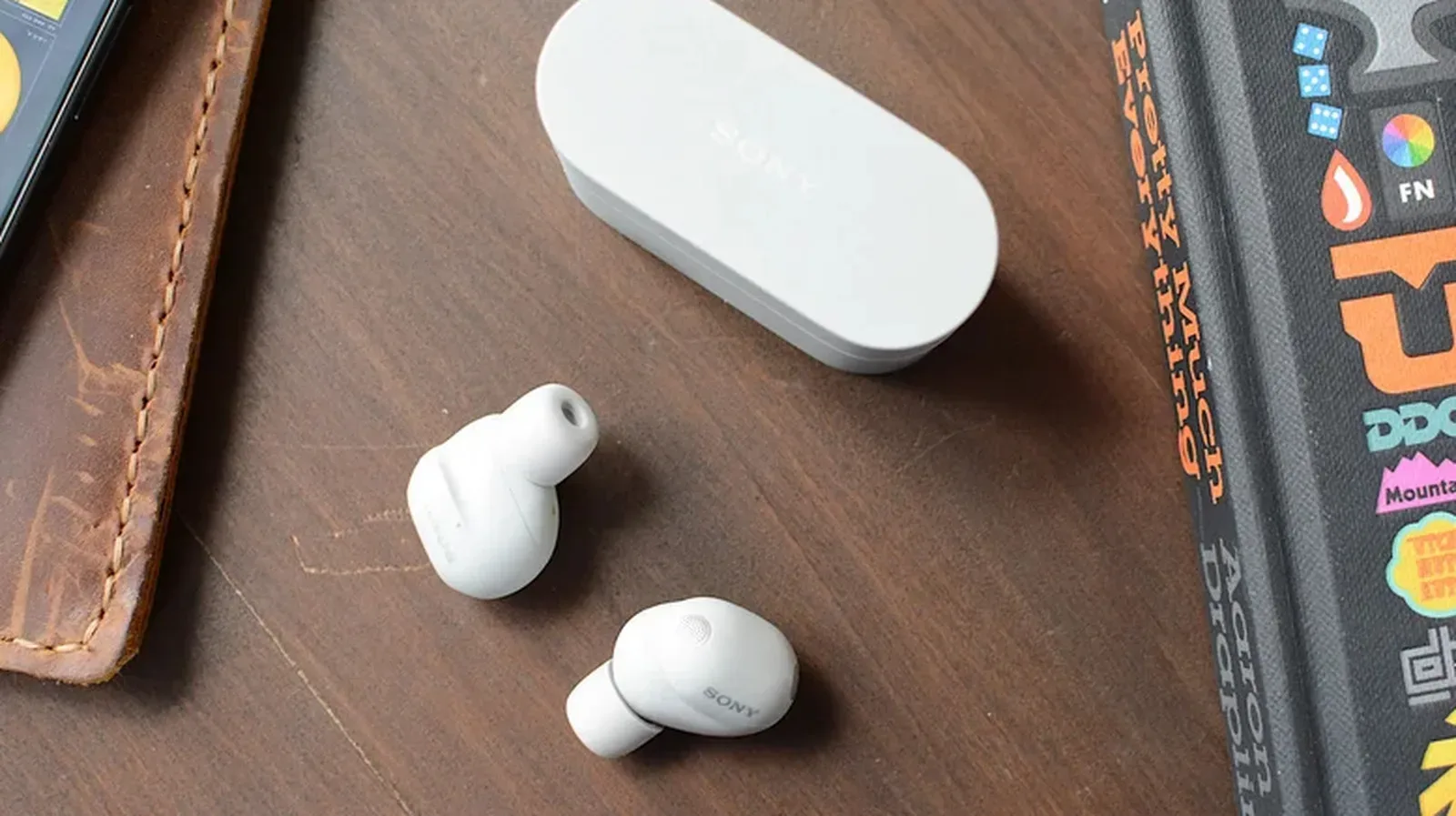
Gamers who use an iPhone as a companion screen, chat device, music player, or mobile platform may find this especially useful. The ability to reduce media sound on the fly without unexpectedly changing an important ringtone-related setting makes a busy setup a little easier to manage. For more audio-focused gaming hardware considerations, see our look at which Sony flagship earbuds make more sense for gamers.
Changing it back is uncomplicated
No setting is permanent if it does not suit the way an iPhone is used. Anyone who decides they prefer alarms and timers to follow ringtone volume again can return to Settings > Sounds & Haptics and re-enable the matching toggle. The same applies to the expanded system-sound controls: switches can be restored whenever a linked-volume setup becomes preferable.
That reversibility matters because sound preferences vary enormously. A quiet office, a shared home, a dorm room, a commute, and a bedroom all call for different behavior. The best configuration is not necessarily the loudest or most segmented one; it is the one that prevents surprises.
What else is expected in iOS 27
The separate alarm control arrives as part of an iOS 27 update described as focused on smaller refinements alongside larger interface and assistant work. Siri AI is among the new additions intended to improve Apple’s virtual assistant, while the Liquid Glass design is expected to become clearer and easier to read following user feedback.
None of those changes replace the practical importance of a dependable alarm. Big visual redesigns and smarter assistants may dominate conversations around a major operating-system release, but a setting that helps ensure a phone rings at the intended level can be more immediately meaningful than an ambitious new interface effect.
Apple commonly delivers major software releases in September alongside new hardware, although no precise public availability date for iOS 27 has been specified here. A public beta is available for people who do not want to wait for the full release.
Think carefully before using a beta for your only alarm
A public beta offers early access, but it also carries the usual possibility of bugs and unexpected behavior. That is especially worth considering when testing a feature connected to alarms, timers, and daily schedules. Back up the iPhone before installing beta software, and weigh whether early access is worth placing experimental software on a device that handles essential reminders.
The safest approach for many people will be to wait for the public release, then set the alarm slider, lower the ringtone level to a comfortable range, and check the Sounds & Haptics configuration one more time. It is a small bit of setup for a welcome outcome: calls can stay quiet, notifications can mind their business, and the alarm can still arrive with enough authority to defeat even the most determined snooze-button champion.