Passwords, passkeys and two-factor authentication are designed to stop somebody else from getting into an account. They are much less effective when a criminal persuades the account owner to approve the harmful action themselves. Apple’s new Impersonation Risk Detection feature in iOS 27 and iPadOS 27 is aimed at that uncomfortable gap: the moment a convincing caller, text message or other contact tries to rush someone into sending money, changing security details or handing over access.
The feature is opt-in and works with apps that choose to support it. When a person takes a sensitive action in one of those apps, the app can request a real-time risk assessment from the device. The iPhone or iPad evaluates signals including interaction patterns, timing, context and basic sensor data, then returns a simple risk label. The app does not receive the underlying data used to reach that assessment.
It is a notable approach because the focus is not simply on whether a password is correct. It is on whether the behavior around a high-stakes decision appears consistent with someone being manipulated. That makes it potentially relevant to payment, financial and account-management apps, though Apple has not published a list of apps that support the capability.
What social engineering means in this context
Social engineering is a security term for attacks that exploit human trust, fear or urgency instead of breaking technical protections directly. A scammer may claim to represent a bank, a government body or another trusted organization. They may frame an unexpected contact as a fraud alert, tell the target an account is in immediate danger, or insist that a transfer or security change has to happen now.
The goal is often to make a person override their usual caution. That distinction matters. If an attacker steals a password and attempts to sign in, a service may spot an unfamiliar device or request a two-factor code. But when a scammer convinces the genuine user to enter the code, approve a payment or modify recovery information, many conventional safeguards have limited ability to identify the manipulation.
AI can make impersonation attempts more persuasive, but the core technique is not new: manufacture pressure and push the target to act before they have time to independently verify the claim. Impersonation Risk Detection is intended to look for suspicious circumstances around that pressured action rather than to determine whether a caller’s story is true.
That is an important limit. A risk assessment can offer a warning signal; it cannot prove a transaction is fraudulent or guarantee an action is safe. Apple’s lowest result is called Unknown, not “safe.” Users should treat it as a lack of detected suspicious activity, rather than permission to continue without checking who they are dealing with.
How the risk labels work
When a compatible app asks for an assessment, the device can return one of three results:
- Unknown: The system has not detected suspicious activity. This is not a declaration that the action is legitimate.
- Medium: The assessment has found some signs of suspicious activity.
- High: The assessment has found major signs of suspicious activity.
The label is deliberately much simpler than the behavior analysis behind it. A supporting app gets an indication of risk, not a report containing personal material or a detailed explanation of each signal. That design has two practical effects. It can give developers a basis to add friction at the precise moment a scammer wants speed, while limiting the information shared beyond the device.
The app developer decides what to do with the label. A medium or high result could lead an app to ask for additional identity verification, present a warning or impose a brief waiting period. Those responses are examples rather than a fixed, universal Apple process. One supported app may handle a risk result differently from another, and an app that has not integrated the feature will not request an assessment at all.
That developer-controlled response is crucial to setting expectations. Enabling the setting does not mean every payment, setting change or account action on an iPhone or iPad is automatically monitored and blocked. It creates a privacy-conscious risk signal that participating apps can use. The eventual usefulness of the feature will therefore depend substantially on adoption in apps where scam-driven actions can cause the greatest harm.
Why processing on the device matters
Apple says the assessment runs entirely on the device. In practical terms, Apple does not receive a user’s photos, messages or other personal content for this feature. A participating app receives the risk label without the data that produced it.
This is often described as on-device processing: analysis performed locally by the phone or tablet instead of sending the relevant material to a remote service for evaluation. The privacy value is particularly clear here because a tool trying to recognize an in-progress scam could otherwise raise difficult questions about how much intimate communication or activity is being inspected and where it is stored.
On-device processing does not turn the tool into a universal scam detector. It is an assessment tied to supported app requests and sensitive actions. Still, the model addresses a real design challenge: helping an app react to possible coercion while avoiding the need to provide that app with the private behavioral details used in the assessment.
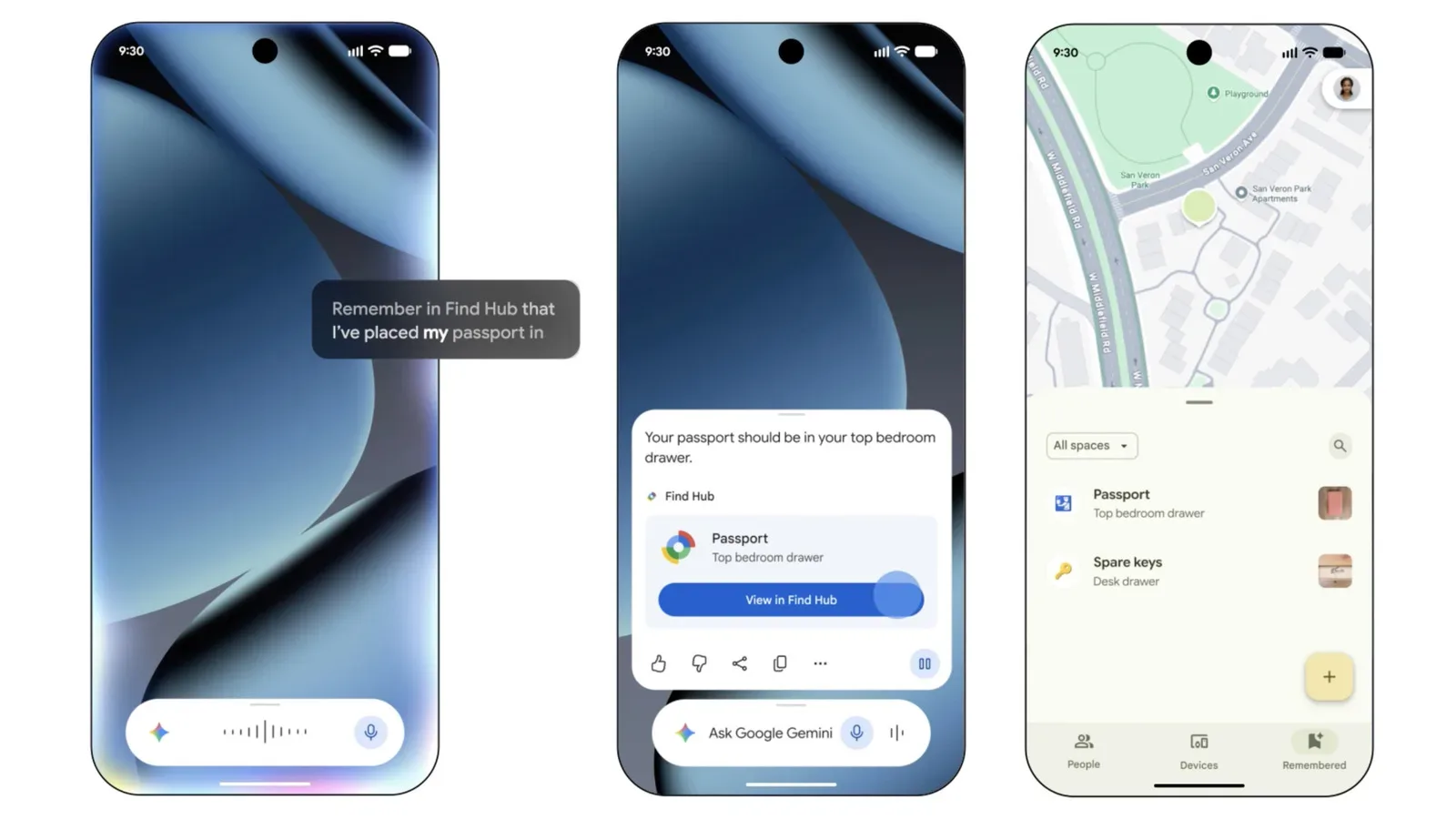
It also makes the setting a complement to, not a replacement for, existing account protection. Two-factor authentication remains valuable for stopping unauthorized access. Password managers can still help people use unique credentials. Browser anti-tracking tools can still reduce certain kinds of online profiling. But none of those can fully resolve a situation where a trusted-looking stranger has convinced the legitimate account holder to press “approve.” For adjacent privacy and security concerns around personal digital information, readers can also see how another device feature handles remembering where important documents were placed.
How to enable Impersonation Risk Detection
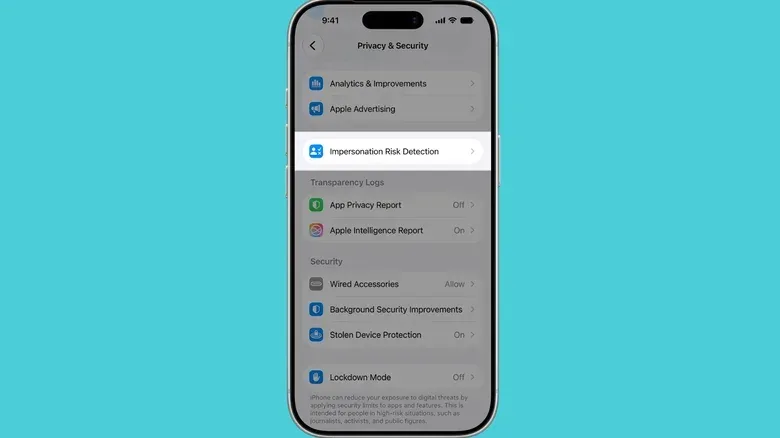
On an iPhone or iPad running the relevant software, the opt-in control is located in the privacy and security settings:
- Open Settings.
- Select Privacy & Security.
- Scroll to Impersonation Risk Detection.
- Turn on Share with App Developers.
The same area lets users see which apps have requested a risk assessment, why they requested it, and adjust access. That visibility is useful because the system is not meant to silently hand information to every installed app. A person can review which developers are actually using the capability and make decisions app by app.
There is also an intentional delay around disabling it: turning the feature off can take up to 24 hours to take effect. Apple specifically flags a request to disable the setting as a potential warning sign. That makes sense in the threat model the feature targets. A fraudster trying to steer someone through a harmful transaction may see the security control as an obstacle and instruct the target to remove it. The delay can prevent an impulsive change from immediately helping that scheme.
What a warning should prompt you to do
A medium or high risk label should not be treated as a verdict, but it is a good reason to pause. The most useful response to pressure is to create time and move verification to a channel the possible scammer does not control. Do not rely on a phone number, link or callback route supplied in an unexpected message. Instead, independently open the relevant app or use contact information already known to belong to the organization.
Likewise, someone contacting you unexpectedly should not need your password, security code or immediate approval of a transaction simply because they claim an emergency. A real security issue can be checked without staying on a pressured call or following a stranger’s instructions. The feature’s potential value is that a compatible app may inject a pause at exactly the point when that common-sense check is easiest to skip.
For people helping family members or others who may be frequently targeted, the opt-in setting and app-request history offer a straightforward starting point for a conversation about scam resistance. The most practical message is not that a phone will decide every risky situation correctly. It is that security tools work best alongside a deliberate habit: slow down, verify independently and be especially wary of anyone demanding immediate action.
Adoption is the key unanswered piece
Impersonation Risk Detection has a promising role because it targets manipulation rather than only unauthorized logins. Yet its reach is currently uncertain. It works only in apps built to support it, and no list of participating apps has been published. Until developers integrate it, users may have the setting enabled but rarely encounter an app that requests an assessment.
There are also unavoidable judgment calls for developers. An aggressive response to a risk label may frustrate a person trying to complete a legitimate urgent task. An overly subtle warning may not interrupt a scammer’s momentum. Identity checks, waiting periods and well-written warnings are potential ways to provide a second chance to reconsider, but their effectiveness will depend on how each app implements them.
Even so, the feature represents a useful shift in emphasis. Digital security is often portrayed as a locked door: use a strong password, add a second factor, and keep intruders out. Impersonation scams exploit the fact that the person holding the key can still be deceived. By offering compatible apps an on-device, real-time indication that a sensitive action may be happening under suspicious circumstances, iOS 27 and iPadOS 27 add a possible interruption to that playbook—without sharing the device’s underlying personal data with the app requesting the result.