
Apple’s first iOS 27.3 developer beta is shaping up as more than a routine polish pass. The update, which is not expected to reach the public before December, touches the places where an iPhone tends to become most personal: its assistant, browser, health records, accessibility settings and companion watch.
The headline is a more capable Siri AI, including new actions in Apple’s own apps and an experimental route for third-party developers to make their apps responsive to more meaningful spoken requests. Elsewhere, Safari is gaining optional Vertical Tabs and Adaptive Dark Mode; the Health app is returning in a substantially revised form; and iPhone Duo owners receive changes aimed at making the unusual wide, folded form factor less awkward in one hand.
For Apple Watch Series 12 and Ultra 4 owners, iOS 27.3 and watchOS 27.3 also enable Audio Intelligence features that had been promised but not initially switched on. Their usefulness is obvious, but so is the privacy question: a watch that can summarize what it hears requires deliberate setup and a clear understanding of when it is listening.
Siri AI moves from answers toward actions
iOS 27 introduced Siri AI in September, while iOS 27.2 added language support including French, Japanese and Portuguese. iOS 27.3 continues that expansion with Traditional Chinese, Vietnamese, Turkish and Norwegian.
More important than the language list, however, are the additional actions inside Apple apps. Siri can handle more requests involving Calendar, Mail, Messages, Photos and Safari. Examples include creating an Apple Music playlist, scheduling an iMessage for later and rotating a photo. These are small jobs individually, but they point toward a different assistant experience: less time spent asking for a fact, more time spent asking the phone to complete a task.
That distinction matters. A voice assistant that retrieves information still leaves the user to navigate buttons, forms and menus. An assistant that carries out an action has to understand the request, identify the correct item or account, and present the result without causing a costly mistake. Scheduling a message is low stakes; ordering food or making a booking is more consequential.
What App Intents means
The larger change is a new Siri AI API based on App Intents. An API, or application programming interface, is a set of tools and rules that lets software communicate with another service. In this case, it is intended to let developers describe actions their apps can perform so that Siri can invoke them.
The supplied examples are ordering dinner and booking a table using only a Siri request. That would be a substantial expansion beyond basic voice commands and question answering, but there is an important timing limitation. Apple describes the feature as experimental and for development purposes, and apps with full Siri AI support will not be permitted on the App Store until spring 2027.
Related coverage includes iOS 27.3 Beta Expands Siri, Health, Safari and Apple Watch Features.
In practical terms, the iOS 27.3 beta is a starting gun for developers, not a guarantee that every popular app will suddenly become voice-controllable in December. Users should expect uneven adoption at first. Whether the system becomes genuinely useful will depend on developers exposing the right actions and on Siri reliably handling confirmation, corrections and ambiguous requests.
There is a natural overlap with daily communication. The ability to create delayed messages may appeal to anyone trying not to send a late-night response immediately, while new Mail and Calendar actions could remove a few taps from routine organization. For people who already use their phones for household coordination, this is more practical than flashy: an assistant earns its place when it saves friction without introducing uncertainty.
The Health redesign favors interpretation over raw logs
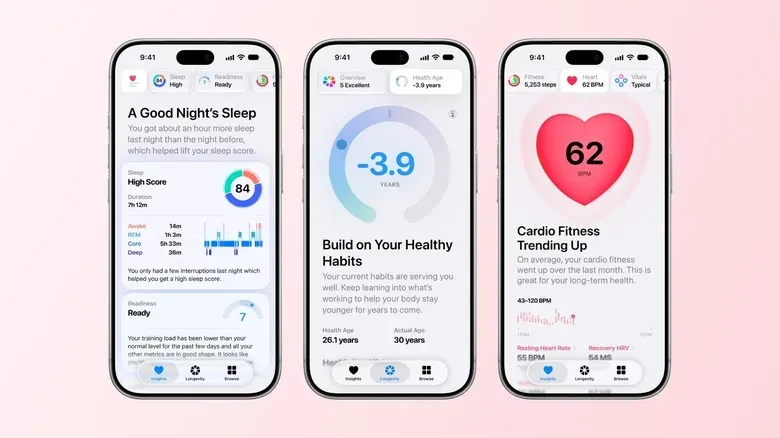
The redesigned Health app appeared in an earlier iOS 27.2 beta before being removed from the public release. It has returned in the first iOS 27.3 beta with three main sections: Insights, Longevity and Browse.
Browse remains the library-like section for the Health data already collected in the app. Insights and Longevity are the meaningful additions because they attempt to organize those records into a more readable picture. Insights surfaces activity history, average steps, heart-rate information and sleep data. Longevity draws on several metrics to flag areas that may deserve attention, such as sleep or hearing.
For Apple Watch users, the proposed Health Age metric compares a person’s numbers with what is typical for somebody their age. The feature sounds designed to turn a large pile of measurements into a conversation starter: rather than scrolling through isolated readings, the user gets a prompt toward a category worth examining.
That is not the same as a diagnosis. A comparative metric can be useful for recognizing a trend or deciding which routine to revisit, but it does not explain the cause of a change. The sensible reading is as an organizational and awareness tool, particularly because the information spans familiar categories such as activity, sleep and heart rate.
There is also a compatibility divide. Insights relies on Apple Intelligence, so it works only on an iPhone 15 Pro or newer. Apple Watch ownership alone does not unlock every part of the redesign. Anyone planning a device upgrade specifically for health features should separate what the Watch measures from what the supported iPhone can summarize and display.
Health data is inherently sensitive, so the redesign’s value will come down to clarity. A simpler overview may make it easier to spot patterns, but users should still be selective about which categories they monitor closely and remember that a dashboard is only as useful as the context behind its numbers.
Safari gets a layout choice and a darker fallback
Safari’s two additions are straightforward, but both address annoyances that can appear every day. Vertical Tabs moves tabs from the usual strip at the top of the browser into a column at the side. Tabs display as icons by default, with an option to show page titles. The traditional horizontal layout remains available.
Vertical tabs are fundamentally a navigation choice. Titles can be easier to scan than a crowded row of tiny page headers, especially for someone juggling research, guides, video pages or multiple storefront listings. Conversely, users who keep only a few tabs open may find the familiar top bar quicker. The fact that the feature is optional is key: it adds a workflow rather than replacing one.
Adaptive Dark Mode tackles another familiar issue. Device-wide dark mode does not automatically mean every website has a dark presentation. Sites that have not built their own dark theme can still throw a bright page into an otherwise dim browser.
When enabled, Adaptive Dark Mode examines a webpage’s layout and adapts pages that lack native dark-mode support. It will not work on every webpage, which is an important caveat, but it should reduce abrupt bright screens for people who browse in dark mode. This is a browser-side fallback rather than a promise that every site now has a bespoke dark design.
For late-night reading, that distinction is still meaningful. Native site support may remain the ideal, but a useful fallback can make browsing more consistent when the web itself has not caught up with a user’s display preference.
iPhone Duo gets a different kind of Reachability
The iPhone Duo’s folded form factor creates a specific ergonomic problem: when closed, its interface can be difficult to operate one-handed. iOS 27.3 answers with a version of Reachability that shares a name with Apple’s earlier feature but behaves differently.
Rather than pulling the screen downward, Duo Reachability lets users swipe from the side edges to shift the interface left or right, placing it closer to a thumb. It is an accessibility option and is off by default. That default matters because side-edge gestures can alter muscle memory, but users who regularly operate the folded Duo with one hand have a clear reason to try it.
The update also revises the Duo keyboard with added space above the top row of keys, intended to make typing on the wider screen easier. These are modest interface changes, but they acknowledge that a new hardware shape needs software tailored to how hands actually reach it.
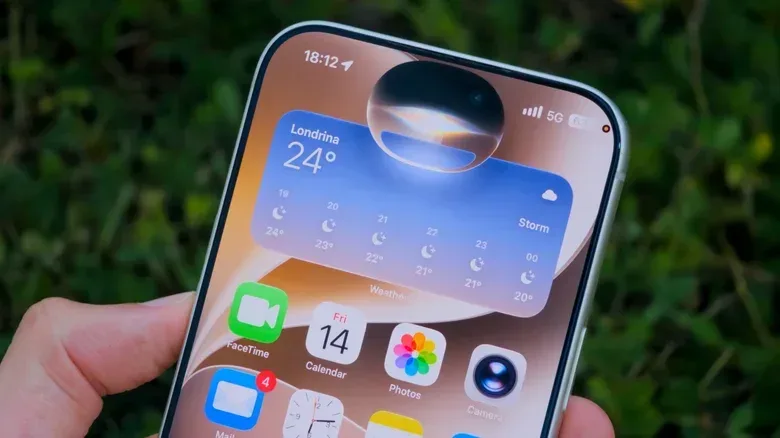
Owners of other supported iPhones are not left out entirely. The Duo’s upgraded Standby experience is coming to all supported phones. Standby still requires a phone to be charging and positioned horizontally, but it brings the redesigned clocks and widgets used on the Duo. For anyone who uses an iPhone as a bedside or desk display, that broadens the update beyond the new hardware.
Apple Watch Audio Intelligence: useful, limited and worth configuring carefully
Audio Intelligence is arriving for Apple Watch Series 12 and Apple Watch Ultra 4 through the iOS 27.3 and watchOS 27.3 beta. It contains two separate features: Live Rewind and Siri Recap.
Live Rewind is the more direct of the pair. A double press of the Digital Crown produces a transcript and recap of the preceding 15 seconds of conversation. Its intended use is easy to understand: someone says something important, a name or instruction slips by, and the wearer wants a quick catch-up without asking the person to repeat themselves.
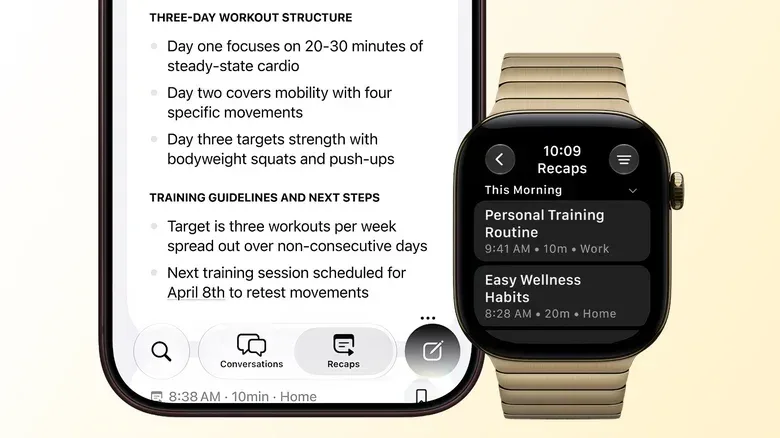
Siri Recap is more consequential. It runs in the background during times and locations chosen by the user, listens to conversations and summarizes key points. The feature is opt-in, does not create a word-for-word record of everything said, and is designed to omit sensitive information such as financial details. Recaps live in the Siri app and are deleted automatically after a week unless the user saves them.
Those safeguards define the feature’s stated boundaries, but setup choices remain crucial. Anyone using Siri Recap should review the selected places and schedules closely, consider the expectations of people around them, and save recaps only when there is a real reason to retain them. A summary can be less revealing than a complete transcript, but it is still a record of a conversation’s key points.
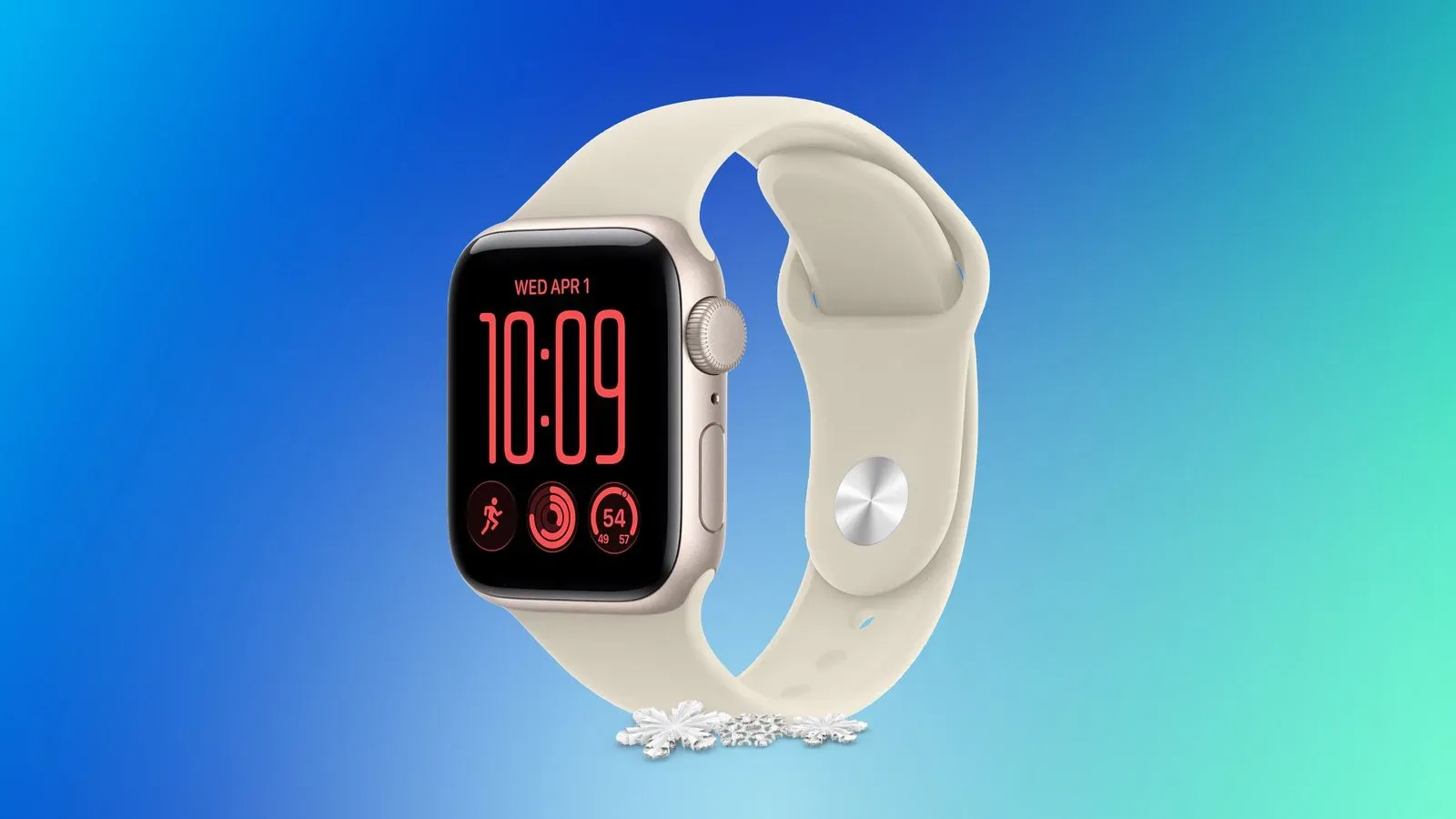
Compatibility is equally clear: older Apple Watch models will not receive Audio Intelligence. It requires either a Series 12 or Ultra 4. Readers comparing current watch options may also want to see the available Apple Watch SE 3 configurations and pricing context, though the Audio Intelligence feature itself remains exclusive to the newer specified models.
What to watch before the public release
Because iOS 27.3 is in beta, its current contents should be treated as a preview rather than a final contract. The most immediate changes appear to be the expanded first-party Siri actions, the Health redesign, Safari’s optional interface tools and the broader Standby update. Third-party Siri control has the longest runway because App Store availability for full support is not expected until spring 2027.
The update’s common thread is delegation. Apple is asking its devices to summarize, reorganize, adapt and act with less manual navigation. That can be convenient, whether the job is placing a tab where it is easier to find, turning health measurements into a clearer overview or retrieving a just-missed phrase from a watch. It also gives users more settings worth inspecting. In iOS 27.3, the best new feature may not simply be the one that does the most; it may be the one whose behavior, permissions and limits fit most comfortably into a person’s routine.