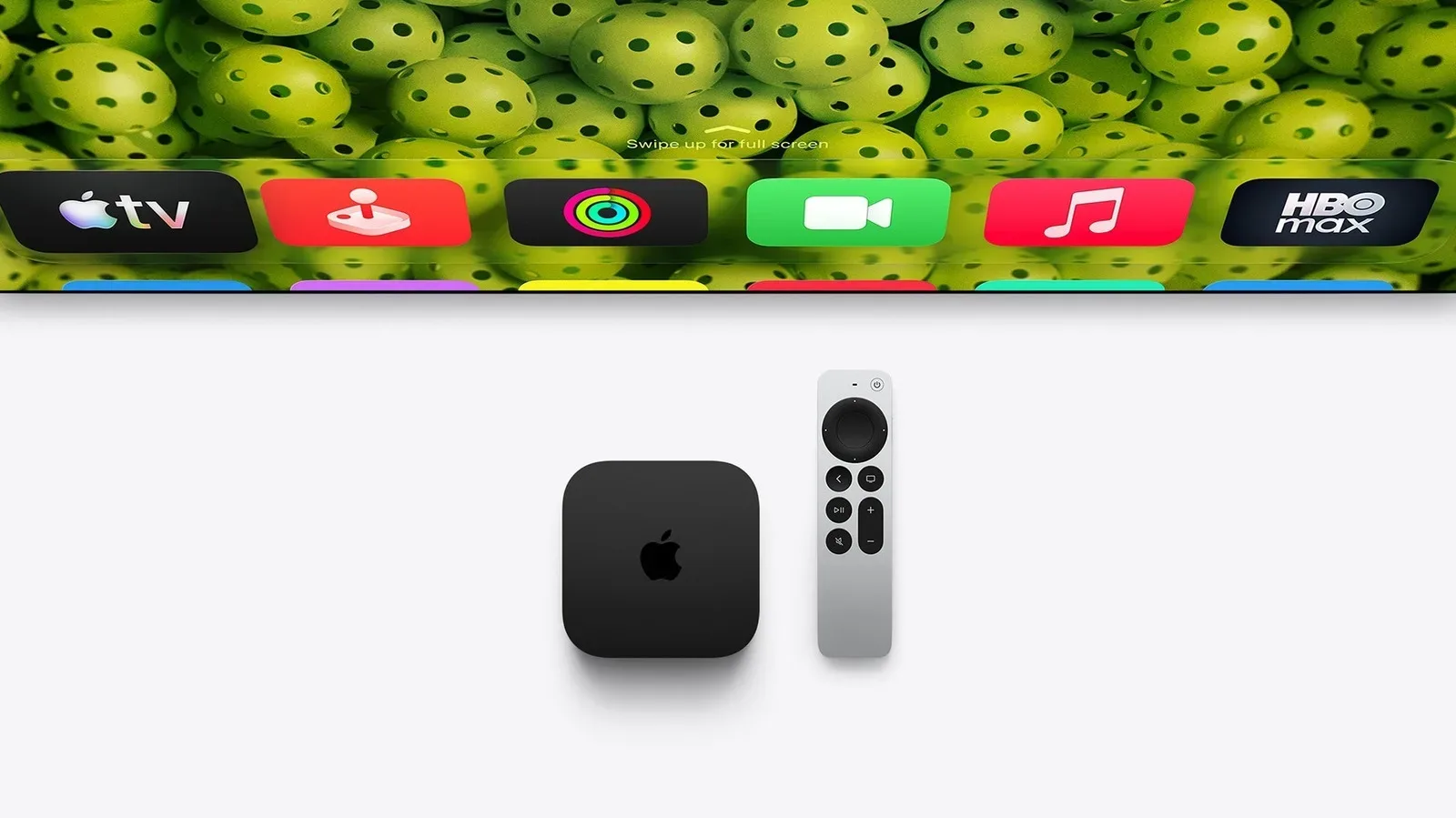
Apple’s tvOS 27.2 update is not the sort of software release that turns an Apple TV into an entirely different living-room machine. There is no sprawling new interface to learn, no headline-grabbing visual reinvention and no claim that every owner suddenly needs new hardware. Instead, it is a collection of small changes aimed at the moments surrounding what people actually do with a TV box: finding a remote, avoiding an awkward photo on the main screen, joining a video call, and making supported video easier to follow.
That may sound modest, because it is. But tvOS tends to spend its life in a shared space, controlled by several people and seen by everyone in the room. Practical refinements can therefore matter more than a menu redesign that merely asks the household to re-learn where the settings went.
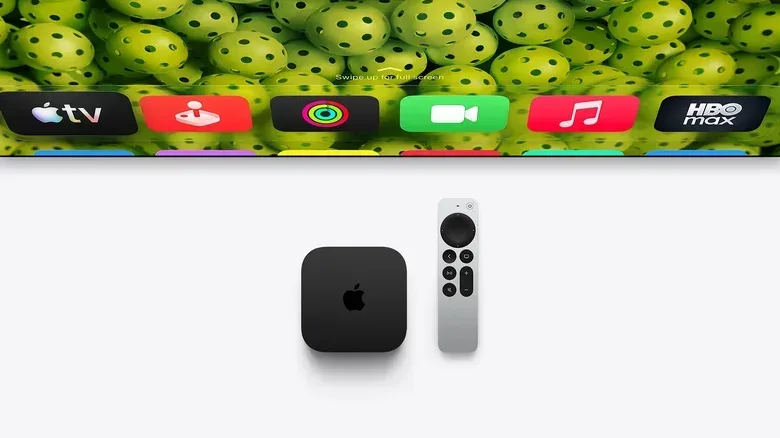
The free update follows tvOS 27, released in September; version 27.1 was skipped. It is available for the second-generation Apple TV 4K, introduced in 2021, and later models. To check for it, open Settings, select System, then choose Software Update.
A screen saver that no longer has to pick a side
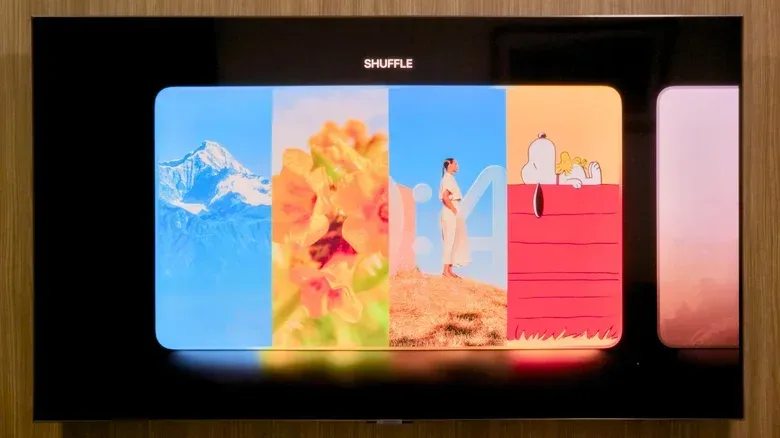
The most immediately visible change is a new Shuffle setting for screen savers. Previously, an Apple TV owner selected one screen-saver category. tvOS 27.2 can rotate among Aerials, Memories, Portraits and Snoopy instead.
In plain terms, the idle television does not have to commit forever to dramatic landscape footage, personal images, portrait-oriented pictures or the cartoon dog’s quiet adventures. Each time the device enters screen-saver mode, it can present a different category. It is a tiny improvement to variety, but it also recognizes that a screen saver is more than a dormant state on a large television: it becomes part of the room when nobody is actively choosing a show.
More consequentially for shared homes, iPhone users can now select specific pictures for the Apple TV screen saver without granting the device access to the entire photo library. That is a useful privacy and curation control. A personal photo library can include anything from family snapshots to receipts, accidental screenshots and pictures that are perfectly normal to keep but not necessarily desirable as surprise living-room décor.
The distinction is important. Selecting particular photos is not the same as opening the full library to the TV. It gives owners a chance to create a deliberately public-facing set of images, rather than hoping the broadest possible sync option only surfaces the memories they intended to share.
FaceTime gets more ways into the room
tvOS 27.2 also expands Apple TV’s FaceTime experience with support for FaceTime links. These links are intended to make joining a call on Apple TV easier. The setup still relies on an iPhone as the camera through Continuity Camera.
Continuity Camera is Apple’s name for using the iPhone’s camera as the video source instead of a separate webcam. On Apple TV, that means the television can provide the large shared display while the iPhone handles the camera role. The update does not remove that requirement; it improves the path into a call.
There is a meaningful accessibility expansion as well. FaceTime now allows third-party sign-language interpreters and live-captioning services to be added to calls. The same capability is included in the corresponding iPhone, iPad and Mac updates.
Those are two different kinds of communication support. A sign-language interpreter provides signed interpretation during a conversation. Live captioning services provide written text for speech as the call happens. Including services in the call changes the possibilities for participants who need them, rather than treating accessibility as a separate afterthought outside the conversation.
The update is particularly suited to the Apple TV’s role as a communal screen. A call on a phone or tablet is inherently personal and close-range; a television is where more than one person may watch, participate or assist. That does not make the Apple TV a replacement for smaller personal devices, but it does make flexibility around joining calls and including communication services more valuable.
The remote is easier to find in the app you would expect
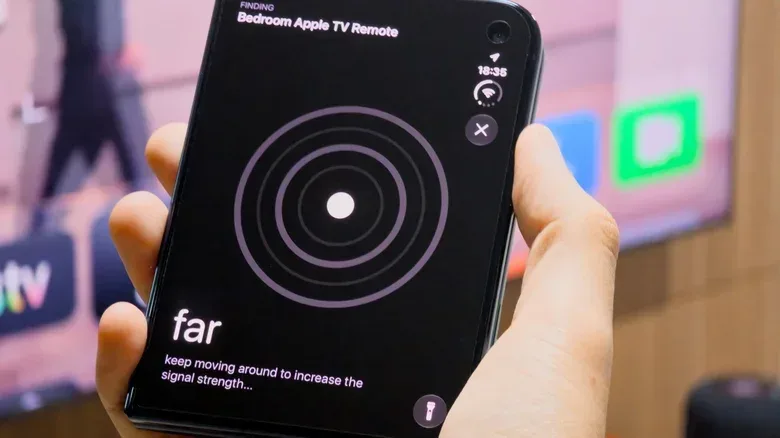
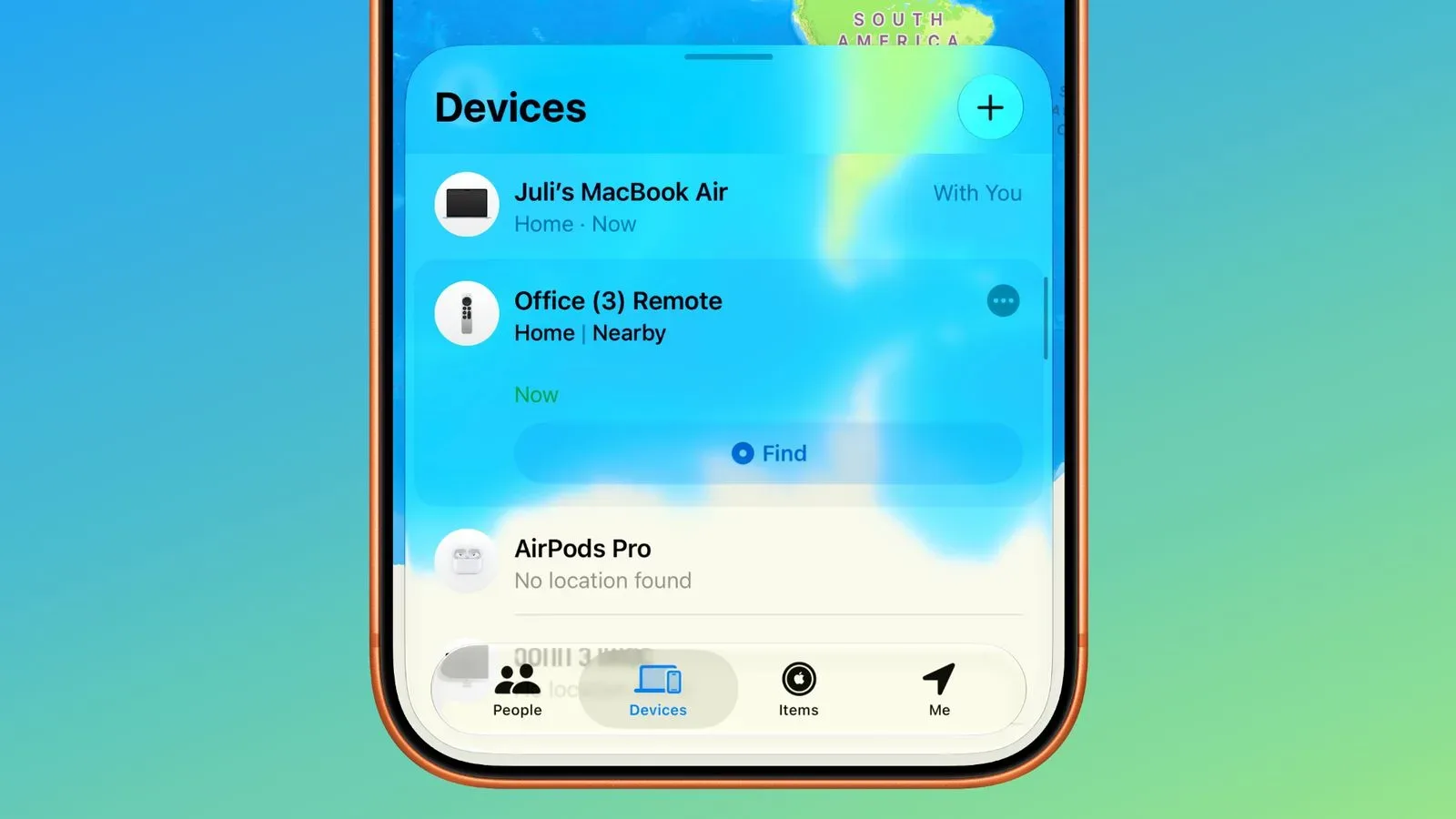
The perennial streaming-box side quest remains unchanged: the remote has vanished somewhere within the radius of the sofa. tvOS 27.2 makes the recovery process a little more coherent for prior Apple TV models by showing the Siri Remote in the Find My app.
Before this change, users had to open the TV Remote control in an iPhone’s Control Center to locate the remote. The new placement means the remote sits in Apple’s established device-finding app instead. It is a small organizational shift, but an intuitive one. When somebody is looking for a misplaced device, Find My is the obvious place to start; there is less reason to remember a special route through a remote-control panel.
There is an important hardware distinction. The newly introduced Apple TV 4K has a new Siri Remote with improved Find My support and a built-in speaker, making it easier to locate audibly. Older compatible Apple TV setups gain the app-level appearance through tvOS 27.2, but the speaker-equipped remote is tied to the new hardware or remote. Software can improve the destination for a remote-finding task; it cannot add a physical speaker to an older remote.
That distinction is worth keeping in mind across this update. tvOS 27.2 is largely about refinements that existing compatible hardware can receive. Some capabilities remain dependent on the particular Apple TV or accessory involved.
Sign-language tracks arrive in the Apple TV app
Accessibility changes extend from video calls to on-demand viewing. Select films and television shows in the Apple TV app now support ASL and BSL, which stand for American Sign Language and British Sign Language. Where a title supports them, viewers can enable the option from playback controls or through Settings.
The word select matters here. Support is attached to certain movies and shows rather than the entire Apple TV app catalog. Availability will therefore depend on the specific program a viewer is watching. Still, placing controls in both the player and Settings gives people two routes: a quick adjustment during playback or a settings-based option for those who prefer configuring access in advance.
It is another example of an update whose value is not best measured by the size of its feature list. For viewers who use a supported sign-language option, the addition has a direct purpose. For everyone else, it is a reminder that player controls are not only about subtitles, audio tracks and picture choices; they can also determine who can fully participate in a program.
Profiles now follow the TV app across more screens
Apple’s TV app also gained profile support on iPhone and iPad with iOS 27.2, and those profiles now synchronize with Apple TV. Households that share an Apple TV have an immediate reason to pay attention. Profiles are designed to separate the experience of different viewers, a particularly sensible arrangement where adults and children use the same television.
The profile chooser has also received additional character options. That is the cosmetic part of the change, but it serves a practical cue: a clearly identifiable profile is easier to select quickly when the TV is shared. The substantial point is the synchronization between iPhone, iPad and Apple TV, reducing the sense that the TV app is a different household system depending on which screen happens to be in use.
This is timely in a broader viewing landscape where television releases can be event-like enough to prompt a trip to a theater while still keeping home viewing central. For instance, the return of the two Dune films to IMAX ahead of a new preview underscores how viewers increasingly move between major-format cinema and the personal profiles and home screens where they organize the rest of their watching.
A visual cleanup, plus one hardware-only audio option
One final interface tweak gives Apple Music a new black-and-white icon, matching the identity introduced with iOS 27.2. It is not a functional overhaul, but consistent icon design helps the service look like the same service across Apple’s platforms.
There is also an audio-related capability that should not be mistaken for a blanket tvOS 27.2 benefit. Setting up a surround-sound system with two pairs of either the new HomePod mini 2 or second-generation HomePod is exclusive to the new Apple TV 4K with the A19 chip. Owners of earlier compatible Apple TV 4K units can install the update, but this particular arrangement requires the newer model.
That limitation provides a useful shopping and expectation-setting rule: update first, then check whether a feature is described as hardware-specific. The screen-saver shuffle, more selective photo choice, Find My app visibility for the Siri Remote, FaceTime additions, supported ASL and BSL options, and profile synchronization are the practical places for most eligible existing owners to start. The newest Apple TV 4K and its accessories retain a few advantages of their own.
What to try after updating
- Turn on Shuffle in screen-saver settings if you want Aerials, Memories, Portraits and Snoopy to rotate rather than locking the TV to a single category.
- Use an iPhone to choose only the photos you want appearing on the television, especially if the Apple TV is used by several people.
- Open Find My and confirm that the Siri Remote is visible there, so the next couch-cushion investigation begins in the right app.
- Look for FaceTime links when joining calls on Apple TV, while remembering that the iPhone still serves as the Continuity Camera webcam.
- On supported Apple TV app titles, inspect player controls or Settings for ASL and BSL options.
- If the household uses the TV app across Apple TV, iPhone and iPad, set up and identify profiles so viewing can remain separated across those devices.
tvOS 27.2 is a maintenance-minded update with a few well-placed quality-of-life upgrades. It does not demand a new way to use Apple TV. It simply makes several existing routines—idling, sharing photos, joining calls, finding hardware and choosing accessible playback options—less rigid and a little easier to manage.