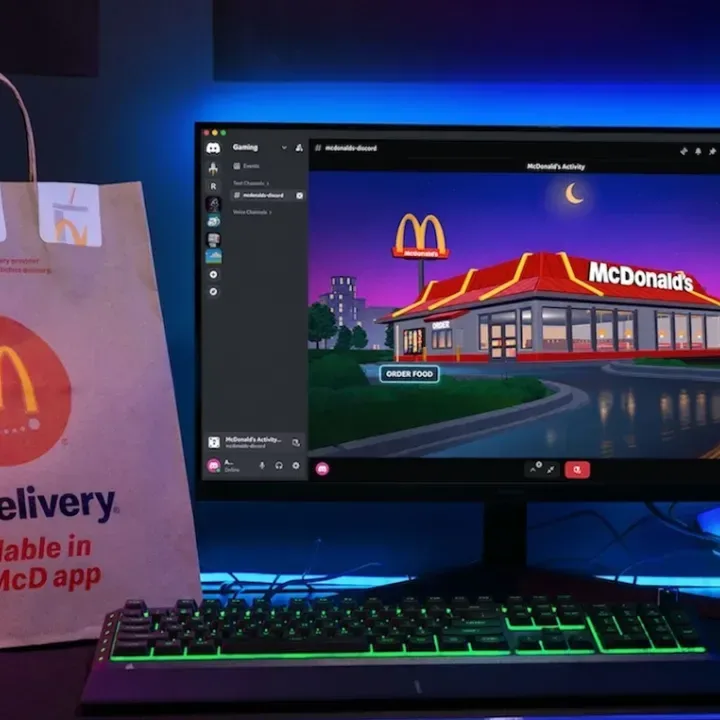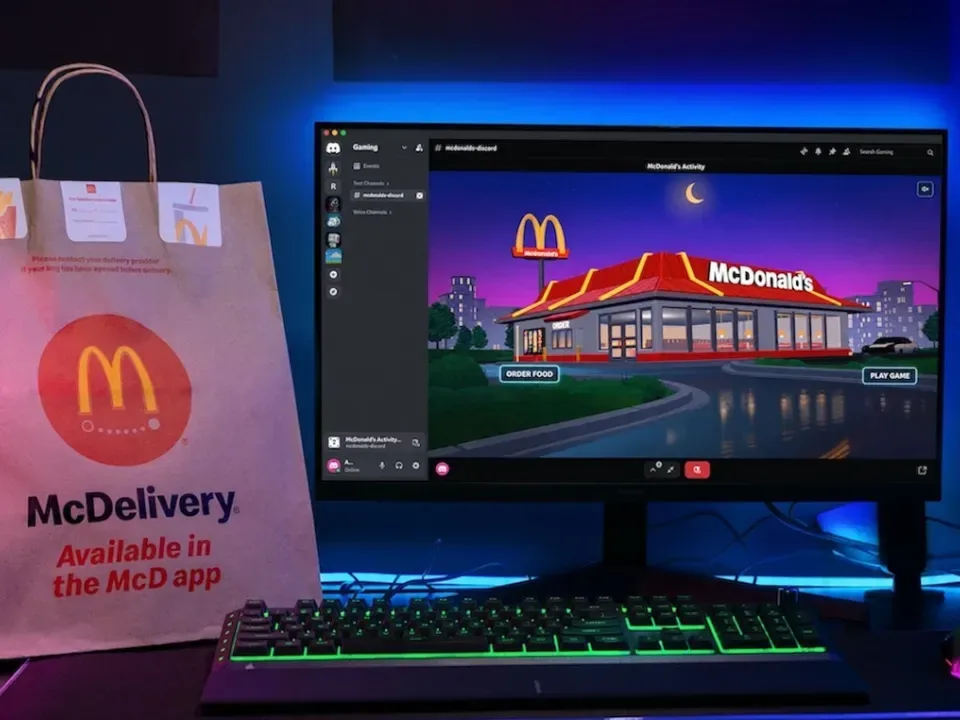
Discord has added an Order McDonald’s app, giving users a new way to begin a food delivery order from the same chat platform where they are already coordinating raids, discussing patches, and insisting that the team was absolutely one round away from turning it around.
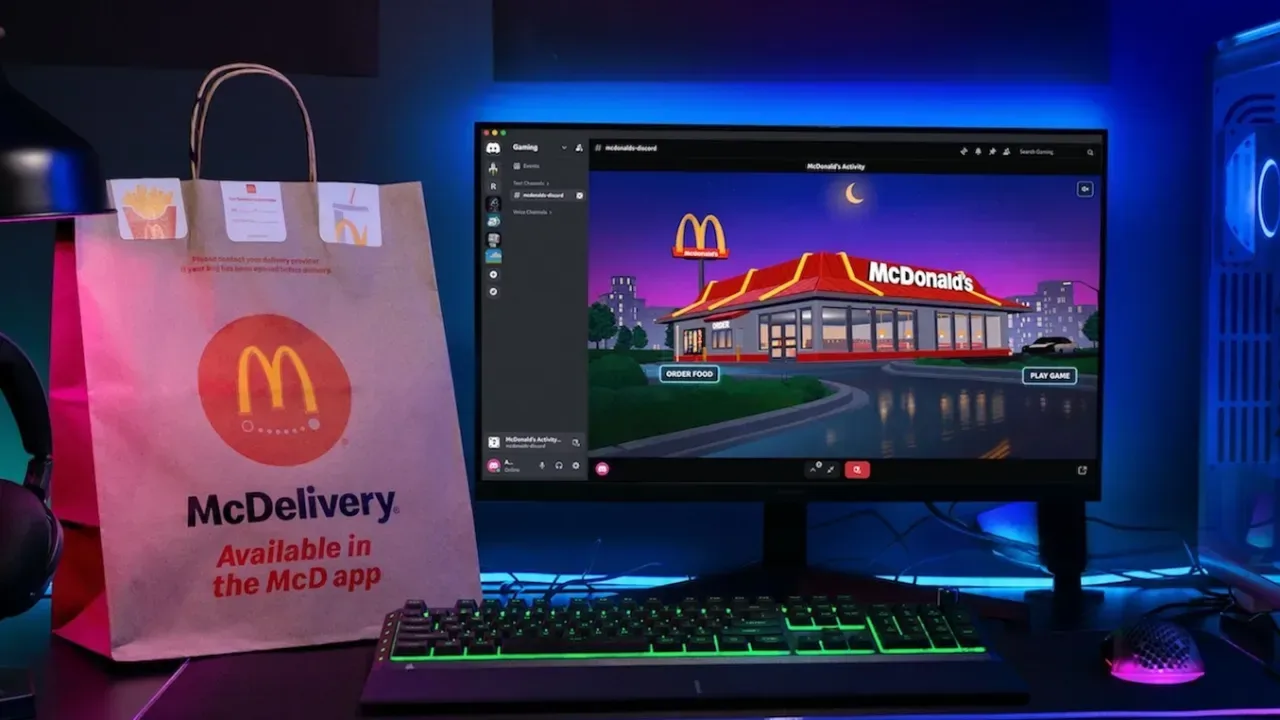
The integration is powered by Uber Eats and is presented in a Discord-specific, lofi-styled interface. It is not, however, a magical burger materializer that eliminates every interruption between a player and a meal. Choosing the food-ordering option ultimately hands the process off to Uber Eats: mobile users with that app installed are sent into their account, while desktop users are directed to their default browser. An Uber Eats account is required to complete an order.
That distinction matters. This is an integration, meaning one service places a branded entry point inside another service, rather than Discord becoming the restaurant or delivery platform itself. Discord supplies the social setting and the app surface; Uber Eats handles the ordering destination. The result is more convenient as a launch point, but it does not make checkout, payment, restaurant selection, or delivery tracking native to a Discord conversation.
Where the McDonald’s app appears in Discord
The app can be found through the Apps section of a Discord direct message, channel, or server. Users can start it inside a server, which lets other members know an order is underway, or access it privately through its own direct-message space.
That offers two very different social experiences. A server launch can turn dinner into a small group prompt: somebody starts an order, someone else remembers they have not eaten, and suddenly a discussion about fries has displaced the original discussion about frame timing. The private route is for anyone who would rather keep their late-night McNugget diplomacy out of the guild’s public record.
The key practical point is that the visibility choice concerns the Discord activity, not a shared food order by default. The available information establishes that users can launch the app publicly or privately; it does not establish that a server session combines carts, coordinates payment, or lets other members add items. Treat it as a social doorway to an individual Uber Eats order unless the interface itself indicates otherwise.
Ordering still requires leaving the Discord interface
Inside the app, users are offered two choices: Order Food and Play Game. Selecting Order Food triggers a Drive-Thru-themed animation before the external Uber Eats handoff. On mobile, that can mean jumping directly to the Uber Eats app if it is installed. On desktop, it means the default web browser opens instead.
For people who like their digital errands consolidated, the appeal is easy to understand. The Discord app puts the first click alongside the call or community where the hunger problem was probably announced. But the promise of not having to tab out should be read narrowly. The order cannot be finished without moving to Uber Eats, and a game or call may still need attention while that happens.
Related coverage includes McDonald's Ordering Arrives on Discord With a Built-In Driving Minigame.
There is a difference between reducing friction and removing it. Friction, in app-design terms, is the number of steps, context switches, and decisions between a user’s intent and the completed action. Starting from Discord may reduce the effort of finding McDonald’s or opening a delivery app from scratch. It does not remove the separate account requirement or turn the delivery service into a Discord-native checkout flow.
- Find the Order McDonald’s app in Discord’s Apps section.
- Choose whether to launch it in a DM, channel, or server, or use its private direct-message option.
- Select Order Food to begin the Uber Eats handoff.
- Use an Uber Eats account to place the order.
- On mobile, the handoff can open the Uber Eats app; on desktop, it opens a browser.
In other words, Discord can help announce the mission, but Uber Eats remains the place where the mission is actually accepted.
Fast Lane Feast is the waiting-room game
The more Discord-native part of the package is Fast Lane Feast, a small driving minigame intended for the period while an order is on its way. It can also be played at any time, which is wise: hunger is temporary, leaderboard ambition is forever.
The setup is deliberately simple. Players guide a vehicle along a street, pick up burgers and fries for fuel, use ramps, and steer around traffic. The controls are limited to A and D for left and right movement. The game also allows players to save a score to a global leaderboard.
A global leaderboard is a score ranking shared across the player base rather than a list limited to one friend group or server. Even in a lightweight branded game, that changes the motivation. The basic goal may be to fill the gap before delivery arrives, but a public score table creates a reason to run it again, chase a better result, and discover that the person who misses every scheduled co-op session has apparently become an elite virtual fry collector.
Nothing in the available details suggests Fast Lane Feast is trying to be a full-scale racing game. Its design is closer to an accessible browser-style diversion: short inputs, easy-to-read objectives, hazards to avoid, and score-chasing replay value. That modest scope is sensible for a Discord app. The game is built around a moment when players may be in a voice call, chatting with friends, or checking an order, rather than around a long, uninterrupted session.
A branded app aimed at the places gamers already gather
The arrival lands during the enormous attention around GTA 6’s approach on PS5 and Xbox Series X, a period when gaming conversations are likely to be especially active on Discord. The McDonald’s feature does not connect directly to GTA 6, but the timing underscores the wider appeal of being present in the communication spaces where game groups organize themselves.
It also follows a broader attempt by fast-food brands to court game audiences. Wendy’s has launched an RPG and teased a collaboration with Rockstar’s game. McDonald’s currently has a Pokémon Happy Meal promotion and has a Home Alone collaboration planned for the holiday season. These initiatives are different in form, but they work from a shared premise: gaming culture is not confined to the game screen. It also lives in chat apps, promotional tie-ins, collectibles, social posts, and the long pauses between matches when somebody says they will be back in two minutes.
The Discord app is especially notable because it combines several of those ideas in one place. It has a branded interface, a delivery handoff, a social presence inside servers, and a game that can feed a global score table. None of those ingredients is revolutionary alone. Together, they make the app feel less like a banner ad pasted into chat and more like a small branded destination with an actual task and a small diversion attached.
What users should realistically expect
The best case for the integration is convenience with a side of silliness. If Discord is already open, the app gives users a visible starting point for a McDonald’s delivery order and something simple to do while waiting. It also makes a group food run more legible in a server, whether that produces useful coordination or merely forty-seven messages debating sauces.
The limits are equally clear. Users still need Uber Eats, still need to complete their order outside Discord, and still need to look away from whatever they were playing long enough to do it. The feature is not evidence that a multiplayer match can safely coexist with the practical demands of ordering dinner. It is better understood as a shortcut with a playful wrapper.
Fast Lane Feast may prove to be the stickier half of that wrapper. A delivery link solves a practical need once; a leaderboard gives people a reason to return even without an order in progress. Whether players actually adopt it will depend on how smoothly it fits into Discord sessions, but its basic design is clear: move left, move right, collect food, avoid traffic, and try not to turn a snack break into a personal esport.