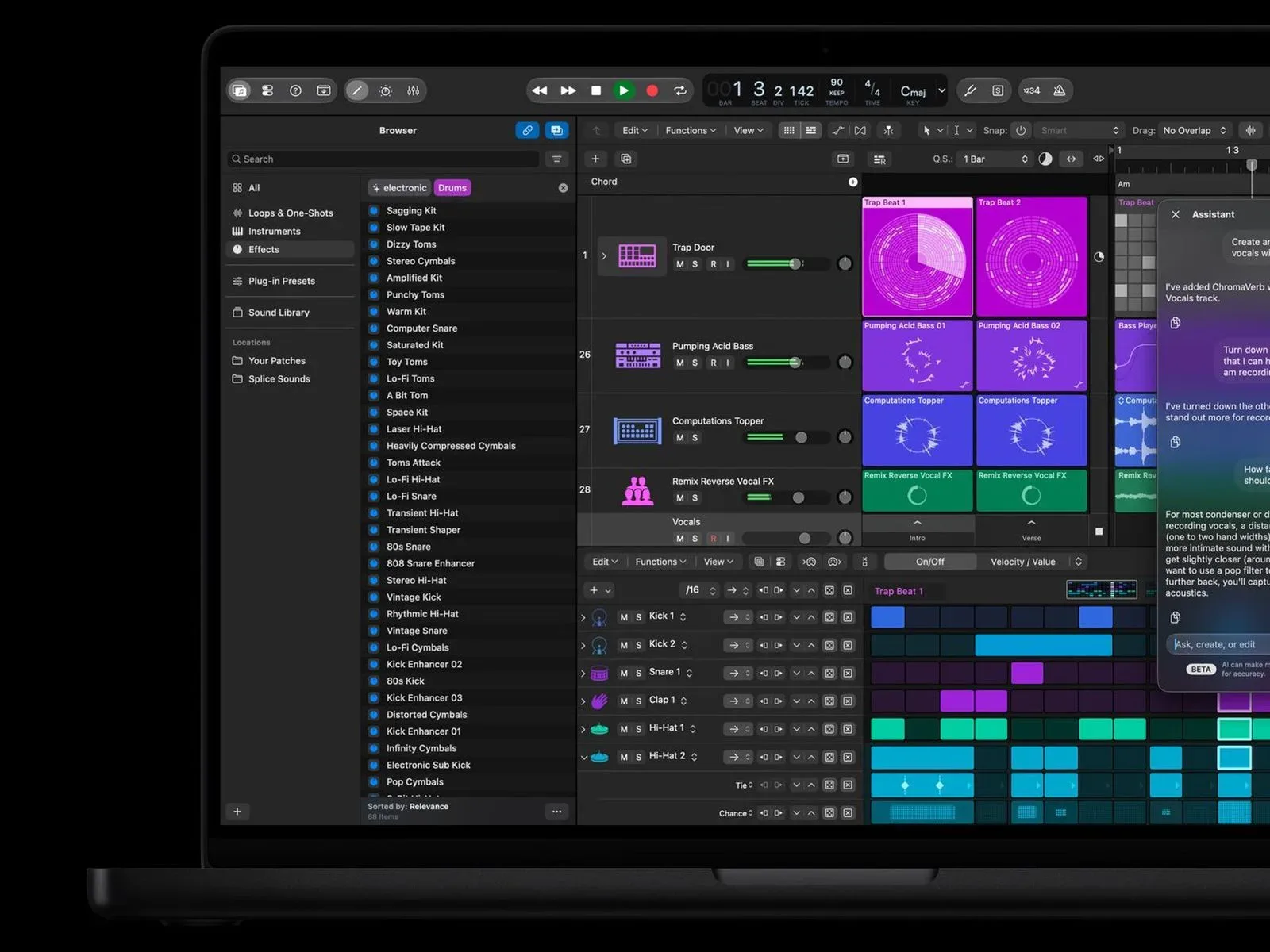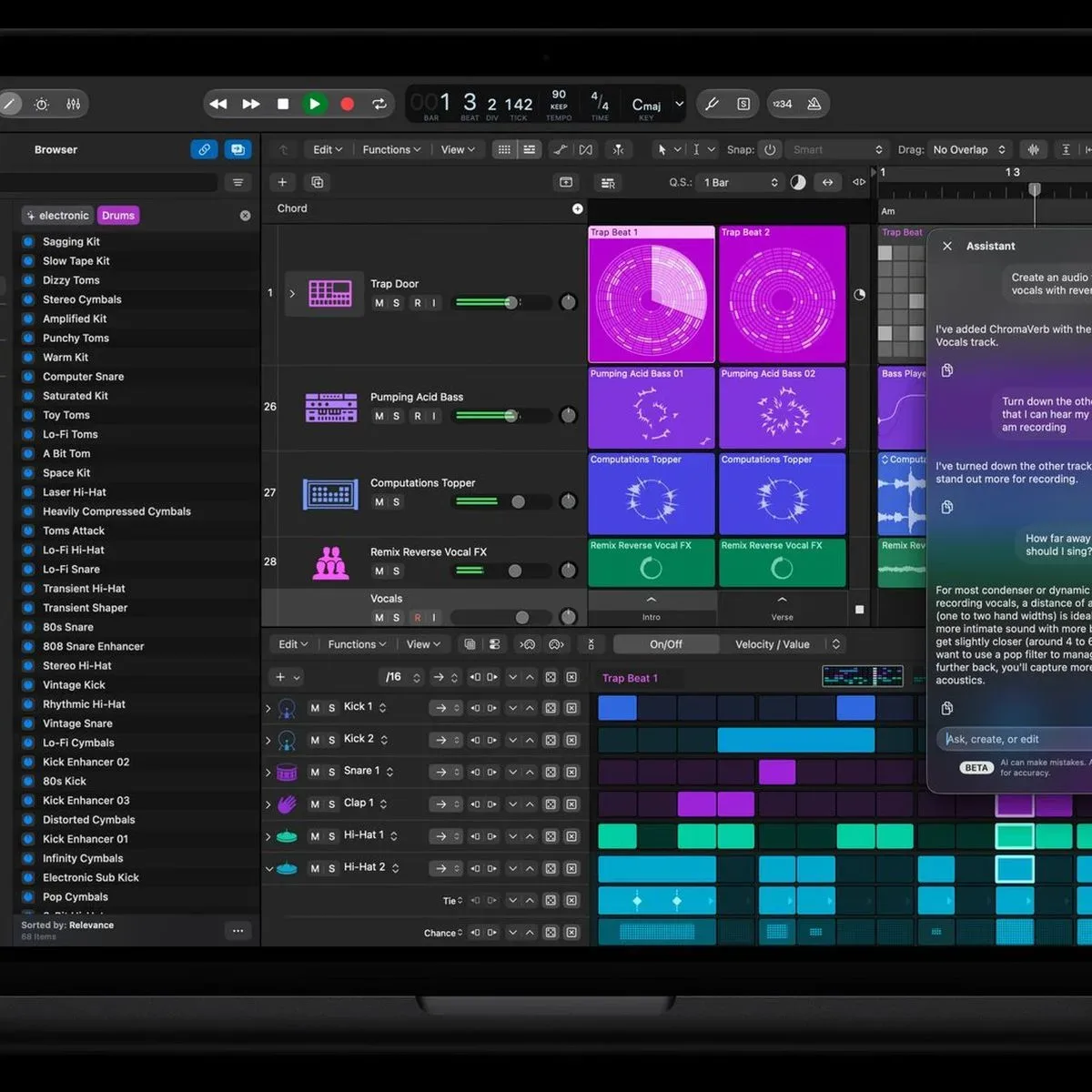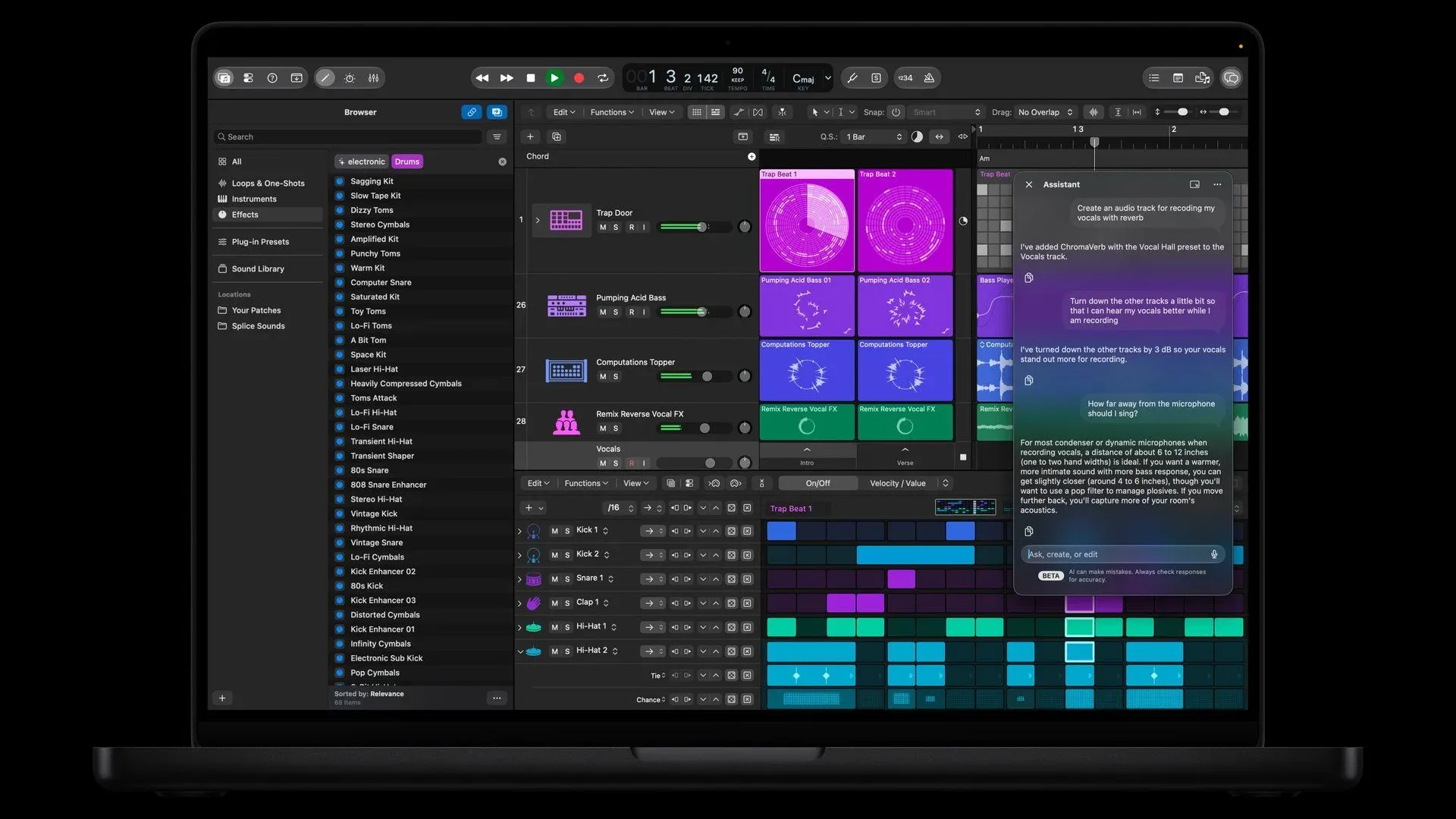
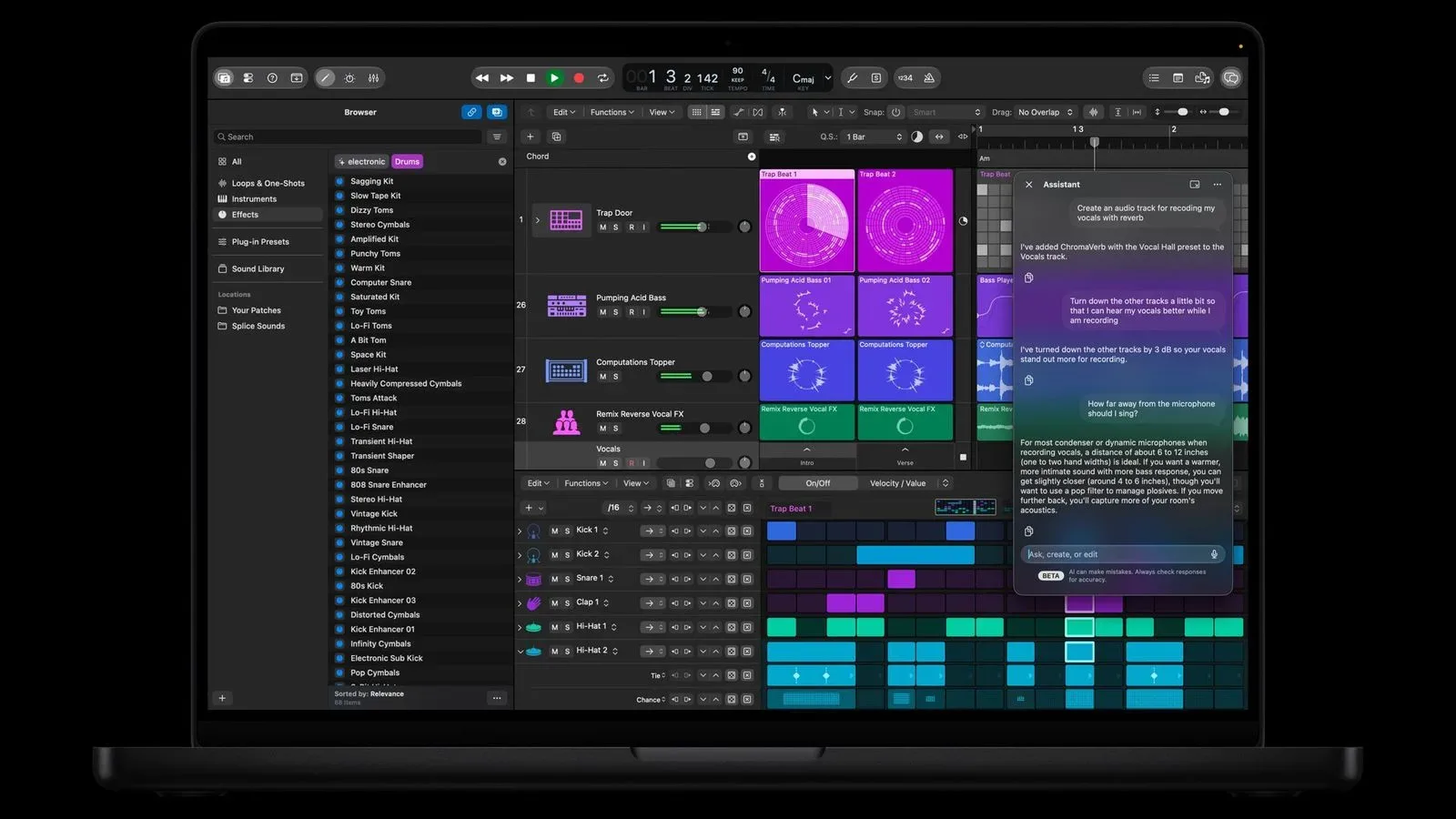
Logic Pro for Mac 13.0 has arrived with a potentially useful AI feature—and an important catch for people who bought the music-production app outright. Intelligent Assistant, currently labeled beta, requires an Apple Creator Studio subscription. It is not included with the $199.99 one-time-purchase edition of Logic Pro.
The subscription is listed at $12.99 per month or $129 per year. The feature also requires a Mac with Apple silicon and macOS 27 or later. Its availability is limited to U.S. English, and Apple specifies that the Mac must be capable of Apple Intelligence.
That distinction matters because a one-time app purchase and an ongoing service subscription answer two very different questions. Buying Logic Pro gives a creator access to the core software under that purchase model. Paying for Creator Studio is now the route to this particular AI-assisted workflow. Logic Pro owners should not assume that version 13.0 means every newly publicized capability has been added to their existing license.
What Intelligent Assistant is meant to do
Apple describes Intelligent Assistant as a tool intended to help users move through production tasks with prompts and AI assistance. Its stated uses include navigating production workflows, beginning a song, configuring a vocal track from a single prompt, and refining an active project.
In practical terms, those examples frame the assistant as a workflow layer rather than a new instrument, effect, or conventional editing command. Instead of requiring a user to begin by finding every relevant control manually, the assistant is designed to interpret a request and help organize or initiate a task.
That does not mean the assistant is presented as an automatic replacement for musical or technical decisions. “Set up a vocal track” can cover a wide range of choices in real recording work, from track configuration to the broader approach a creator takes to a performance. Apple’s description establishes the broad aim—making those workflows easier to enter or navigate—but does not spell out the exact results produced for every prompt.
It is also a beta. That label generally signals a feature still being evaluated and developed rather than a finished, fixed component with guaranteed behavior. For creators deciding whether Creator Studio is worthwhile specifically for this tool, the beta status is a meaningful part of the proposition: the feature is available, but its current scope should not be treated as a permanent promise of what it will eventually become.
The requirements are more than a subscription
Creator Studio is necessary, but it is not the only gate. Intelligent Assistant requires all of the following:
- An Apple Creator Studio subscription.
- A Mac using Apple silicon.
- macOS 27 or later.
- An Apple Intelligence-capable Mac.
- Use in U.S. English.
Apple silicon refers to Apple-designed processors used in supported Macs. The requirement means that even someone with a current Creator Studio subscription cannot use Intelligent Assistant on a Mac that does not meet the processor condition. The Apple Intelligence-capable requirement is another compatibility boundary within the Mac lineup.
Meanwhile, the macOS requirement means system software matters as well as hardware. A user who owns an eligible Mac but has not moved to macOS 27 cannot access the assistant until that operating-system condition is met. Language availability adds one more limit: the feature is currently specified for U.S. English rather than every language or region.
These requirements make the decision more involved than simply comparing $199.99 with $12.99 per month. A prospective subscriber should first establish whether their Mac and operating system qualify, then consider whether the assistant’s current beta functionality has enough value for their particular way of working.
Why the one-time-purchase distinction stands out
Logic Pro has a $199.99 one-time-purchase option, and the version 13.0 notes for that edition do not list Intelligent Assistant. The fuller release information, however, identifies Creator Studio as a requirement for the assistant.
For a buyer who paid upfront, that can feel counterintuitive: a major version number often creates the expectation that new headline features will arrive as part of the app update. Here, Logic Pro 13.0 and Intelligent Assistant are related, but they are not equivalent purchases. The app update is one thing; the AI assistant is a separately entitled service feature.
There is a financial difference, too. At the stated prices, Creator Studio costs $129 for a year if paid annually, while paying $12.99 monthly for 12 months would total $155.88. Those figures are not a prediction of future pricing or a claim about what features may be added later; they simply show the recurring nature of access to this particular beta feature.
That recurring cost may be easier to justify for someone who expects to use prompt-driven setup and navigation regularly. It may be harder to justify for someone who already knows Logic Pro’s workflow well, uses the app only occasionally, or bought the standalone version specifically to avoid another monthly charge.
An AI workflow feature built from more than one model source
Apple says Intelligent Assistant uses a combination of Apple-built and third-party AI models. That is a notable technical detail because it describes the feature as a blended AI system rather than one relying solely on models built by Apple.
An AI model, in this context, is software designed to process a request and generate or guide an appropriate response. For an assistant embedded in a production application, that could mean interpreting a user’s prompt and connecting it to relevant actions or workflow guidance. Apple has not detailed the respective roles of its own models and third-party models in the supplied information, so users should avoid assuming exactly which model handles a given request or how the system decides between them.
The distinction is still useful for creators because it explains why the feature may be treated differently from standard, locally installed application tools. Intelligent Assistant is positioned as an AI service capability with defined hardware, operating-system, language, and subscription prerequisites—not merely a menu item unlocked by owning Logic Pro.
The wider creative-software question is not whether an assistant can be helpful. For some people, moving quickly from a plain-language idea to a usable project starting point may reduce friction. The harder question is whether that convenience belongs inside a recurring subscription after an owner has already paid for the main app. That tension resembles broader concerns around AI in creative work, including the debate over whether efficiency can alter the pleasure and agency of making something; it is a theme also raised in discussion of AI’s creative trade-offs.
What Logic Pro users should take from the update
The clearest takeaway is simple: updating to Logic Pro 13.0 does not itself grant Intelligent Assistant access to owners of the $199.99 standalone version. The assistant requires Creator Studio, compatible Apple hardware, the required macOS version, Apple Intelligence capability, and U.S. English.
Potential subscribers should treat it as access to a beta AI workflow tool, not as a blanket replacement for the Logic Pro license they already own. The available description emphasizes starting projects, setting up a vocal track from a prompt, project refinement, and workflow navigation. It does not establish that the assistant performs every production task, nor does it turn it into a substitute for a creator’s judgment.
For Apple, the arrangement draws a clear line between the established purchase price of the production app and an evolving AI feature set offered through Creator Studio. For Logic Pro owners, it makes the next decision equally clear: the assistant is optional, but anyone who wants to try it must meet both the technical requirements and the continuing subscription requirement.