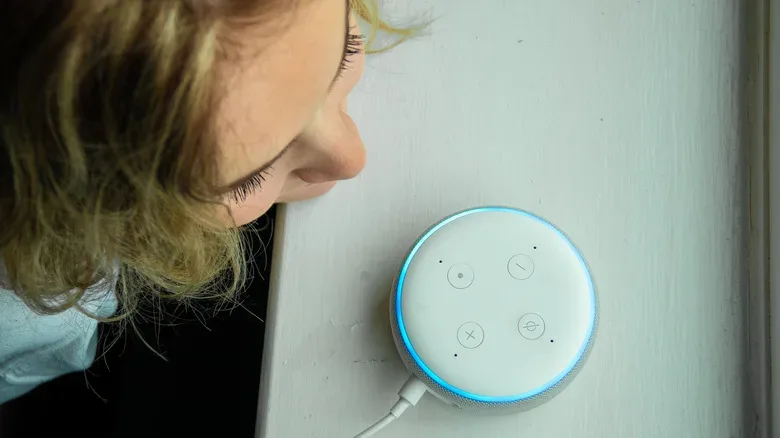
Smart speakers are often treated like household appliances: they set timers, play music, settle arguments about release dates and occasionally misunderstand a request so thoroughly that everyone in the room goes quiet. Amazon’s current Alexa voice and personality controls give eligible owners a way to make that daily back-and-forth feel a little less like talking to the default tutorial NPC.
Alexa+ and Amazon Prime members can access a selection of voice types and response personalities, with availability varying by country or region. There can be up to eight voice options, alongside five response styles: Brief, Chill, Sweet, Sassy, and Original. The important distinction is that these settings are about presentation rather than performance. A different voice or a sharper comeback does not make the assistant more accurate, more knowledgeable, or better at interpreting a vague command delivered from the other side of the kitchen.
That may sound obvious, but it is a useful expectation to set. Think of these options as changing the dialogue flavor in a game, not swapping in a higher-level character build. Alexa’s tone can become concise, casual, encouraging, or more teasing, while its underlying capabilities remain broadly the same.
Who can use the newer Alexa voice and personality options?
The newer customization choices are available to eligible Alexa+ or Amazon Prime members, although the exact voice lineup depends on location. That regional caveat matters: if a guide says there are eight voices and an Echo only presents fewer choices, it does not necessarily mean anything is wrong with the device or app. It may simply be a difference in what is enabled for that country, language, account, or product setup.
Before hunting through every menu on an Echo, make sure the Alexa app is signed into the intended Amazon account and that the device is online. The options are managed at the device level, not as one universal preference that automatically covers every Echo in a home.
That last point is the big practical wrinkle. Changing the kitchen Echo does not automatically transform the Alexa on a bedroom speaker, an office display, or the compact device tucked next to the router. Anyone aiming for a single, harmonious household voice will need to repeat the selection on each device. On the other hand, that limitation can be a feature: a common-area Echo can remain calm and neutral while a personal speaker gets the more playful setting.
The quickest way to change Alexa’s voice
For the low-effort route, speak to the assistant and say: “Alexa, change your voice.” Alexa should then walk through the options currently available for that device. This is the easiest method for someone who does not want to spelunk through app settings just to stop the living-room speaker from sounding exactly like the hallway speaker.
Users who prefer to pick from a menu can make the change in the Alexa app:
Related coverage includes How to Change Alexa’s Voice and Personality on Echo Devices.
- Open the Alexa app on a phone or tablet.
- Select Devices.
- Choose the Echo or other Alexa device to customize.
- Open Device Settings.
- Select Alexa’s Voice.
- Choose from the voice options the app offers for that device.
The setting applies only to the selected device. Repeat those steps elsewhere if the plan is to give every compatible Echo the same voice. This is especially worth remembering in homes with several speakers, because it is easy to assume an app-based change has propagated everywhere when it has not.
Voice selection and personality selection are related but separate. One changes how Alexa sounds; the other changes the style of its answers. A user can therefore choose a preferred voice and then decide whether the assistant should answer in a brisk, relaxed, affectionate, sarcastic, or standard manner.
What the five personality styles actually change
Amazon’s five listed personality styles adjust Alexa’s delivery rather than what it can do. They are not alternate assistants with separate feature sets, and they do not change the wake word. The options cover a reasonably broad range of household tolerances:
- Brief: Intended for people who want short, direct responses and fewer extra words after a command. For routine requests such as timers, weather checks, and smart-home controls, this is the setting for anyone who prefers the speedrun route through a conversation.
- Chill: A more casual and conversational presentation. It is suited to users who want the assistant to feel less formal without asking it to become a full-time comedy sidekick.
- Sweet: A warmer, more supportive tone. This is the gentler option for shared spaces or for people who like encouragement attached to their digital housekeeping.
- Sassy: A playful, witty response style with a sharper edge. It carries an adults-only acknowledgement in the app, so users must tap through that warning before selecting it.
- Original: The standard Alexa style, available for anyone who tries an alternate approach and decides the classic setting was fine all along.
The Sassy selection is the one likely to attract the most curiosity. Its adults-only label should not be read as a promise of explicit content. Rather, the style can poke fun at a question and use somewhat colorful insults. That may be entertaining for a single adult’s desk speaker, but it is probably a setting to consider carefully on an Echo that serves as the family’s shared command center.
Personality also remains device-specific. A Sassy Echo in a game room will not make the kitchen device sarcastic by association, and a Sweet setting in one room will not spill into every other Alexa interaction. In practical terms, users can treat each device as having its own tone profile.
How to change Alexa’s personality style
There is a voice-command shortcut here as well. Say: “Alexa, change your personality style.” The assistant will present the available choices and guide the process. This is convenient when the aim is simply to try a different style, then return to normal if it does not suit the room.
To use the Alexa app instead, follow this path:
- Open Devices.
- Select the specific Alexa device.
- Choose Device Settings.
- Tap Alexa’s Personality Style.
- Swipe through the available styles and select the preferred one.
Original can be restored whenever needed. That reversibility is useful because personalities are inherently subjective. Brief may be perfect for someone who only wants an answer, while Chill may feel friendlier during longer exchanges. Sassy can make the occasional routine request more amusing, but humor that lands once may wear thin after a week of asking for the forecast before coffee.
The broader appeal is similar to the conversation around AI-driven game tools: presentation can influence how people experience technology even when the core system has not fundamentally changed. For another angle on where AI styling raises questions about the experience itself, see why some gamers are concerned about AI reshaping a game’s art direction. Alexa’s personality options are far less consequential, but they still underline how tone can alter a user’s relationship with software.
Older celebrity voices are not part of this feature
Longtime Echo owners may remember Alexa celebrity voice add-ons, including options associated with Samuel L. Jackson, Melissa McCarthy, and Shaquille O’Neal. Instructions for enabling those voices can still appear in old search results and archived how-to pages, but they are no longer available.
Those discontinued celebrity choices should not be confused with the current voice and personality settings. The new tools are Amazon’s own selectable voice types and response styles, not revivals of the earlier celebrity add-ons. If an instruction specifically tells users to activate one of those former personalities, it is outdated.
Kid-friendly animal voices and wake-word limits
There is a separate child-focused option for compatible Alexa devices running in kid mode. Amazon offers animal voices in that context, but they require an active Amazon Kids+ subscription and the device language must be set to English. Those requirements mean animal voices are not a general replacement for the standard voice menu.
Finally, neither a voice change nor a personality style changes the device’s wake word. Users who want to alter what they say to get the Echo’s attention must adjust that setting independently. In the Alexa app, select the relevant Echo, open its settings, and look for Wake Word.
It is a small but worthwhile distinction. A new personality can make the assistant feel different, but it will not automatically answer to a new name. For a home that wants the complete makeover, choose the voice, select the response style, and then set the wake word separately on every device where the change is wanted. The result will not turn an Echo into a flawless party member, but it can at least make the familiar daily commands sound more like they belong in your party.