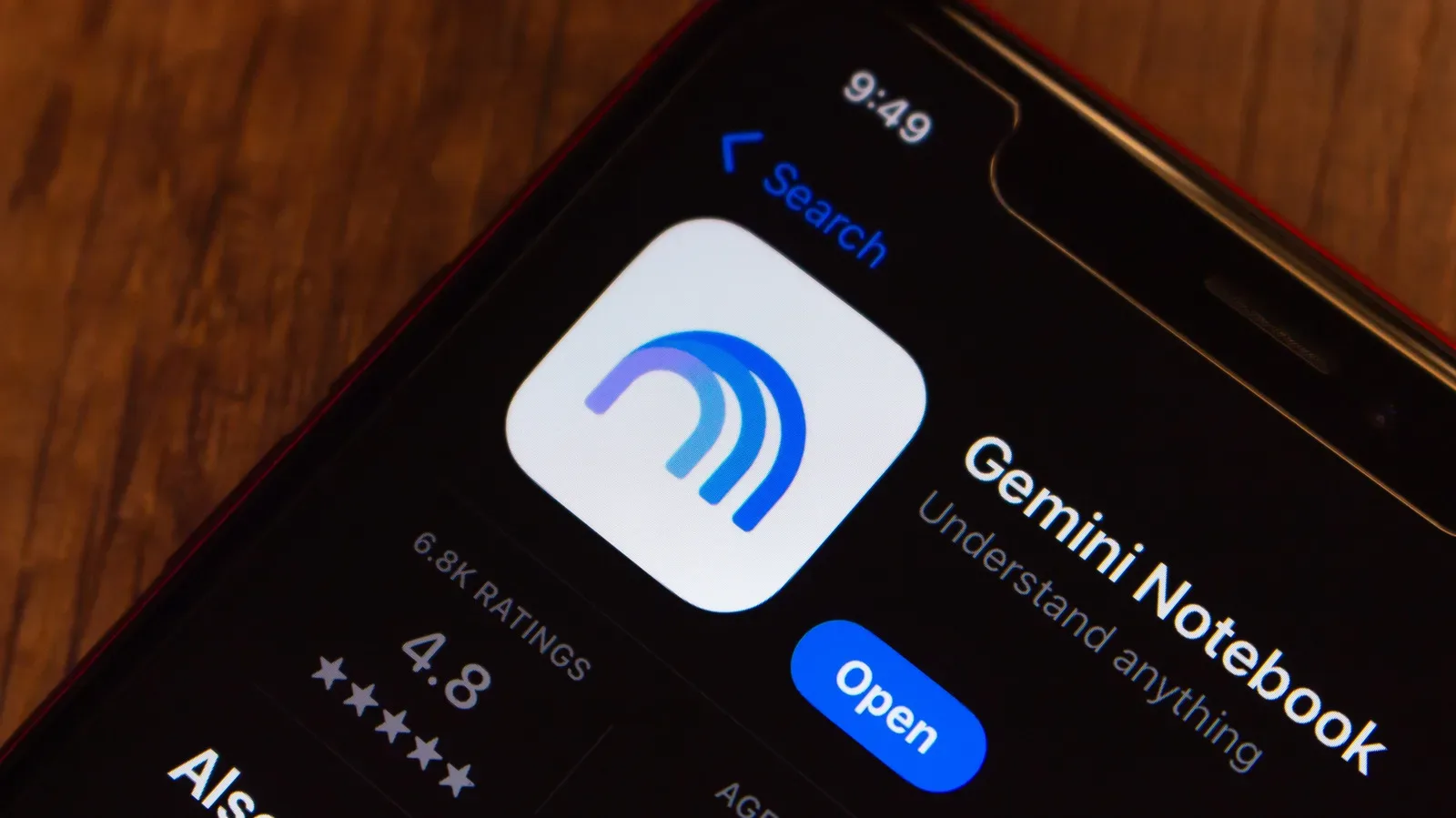
Research notes have a familiar habit of becoming a digital junk drawer: a PDF here, a web link there, copied passages, images, and a document that seemed important at midnight. Gemini Notebook’s new interactive-site feature is designed to turn that pile into something closer to a guided learning experience. Give it a topic and source material, then ask it to make a site, and it can organize information into clickable sections, flash cards and quizzes.
The appeal is immediate for anyone trying to study a complicated subject, prepare for an exam or make a dense project easier to navigate. Rather than treating research as a static set of files, the generated site can divide it into smaller portions and ask the learner to interact with the material. That does not make it an authority on the topic, however. The quality of the finished site remains tied to the quality of the supplied sources—and AI-generated explanations can still state an error with a great deal of confidence.
What Gemini Notebook is for
Gemini Notebook, previously called Google NotebookLM, is a tool intended to help people work with source material. It can generate formats such as study guides and podcasts with two AI hosts. Its interactive-site option adds another output: a web-style learning page built from the contents associated with a notebook.
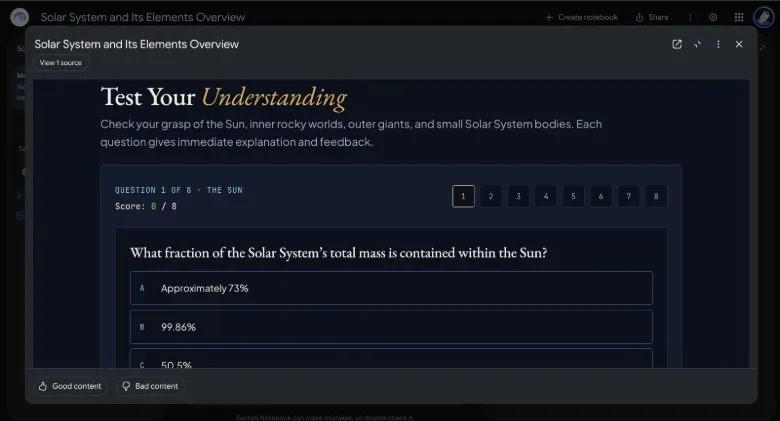
An interactive site in this context is not simply a reformatted report. It can include elements a reader can select or answer, including clickable sections, flash cards and a quiz. Those features are useful because they change the rhythm of reviewing material. A learner can move through a topic in sections, test recall with cards, then use a quiz to identify gaps. For a workplace project, a similarly structured page could function as a tracker or a dashboard-style overview with visual aids.
That distinction matters. A polished page is a presentation layer over research; it is not proof that every claim in the presentation is correct. Treat it as a tool for organizing and revisiting material, rather than a substitute for reading and verifying the underlying material.
Availability and what you need before starting
The feature is available on desktop for users aged 18 and older. It is expected to arrive in the mobile app later, but the workflow for now begins on the web version of Gemini Notebook.
Before opening a notebook, assemble the material that should inform the site. Gemini Notebook accepts a range of inputs:
- PDFs and images from a device
- PDFs and images from a connected Google Drive account
- Website links
- Open-source textbooks
- Books from the Play Store
- Copied text, including personal notes or emails
That breadth makes source selection the most important preparatory step. A notebook made from a few clear, relevant documents gives the system a defined body of material to draw from. A notebook loaded with contradictory, incomplete or off-topic material gives it a much harder job and can leave a reader with a neat-looking but muddled result.
There is also a practical privacy decision before uploading anything. Notes and emails may contain sensitive details, so only use material that is appropriate for the service and the audience you intend. Privacy tools solve different problems depending on how they work; our guide to VPNs versus encrypted DNS is a useful reminder that protecting a connection is not the same thing as deciding what information to submit to an online service.
How to make the interactive site
- Open Gemini Notebook on the web. Choose New Notebook or Create notebook.
- Add the sources for one subject. Upload files, add supported links or paste the relevant text. Keep the notebook focused on the specific topic the site should explain.
- Use the notebook chat box to request a site. A direct instruction such as “make me a site” is the starting point.
- Describe the learning goal and the structure you want. Tell the tool what the site should explain, how simple or detailed the sections should be, and which interactive elements would help. Flash cards and an end-of-page quiz are examples of requested components.
- Wait for the site to be generated. Gemini Notebook indicates when it is finished.
- Open it from the Studio panel. The generated site appears in the panel on the right side of the notebook interface; select its tab to load it.
The essential instruction is short, but the useful part is the follow-up detail. “Make me a site about this topic” leaves most editorial choices to the model. A request that names the intended reader, the desired divisions and the learning checks gives the output a clearer job.
A better way to phrase the request
A good prompt does not need special jargon. It should make the scope and the desired outcome explicit. For example:
Make a site that explains this topic in simple sections. Use the uploaded material, add flash cards for key terms, and end with a quiz that checks the main points.
For an internal project tracker, the instruction could focus on the categories that need to be visible at a glance. For an exam-prep page, it could ask for the concepts that most need repeated review. The tool can generate the format, but it cannot know which ideas matter most to a particular class, reader or team unless the sources and request make that clear.
What happens if you have no uploaded material
If the notebook does not contain sources, Gemini Notebook can ask whether it should search the web for information. That may be adequate for a broad, established subject where a general overview is all that is required. It is much less appropriate when the site needs to reflect private notes, a particular document set or details accessible only to the person creating it.
This is the key difference between a source-led notebook and a general web research request. In the first case, the value comes from transforming a known collection into a more approachable format. In the second, the tool must first locate material and then turn it into a site. Either route can produce something useful, but the latter adds another stage where relevance and accuracy need scrutiny.
Why interactive elements can help—and what they do not prove
Clickable sections can keep a wide topic from landing as one intimidating wall of text. Flash cards can support active recall, meaning the learner tries to retrieve an answer rather than merely rereading it. Quizzes can reveal whether the explanation was understood well enough to answer a question afterward. These are strong organizational and study patterns, especially when a topic has many connected terms or categories.
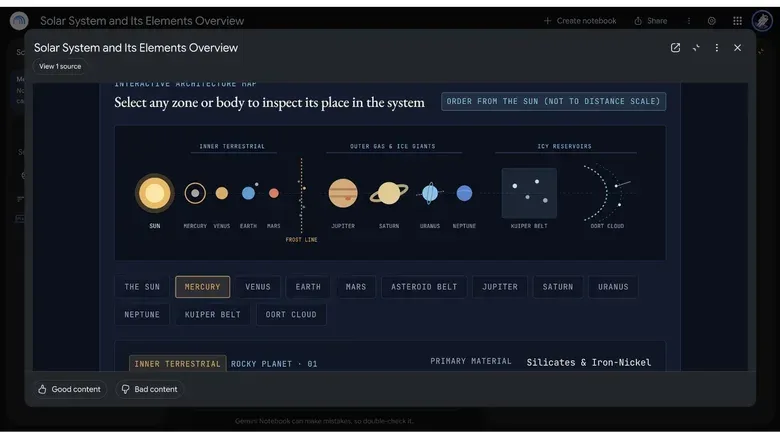
The generated example of a solar-system site illustrates the potential layout: separate areas for the inner terrestrial planets, the outer gas and ice giants, and additional sections for the asteroid belt, Kuiper belt and Oort cloud. Selecting a planet could reveal a card with its information. That is an intuitive way to make a large topic navigable.
But the same example shows why presentation cannot be mistaken for verification. The Oort cloud is theoretical: it is described as a cluster of small icy bodies beyond the Kuiper belt, not an observed object in the straightforward sense a reader might infer from a confident explanation. An AI-generated site presented it as though it were established and directly observed, including a categorical description of it as the home of long-period comets.
This is an example of an AI hallucination, a term commonly used when a model generates false or unsupported information. The risk is not confined to bizarre, obviously wrong statements. More often, the difficult failure is a wording choice that removes a necessary uncertainty, qualification or distinction. On a visually attractive learning page, that kind of mistake can be especially easy to overlook.
A practical review checklist before sharing a site
Do not judge the result only by whether the buttons work or whether the sections look well organized. Review the substance, especially if it will be used to teach, guide work or support a decision.
- Check central claims against the supplied material. Start with definitions, dates, figures, names and conclusions that the user is likely to remember or repeat.
- Look for missing uncertainty. Research may describe something as theoretical, debated, preliminary or unknown. Make sure the site has not rewritten that as settled fact.
- Check the boundaries of categories. Groupings can make a subject easy to grasp, but they can also oversimplify distinctions that matter.
- Try the flash cards and quiz. Confirm that questions test the source material rather than introducing unsupported details or rewarding vague wording.
- Review every section, not just the opening. Smaller cards and side sections can contain claims that receive less attention during a quick read-through.
- Reconsider private inputs. If copied notes or emails were used, make sure their inclusion was intentional and appropriate.
Useful roles for the feature
The clearest fit is learning: turning a set of course materials or research documents into an approachable study page with recap tools. The tool can also be used for work-oriented organization. Google suggests project trackers and sales-overview dashboards with visual aids as possibilities.
Those uses share a common advantage: information that would otherwise sit across several documents can be arranged for fast navigation. They also share a common limitation: generated structure does not independently validate the material. A dashboard is only as reliable as the information it represents; a quiz only tests the facts and framing it was given; a study site can make a misconception easier to memorize.
Gemini Notebook’s interactive sites are therefore most compelling as a bridge between source collection and review. Use the notebook to gather a bounded set of relevant material, tell the system how that material should be explained, then inspect the result with the same care you would give any condensed summary. If the sources are solid and the review is deliberate, clickable lessons, cards and quizzes can make research far easier to use. If they are not, the interface may simply make uncertainty look more finished than it is.