Bluesky has introduced two practical profile and device updates: beta support for Apple’s iPad and dedicated external links at the top of user profiles. Neither change alters the basic idea of posting on the social network, but both address everyday friction—one on a larger screen, the other in directing an audience somewhere useful.
For game-focused artists, streamers, modders, independent developers and community organisers, the additions could be particularly handy together. An iPad can be a more comfortable device for following a fast-moving feed or managing a profile than a phone, while a clearly visible link can point followers toward a creator’s website, newsletter, or supporter page without requiring a repeated explanation in every post.
What the iPad beta means
Bluesky is beta testing iPad support. The stated goal is for the service to look and perform better on Apple’s tablets. That wording matters: this is a beta feature, not a promise that every part of the iPad experience is finished or free of issues.
In software, a beta is a testing stage in which a feature is made available while developers gather information about faults, rough edges and user experience problems. It can be functional and useful, but it should be approached with the expectation that behavior may change as feedback comes in.
Users who encounter problems with Bluesky on iPad can submit feedback through the Beta Features section of the app’s Settings menu. The feedback option is important because tablet use can expose issues that are less apparent on phones: screen layouts, spacing, navigation behavior and performance can all feel different when an app moves to a larger display.
The update does not specify a final timeline for the iPad work, nor does it detail every interface change included in the beta. The dependable takeaway is narrower: iPad support is actively being tested, and Bluesky is inviting reports on bugs or other unusual behavior encountered in that version of the app.
Profile links move self-promotion out of the posts
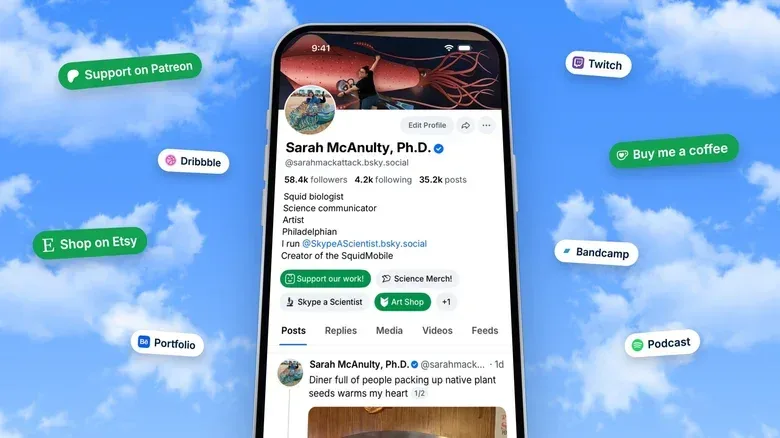
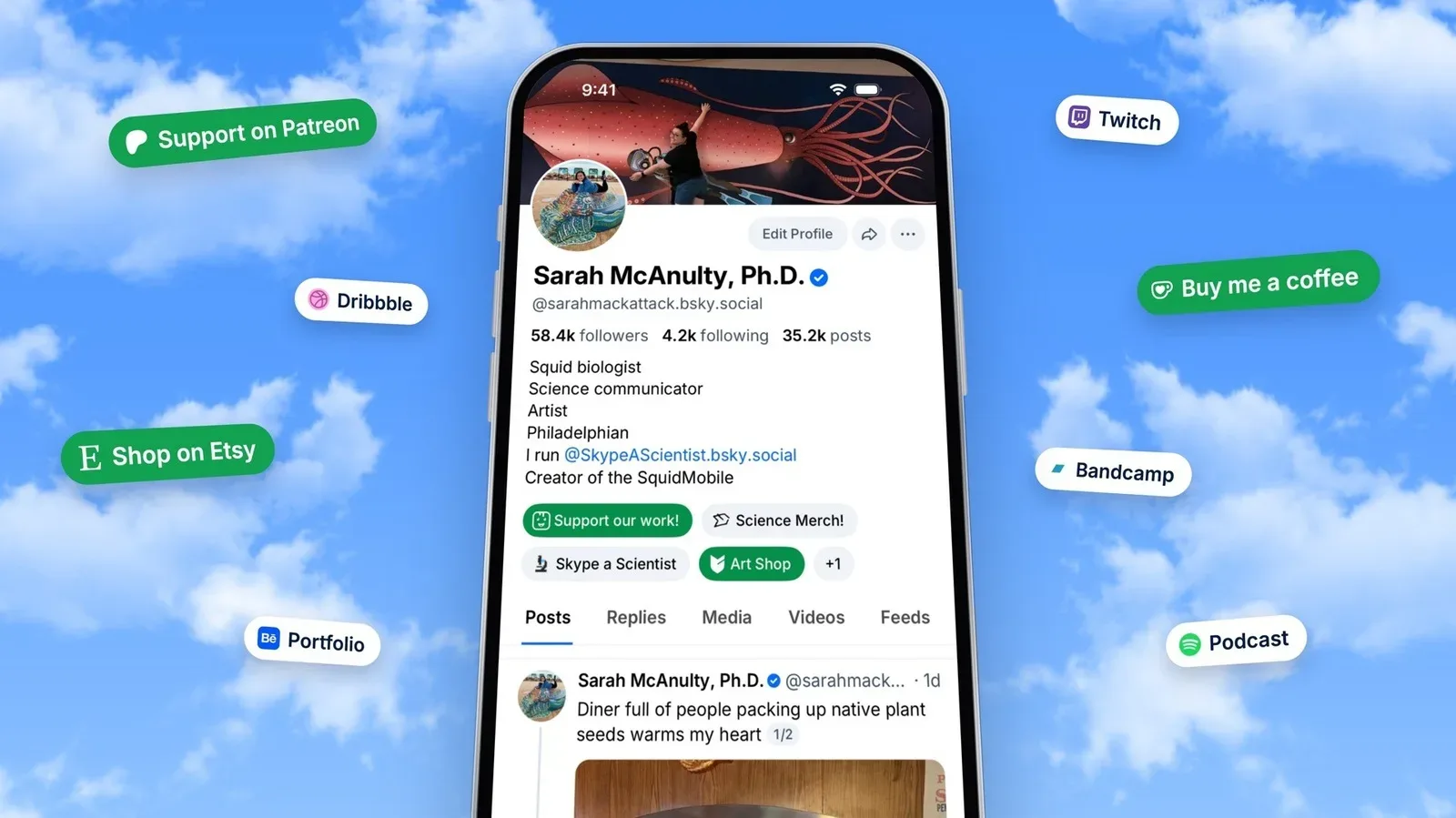
The second addition is a Links section in Edit Profile. Users can now place links to outside platforms at the top of their profiles. Bluesky describes the option as a way to help creators connect their audiences with other places where they publish or receive support.
Examples given for those destinations include crowdfunding services such as Patreon and Ko-fi, along with a personal website or newsletter. In practical terms, the feature turns a profile into a clearer directory: someone interested in a creator’s work can visit the profile and find the relevant destination there, rather than searching through older posts.
Related coverage includes Bluesky Begins iPad Beta and Adds Profile Links for Creators.
It may also reduce reliance on the familiar “link in bio” phrasing. That phrase is commonly used when a post cannot contain, or is not intended to contain, the full destination a creator wants to promote. With a designated links area at the top of a Bluesky profile, the instruction becomes less necessary: the profile itself can hold the route to the external page.
Why that matters for gaming communities
A social profile often has to do several jobs at once. A developer may want to show a project page. An illustrator may want to direct people to commissions or a portfolio. A video creator may need one route for a channel and another for audience support. A community-run tournament or modding project may have a site or newsletter that contains information too detailed for a single social post.
Bluesky’s profile links do not replace those destinations; they simply make them more visible from the profile. That distinction is useful. A social feed is usually built around brief, time-ordered updates, whereas a website, newsletter or crowdfunding page can provide material intended to remain available and easy to find.
For followers, the change could make the profile a better first stop before asking where to find a creator’s work. For creators, it offers a cleaner way to establish a persistent connection between their Bluesky presence and the services they use elsewhere.
How to add an outside link
The supplied update identifies the location of the setting: open Edit Profile and look for the Links section. From there, external sites can be added to the profile.
- Open your Bluesky profile.
- Choose Edit Profile.
- Find the Links section.
- Add the external destination or destinations you want visitors to see.
- Review the profile to make sure the links direct people to the intended page.
Creators should consider what job each link needs to do before adding it. A project page is useful for someone seeking game information; a newsletter is useful for someone who wants updates delivered directly; a Patreon or Ko-fi page is for those who want to offer financial support. The announcement confirms these types of destinations as use cases, but it does not prescribe one preferred setup.
Keeping expectations proportionate
These are quality-of-life improvements, not evidence of a wholesale redesign. The iPad portion remains in beta, so users should report problems rather than assume every awkward behavior is permanent. The profile-link feature is more immediately straightforward: it creates a specific place for outside URLs in the profile editor.
There is also no indication here that a profile link changes how posts are ranked, discovered or shared. Its value is directness. A visitor who has already reached a profile has a visible way to continue to the creator’s other work or support channels.
The update arrives amid continued attention on how online platforms help people maintain audiences beyond a single feed. The broader technology landscape can shift quickly, as seen in changes affecting Arc Browser users. Against that backdrop, an uncomplicated profile connection to a website, newsletter or crowdfunding page gives creators a more durable signpost for people who want to find them elsewhere.
What to watch next
The main question for iPad users is how the beta develops after feedback is submitted through Settings. The update establishes that Bluesky is seeking reports on bugs and other issues, but does not set out a final release schedule or a full feature list for the tablet experience.
For everyone else, the immediate change is available through the profile editor: external links can now sit at the top of a Bluesky profile. It is a small addition with a clear use case, especially for anyone whose posts are only one part of a larger creative or community presence.