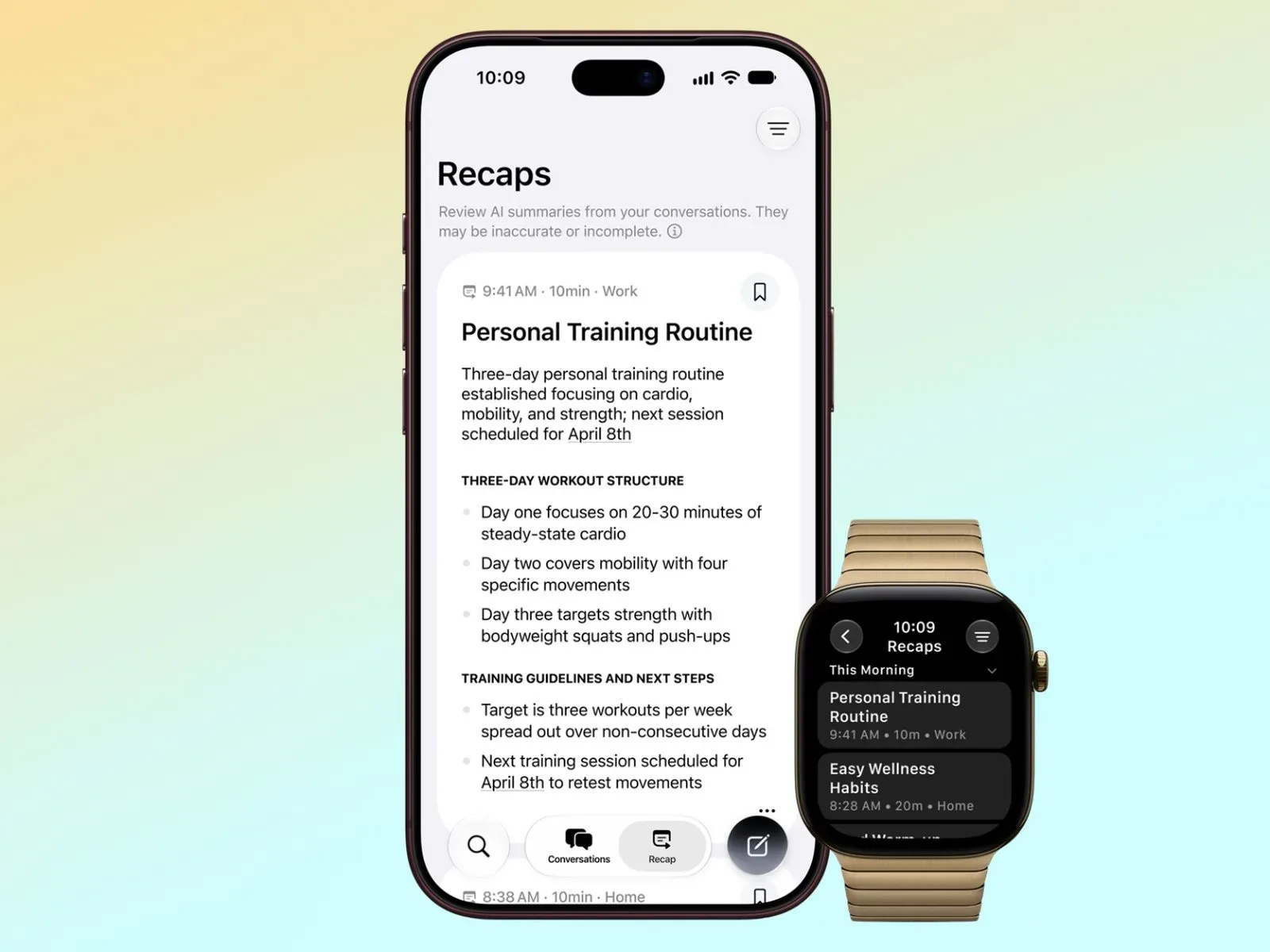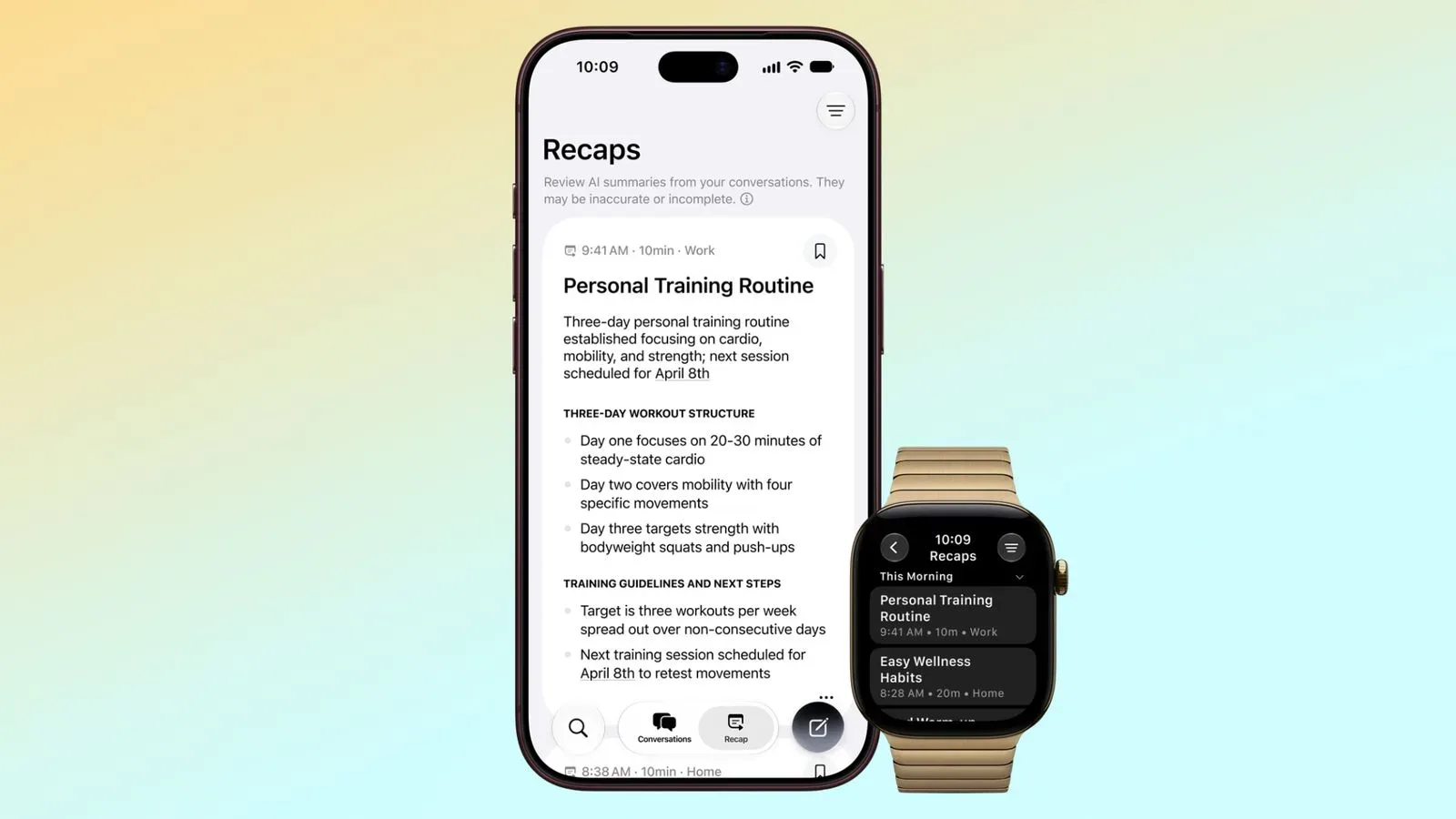
Apple’s new Siri Recap feature for Apple Watch Series 12 and Apple Watch Ultra 4 is built around an idea that can feel equal parts useful and unsettling: a wearable that pays attention to the conversations around its owner, then produces short summaries intended to help them remember the day. Apple calls the output a way to jog a person’s memory while letting them remain present in the moment. But the concept naturally raises a more immediate question: what, exactly, happens to the spoken material the watch hears?
Apple has laid out the intended privacy model for Siri Recap, including what data is processed, what is excluded from summaries, where the AI work occurs, and how users can control or remove the results. The company’s explanation includes important limitations, too. Siri Recap can make mistakes, may leave out context, and its automated safeguards may not catch every piece of sensitive information.
Siri Recap is among the Audio Intelligence tools arriving on the new watches, alongside Sound Recognition, Music Recognition, and Live Rewind. When applicable Audio Intelligence functions are active, the devices are continuously listening to nearby sound. Siri Recap specifically uses that ambient input to create ongoing notes from conversations rather than making a conventional word-for-word record.
It is meant to create summaries, not a searchable verbatim record
A central distinction in Apple’s description is that Siri Recap does not generate a full conversation transcript. The result is intended to resemble the concise notes somebody might write after a discussion: a compressed recollection of the important points rather than a complete capture of every sentence.
Before material reaches the service used for final summarization, Apple says it is reduced to encrypted text representing less than half the length of the underlying transcript. This compressed text is meant to preserve the core meaning while stripping elements such as conversational tone, repetitions, filler, and other nonessential language.
That approach matters because a summary is not a neutral replacement for a transcript. Summarization decides what is important, and any system making those decisions can miss qualifications, disagreement, irony, or crucial context. Apple explicitly warns that Siri Recap results can be incomplete or inaccurate. A recap should therefore be treated as a memory aid, not as definitive documentation of a meeting, a family discussion, a work instruction, or anything else where precise wording matters.
It is also not designed to label who said what. Siri Recap does not attribute remarks to individual speakers. A name may appear when someone says that name in the conversation, but the system is not supposed to connect a particular statement to a particular person. That limitation makes the summaries less like minutes from a meeting and more like generalized personal notes about topics that came up.
Apple says audio is processed locally and never stored
Apple’s account places the direct audio handling inside the Secure Enclave on the Apple Watch and iPhone. The company says the audio used for analysis cannot be accessed by the operating systems, installed apps, the wearer, or Apple itself. It further says that Siri Recap does not record or retain audio.
The distinction between audio and derived text is essential here. Apple says raw sound is not preserved as a recording, while condensed, encrypted text is sent onward for the summary-generation stage. For people concerned about an always-listening device, that is a meaningful architectural claim, though it does not erase the social sensitivity of a device analyzing speech nearby. A conversation does not need to become a replayable audio file for someone to be uncomfortable with a wearable extracting a written account of its general meaning.
The final summary and formatting work uses Apple Foundation Models through Private Cloud Compute. Apple says the information used there is inaccessible to the company and to others. This is the same broad privacy direction behind Apple’s push to separate sensitive requests from conventional cloud processing: perform what can be done on-device, then use protected cloud infrastructure for work that needs larger models.
AI privacy claims are receiving increased scrutiny well beyond watches and phones. In a different debate over how generative tools are used with recognizable creative material, Hasbro said AI Optimus Prime imagery was used without permission. The situations are not equivalent, but both underline why specifics about inputs, access, retention, and consent matter much more than a vague promise that a feature is “private.”
Filtering is intended to reduce sensitive material, not guarantee its disappearance
Apple says Siri Recap is designed to omit categories of information that could be harmful or particularly sensitive. The examples it identifies include language promoting self-harm, hateful speech, financial details, government-issued identifiers, authentication information, and certain personal identifiers.
That list gives users a useful sense of the feature’s intended guardrails, but it also makes the caveat impossible to ignore: filtering may fail to remove every sensitive detail. A summary could still contain material somebody would rather not preserve, especially when a conversation involves personal health, workplace issues, family matters, disputes, passwords spoken casually, travel plans, or private information about a third party.
There is another practical challenge: relevance can be highly dependent on context. A date and a location might look harmless independently but become deeply personal alongside a name or an event. Likewise, a system can remove a direct identifier while retaining enough surrounding detail to make a moment recognizable to the wearer. Apple’s warning that output can be inaccurate or incomplete should be read alongside its warning that filtering is not perfect.
Controls include opt-in activation, schedules, and a quick toggle
Siri Recap is not described as a feature that users must disable after setup. It is opt-in through the Apple Watch app on iPhone. People who enable it will be able to choose schedules for when the watch listens. Someone could, for example, restrict it to working hours instead of running it throughout the entire day, or ensure that it never listens at night.
Apple also plans a Control Center switch for quickly turning Siri Recap on or off. That shortcut could be important in real life, where the setting is not merely technical. A wearer may want to disable the feature before a medical appointment, a confidential meeting, a sensitive family conversation, or simply any social setting where continuous audio analysis would feel unwelcome.
Scheduling and toggles are useful only if people remember they are enabled and understand what the device is doing at a given moment. Apple itself advises wearers to be mindful of the people around them, noting that conversations may be private or sensitive even though audio is neither recorded nor stored and speakers are not attributed. That is a sensible reminder: consent and comfort in shared spaces involve more than whether a company saves a sound file.
Summaries expire unless users choose to keep them
By default, Siri Recap summaries automatically delete after seven days unless the user saves them to the Siri app. Saved items can be removed from all synced devices whenever the user chooses. They can also be exported to other apps, including Notes.
Once a recap is deliberately exported, it enters a different practical phase of its life. The original automatic seven-day deletion behavior applies to the recap service’s unsaved summaries, not necessarily to a copy a user has placed elsewhere. Anyone using the feature for personal organization should consider where saved notes go, which devices can access them, and what retention settings apply in the destination app.
Apple says saved summaries synced via iCloud are end-to-end encrypted, meaning only the owner’s trusted devices can access them. That protection applies to the synced summary data, while the export option gives users flexibility to place a recap into their own broader workflow.
Compatibility and timing
Siri Recap requires either Apple Watch Series 12 or Apple Watch Ultra 4, paired with an iPhone 16 or later. The iPhone 16e is specifically excluded from compatibility. Apple says the feature is due later in 2026, rather than being available immediately with the new watches.
The eventual test for Siri Recap will be whether its memory prompts are useful enough to justify the responsibility of managing them. Apple’s model offers several controls: no retained audio, no speaker attribution, selective deletion, a seven-day default expiry, end-to-end encryption for synced saved recaps, opt-in enrollment, scheduling, and a fast off switch. At the same time, the company acknowledges the limits of AI-generated summaries and sensitive-data filters. For a feature that listens in the background, those limitations are not footnotes. They are part of the decision every potential user will need to make before turning it on.