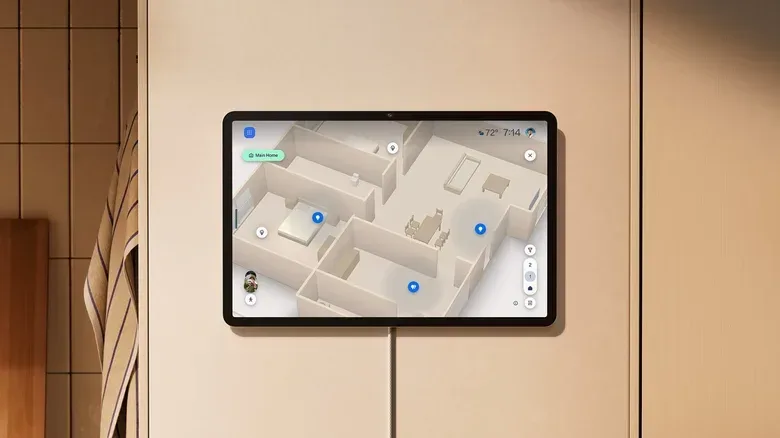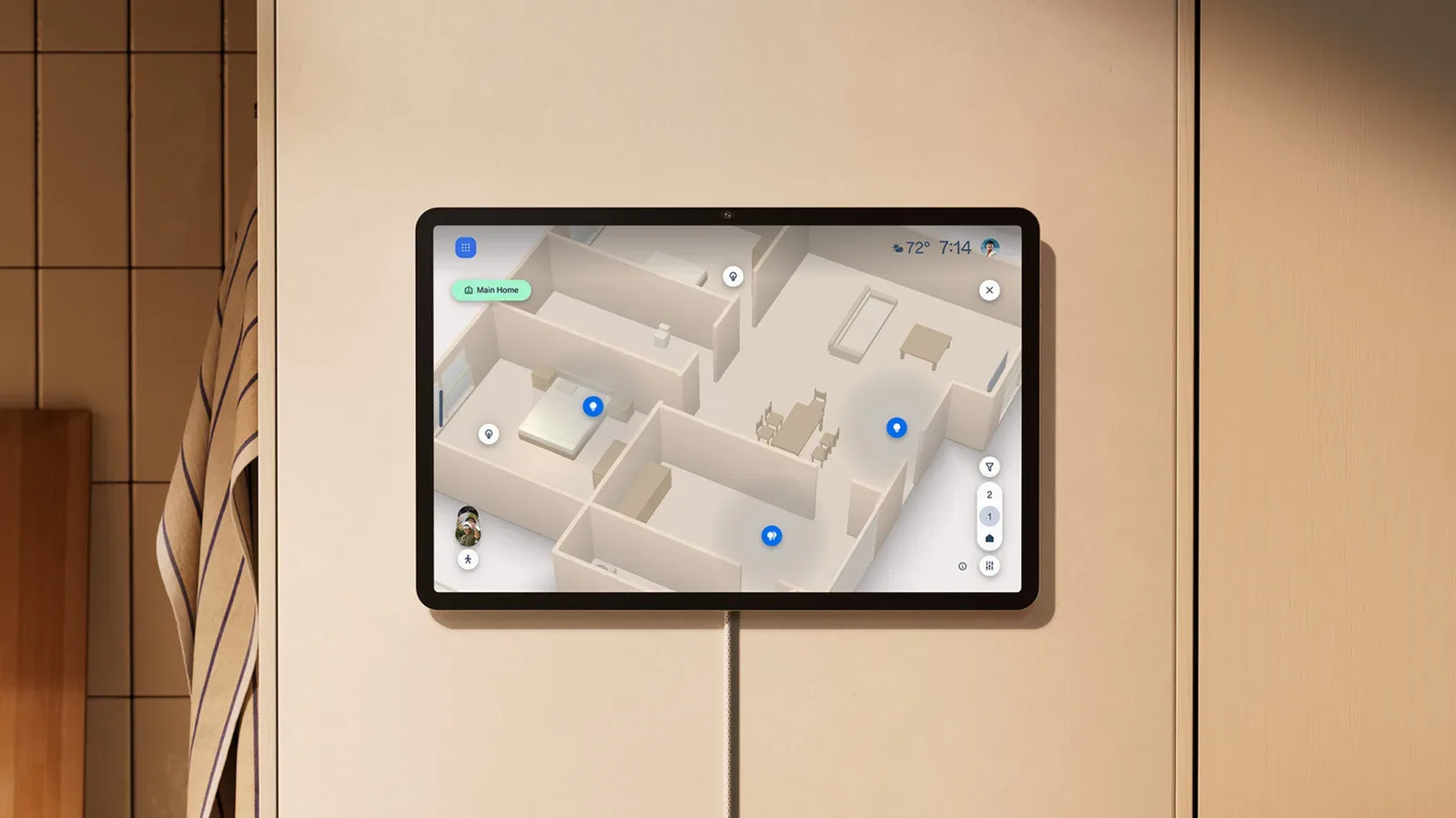
Smart homes are very good at producing a tiny administrative problem: the moment a household has enough bulbs, plugs, speakers and cameras, “the lamp by the chair” turns into an inscrutable device label in a long list. Amazon’s answer is Alexa Home Map, a forthcoming interface that swaps the familiar tile grid for an interactive 3D representation of a home.
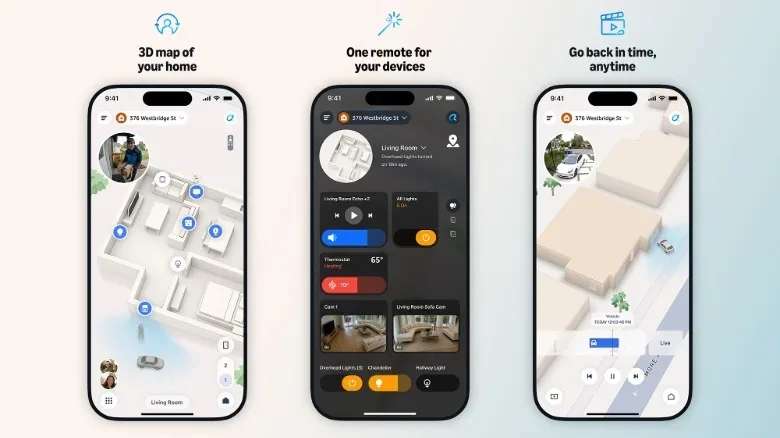
The basic pitch is refreshingly easy to understand. Instead of locating a device by remembering its assigned name, users will be able to find it where it physically sits. A light appears in the appropriate room, a speaker appears where the speaker lives, and controls are attached to that visual context. Amazon says the map will update dynamically to reflect the state of connected devices, including light color and brightness, active playback on speakers, and activity detected by compatible outdoor security cameras.
That makes the interface feel a little like a management screen from a simulation game—minus the part where a misplaced sofa traps someone in the bathroom. The important distinction is that it is intended as a control surface, not merely a decorative floor plan. The practical question is whether seeing a home spatially is faster and clearer than searching through a dashboard. For homes with a modest number of accessories, it may be a pleasant alternative. For households that have accumulated smart gear room by room, it could address a genuine usability problem.
A map instead of another wall of tiles
Most major smart-home apps present devices as tiles or cards. Those cards can be organized by room, device type or a set of favorites, and their controls vary by accessory: a tap may toggle a light, while a slider can change brightness or volume. It is an established model because it is compact and flexible, but it assumes the user knows what a device is called, what category it belongs to, or which room grouping it was assigned to.
Alexa Home Map changes the starting point. Amazon describes it as an interactive 3D map that lets users see and control their home. Rather than making people translate “Kitchen Pendant 2” back into a real-world fixture, the interface places an icon at the location where the item was mapped. If the useful memory is “the blue bulb near the window” rather than the name entered during setup, a spatial view could be considerably more natural.
This is not necessarily a replacement for every list-based control. Lists remain efficient when a user wants to compare every light, every plug or every speaker at once. Amazon says Home Map will therefore offer filters by device type, letting people narrow the view to lights or plugs, for example. Users will also be able to zoom into individual rooms, move between floors, and select light or dark mode. Those details matter because a visual map can become just as busy as a tile dashboard if every device is permanently on screen.
The core idea is best understood as spatial control: interacting with connected technology based on physical placement rather than a database-style inventory. A home map does not eliminate device names or room assignments, but it could reduce how often users have to rely on them.
What the map is meant to show in real time
Amazon says the map will visually reflect the live state of certain devices. A light should glow on screen with the same color and brightness it has in the room. So a dim bedroom light or a blue living-room scene is meant to be recognizable before a user selects it. A speaker that is playing audio will have animated music notes around its icon.
These are small visual signals, but they serve a purpose beyond ornament. A static floor plan answers where a device belongs. A state-aware map is supposed to answer what it is doing now. In principle, that means a quick scan could identify a room where lights were left on, distinguish a warm white light from a colored one, or show that audio is playing from the speaker in a particular part of the house.
Amazon also says local weather conditions can be visualized on the map, including rain or snow when those conditions are present. The effect is intended to make the digital model feel less like a technical diagram. Whether that visual layer proves useful will likely depend on how restrained it is. The valuable information remains device status and camera activity; atmospheric flourishes should not obscure the controls people need in a hurry.
Outdoor cameras bring activity into the picture
Alexa Home Map is also designed to work with compatible outdoor security cameras. The map can show what is happening around the property, including moving vehicles and pedestrians. Rather than rendering photorealistic people, it uses a simplified visual representation. Amazon’s stated visual inspiration includes the driving visualizations used in Tesla vehicles.
That approach is worth separating from a live video feed. The provided details describe an abstracted map view of detected movement, not a claim that the interface replaces camera footage or identifies people. Its likely role is awareness: a glance at the property layout could show activity in a yard or driveway, while the camera itself remains the tool for checking the underlying view.
Abstraction is sensible here. A map needs to communicate movement and location quickly, and it does not need to turn a home dashboard into a miniature surveillance-video wall. Still, users will need to judge the value based on how accurately activity is represented and how much control they have over what appears. Those operational details have not been specified.
Setup will require a scan—and some manual placement
The initial setup process is more involved than signing in and watching a dashboard populate. Users will begin by entering their address, after which Amazon says the exterior of the home will appear automatically. They then scan the inside of the house by walking through it with a compatible phone. Once the interior scan is complete, users place their devices on the map at the locations where they actually sit.
The interior scan relies on LiDAR, short for Light Detection and Ranging. In this context, LiDAR is a sensing method used to measure surroundings and construct a representation of physical space. Amazon’s stated iOS requirement is a compatible iPhone, and the use of LiDAR means support is unlikely to extend broadly to phones without the necessary hardware. Android support is planned later, but the exact compatible devices have not been detailed.
Manual device placement is the part that will determine whether Home Map feels magical or mildly homework-like. A person with a few lights and a speaker may finish quickly. A home with many bulbs, switches, plugs and cameras will require more time to place each item accurately. Amazon has not described how much automation is involved in matching discovered devices to locations, nor how easy it will be to revise a map after furniture moves, a device is replaced, or a new accessory is added.
Those omissions are understandable before a preview, but they are central to the product’s appeal. A floor plan is useful only when it stays close enough to reality. If maintaining it is onerous, users may retreat to familiar room lists and favorites. If updates are painless, a spatial dashboard could become the interface people turn to when voice commands are not the right fit.
Where Alexa Home Map will appear
Amazon plans to begin rolling out Alexa Home Map in preview later this year through the Alexa Home Map app on iOS. It is also intended to arrive in the Alexa and Ring apps, as well as on larger Echo Show devices. The named screens include Ember Artline Fire TV, the new Alexa Tablets and Echo Show 16.
Android support is expected in early 2027. That creates an important limitation for the first phase: the initial map-building experience is tied to compatible iPhones, while Android users will have to wait for the platform expansion. Availability in preview also means prospective users should treat the described experience as an early rollout rather than assume every capability will be broadly accessible immediately.
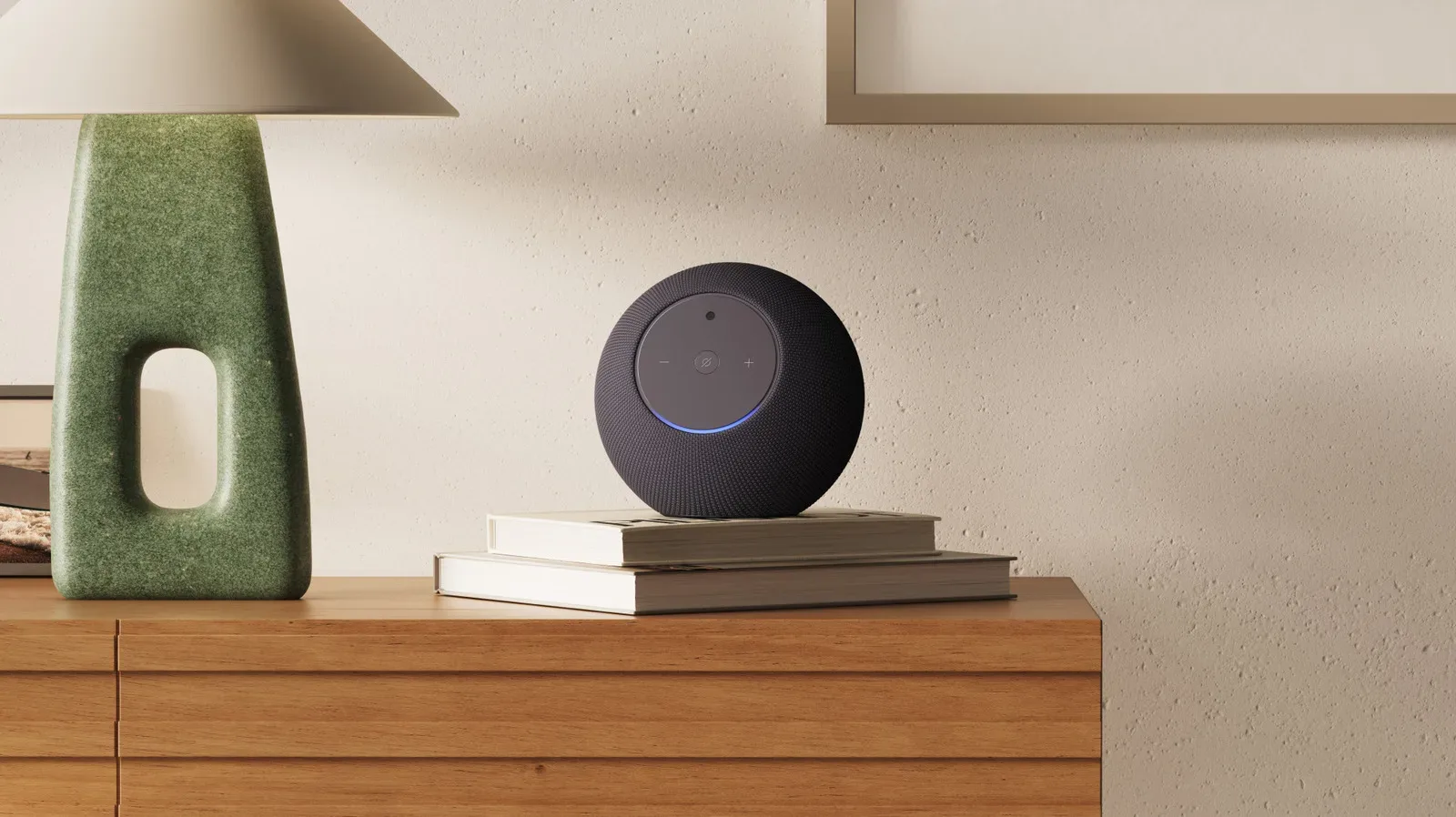
The Home Map sits alongside Amazon’s broader effort to make Echo hardware more central to household management. For related context on that direction, see Amazon’s new Echo Dot and its smart-home hub role.
The practical appeal: fewer naming puzzles
The strongest case for Home Map is not that a 3D house is inherently more exciting than a grid of controls. It is that smart-home organization frequently breaks down at the exact point a home gets useful. Device counts rise, names become inconsistent, and the distinction between two nearly identical lights becomes difficult to recall from a label alone.
A visual model can make the home itself the index. That could be especially helpful for shared households, where the person who installed a device may not be the person trying to control it later. It could also help users who know the physical location of a device but not the room convention or nickname stored in an app.
There are limits to the concept. The map will need to remain readable across floors and device-heavy rooms. Its setup process has to justify the effort. And a live visual representation of a home raises the usual importance of understanding which devices and activity data are being surfaced in a shared household. Amazon has described the visual behavior and supported rollout targets, but has not provided further detail here about map editing, permissions, or the full set of compatible devices.
Even with those open questions, Alexa Home Map addresses an interface issue that tile dashboards have largely normalized instead of solved. A home is not naturally experienced as a menu. Amazon is betting that making the controls resemble the place they affect will make smart-home management easier to understand—and perhaps a little harder to forget.