Travel planning has a way of exposing the least exciting limitation in your kit: the phone that works perfectly at home may be set up in a way that makes changing mobile plans awkward abroad. An eSIM can make that process simpler, but it is worth checking compatibility before relying on one.
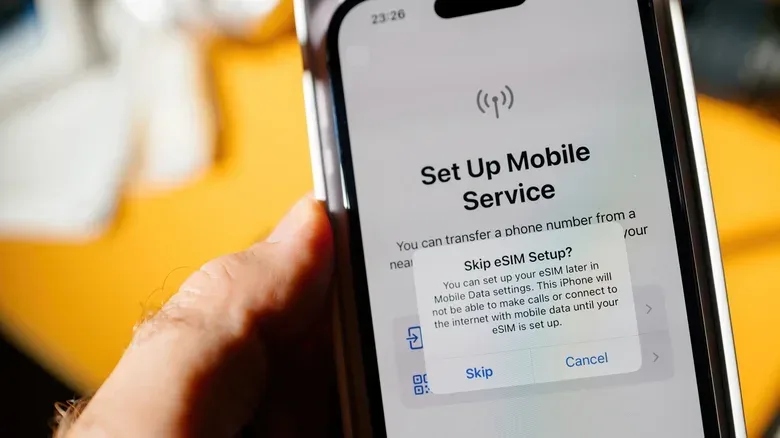
An eSIM is a digital subscriber identity module built into a device. Rather than putting a physical nano-SIM card in a tray, a compatible phone can activate a carrier plan electronically. That can speed up setup and, on supported devices, make it possible to keep more than one line active. A common use is retaining a home number while using a separate travel plan.
The important catch is that “my phone is fairly new” is not a complete compatibility test. Three different questions matter:
- Does the handset contain eSIM hardware?
- Is the handset unlocked, so it can accept a profile from another carrier?
- Does the carrier or service provider support eSIM activation for that device?
Those checks are related, but they are not interchangeable. A phone can have the right chip while remaining restricted to its existing carrier. It can also have the chip and be unlocked, yet still need a provider that offers eSIM activation. The good news is that the first check is usually quick.
The fastest compatibility check: find the EID
Look for an EID, short for eSIM Identifier. This is a 32-digit number associated with the phone’s embedded SIM chip. Its presence is the most useful device-side indication that the phone supports eSIM.
On both iPhone and Android, open the phone app and dial *#06#. This brings up device information and should display the EID on a compatible handset. It is a useful shortcut because it avoids hunting through differently named settings menus.
Do not confuse the EID with other device identifiers that may appear on the same screen. The item to look for is specifically labelled EID. The fact that a device shows other identification numbers does not substitute for locating that eSIM-specific entry.
How to find the EID on an iPhone
On an iPhone, open Settings, choose General, then choose About. Scroll through the information and look for EID. That is the operating-system alternative to using the dial code.
Apple’s compatibility line begins with the iPhone XS, iPhone XS Max, and iPhone XR; those models and later can add eSIMs. There is also a useful distinction for people who need two digital lines at the same time: iPhone 13 models and newer can run two eSIMs simultaneously.
That distinction matters because “supports eSIM” and “can run two eSIMs simultaneously” are different capabilities. Someone simply replacing a physical card with a travel eSIM needs the first. Someone hoping to maintain two active eSIM-based lines needs the latter. Checking the precise model avoids assuming that all compatible iPhones behave identically.
Check the iPhone’s carrier-lock status too
While still in Settings > General > About, find the Carrier Lock field. The reassuring wording for an unrestricted device is “No SIM restrictions.”
This is a separate check from finding the EID. An iPhone may display an EID because it supports eSIM technology, but a carrier lock can prevent it from accepting eSIM profiles from outside carriers. That is particularly significant for travel, where the whole point may be to use a different provider from the one attached to the phone at home.
How to check eSIM support on Android
Android compatibility is less uniform because the operating system is used by multiple phone makers, and menus can vary by manufacturer and model. Start with Settings > About phone. Under Device details or Status information, look for an EID.
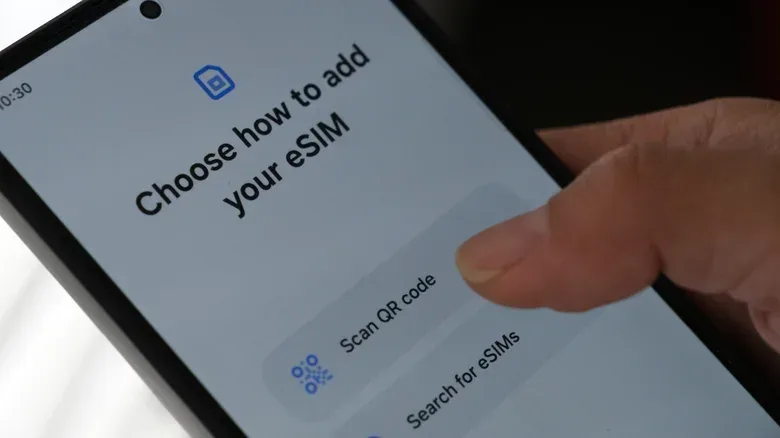
There is a second practical route: open Settings > Network & Internet and look for eSIM options. On Samsung phones, the comparable path begins at Settings > Connections, then SIM manager. If the SIM-management screen includes a way to add an eSIM, that is a strong practical sign that the phone is prepared for digital plan activation.
If those menus differ from the names above, the EID remains the more direct clue. Android settings are not perfectly standardized, so an option being located somewhere else—or labelled slightly differently—does not by itself settle the hardware question.
Why the model name alone is not always enough on Android
Android received eSIM support in 2017, while iPhones gained it a year later. But manufacturer adoption did not happen all at once. The Google Pixel 2 and Pixel 2 XL supported eSIM in 2017. Motorola added support in 2019. Samsung introduced it with the Galaxy S20 series in 2020.
Those milestones help explain why broad assumptions can be unreliable. Older Android phones may lack the embedded component, and many budget models do as well. Some regional versions of a handset can also omit it. A familiar family name on a phone box therefore should not replace checking the exact device in hand.
For that reason, the EID test is more dependable than guessing from a release era or a manufacturer’s reputation. It verifies the relevant embedded hardware on the particular handset rather than treating every model variant as the same.
Hardware support, unlocking and carrier activation are three different gates
It helps to think of eSIM readiness as a chain. The EID confirms that the phone has the embedded SIM hardware. An unlocked status determines whether it can use another carrier’s profile. Provider support determines whether the intended plan can actually be activated through eSIM. A failure at any point can derail a plan made around digital setup.
- Find the EID. If it is present, the device supports eSIM.
- Confirm the phone is unlocked. On iPhone, look for “No SIM restrictions” in the Carrier Lock field. A locked handset may accept only the current carrier’s eSIM profile.
- Verify provider support. Not every carrier or service provider offers eSIM activation, even where the handset is capable.
- Ask about the exact phone if anything remains unclear. A mobile network provider can confirm compatibility for a specific device.
This order is useful because it separates a hardware limitation from an account or provider limitation. If there is no EID, looking for a travel plan will not add eSIM functionality to the handset. If there is an EID but the device is locked, the question becomes whether the lock can interfere with an outside profile. If both conditions look good, the remaining task is confirming that the selected service can activate an eSIM.
What dual SIM can mean in practice
Dual SIM means a single phone can use two lines. With eSIM support, one arrangement can pair a traditional physical SIM with an eSIM. That can be convenient when a personal number and a work number need to remain available, or when a home line is kept active while a travel plan handles mobile service elsewhere.
Not every dual-SIM arrangement is identical. The key practical question is what combination the particular device supports. On the iPhone side, iPhone 13 and later are specifically able to run two eSIMs at once. On other phones, a physical SIM plus an eSIM may be the relevant setup. The settings screen and device model are the right places to confirm what is possible.
For anyone using online games, voice chat, remote play or simply a lot of connected apps while away, that second line can be more than a convenience. It can provide a separate option without physically swapping the home card out of the phone. But eSIM support does not promise a particular service quality, coverage level or carrier policy; it only establishes that the device can work with the digital-SIM format.
Connectivity trouble is not always an eSIM problem, either. Home-network quirks can affect play in ways mobile-plan compatibility cannot solve. For a separate look at one such issue, see our guide to why 5 GHz Wi-Fi can change channels and what DFS means for gaming stability.
A quick pre-trip checklist
- Dial *#06# and look specifically for an EID.
- On iPhone, alternatively check Settings > General > About.
- On Android, check Settings > About phone for Device details or Status information, then look in network or SIM settings for an eSIM-add option.
- If using an iPhone with another carrier, confirm Carrier Lock says “No SIM restrictions.”
- Confirm the intended carrier or service provider offers eSIM activation.
- When unsure about a variant or carrier policy, contact the mobile network provider with the exact device model.
The headline test is simple: an EID means eSIM hardware is present. The more careful answer is equally important: hardware support alone is not the same as freedom to use any eSIM, nor is it a guarantee that every provider can activate one. Checking all three pieces before leaving turns eSIM from a hopeful last-minute workaround into a plan you can reasonably rely on.