Streaming a long-awaited game release is already a high-wire act: every mission, reaction and interruption is live, and the pressure to keep moving can make the basics easy to overlook. For JasonTheWeen, that pressure reportedly turned into a brutal chain of events during a Grand Theft Auto 6 marathon.
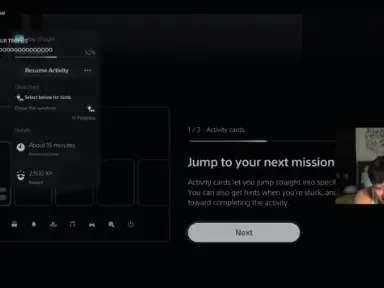
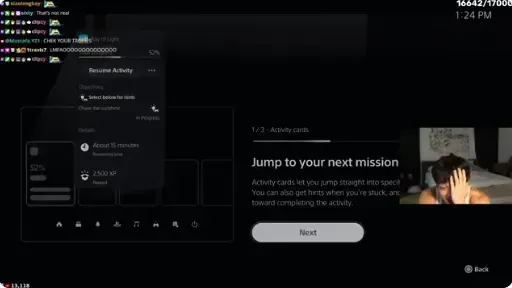
The creator, who has 1.3 million YouTube followers, said an accidental shutdown of their PlayStation 5 had cost them more than 11 hours of progress and an entire chapter of GTA 6. In clips shared on social media, JasonTheWeen was visibly upset while describing the loss and asking whether Rockstar could possibly restore the file to Chapter 2.
“I’m streaming right now, I’m doing my GTA marathon, and I was 11 hours in and I accidentally turned off my PS5 and lost all my progress,” JasonTheWeen said in a call during the stream.
The situation reportedly became more serious almost immediately. JasonTheWeen said police were outside and went off-camera while speaking to authorities, after what was described as a swatting incident. Earlier in the stream, their PS5 login QR code had apparently been shown, potentially exposing account-access information.
It is an awful combination of problems: a possible damaged save, a possible account-security exposure, and a real-world disruption while live on air. The episode is also a useful, if painful, reminder that a game’s autosave is a convenience feature—not necessarily a complete disaster-recovery plan—and that QR codes tied to account login deserve the same care as passwords.
What appears to have happened to the GTA 6 save
JasonTheWeen’s exact save-file state has not been independently established, and there is no confirmation that Rockstar or Sony can recover the lost progress. In messages posted after the stream, the creator directly asked both companies whether there was any way to get it back. No response was reported at the time of the incident.
The available account points to an accidental PS5 shutdown occurring around the time the game was saving. GTA 6 autosaves at the end of missions, so one possible explanation is that the interruption affected the active save data. That is an inference, rather than a confirmed diagnosis: a shutdown can coincide with a save operation without proving exactly what happened to the file.
Still, the distinction matters. An autosave is a game-created checkpoint written without the player needing to choose a save slot. It reduces the chance of losing every action since the last mission or checkpoint. A manual save, by contrast, is a player-created record. When a game supports multiple manual slots, those slots can provide separate recovery points.
Related coverage includes JasonTheWeen Reportedly Loses 11 Hours of GTA 6 Progress After PS5 Shutdown, Then Faces Swatting Incident.
If one current save becomes unavailable, an older manual slot may still preserve an earlier position in the story. It cannot restore the exact lost 11 hours, but it can prevent a complete return to the beginning or to a much earlier chapter. For an open-world game, where a session can include missions, travel, discoveries and unscripted detours, that difference can be enormous.
Autosave is not the same as a backup
It is easy to treat those terms as interchangeable, but they solve different problems.
- Autosave: The game regularly updates progress, often after a mission or other major event.
- Manual save: The player deliberately preserves a point in time, ideally in a chosen slot.
- Backup: A separate copy intended to remain useful if the primary copy is lost, damaged or overwritten.
Only the first behavior is specifically described here for GTA 6: it autosaves at mission ends. That is valuable, but it does not guarantee protection from every interruption at every moment. Nor does it necessarily mean there will be a clean earlier version available if a file is corrupted or overwritten.
For players building their own GTA 6 marathon, the practical lesson is straightforward: manually save at meaningful stopping points, and use more than one slot where the game allows it. A good rhythm is to create a save before ending a long session and another after making major story progress. Players should also avoid deliberately powering down the console while a save indicator or save activity may be in progress.
This is not a promise that manual slots make a save indestructible. It is simply a way to avoid putting every hour of a huge playthrough into one current record. The more time invested, the more valuable those separate points become.
A livestream makes ordinary mistakes much more consequential
For someone playing privately, an accidental shutdown can be a frustrating evening. For a broadcaster in the middle of a marathon, it can also disrupt planned content, viewers’ expectations and a full production schedule. JasonTheWeen’s call for help reflected that broader pressure: they were not merely trying to resume playing, but trying to salvage a live event already underway.
That does not mean a publisher can necessarily reconstruct gameplay from a request. The fact that a player can identify roughly where they were in a story is not evidence that a usable copy of that progress exists elsewhere. Recovery depends on the actual state of the relevant data and what support options are available; neither has been confirmed here.
The safest interpretation is therefore limited: JasonTheWeen asked for assistance, someone on their team said they would gather the available information and attempt to contact Rockstar, and the outcome was not known.
For the wider GTA 6 audience, the incident has landed during a period of extraordinary scrutiny around the game. Players are already combing through Leonida for secrets, including the strange monument markings some believe could point to a larger mystery. That sort of exploratory play can make a protected save especially important: not every memorable discovery is tied neatly to a main-story mission checkpoint.
The reported swatting incident is not a gaming inconvenience
The alleged police callout should not be treated as an extension of the save-file story or as stream drama. Swatting generally refers to making a false emergency report with the aim of prompting an armed or urgent police response at another person’s address. It can place the targeted person, people nearby, and responding officers in danger.
JasonTheWeen’s on-stream comments and the audio from outside were presented as evidence that police had arrived, but public clips cannot establish every detail of an event involving authorities. What can be said is that the streamer said police were outside, left the camera, and could be heard speaking with them. The incident was described as a swatting episode.
That uncertainty is also why audiences should resist turning fragments of a crisis stream into speculation. Viewers who think an emergency response may be active should not attempt to investigate an address, contact people involved, circulate private information, or amplify guesses about what happened. The responsible move is to leave the situation to the people present and the relevant authorities.
The QR-code exposure is a separate security problem
The earlier display of JasonTheWeen’s PS5 login QR code is another reason the stream’s events deserve care. A login QR code is not decorative on-screen clutter. It can function as part of an authentication flow: the process a service uses to establish that the person signing in is authorized to access an account.
Showing such a code publicly can create a risk that someone else attempts to use it before it expires or is invalidated. The report said the exposure could potentially give hackers access to the account; it did not establish that anyone successfully accessed it, so that should not be assumed.
For anyone who streams games, the precaution is simple even when the specific platform settings are not under discussion: treat sign-in screens, login QR codes, verification prompts, account emails and recovery details as private. If one appears on camera, stop sharing it, review the account’s security, and use the platform’s official support and security tools as appropriate. Viewers should never scan, save, share, or attempt to use a creator’s login code.
There is a broader production lesson here too. A stream can contain more sensitive material than a creator expects, especially during a console setup, an account sign-in, or a sudden troubleshooting detour. Keeping screens that handle account access out of the broadcast workflow avoids turning a technical interruption into a potential security incident.
Practical takeaways for GTA 6 players and streamers
- Make manual saves regularly. Do not rely solely on mission-end autosaves for a long session.
- Use multiple slots when available. Keep an older story checkpoint instead of continually replacing a single save.
- Let saving finish before powering down. Interruptions during a save are an avoidable risk, even if the precise effect will vary.
- Keep login material off-stream. QR codes and authentication prompts should be handled away from the public feed.
- Take suspected threats seriously without spreading private details. A reported swatting situation is a safety matter, not material for audience sleuthing.
JasonTheWeen’s lost progress may yet have an outcome that has not been made public. For now, the facts available support a narrower story: a creator said an accidental console shutdown wiped a huge stretch of a GTA 6 run, sought help from Rockstar and Sony, then faced a reported police incident after exposing a PS5 login QR code earlier in the broadcast. It is a reminder that the most unglamorous safeguards—separate saves, careful shutdowns and protected account screens—matter most when a game session becomes important enough that losing it feels unthinkable.