A text message that says “reply STOP to unsubscribe” can look like a straightforward escape hatch. Sometimes it is. If a restaurant, retailer, rewards program or survey service is sending messages you knowingly signed up to receive, replying STOP is an appropriate way to end them.
The problem is that scam texts frequently imitate the shape and urgency of ordinary customer messages. A reply that feels like a harmless refusal may actually tell an abusive sender that a real person is reading messages at that number. The safer rule is simple: use STOP only for a legitimate sender you recognize and previously agreed to hear from. For an unexpected text involving a supposed job, delivery, toll, account problem, romance pitch or “wrong number,” do not reply and do not open its links. Report and block it through the tools on your phone instead.
Why STOP is legitimate in one situation and risky in another
Real marketing programs normally provide a clear way to opt out. The familiar STOP instruction serves a similar purpose to an email unsubscribe link. Under the Telephone Consumer Protection Act, legitimate marketing text programs have obligations around consent and opt-out requests. A real business can take up to 10 business days to stop messages after a STOP reply, so a brief delay does not automatically mean the opt-out failed.
That framework matters because it provides a useful distinction: a company that has an actual customer relationship with you and a real subscription program has a reason to process an opt-out. A scam operation does not. It is not trying to maintain a compliant messaging list or honor consumer choices.
For a sender distributing messages blindly, interaction itself can be useful information. Bulk text campaigns can be sent to huge numbers of possible phone numbers at very low cost. Many targets will never respond. Replying, whether with STOP, anger, curiosity or a question, can indicate that the number is active and that somebody is willing to engage. That can lead to more unwanted messages or make the number more attractive for later attempts.
This does not mean every unsolicited message is a sophisticated criminal operation, nor does it mean a STOP response guarantees more spam. It means the response creates a risk while providing little upside when the sender is unknown. The phone’s report and block controls are designed to avoid that engagement.
Start with recognition, not the wording of the message
Do not judge a text solely by whether it contains an opt-out line, a company logo, a polished sentence or a familiar topic. Scams can borrow all of those signals. Instead, ask whether you recognize the sender and remember opting in.
- Known subscription: You signed up for texts from that business or organization, recognize the program, and now want it to stop. STOP is reasonable.
- Unexpected sales pitch: You never requested messages about an offer, job, dating service or promotion. Do not reply; report and block.
- Urgent claim: A text says a toll is unpaid, a parcel cannot be delivered, or an account requires immediate action. Do not tap the link or answer the message.
- “Wrong number” opener: Treat it cautiously. A conversational mistake can be the start of a scheme intended to draw a recipient into a longer exchange.
Unexpected links deserve special caution. A link can take a recipient to a page designed to collect details, push a fraudulent payment, or create another avenue for contact. Even if the text mentions a plausible delivery issue or payment problem, it is safer not to interact with the message itself.
What to do when a suspicious text arrives
The immediate aim is not to win an argument with the sender. It is to reduce future contact and provide useful spam signals to the platforms and carriers that filter messages. A practical sequence is:
- Do not reply. This includes STOP, questions and insults.
- Do not open an unexpected link.
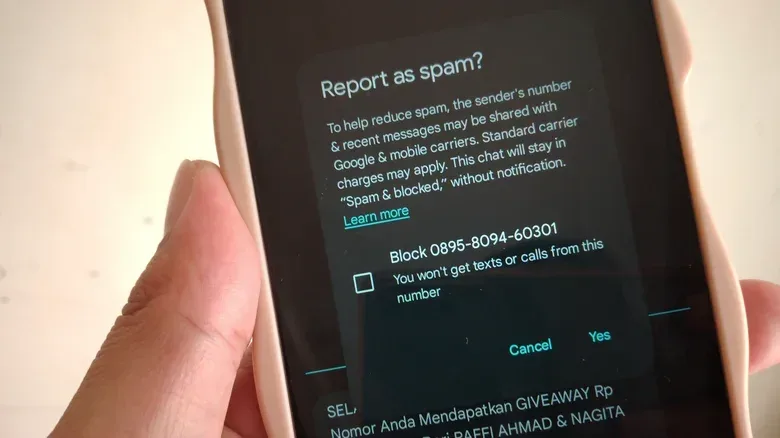
- Report the conversation as spam. Use the in-app reporting prompt where available.
- Block the number. This prevents further messages from that contact on the device.
- Consider forwarding the message to 7726. The number spells SPAM on a telephone keypad and sends a report to the mobile carrier for analysis.
Reporting is different from merely deleting. Deleting removes the annoyance from view, but a report can help the carrier or messaging platform identify abusive patterns. If you forward a message to 7726, the carrier may ask for the sender’s phone number. Keep the conversation accessible until you have provided any requested detail, then block it.
iPhone: report, delete and block without answering
iPhone users may see a Stop or Report Spam option beneath certain messages from unfamiliar senders that include a STOP instruction. The choices are important. Delete and Stop removes the conversation and sends the opt-out response, which is appropriate only when the message is from a legitimate program you recognize. Delete and Report Spam removes the conversation while reporting it to Apple and the carrier, without sending the sender a reply.
When no STOP instruction is present, the available reporting option is generally Report Spam. In a conversation from an unknown sender, use the reporting and deletion controls shown at the bottom of the thread. If that number persists, open the contact information at the top of the conversation and select Block Contact.
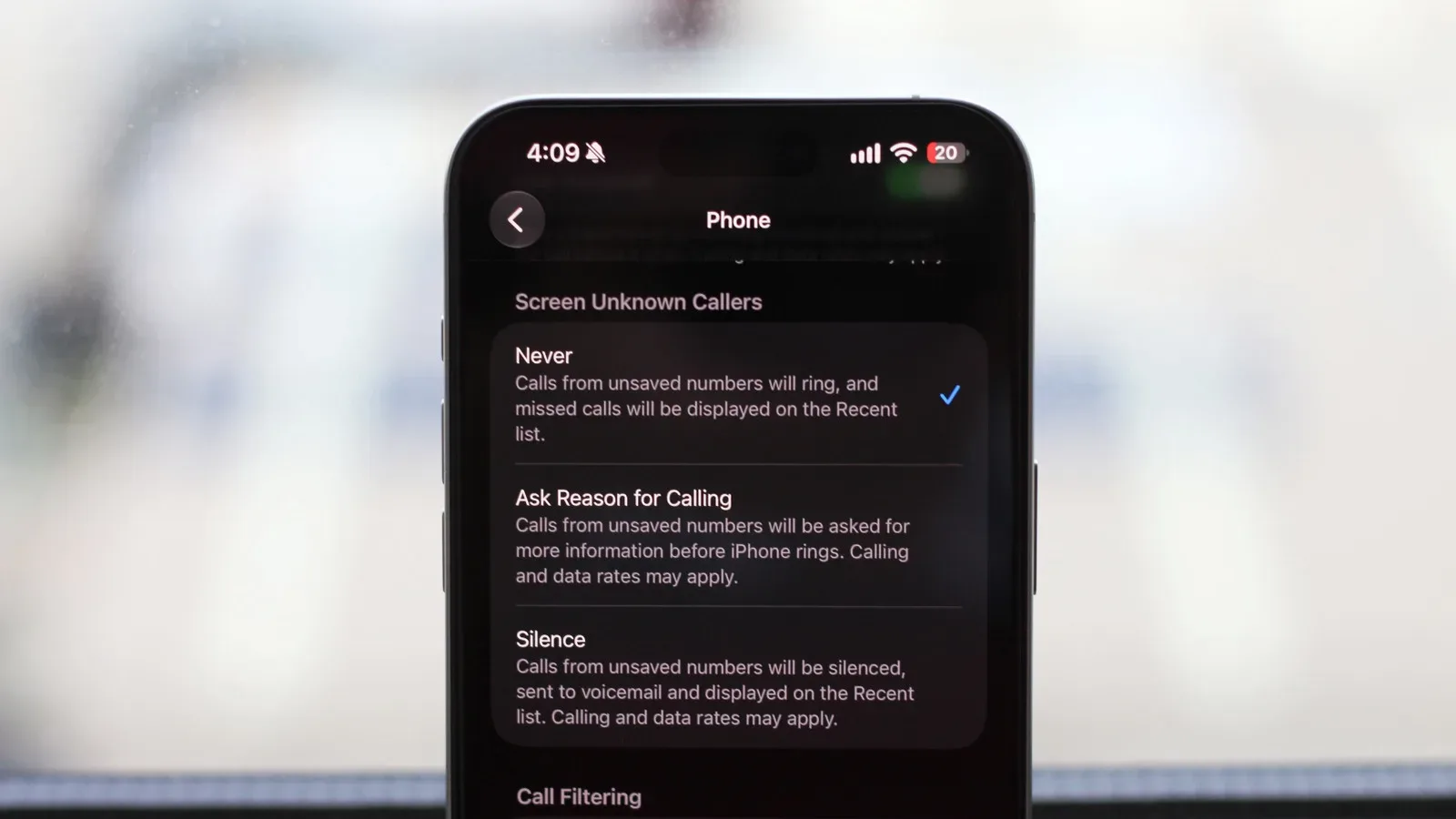
iPhone also includes ways to reduce interruption before a suspicious message gets your attention. Go to Settings > Apps > Messages. Filter Spam can place obvious junk in a separate Spam folder. Screen Unknown Senders separates messages from numbers outside your contacts. The built-in Text Message Filter can categorize other texts into groups such as Transactions and Promotions.
That organization is useful, but it requires a small habit change: important messages from a new number may be waiting in a filtered group rather than sitting in the main inbox. The three-line Filter control in Messages opens those groups. In the Allow Notifications menu, you can decide which categories should generate alerts. Some third-party filtering apps may also add their own options there.
Android: use Google Messages spam protection
In Google Messages on Android, a conversation can be reported and blocked directly from the message list. Press and hold the conversation, choose Block, then select Report spam. Another route is to open the conversation, tap the three-dot More button, select Details, and choose Block & report spam.
Google Messages also offers filtering controls. Tap the profile image in the upper-right corner, enter Messages settings, then open Protection & Safety. There, users can choose Standard protection or Enhanced protection for junk messages. The profile menu’s Spam & blocked area is where filtered conversations can be reviewed.
These filters are not a promise that every unwanted text will disappear. They are a way to reduce noise and make the inbox less reactive. Reviewing the spam area occasionally is sensible, especially after enabling stronger filtering, because automated systems can occasionally sort a wanted message incorrectly.
Filtering is about attention as much as blocking
Spam prevention is often described as a security issue, and it is one. It is also an attention-management issue. Scam texts often rely on a notification arriving at the exact moment a recipient is busy, distracted or expecting a package. Separating unknown messages and promotions from personal conversations can remove some of that manufactured urgency.
Filtering does not replace caution. A message sitting in a Transactions or Promotions group can still be fraudulent, and a message that reaches the main inbox is not automatically trustworthy. The useful change is that notifications no longer get to set the agenda quite so easily.
The same basic defensive principle applies to other smartphone privacy choices: give unknown messages fewer opportunities to trigger a rushed action, and rely on the device’s protective controls rather than interacting with suspicious senders. For a related mobile privacy development, see Signal’s screen-access protections on iPhone and Android.
Carrier tools and number-sharing habits
If unwanted texts remain frequent, check whether your carrier provides spam protection. Carrier tools can vary: activation may involve an account setting, a dialed code or a separate app. T-Mobile ScamShield is one example. Base protections are generally the sensible place to start; a paid premium tier is unlikely to be necessary just to establish a basic defense against junk messages. Third-party tools such as Truecaller are another option.
There is no single switch that prevents every spam text. Numbers can surface through data leaks, questionable sign-up forms, or organizations that share contact information for marketing purposes. When creating an account or entering a promotion, look for settings that limit marketing sharing. Avoid providing a phone number where it is not necessary, and read consent choices rather than treating them as a routine box to skip. These habits can reduce exposure to both spam calls and texts.
A short decision rule worth remembering
If you knowingly enrolled in a text program and recognize the sender, reply STOP when you want out. If the message is unsolicited, strange or pressuring you to act, do not reply at all. Report it, block it and, if useful, forward it to 7726.
That distinction keeps a legitimate consumer right from becoming an accidental signal to a bad actor. The goal is not to investigate every suspicious message. It is to avoid rewarding it with attention.