There is no single answer to what uses the most mobile data on a smartphone, because the real answer is a combination of what you do, how long you do it, and the quality level selected by an app. Still, the broad pattern is clear: video is the heavyweight. A few hours of high-resolution streaming can consume more data than many days of text messages, web browsing, or ordinary music playback.
That matters more as phone use shifts toward video-centric feeds, streaming libraries, video meetings and automatic cloud services. Global mobile traffic is currently estimated at roughly 150 to 200 exabytes each month—equivalent to 150 to 200 million terabytes—and is forecast to reach 328 exabytes per month by 2031. Average smartphone use has risen beyond 20GB a month, compared with 4.9GB several years earlier.
Those large figures are useful context, not a personal prediction. A person who mostly reads, messages and listens to standard-quality music may use dramatically less than someone who watches 4K video on cellular, scrolls through short-form clips for hours, joins group video calls, and lets major updates download away from Wi-Fi.
Why video overwhelms nearly everything else
Video carries far more information than text, still images, or audio alone. Resolution is the most visible explanation. In simple terms, resolution is the amount of visual detail in a picture: 360p is relatively low resolution, 720p and 1080p are higher-definition options, and 4K contains substantially more image detail. More detail generally requires more data to deliver each second.
On YouTube, an hour at 360p can use around 500MB. At 720p, that rises to roughly 2GB per hour, while 1080p is about 3GB per hour. At 4K UHD, an hour can exceed 15GB. That enormous range is why a person can reasonably say YouTube barely affects their plan while somebody else finds it to be the main reason their allowance vanishes.
Other services use different amounts at similar labels, so the resolution badge alone is not a complete measurement. Netflix is estimated to use about 300MB an hour on Low, 700MB an hour in Standard Definition, around 3GB an hour in HD, and up to 7GB an hour in Ultra HD. Amazon Prime Video’s Good setting, which streams at 480p, uses around 0.72GB an hour; Better in HD is roughly 1.8GB an hour; Best at 4K is nearly 6.8GB an hour.
The practical lesson is not that everyone must settle for low-quality video. It is that quality controls are powerful. A 4K setting can be sensible on a large compatible display, but it is much harder to justify as an automatic default on a small phone screen when cellular data is limited. Reducing quality for a commute or trip can preserve a considerable amount of data without cutting off the show entirely.
A quick way to read the numbers
GB means gigabytes and MB means megabytes; 1GB is approximately 1,000MB in the way data allowances are commonly presented. An estimate such as 3GB per hour should be read as a planning tool rather than a guarantee. Actual use can move around based on the selected quality, the content itself, how an app adapts its stream, and whether clips play continuously.
Even so, the scale makes prioritisation straightforward. Someone with a 20GB monthly allowance could use most of it in a little over an hour of YouTube at a rate above 15GB per hour. The same allowance would support far more time with a service using a few hundred megabytes per hour. Checking quality before a long viewing session is therefore more productive than obsessing over small background activity.
Video calls are active, two-way data use
Streaming video mainly downloads a programme to the phone. A video call generally does both: the handset downloads the other caller or callers and uploads its own camera and microphone feed. That two-way work is why calls deserve attention, particularly when they happen often or involve groups.
A typical video call averages around 500MB per hour. Conferencing can climb beyond that. For a one-to-one Zoom call, estimates are about 540MB per hour at 480p, 1.08GB at 720p, and more than 1.62GB at 1080p. Group calls require still more data: about 810MB per hour at 480p, 1.35GB at 720p, and 2.48GB at 1080p.
The reason for the group-call increase is practical rather than mysterious: a device may need to receive separate video and audio streams for participants. More people on screen can therefore mean more downloaded material. For people using cellular data for work or school, a recurring high-definition group meeting can become a meaningful monthly line item.
If data conservation is important, joining a call over Wi-Fi is the most direct answer. Where that is not possible, reducing video quality or disabling the camera when it is not necessary can reduce consumption. Audio-only communication is not identical to a video meeting, of course, but it avoids the video portion that drives the larger totals.
Social media depends on the feed, not just the app name
Social platforms are difficult to rank with one neat number because modern feeds mix text, photos, livestreams and automatically playing clips. The decisive question is less “Which app is open?” and more “How much video is playing while it is open?”
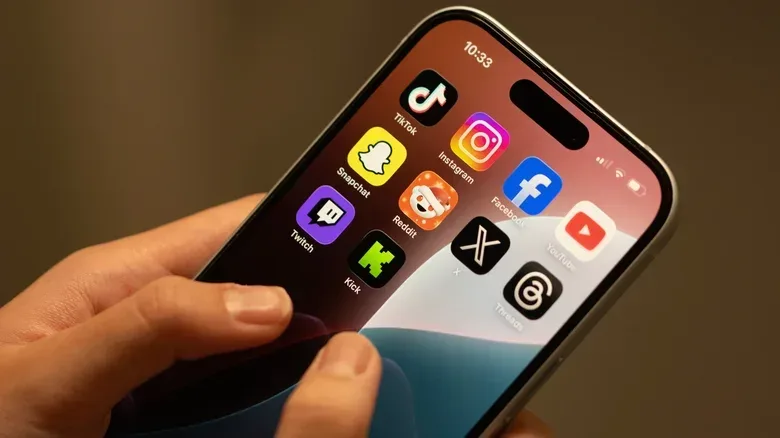
TikTok, built around short video, is estimated at around 750MB to 1GB per hour depending on resolution. Instagram, including Reels, can reach up to 1.5GB per hour on average. Facebook is estimated at about 500MB an hour, potentially rising to 1GB an hour when video viewing becomes a larger part of the session.
Text-led platforms can consume substantially less, but their range can widen once media enters the picture. X is estimated from as little as 50MB to as much as 1GB per hour, while LinkedIn is around 120MB to 240MB per hour. A feed filled with text and still images is a fundamentally different data workload from one filled with clips that begin playing the moment they appear.
Autoplay is the key concept here. It means video starts automatically while scrolling rather than only after a deliberate tap. That can be convenient, but it also means a user may download pieces of many videos they never intended to watch. Data-conscious users should look through their social apps’ playback and media-quality controls, especially if short videos are a regular habit.
Updates and cloud backups can be the surprise spike
Not every major data event is visible. Software updates and cloud backups can work in the background, so they may feel like unexplained usage until a phone’s data tracker is checked.
A single iOS update can range from a few hundred megabytes to more than 12GB for a major release. Android updates follow the same general pattern, although size varies by device and manufacturer. The important distinction is between a small routine download and a substantial operating-system release: treating every update as negligible can be a mistake on a limited plan.
Cloud backups are less predictable because they depend on what is being saved. A backup containing only a modest amount of new information is not the same as one handling a large collection of photos, videos, app data, or other material. If mobile data jumps when the phone has spent little time visibly streaming, background update and backup behaviour is a sensible place to investigate.
The safer default for people on capped plans is to let large updates, backups and downloads happen over Wi-Fi. This is also relevant to games and media libraries. Storage decisions influence how often users need to download material again, which is one reason storage remains an important practical consideration for devices such as consoles as well as phones; see our look at how storage and disc access shape the PS5 buying decision.
Music is usually modest—until quality rises
Music streaming commonly uses less data than video, but it is not automatically insignificant. Spotify at its 320kbps highest setting is estimated at 144MB per hour, while an hour at default quality is around 43MB. The term kbps means kilobits per second, a measure of how much audio data is delivered over time. A higher bitrate can preserve more audio information, but requires more data.
Lossless options change the equation sharply. Apple Music lossless audio is estimated at roughly 720MB per hour, while Hi-Res Lossless can reach about 2.9GB per hour. Those figures put premium audio in a different category from ordinary music streaming. It still may not rival the most demanding 4K video examples, but a long daily listening routine can accumulate quickly.
This is a good place to match settings to actual listening conditions. High-quality audio may be worthwhile for listeners who value it and have the data to spare. On a mobile connection with a strict allowance, standard quality may be the more sustainable setting. Neither choice is universally right; the trade-off is sound quality against data use.
A practical order for cutting mobile-data use
For most people, the biggest savings will come from changing a few high-impact behaviours rather than making every app feel restricted. Start with the categories that can consume gigabytes per hour.
- Lower cellular video quality. Avoid treating 4K as a default on a phone when data is limited.
- Download entertainment over Wi-Fi. Downloaded video or music for offline playback does not use the mobile plan again during playback.
- Use Wi-Fi for video meetings whenever possible. Group conferencing at higher resolutions can be a substantial drain.
- Review social-video settings. Autoplay and video-heavy feeds are often a larger factor than text posts.
- Keep major updates and backups off cellular data. These can create large usage spikes without much visible activity.
- Choose audio quality deliberately. Standard music quality is far lighter than lossless or high-resolution lossless streaming.
The larger point is that mobile data use is manageable once it is connected to specific habits. Video quality, autoplay, group calls, background downloads and lossless audio are not minor technical details—they are the settings that often determine whether a monthly allowance lasts or disappears early.