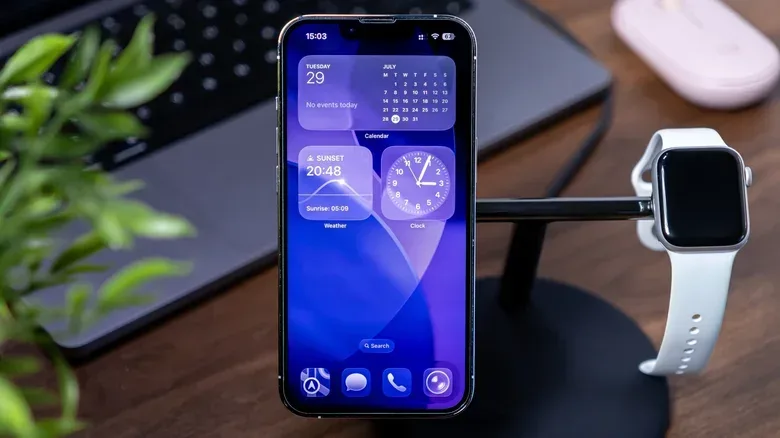
An iPhone is often connected to power far longer than it needs to be. It may charge overnight, sit on a desktop stand through the workday, then move to a magnetic mount during a drive. That convenience does not automatically mean disaster for a battery, but time spent at a full charge—particularly in warm conditions—is meaningful when the goal is to preserve battery capacity over the long term.
On iPhone 15 models and later, Apple offers a simple tool for that job: Charge Limit. Rather than charging to 100% every time, the phone can stop at 80%, 85%, 90%, or 95%. The trade-off is upfront and uncomplicated: less runtime available today in return for reducing one of the conditions that can accelerate lithium-ion battery aging.
There is no universally correct number. A player who needs every possible percent for a long commute, streaming session, or gaming session away from an outlet may rightly prioritize a full charge. Someone whose phone lives on a charging stand for most of the day may find an 80% cap an easy sacrifice. The useful part is that iPhone owners on supported models can decide based on their actual routine instead of treating charging as an all-or-nothing choice.
How to set a charging limit on iPhone
Charge Limit is available on iPhone 15 models and later. To change it:
- Open Settings.
- Tap Battery.
- Select Charging.
- Move the slider to 80%, 85%, 90%, 95%, or 100%.
Once enabled, the iPhone charges to near the selected ceiling and stops. It will not immediately start topping up again with every tiny dip while it remains connected; charging resumes after the battery has fallen by 5% or more.
That last detail is important because a charge limit is not merely a cosmetic change to the battery indicator. It changes the phone’s charging behavior during long plugged-in stretches. An 80% limit means the device spends less of that time at a fully charged state, while still allowing it to sit on a desk charger or bedside cable.
Do not be surprised if the phone occasionally reaches 100% even when a lower limit is selected. iOS can periodically fully charge the battery so that its battery-percentage reporting remains accurate. That behavior is expected and does not mean the setting has failed.
There is also a convenient exception for days when 80% simply will not do. Set the limit to 100%, then choose Allow Until Tomorrow. It is a practical option before a day away from reliable power, without requiring a permanent change to a more battery-intensive habit.
Charge Limit versus Optimized Battery Charging
The similar names conceal an important difference. Charge Limit is a fixed cap chosen by the owner. Optimized Battery Charging is an adaptive system that is enabled by default. It aims to learn when the phone is typically unplugged, holds the battery around 80% during a long charging period, then completes the charge near the expected time the owner will pick it up.
In other words, Charge Limit says, “Do not go beyond this percentage.” Optimized Battery Charging says, “Delay reaching 100% until it is likely to be useful.” Both approaches are intended to reduce unnecessary time at a full charge, but they suit different schedules.
Optimized Battery Charging needs a consistent enough pattern to learn from. Apple says it requires at least 14 days and nine charging sessions of five hours or more at the same location before it activates. That makes it a good match for someone with a dependable overnight charging routine. It is potentially less useful for people who charge in short bursts, work unpredictable hours, frequently sleep in different places, or cycle through several chargers without a stable pattern.
The two modes do not run together. Optimized Battery Charging works when the Charge Limit is set to 100%. Selecting a lower limit replaces the adaptive approach with the user-selected ceiling.
For iPhone 14 and older devices, the fixed Charge Limit slider is not available. Those phones instead offer the on/off control for Optimized Battery Charging under Battery Health & Charging.
Why stopping at 80% can matter
Modern iPhones use lithium-ion batteries. Like all rechargeable batteries of this type, they gradually lose capacity with age and use. A battery-health percentage is an estimate of how much charge the battery can hold compared with when it was new. As that maximum capacity declines, a 100% reading represents less available energy than it did at the start.
Two conditions in particular are relevant here: high state of charge and heat. “State of charge” simply means how full the battery is. A phone sitting at 100% for extended periods is at a high state of charge; a phone capped at 80% is not. Heat is equally straightforward, but its effects are easy to underestimate when a phone is tucked into a warm car, left in a hot room, or charging while otherwise working hard.
Evidence cited from a 2021 Karlsruhe Institute of Technology study shows how strongly charge level and temperature can interact. Cells stored at fixed charge levels in temperatures from 40 to 60 degrees Celsius degraded substantially more at 100% than those kept at or below 80%. In the most severe condition described—cells held at full charge and constant voltage at 60 degrees Celsius—two cells were exhausted within six weeks. That is a laboratory condition, not a prediction for ordinary iPhone ownership, but it illustrates the direction of the effect: full charge plus high heat is an especially unfriendly combination.
Apple separately warns that ambient temperatures above 35 degrees Celsius, or 95 degrees Fahrenheit, can permanently reduce battery capacity. The practical lesson is not that every owner must obsess over a percentage point. It is that avoiding a phone sitting full and warm for hours is more useful than pursuing charging rituals with no connection to how the device is actually used.
Choosing 80%, 85%, 90%, or 95%
The best limit is the lowest one that does not interfere with how you use the phone. There is no source-supported promise that one specific cap will deliver a particular number of extra months or years, so it is better to treat these choices as practical compromises rather than magic settings.
80%: best for long periods on power
An 80% limit makes the most sense when the phone spends much of its life connected: overnight on a cable, daytime on a desktop charger, and perhaps additional time on a magnetic car mount. Those users have the most opportunity to reduce time spent at full charge. They also need to accept the biggest daily runtime reduction, since 20% of the nominal battery capacity is intentionally unavailable.
85% or 90%: the middle ground
For many people, 85% or 90% may be easier to live with. These limits still avoid the constant 100% behavior while retaining more headroom for a long day. They are sensible choices if 80% creates battery anxiety but the phone is nevertheless connected often enough that a cap seems worthwhile.
95%: a small behavioral change with minimal sacrifice
A 95% cap preserves nearly all of the phone’s everyday endurance. It is the least disruptive starting point for someone who wants to try the feature but knows they often end the day low. It does not reduce the high-charge state as much as an 80% setting, but it is still a deliberate alternative to keeping the phone routinely at 100%.
A simple decision guide
- Your phone is plugged in for much of the day: Start with 80% or 85%. The potential advantage is greatest when the device would otherwise spend long stretches full.
- You charge overnight on a regular schedule and need maximum daily runtime: Keep the limit at 100% and allow Optimized Battery Charging to manage the overnight period.
- Your schedule is irregular or you mostly top up in short bursts: A manual cap can be more predictable than an adaptive system that has little routine from which to learn.
- You often reach single digits before bedtime: A strict 80% cap may be counterproductive. Consider 90%, 95%, or the optimized mode instead.
- You have an unusually demanding day ahead: Temporarily select 100% and use Allow Until Tomorrow.
Battery preservation is not a commandment
It is easy to turn battery health into a score to be protected at all costs. That misses the purpose of the phone. If an 80% cap makes it harder to navigate, communicate, or get through a day of entertainment and games, it may not be the right setting. A battery that retains capacity well is valuable, but so is having enough charge when it matters.
Conversely, leaving a phone at 100% because “that is what chargers are for” overlooks a setting designed for exactly this kind of usage. Charge Limit is particularly well suited to a device that has abundant access to power. It is not a rule that everyone must follow; it is a control that lets owners exchange a little daily range for less time fully charged.
For more Apple setup advice beyond the phone, see our guide to two Apple TV 4K settings worth changing before movie night.
The sensible approach is to set a limit, live with it for a while, and judge it by routine rather than fear. If 80% is ample, it is a strong fit for a phone that spends its days docked. If it is not, move to 85%, 90%, or 95%. And if a consistent overnight schedule already lets Optimized Battery Charging do its job, 100% remains a reasonable setting. The aim is less needless full-charge time, not a daily fight with the battery meter.