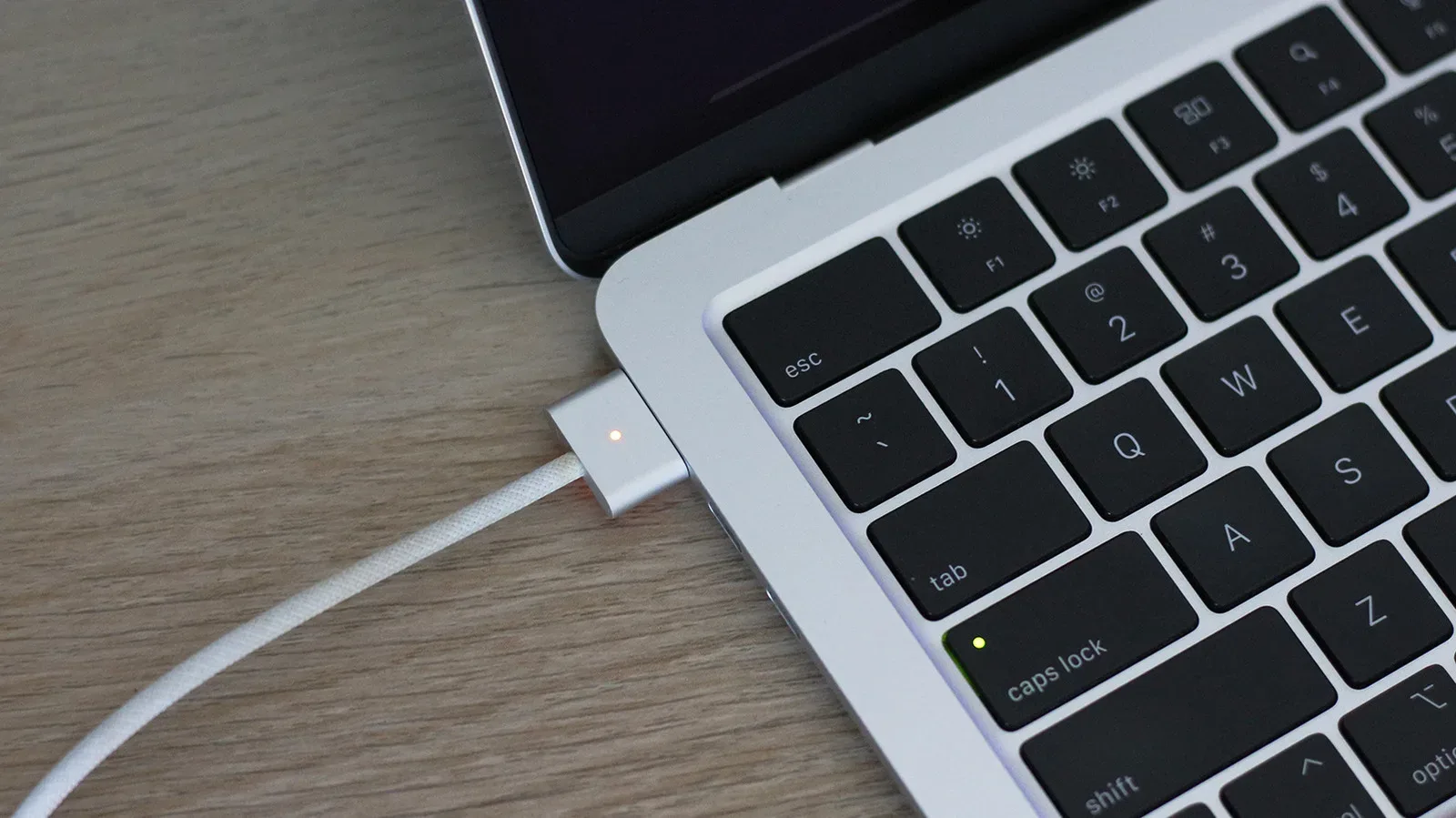
MagSafe solves a small but familiar problem with an unusually elegant bit of hardware design: charging equipment is easier to use when it finds its own way into place. Bring a MacBook’s magnetic connector near its port, or set a compatible iPhone onto a magnetic wireless puck or stand, and the connection aligns without the usual search for a plug.
That is genuine convenience, not a gimmick. But “MagSafe” covers two substantially different systems. On a MacBook, it is a physical magnetic power connector. On an iPhone, it is a magnetic alignment system used with wireless charging and accessories. The shared name can obscure the more important question for buyers and existing owners: what task is it improving, and what do they give up for that improvement?
The short answer is that MagSafe is strongest as a purpose-built charging station or a low-friction everyday accessory system. USB-C is usually the more flexible choice when one cable needs to travel, carry data, connect a display, or supply the quickest available charge. Neither answer makes the other obsolete.
Two names, two different charging experiences
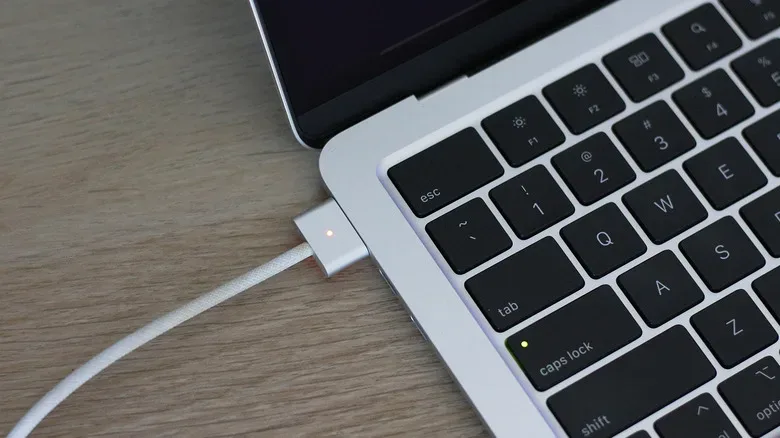
Apple first introduced MagSafe in 2006 as a magnetic power connector for the MacBook Pro. It was later dropped in favor of USB-C in 2015 before returning to the MacBook line. In its laptop form, the concept is direct: a dedicated cable has a magnetic end that attaches to the notebook’s charging port.
The practical benefit is less about raw charging performance than attachment. A traditional plugged-in cable can transfer force to the device if it is snagged. A magnetic connection is intended to release more readily, reducing the chance that an accidental trip over the lead yanks the laptop from a desk. It is an everyday quality-of-life advantage that is easiest to appreciate in busy rooms, shared desks, or any spot where a charging lead crosses a walkway.
MacBook MagSafe also reduces the awkwardness of connecting power in dim light or when the computer is sitting at an inconvenient angle. The user does not need the same degree of precision required by a conventional port. The magnets guide the cable into place.
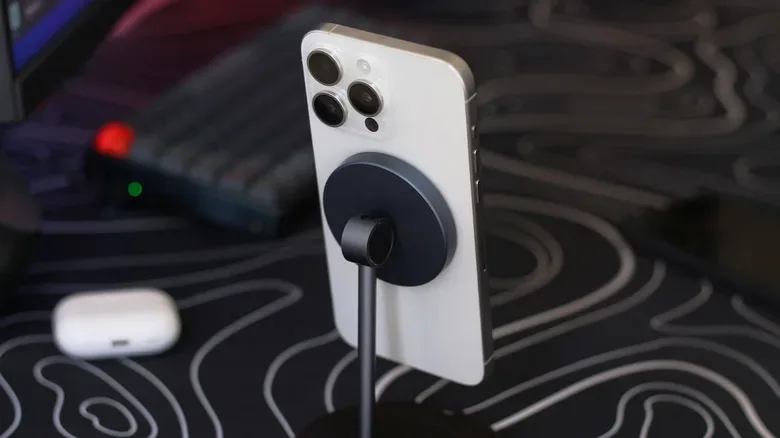
iPhone MagSafe pursues a related feeling—easy alignment—but takes a completely different route. There is no magnetic power plug going into the phone. Instead, magnets in the phone position it against a compatible wireless charging accessory. That alignment matters because wireless charging relies on the charger and device sitting correctly together. The magnetic hold turns an otherwise finicky placement exercise into a repeatable motion: put the phone down, let it snap into position, and leave it there.
Calling both implementations MagSafe is reasonable from a user-experience perspective. Both use magnets to make charging less fussy. Technically, however, they are not interchangeable systems, and their trade-offs are different enough that they should be judged separately.
MacBook MagSafe: safety and simplicity versus cable utility
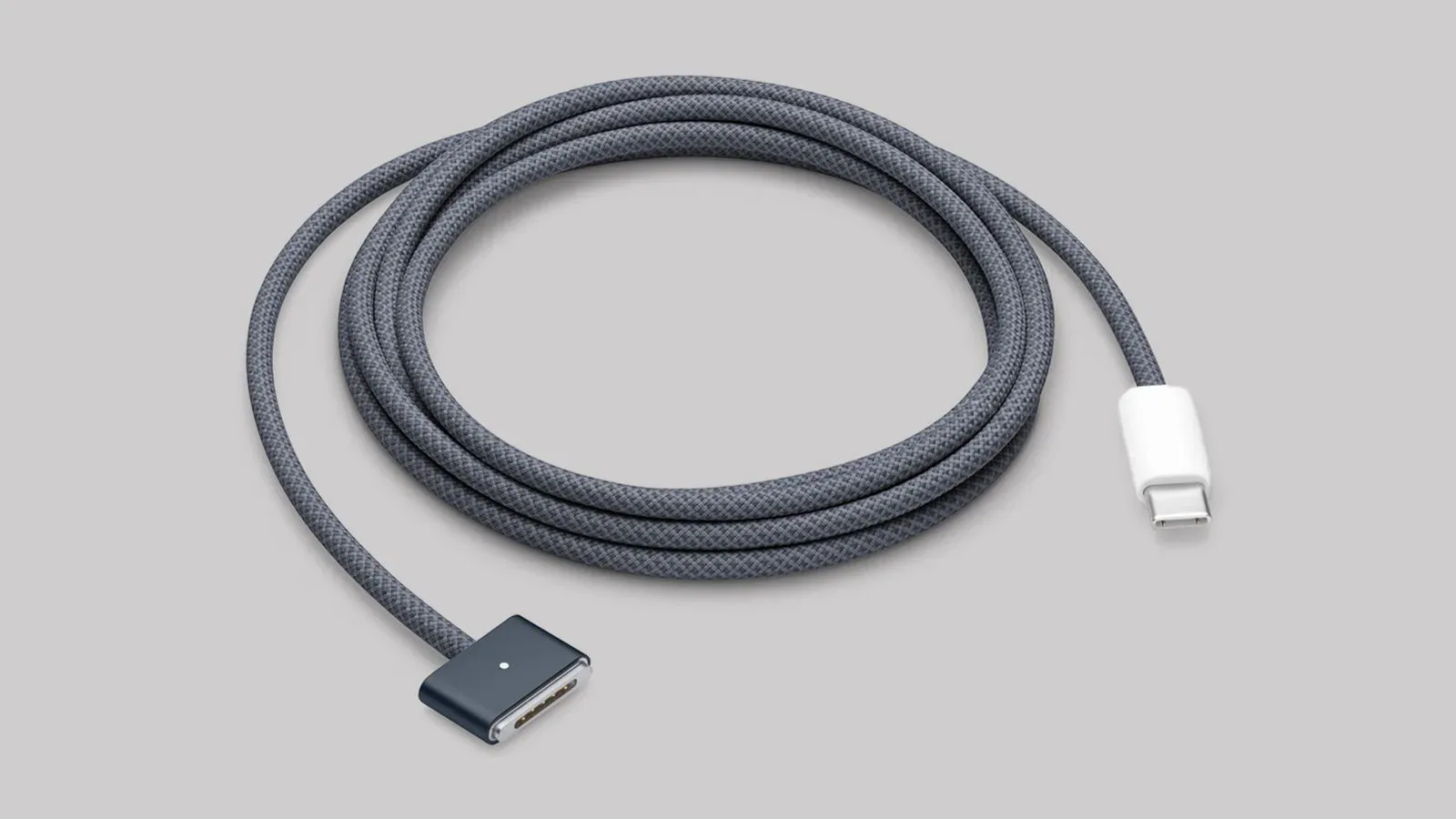
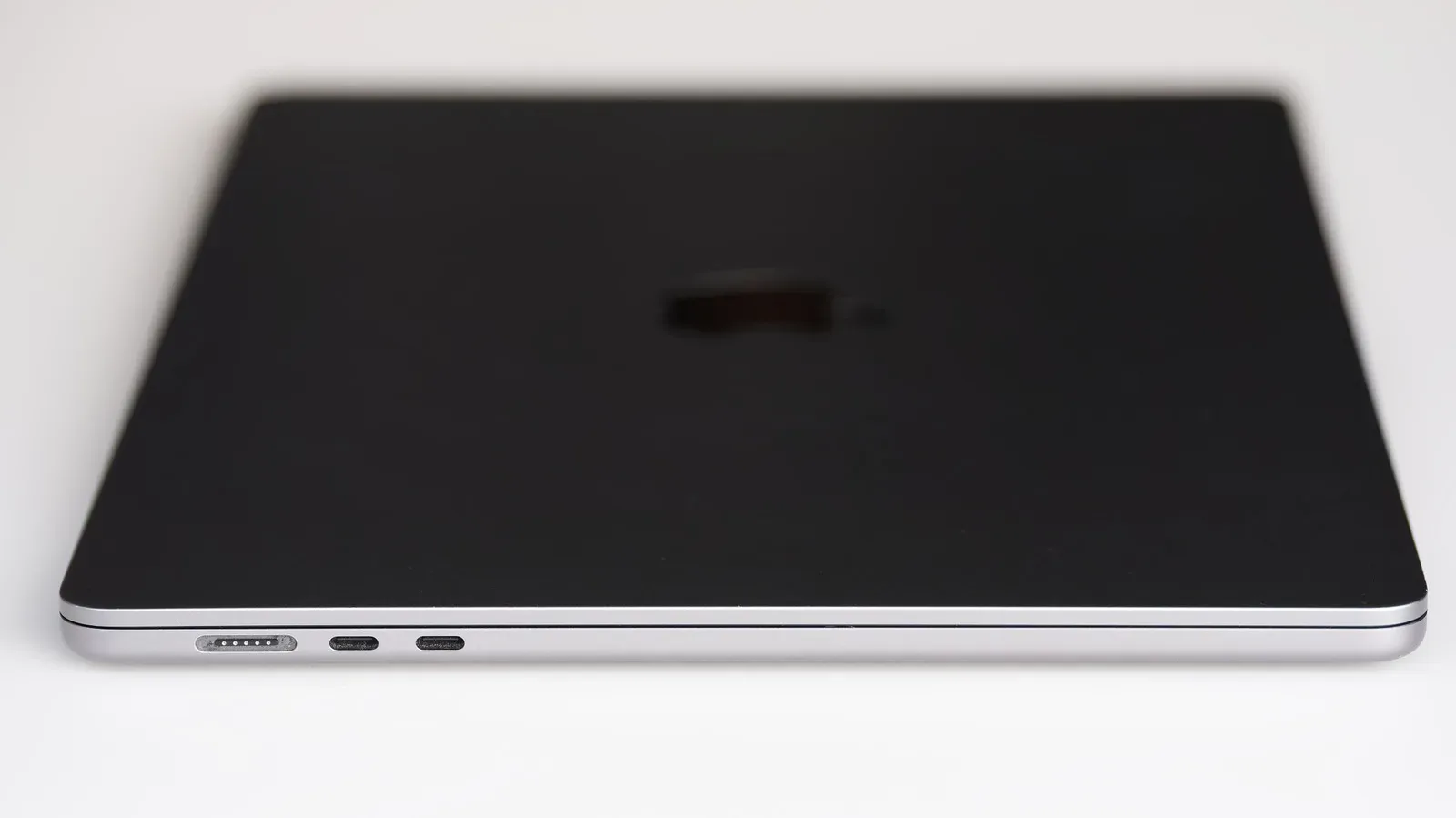
Every MacBook includes a USB-C-to-MagSafe cable. That gives the dedicated connector a strong starting point: owners can use it without first buying a separate cable. Charging can also be accomplished through a modern MacBook’s USB-C ports at the same speeds available with MagSafe, provided the user has a compatible USB-C cable.
That equal charging-speed point is important. For a MacBook, MagSafe is not presented as a faster route to power. Its case is convenience and the breakaway magnetic connection. If a laptop spends most of its life at a fixed desk, that is a persuasive case. One designated lead can be left ready at the workspace, and connecting or disconnecting requires little attention.
Its main limitation is specialization. MagSafe is a proprietary charging standard, so the cable is dedicated to charging the MacBook. It does not become a general-purpose cable for the rest of a setup.
USB-C, by contrast, is much more useful as a multi-role connection. A USB-C cable can charge devices, but it can also be used to connect a Mac to external displays, hard drives, and other peripherals. That does not mean every USB-C cable has identical capabilities; compatibility still matters. It does mean the format has a broader role in a bag or desk drawer.
What “proprietary” means here
A proprietary connector or standard is one designed for a particular company’s ecosystem rather than a broadly shared interface. The immediate effect is not necessarily poor performance. In this case, MagSafe offers a tidy, intentional experience. The cost is narrower reuse: bringing a MagSafe cable means bringing something that is there specifically for the MacBook.
For a traveler, that trade-off can add up. A USB-C cable may serve a laptop, phone, display, drive, or peripheral, while a MagSafe lead remains one more dedicated item. For someone who moves between rooms or carries their computer daily, USB-C’s versatility can be more valuable than MagSafe’s easy attachment.
This produces a straightforward division of labor rather than a winner-takes-all contest:
- Keep MagSafe at a regular desk when a quick magnetic connection and reduced snag risk are the priorities.
- Use USB-C in a travel kit when cable consolidation and peripheral support matter more.
- Use both without overthinking it when the bundled MagSafe cable already suits the desk while USB-C covers everything else.
That hybrid approach is particularly sensible because the two methods are not competing on MacBook charging speed. They are offering different forms of convenience.
iPhone MagSafe is useful, but it is not the speed-first option
With iPhones, the more consequential compromise is charging speed and efficiency. MagSafe charging is wireless, and wireless charging cannot currently match a wired USB-C or Lightning connection for speed or efficiency.
The available figures illustrate why that distinction matters. MagSafe peaks at 15W for the iPhone 17e, iPhone 15, and older models. Newer models can wirelessly charge at up to 25W. An iPhone 18 Pro, using a compatible charger and USB-C cable, can charge at up to 60W.
W, short for watts, is a measure of power. In charging discussions, a higher watt figure can indicate the potential to deliver power faster, assuming the device, charger, and cable all support that rate. It should not be treated as a guarantee that every minute of charging proceeds identically; devices manage charging based on their own conditions. But the difference between up to 25W wireless charging and up to 60W wired charging makes the broad practical message clear: a compatible wired setup is the stronger option when time is short.
That is why MagSafe is a poor fit for the “I need battery before leaving in a few minutes” scenario. It is not that it fails to charge the phone. It is that its core benefits—easy placement, a tidy stand, and magnetic alignment—do not erase the wired connection’s speed and efficiency advantage.
It is also worth separating the charger from the phone itself. Unlike the MacBook’s bundled USB-C-to-MagSafe cable, iPhones do not include a MagSafe charger. The magnetic charging experience therefore adds an extra purchase. Anyone weighing the setup should evaluate that cost as part of the convenience, particularly if a compatible USB-C cable and wired charger already cover their needs.
The ideal iPhone MagSafe job: repeatable overnight charging
MagSafe makes its clearest iPhone case when speed is not the primary concern. Overnight charging is the obvious example. A charging stand at a bedside table or desk creates a dependable parking place for the phone. The phone snaps onto the stand instead of lying somewhere connected to a loose cable, and the same position can be used every day.
This is less a performance upgrade than a routine upgrade. A good charging habit often succeeds because it removes small points of friction. MagSafe’s magnetic alignment does exactly that. It makes the action of putting the phone down double as the action of placing it correctly for charging.
For people who use their phone while working, a stand can also make the screen easier to see than a phone laid flat on a desk. The source-supported advantage remains the magnetic attachment and charging convenience; prospective buyers should decide whether that desk organization is valuable enough to justify adding a dedicated accessory.
Some AirPods models with wireless charging cases are also MagSafe-compatible, allowing the same iPhone-oriented magnetic charging accessories to charge them. That can simplify a bedside or desk setup for households already using compatible Apple devices. Readers tracking the wider accessory lineup can also see the site’s AirPods 5 coverage.
Magnets are also an accessory platform
Charging is only one use for the magnets built into a compatible iPhone. Magnetic wallets, stands, car mounts, and other accessories can use the same attachment system. This is an important part of the iPhone value proposition because it changes MagSafe from a single charging method into a mounting and carrying system.
A magnetic wallet may suit someone who prefers a compact everyday carry. A stand can give the phone a stable place on a desk or nightstand. A car mount can make positioning simpler. These are not arguments that every iPhone owner needs MagSafe accessories; they are reasons the system can be more compelling than wireless charging alone.
Still, accessory breadth should not blur the limits of the charging portion. A magnetic stand is convenient because it places the phone accurately, not because it turns wireless charging into the fastest possible option. Buyers should not choose it for urgent power recovery when a compatible wired USB-C arrangement is available.
A practical decision guide
MagSafe is most satisfying when it addresses a specific friction point. Before buying additional gear or deciding which cable deserves a permanent place on the desk, consider the routine rather than the branding.
- Is the device mostly stationary? A desk-bound MacBook benefits from the magnetic connector’s fast attachment and reduced risk from a snagged cable. A regular overnight iPhone spot benefits from a magnetic charging stand.
- Do you need one cable to do several jobs? USB-C is the better candidate for a travel bag or flexible workstation because it can handle charging and connect displays, drives, and other peripherals.
- Are quick iPhone top-ups important? Choose compatible wired charging when the goal is the fastest available charging rate, especially given the up-to-60W wired figure for the iPhone 18 Pro versus lower wireless limits.
- Will magnetic accessories be used beyond charging? Wallets, stands, and mounts can make the iPhone system more worthwhile if they suit a person’s daily routine.
- Is a new purchase necessary? MacBook owners already receive a USB-C-to-MagSafe cable. iPhone owners need to buy a MagSafe charger separately, so the added convenience should be weighed against that extra expense.
MagSafe works best as a complement
The fairest view of MagSafe is not that it replaces USB-C, but that it makes certain moments nicer. On a MacBook, its dedicated magnetic connector delivers a polished charging experience and a practical measure of protection against cable snags. On an iPhone, its magnets make wireless charging placement and accessory attachment simple, particularly in repeatable overnight and desk routines.
USB-C remains the more broadly useful connection: it can charge a modern MacBook at the same speed as MagSafe, connect to displays and storage, and serve many devices. For iPhone charging, a compatible wired setup also offers the stronger answer when speed and efficiency matter.
In other words, MagSafe earns its place when the setup is stable and convenience is the point. USB-C earns its place when versatility, travel, peripherals, or fast charging are the priority. The most practical setup may be the least dramatic one: MagSafe waiting at the places you regularly charge, and USB-C ready for everything else.