An all-in-one desktop computer makes a remarkably direct promise: put the computer and the screen in one place, reduce the cable mess, and make the first day of ownership feel less like assembling office furniture. For plenty of people, that is exactly the right promise. An all-in-one, usually shortened to AIO, combines the main computer hardware with its display rather than separating them into a monitor and a tower.
That sounds like a small physical-design choice, but it shapes almost every practical decision that follows. An AIO can be a welcoming, compact machine for documents, web browsing, video calls, and general home or office duties. It can also be a restrictive choice for someone who expects to add a stronger graphics card later, repair a failed component economically, or keep a gaming machine competitive by swapping individual parts.
The key is not treating “desktop” as a single category. A traditional desktop, a laptop, a mini PC, and an all-in-one may all run similar software, but they offer very different compromises around desk space, mobility, maintenance, and longevity. An AIO is best understood as the option that prioritizes a calm, ready-to-use workspace over component-level freedom.
What makes an all-in-one different?
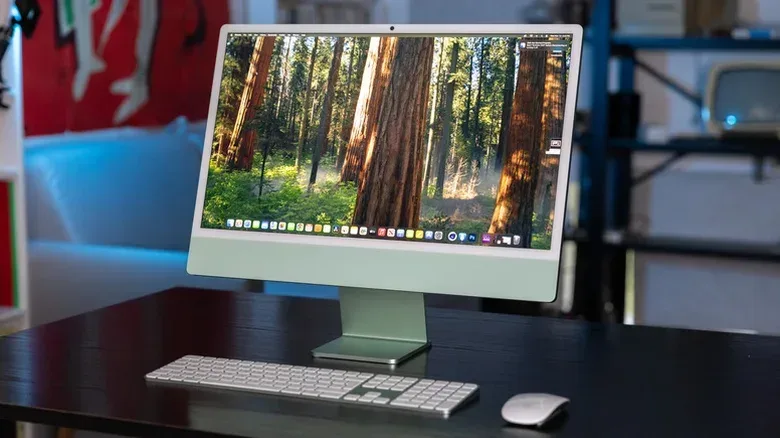
With a conventional desktop setup, the computer lives in a separate tower or small-form-factor case. A monitor connects to it, and the keyboard, mouse, power cables, and other accessories connect as needed. An all-in-one moves the central hardware into the display assembly. In everyday use, the result can feel closer to using a large, fixed laptop than operating a traditional tower.
That distinction matters because an AIO is not simply a mini PC with a screen included. A mini PC is a compact standalone computer: it still needs a separate monitor. An AIO, by contrast, integrates the display and system into one product. The display is not an optional accessory in the arrangement; it is part of the computer’s physical design.
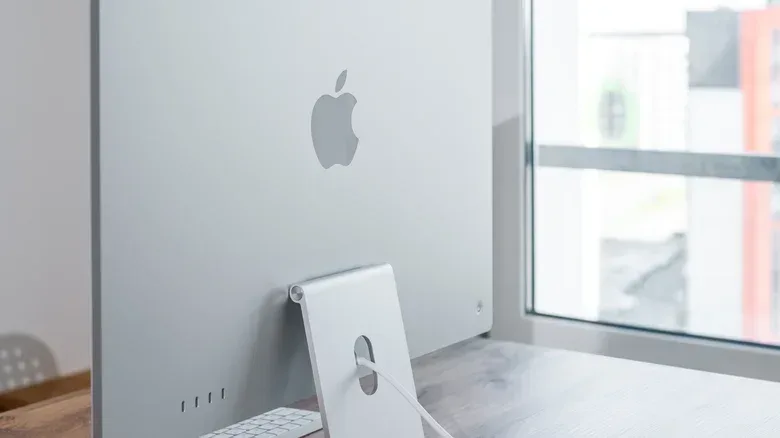
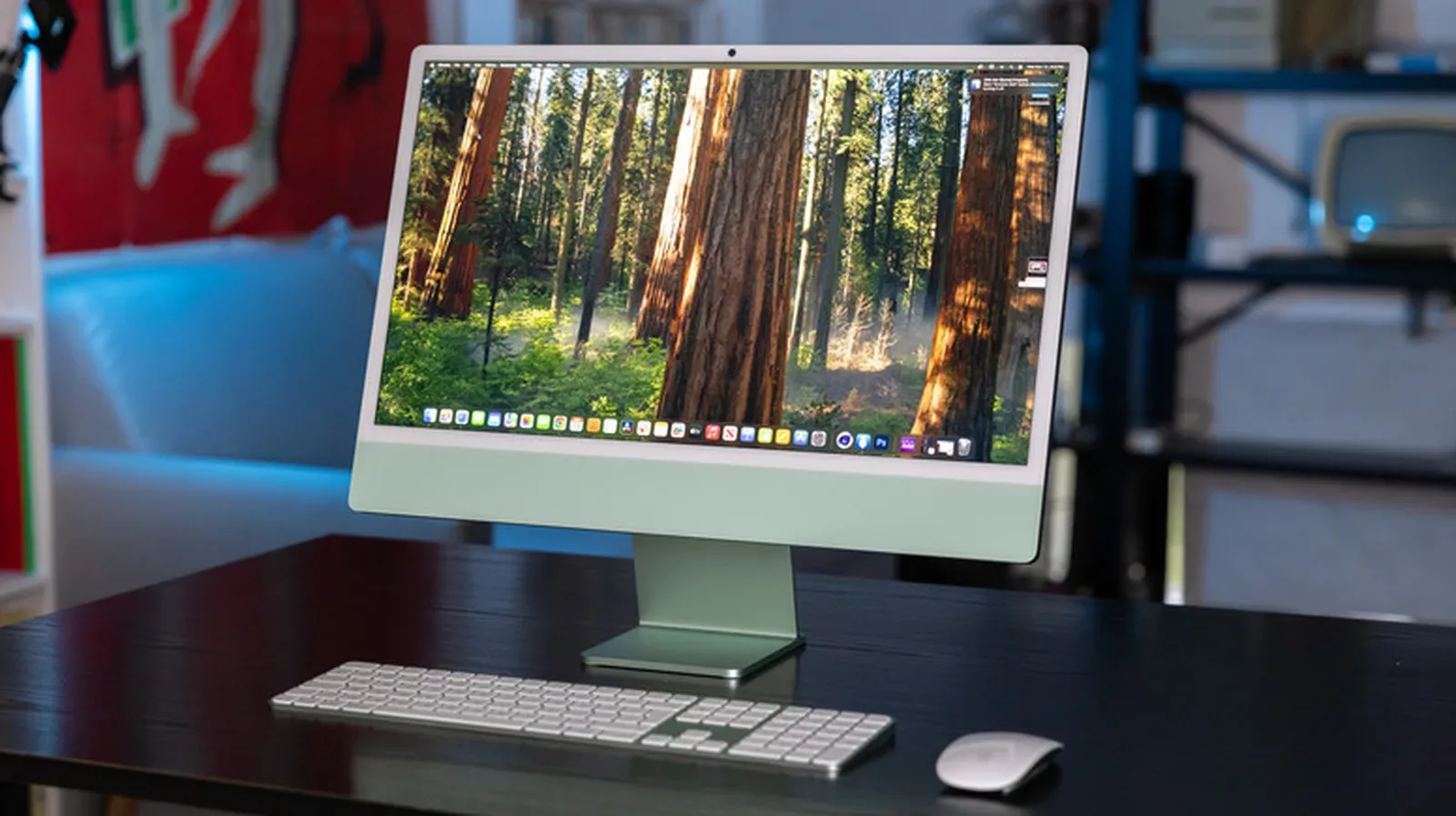
Models such as the Apple iMac are commonly sold as a complete desk package with a keyboard and mouse. The appeal is obvious. A buyer can unbox one primary unit, connect power, position the included accessories, and begin. For people who do not want to select a case, monitor, cables, keyboard, mouse, and internal parts separately, the reduced decision-making is a feature, not a limitation.
That simplicity also makes the category understandable in shared environments. Offices and computer labs benefit from setups that look orderly and are easy to place on desks. At home, an AIO can be especially sensible in a small apartment, a dorm, or a multipurpose room where a full tower-and-monitor arrangement would make the space feel permanently claimed by electronics.
The strongest argument: less setup, less clutter
AIO desktops eliminate one of the most visible costs of a conventional desktop: the physical sprawl. A separate tower needs a home under or beside the desk, while the monitor needs its own space above it. There are also connections between the two, plus power for each. An all-in-one consolidates much of that into the screen unit, potentially leaving a desk with far fewer visible wires.
That does not mean an AIO has no peripherals or cables. It still needs power, and users may attach storage, audio gear, input devices, or other accessories. But it removes the basic tower-to-monitor relationship from the equation. For someone who values a minimal setup, that can be more meaningful than a raw performance comparison.
The practical upside is not purely aesthetic. Fewer separate pieces can mean fewer things to position, unplug, reconnect, and troubleshoot when rearranging a room. An AIO is not portable in the way a laptop is portable, but it is generally easier to move than a traditional desktop arrangement. Relocating one display-computer unit is simpler than handling a tower, monitor, associated cables, and the inevitable search for which wire goes where.
This makes an AIO a particularly understandable fit for a user whose needs are stable: web use, paperwork, email, calls, and light everyday computing. In those situations, the ability to upgrade a graphics card years later may matter much less than having a clean machine that starts out straightforward and stays unobtrusive in the room.
Why slim integration changes the upgrade equation
The same integration that keeps the desk clean is the reason AIO ownership demands more care at the buying stage. Hardware has to fit behind or within a relatively slim display chassis. To make that possible, components are tightly arranged, and many may be fixed in place. In a conventional desktop, the case is designed around access and replaceable parts; in an AIO, compactness and visual neatness are central design goals.
Upgradability means the ability to replace or add components after purchase. In a traditional PC, this can include changing the processor, installing a different graphics card, adding memory, or fitting more storage. Those options help a computer evolve with a person’s needs. They can also allow a targeted fix: replace the part that is no longer sufficient instead of replacing the entire system.
Most all-in-ones do not offer that degree of freedom. Upgrading the processor or graphics card is nearly impossible on many AIO models. This is especially important for gaming. The graphics card, or GPU, is the component chiefly associated with rendering game visuals. A player who buys a machine suited to lighter games may later find that a desire for more demanding games cannot be answered with a simple GPU replacement.
Memory and storage can be a different story, but the details vary by model. RAM, or random-access memory, is the working space a computer uses while applications are open. More RAM can help a system cope with heavier multitasking and certain demanding workloads. Storage is where the operating system, games, applications, and files live. Extra storage can be valuable when a game library grows, a concern that applies equally to desktop configurations; as our look at games that may continue occupying drive space after uninstallation makes clear, capacity management can be unexpectedly messy.
Some AIOs permit RAM or storage additions, while others offer little or no internal upgrade path. The Dell Pro 24 65W is one example described as allowing additional RAM and storage. Newer iMac configurations, meanwhile, are much closer to a fixed specification: the machine chosen at purchase is largely the machine a buyer will continue to have. RAM prices can also affect whether a memory upgrade is an attractive proposition even where it is supported.
The lesson is not that every AIO is impossible to improve. It is that buyers should never assume an AIO has traditional desktop-style access. “Can I add memory?” and “Can I replace the processor or graphics hardware?” are separate questions, and the answer to each depends on the exact model.
Repairability is part of the cost calculation
Upgrade limitations are only one side of the compact-design tradeoff. The other is repairability: how realistically a device can be opened, diagnosed, and fixed when something goes wrong. A conventional tower generally offers room to reach components and replace them independently. An AIO’s compact layout can make that work more difficult.
When components are hard to access or held together with adhesive, repair technicians may have to work around a tightly packed structure. That can make service more complicated and potentially more expensive. It also means a failure in one area can feel more consequential, because the computer and display are unified in the same unit.
This is not an argument that all all-in-ones are disposable or that every tower is easy to fix. It is an argument for matching the machine to the owner’s expectations. A buyer who sees a computer as a sealed appliance used until replacement may be comfortable with an AIO’s design. A buyer who expects to repair parts, upgrade over time, or extract the longest possible useful life from a system should treat repair access as a major purchase criterion.
Questions worth answering before purchase
- Is the intended work mainly browsing, documents, and video calls, or does it include gaming and video editing?
- Can this exact model accept more RAM or storage later, and how is that work performed?
- Are the processor and graphics hardware replaceable, or effectively fixed for the life of the machine?
- Would a failure in the integrated display-computer assembly create an unacceptable repair burden?
- Is the desk-space benefit worth more than the option to change individual parts?
These are not overly technical questions. They are a way to translate product design into ownership consequences. A buyer does not need to build PCs as a hobby to decide whether future flexibility has value.
Gaming and creative workloads raise the stakes
An AIO can absolutely be the right computer for someone who plays games, but its suitability depends on what that person expects from gaming over time. Modern games vary widely in their demands, and a system that feels adequate today may not remain the desired setup later. When graphics capability is fixed, there is no ordinary tower-style path to install a more capable GPU if needs change.
Video editing presents a related concern. Editing can benefit from more memory, more storage, and stronger graphics capability depending on the workload. An AIO that permits a storage or RAM expansion may offer some headroom, but the lack of broad processor and graphics upgrades remains a meaningful boundary. Buyers planning to edit video or run demanding software should consider whether they want a computer that can grow by stages, rather than committing to a closed configuration from the beginning.
A traditional PC is generally the more adaptable answer for users who game seriously, edit video, or anticipate changing performance needs. That is not because the traditional setup is automatically better in every home. It is better at offering room to grow. Its separated tower and monitor arrangement is less elegant visually, but it exists precisely to make component choices and later changes more practical.
There is also a middle position. A laptop prioritizes mobility, while an AIO prioritizes a tidy stationary desk. A mini PC keeps the computer itself small but still requires a separate display. Each category solves a different problem. The most useful question is not “Which kind of computer wins?” but “Which limitation is least troublesome for this particular desk and workload?”
Buying an AIO means choosing the configuration now
Because major upgrades may be unavailable later, an AIO purchase deserves a more deliberate look at the specification offered on day one. Think of the selected configuration as more permanent than a typical tower purchase. Storage needs deserve attention for anyone with a large media or game library. Memory requirements deserve attention for people who multitask heavily. And prospective gamers or video editors should assess performance needs before assuming there will be an easy internal upgrade later.
That does not require buying hardware far beyond what will actually be used. Overbuying can be as misguided as buying too little. It means identifying the tasks that are genuinely expected during the machine’s life and recognizing that an AIO may not be easily reshaped after the fact.
An all-in-one is strongest when convenience is the goal. It is weakest when the buyer needs the computer to change alongside new games, heavier creative work, or a repair-first approach to ownership.
For non-technical users, families with modest desktop needs, compact workspaces, and anyone who values minimal cables, that trade can be very worthwhile. An all-in-one removes friction at setup and reduces the visual burden of a full desktop system. For enthusiasts, creators, and players who expect to adjust their hardware over the years, the cleaner desk may not compensate for the closed design.
In short, an AIO is not a compromised tower or an oversized laptop. It is its own category, built around simplicity. Buy one when that simplicity solves a real problem. Choose a traditional desktop when upgrade freedom, repair access, and long-term hardware flexibility are the priorities that matter more.