Tony Hawk's Pro Skater 4 (PlayStation 2, North America) — Complete Strategy Guide
Practical, play-first strategies for finishing the original North American PlayStation 2 release of Tony Hawk's Pro Skater 4. Covers the free-roaming Career Mode, the seven core career levels, the separately unlocked Carnival and Chicago bonus levels, regular goals, the 90-goal Pro Challenge threshold, named-skater Pro Challenges, red Pro Goals, reliable combo and route techniques, and a clear distinction between completing one skater's career finish and pursuing the full 190-goal completion target.

Find a copy
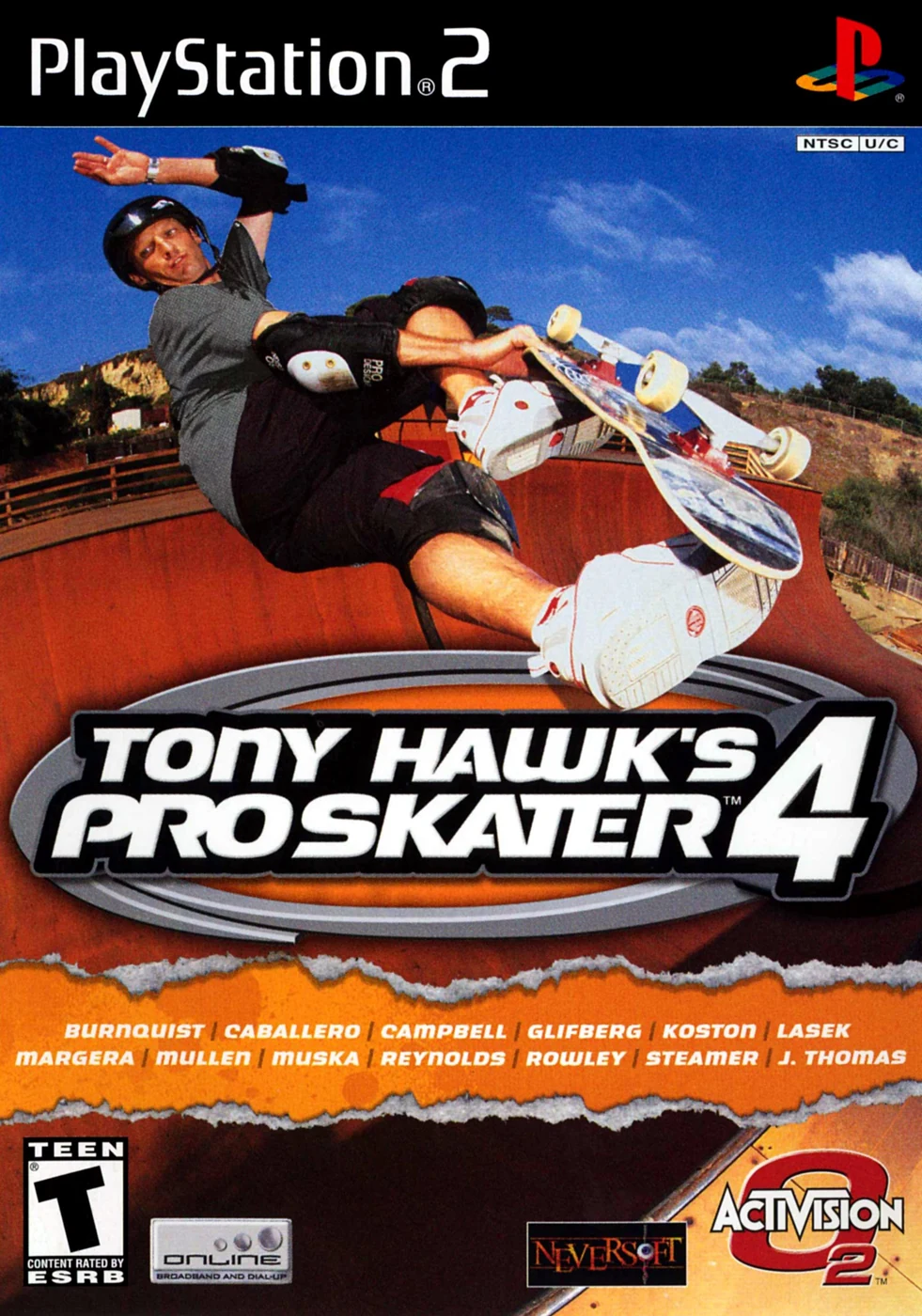
Tony Hawk's Pro Skater 4 PlayStation 2
We may earn a commission if you buy through these links, at no extra cost to you. As an Amazon Associate I earn from qualifying purchases.
Opens retailer search results. Check the model, edition, seller, availability and current price before buying.
Before you begin
This guide covers the original North American PlayStation 2 release of Tony Hawk's Pro Skater 4, not the later remake or remaster.
Career Mode is free-roaming: enter a level, find arrow-marked characters, accept objectives, and return to the goal list to track progress.
Complete regular goals until 90 are recorded, then complete a named Pro Challenge to unlock the harder red Pro Goals and that skater's ending video.
The guide distinguishes the normal individual-skater finish from full completion of all 190 goals, so you can stop at the goal you actually intend to reach.
Set yourself up for the run
Use the game's normal save and load functions through the in-game menus and protect important progress with an optional backup copy made through the PlayStation 2 Browser.
Do not assume the game provides multiple named Career slots. Treat the active Career as one working progression and change skaters within that career when the game permits.
Review the in-game Control Setup before attempting advanced tricks. Use the displayed mappings for the active North American PS2 release instead of relying on a generic modern or remake layout.
Use View Goals to inspect recorded, available and locked objectives, but do not assume a separate HUD or mission-marker toggle exists unless it is visible in the game's own Options menu.
Practise manuals, reverts, grinds and transitions in Free Skate or an open Career area before attempting difficult Pro Challenges.
For full completion, track the shared 190-goal target separately from optional gaps, cash icons, mini-games and store rewards.
First Steps: Disc, Saves, and Skater Selection
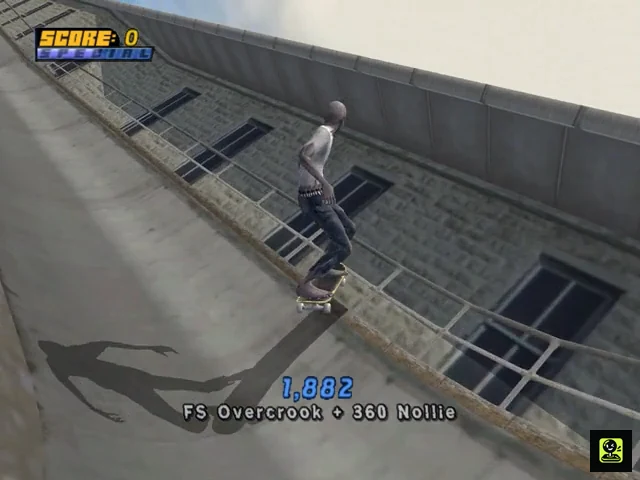
Set up the original North American PlayStation 2 release with a working memory card, a cautious save routine, and a skater you can control comfortably. Tony Hawk’s Pro Skater 4 uses one shared Career Mode progression: professional and created skaters do not each receive a completely separate tour on the same career data. The PS2 Career begins as free-roaming play rather than the earlier games’ universal two-minute session. Enter a level, find characters marked by colored arrows, accept their objectives, and use Start followed by View Goals to track the level’s recorded and available entries. Save through the game’s normal Save Game function after meaningful progress. If you want protection against experiments or accidental loss, copy the career save to another memory card through the PlayStation 2 Browser. That backup is separate from the working file, not another in-game career slot.
Prepare the memory card and establish a safe save routine
Insert a PlayStation 2 memory card before starting Tony Hawk’s Pro Skater 4 and confirm that the console recognizes it. If the card is full, leave the game and use the PlayStation 2 Browser to remove unwanted files before beginning the career. Do not rely on an untested card for a long session; confirm that the game can create and later read its save data before committing to difficult objectives.
Use the game’s normal Save Game and Load Game functions through the options or career menus. Treat the career as one working progression rather than expecting several named Career files inside the game. Save after completing a useful group of goals, purchasing an important item, or reaching a new level of progress. Never remove the memory card or switch off the console while the game is writing data.
For additional protection, copy the Tony Hawk’s Pro Skater 4 career save to a second memory card through the PlayStation 2 Browser. Keep that card separate from the working card and update the copy only after a worthwhile milestone. This gives you a recovery point before experimenting with another skater, spending cash, or attempting a difficult challenge. The second card does not create a second career inside the game; it only preserves a duplicate save.
- Confirm that the PlayStation 2 recognizes the memory card.
- Make sure the card has enough free space for the game to create its save data.
- Locate the normal Save Game and Load Game functions.
- Optionally copy the career save to another memory card through the PS2 Browser.
- Save after meaningful progress and do not interrupt the save process.
Choose a professional or created skater
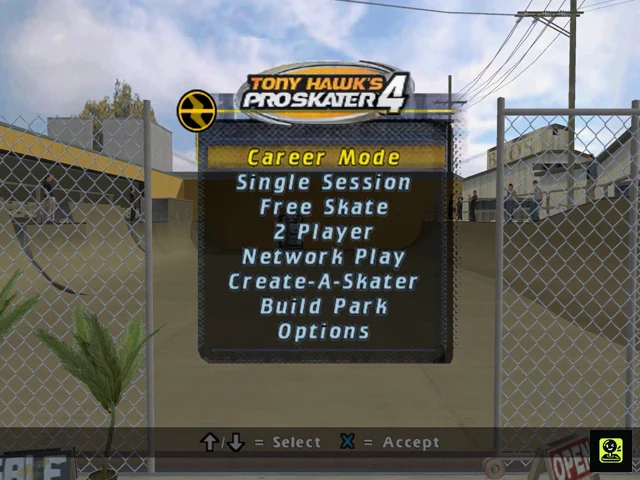
From the main menu, select Career Mode and choose an available professional skater. You can also use Create-A-Skater if you prefer a custom character. A professional is the quickest way to begin because the character already has a complete setup, while a created skater lets you select the appearance and starting style you want before entering the campaign.
Choose the skater whose stance, speed, turning and trick inputs feel predictable. Early progress is easier when you can land basic flip tricks, grabs, grinds and manuals without fighting the controls. Do not restart merely because another character may have a slightly better attribute spread; reliable handling is more valuable while you are learning the levels.
Tony Hawk’s Pro Skater 4 uses one solid Career progression. You may select different professional skaters during the same career, and their goal progress contributes to the shared tour rather than creating a separate completed-goal list for each professional. Use one primary skater for learning routes, then change characters when a named Pro Challenge or a particular trick setup benefits from another choice. Keep the save backed up before making major changes.
- Choose a professional for the fastest setup or create a custom skater.
- Prioritize predictable handling over theoretical maximum statistics.
- Understand that Career progress is shared across the available skaters.
- Back up the save before major experiments or difficult challenge attempts.
Review the control setup without searching for a required HUD toggle
Open Options and review Control Setup before entering Career Mode. Confirm that the DualShock 2 responds normally and inspect the active trick assignments so you know which buttons perform your current flip, grab, grind, manual and special tricks. Keep the default layout until you are comfortable, then use the control setup or trick-editing menus if you need a different arrangement.
Do not assume that a universal HUD or mission-marker switch must be enabled for Career Mode to function. In the original PS2 version, goal characters are found in the level by the colored arrows above them, while the objective list is accessed through View Goals in the pause menu. If an option visibly exists on your copy, you may adjust it for readability, but it is not necessary to invent or locate a setting that is not present.
You can use Free Skate for movement practice, but Career Mode itself also begins with free-roaming exploration rather than the earlier games’ fixed two-minute opening session. Spend a few minutes learning the starting area before accepting a difficult objective.
- Review Control Setup in Options.
- Check the active trick assignments before beginning serious goals.
- Look for colored arrows instead of relying on an assumed mission-marker toggle.
- Use Free Skate or untimed Career exploration to practise movement.
Accept the first objective and track it through View Goals
When the level loads, skate through the area and look for characters with colored arrows above their heads. Approach one and follow the on-screen interaction prompt to accept the objective. Simply passing a character may not activate the task; wait for the prompt and confirm that the goal has started.
Press Start to open the pause menu and select View Goals. Use this screen to review the current level’s objective entries, see which goals are already recorded, identify available tasks, and recognize entries that remain locked. The menu is also useful when you have forgotten which character gave a goal or need to organize the next objective instead of searching the whole level at random.
Begin with a straightforward goal that teaches the opening area. Save after completing it, then continue exploring. Delay named Pro Challenges until you can reliably land basic tricks, hold a grind or manual, and connect a ramp landing to a revert. If an objective fails, return to its giver or use the game’s displayed retry option when available, then change the approach rather than repeating the same failed line.
- Find a character marked by a colored arrow.
- Accept the objective using the displayed interaction prompt.
- Open Start and select View Goals.
- Complete one manageable opening objective.
- Save the result through the normal game save system.
- Practise manuals and reverts before attempting demanding Pro Challenges.
Before you move on
- The PS2 recognizes a memory card and the game can create or load its career data.
- The normal Save Game and Load Game functions have been located.
- An optional backup copy exists on a second memory card.
- A professional or created skater successfully enters Career Mode.
- A colored-arrow goal character can be found and interacted with.
- Start followed by View Goals displays the current level’s objective information.
- At least one straightforward objective has been completed and saved.
Controls and Movement Basics (PS2 mappings and camera)
Learn the original North American PlayStation 2 controls before attempting difficult Career goals. The D-pad or left analog stick steers and controls speed, X crouches and ollies, Square performs flip tricks, Circle performs grabs, and Triangle handles grinds, flatland tricks, and lip tricks. Manuals use quick Up-Down or Down-Up inputs. L2 enters nollie stance, while L2 or R2 can revert when landing on a vert ramp; the triggers also have other context-sensitive functions. Use the right analog stick to adjust the camera. Because some actions overlap and controls can be configurable, confirm the exact layout in the original game's Control Setup before relying on a trigger or camera command.
Confirm the North American PS2 control layout
Pause with Start and open the game's Control Setup before beginning a serious Career attempt. On the original PlayStation 2 release, the D-pad and left analog stick move the skater. Holding X crouches and pressing and releasing X performs an ollie. Square performs flip tricks, Circle performs grab tricks, and Triangle is used for grinds, flatland tricks, and lip tricks. Start pauses the game.
The standard documented advanced inputs require context. Press L2 before an ollie to enter nollie stance. Press L2 or R2 as the skater lands back onto a vert ramp to perform a revert. R2 also has a switch-stance function, and L2 or R2 can perform a spine transfer when launching over a spine. Do not mash either trigger and assume every press is a revert; check the on-screen Control Setup and use the input during the correct movement window.
- D-pad or left analog stick: move and steer
- X: crouch and ollie
- Square: flip tricks
- Circle: grab tricks
- Triangle: grind, flatland, or lip tricks
- L2: enter nollie stance before an ollie
- L2 or R2: revert at vert-ramp contact; context-sensitive advanced actions
- Start: pause
Build speed and perform basic tricks
Hold Up while rolling to accelerate and use Down to reduce speed. Hold X as you approach a ramp or obstacle, then release it to ollie. During the jump, combine a direction with Square for a flip trick or with Circle for a grab. Begin with a straight approach over a low obstacle so you can concentrate on landing cleanly rather than correcting a bad angle in midair.
For a grind, approach the rail or ledge with the board aligned to the target, ollie with X, and press Triangle as you reach the surface. Triangle pressed too early, or an approach that is too far to the side, can produce a missed grind or an unintended trick. For a lip trick, ride directly up a quarter pipe or vert ramp and press Triangle with the appropriate direction as the board reaches the coping. This is a vertical approach, not a rail-grind input.
- Build speed before attempting a gap or ramp.
- Hold X, then release it to ollie.
- Aim the board at the rail before pressing Triangle.
- Approach a lip straight on and press Triangle at the coping.
Enter and maintain a manual
A regular manual begins with a quick Up-Down motion on the D-pad or left analog stick while the skater is rolling. A nose manual uses Down-Up. These are two quick directional taps, not a long hold. Practise entering a manual after a flat-ground trick, then roll across open ground without adding another trick until you can read the balance indicator reliably.
Once the manual begins, make small directional corrections based on the position of the balance indicator. Avoid holding a direction continuously or swinging the stick from side to side, because large corrections can turn a recoverable manual into a bail. Leave open space ahead before starting the manual so you can finish it safely or aim for the next rail.
- Practise both Up-Down and Down-Up.
- Watch the manual balance indicator as soon as the manual begins.
- Use brief corrections rather than full-stick swings.
- Leave a clear landing area ahead.
Use reverts to connect ramps to manuals
When an aerial lands back onto a quarter pipe or another vert ramp, press L2 or R2 at the landing contact to perform a revert. The timing is tied to the wheels meeting the ramp, not to the takeoff. A successful revert keeps the combo active and turns the skater back toward the ramp exit.
Immediately after the revert, use Up-Down or Down-Up to enter a manual and carry the combo away from the ramp. Practise one simple aerial, one revert, and one manual before adding flip or grab variations. If the skater has already rolled away from the ramp, repeated trigger presses will not recreate the missed revert and may activate another trigger function instead.
- Press L2 or R2 as the skater contacts the vert ramp.
- Follow a successful revert with a manual input.
- Add flip and grab variations only after the landing sequence is reliable.
- Use the Control Setup to confirm any altered trigger mapping.
Read balance indicators and recover safely
Manuals, grinds, and lip tricks use balance indicators. Watch the relevant on-screen bar and make small corrections toward a stable position. The correct direction depends on the current trick and the indicator's position, so do not memorize one direction as a universal fix. During a long Career line, a short surviving manual or grind is usually more useful than forcing another trick when the balance is nearly gone.
When the indicator is close to failure, stop adding unnecessary inputs and plan the safest exit. Release a grind at the end of the rail when possible, roll toward open ground, or use a manual only when the landing is already aligned. If the skater bails, rapidly press controller buttons to help the recovery animation, as described in the control documentation.
- Watch the balance bar instead of focusing only on the score.
- Make small corrections near the safe part of the indicator.
- Choose an open landing when balance is nearly exhausted.
- Use rapid button presses after a bail to recover more quickly.
Use the camera for route planning
Move the right analog stick to adjust the camera view while skating. Use it during a straight, low-risk section to look for the next rail, ramp, landing, or objective marker. Before beginning a long grind or manual, position the view so the route is visible rather than trying to make a large camera correction during the trick.
The available camera behavior can depend on the game's displayed setup, so do not rely on an unverified lock, reset, or camera-cycle command. If scenery blocks the route, slow down, make a modest right-stick adjustment, and re-establish the line before attempting the goal. Keep camera movements small during balance-heavy sections; abrupt changes make it harder to judge landing direction and distance.
- Use the right analog stick to look around.
- Adjust the view before a difficult trick or gap.
- Keep camera movements small while balancing.
- Follow the exact camera functions shown in the in-game Control Setup.
Before you move on
- You can accelerate, slow down, ollie, perform a flip trick, perform a grab, and enter a grind without checking the layout.
- You can enter both a regular manual and a nose manual with quick directional taps.
- You can approach a quarter pipe, press L2 or R2 at ramp contact, and continue through a manual after a successful revert.
- You can keep a short manual, grind, and lip trick alive by making small balance corrections.
- You can adjust the view with the right analog stick and prepare a clear route before attempting a goal.
- You have checked the original game's Control Setup rather than relying on an unverified camera or trigger command.
Tricks, Grabs and Flip Tricks: Building reliable lines
On the original North American PlayStation 2 release, X performs an ollie, Square performs flip tricks, Circle performs grab tricks, and Triangle performs grinds. Directional inputs select the individual move assigned to each button, so the same trick button can produce different tricks depending on the direction pressed. Double-tap variations are available for supported tricks when the direction and trick button are tapped twice quickly. Start with simple, repeatable flips, then add grabs on ramps and gaps that provide enough airtime. The objective is not merely to raise the score: every trick should leave the skater lined up for a manual, grind, or revert that keeps the combo alive.
1. Confirm the default trick inputs before practicing
Pause the game and open the controls or trick display before committing the inputs to memory. On the PS2 layout, X is Ollie, Square is Flip Trick, Circle is Grab Trick, and Triangle is Grind. The direction used with Square or Circle determines the move, and assignments can vary by skater, so use the in-game trick list when a move is unfamiliar.
Practice on flat ground and then on a low ramp. Hold or press X to ollie, use a direction with Square for a flip, and use a direction with Circle for a grab. Begin with one flip and one grab that you can identify easily. Standard flip and grab inputs are directional; do not rely on pressing Square or Circle without a direction as a general replacement for the listed trick input.
- X performs an ollie.
- A direction plus Square performs a flip trick.
- A direction plus Circle performs a grab trick.
- Check the trick list for skater-specific assignments.
2. Build reliable single and double flips
Use a quarter pipe, bank, or open ramp with a clear landing zone. Approach straight, press X to leave the surface, then enter the chosen direction and Square while airborne. Keep the board aligned with the landing instead of adding unnecessary spins while learning the timing.
When the trick list shows a double or other repeated-input variation, tap the same direction and trick button twice quickly. The extra input requires more airtime, so practice it on a larger ramp rather than a small kicker. A clean single flip that leads into a manual or grind is more useful during career play than a failed double flip that ends the combo.
- Land one single flip from a straight approach.
- Repeat it from both sides of a ramp.
- Attempt a double variation only after the single is consistent.
- Use a larger ramp for repeated-input tricks.
3. Use grabs where airtime gives them room
Grabs are most dependable over vert ramps, large banks, and gaps. Ollie from the ramp, press the required direction with Circle, and hold the grab during the available airtime. Holding a grab longer increases its value, but release it early enough to realign the board over the landing.
Do not force a long grab over a low kicker or short transfer. The animation can leave the board poorly positioned when the skater reaches the ground. In those situations, use a quick flip trick or a shorter grab, especially when the objective asks only for a particular trick rather than a large score.
- Use grabs on ramps and gaps with sufficient airtime.
- Hold the grab only while the landing remains controllable.
- Prefer a quick flip on short or crowded approaches.
4. Choose directional flips for the landing you need
The direction matters because each assigned flip has a different animation and board attitude. Near a narrow rail, ledge, or manual lane, select a move that leaves the board facing the line you intend to use. In open space, a higher-value variation is reasonable, but do not sacrifice a reliable landing for a small score increase.
Practice the same directional trick while approaching from both sides of a ramp. The camera can make left and right feel reversed, so orient the skater first and then enter the direction deliberately. If you need a specific trick for a goal, verify its exact assignment in the trick list rather than guessing from the animation.
- Select the flip according to the intended landing line.
- Use larger variations only over open landing areas.
- Practice approaches from both directions.
- Verify required tricks in the in-game list.
5. Turn the landing into a continuing combo
As the wheels approach a flat landing, prepare Up then Down or Down then Up on the directional control to enter a manual. The input must be quick and separate rather than a slow steering motion. If the landing is aligned with a rail or ledge, press Triangle at the correct height to grind instead. A successful manual or grind preserves the current combo and gives you time to set up the next trick.
After a vert trick, press R2 or L2 as the skater returns to the ramp to perform a revert. Immediately follow the revert with the manual input if the surface ahead is flat. This is the key connection between a ramp trick and a flat-ground line. From the manual, ollie into another flip, aim for a grind, or ride toward the next ramp instead of repeating a trick with no route planned.
- Prepare the manual input before touchdown.
- Use Triangle when a rail or ledge is directly in the landing path.
- Use R2 or L2 for the revert after a vert trick.
- Follow a successful revert with a manual on the flat.
6. Recover when a flip or grab goes wrong
If the skater touches down awkwardly but remains upright and has enough control to steer, try a manual input immediately. Do not force the manual after a full bail or a landing that has already placed the board against an obstacle. If the mistake happened after a ramp trick, use R2 or L2 for the revert when the skater returns to the ramp, then attempt the manual.
When a rail or ledge is directly ahead after a poor but recoverable landing, steer toward it and use Triangle rather than adding another flip. If no safe continuation is available, stop adding trick inputs and regain a stable stance. A short grind or manual is preferable to a desperate extra trick that ends the run.
- Attempt a manual only after a controlled landing.
- Use revert plus manual after a ramp trick when the timing is available.
- Choose a nearby grind over an unnecessary extra flip.
- Recover your stance when no safe continuation remains.
Before you move on
- From a quarter pipe, land a flip trick into a controlled manual without bailing.
- Perform a grab over a larger ramp, release it in time, and land with the board aligned.
- Connect a ramp trick through an R2 or L2 revert into a manual, then add a second flip or grind.
- Recover one imperfect but controlled landing with a manual or grind instead of ending the combo.
References for this chapter
- Tony Hawk's Pro Skater 4 - Guide and Walkthrough - PlayStation 2 - By JJMaxx
- Tony Hawk's Pro Skater 4 - Guide and Walkthrough - PlayStation 2 - Brokaliv
- Tony Hawk's Pro Skater 4 Trick Point FAQ - PlayStation 2
- Tony Hawk's Pro Skater 4 (USA) instruction manual
- Tony Hawk's Pro Skater 4 NTSC-U PlayStation 2 Data
Manuals, Reverts, and Multiplier Chaining
Manuals carry a combo across flat ground, while reverts preserve an aerial trick when you land on a ramp or transition. In the original PlayStation 2 version, the dependable sequence is aerial trick, revert as the board reaches the ramp, then a quick Up-Down or Down-Up input on the directional pad to enter a manual. From there, steer toward a rail, ledge, or second ramp and continue with another trick instead of relying on one oversized move. Practise the timing in an open area before using it during high-value goals or Pro Challenges. Build routes around landmarks that give you enough speed, a safe manual section, a grindable object, and another transition. A controlled chain of ordinary tricks, manuals, grinds, and reverts is more reliable than repeatedly attempting one enormous trick.
Enter and balance a manual
A regular manual begins with a quick Up-Down input on the directional pad. A Nose Manual begins with Down-Up. Tap the two directions in succession rather than pressing them together. The input can be made after landing on level ground or while riding toward the next obstacle. When the manual starts, watch for its balance meter and keep your skater moving toward the next part of the route.
Correct the manual with small Left or Right presses on the directional pad. Do not hold a direction for a long time: a large correction can swing the balance indicator past the safe area and end the combo. The left analog stick mirrors the directional buttons when Analog mode is enabled, but practise with whichever input gives you the most consistent short corrections. Keep some speed in reserve so the manual can reach a rail, ledge, or ramp rather than dying in the middle of the route.
- Practise both Up-Down and Down-Up so either manual direction feels natural.
- Watch the balance meter continuously instead of looking only at the next obstacle.
- Use short manuals first; clean entry and exit matter more than maximum length.
Revert from an aerial landing
Launch from a quarter pipe, bowl, or other transition and perform a modest flip or grab trick. As the board comes back toward the ramp surface, press R2 right as you contact the ramp. L2 also performs a revert on the PS2 control scheme, but R2 is the simplest input to use consistently. The revert changes the landing into a continued combo instead of ending the aerial section.
The timing is narrow. Pressing the button too early can activate another action or fail to connect with the landing; pressing it after the skater has settled usually ends the aerial trick. Begin with a small air from a quarter pipe and concentrate on the moment the wheels meet the ramp. During the revert animation, enter Up-Down or Down-Up to start the manual as the skater reaches the flat. If the manual does not appear, repeat the same approach and adjust the timing slightly rather than adding a more difficult trick.
- Approach a quarter pipe with enough speed for a controlled air.
- Perform a simple aerial trick.
- Press R2 at ramp contact; L2 is an alternative revert button.
- Immediately enter Up-Down or Down-Up during the landing transition.
- Confirm that the manual balance meter appears before steering away.
Build an air-to-manual-to-grind line
Use a three-part practice route: aerial trick, reverted manual, then grind. Approach the quarter pipe, perform a flip or grab, revert on the landing, and enter a manual across the flat. First straighten the skater and settle the balance meter. Then guide the manual toward a nearby rail, ledge, or grindable edge. Ollie out of the manual and press Triangle with the appropriate directional input for the grind you want.
Do not steer sharply as soon as the manual begins. Stabilize first, then make gradual turns toward the grind. The target should be close enough that the manual retains speed, and the grind should have a clear exit toward open ground or another ramp. During the grind, make small balance corrections and look ahead for the next landing. A short manual followed by a clean grind is a better training line than a long manual that ends in a bail.
- Choose a visible flat section after the launch ramp.
- Place the grind close enough to reach without exhausting the manual.
- Leave an open exit from the grind for the next jump or landing.
- Practise the line without chasing a maximum score.
Link another aerial section
After the grind, ollie toward a second quarter pipe or transition and perform another aerial trick. Revert again as the board reaches the ramp, then enter another manual. This keeps the combo alive and increases the multiplier through separate tricks, reverts, manuals, and grinds. The reliable order is air, revert, manual, grind, ollie, air, revert, manual.
Face the next ramp before leaving the grind whenever possible. If the route contains a lip trick, use it only after the approach is stable; a lip entry that leaves you facing away from the next obstacle is usually less useful than a simpler aerial. When the balance meter becomes difficult to control, land safely and end the combo. Preserving the route and restarting from a known landmark is more productive than forcing one unnecessary extension.
- Alternate trick types instead of repeating one move throughout the line.
- Use the camera and approach angle to face the next transition.
- Finish deliberately when the balance meters become unsafe.
Plan a repeatable score route
Before attempting a score goal, identify one launch ramp, one flat manual section, one rail or ledge, and a second transition. Ride through the route without trying to maximize points. Confirm that every manual has a reachable continuation and that the final landing leaves you in a safe position. If one connection repeatedly fails, shorten the manual, change the approach angle, or choose a closer obstacle.
Use smaller tricks at the beginning and reserve a stronger grab, flip, or special move for a later aerial once the multiplier is active. Manuals and reverts each help increase the combo multiplier, so several controlled links are usually more dependable than opening with the biggest available trick. Once the route works consistently, add spins, higher-value tricks, or a longer grind one change at a time.
- Mark the launch point and safest landing area.
- Confirm that each manual can reach a grind or ramp.
- Practise the route without score pressure.
- Change one approach variable at a time when troubleshooting.
- End the run safely if the balance meter is nearly exhausted.
Before you move on
- You can perform an aerial trick, press R2 at ramp contact, and enter a manual without ending the combo.
- You can also recognize L2 as an alternate PS2 revert input.
- You can balance a manual with short Left or Right directional-button corrections.
- You can carry a manual toward a grind, ollie into the grind, and exit toward another transition.
- You have one repeatable route containing an aerial trick, revert, manual, grind, and second aerial section.
- You can deliberately end a combo after a safe landing instead of bailing while attempting one unnecessary extension.
Combo Safety and Recovery: Saving big runs
In the original North American PlayStation 2 version of Tony Hawk's Pro Skater 4, reliable combos come from protecting balance, controlling speed, and keeping a safe landing route available. Use light directional corrections during manuals, grinds, and lip tricks. From a transition landing, press L2 or R2 at the ramp surface to revert, then use Up-Down or Down-Up to enter a manual if the route ahead is clear. When a balance bar is nearly exhausted, stop adding unnecessary tricks and finish the combo safely. A short manual, grind, or controlled landing is better than forcing a spectacular move that causes a bail and loses the entire combo.
Read the balance bar before adding another trick
During a manual, make short left or right corrections to keep the balance marker near the center. Use the same restrained approach while grinding or holding a lip trick. If the marker is already close to either edge, a large or sustained direction can push it past the recovery point, so tap the correction instead.
When balance is unstable, avoid adding repeated flip tricks, unnecessary spins, or rapid grind changes. The aim is to reach a safe exit with the combo intact, not to maximize every individual trick. If you are already airborne and the approach is slightly misaligned, a brief grab can help keep the board level while you steer, but it does not replace proper balance control and should not be held so long that it spoils the landing.
- Watch the balance indicator throughout long manuals, grinds, and lips.
- Use short directional taps instead of holding a direction when the marker is near center.
- Stop changing tricks when the balance bar is close to failing.
- Use a brief grab only to stabilize an airborne approach, not to rescue a bad landing angle.
Convert a safe landing into a manual
Before landing from a flat-ground jump or ramp launch, prepare to tap Up then Down, or Down then Up, on the directional pad or left stick. If the landing surface is broad and reasonably level, this starts a manual and preserves the existing combo. Make the input as the skater reaches the landing rather than repeatedly buffering it throughout the jump.
A manual cannot repair a collision course. If the skater is drifting toward a wall, stair edge, vehicle, or obstacle, steer toward open ground first. A low-value manual across clear pavement is safer than trying to save the combo on a narrow ledge. Once the manual begins, return to gentle balance corrections and look for the next rail, ramp, or open landing area.
- Aim for open, level ground before attempting the manual input.
- Use one clean Up-Down or Down-Up sequence.
- Do not repeatedly press the manual directions during the entire jump.
- Resume light balance corrections as soon as the manual starts.
Use L2 or R2 after vert tricks, then choose the safe exit
When an air trick finishes over a quarter pipe, half pipe, or other transition, press L2 or R2 as the skater reaches the ramp surface to perform the revert. In the original PS2 game, the revert is the link that lets a transition landing continue into a manual instead of ending the combo.
Do not press the trigger randomly while the skater is still high in the air. The useful timing is the landing phase. After the revert animation begins, use the Up-Down or Down-Up manual input only when the path ahead is clear. A practical sequence is air trick, L2 or R2 at the landing, manual, then a short grind or controlled manual exit. If the landing points toward a wall or hazard, take the normal landing rather than forcing the manual.
- Press L2 or R2 as the skater contacts the transition surface.
- Do not treat the revert as an airborne button press.
- Follow the revert with a manual only when the landing route is open.
- Prefer a short controlled continuation over a forced line into an obstacle.
Keep an escape rail or ramp beside every major line
Before beginning a long combo, identify how the line can end safely. A nearby rail, bank, quarter pipe, or broad flat section gives you a recovery option when balance becomes unstable. Build speed toward that fallback instead of committing to a route that ends at a wall, drop, or cluttered obstacle.
When a grind is failing, ollie toward the next visible surface only if the landing is aligned. Otherwise, release the grind at the end of the rail and land normally. Completing a smaller combo preserves the accumulated points; forcing a transfer that misses its target ends the run and loses the combo score.
- Locate one safe landing area before starting a major line.
- Keep enough speed to reach the fallback surface.
- Know whether the fallback requires a manual, grind, or ordinary landing.
- Avoid beginning a long line with no clear exit.
Use the camera and speed to prevent avoidable bails
Use the look control to check the next rail, ramp, or landing area before committing to a trick. Make small camera adjustments while approaching narrow targets. Rapid camera movement can hide the approach and make a previously safe line appear misaligned. If scenery blocks the view, straighten the skater, re-establish the route, and then add the next trick.
Speed management matters as much as balance. Excess speed can carry the skater past a rail or into a wall, while too little speed can leave a manual short of its next connection. If the same route repeatedly fails, change the approach distance or angle instead of adding more tricks to the line.
- Look ahead before launching toward a narrow target.
- Correct the approach gradually rather than making a large last-second turn.
- Use an escape surface to control where the combo ends.
- Treat repeated misses as an approach problem as well as a timing problem.
Before you move on
- Complete several practice lines using an air trick, a correctly timed L2 or R2 revert, and a manual without ending the combo.
- Recover an unstable grind or manual by taking a controlled exit instead of forcing another trick.
- Perform one transition landing normally when the route is unsafe, confirming that you can prioritize position over combo length.
- For each difficult career combo, identify the intended line and one nearby fallback landing before attempting the objective.
References for this chapter
Career Structure and Mission System
The original North American PlayStation 2 release of Tony Hawk's Pro Skater 4 uses a free-roaming Career Mode. Enter a level, skate around its available area, and approach characters marked with goal arrows to accept individual objectives. There is no universal two-minute timer governing ordinary Career exploration; that format belongs to other modes and later versions. Career progress is shared rather than requiring a complete 90-goal run for every professional. Complete 90 regular goals to reveal the named-skater Pro Challenges. Complete one Pro Challenge to activate the red Pro Goals, while the remaining Pro Challenges stay separate objectives for their assigned professionals or the created skater. For an individual finish, complete the desired skater’s Pro Challenge and confirm that skater’s video is unlocked. For full original-release completion, clear all 190 recorded goals: regular goals, red Pro Goals, and all 15 named or created-skater Pro Challenges.
Enter Career Mode and learn the free-roaming structure
Choose Career Mode and load the save containing the progress you want to continue. In the original PS2 release, each Career level is a free-roaming mission area. You can skate between characters, inspect ramps and routes, and practise without an overall session timer forcing you to restart every few minutes. Do not confuse this structure with Single Session or with the later THPS 3 + 4 remake, which changes the Career format.
Treat every unlocked area as a hub. Before attempting a difficult goal, identify its major landmarks, ramps, rails, upper routes, teleporters, and shortcuts. Many objectives reuse the same geometry, so learning how to reach a location is part of the progression strategy.
- Confirm that Career Mode is active rather than Single Session.
- Skate through the accessible area and learn its major landmarks.
- Practise difficult routes before repeatedly attempting the associated goal.
Accept regular goals from marked characters
Approach characters with a goal arrow above them and interact when the game offers the conversation or goal prompt. Read the complete objective before leaving. Regular goals include scores, individual tricks, combos, races, collections, gaps, object interactions, competitions, and short sequences. A goal is added to your progress when its success condition is completed, not merely because you spoke to the character.
Some objectives are unavailable during your first visit. A character may become useful only after other goals have been completed or after the shared Career total reaches a later threshold. If no new objective is available, move to another marked character or another unlocked level and return later.
- Approach the marked character until the goal interaction appears.
- Read whether the objective is score-based, route-based, collection-based, or timed.
- Return to inactive characters after completing more Career goals.
Use the goal records to track progress
Use the pause-menu goal records and the level listings to confirm which objectives are completed and which entries remain available or locked. This is the reliable progress check after a success message. It also helps separate ordinary goals from the later red Pro Goals and skater-specific Pro Challenges.
Use each objective’s description to plan the route, but do not treat the goal record as a radar that gives an approximate character location. If a goal names a distant landmark, locate that landmark by learning the level and its shortcuts. When an entry is locked, complete other available goals and check again later instead of repeatedly revisiting the same character.
- Confirm completed objectives in the recorded goal listings.
- Use descriptions to identify required landmarks, objects, or actions.
- Treat locked entries as progression gates rather than failed interactions.
Reach the 90 regular-goal threshold
Clear regular goals across the shared Career record in whichever order is practical. Nearby collections, interactions, races, competitions, and straightforward trick objectives are useful early because they build both the goal total and your knowledge of each level. Leave difficult Sick Scores, narrow gaps, and long combo routes until your stats and line planning are dependable.
The threshold is shared across the Career rather than being a separate 90-goal campaign for every professional. You may use different available skaters for ordinary goals when their attributes help, but later Pro Challenges require their assigned skater. Continue checking earlier levels because new entries can become available after progress elsewhere.
- Record at least 90 completed regular goals.
- Use easier objectives to learn routes before attempting fragile gaps or long combos.
- Revisit earlier levels when the Career record shows additional available entries.
Complete a named-skater Pro Challenge
After 90 regular goals are recorded, the named-skater Pro Challenges become available. Each challenge belongs to a particular professional or to the created skater and is tied to a specific level. Select the required skater before attempting it; ordinary Career progress does not replace the character requirement.
Read the challenge description and identify its start point, required tricks, transfers, specials, or sequence. Practise the individual launches and landings first, then run the complete sequence. Pro Challenges are not all simple score checks, so a high-scoring line can still fail if it skips a required action. Completing a professional’s challenge unlocks that skater’s video; completing the created skater’s challenge unlocks the custom-skater video.
- Confirm that 90 regular goals are recorded.
- Select the professional or created skater named by the challenge.
- Verify both the completed challenge entry and the corresponding video unlock.
Unlock the red Pro Goals
The progression order is fixed: first complete 90 regular goals, then complete one named Pro Challenge. That first successful Pro Challenge activates the red Pro Goals. These are additional, harder objectives distributed through the Career levels and are separate from the orange or named-skater challenges.
Return to the levels and look for red-marked objectives in the goal records and around the level. Red goals can demand higher scores, longer combos, precise gaps, or complicated object and route work. A failed attempt does not remove completed progress. Adjust the approach speed, line, trick sequence, balance plan, or recovery route and retry the same objective.
- Verify that one named Pro Challenge is complete.
- Check the levels for newly active red Pro Goals.
- Record each red goal after its success confirmation.
Keep required goals separate from optional activities
Regular goals are the initial objectives used to reach the 90-goal threshold. Named Pro Challenges are the assigned professional or created-skater challenges. Red Pro Goals are the harder objectives activated after the first Pro Challenge. Cash icons, gap discoveries, mini-games, stat rewards, store purchases, and level access are separate activities and should not be used as substitutes for an uncompleted goal entry.
The complete original PS2 target is 190 recorded goals. That total includes the level’s regular and red goals plus all 15 named or created-skater Pro Challenges. Completing one Pro Challenge opens the red goals but does not complete the other Pro Challenges.
- Track regular goals, Pro Challenges, and red Pro Goals separately.
- Treat cash, gaps, mini-games, rewards, and purchases as optional or separate progress.
- Do not stop at one Pro Challenge when pursuing all 190 goals.
Verify the intended completion state
For an individual career finish, confirm that the chosen skater’s Pro Challenge is marked complete and that the corresponding video is available in the video or unlock menu. For full completion, review the goal records for every level and confirm that all regular goals, red Pro Goals, and all named or created-skater Pro Challenges are complete. Reaching the final level or activating red objectives is not sufficient proof.
Save through the game’s normal save process after verification. If a final challenge keeps failing, practise its component sections separately: build the required meter, rehearse the approach, perform the required trick or transfer, and stabilise the landing or follow-up manual before attempting the full sequence again.
- Verify the selected skater’s Pro Challenge and video for an individual finish.
- Verify all 190 goal entries for full original-release completion.
- Save after the final progress check.
Before you move on
- The shared Career record contains at least 90 completed regular goals.
- The chosen skater’s named Pro Challenge is available and marked complete.
- The chosen skater’s corresponding video is unlocked.
- Red Pro Goals are active after the first completed Pro Challenge.
- For full original-release completion, all 190 goals are recorded as complete, including regular goals, red Pro Goals, and all 15 named or created-skater Pro Challenges.
- The Career save is written after the final verification.
References for this chapter
- Tony Hawk's Pro Skater 4 – Guide and Walkthrough – PlayStation 2 – T_Hayes
- Tony Hawk's Pro Skater 4 - Guide and Walkthrough - PlayStation 2 - Justinw303
- Tony Hawk’s Pro Skater 4 – Guide and Walkthrough – PlayStation 2 – Que_Thalas
- Tony Hawk’s Pro Skater 4 Review – GameSpot
- Activision Invites Fans to Take the Ultimate Challenge with Tony Hawk's Pro Skater 4
- Tony Hawk's Pro Skater 4 User Manual
Reading Goals: Types, common patterns and how to approach them
Tony Hawk's Pro Skater 4 on the original North American PlayStation 2 uses free-roaming Career levels. You accept objectives from characters and other marked goal locations, then complete them without the universal two-minute session structure used by earlier entries and later remake versions. Before skating away, open View Goals and read the complete objective: it identifies the required character, landmark, trick, score, destination, race condition, or collection target. Regular goals form the main progression. After 90 regular goals are complete, the named Pro Challenges become available for their required skaters. Completing one named Pro Challenge unlocks the later red Pro Goals across the career; those red goals are separate from both the regular list and the skater-specific challenges. Use repeatable routes rather than random searches, and confirm every success in View Goals.
Read View Goals before searching the level
Pause and open View Goals before attempting to locate an objective. Read the entire entry, including the named character, landmark, object, trick, score, destination, or time requirement. This prevents wasted searches based on a remembered icon or on the assumption that every visible character currently offers a mission.
Skate to the matching character or marked goal location and interact to accept the objective. If the goal is absent or shown as locked in View Goals, finish available regular goals and check the list again. Some entries depend on earlier progression, while named Pro Challenges also require 90 completed regular goals and the correct professional or created skater. After accepting a goal, use its wording as the route plan rather than improvising around the whole level.
- Read the complete View Goals entry.
- Find the named character, landmark, or marked goal location.
- Check whether the objective is regular, a named Pro Challenge, or a red Pro Goal.
- Reopen View Goals after success.
Sweep collection and find-object goals by landmarks
For S-K-A-T-E, C-O-M-B-O, cash, packages, and other placed-object goals, choose a recognizable starting point and make a deliberate circuit through connected streets, buildings, ramps, rails, and courtyards. Do not wander randomly. If an item is above a ledge, behind a building, or across a gap, first identify the ramp, rail, stair set, or alternate entrance that reaches it.
Find-person and find-object tasks usually point toward a specific area or landmark. Use the named location and surrounding geometry to confirm that you are in the correct part of the level. Once you learn one item’s position, repeat the same route on later attempts so each run begins from a known landmark. View Goals shows which entries remain; finding one object does not necessarily complete the whole grouped objective.
- Choose a fixed landmark as the route’s starting point.
- Use the surrounding ramp, rail, or entrance to reach difficult items.
- Track remaining objects in View Goals.
- Repeat the same sweep instead of searching the entire map again.
Rehearse gaps, transfers, and placement routes
Treat a gap or transfer as a complete line with a starting position, speed-building section, takeoff, required action, trigger area, and landing. Find a straight approach whenever possible. Make one practice pass to learn the distance and landing zone, then repeat with the required ollie, transfer, grind, lip trick, or grab.
Placement, race, rescue, and event-style objectives often combine movement with a destination or condition. Position early and use small steering corrections before the trigger area. If the game does not register the attempt, change one variable at a time: approach side, speed, takeoff angle, or landing direction. Keep the rest of the route unchanged so you can identify what fixed the registration.
- Identify the start, takeoff, trigger area, and landing.
- Practise the route once without concentrating on registration.
- Change only one route variable after a failure.
- Confirm the required destination or action in the result and View Goals.
Use one dependable line for trick and combo goals
For a single-trick goal, prepare the required trick before approaching the obstacle and use the same ramp, rail, ledge, or quarter pipe each attempt. Approach with enough speed, ollie at a repeatable distance, perform the named trick, and land cleanly. If the objective specifies a grind, lip, flip, or grab, make that action the priority instead of adding unnecessary rotation or variations.
For score and combo objectives, build a route around a safe opening trick, a rail or ledge, and flat ground for a manual. Link a ramp landing with a revert when the line allows it, manual across the flat section, and continue into another obstacle. The original PS2 game rewards a repeatable manual-and-revert route more reliably than an improvised string of unrelated tricks. Add special tricks or extra variations only after the basic line consistently reaches the target.
- Prepare the named trick before starting the attempt.
- Use one familiar obstacle and approach.
- Protect the combo with a manual, grind, or revert when practical.
- Confirm the required trick, score, or combo appears as completed.
Match the route to the skater and level
A failed attempt may reflect the skater’s attributes rather than poor execution. Long airs, distant transfers, and high collectibles may require stronger speed, air, hangtime, or ollie ability. Long grinds and manuals are easier with better balance. If the same line repeatedly falls short, improve the relevant stats or use a more suitable skater instead of forcing the attempt.
Each level has different geometry. Use broad quarter pipes for air and transfer objectives, long rails for grind goals, connected flat ground for manual routes, and local shortcuts for races or destination tasks. A route that works in College may be useless in London, San Francisco, Alcatraz, or Shipyard. Return to a difficult regular or red goal after improving the skater, learning the local route, or unlocking the appropriate challenge.
- Decide whether the problem is execution or insufficient stats.
- Choose obstacles that support the required movement.
- Adapt the route to the current level’s geometry.
- Return later when a stronger skater or better route reduces retries.
Before you move on
- The successful action produces a goal-completion result.
- The completed entry is recorded in View Goals and is no longer outstanding.
- Collection objectives show the required grouped progress rather than merely confirming one item.
- Trick, gap, race, rescue, competition, and combo objectives explicitly accept the required action, score, destination, or sequence.
- After 90 regular goals are complete, the required named Pro Challenge appears for its skater.
- After at least one named Pro Challenge is completed, red Pro Goals become available; track those separately from the regular goals and remaining named Pro Challenges.
References for this chapter
Level Routing Principles: Planning Efficient Runs
Tony Hawk's Pro Skater 4 on the original North American PlayStation 2 uses open free-roam career levels. You can accept objectives from characters, leave them unfinished, and return later without a universal two-minute level timer. Plan each level as a group of connected landmarks: clear nearby required goals, use reliable rails and manuals to build score, then attempt the largest vert line when your multiplier is established. Timed missions are focused side trips that should begin near their intended setup. After 90 total goals, Pro Challenges become available; completing one also opens the harder red goals, so learn routes that remain useful for both regular objectives and later high-difficulty attempts.
Survey the level before committing to a difficult objective
Enter a new level and make one safe circuit without chasing a hard goal. Note the starting area, the main streets or corridors, long rails, open flat ground for manuals, large quarter pipes and any upper or lower section that changes your route. The purpose is to learn how the landmarks connect, not to complete a score run immediately.
Open the goal list and associate each objective with a visible landmark. Think in terms such as the rail beside the fountain, the quarter pipe near the bridge or the ledge above the stairs. This is more useful than memorizing an arbitrary direction because a bail or a missed approach can leave you facing another way.
- Identify the main starting area and at least two reliable return landmarks.
- Locate one long rail or ledge, one manual-friendly stretch and one strong vert section.
- Group objectives by nearby area before skating to a distant part of the map.
Clear nearby required goals before making long crossings
Start with objectives whose setup is close to your current position. Collectible-letter goals, character tasks and simple placement objectives can often be handled during the same movement through an area. After completing one, continue toward the next nearby landmark instead of reversing direction immediately.
Cash icons are optional money, not a substitute for career goals. If you are pursuing the complete goal and money totals, collect icons when they lie directly on your route. Do not make an isolated cash icon the reason for abandoning a prepared approach to a required objective.
- Finish overlapping required objectives before travelling across the map.
- Use a consistent direction through an area to reduce backtracking.
- Treat isolated cash icons as optional return trips unless pursuing full completion.
Build a safe combo before entering the best scoring corridor
Use a short flip trick, grab or grind near the beginning of a scoring route, then connect it to a manual if the landing gives you enough flat space. Once you have speed and a multiplier, enter the level’s longest rail, ledge or open manual section. These features give you time to correct balance and prepare the next transition.
Plan the exit before starting the current grind or manual. Decide whether you will ollie to another rail, land into a manual, or carry the line toward a quarter pipe. A long grind with no planned landing is less useful than a shorter chain that leaves you aligned for the next obstacle.
- Begin with a reliable trick or short grind rather than a risky special.
- Enter the longest corridor with enough speed to reach its exit.
- Keep the next rail, manual, ramp or bailout landing in view.
Use the largest vert section after the multiplier is established
Save the strongest quarter pipe, vert wall or transfer for the end of a planned scoring line. A clean air or transfer is worth more when the multiplier is already active, and the landing can lead into a revert and manual continuation. Approach with enough distance to straighten the skater before takeoff and leave room to land safely.
If the landing is awkward or the balance bar is nearly exhausted, end the line safely rather than forcing another trick. A completed smaller combo preserves progress and position; a needless bail loses the entire run and usually sends you farther from the next objective.
- Build the multiplier before attempting the largest ramp.
- Align the approach and leave room for the landing.
- End a failing line safely instead of adding a desperate trick.
Make short practice loops for gaps and narrow objectives
For a difficult gap, grind transfer or placement task, find the shortest route from a recognizable landmark back to the approach. Practise the setup, attempt the objective, then deliberately ride back along the same street or platform. This creates repeatable attempts without requiring a full tour of the level between failures.
Change one variable at a time when a line fails: approach speed, launch angle, takeoff side or the trick used before landing. If the objective does not register, reread its wording and remove unnecessary tricks from the route. The goal is reliable contact with the required object or trigger, not a large score.
- Choose a visible landmark as the beginning of each retry.
- Use the same approach until you know which part is failing.
- Simplify the line when extra tricks interfere with registration.
Handle timed missions as focused route departures
Some objectives begin a timer when you accept them. Start these missions while standing near the intended setup and read the objective before moving. Once the timer begins, ignore unrelated collectibles and scoring opportunities; follow the required line as directly as possible.
After a failed attempt, determine whether the problem was position, speed, angle or action order. Ride back to the setup and correct that one issue instead of repeating a long, unchanged route. After success, use the finishing position to clear nearby goals before crossing to another zone.
- Accept a timed mission only when you are near its starting setup.
- Commit to the timed objective instead of mixing it with unrelated goals.
- Retry from the same landmark while changing the specific cause of failure.
Route for the later Pro and red goals
The first major career threshold is 90 completed goals across the game. Once Pro Challenges become available, completing one opens the harder red goals in the levels. Do not rebuild every route from scratch: the same rails, manual spaces, transfers and vert sections used for regular goals remain useful, but the harder objectives demand cleaner approaches and more deliberate exits.
Before attempting a Pro Challenge, make one practice circuit through its required area. Identify where the line starts, where speed is built, where the required trick occurs and where the safe landing finishes. If the challenge fails, return to the component that failed rather than wandering through the whole level.
- Track total completed goals across levels, not only the current map.
- Reuse proven corridors for Pro and red objectives.
- Practise the challenge’s approach, required action and landing separately.
Before you move on
- You can describe a repeatable route linking the starting area, nearby required goals, a long rail or manual corridor and a final vert section.
- You can practise a difficult objective from a nearby landmark without touring the entire level between attempts.
- Timed missions are started near their intended setup and attempted as focused objectives.
- Optional cash collection is separated from the required career checklist.
- You are tracking the 90-goal threshold and can reuse established routes for Pro Challenges and red goals.
Early Campaign Levels — Learning routes and safe combos
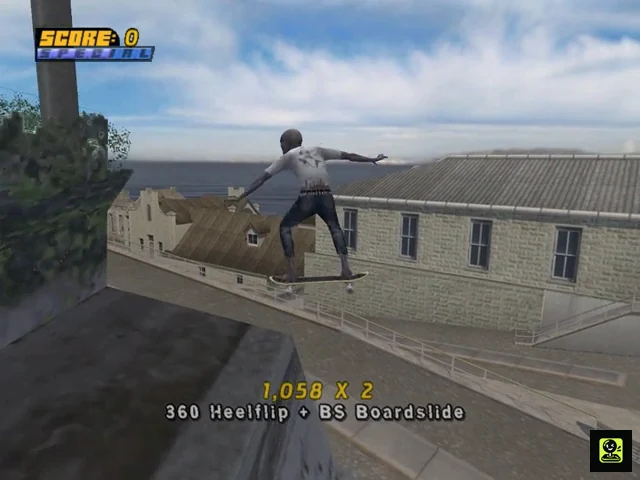
College is the starting level. Earn 8 Pro Points to unlock San Francisco, then reach 16 total Pro Points to unlock Alcatraz. You do not need to clear every College goal before moving on. Career Mode is free-roaming in the original PS2 release: accept missions from characters, explore the level, and practise lines at your own pace. Use College to learn reliable revert-to-manual links, then carry that technique into San Francisco’s longer rails and Alcatraz’s vertical prison layout. Prioritize straightforward Amateur goals, collections, races, and small score targets before attempting difficult score or transfer objectives. The named Pro Challenges are not part of the opening route. They become available only after 90 regular goals have been completed, and completing one of them unlocks the red Pro Goals. Keep checking the goal list so you know which objectives have counted.
1. Learn College’s layout and earn the first 8 Pro Points
College is the first Career Mode level. Before accepting difficult missions, skate a circuit through the central plaza, the campus buildings, the stadium, the road, the security-office area, and the nearby quarter pipes. This gives you landmarks for later goals and lets you identify rails that are wide enough for safe manuals and grinds.
Start with the nearby Amateur goals offered by characters with blue arrows. Complete straightforward collection, race, single-trick, and score objectives first. San Francisco opens when the career records 8 Pro Points, so there is no reason to force every difficult College objective before leaving. After each successful mission, pause and confirm that the goal entry has changed to completed.
- Earn 8 Pro Points to unlock San Francisco.
- Use blue-arrow characters for early Amateur goals.
- Explore the plaza, stadium, road, security office, and campus buildings.
- Check the goal list after every completed mission.
2. Practise a safe College combo before chasing high scores
Use the central plaza’s handrails, concrete quarter pipes, and spine as a repeatable practice circuit. Build speed on the approach, launch from a quarter pipe with a simple grab or flip trick, tap L2 or R2 as you land to revert, then immediately press Up followed by Down for a manual. From the manual, aim for a broad rail or ledge and press Triangle with a direction to grind.
Do not wait until the balance meter is nearly empty before ending the line. Ollie out onto a wide landing, or deliberately finish the combo after a stable grind. A medium combo that lands consistently is more useful for early score goals than an elaborate special sequence that repeatedly bails. Once the route feels automatic, add a second air or grind rather than changing the entire line.
- Launch from a quarter pipe with a controlled trick.
- Revert immediately after the landing.
- Enter a manual with Up then Down or Down then Up.
- End on a broad landing before balance becomes unstable.
3. Sweep College’s S-K-A-T-E route
Start the S-K-A-T-E goal near its mission marker. Turn slightly left toward the building across the road. Grind the blue rail on the path leading toward the building, then ollie from the end of the rail to collect S on the platform above the doors. Continue across the platform and use the wire leading over the road. Follow the wire, grind the wall, and transfer to the next wire toward the car park. From the second level of the car park, turn left, jump out, and grind the wire above the right side of the road to collect K.
Stay on the wire to the window at the end and jump through it into the fraternity area. Ride through the first tunnel, turn left, and jump the fence nearest the right-hand frat boy to collect A. Cross back over the road through the opening beside the wall and spine. Follow the slopes beside the stairs, turn left at the top, and launch from the quarter pipe in front of the Fine Arts building for T. Ride back down, continue to the quarter pipe below the purple-and-gold banner, grind the top rail, and ollie off the end for E.
- Collect S at the blue rail and building platform.
- Use the car-park wire route for K.
- Jump the fence beside the frat boys for A.
- Launch from the Fine Arts quarter pipe for T.
- Grind the banner rail and ollie off for E.
4. Complete College’s C-O-M-B-O line in one combo
Accept the College C-O-M-B-O goal and begin at the rail near the bridge. Grind the silver rail as it curves left, then continue onto the wooden fence near the grass. Ollie from the rail across the bridge opening and land on the next rail. Collect the remaining letters while staying in the same combo, then hop off to a stable landing.
The bridge transition is the part most likely to end the attempt. Approach with enough speed to clear the opening, but do not add unnecessary spins or extra tricks before the transfer. If you land short, restart the goal rather than trying to improvise from the pavement. This line teaches the same principle needed later in San Francisco: preserve speed, use a manual only when the landing is straight, and protect the combo through a planned rail transition.
- Start on the silver rail beside the bridge.
- Continue onto the wooden fence near the grass.
- Ollie across the bridge opening to the next rail.
- Collect all five letters without ending the combo.
- Confirm the mission registers before leaving the area.
5. Use easier College missions as movement drills
The inline-skater race is a useful way to learn College’s circulation. Follow the red route marker through the gates and use X to hop when the course changes height. Make shallow steering corrections instead of sharp turns at full speed. The safest line is usually the one that enters each gate squarely, not the one that cuts closest to its edge.
For the frat-boy objective, stay near the balcony ledges and grind or trick beside the marked characters rather than crossing them on flat ground. For the spine-transfer objective, use the wall or spine beside the campus route, repeat the transfer with the displayed trick, and land cleanly before returning. These missions are valuable practice because they teach route control without requiring a long special-heavy combo.
- Follow the red markers through the inline-skater race.
- Use X to hop over changes in elevation.
- Grind or trick beside the frat boys from the balcony ledges.
- Repeat spine transfers from a consistent approach.
6. Move to San Francisco at 8 Pro Points and learn its landmarks
When the career records 8 Pro Points, select San Francisco. Spend the first visit learning the plaza, Pier 18 and the Slam Bros warehouse, the waterfront restaurants, the seal pier, the overhead wires, and the EMB ledge. The downhill streets provide speed, while the broad ledges and warehouse quarter pipes provide safer places to practise manuals and revert links.
For score objectives, use a repeatable loop between the quarter pipes behind the Slam Bros warehouses and the nearby rails. Launch with a simple trick, revert into a manual, grind the next rail, and finish on a visible flat landing. Keep the camera aligned with the next obstacle before launching; sudden camera turns make the long roof and wire transfers harder to judge.
- Reach 8 Pro Points before entering San Francisco.
- Locate Pier 18, the plaza, seal pier, waterfront, and EMB ledge.
- Use the warehouse quarter pipes for repeatable score lines.
- Practise camera alignment before roof and wire transfers.
7. Sweep San Francisco’s S-K-A-T-E and C-O-M-B-O routes
For San Francisco S-K-A-T-E, collect S from the quarter pipe near the start. After landing, spine-transfer over the spine ramp and jump onto the curved steps for K. Cross the grass and use the quarter pipe beside the Pier 18 warehouse to launch onto its roof edge for A. Continue across the rooftops, grind the rail sequence, and transfer to the wire between the lights for T. Jump from the wire to the next roof, then grind the right edge of the final roof to collect E.
The San Francisco C-O-M-B-O letters follow the EMB ledge route. Start across from Pier 18, grind the ledge through the plaza, and ollie over the sections that jut out. The ledge curves near the end, so ollie early enough to avoid overshooting the final letter. Use a manual only across a straight, visible landing; if the ledge itself carries you through the next letter, remain in the grind instead of adding risk.
- Collect San Francisco S, K, A, T, and E in that landmark order.
- Use the Pier 18 quarter pipe to reach A.
- Transfer from the rooftop rails to the light wire for T.
- Keep C-O-M-B-O on the EMB ledge route in one combo.
- Ollie before the final EMB curve carries you past the last letter.
8. Reach Alcatraz at 16 total Pro Points and postpone advanced challenges
After the career reaches 16 total Pro Points, enter Alcatraz. On the first visit, identify the prison yard, pool and watchtower area, sloped switchback paths, drainage half-pipe, and routes around the cellblock structures. These landmarks divide the level into sections, making it easier to return to a missed objective without wandering across the island.
Cluster nearby Amateur goals while learning each section. For a collection or object mission, read the description first, travel to the named landmark, and sweep that area before moving on. For a transfer or long gap, practise the approach without the mission active, then repeat it with the required trick once speed and alignment are reliable. Do not search for the named Pro Challenges during these opening visits; they are later progression objectives.
- Reach 16 total Pro Points to unlock Alcatraz.
- Locate the prison yard, pool, watchtower, switchbacks, and drainage half-pipe.
- Group nearby Amateur goals by area.
- Practise difficult launches before adding the required trick.
9. Save the Pro Challenge progression for the proper threshold
The named Pro Challenges do not unlock simply because you have reached College, San Francisco, or Alcatraz. First complete 90 regular goals across the career. At that point, the named challenges become available for their designated professional skaters. Select the matching skater, approach the gold-arrow character, and read the displayed sequence before attempting it.
Completing one named Pro Challenge unlocks the red Pro Goals. The remaining named challenges stay separate and must still be completed with their required skaters for full completion. In College, Tony Hawk’s challenge uses the two quarter pipes and a series of specified grabs; Jamie Thomas’s challenge sends you through campus locations for displayed tricks. Practise the approach and each required action separately, then verify the completed entry in the goal list.
- Complete 90 regular goals before expecting named Pro Challenges.
- Use the professional skater required by the gold-arrow challenge.
- Complete one named Pro Challenge to unlock red Pro Goals.
- Track the remaining named challenges separately.
- Verify every completed challenge in the goal list.
Before you move on
- San Francisco is available after the career records 8 Pro Points.
- Alcatraz is available after the career records 16 total Pro Points.
- College S-K-A-T-E can be repeated using the building, wire, fraternity, Fine Arts, and banner landmarks.
- College C-O-M-B-O registers from the bridge rail through the wooden fence and bridge opening in one combo.
- You can perform a reliable revert-to-manual-to-grind line in both College and San Francisco.
- The goal list confirms each completed mission before you leave its level.
- You have not counted named Pro Challenges or red Pro Goals as opening-level requirements.
- After 90 regular goals, the named Pro Challenges appear; after one completed challenge, the red Pro Goals unlock.
References for this chapter
- Tony Hawk's Pro Skater 4 – Guide and Walkthrough – PlayStation 2 – T_Hayes
- Tony Hawk's Pro Skater 4 - Guide and Walkthrough - PlayStation 2 - Brokaliv
- Tony Hawk's Pro Skater 4 — Guide and Walkthrough — PlayStation 2 — tectactoe
- THPS4 Level Guide — San Francisco — Planet Tony Hawk
- THPS4 Level Guide — Alcatraz — Planet Tony Hawk
- Tony Hawk's Pro Skater 4 — Game overview and original Career structure
Mid Campaign Levels — Tackling complex objective chains
The middle of the original PS2 Career consists of Alcatraz, Kona, Shipyard, London, and Zoo within the seven-level core sequence of College, San Francisco, Alcatraz, Kona, Shipyard, London, and Zoo. Carnival and Chicago are separate bonus levels obtained through the game's bonus-level or purchase system; they are useful for optional cleanup and the full 190-goal target, but ordinary goals do not automatically move the campaign from Zoo into either map. In these areas, clear nearby low-risk goals first, use their routes to learn ramps and rails, and return to difficult objectives after improving the attribute causing the failure. Collection, skitch, moving-hazard, and multi-stage goals become much more reliable when each transfer is treated as a separate checkpoint.
1. Separate the core campaign from the bonus maps
Work through the seven core Career levels in this order: College, San Francisco, Alcatraz, Kona, Shipyard, London, and Zoo. When you reach Zoo, do not expect completing ordinary Zoo goals to send you directly into Carnival or Chicago. Those two maps are separate bonus areas. Unlock or purchase them through the game's available bonus-level system, then use them for optional goal cleanup or the full 190-goal completion target.
At every new level, pause and read the available goal descriptions. Sort them into score goals, collection routes, timed activities, moving-hazard tasks, and multi-stage objectives. Begin with nearby goals that teach the level's main ramps, rails, bowls, roofs, and transfer points. This gives you reliable landmarks before you attempt a fragile gap or long linked sequence.
- Keep the seven core levels distinct from Carnival and Chicago.
- Treat Carnival and Chicago as optional bonus-area destinations unless pursuing full completion.
- Read the full goal description before committing to a route.
2. Use Alcatraz collection goals as route practice
For Alcatraz's Collect the C-O-M-B-O Letters goal, ride down the starting slope and grind the left side of the half-pipe for C. Continue to the end of the quarter-pipe, jump to the pipe for O, and stay on it until it turns left. Transfer to the hut's edge for M and B. Jump from the hut's end into a manual, carry it toward the quarter-pipe at the end of the pier, and launch to collect the final O. The manual is the safety link between the hut and the pier; do not jump out early unless the next quarter-pipe is already aligned.
For Collect the S-K-A-T-E Letters, launch from the roof-edge ramp for S. After landing, turn left toward the tunnel and collect K. Ride down the slope and use the launch ramp to grind the ledge for A. Grind off that ledge, angle slightly right, and collect T beside the building. Follow the side path, grind the rail on the left, then jump right after its first bend to the roof grind and use the roof slope to reach E. Practise the route without rushing, especially the change from the ledge to the building-side rail.
- Use the half-pipe, pipe, hut, and pier route for C-O-M-B-O.
- Use the roof, tunnel, ledge, building, and roof route for S-K-A-T-E.
- Protect the Alcatraz C-O-M-B-O line with a manual after leaving the hut.
3. Treat the Alcatraz Tour as three separate stages
At the tour's start, hold Up to skitch the car and tap left or right to keep the balance marker centered. Hold Down to release when the car slows at the first stop. Use the quarter-pipe ahead to grind the awning and scare the birds, then jump left and reattach to the car.
At the second stop, release with Down and grind the ledge on the left to knock down the three kegs. Return to the car, skitch to the third stop, release again, and grind the top of the small quarter-pipe. If the skitch balance fails repeatedly, make smaller corrections and improve the approach speed rather than trying to compensate with a different trick.
- Center the skitch balance marker with small corrections.
- Release at each slowdown instead of jumping off early.
- Complete the awning, three-keg ledge, and final quarter-pipe actions in order.
4. Build Shipyard gaps around alignment and transfer points
For Varial Kickflip the Shack Water Gap, ride forward from the goal start, use the roof quarter-pipe to launch slightly right through the floor hatch, and land in the lower section. Follow the kicker across the water and perform the required Varial Kickflip before landing on the far side. The registration depends on using this setup, so do not substitute a random launch from the open area.
For the regular Gap Across the Suspended Containers goal, drop into the first blue container and spine-transfer to the second, then transfer to the third. The second sequence uses containers at different heights; line up the board before each transfer and avoid unnecessary rotation. Do not confuse this with the later Pro Goal, which uses a different container route involving the blue container above and the suspended containers on either side.
- Use the hatch and lower kicker for the Shack Water Gap.
- Perform the Varial Kickflip over the water and land across the gap.
- Use separate approaches for the regular container goal and the later Pro Goal.
5. Spend upgrades and change skaters for a diagnosed problem
Use an upgrade only after identifying why the attempt fails. If the skater reaches the gap but falls short, improve speed or ollie. If the skater reaches the target but cannot stay on a follow-up rail or manual, improve the relevant balance attribute. If the launch lacks height or the trick requires extended airtime, prioritize air or hangtime. Return to the same objective after applying the matching improvement instead of distributing points randomly.
A different skater can be useful for ordinary goals when that skater's attributes suit the route. Check the goal text before changing riders, because a named Pro Specific Challenge is tied to its specified professional or created skater. A specialist can reduce retries on a normal goal, but cannot replace the required skater for a named challenge.
- Diagnose distance, height, hangtime, or balance before upgrading.
- Retry the same route after applying the relevant improvement.
- Respect the required skater named by any Pro Specific Challenge.
6. Turn repeated failures into controlled practice
After two or three identical misses, stop repeating the same attempt. Identify whether the failure occurs at activation, approach speed, launch angle, trick input, or landing. Change one variable at a time: begin farther back for more speed, approach straighter, use a smaller trick, or enter the grind and manual section already aligned. For moving hazards, watch one complete cycle before committing so you know where the target will be when you arrive.
Once a route succeeds, repeat it immediately to make the line reliable. Then leave the objective if another available goal offers useful practice or progress. Return later with a better-known route, stronger attributes, or a more suitable skater. This is especially effective in Alcatraz's tour and Shipyard's suspended-container sections, where a single poor angle can invalidate an otherwise correct sequence.
- Identify the exact failure point after repeated misses.
- Change only one route or input variable per retry.
- Leave and return later instead of grinding an unchanged failed line.
Before you move on
- The selected Alcatraz, Kona, Shipyard, London, or Zoo objective is recorded as complete in the in-game goal list.
- Every stage of a collection, tour, delivery, or multi-part challenge has registered before leaving the level.
- Any upgrade used for the objective addresses the diagnosed distance, height, hangtime, or balance problem.
- The core campaign is tracked separately from Carnival and Chicago, which are available for bonus-area cleanup or the full 190-goal target.
- Any named Pro Specific Challenge has been attempted with the required professional or created skater.
References for this chapter
- Tony Hawk's Pro Skater 4 – Guide and Walkthrough – PlayStation 2 – T_Hayes
- Tony Hawk’s Pro Skater 4 – Guide and Walkthrough – PlayStation 2 – Que_Thalas
- Tony Hawk's Pro Skater 4 Walkthrough – Shipyard
- THPS4 Level Guide — Alcatraz — Planet Tony Hawk
- Tony Hawk's Pro Skater 4 — Game overview and original Career structure
Pro Challenges and Boss-Style Goals — Reliable approaches
In the original North American PlayStation 2 release, completing 90 regular Career goals unlocks the named Pro Challenges collectively. You do not need 90 goals on every skater, but each challenge must be attempted with its assigned professional or with Create-a-Skater. There are 15 challenges: Tony Hawk and Jamie Thomas in College; Bob Burnquist in Zoo; Steve Caballero and Rodney Mullen in Kona; Kareem Campbell, Chad Muska and Andrew Reynolds in San Francisco; Rune Glifberg, Bam Margera and Elissa Steamer in Alcatraz; Eric Koston and Bucky Lasek in Shipyard; Geoff Rowley in London; and Create-a-Skater in Shipyard. These objectives are not all score contests. They include ordered transfers, lip tricks, special moves, grind sequences, timed spot checks, shopping-cart racing and combo targets. Read the active goal description, use its listed level and starting point, and rehearse the opening section before attempting a complete run. Completing any one Pro Challenge unlocks the red Pro Goals. Full completion requires all 190 recorded goals, including the regular goals, red Pro Goals and all 15 named or created-skater challenges.
1. Reach the shared unlock threshold and select the correct skater
Continue ordinary Career goals until at least 90 regular goals are recorded in the shared Career progression. The Pro Challenges then become available collectively; do not start a separate 90-goal campaign for every professional. Open the Career goal list and use the challenge entry itself as the authority for the required skater, level and start point.
The verified challenge assignments are Tony Hawk—College; Bob Burnquist—Zoo; Steve Caballero—Kona; Kareem Campbell—San Francisco; Rune Glifberg—Alcatraz; Eric Koston—Shipyard; Bucky Lasek—Shipyard; Bam Margera—Alcatraz; Rodney Mullen—Kona; Chad Muska—San Francisco; Andrew Reynolds—San Francisco; Geoff Rowley—London; Elissa Steamer—Alcatraz; Jamie Thomas—College; and Create-a-Skater—Shipyard. Change to the named skater before entering the challenge. A successful run with another skater does not replace the assigned challenge.
- At least 90 regular goals are recorded.
- The Pro Challenge entries are visible in the Career goal lists.
- The active skater matches the named challenge.
- The level and starting location have been confirmed from the active goal entry.
2. Rehearse the opening instead of attempting the entire challenge cold
Read the complete objective and separate it into required actions: named tricks, transfers, destinations, score thresholds, combo continuity or timed stops. A high score does not compensate for a missing trick or an unregistered gap. Use the goal restart option when available so a failed attempt returns to the relevant starting position instead of wasting time travelling back across the level.
First practise only the opening approach. Build enough speed, align with the first ramp or rail and identify the landing surface. For a transfer, repeat the takeoff angle until the gap registers cleanly. For a grind, approach straight and leave enough balance margin to reach the end. Add specials and manuals only after the first required action is reliable.
- The objective has been reduced to a sequence of required actions.
- The first approach works without optional tricks.
- The correct start point is known.
- A missed requirement causes a deliberate restart rather than an identical repeated attempt.
3. Use the correct method for transfer and lip-trick challenges
Tony Hawk’s College challenge has three widening transfers. The first section requires nosegrab, tailgrab and Indy tricks across the small gap. The second requires Benihana, Japan and Madonna. The final section requires the listed special tricks, including the difficult Indy 900. Build the special meter in the half-pipe before starting that final sequence, then use a clean, controlled angle across the gap rather than cutting sharply at takeoff.
Bob Burnquist’s Zoo challenge also widens after each three-trick group. Follow the visible crossing line for the first section, move farther toward the required side as the loop opens, and prepare full special before the final group. Steve Caballero’s Kona challenge alternates tricks over Rick Thorne with tricks performed under him. For the over sections, clear Rick and let the transfer register; for the under sections, stay low and lip the half-pipe rather than grinding the overhead wire.
Kareem Campbell’s San Francisco challenge requires listed flip tricks across roof gaps, followed by smaller multi-trick sequences and a five-trick combination. Make sure the required flip occurs over the roof gap; performing it on the ground may not register. Use a short grind or manual only where it preserves the requested sequence and does not replace a required roof-gap trick.
- Tony’s tricks are performed in the correct widening phase.
- Bob’s final trick group is attempted with special ready.
- Steve’s over and under sections are not confused.
- Kareem’s required flips cross the indicated roof gaps.
4. Handle Alcatraz, Shipyard and cart challenges by preserving the route
Rune Glifberg’s Alcatraz challenge moves through the pools and water-tower area. Build speed and special before the opening spine transfer, then follow the listed pool, lip and transfer requirements. The later objective asks for a 50,000-point combo inside the tower. The final grommet objective is performed on the skater standing atop the water tower; reach that height with a boneless or the route shown by the challenge and perform the required lip interaction on the skater’s board.
Eric Koston’s Shipyard challenge is three cable grinds. The first cable descends through tight turns, the second makes a sharp U-turn, and the third runs between cranes and includes an uphill section. Use a stable grind, keep the balance meter near center and ollie back into the cable when the uphill section requires renewed momentum.
Bucky Lasek’s Shipyard challenge requires five separate combos with rising targets of 10,000, 20,000, 50,000, 100,000 and 250,000 points. The ramp and spine deteriorate after each success, so preserve the safest remaining lines for later targets. Reverts, manuals, specials and transfers are more dependable than repeating one large air after the structure begins to disappear.
Bam Margera’s Alcatraz challenge uses a shopping cart and has race, hurdles and slalom sections within the time limit. Learn the switchbacks before attempting the timed run, use the kickers to clear the hurdle sections, then reduce speed enough to steer through the final barricades.
- Rune’s tower and grommet requirements are identified before the attempt.
- Koston’s third cable is entered with enough speed for the uphill section.
- Bucky’s final ramp route is protected from unnecessary early bails.
- Bam’s cart line is rehearsed through all three sections.
5. Complete the remaining sequence, combo and timed challenges
Rodney Mullen’s Kona challenge presents several trick lists that must be completed in single combos. Build special before the first list, then use a flat-ground manual line or nearby pipes to fit each required trick without landing. The final list combines flatland tricks with Rodney’s special manual, so protect the manual balance bar and avoid unnecessary directional changes.
Chad Muska’s San Francisco challenge fills a beat meter. Perform compact half-pipe combos first, then use flatland tricks and grinds for the remaining beats. Keep the combo alive long enough for the meter to register each beat, and do not bail while trying to force a larger special.
Andrew Reynolds’s San Francisco challenge uses several prepared gaps. Each location is attempted three times: first a plain gap, then a double kickflip, then a triple heelflip. Treat every location as a separate three-part checklist and build speed before the harder final trick.
Geoff Rowley’s London challenge combines a flip with a specific grind in the same sequence. Begin with the South Bank gap, then progress to the National Gallery roof and the rooftop wires. The required grind changes on later attempts, so read the requested grind before takeoff and avoid landing in a generic grind.
Elissa Steamer’s Alcatraz challenge uses three major gaps with increasingly demanding tricks. The run-up is awkward, so use nearby rails and ramps to straighten the approach before the attempt. Jamie Thomas’s College challenge is a timed photoshoot with ten separate stops from morning through evening. Follow the arrows, perform the exact requested grind, flip or grab at each location, and use the added time from completed spots to reach the later stops.
Create-a-Skater’s Shipyard challenge requires every green detonator to be hit while staying in a continuing grind or manual route. Do not strike the TNT piles. Start on the nearby track, connect the early detonators, use a ramp and revert-manual to cross to the opposite track, then finish the remaining detonators and perform the required lip trick on the helicopter.
- Rodney’s lists are completed without breaking the required combos.
- Chad’s beat meter reaches all required beats without a bail.
- Andrew’s three attempts are completed at every gap.
- Geoff’s specified flip-and-grind combinations register.
- Jamie’s ten timed stops are completed in order.
- The Create-a-Skater route hits green detonators and avoids TNT.
6. Verify the red goals, videos and 190-goal completion
After any Pro Challenge succeeds, return to the Career goal list and verify that its entry is recorded. One completed Pro Challenge unlocks the red Pro Goals across the Career. Those red goals are separate objectives; they can require pro scores, Pro COMBOs, transfers, object tricks or other specialized tasks, so the first challenge does not finish the game.
Completing a named Pro Challenge unlocks that skater’s video. The Create-a-Skater challenge unlocks the Pro Bails video. For an individual career finish, verify the intended skater’s challenge entry and video. For the full original-release target, check all 15 Pro Challenge entries individually, then sweep every regular and red goal until the Career total records 190 goals.
Use the in-game goal list as the final authority. Do not infer completion from a cheat unlock, cash total or a single video. The completion check is 90 or more regular goals reached, at least one Pro Challenge completed for red-goal access, all 15 Pro Challenges recorded for full completion, all remaining regular and red entries cleared, and a final total of 190 goals.
- The completed Pro Challenge is recorded.
- The red Pro Goals are available after the first challenge.
- The intended skater video is unlocked.
- All 15 Pro Challenges are recorded for full completion.
- All regular and red goals are checked individually.
- The Career total shows 190 recorded goals.
Before you move on
- At least 90 regular Career goals are recorded.
- The named Pro Challenges are available collectively.
- At least one Pro Challenge has unlocked the red Pro Goals.
- The selected skater’s challenge and video are recorded for an individual finish.
- All 15 Pro Challenges are complete for full original-release completion.
- All regular and red goals are checked in the Career lists.
- The final Career total is 190 recorded goals.
References for this chapter
- Tony Hawk's Pro Skater 4 — Guide and Walkthrough — PlayStation 2 — tectactoe
- Tony Hawk's Pro Skater 4 - Guide and Walkthrough - PlayStation 2 - Justinw303
- Tony Hawk's Pro Skater 4 Cheats, Codes, and Secrets for PlayStation 2
- Tony Hawk's Pro Skater 4 Review - GameSpot
- 190 Goals (Next Gen) Route — Tony Hawk's Pro Skater 4
- Tony Hawk’s Pro Skater 4 – Pro Challenge FAQ
- Tony Hawk 4 General Help — Neoseeker Forum
Advanced Combos: Using lip tricks, fakie/nollie and special moves
In the original North American PlayStation 2 release, advanced techniques are most useful when they make an established route safer. Lip tricks hold a combo at the coping of a quarter pipe, Nollie changes the takeoff style before an ollie, and Fakie depends on the skater’s current direction and stance rather than a single universal shoulder-button command. L2 and R2 also serve contextual functions such as Revert and Spine Transfer, so confirm the active control display instead of assuming either button always means the same stance change. Special tricks require a full Special Meter and use the assignments shown for the current skater. Practise each move away from a live Pro Challenge, then add it to a route that already works with ordinary flips, grabs, manuals, and grinds. A controlled lip exit, verified stance input, or familiar special is more useful during Career play than an unfamiliar high-value trick that risks the whole objective.
Check the active skater’s controls and trick assignments
Pause before attempting a difficult goal and open Control Setup or the skater’s trick configuration. Confirm the displayed inputs for Nollie, Switch, Revert, Spine Transfer, lip extensions, and special tricks. The basic PlayStation 2 references document L2 plus X as the Nollie ollie input, but shoulder-button actions can also depend on the current movement situation. Do not treat R2 as a universal Fakie button, and do not copy an input from another skater without checking the active list.
Review the special combinations assigned to the current skater. Special grabs, grinds, manuals, and lip tricks are not interchangeable, and some require a particular approach or enough air time. Build the Special Meter during a safe practice run, then test the move where it belongs. If the meter is empty, use ordinary tricks rather than repeatedly attempting the special combination.
- Open Control Setup or the active trick list.
- Confirm Nollie, Switch, Revert, and Spine Transfer inputs before practice.
- Check the current skater’s special combinations.
- Fill the Special Meter before testing a special move.
Enter and balance a lip trick
Approach a quarter pipe or vert ramp as straight as possible. At the coping, press Triangle to enter a lip trick, then make small left or right balance corrections. A diagonal approach can produce a grind, an air, or a missed transition instead of the intended lip. Keep the corrections measured; rapid repeated movements make the balance bar more difficult to control.
Choose the exit before entering the lip. A useful lip location has a clear path toward a rail, another ramp, or a flat landing where a manual can continue the combo. If the skater reaches the coping without enough speed or the exit is blocked, abandon the attempt and reset the approach instead of forcing a late input.
- Approach the coping squarely.
- Press Triangle at the coping.
- Use small horizontal corrections while balancing.
- Identify the next ramp, rail, or manual landing before entering the lip.
Carry the lip into a manual or grind
Treat the lip as a connector rather than an isolated score trick. After balancing, ollie toward a nearby rail or edge and press Triangle when the approach is lined up. If the next surface is flat, prepare the manual as the skater lands: press Up then Down for a Manual, or Down then Up for a Nose Manual. Begin the directional sequence near the landing rather than holding both directions together.
When the lip balance bar is low, use a short grind or manual instead of forcing another special move. On a route with multiple quarter pipes, one lip can reposition the skater while the next ramp rebuilds height and speed. Never enter a lip without knowing where the skater will leave it.
- Plan the follow-up surface before entering the lip.
- Use Up then Down for Manual.
- Use Down then Up for Nose Manual.
- Shorten the extension when balance is nearly exhausted.
Practise Nollie, Fakie, and Switch without guessing the input
For a documented normal-to-Nollie practice, use the control shown for Nollie in the active setup; the standard PS2 reference lists L2 followed by X. Perform the shoulder-button input before takeoff, then press X to ollie. Practise on a straight, harmless gap until the game consistently labels the result as Nollie. If the on-screen trick name does not match, stop and recheck Control Setup rather than changing several inputs at once.
Fakie is a riding condition tied to direction and stance, not a safe universal replacement name for L2 or R2. It can arise after riding backward relative to the current movement or after a revert, but the exact follow-up depends on the skater’s current state and the game’s displayed controls. Revert is performed with L2 or R2 when landing in a vert ramp, while the same buttons can be used for Spine Transfer in the appropriate ramp setup. Use the trick display to distinguish these actions from Nollie and Switch.
For a stance-specific goal, first perform the required approach in an empty practice line and watch the trick label. Only use the stance change in the career attempt once the label, takeoff direction, and landing line are all consistent.
- Confirm the Nollie input in the active control display.
- Practise the normal-to-Nollie sequence before a goal attempt.
- Do not label every L2 or R2 action as Fakie.
- Use the on-screen trick name to verify the required stance.
Add special moves to an established route
First prove the route with ordinary tricks: build speed, perform a flip or grab, land into a manual, and connect to a grind or ramp. Once that line is reliable, insert one special at a predictable location. Start a special grab early enough to finish before landing. For a special grind or manual, approach with enough speed and leave room for balance corrections instead of entering at a sharp angle.
If the special fails, practise the same section separately. Refill the meter, repeat the approach, confirm the input, and isolate the landing. Once the move works several times in that section, add the preceding combo. This separates a bad special input from an unrelated speed, angle, or balance problem.
- Prove the ordinary route before adding a special.
- Leave enough distance to complete the trick safely.
- Confirm the special input for the current skater.
- Practise the failed section before retrying the full goal.
Use advanced techniques safely in Career goals
Use a controlled lip to preserve a multiplier, a verified Nollie or Fakie approach to satisfy a stance requirement, and a familiar special only where the route has enough space. If the objective already has sufficient score, finish with ordinary tricks and prioritize the landing and registration.
During a Pro Challenge attempt, do not experiment with an untested lip variation, shoulder-button sequence, or special combination. If a technical trick is required, rehearse its approach until the input and landing are repeatable, then perform it once inside the full line. The objective is to register the required action and land safely, not to maximize an already sufficient score.
- Use lip tricks as planned route connectors.
- Verify stance-specific tricks through the displayed trick name.
- Insert only rehearsed specials into a Pro Challenge.
- Prioritize registration and a clean landing once the requirement is met.
Before you move on
- You can approach a quarter pipe straight, enter a lip with Triangle, balance it, and exit toward a manual or grind.
- You can perform and identify a normal-to-Nollie ollie using the active control display.
- You can distinguish Fakie from Revert, Spine Transfer, and Switch by checking the current direction and on-screen trick label.
- You know the active skater’s assigned special inputs and can perform at least one with a full Special Meter.
- You have inserted a rehearsed lip, stance change, or special into a safe route and completed the required Career objective without sacrificing the landing.
References for this chapter
- Tony Hawk's Pro Skater 4 - Guide and Walkthrough - PlayStation 2 - Brokaliv
- Tony Hawk's Pro Skater 4 - Guide and Walkthrough - PlayStation 2 - By JJMaxx
- Tony Hawk's Pro Skater 4 Trick Point FAQ - PlayStation 2
- Tony Hawk's Pro Skater 4 – Guide and Walkthrough, PlayStation 2
- Tony Hawk's Pro Skater 4 (USA) instruction manual
Map-by-Map Routing: Build a Repeatable Path for Every Level
The original North American PlayStation 2 release has seven core Career levels: College, San Francisco, Alcatraz, Kona, Shipyard, London, and Zoo. Carnival and Chicago are separate bonus levels that must be unlocked by spending earned money rather than treated as ordinary sequential Career stages. Career Mode is free-roaming, so efficient progress comes from dividing each map into landmark sections and grouping nearby objectives before crossing to another area. For every level, establish an opening landmark, a nearby objective cluster, a dependable combo corridor, and a safe fallback route. Learn difficult approaches in free skate when possible. When a line fails, change only one variable—speed, angle, trick, or route order—so you know what improved the attempt. Do not import universal timed-run rules from later remakes: only individual goals that explicitly request a timed score, race, or challenge use a timer.
1. College: Start with the road, parking garage, and Fine Arts building
Use the normal starting area and the road in front of campus as your orientation point. The first useful cluster is the blue rail leading toward the building across the road, the car-park wires, the frat window, and the tunnel toward the frat area. The S-K-A-T-E route is a good first survey: grind the blue rail for S, continue through the car-park wire for K, pass through the window and fence area for A, then return toward the steps and Fine Arts building for T and E.
Treat the car park and Fine Arts quarter pipe as the main combo corridor. Build speed on the road, grind into the car park, then use the wires and roof edges to continue toward a quarter pipe. If the wire entry fails, drop to the road and restart from the blue rail rather than trying to recover from a bad angle. The campus road is also the fallback route for rebuilding speed before another roof or window attempt.
- Opening landmark: the road and blue rail across from the start.
- Nearby cluster: blue rail, car-park wires, frat window, and Fine Arts building.
- Combo corridor: blue rail to car park to roof edge and quarter pipe.
- Fallback: drop to the campus road and rebuild speed from the blue rail.
2. San Francisco: Link the starting quarter pipes to the warehouse roofs
Begin at the starting path and use the first quarter pipe as the opening landmark. The nearby objective cluster runs through the spine ramp, curved steps, Pier 18 warehouse, and connected rooftops. The S-K-A-T-E route naturally teaches this section: launch for S, use the spine transfer toward the steps for K, launch from the warehouse quarter pipe for A, then cross the roofs and connecting wire for T and E.
Use the Pier 18 warehouse edge, roof rails, and light wire as the main combo corridor. A revert into a manual after the warehouse or roof quarter pipe keeps the line moving toward the next rail. If the roof transfer is missed, land on the street and return through the warehouse quarter pipe. Keep dock-side objectives together, including pier-sign and waterside tasks, instead of repeatedly crossing to the opposite end of the map.
- Opening landmark: the first quarter pipe and spine ramp.
- Nearby cluster: curved steps, Pier 18 warehouse, rooftops, and light wire.
- Combo corridor: warehouse edge to roof rails to the wire between lights.
- Fallback: street-level return through the warehouse quarter pipe.
3. Alcatraz: Use the pier, hut, ferry, and prison slopes as route sections
The starting slope and nearby half pipe form the first navigation point. For a compact objective sweep, work from the half pipe to the pipe and hut, then continue toward the pier and ferry. The C-O-M-B-O route is an effective practice loop: grind the half pipe for C, continue along the pipe for O, transfer to the hut for M and B, then manual toward the pier quarter pipe for the final O. The S-K-A-T-E route instead uses the roof launch, tunnel slope, ledge, building path, and roof rail.
Use the pier quarter pipes, hut edge, and ferry approach as the combo corridor. They provide repeated transitions between grinds, manuals, and airs. If a ferry transfer or roof launch fails, return down the prison slope to the lower path; do not attempt to salvage a crooked landing near the water. The pier also gives a predictable speed-building line for tour, transfer, and high-air objectives.
- Opening landmark: the starting slope and first half pipe.
- Nearby cluster: pipe, hut, pier, ferry approach, and tunnel slope.
- Combo corridor: half pipe to hut edge to pier quarter pipe.
- Fallback: return down the prison slope to the lower path.
4. Kona: Organize the park around the pink pool, slalom, bowls, and hut
Use the pink pool and nearby manual box as the main orientation point. The first local cluster includes the pool, blue slalom, manual box, bowl, and the path toward the large hut. Clear nearby technical and combo objectives before travelling to the far side of the park. For the waiver route, grind the grey pool, collect the waiver at the pink pool, continue through the blue slalom, then use the handrail down into the park and the wall beside the park.
The pink pool, small half pipes, and manual box form the safest combo corridor. Manual-box objectives can be rehearsed without crossing the map: ollie onto the box, hold the manual, then add the required flip before landing. For the bowl score objective, use the separate bowl section away from the bottles when possible. If the hut gap or slalom line fails, return to the pool and rebuild speed rather than repeating the same angle from open flat ground.
- Opening landmark: pink pool and manual box.
- Nearby cluster: grey pool, blue slalom, bowl, and park wall.
- Combo corridor: pool or half pipe into manual box and bowl.
- Fallback: return to the pink pool for a clean speed-building approach.
5. Shipyard: Route from the moving machinery to rooftops, trains, and containers
Start by identifying the moving machinery, curved water-edge railing, cabin roofs, train tracks, and suspended containers. The S-K-A-T-E route is an effective opening survey: grind the curved railing for S, continue onto the wire and roofs for K and A, then use the quarter pipes and shack roof to reach T and E. Keep nearby garbage cans, warehouse ledges, and water gaps in the same route section before travelling toward the barges.
The train tracks and connected warehouse roofs are the main combo corridor. For the Manual Combo The Train objective, land on the flatbed, manual across each section, and use ollies to clear the gaps. For long-grind challenges, approach the wire straight and use small ollies to preserve speed on upward slopes. If a roof transfer or container gap fails, drop to the road beside the warehouse and return through the nearest quarter pipe.
- Opening landmark: moving machinery and curved water-edge rail.
- Nearby cluster: cabins, warehouse, train tracks, and first barge.
- Combo corridor: train flatbed into warehouse roofs and wires.
- Fallback: warehouse road and nearest quarter pipe.
6. London: Divide the map into the bridge, fountains, road, and car-park slope
Use the starting road and nearby ledge-and-quarter-pipe route as the opening section. The first objective cluster includes the roof and wire above the scaffolding, the bridge, road, fountains, and bus shelter. The S-K-A-T-E route teaches the order: reach the roof for S, grind the upper ledge for K, use the bridge and light rail for A, then continue through the car-park slope and half pipe for T and E.
The bridge, long ledges, and half pipe provide the most reliable combo corridor. For bus and police objectives, travel along the road loop rather than cutting across open ground; the road passes the white arches, roundabout, bridge, and fountain-side areas where targets appear. Treat the two fountains as a separate practice zone for the Japan objective. If a roof transfer fails, land on the road and use the next quarter pipe to regain height.
- Opening landmark: starting road, scaffolding, and first quarter pipe.
- Nearby cluster: roof wire, bridge, fountains, bus shelter, and car-park slope.
- Combo corridor: bridge ledges into half pipe and fountain-side ramps.
- Fallback: road loop and the next quarter pipe.
7. Zoo: Work from the entrance through the hippo pond, monkey cage, and exhibits
Use the zoo entrance and the rail immediately in front of the starting point as your orientation. The opening cluster runs through the hippo pond, island bowl, hippos, snack bar, monkey cage, and outside cage roof. The S-K-A-T-E route is a reliable map lesson: jump the entrance rail for S, use the log and bowls near the hippo pond for K, plant on a hippo for A, wallride after the snack bar for T, and grind the outside cage roofs for E.
The hippo pond and connected bowls are the main combo corridor because they provide repeated spine transfers and safe quarter-pipe landings. The outside cage and nearby bridge rails provide a second corridor for grind objectives. Treat the four zoo banners as one local line after the entrance area is familiar. If an animal or cage transfer fails, return through the entrance path; the open path beside the pond is safer than cutting across the exhibits.
- Opening landmark: entrance rail and zoo gate.
- Nearby cluster: hippo pond, island bowl, hippos, snack bar, and monkey cage.
- Combo corridor: hippo bowls into bridge or cage rails.
- Fallback: open path along the pond back to the entrance.
8. Carnival: Confirm the bonus level is unlocked before routing it
Before entering this section, confirm that Carnival has been unlocked through the game's bonus-level purchase system using earned money. Do not wait for it to appear as the next ordinary Career stage. Once it is available, begin at the entrance and identify the food-stall ledge, swamp logs, rollercoaster track, Abductor, barn, and Ferris wheel. The S-K-A-T-E route is a useful first sweep: grind the left ledge for S, use the launch ramp and two swamp logs for K, reach the Abductor for A, then transfer from the barn quarter pipe to the roof, flag wire, and barn roof for T and E.
Use the food stalls to build speed, then connect the rollercoaster track, Abductor quarter pipes, Ferris wheel, and Thundercups as the primary combo corridor. Attempt the coaster when its car is safely behind you. The Abductor and Ferris wheel are reliable places to prepare special meter before a large air or lip-trick goal. If a ride transfer fails, drop to the central path and return through the food stalls.
- Confirm Carnival is purchased or unlocked before entering it.
- Opening landmark: entrance, food stalls, and first ledge.
- Nearby cluster: swamp logs, coaster track, Abductor, barn, and Ferris wheel.
- Combo corridor: stalls to coaster to Abductor to Ferris wheel.
- Fallback: central path back to the food stalls.
9. Chicago: Confirm the bonus level is unlocked before routing it
Before entering Chicago, confirm that the level has been purchased or unlocked with earned money. It is a bonus level, not the next mandatory stage after Zoo. Once available, start at the grey quarter pipe and upper ramp in front of the waterfront. The first objective cluster follows the road through the brown building, red rail, steps, overhead wire, and planter beneath the rail track. The S-K-A-T-E route gives a dependable opening: transfer right for S, enter the brown building for K, use the plateau kickers and red rail for A, then grind the ledge and wire for T before wallriding near the planter for E.
The waterfront ledge, steps, awnings, and quarter pipes form the main combo corridor. For the COMBO letters, use the initial wall grind, manual across the steps, red railing, curved wall, barrier, and final ramp rather than improvising across the street. The bridge and ferry are separate high-air sections; fill the special meter before attempting the 900 to the ferry deck. If a bridge or rooftop line fails, return to the waterfront road and use the hydrant route as a controlled reset.
- Confirm Chicago is purchased or unlocked before entering it.
- Opening landmark: grey quarter pipe, upper ramp, and waterfront road.
- Nearby cluster: brown building, red rail, steps, wire, and planter.
- Combo corridor: waterfront ledge through steps, awnings, and quarter pipes.
- Fallback: waterfront road and hydrant route.
10. Refine each route one variable at a time
Keep a short note for every level containing the opening landmark, nearby objective cluster, combo corridor, and fallback. Add objectives to the route only after the existing line is repeatable. For collection goals, follow the visible letter or object path first; for races and timed score goals, learn the route in free skate before accepting the mission when the game allows it.
After a failure, return to the same landmark or mission start point and change only one factor: approach speed, launch angle, trick, manual timing, or order of objectives. If the same attempt fails twice for the same reason, shorten the line and complete a nearby goal before returning. Adapt the route to the selected skater's speed, air, hangtime, and balance rather than copying a line that depends on different statistics.
- Record one opening route and one fallback for each level.
- Group nearby objectives before crossing the map.
- Practise races and timed scores separately from general free skating.
- Change only one variable after each failed attempt.
- Verify completed goals in the Career goal list before moving on.
Before you move on
- College, San Francisco, Alcatraz, Kona, Shipyard, London, and Zoo each have a documented opening landmark.
- Carnival and Chicago are confirmed as purchased or unlocked bonus levels before their goals are attempted.
- Each level has a nearby objective cluster that can be cleared before travelling across the map.
- Each level has a repeatable combo corridor and a named fallback route.
- You can reach a failed objective again by following fixed landmarks and its mission start point.
- You can identify whether a failure came from speed, angle, trick choice, balance, or route order.
- The Career goal list records the completed objectives, and no required mission remains unaccepted or unfinished.
References for this chapter
- Tony Hawk's Pro Skater 4 – Guide and Walkthrough – PlayStation 2 – T_Hayes
- Tony Hawk’s Pro Skater 4 – Guide and Walkthrough – PlayStation 2 – Que_Thalas
- Tony Hawk's Pro Skater 4 Walkthrough - Carnival
- Tony Hawk's Pro Skater 4 Walkthrough - Chicago
- Zoo – Tony Hawk's Pro Skater Wiki
- Tony Hawk's Pro Skater 4 Walkthrough – College
- Tony Hawk's Pro Skater 4 Walkthrough – Kona
- Tony Hawk's Pro Skater 4 Walkthrough – Shipyard
- Tony Hawk's Pro Skater 4 Walkthrough – London
Dealing with Difficult or Glitchy Objectives
Most awkward objectives in the original PlayStation 2 release fail because the skater reaches the correct landmark from the wrong angle, breaks a required combo, or performs a similar action that does not match the goal’s exact condition. Read the goal wording, identify the landmark, and practise the approach separately from the required trick. Use a controlled line rather than a high-value combo unless the objective specifically requires a combo. For fragile manuals, gaps, and grinds, adjust one variable at a time: starting point, speed, approach angle, or landing action. If an attempt appears not to register, verify the goal list, try a clearly different collision path, and use a Custom Restart or level restart before assuming the objective is broken.
1. Confirm the exact condition before practising
Pause and open the current level’s goal list. Determine whether the objective requires a named trick, a gap, a manual, a grind, an uninterrupted combo, a number of targets, or a particular landmark. A visually successful jump is not enough if the goal expects a specific action or sequence.
Use the wording to identify the likely failure point. College’s COMBO-letter objective requires one continuous line through ledges, a rail, and a wooden bridge. San Francisco’s Manual, Gap, and Manual objective separates into an opening manual, the gap, and a landing manual. These are not interchangeable with simply collecting the nearby objects or clearing the gap separately.
- Confirm the level and exact goal name.
- List every required trick, gap, object, and combo condition.
- Check whether a bail or unintended landing will break the requirement.
2. Build a repeatable approach before adding tricks
Set a Custom Restart near the relevant area when you enter a level. The PS2 version provides a Custom Restart and Go to Custom Restart option, which is useful for repeating a difficult line without skating across the whole map after every failure.
On the first passes, ride toward the target without attempting the full objective. Learn the correct starting landmark, speed, takeoff point, and landing surface. Adjust only one variable per attempt. If the board reaches the rail but fails to lock on, change the approach angle or takeoff position before adding a more complicated trick.
Do not assume that slower is always better. Slow down when alignment is the problem; preserve speed when the obstacle requires distance or height. The reliable speed is the one that reaches the target cleanly and leaves enough room for the required landing action.
- Set a nearby Custom Restart.
- Practise the route without unnecessary tricks.
- Change speed or angle separately rather than changing everything at once.
3. Stabilize narrow landings and short requirements
For a narrow gap or small landing zone, use a simple ollie or a controlled grab. Release the grab early enough to align the board with the landing surface. A large special or elaborate flip sequence adds risk without improving registration unless the goal names that trick.
When a goal ends on flat ground and requires a manual, prepare the Up-Down manual input for touchdown. Use small balance corrections after landing. Do not repeatedly slam the stick between extremes, because abrupt corrections can turn a nearly successful manual into a bail.
For a grind objective, aim for the centre of the required rail or ledge and hold the grind only as long as necessary. The gap list shows that several objectives depend on a particular section of rail, such as the Traffic Light Grind in College or the Foghorn rail in Alcatraz. Grinding a nearby object may look similar but will not satisfy that registration point.
- Prefer a clean landing over a high score.
- Use small balance corrections.
- Grind the named object or section, not merely a nearby substitute.
4. Break multi-part objectives into sections
Practise each connection separately before attempting the entire sequence. For a manual-gap-manual line, first learn the opening manual, then practise clearing the gap, then practise landing into the second manual. Combine the sections only when each connection is repeatable.
For San Francisco’s Manual the Pad in Both Directions Pro goal, the difficult part is not merely reaching the pad. The line must include the manual in one direction, the turn, and the return manual. Leave room to turn around instead of reaching the edge with a nearly empty balance bar.
For Alcatraz’s Bomb Drop Professional gap, use the brown hill behind the stairway to the powerhouse, launch from the ramp at the bottom, and aim for a grind on the demolished smokestack. Landing in the water is a route failure, so practise the approach and landing separately before trying to add score tricks.
- Practise each connection independently.
- Leave turning and landing space.
- Remove score tricks until the required sequence is reliable.
5. Use a different collision path when registration fails
If the game does not acknowledge an apparently correct attempt, do not repeat the same speed, angle, and trick unchanged. Approach the object from the opposite direction, target the centre of the rail, or use the other valid line described by the goal or gap list. This is especially useful for transfer gaps and grind transfers, where the board can visibly touch an object without crossing the intended trigger path.
Some goals have strict coverage requirements. Carnival’s Chicken Shit Manual and Pig Slop Manual require the manual to pass over all of the animals in the pen; touching only part of the group can look successful while failing the gap condition. For these objectives, lower the trick complexity and concentrate on covering the full route.
After an interaction or destruction objective, check the goal list immediately. If the state appears inconsistent, leave the area, return once, and test a different line. If it still fails after several distinct attempts, use Custom Restart or restart the level rather than continuing identical retries.
- Change one variable at a time.
- Cover the entire named route or target group.
- Verify the goal list after each attempt.
6. Record failures and verify completion
Write down the landmark, starting point, speed, trick, and result when an objective repeatedly fails. This distinguishes a registration problem from an uncompleted prerequisite or an incorrect reading of the goal. Complete nearby straightforward goals before returning; the pause-menu list can reveal that the difficult objective has not yet become available or that a related goal is required first.
Once the objective registers, stop and confirm it in the level’s goal list. Do not rely only on remembering a completion message, especially for long combo objectives. For gap-related progress, use the gap list as a secondary check, but remember that some gaps are tied to Pro Challenges or other named goals.
- Record the exact failure condition.
- Check prerequisites and nearby goals.
- Verify completion in the pause-menu goal list before moving on.
Before you move on
- The objective is marked completed in the level’s pause-menu goal list.
- A gap or trick objective produces its normal completion confirmation and remains checked after returning to the goal list.
- Every named component of a multi-part combo has been completed without a bail or unintended combo break.
- A difficult objective can be repeated with the same route instead of succeeding only through an unexplained accidental registration.
- For a suspected glitch, at least one clearly different route or approach has been tested before concluding that the objective is malfunctioning.
Finishing the Campaign: Putting it all together
Tony Hawk’s Pro Skater 4 on the original North American PlayStation 2 uses a free-roaming Career Mode with shared goal progress across skaters. First complete regular goals in the seven core Career areas: College, San Francisco, Alcatraz, Kona, Shipyard, London and Zoo. When pursuing the complete nine-area goal set, unlock or purchase the Carnival and Chicago bonus levels separately with career money, then clear their goals as well. Recording 90 regular goals makes the named Pro Challenges available. Each challenge still requires its specified professional or Created Skater. Completing one Pro Challenge unlocks that skater’s video and opens the red Pro Goals. For an individual skater’s finish, record 90 regular goals and complete that skater’s challenge. For full original-release completion, record all 190 goals: every regular goal, every red Pro Goal and all 15 Pro Challenges. Use View Goals, the career tally and the video menu as the final checks.
1. Complete the seven core Career areas first
Begin the regular-goal campaign in College and work through the seven core Career areas in the game’s normal progression: College, San Francisco, Alcatraz, Kona, Shipyard, London and Zoo. Career Mode is free-roaming rather than a universal two-minute session. Enter an area, skate toward characters or skaters marked with goal indicators and accept objectives through the interaction prompt. Read each description before starting so you know whether it asks for a score, trick, combo, collection, gap, race, timed route or object interaction.
Goals can be completed in a flexible order, but some entries remain locked until other objectives have been recorded. If a character has no available task, open View Goals from the pause menu and complete active goals in that area or elsewhere in the career. Confirm every success in the goal list before leaving. Cash, gaps, stat points, shop purchases and minigames can help your skater, but they do not substitute for a completed goal entry.
- College, San Francisco, Alcatraz, Kona, Shipyard, London and Zoo are being cleared.
- Completed objectives are marked in View Goals.
- Locked entries are being approached through their listed prerequisites.
2. Unlock the two bonus levels when pursuing the complete nine-area set
Carnival and Chicago are bonus levels rather than part of the initial seven-area Career route. Continue earning career money through regular goals and other available activities, then use the game’s purchase or unlock option when each level becomes available. The exact cost is not needed for progression planning: the important point is that these areas must be obtained separately before their goal lists can contribute to a complete nine-area sweep.
After unlocking a bonus level, enter it and treat it like the other free-roaming areas. Record its regular objectives in View Goals, then return later for its red Pro Goals after the red-goal condition has been met. Do not stop the campaign at Zoo if your target is all 190 goals; Carnival and Chicago each contain goals included in the original-release total.
- Carnival has been unlocked or purchased.
- Chicago has been unlocked or purchased.
- The regular goal lists for both bonus levels are being tracked separately.
3. Reach 90 regular goals
Continue clearing ordinary goals until the shared Career record shows 90 completed regular goals. Progress is shared across the career roster, so ordinary goals do not have to be replayed separately for every professional. The tally counts completed entries, not goals that were merely accepted, failed or partially attempted.
At 90 regular goals, inspect View Goals in every available area for the newly available Pro Challenge entries. These challenges are tied to named skaters and appear in their corresponding levels. If an entry is not visible, check that the correct skater is selected and revisit the listed level rather than assuming the challenge has failed to unlock.
- The career tally shows at least 90 regular goals.
- Pro Challenge entries are visible in the goal lists.
- The intended skater and challenge level are identified.
4. Complete the selected skater’s Pro Challenge
Select the professional named by the challenge, load the listed level and skate to its marked activation point. Accept the challenge when the prompt appears; passing the character or marker alone does not begin it. For the original PS2 lineup, the challenges are assigned as follows: Tony Hawk and Jamie Thomas in College; Kareem Campbell, Chad Muska and Andrew Reynolds in San Francisco; Rune Glifberg, Bam Margera and Elissa Steamer in Alcatraz; Steve Caballero and Rodney Mullen in Kona; Eric Koston, Bucky Lasek and the Created Skater in Shipyard; Geoff Rowley in London; and Bob Burnquist in Zoo.
Treat a difficult challenge as a fixed sequence rather than as a normal score run. Practise the opening speed and angle, then isolate the required trick, grind, transfer or manual section. Combine the pieces only after each part is reliable. If an attempt fails, identify whether the cause was insufficient speed, a missed input, poor alignment, balance loss or a bad landing, and change that variable on the next attempt.
For example, Tony Hawk’s College challenge requires named trick groups while transferring between increasingly distant half-pipes. Bob Burnquist’s Zoo challenge requires successive trick groups across a widening loop, so control the approach before beginning each group. Rodney Mullen’s Kona challenge contains several combos and a demanding flatland finish; protect the manual instead of adding unnecessary tricks. Eric Koston’s Shipyard challenge involves grinding cable sections, making balance correction and speed preservation more important than extra score. Bam Margera’s Alcatraz challenge uses a shopping cart and requires controlled turns through the route, including the later wall and tunnel sections.
- The required professional or Created Skater is selected.
- The challenge has been accepted at its activation point.
- Each sequence section registers during practice.
- The retry changes a specific speed, angle, input or landing problem.
5. Verify the individual skater finish
When the challenge succeeds, allow the completion result to register and reopen View Goals. An individual skater’s finish requires at least 90 regular goals in the shared Career record plus that skater’s completed Pro Challenge. The challenge unlocks the corresponding skater video; the other 14 challenges are not required for this individual target.
Save after the result has registered, then open the game’s video or Movies section and verify that the chosen skater’s entry is available. If the challenge is not marked complete or the video is missing, confirm that the correct skater was used and that the challenge was actually accepted before attempting it again.
- At least 90 regular goals are recorded.
- The chosen skater’s Pro Challenge is complete.
- The chosen skater’s video is unlocked.
- The save retains the result.
6. Continue from one challenge to the full 190-goal total
Completing any one Pro Challenge opens the red Pro Goals throughout the Career areas. Return to View Goals in the seven core areas, Carnival and Chicago, and clear every remaining regular goal and every red Pro Goal. Use familiar manual, revert, grind and ramp routes for score objectives; for specific-action objectives, prioritize the required action and add extra tricks only when they do not interfere with registration.
For all 190 goals, complete all 15 Pro Challenges as well as the regular and red entries. Switch to the professional named by each challenge, including the Created Skater challenge, and verify every result in the goal list. If a late challenge repeatedly fails, practise its opening approach, required move and landing separately before combining them again. After the final result, save, return to the career menu and recheck the total rather than relying on memory or a presumed universal ending sequence.
- Every regular goal is marked complete.
- Every red Pro Goal is marked complete.
- All 15 Pro Challenges are marked complete.
- Carnival and Chicago goals are included in the sweep.
- The career record shows 190 total goals after saving and returning to the menu.
Before you move on
- Individual-skater finish: at least 90 regular goals are recorded, the chosen skater’s named Pro Challenge is complete with that skater, the result is saved and the skater’s video is available.
- Full original-release completion: the seven core areas plus Carnival and Chicago have been swept; all regular goals, all red Pro Goals and all 15 Pro Challenges are recorded for 190 total goals.
- After saving and returning to the Career menu, the recorded total and video unlock remain present.
References for this chapter
- Tony Hawk's Pro Skater 4 - Guide and Walkthrough - PlayStation 2 - Justinw303
- Tony Hawk’s Pro Skater 4 – Guide and Walkthrough – PlayStation 2 – Que_Thalas
- Tony Hawk’s Pro Skater 4 Review – GameSpot
- Tony Hawk’s Pro Skater 4 – Pro Challenge FAQ
- Tony Hawk's Pro Skater 4 Walkthrough - Carnival
- Tony Hawk's Pro Skater 4 Walkthrough - Chicago
Optional: 100% and post-campaign checklist
Treat the original PlayStation 2 Career tally and broader cleanup as separate targets. The full 190-goal target consists of 147 goals across the seven core Career levels, 28 goals across the separately unlocked Carnival and Chicago bonus levels, and 15 skater-specific Pro Challenges. After 90 regular goals, the Pro Challenges become available; completing one Pro Challenge unlocks the red Pro Goals. Tony Hawk's Pro Skater 4 uses one shared Career progression, so changing skaters does not create separate named careers. Use the in-game goal lists to track required progress, and maintain separate records for cash icons, gaps, mini-games, store purchases, and other rewards. Before optional cleanup, preserve the verified Career with an external memory-card backup made through the PlayStation 2 Browser.
1. Protect the shared Career before cleanup
Save the Career normally, then confirm that the finished state loads correctly. If you want a safety copy, use the PlayStation 2 Browser to copy the Career save to another memory card. This is an optional external backup, not a second Career slot created inside the game. Keep the original card untouched and use the copied file for experiments, difficult retries, purchases, or optional collection work.
Tony Hawk's Pro Skater 4 has one shared Career progression. You can change between professional skaters and a created skater while working through that progression, but selecting another skater does not start an independent named career. Before beginning a cleanup session, check the active skater and identify whether the target is a regular goal, red Pro Goal, Pro Challenge, gap, cash icon, mini-game, store item, or another reward.
- Load the protected Career save successfully.
- Make an optional backup copy through the PlayStation 2 Browser if another memory card is available.
- Record the active skater and the category of each unfinished objective.
2. Sweep the seven core Career levels first
The seven core levels are College, San Francisco, Alcatraz, Kona, Shipyard, London, and Zoo. Enter each level and inspect its goal list before skating. Clear simple unfinished objectives first, such as nearby collections, straightforward trick requirements, and short location tasks. Leave long combo lines, narrow gap registrations, and strict timed objectives for a later pass after you know the level's ramps, rails, shortcuts, and recovery routes.
Use the recorded status in the game's menus instead of relying on memory. If a goal is hidden or locked, complete the prerequisite goals shown by the game and revisit the level. For collection goals, plan a route through the relevant landmarks. For score and combo goals, repeat one dependable line using manuals, grinds, ramps, and reverts rather than improvising a new route every attempt. Recheck the list after each group of completions.
- Inspect the goal list for all seven core levels.
- Finish the remaining regular goals before calling a core level complete.
- Return after prerequisites or red Pro Goals become available.
- Recheck the recorded entries after every cleanup session.
3. Unlock and clear Carnival and Chicago separately
Carnival and Chicago are bonus levels, not automatic eighth and ninth stages in the core Career sequence. Earn the required money through goals and cash collection, then use the game's purchase or unlock path to open each level. The original PS2 version lists Carnival and Chicago as separate $15,000 purchases, so do not treat an inaccessible bonus level as a missing regular-goal prerequisite.
After unlocking Carnival, inspect its goal list and clear its 14 goals before moving to Chicago. Then purchase or unlock Chicago through the same in-game reward path and clear its 14 goals. These two sets are required for the 190-goal target, but they should be recorded separately from the seven core levels. Save after each purchase and after difficult bonus-level goals so a failed experiment does not replace the verified state.
- Earn enough Career money for the bonus-level purchases.
- Unlock Carnival through the in-game purchase path.
- Complete and verify all 14 Carnival goals.
- Unlock Chicago through the in-game purchase path.
- Complete and verify all 14 Chicago goals.
- Keep the bonus-level tally separate from the seven core-level tally.
4. Finish all 15 Pro Challenges with the required skaters
The skater-specific Pro Challenges become available after 90 regular goals. Each challenge belongs to the skater identified by its marker, so select that professional or the created skater before starting it and read the objective description. Completing the challenge with another skater does not substitute for the required skater's entry.
There are 15 Pro Challenges in the original PS2 Career target. Practise a difficult challenge in sections: first rehearse the starting position and speed, then the required trick or sequence, and finally the manual, grind, transfer, or landing that completes the line. Do not treat these as ordinary score goals; many require a particular series of actions or a specific route. Completing one Pro Challenge unlocks the red Pro Goals. Check the ending video associated with each completed skater challenge rather than treating one ending as proof that the others are done.
- Reach 90 completed regular goals.
- Select the professional or created skater named by each challenge.
- Confirm each completed challenge in the goal records.
- Check the associated ending video after each successful challenge.
- Complete the red Pro Goals unlocked after the first Pro Challenge.
5. Track optional rewards separately
The 190-goal Career target is not a universal total for every form of cleanup. Keep separate records for gaps, cash icons, mini-games, store purchases, hidden-skater rewards, created-skater items, and other bonus entries shown by the game. Sweep one level at a time and save after completing a difficult group so an experiment does not replace a reliable progress state.
Check the store after earning substantial cash, but record the remaining purchases before spending. A completed level, a finished Pro Challenge, or a watched ending video does not prove that every cash icon, gap, mini-game, or purchase has been handled. If broader completion is your goal, continue until each category has its own verified record.
- Maintain separate lists for goals, gaps, cash, mini-games, and purchases.
- Check the store after collecting enough cash for planned purchases.
- Verify hidden-skater and other unlocks in their appropriate menu or purchase screen.
6. Make the final verification pass
First verify the seven core Career levels individually: College, San Francisco, Alcatraz, Kona, Shipyard, London, and Zoo. Inspect each level's goal list and confirm that its regular goals and, once unlocked, its red Pro Goals are recorded. This confirms completion of the core Career areas but does not confirm Carnival or Chicago.
Next verify Carnival and Chicago as separate bonus-level goal sets. Confirm all 14 Carnival goals and all 14 Chicago goals in their own level lists, then verify all 15 Pro Challenges with their required skaters. For the full original-release Career target, the final tally must be 190 goals: 147 from the seven core levels, 28 from the two bonus levels, and 15 Pro Challenges. If you are pursuing broader cleanup, finish the separate gap, cash, mini-game, and purchase records afterward. Preserve the verified state with another optional PlayStation 2 Browser copy before making further changes.
- All seven core level goal lists show the intended regular and red Pro Goals complete.
- All 14 Carnival goals are recorded after Carnival was separately unlocked.
- All 14 Chicago goals are recorded after Chicago was separately unlocked.
- All 15 Pro Challenges are recorded with the correct skaters.
- Each corresponding skater ending video has been checked separately.
- The complete 190-goal target is recorded.
- Separate gap, cash, mini-game, and purchase records are complete if broader cleanup is intended.
- A verified save and optional external backup preserve the finished state.
Before you move on
- The seven core Career levels are individually verified complete.
- Carnival and Chicago were separately unlocked and their 14-goal sets are complete.
- The original PS2 Career target of 190 goals is complete: 147 core-level goals, 28 bonus-level goals, and 15 Pro Challenges.
- Every Pro Challenge was completed with its named professional or the created skater.
- Each corresponding skater ending video was checked separately.
- Gaps, cash icons, mini-games, purchases, and other rewards were separately verified if broader cleanup was intended.
- The verified Career was preserved, with an optional external memory-card backup made through the PlayStation 2 Browser.
References for this chapter
- Tony Hawk's Pro Skater 4 - Guide and Walkthrough - PlayStation 2 - Brokaliv
- Tony Hawk's Pro Skater 4 - Guide and Walkthrough - PlayStation 2 - Justinw303
- Tony Hawk's Pro Skater 4 Review - GameSpot
- Tony Hawk's Pro Skater 4 Walkthrough - Carnival
- Tony Hawk's Pro Skater 4 Walkthrough - Chicago
- THPS4 Playstation 2 Codes - Planet Tony Hawk
Finishing up
For an individual-skater Career finish, complete 90 regular goals, complete that skater's named Pro Challenge with the required professional, confirm the goal is recorded, and verify that the skater's ending video is available.
For full original-release completion, every regular goal, every red Pro Goal, and all 15 Pro Challenges must be recorded for a total of 190 goals.
Do not require a universal final-credit scene as proof of completion. Use the Career goal lists, total goal count, and the relevant ending-video entry as the completion checks.
Keep a backup save before optional cleanup, skater changes, or difficult Pro Challenge attempts.
Choose your next gameScreenshots & video
Game imagery for reference. Follow the written chapters above for the route and strategies.
Sources & references
Our original guide draws on the references below. Check the edition at the top of this page before following controls or unlock requirements.
- Tony Hawk's Pro Skater 4 User Manual
- Tony Hawk's Pro Skater 4 - Guide and Walkthrough - PlayStation 2 - Brokaliv
- Tony Hawk's Pro Skater 4 – Guide and Walkthrough – PlayStation 2 – T_Hayes
- Tony Hawk's Pro Skater 4 – Guide and Walkthrough, PlayStation 2
- Tony Hawk's Pro Skater 4 - Guide and Walkthrough - PlayStation 2 - By JJMaxx
- Tony Hawk's Pro Skater 4 Trick Point FAQ - PlayStation 2
- Tony Hawk's Pro Skater 4 (USA) instruction manual
- Tony Hawk's Pro Skater 4 NTSC-U PlayStation 2 Data
- Tony Hawk's Pro Skater 4 Walkthrough, PlayStation 2
- Tony Hawk's Pro Skater 4 - Guide and Walkthrough - PlayStation 2 - Justinw303
- Tony Hawk’s Pro Skater 4 – Guide and Walkthrough – PlayStation 2 – Que_Thalas
- Tony Hawk’s Pro Skater 4 Review – GameSpot
- Activision Invites Fans to Take the Ultimate Challenge with Tony Hawk's Pro Skater 4
- THPS4 Level Guide (PS2/GC/Xbox) – Chicago
- Tony Hawk's Pro Skater 4 Review - GameSpot
- Tony Hawk's Pro Skater 4 — Guide and Walkthrough — PlayStation 2 — tectactoe
- THPS4 Level Guide — San Francisco — Planet Tony Hawk
- THPS4 Level Guide — Alcatraz — Planet Tony Hawk
- Tony Hawk's Pro Skater 4 — Game overview and original Career structure
- Tony Hawk's Pro Skater 4 Walkthrough – Shipyard
- Tony Hawk's Pro Skater 4 Cheats, Codes, and Secrets for PlayStation 2
- 190 Goals (Next Gen) Route — Tony Hawk's Pro Skater 4
- Tony Hawk’s Pro Skater 4 – Pro Challenge FAQ
- Tony Hawk 4 General Help — Neoseeker Forum
- Tony Hawk's Pro Skater 4 Walkthrough - Carnival
- Tony Hawk's Pro Skater 4 Walkthrough - Chicago
- Zoo – Tony Hawk's Pro Skater Wiki
- Tony Hawk's Pro Skater 4 Walkthrough – College
- Tony Hawk's Pro Skater 4 Walkthrough – Kona
- Tony Hawk's Pro Skater 4 Walkthrough – London
- Tony Hawk's Pro Skater 4 – Gap List, PlayStation 2
- THPS4 Playstation 2 Codes - Planet Tony Hawk
About the game & collecting notes
- Platform
- PlayStation 2
Practical, play-first strategies for finishing the original North American PlayStation 2 release of Tony Hawk's Pro Skater 4. Covers the free-roaming Career Mode, the seven core career levels, the separately unlocked Carnival and Chicago bonus levels, regular goals, the 90-goal Pro Challenge threshold, named-skater Pro Challenges, red Pro Goals, reliable combo and route techniques, and a clear distinction between completing one skater's career finish and pursuing the full 190-goal completion target.
Darryl Polo
Darryl Polo loves tinkering with emulation and revisiting retro games. He enjoys exploring how old favorites play on different setups and sharing what he learns along the way. At Joking Joystick, he writes about the games, hardware, and small discoveries that keep the hobby fun.
Our editorial standardsFound a step that needs another look? Help us improve this guide.