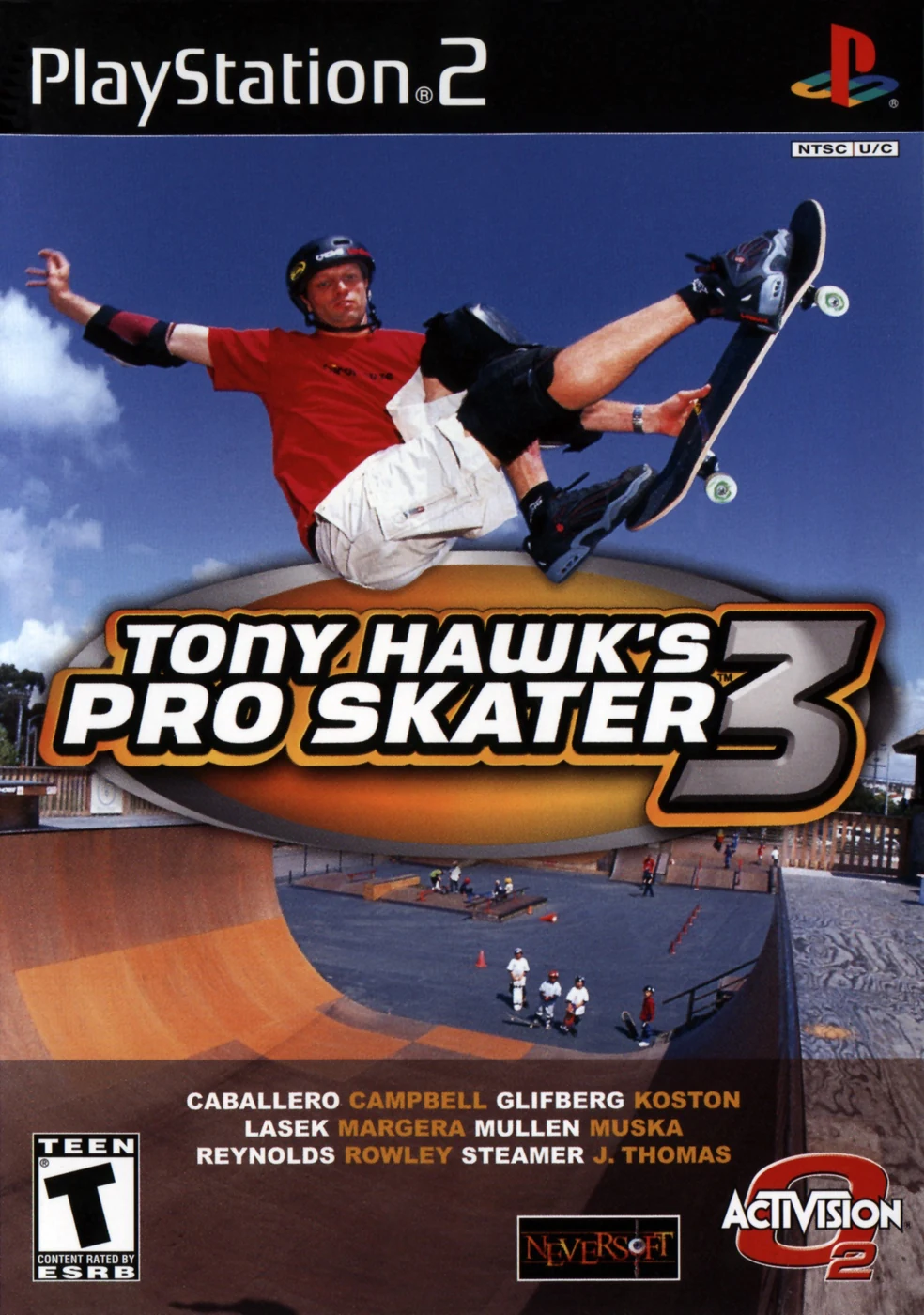
Tony Hawk's Pro Skater 3 — Sony PlayStation 2 (North American, original 2001) — Strategy Guide
Practical strategy for finishing the PS2 career and mastering the scoring systems that made THPS3 historic. Focuses on PS2-specific mechanics (the Revert, extended combos), progression through Career goals, efficient stat-point spending, and routes for unlocking skaters, secret footage and the level list. Designed for the original North American PS2 release (not the remake).

Find a copy
Tony Hawk's Pro Skater 3 PlayStation 2
We may earn a commission if you buy through these links, at no extra cost to you. As an Amazon Associate I earn from qualifying purchases.
Opens retailer search results. Check the model, edition, seller, availability and current price before buying.
Before you begin
This guide covers the original North American PlayStation 2 release of Tony Hawk's Pro Skater 3, not the PlayStation version, a later port, or Tony Hawk's Pro Skater 3 + 4.
Learn the PS2 control layout, Revert-to-Manual combo linking, timed Career routing, competition medals, level-specific objectives, and the exact progression through Foundry, Canada, Rio, Suburbia, Airport, Skater Island, Los Angeles, Tokyo, and Cruise Ship.
Use the Goals list shown by the game as the authority for the selected skater and level. The original game has ordinary Career goals and competition medals, not the separate modern Pro Goals structure.
The guide separates required Career progress from optional Stat Points, decks, gaps, secret characters, movies, bonus levels, and cheat modes.
Set yourself up for the run
Use a working DualShock 2 and a PlayStation 2 memory card with enough free space for the Career save.
Leave the original controls in place until Ollie, flip, grab, grind, Manual, Revert, camera, and Special inputs have been tested in Free Skate.
Remember that both L2 and R2 perform Revert on the original PS2 layout.
Use Free Skate to scout each level, then read the current Goals list before every timed Career attempt. Do not import modern Pro Goals, remake objectives, or another platform's level order.
Save after confirmed Career progress and keep a backup before beginning repeated Careers or major skater experiments.
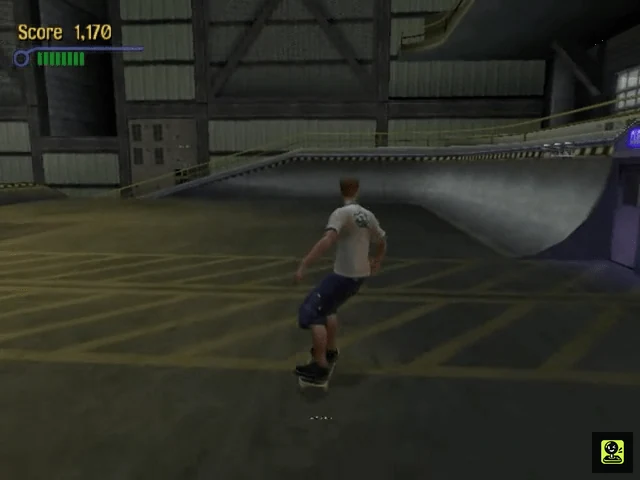
PS2 Setup, Saves and Edition Notes
Prepare the original North American PlayStation 2 release before starting Career Mode. Verify the disc as the NTSC-U/C version, connect a DualShock 2, insert a PlayStation 2 memory card in slot 1, and confirm that the game can create and retain a save. Leave the original control layout in place until you have tested it in Free Skate. The PS2 release includes local multiplayer and historical Network Play support, but Career progression, level unlocking, stat growth, and normal campaign rewards are offline activities. Do not use procedures or mechanics from Tony Hawk's Pro Skater 3 + 4, the PlayStation version, or another regional release.
Verify the North American PS2 release
Check the disc label, case, or inner disc ring before beginning. The standard US PlayStation 2 release carries product ID SLUS-20013. A US Greatest Hits copy uses SLUS-20013GH. The original North American disc is an NTSC-U/C PlayStation 2 release; the manual specifically warns that the disc is intended for NTSC-U/C consoles.
The product ID is more reliable than a release date printed in a database. Reference listings commonly give October 30, 2001 for the US PS2 release, while other catalogues show nearby October dates. That disagreement does not change the edition check. Confirm that the title is Tony Hawk's Pro Skater 3 and that the main menu contains the original Career, Single Session, Free Skate, Create-A-Skater, Park Editor, and Network Play structure. Do not substitute the later Tony Hawk's Pro Skater 3 + 4 release or a different console version.
- Disc or verified copy is for PlayStation 2 and marked NTSC-U/C
- Product ID is SLUS-20013 or SLUS-20013GH
- Main menu is the original Tony Hawk's Pro Skater 3 interface
Connect the controller and leave the original layout intact
Plug a working DualShock 2 into controller port 1 and make sure analog mode is active. On the documented default layout, X performs the Ollie and acceleration action, Square selects Flip Tricks, Circle selects Grab Tricks, and Triangle performs Grinds. L1 and R1 control aerial rotation. The manual lists both L2 and R2 as Revert buttons when landing from big air, so either shoulder can be used for the Revert input.
Before changing assignments, enter Free Skate and test an Ollie, Flip Trick, Grab Trick, Grind, Manual, and Revert. The Manual is made by tapping Up-Down or Down-Up on the directional buttons while skating or landing, then using Up and Down to balance. If you remap anything, test the replacement immediately in Free Skate rather than discovering the mistake during a timed Career run.
- DualShock 2 is recognized in controller port 1
- Default face-button actions work in Free Skate
- Both L2 and R2 successfully perform a Revert after big air
- Manual input and balance controls are understood
Check available settings without importing later-game options
Use the original Options menu only for settings that are actually present in this release. The manual documents vibration, Auto Kick, Spin Taps, sound levels, and camera movement and lock through the right analog stick. If you prefer direct speed control, turn Auto Kick off and use the documented kick action; otherwise leave the default on while learning the levels.
The North American manual does not establish a general language selector or a modern difficulty-assist system. Do not search for remake-era accessibility options or assume that a difficulty setting changes Career objectives. The North American disc and English manual identify the regional presentation; the reliable control test is still a short Free Skate session.
- Vibration and Auto Kick are set deliberately
- Spin Taps are left off unless their altered rotation behavior is wanted
- Camera movement and R3 camera lock have been tested
- No remake-only options are being relied upon
Prepare the memory card and make a test save
Insert a PlayStation 2 memory card into MEMORY CARD slot 1 before starting Career. The manual states that saving the game and one custom skater requires at least 87K of free space on an 8MB PlayStation 2 memory card. From the PS2 Browser, check free space and remove unrelated data only after confirming that it is safe to delete.
Start a small offline activity, such as entering Career or creating a skater, and use the game's Save Game command when it becomes available. Wait until the save operation finishes. Return to the appropriate menu, reload the file, and verify that the save is detected. If the game reports a missing card or insufficient space, stop there; a completed goal that was never written to the card cannot protect your Career progress.
- An 8MB PlayStation 2 memory card is inserted in slot 1
- At least 87K of free space is available
- A test save completes successfully
- The game detects the save after leaving and re-entering the menu
Keep a clean Career backup
Use one file as the active Career save and, if you have a second memory card, copy a known-good version before a major completion push. Keep the backup unchanged. This gives you a recovery point before experimenting with a Create-A-Skater build, overwriting progress, or attempting a broad objective sweep.
Save after meaningful Career progress and before shutting down normally. Never remove the memory card, reset the console, or open the disc tray while the game is writing. If you have only one card, verify the replacement file before deleting anything else from the PS2 Browser.
- Main Career save is identifiable
- A separate backup exists when possible
- The backup has been checked before the main file is changed
Treat Network Play as optional historical functionality
The original PS2 manual describes Internet and LAN play, network hardware, connection settings, and saving those settings to a memory card. The archived PS2 FAQ records that the official online servers had been shut down by around January 2005. Either way, Network Play is not a prerequisite for the offline Career route in this guide.
Do not use online match results as a progression plan. Enter Career, complete its level goals, earn level access and rewards through the offline menus, and save that progress normally. Two-player split-screen and Free Skate are also optional; they can provide practice or local play but are not required to reach the Career completion check.
- Network hardware is treated as optional
- Career can be entered without network configuration
- No online result is being used as a Career unlock requirement
- Offline progress has been saved successfully
Before you move on
- The disc is the North American PS2 release with SLUS-20013 or SLUS-20013GH, and it is being run as the original game rather than a remake.
- A DualShock 2 in port 1 performs the documented default actions, including Manual and Revert inputs.
- A PlayStation 2 memory card in slot 1 has at least 87K free and successfully stores a test save.
- The Career menu opens and can be used offline without Network Play configuration.
- A clean Career backup exists when the hardware and available memory cards permit one.
References for this chapter
Controls and Input Mapping (PS2 defaults)
Learn the original North American PlayStation 2 layout before entering Career. X handles acceleration and Ollie, Square performs flip tricks, Circle performs grabs, and Triangle handles grinds, wallrides, lip tricks, and inverts when used with the appropriate direction. L2 positions a skater for a Nollie, while either L2 or R2 performs a Revert at the landing transition from big air or a vert ramp. Manuals use Up-Down, while Nose Manuals use Down-Up. The right analog stick moves the camera, and pressing it down locks the camera in place. Practice the complete trick, Revert, and Manual sequence in Free Skate before changing bindings.
Confirm the default DualShock 2 layout
Use the directional buttons or left analog stick to steer. Hold X to crouch and release it to Ollie; holding X longer produces a higher Ollie and also builds speed. Square is the flip-trick button, Circle is the grab-trick button, and Triangle is the primary grind button. The direction pressed with a face button determines the specific trick, so the same face button can produce several results.
L1 and R1 are spin controls in the air. Pressing them while turning helps the skater rotate faster, which is useful for 540, 720, and larger spins. L2 positions the skater for a Nollie when used before an Ollie. L2 and R2 both perform Reverts when pressed as the skater lands from big air or a vert ramp.
Open Edit Tricks whenever you need to verify a skater’s individual trick combinations. Specials, lip tricks, and some advanced moves differ between skaters, so do not assume that a combination used by Tony Hawk is assigned identically to another character.
- X: accelerate and Ollie
- Square: flip tricks
- Circle: grab tricks
- Triangle: grinds and context-sensitive wall or lip tricks
- L1/R1: increase spin speed
- L2: Nollie positioning
- L2 or R2: Revert at a vert landing
Perform a Revert at the landing transition
Approach a quarterpipe, half-pipe, or other transition with enough speed to gain air. Perform a grab, flip, invert, or Special, then press L2 or R2 as the board reaches the transition on the way down. The timing is tied to contact with the ramp or landing surface; pressing while still rising will not produce the intended Revert.
A successful Revert is a quick spin that keeps the combo active instead of allowing the vert landing to finish it. During that brief motion, prepare the next input rather than waiting for the skater to roll away. If the timing is missed, continue skating and use the next ramp as another attempt. Repeatedly pressing the button during ordinary flat-ground skating only creates an unnecessary pivot-like movement and will not replace the landing input.
- Approach the ramp with speed
- Perform an air trick
- Tap L2 or R2 as the skater lands
- Immediately prepare the Manual input
Link the Revert into a Manual
A regular Manual uses Up followed by Down. A Nose Manual uses Down followed by Up. The sequence can be entered while skating or while landing, but for a Revert chain the useful rhythm is to press the two directions during the Revert motion or immediately as the board settles onto flat ground. Tap the directions in order rather than holding the first direction.
Once the Manual begins, use small Up or Down corrections to keep the balance marker near the center. Large corrections are difficult to recover from and can end the combo. If the landing surface slopes sharply or has an obstacle immediately ahead, prioritize steering toward a clear route instead of forcing a Manual.
- Up then Down: Manual
- Down then Up: Nose Manual
- Enter the sequence during or immediately after the Revert
- Use small balance corrections once the Manual starts
Use grinds, wallrides, lip tricks, and inverts by context
Press and hold Triangle while airborne near a rail, ledge, coping, or other grindable edge. The direction held with Triangle determines the grind variation. A basic 50-50 requires a parallel approach; other combinations require the board to be rotated or angled correctly before contact.
For a wallride, jump toward a wall, sign, or building and hold Triangle while airborne near the surface. Lip tricks and inverts require the correct ramp or coping and a directional combination with Triangle. Check Edit Tricks for the exact assignment of the selected skater. Do not press Triangle randomly on flat ground and expect a grind or wall move.
- Aim the board at the rail or edge
- Hold Triangle before contact
- Use the directional combination shown in Edit Tricks
- Use suitable coping or ramp geometry for lip tricks and inverts
Set the camera and test changes safely
Move the camera with the right analog stick. When a useful view is established, press the right analog stick down, which is the R3 button, to lock the camera in place. Press R3 again to return to the normal camera position. Locking the view can help keep a landing zone, rail, or ramp centered during practice, but release it if the fixed angle hides the next obstacle.
The original PS2 game does not have the modern accessibility assists found in later remasters. Before changing bindings or any available camera setting, enter Free Skate and test the result immediately. Keep the D-pad or left stick assigned to directional movement unless a replacement has been checked for clean Manual, flip, grab, and Special inputs.
- Move the camera with the right analog stick
- Press R3 to lock a useful camera angle
- Press R3 again to release the lock
- Test every changed control in Free Skate
Practice the complete sequence before Career
In Free Skate, approach a quarterpipe and hold X to Ollie. Perform a simple grab with a directional input and Circle, then tap R2 or L2 at the landing transition. During the Revert, press Up-Down to enter a Manual and steer toward the next ramp or rail. Begin with short, controlled lines rather than attempting a long score combo.
Repeat until the timing is consistent, then add a flip trick, a spin using L1 or R1, a grind, or a skater-specific Special from Edit Tricks. Also practice a Nose Manual with Down-Up so both manual directions are familiar. If a remapped control fails, test Ollie, flip, grab, grind, Revert, Manual, and camera lock separately before using it in Career.
- Complete five clean Revert-to-Manual links
- Land three Manuals without bailing
- Perform one deliberate grind and wallride
- Use one verified Special input
- Confirm all remapped controls before entering Career
Before you move on
- The player can perform Ollie, flip, grab, grind, wallride, Revert, Manual, and Nose Manual inputs without consulting the menu.
- A quarterpipe trick can be landed with L2 or R2 and continued with Up-Down or Down-Up at least five times in Free Skate.
- The player can use L1 or R1 to increase spin speed and can activate and release the camera lock with R3.
- Any controller or camera changes have been tested in Free Skate before starting Career.
Scoring Fundamentals, Combos and Specials
Career score goals are most reliable when you build both parts of the score: a strong base score from valuable, varied tricks and a high combo multiplier from continuing the same uninterrupted sequence. Ordinary tricks, grinds, manuals, gaps, Reverts and Specials can all be linked. Repeating the same trick causes its point value to devalue, so rotate between different flip, grab, grind and manual inputs. Specials are high-value tricks that become available when the Special Bar is full; they do not use a separate multiplier, but their value is multiplied by the combo multiplier like other tricks. Use a quarterpipe or vert ramp for a strong air trick, press R2 or L2 at the landing to Revert, then enter a Manual immediately. Use grinds, gaps and additional ramps to keep the sequence alive, and finish with a controlled landing when the score is already sufficient.
1. Understand the two parts of a high score
The game effectively builds a combo from a base score and a multiplier. The base score comes from the values of the tricks, gaps and other scoring actions you perform. The multiplier rises as you add tricks to the same uninterrupted combo. When the combo ends safely, the game applies that multiplier to the accumulated base score. A long line with weak tricks can therefore underperform, while a shorter line with valuable tricks and a healthy multiplier can clear a Career target.
Individual tricks gain value from their type and execution. Grab tricks can be held longer for more points, spins increase the value of many tricks, and the manual identifies 540- and 720-degree spins as especially valuable when the landing is controlled. Gaps also add points and can be folded into a route instead of treated as separate objectives.
Do not treat the displayed multiplier as a Special-only bonus. Every trick added to the active combo contributes to the multiplier, including flip tricks, grabs, grinds, manuals, vert tricks, lip tricks and gap actions. Specials are valuable because their underlying trick values are high, not because they activate a different multiplier system.
- Build both a valuable base score and a rising multiplier.
- Use spins, held grabs and gaps only when you can still land safely.
- Remember that the ordinary combo multiplier applies to Specials too.
2. Avoid devaluing the same trick
The game reduces the value of repeated tricks during the same run. The PS2 scoring guide describes the first use as full value, followed by reduced returns on later repetitions; its listed pattern is 100 percent, 75 percent, 50 percent, 25 percent, then 10 percent for further repetitions. Use that as a practical reason to vary your inputs rather than repeatedly performing the same grab or Special.
Switch and Nollie versions are useful additions because the manual says they score differently from regular versions and devalue separately. You do not need to memorize a complete trick chart for normal Career play. Instead, alternate between a few dependable flip tricks, grab tricks, grinds and manuals, then reserve more difficult inputs for a line you have already tested.
A repeated trick can still be useful for increasing the multiplier when you have no safer option, but it becomes a poor way to build the base score. If a target is just out of reach, replace repeated low-value actions with a gap, a different grab, a spin, a Special or a different grind rather than simply extending the same move.
- Use at least two or three reliable trick families in one line.
- Treat repeated tricks as multiplier builders, not primary point sources.
- Use Switch or Nollie variations when you already know the landing.
3. Fill and spend the Special Bar deliberately
Score points during normal skating and trick activity to fill the Special Bar. When it glows yellow, Special Tricks are available. The original PS2 manual specifically notes that the bar increases in real time, so you can reach a full meter during a run instead of waiting for a separate round or event.
Before a Career attempt, open Edit Tricks and confirm the inputs for the Specials you intend to use. Choose a Special that fits the available air time or rail length. A theoretically valuable move is not useful if it takes too long to execute, sends the skater into a wall, or leaves no room to land and continue.
For a dependable score run, begin with safe ordinary tricks while moving toward a known ramp or rail. Once the bar is full, use the Special in a section with a clear landing. If the Special is performed in the middle of a combo, its points benefit from the multiplier already created by earlier tricks. Follow it with a safe landing, Revert or grind rather than immediately stacking another difficult input.
- Confirm the bar is glowing before attempting the main Special.
- Know the exact Edit Tricks input for the Special you selected.
- Use the Special where the landing and next connection are visible.
4. Link vert tricks with Reverts and Manuals
A normal landing from a large air trick ends the active sequence. To preserve the combo on the PS2 version, press R2 or L2 as the skater lands from big air or a vert surface. The manual gives both shoulder buttons as valid Revert inputs; using R2 alone is acceptable as a personal habit, but L2 is also correct.
After the Revert, immediately tap Up then Down for a Manual, or Down then Up for a Nose Manual. Once the Manual begins, use Up and Down to balance it while steering toward the next ramp, rail or open landing. The manual presents Manuals as the bridge across flat ground and Reverts as the bridge from big air into the next part of a combo.
Use a simple repeatable structure: launch from a quarterpipe, perform one controlled grab or Special, Revert on landing, enter a Manual, then jump into a grind or toward a second ramp. Do not wait until the skater has fully settled after the Revert. The Manual input must follow promptly, but the exact visual timing depends on the ramp and approach, so practice the same landmark in Free Skate before using it for a timed Career goal.
- Press R2 or L2 at the landing transition, not while still high above the ramp.
- Enter the Manual immediately after the Revert.
- Aim for the next known feature before the balance meter becomes unstable.
5. Use a safe Career scoring routine
In Free Skate, rehearse one line rather than improvising across the entire level. Start by filling the Special Bar, then approach a familiar quarterpipe or half-pipe. Perform a varied air sequence, Revert into a Manual, connect to a grind or gap, and finish the combo on a clean landing. The Foundry half-pipe is specifically recommended as an early scoring area because it supports repeated air tricks followed by Revert-to-Manual links.
For a basic High Score target, prioritize consistency: one or two clean combos are better than repeatedly bailing while attempting the largest possible line. For Pro and Sick targets, first make the basic line reliable, then add a Special, a larger spin, a gap or another ramp transfer. Change only one part of the line at a time so you know which addition caused a failure.
If a Manual or grind becomes unstable, either jump into a prepared next feature or end the combo safely. Continuing a doomed balance state can erase the whole attempt. After a bail, recover quickly, return to the same landmark and use the remaining time for a shorter fallback combo. Verify the target through the level's Goals or Career progress display after the run.
- Clear the basic target with a repeatable line before attempting Pro or Sick.
- Add one Special or one new link at a time.
- End unstable combos safely when the target is already secured.
- Confirm the completed score goal in the in-game progress display.
Before you move on
- You can explain the difference between base score and combo multiplier.
- You can vary tricks instead of repeating one move throughout a run.
- You can fill the Special Bar during normal skating and perform an equipped Special from the Edit Tricks input.
- You can land a vert trick, press R2 or L2 for a Revert, and immediately enter a Manual without ending the combo.
- You can complete a stable combo containing a valuable trick, a Special, a Revert-to-Manual link and a safe final landing.
- The required Career score appears as completed in the level Goals or Career progress display.
References for this chapter
- Tony Hawk's Pro Skater 3 - PlayStation 2 Instruction Manual
- Tony Hawk’s Pro Skater 3 Instruction Manual
- Tony Hawk's Pro Skater 3 - Guide and Walkthrough - PlayStation 2 - By GheddonLN
- Tony Hawk’s Pro Skater 3 — Guide and Walkthrough, PlayStation 2, Park Editor section
- Tony Hawk's Pro Skater 3 Walkthrough — Foundry
- Tony Hawk's Pro Skater 3 — The Trick System
Mastering the Revert to Manual Chain
On the original North American PlayStation 2 release, Revert is the essential link between a vert or big-air landing and the next Manual. Press R2 or L2 as you land from a quarter-pipe, half-pipe, or other suitable transition, then immediately tap Up-Down for a Manual or Down-Up for a Nose Manual. The shoulder-button press must occur during the landing; the directional pair follows during the short rollout. Practice first on broad ramps with open flat ground, because small kickers and awkward slopes leave little room to stabilize. Foundry is an effective early training level: its half-pipe and opposing quarter-pipes let you repeat the same air, Revert, Manual, and reset sequence before attempting difficult Career objectives.
Separate the Revert and Manual inputs
Start Free Skate with the default PlayStation 2 controls. Approach a broad quarter-pipe or half-pipe and perform a simple air trick. For the first repetitions, land normally so you can identify the exact point at which the board returns to the transition. Once that landing is familiar, press R2 or L2 while landing from the air. The successful input produces a Revert and keeps the combo available instead of ending it at the ramp landing.
Move to flat ground and practice the two Manual inputs independently. Tap Up then Down for a Manual, or Down then Up for a Nose Manual. The two directions must be entered as a quick pair. After the Manual begins, continue using Up and Down to balance; the initial pair is not the same as the balancing input. Do not add a shoulder-button press during this first flat-ground drill.
- You can land a simple air trick without pressing a shoulder button.
- You can enter both a Manual and a Nose Manual consistently on flat ground.
- You can recognize the landing moment on a quarter-pipe or half-pipe.
Join the inputs at a wide transition
Approach a wide quarter-pipe with enough speed to reach the transition cleanly. Ollie near the upper part of the ramp, perform a reliable grab or flip trick, and prepare to press R2 or L2 as the board comes down onto the transition. The correct timing is tied to the landing, not to the takeoff or the middle of the jump. Pressing too early usually fails to produce the intended Revert; pressing after the skater has already rolled away is too late.
As the Revert registers, immediately tap Up-Down or Down-Up. The complete sequence is air trick, landing Revert, then Manual input during the rollout. When successful, the combo counter remains active and the Manual balance meter appears. Hold the Manual only while you can control its balance, then ollie out toward the next ramp, rail, or open lane. A short controlled Manual is more useful for training than a long attempt that ends in a bail.
- The combo counter remains active after the ramp landing.
- The Manual balance meter appears after the Revert.
- You can exit the Manual before the balance meter reaches either edge.
Use Foundry for a repeatable drill
In Foundry, use the half-pipe as the main practice area. Ride up one side, perform a simple air trick, press R2 or L2 as you land, and immediately enter a Manual across the floor. Continue toward the opposite side and repeat the sequence. The level guide specifically identifies the half-pipe and its surrounding quarter-pipes as useful scoring terrain, so this drill trains the same transition used for the level's High, Pro, and Sick score goals.
At first, perform only one air trick per side. Concentrate on making the landing input and the directional pair automatic. After several clean repetitions, add a second trick in the air, a grind along the ramp lip, or an ollie into another Manual. Aim to keep one controlled combo alive for 20 seconds, then extend the same line toward 30 seconds. If the balance meter becomes unstable, ollie out and reset rather than forcing the attempt.
- You can complete three consecutive air trick to Revert to Manual links.
- You can travel from one side of Foundry's half-pipe to the other without ending the combo.
- You can hold a controlled practice combo for 20 to 30 seconds.
Use grinds and Wallplants as setup tools
A grind is useful when you approach a transition from the wrong angle or need to redirect toward the next ramp. Grind the lip or a nearby rail, ollie toward the quarter-pipe, perform the air trick, and use the normal Revert timing on the landing. The grind helps position the skater, but it does not replace the shoulder-button input required to link the vert landing into a Manual.
A Wallplant can redirect you away from a wall or obstacle when a line becomes misaligned. After the Wallplant, look for a proper quarter-pipe, half-pipe, or other transition before attempting the next Revert. Do not press R2 or L2 expecting a useful Revert from a flat-ground hop, tiny kicker, or ordinary slope. The move is most reliable when the skater is coming down from big air onto a transition with enough rollout space for the Manual.
- You can grind to realign with a quarter-pipe before attempting another air.
- You can use a Wallplant to escape an obstacle and return to a valid ramp line.
- You do not confuse a Wallplant or grind with the Revert input.
Apply the chain during Career runs
Before starting a timed Career run, choose one familiar transition and plan the first combo around it. Begin with a dependable air trick, landing Revert, and short Manual. Only add Specials, spins, extra grinds, or a second ramp after the basic link is reliable. This reduces the chance that an ambitious opening trick consumes the entire attempt through a bail.
If the Manual input misses, abandon the failed link instead of repeatedly pressing directions while moving toward the next obstacle. Roll to the next ramp, perform a smaller safe trick, or use a grind to regain position. You can still complete a collectible or trick objective in the remaining time. For score goals, restart the line on the next attempt and focus on the visual rhythm: land on the transition, tap R2 or L2, enter the directional pair, balance briefly, and ollie out.
- Your first Career scoring line begins with a known transition.
- You can recover from one missed Revert-to-Manual link without wasting the entire run.
- You can repeat the same line in Foundry before using it in a harder Career level.
Before you move on
- In Free Skate, perform three consecutive air trick, Revert, Manual links while keeping the combo active.
- In Foundry, repeat the half-pipe drill for a controlled 20 to 30 second combo.
- Use a quarter-pipe or half-pipe line in a Career run to carry the combo across flat ground instead of ending at the vert landing.
- Recover from one missed link by reaching the next ramp or rail without bailing.
- Use a grind or Wallplant to realign with a valid transition, then perform a separate Revert-to-Manual link correctly.
References for this chapter
Career Structure and Objective Types
Career Mode consists of two-minute goal levels and three competitions. Each goal level displays its own requirements, including High, Pro, and Sick scores, S-K-A-T-E, Secret Tape, stat points, named tricks, gaps, environmental tasks, and a style-dependent objective. The pause-menu Goals list is the authority for the North American PS2 release and the selected skater. Progression uses required goals and competition medals rather than one universal requirement for every location. The normal route is Foundry, Canada, Rio, Suburbia, Airport, Skater Island, Los Angeles, Tokyo, and then Cruise Ship. Cruise Ship becomes available after you earn at least one medal in each of Rio, Skater Island, and Tokyo; its nine goals are part of the 54 normal Career goals and are completed after the level unlocks. Use Free Skate to scout routes and static items, then reserve timed Career attempts for specific objectives and score runs.
1. Enter Career and read the current level's Goals list
Choose Career Mode, select the skater you intend to use, and open the first available location. Pause before skating and read every entry in the Goals list. The displayed list gives the exact score values, collectible requirements, named tricks, gaps, and environmental actions for that level and skater. Treat it as the final authority instead of importing a checklist from another platform or from a different skater.
Most standard Career attempts last two minutes. When the timer ends, return to the level menu and check which goals are visibly recorded. Do not rely on remembering that an item was collected or that a trick appeared to succeed; a missed landing, wrong gap, or incomplete interaction leaves the objective unfinished.
- Confirm the selected level and skater.
- Read the complete Goals list before skating.
- Review the recorded goal state after the timer ends.
2. Understand how progression is gated
The game opens later content through required goal counts and competition medals. The threshold is location-specific, so check the Career or Level Select display rather than assuming that one named objective always unlocks the next stage. Clearing every visible goal is a dependable way to exceed a threshold, but it is not always necessary merely to open the next location.
The normal sequence is Foundry, Canada, Rio, Suburbia, Airport, Skater Island, Los Angeles, Tokyo, and Cruise Ship. Rio, Skater Island, and Tokyo are competitions, not ordinary two-minute goal stages. Earn at least one medal in each of those three competitions. Once the Tokyo medal is recorded and the other two competition medals are present, Cruise Ship becomes available in the PS2 Career route. Cruise Ship then has its own nine goals to complete; it is not unlocked by completing those nine goals in advance.
The 54-goal figure refers to the normal Career goals across the six ordinary goal levels, including Cruise Ship's nine goals. Keep that total separate from the three competition medals. Gold medals and repeated full Careers belong to extended unlock requirements, not the endpoint of one completed Career.
- Check whether the next location requires goals, medals, or both.
- Record one medal in Rio, Skater Island, and Tokyo.
- Confirm Cruise Ship in Level Select after the three medals are recorded.
- Track 54 normal goals separately from competition medals.
3. Sort objectives by type before planning a run
Score goals are shown as High, Pro, and Sick targets. Use the numbers displayed in the current Goals list because score requirements vary by level. For a score attempt, build Special and use a repeatable route through a half-pipe, quarter-pipe, rail, or manual section. Connect vert landings with a Revert into a Manual when the terrain allows it rather than relying on disconnected tricks.
Collection goals include S-K-A-T-E letters, the Secret Tape, stat points, and other placed items. Trick and gap goals require the named maneuver at the named feature; performing a similar trick elsewhere does not count. Environmental goals may require destroying, activating, helping, or reaching a particular object. A style-dependent goal can change with the selected Street or Vert skater, and the positions or wording of some collection and trick objectives may differ. If the displayed wording conflicts with a remembered route, follow the display.
The original PS2 release uses regular Career objectives. Do not treat the word Pro in a Pro Score target as a separate later-style Pro Goals campaign.
- Write down the displayed target for each score tier.
- Separate score, collection, trick, gap, and interaction goals.
- Check whether a goal depends on Street or Vert style.
- Do not substitute a later game's Pro Goals rules.
4. Scout the level in Free Skate
Use Free Skate when you need to explore without the Career timer. Locate stationary collectibles, identify the ramp or rail named by a goal, and find a flat stretch where a Manual can safely continue a combo. Learn both the approach and the exit route so the timed attempt is spent performing the objective rather than searching.
Free Skate is also the safest place to test a required trick with the selected skater. Some goals depend on the correct special trick, the correct gap, or the correct landing area. Practice the approach until you can reach the feature from the normal level loop. If switching skaters changes the displayed objective, rescout it instead of assuming the previous route still applies.
- Locate static items before starting a timed attempt.
- Test the named trick or gap with the chosen skater.
- Identify a recovery route back to the main line.
5. Use separate runs for separate jobs
A practical order is to collect nearby items first, complete a named trick or environmental action next, and reserve a dedicated attempt for the score target. Combine objectives only when they share the same route. For example, collect a nearby stat point while traveling toward a quarter-pipe, but do not abandon a stable score line to chase an item on the opposite side of the level.
If the opening seconds go badly, convert the attempt into another useful task. A missed letter can become a gap attempt; a broken combo can become practice for the required trick. Restart only when the remaining objective cannot reasonably be reached before time expires. Failed attempts still teach the route and reduce wasted time on the next run.
- Group goals by physical route.
- Reserve a full run for difficult score tiers.
- Turn failed attempts into route or trick practice when possible.
6. Verify the level before moving on
Before leaving a location, pause and inspect the Goals list again. Confirm that the intended score tiers, collectibles, named tricks, gaps, and environmental tasks are recorded. Exit normally, save when prompted, and check Career or Level Select for the updated completion count and newly available content.
If the level is short of the required progress, identify the first unrecorded objective and target only that task. For a single complete PS2 Career, continue through the route to Tokyo, make sure Rio, Skater Island, and Tokyo each show a medal, then enter Cruise Ship and complete its nine goals. Do not count the Cruise Ship stage twice: its nine goals are already included in the 54-goal total.
Secret skaters, bonus levels, movies, and cheat modes require separate checks in their own menus. Repeated Careers and three gold medals are optional extended completion goals, not requirements for reaching and completing the single-Career endpoint.
- All intended goals are visibly recorded.
- The Career or Level Select count has updated.
- Rio, Skater Island, and Tokyo each show at least one medal.
- Cruise Ship is available after the three medals.
- Cruise Ship's nine goals are recorded within the 54-goal total.
Before you move on
- The current level's required goal and medal progress is visibly recorded.
- Career or Level Select shows the updated count and opens the next required location.
- The route Foundry, Canada, Rio, Suburbia, Airport, Skater Island, Los Angeles, Tokyo, and Cruise Ship has been followed.
- Rio, Skater Island, and Tokyo each have at least one recorded medal.
- Cruise Ship is unlocked after those three medals and all nine Cruise Ship goals are recorded.
- The normal Career record totals 54 goals, with competition medals tracked separately.
- Optional repeated-Career rewards are checked separately rather than treated as requirements for one completed Career.
References for this chapter
- Tony Hawk's Pro Skater 3 - Guide and Walkthrough - PlayStation 2 - By GheddonLN
- Tony Hawk's Pro Skater 3 - Guide and Walkthrough - PlayStation 2 - By Syrax
- Tony Hawk's Pro Skater 3 - Level Goal Checklist - PlayStation 2
- Tony Hawk Pro Skater 3 Guide – PlayStation 2
- Tony Hawk's Pro Skater 3 - PlayStation 2 Instruction Manual
- Tony Hawk's Pro Skater 3 Cheats, Codes, and Secrets for PlayStation 2
Foundry and Introductory Runs
Foundry is the first Career level in the original North American PlayStation 2 release of Tony Hawk’s Pro Skater 3. Use it to learn the Revert-to-Manual connection, then separate your timed attempts by purpose: objective collection, score building, and optional pickups. The nine Career goals are High Score 10,000, Pro Score 30,000, Sick Score 60,000, S-K-A-T-E, Secret Tape, Unjam 5 Valves, Soak the Foreman, Grind the Molten Bucket, and one skater-dependent trick goal shown for your skater. Foundry also contains five Stat Points and one deck, but neither is required to advance Career.
Learn the layout and practise the basic combo link
Enter Free Skate before spending timed attempts. From the starting position, identify the large half-pipe ahead, the yellow-railed walkway, the pool and foreman area, the lava pool, the rear quarter-pipe, and the perimeter route around the main building. These landmarks cover most Foundry objectives and give you reliable places to restart an approach after a bail.
Use the large half-pipe for practice. Perform an air trick, land in the transition, and press L2 or R2 for a Revert as you touch down. Immediately after reaching the flat, enter a Manual with Up then Down, or a Nose Manual with Down then Up. Begin with one Revert followed by one Manual. Add further ramps, grinds, or Specials only after the first connection is consistent.
- The half-pipe, yellow-railed walkway, foreman pool, lava pool, and rear quarter-pipe are identified.
- A Revert has been connected to a Manual in Free Skate.
- You can return from the rear section to the starting area without getting stuck.
Unjam all five valves first
From the starting position, point left and drop to ground level. The first valve is on the wall and is identified by its red flashing mechanism. Grind the rail attached to it, then continue around the outside wall in a clockwise direction. Four more valves are placed along this perimeter route.
After the fifth valve is ground, the secret room behind the starting area opens. The room contains a spiral walkway leading upward. This objective does not require the Stat Points, the deck, S-K-A-T-E, or the score goals, so complete it as its own short route if you are still learning the level.
- All five valve mechanisms have been ground.
- The Unjam 5 Valves goal is checked.
- The secret room behind the starting area is open.
Complete the foreman, bucket, and skater-dependent goals
For Soak the Foreman, travel to the large pool and locate the foreman. Grind the fence behind him. The yellow-railed walkway provides a dependable approach; line up with the fence and avoid adding unnecessary tricks until the grind registers.
For Grind the Molten Bucket, wait near the lava pool until the bucket begins pouring. Approach from the sloped edge around the pool or from the nearby quarter-pipe, jump while the bucket is dumping, and grind one of the rails on either side. If you miss, ride away and wait for the next pour rather than repeatedly jumping at an inactive bucket.
Read the active Goals list for the final trick objective. Vert skaters receive Cannonball Over the Half-Pipe: use the large roll-in, ollie across the half-pipe, and perform the named Cannonball before landing. Street skaters receive 50-50 TC’s Rail: approach the rail beside the worker and complete a plain 50-50 without steering off it. Only the version displayed for your current skater is required.
- Soak the Foreman is checked.
- Grind the Molten Bucket is checked.
- The displayed Vert or Street trick goal is checked.
Collect S-K-A-T-E and the Secret Tape
S-K-A-T-E is a required Career goal. The letter arrangement can vary by skater, so use the visible letters and the route shown by your active Goals list. In the standard arrangement, take the starting roll-in for S, use the nearby slope for K, transfer between the quarter-pipes around the lava pool for A, collect T near TC’s Rail, and launch from the large roll-in for E. An alternate arrangement places letters around the left wall, green ledge, curved rear rail, and nearby ramps.
For the Secret Tape, turn slightly right from the start and use the slope to reach the walkway with yellow handrails. Follow it to the room with the large glass window, jump through the glass, and grind the beam carrying the tape. If you fall, return to the walkway and repeat the approach; trying to reach the beam from the lower floor is less reliable.
- All five S-K-A-T-E letters have been collected.
- The Secret Tape has been collected.
- The Goals list records both objectives.
Build a safe route for the three score goals
The Foundry score thresholds are High 10,000, Pro 30,000, and Sick 60,000. The half-pipe is the safest scoring area: alternate aerial tricks from wall to wall, then use a Revert into a Manual when leaving a transition so the combo continues across the flat. Add a grind on the nearby ledges or rails before returning to the half-pipe when your balance is stable.
For the 60,000 target, fill the Special meter before beginning the main attempt and place a Special into a controlled combo. Use rotations only when you can still land accurately. A completed medium-length combo is safer than an ambitious line that ends in a bail. If the Manual balance begins to move sharply, land at the next safe surface and preserve the points already earned.
- High Score 10,000 is complete.
- Pro Score 30,000 is complete.
- Sick Score 60,000 is complete.
Search for optional Stat Points and the deck separately
Foundry has five Stat Points and one deck for the active skater. These pickups are optional for normal Career advancement and their approaches can differ depending on the skater and the surrounding route. Use Free Skate rather than sacrificing a score or objective attempt. Search the upper walkways, ramps, ledges, and rear structures systematically, checking each pickup as it is collected.
Do not treat a Stat Point or the deck as one of the nine Career goals. They improve the level record and, for Stat Points, the skater’s attributes, but the next Career stage is based on completed goals.
- All five Stat Points are collected if pursuing full Foundry pickup completion.
- The active skater’s deck is collected if pursuing full level completion.
- Optional pickups remain separate from Career goals.
Recover from a failed attempt and verify completion
If a Revert or Manual fails, land normally and ride to the nearest quarter-pipe instead of forcing a damaged combo through the level. The central half-pipe is the quickest reset for another score attempt. The starting roll-in and left perimeter route provide convenient restarts for S-K-A-T-E, the Secret Tape, the valve route, and the skater-specific objective.
Before leaving Foundry, pause and verify the three score tiers, S-K-A-T-E, Secret Tape, Unjam 5 Valves, Soak the Foreman, Grind the Molten Bucket, and the displayed trick goal. This is the complete nine-goal set. Return to Career or Level Select and save before continuing to Canada.
- High Score 10,000, Pro Score 30,000, and Sick Score 60,000 are checked.
- S-K-A-T-E, Secret Tape, Unjam 5 Valves, Soak the Foreman, Grind the Molten Bucket, and the displayed skater-dependent goal are checked.
- The Career or Level Select screen records the completed Foundry goals.
- The game is saved before continuing to Canada.
- Stat Points and the deck are tracked separately if optional full-level completion is desired.
Before you move on
- The Foundry Goals list shows High Score 10,000, Pro Score 30,000, and Sick Score 60,000 completed.
- S-K-A-T-E, Secret Tape, Unjam 5 Valves, Soak the Foreman, Grind the Molten Bucket, and the displayed skater-dependent goal are checked.
- The Career or Level Select screen records all nine completed Foundry goals after saving.
- The next Career level, Canada, is available.
- The five Stat Points and the active skater’s deck are collected only if pursuing optional full Foundry completion.
Canada, Rio Ruckus and Suburbia Career Routes
Complete Canada, earn the required Rio Ruckus competition medal, then clear Suburbia before moving on to Airport. Canada and Suburbia are two-minute goal levels; Rio is a three-run competition judged from the best two runs. Read the active Goals list because S-K-A-T-E locations and the skater-dependent trick can vary by skater group. Canada requires the active score tier, S-K-A-T-E, Secret Tape, trick and interaction goals. Suburbia requires helping the Thin Man before entering the Haunted House, restoring the satellite dish, then completing the active score, letters, tape, pumpkin and trick goals. Stat Points, the Deck, secret areas and alternate letter layouts are optional. After Suburbia, Airport becomes the next normal Career stage; its full route is covered separately.
Confirm the route and active goals
Use this Career order for the chapter: Canada, Rio Ruckus, then Suburbia. Canada and Suburbia use timed two-minute runs. Rio Ruckus is a competition with three runs, with the best two used for judging. A medal in Rio is required to continue to Suburbia and counts as one of the three competition medals eventually needed for Cruise Ship.
Pause at the beginning of each level and read the displayed Goals list. It identifies the current S-K-A-T-E arrangement and which skater-dependent trick is active. Stat Points, the Deck and secret areas are optional pickups; they do not substitute for Career goals. Save after successful completion so the goal and medal state is written to the memory card.
- Play Canada before Rio Ruckus and Rio before Suburbia.
- Treat Rio as a competition, not a normal two-minute level.
- Read the active Goals list before attempting S-K-A-T-E or trick objectives.
- Treat Stat Points and the Deck as optional.
Clear Canada’s score and route objectives
Canada’s score thresholds are 35,000 for High, 70,000 for Pro and 120,000 for Sick. First go to the dock at the back-right of the level and grind the wire to raise the rear quarter pipe. Use that area for a reliable scoring line: perform aerial tricks from one quarter pipe, Revert on the descent, enter a Manual toward the opposite quarter pipe and repeat. When the line is stable, extend it through the pool edge, chain-link fence, funbox, parking-lot ledges, car-hop kicker and bulldozer quarter pipe. Bail recovery is simple: return to the raised rear quarter pipes or the parking-lot quarter pipe instead of wasting the run searching for another route.
Canada’s active interaction goals include freeing Chuck, burying the Bully and impressing five skaters. Chuck is near the starting area beyond the fence; skate through him to free him. For the Bully, turn around from the start and launch into the snow-covered tree on the right. To impress the five skaters, perform a combo worth at least 5,000 points near each marked skater. A single controlled line can pass several of them, but separate short combos are safer if the route becomes unstable.
- Raise the rear quarter pipe by grinding the dock wire.
- Reach the active 35,000, 70,000 or 120,000 score tier.
- Free Chuck and bury the Bully if those goals are active.
- Impress all five marked skaters with qualifying combos.
Complete Canada’s Secret Tape and named trick goals
For the Secret Tape, travel toward the dock-like structure and locate the large red box with a lever. Grind the nearby rail to activate it. Use the raised quarter pipe to launch into the first half-pipe, immediately transfer back toward the main park into the next half-pipe, then transfer to the slanted ramp. Slow down near the old track and grind the rail closest to the ramp to collect the tape. If you miss the transfer, return to the raised quarter pipe and rebuild speed rather than attempting the route from the lower ground.
The Canada trick goals are skater-dependent. When Melon Grab Over the Blade is listed, use the starting kicker and transfer from one quarter pipe to the other while performing the Melon Grab. When Nosegrind Around the Horn is listed, turn around and drop into the water beneath the broken bridge; the shortcut places you on the high platform beside the curved rail. Nosegrind the rail around the open gap and remain balanced until the goal registers.
S-K-A-T-E also changes by skater group. One arrangement runs through the car row, corner quarter pipe, back parking-lot fence, rear quarter pipe and signs on the right wall. Another is concentrated around the starting fence, skate park, two park corners and the totem pole. The third uses the wooden fence, cabin roof, curved log, descending log and quarter pipe with the detachable half-pipe. Follow the active arrangement instead of mixing locations from different sets.
- Activate the red lever box before attempting the Secret Tape.
- Grind the rail closest to the slanted ramp to collect the tape.
- Complete the active Melon Grab or Nosegrind objective.
- Collect the S-K-A-T-E arrangement shown in the Goals list.
Earn the Rio Ruckus medal
Rio Ruckus gives you three one-minute runs, and the best two runs determine the result. You need to finish in the top three for a medal. Do not abandon the competition after one fall; use the remaining runs to secure a clean score and then improve it. Around 100,000 points in a run is a useful target, but the ranking shown after judging is the authoritative result.
For a repeatable line, begin by grinding the small wall behind the starting position. Ollie into the guard rail, transfer to the ramp and island, then continue through the pavilion and connected rails. Ollie from the rail into a Manual whenever the landing is clear. A safer alternative starts in the central quarter-pipe area: perform aerial tricks, Revert into a Manual, cross to the opposite quarter pipe and repeat before adding the boxes and outer rails. Use one run to learn the route, one to establish a safe score and the final run for improvement.
Confirm the medal on the Career screen before leaving Rio. This medal unlocks Suburbia and is only the first of the three competition medals used for the later Cruise Ship unlock; it does not open Cruise Ship by itself.
- Complete all three competition runs or end them deliberately when appropriate.
- Use the best two runs to establish a stable ranking.
- Finish in the top three and verify the Rio medal.
- Confirm that Suburbia is available before continuing.
Help the Thin Man before entering Suburbia’s Haunted House
Suburbia’s first priority is Help the Thin Man because the opened passage is required for the Secret Tape. From the starting roll-in, turn right and follow the road to the construction site. Find the axe on the wooden rail, collect it by touching or grinding through it, then take it to the Thin Man beside the Haunted House. The resulting event opens the passage.
Enter the Haunted House through the opened route and use the quarter pipe to transfer right into the creepy backyard. Line up with the ramp against the house and launch through the window to the upper room. Skate toward the bats, pass through the opposite window and grind the flagpole immediately outside to collect the Secret Tape. If the transfer fails, return through the opened passage and rebuild speed from the backyard ramps.
- Collect the axe at the construction site.
- Deliver it to the Thin Man beside the Haunted House.
- Enter through the opened passage.
- Use the upper-room window route to grind the flagpole and collect the tape.
Restore the satellite dish
Reach the roof of the blue house from the backyard and locate the two electrical wires leading toward the trailer-park and Haunted House roofs. Grind the first wire and knock away the branches attached to it. Transfer to the higher wire and grind that one as well. There are four branches total across the two wires; remove all four for Restore Power to the Dish.
If you fall, use the backyard ramps and the sloped walkway beside the empty pool to regain the roof. Do not leave after grinding only the first wire, because the objective requires the branches on both wires.
- Reach the blue-house roof.
- Grind both electrical wires.
- Knock away all four branches.
- Verify the dish objective before ending the run.
Complete Suburbia’s score and active trick
Suburbia’s score thresholds are 55,000 for High, 110,000 for Pro and 200,000 for Sick. Build the line in the trailer park using the quarter pipes beside the red trailer. Perform aerial tricks, Revert into a Manual, and cross between the opposite quarter pipes. Extend the combo across the trailer roof, wire, rear ramp, side quarter pipe and picnic-table quarter pipe. Continue along the walkway toward the Haunted House and return to the trailer park through the ledge. If balance becomes unstable, land a shorter combo; the trailer-park quarter pipes are a dependable recovery point.
The active trick depends on the skater. Vert skaters perform Nosegrab Between the Ramps by transferring between the two quarter pipes in the trailer park. Street skaters perform Heelflip the Trailers from the back-left trailer-park quarter pipe, clearing the marked trailer and landing beyond it. Use the Goals list to determine which objective is present; completing both is unnecessary for one Career run.
- Reach the active 55,000, 110,000 or 200,000 score tier.
- Use the trailer-park quarter pipes as the main scoring and recovery line.
- Complete Nosegrab Between the Ramps or Heelflip the Trailers as listed.
- Confirm the trick objective registers before leaving the level.
Collect Suburbia’s active S-K-A-T-E letters and pumpkins
Suburbia has multiple S-K-A-T-E arrangements. One set uses the blue-house fence and roof, the picnic-table quarter pipe, the Haunted House frontage and the construction-site ramp. Another uses the trailer-park laundry line, the rear trailer-area quarter pipe, the parked car, the barbecue-yard quarter pipe and the satellite-dish roof. A third begins at the fire truck, continues up the wire fence into the backyard, then uses the trailer-park ramp, half-pipe transfer and the old-house quarter pipe. Follow only the arrangement shown for the current skater.
The five pumpkins are spread through the Haunted House, construction and backyard areas, the front of the house and the trailer park. One is beside the spooky house’s quarter pipe, another is near the construction ramps, another is in the barbecue backyard, another is in front of the house and the last is at the trailer-park half-pipe. Use a lip trick when the pumpkin sits on a ramp or quarter pipe; otherwise ride through it directly. Circle back after a miss and check the goal marker before ending the run.
- Collect the active S-K-A-T-E arrangement without mixing sets.
- Smash all five pumpkins.
- Use the Haunted House route only after helping the Thin Man.
- Verify the letters and pumpkin objectives separately in the Goals list.
Finish Suburbia and transition to Airport
Before ending Suburbia, check the pause-menu Goals list for the active score tier, S-K-A-T-E arrangement, Secret Tape, Thin Man, satellite dish, five pumpkins and skater-dependent trick. Optional Stat Points, the Deck and alternate collectible layouts can be left for a later Career run without blocking normal progression.
Save after Suburbia advances the Career map. Airport follows Suburbia as the next normal timed Career stage. Do not skip directly to Los Angeles: the route continues through Airport, then the later competition stages. Airport’s score thresholds, terminal routes and objective details belong to its dedicated chapter.
- Suburbia shows the active score goal completed.
- S-K-A-T-E, Secret Tape, Thin Man and satellite dish show complete.
- All five pumpkins and the active trick objective are complete.
- Save the Career and confirm Airport is the next stage.
- Leave Stat Points, the Deck and optional alternate layouts for extended completion.
Before you move on
- Canada shows the active score tier, S-K-A-T-E, Secret Tape, active trick and interaction goals complete.
- Rio Ruckus records a medal after the competition is judged.
- Suburbia records the active score, S-K-A-T-E, Secret Tape, Thin Man, satellite dish, five pumpkins and skater-dependent trick objectives.
- The Career save is written after each completed stage.
- Airport is shown as the next stage after Suburbia; its detailed walkthrough is handled separately.
- Stat Points, the Deck and alternate collectible layouts remain clearly separated from required Career progression.
Airport: Technical Career Level
Airport is a normal two-minute Career level in the original North American PlayStation 2 release, not a competition. Its required goals are High Score 75,000, Pro Score 150,000, Sick Score 300,000, Secret Tape, S-K-A-T-E, Visit 10 Countries, Get the Tickets to your Skate Buddy, Stop the Pickpockets, and one skater-type-specific trick. Street skaters must complete Crooked Grind Around Baggage Claim; Vert skaters must complete Airwalk Over the Escalator. Use the terminal entrance, bathrooms, escalators, baggage claim, waiting area, and lower airport section as separate landmarks. Stat Points and the Deck are optional pickups and do not replace Career goals. Make dedicated attempts for scoring, exploration, ticket delivery, and the moving pickpocket targets rather than trying to force every objective into one run.
Confirm the Airport goal list and skater-specific objective
Enter Airport from the Career map and pause before beginning a timed run. The original PS2 goal list uses High Score 75,000, Pro Score 150,000, and Sick Score 300,000. It also lists Collect S-K-A-T-E, Find the Secret Tape, Visit 10 Countries, Get the Tickets to your Skate Buddy, Stop the Pickpockets, and one trick goal determined by the skater type.
A Street skater receives Crooked Grind Around Baggage Claim. A Vert skater receives Airwalk Over the Escalator. The two trick goals are alternatives, not cumulative requirements for one skater. Stat Points and the Deck are separate level pickups and are not substitutes for any of these Career goals.
- Confirm the 75,000, 150,000, and 300,000 score targets.
- Check whether the active skater has the Street or Vert trick goal.
- Separate optional Stat Points and Deck pickups from the Career goals.
Use the terminal for score-building runs
Begin with the rails, benches, baggage equipment, and nearby bathroom geometry. Grind the opening rail, add flip or grab tricks where the line is clear, and use the open terminal floor to enter a Manual. Approach rails nearly parallel so a missed transfer does not end the run against a wall.
For High and Pro, build a controlled route through the entrance and escalator sections. Fill the Special meter, then use a Special in a line that can continue into a landing, Revert, Manual, or grind. Do not spend the whole run searching for collectibles while learning the scoring route.
For Sick, extend the line through the baggage-claim and waiting-area sections. The larger ramps and rails support repeated air, grind, Revert, and Manual links. If a Manual or transfer fails, keep moving toward the next ramp or rail and use the remaining time for another attempt. A reliable sequence of linked tricks is safer than forcing one enormous opening combo.
- Practice the entrance rail and bathroom route before targeting Sick.
- Use open floor for Manuals and the larger ramps for air tricks.
- Keep moving after a failed link instead of restarting immediately.
Collect the Secret Tape
Travel beyond the last escalator into the main waiting-area section and turn right toward the spiral staircase. Do not descend the staircase. Look for the small ramp beside it and use that ramp to launch onto the highest nearby rail. Grind along the upper route until the Secret Tape is collected.
If the launch is too low, continue through the area, circle back, and try again from a better approach. This goal can be completed independently of the score route.
- Reach the area beyond the last escalator.
- Turn toward the spiral staircase without descending it.
- Use the nearby small ramp to reach the upper rail and Secret Tape.
Complete S-K-A-T-E
The S-K-A-T-E arrangement can differ by skater, so follow the letters displayed in the active level rather than relying on a fixed sequence. Check the opening walkway, bathroom and terminal structures, the escalator approaches, the waiting area, and the lower airport routes.
Use ramps and escalators to change height safely. The letters do not have to be collected in one combo, so treat this as an exploration run. If one letter is missed, preserve the attempt when possible and return to that section on another run instead of sacrificing a reliable Career objective.
- Follow the letter arrangement shown for the selected skater.
- Use ramps and escalators to reach elevated letters.
- Confirm that every S-K-A-T-E letter has registered.
Perform the Street or Vert trick
Street skaters must complete Crooked Grind Around Baggage Claim. Reach the circular baggage-claim carousel through the terminal route, build speed, and enter the outer edge at a shallow angle. Hold the Crooked Grind while following the circular path until you complete the circuit. A sharp approach can produce an ordinary grind or cause a bail, so line up before jumping.
Vert skaters must complete Airwalk Over the Escalator. Reach the escalator area with the quarter-pipes and smaller launch ramps on either side. Launch across the escalator gap, perform the Airwalk while airborne, and land on the opposite side. Check the Goals screen after landing to ensure the correct objective registered.
- Street skaters complete the Crooked Grind around the baggage claim.
- Vert skaters Airwalk from one side of the escalator to the other.
- Verify the applicable skater-type goal in the Goals screen.
Visit 10 Countries
Go beyond the last escalator and choose either the left or right side of the waiting-area section. Each side has a lower red circular rail beneath five country flags. Grind the rail so the flags are destroyed, then repeat the procedure on the opposite side. Five flags are on each side, for ten total.
This objective is independent of the score and combo goals. If you miss a flag, dismount safely, return to the rail, and continue rather than restarting the entire run.
- Reach the waiting area beyond the last escalator.
- Grind through the five flags on one red rail.
- Repeat on the opposite side for the remaining five flags.
Get the Tickets to your Skate Buddy
At the start of the level, grind the reception counter on the left to collect the tickets. Carry them through the terminal toward the waiting area at the far end. A bail causes you to lose the tickets, requiring another trip to the counter.
When approaching the security checkpoint and metal detectors, use the nearby ramp to jump over the scanners. Do not pass through them. Continue beyond the last escalator, turn left through the seating area, and skate into the Skate Buddy near the waiting passengers.
- Grind the left reception counter to obtain the tickets.
- Avoid bailing while carrying them.
- Jump over the security scanners and deliver the tickets in the far waiting area.
Stop the Pickpockets
There are five targets. At the opening approach, stop the first pickpocket on the right side. The second is on the left side of the treadmill or opening route. Skate through each thief to register the hit; nearby victims may scatter and knock you down, so approach with enough speed and leave room to correct your line.
Continue along the terminal route to the bathroom reached from the airport interior. Two pickpockets are inside this bathroom. Ram both of them before leaving. If a victim knocks you off course, recover and re-enter the bathroom rather than assuming the target registered.
After the last escalator, enter the large final area and head toward the right-side quarter-pipe or computer-ramp section. The fifth pickpocket is there. If he moves away before you make contact, follow him into the lower section of the airport and skate through him there. The goal completes only after all five thieves have been stopped.
- Stop the first pickpocket on the right at the opening approach.
- Stop the second pickpocket on the left side of the treadmill or opening route.
- Stop both pickpockets inside the bathroom reached from the terminal route.
- Stop the fifth pickpocket in the large area beyond the last escalator.
- Follow the fifth thief into the lower section if he flees.
Collect optional pickups and verify Airport completion
Stat Points and the Deck are optional full-level pickups. Their routes use elevated signs, ramps, rails, and lower airport areas; collect them after the Career goals are secure if you want full-level collection. They do not replace S-K-A-T-E, the Secret Tape, score tiers, the skater-specific trick, ticket delivery, Visit 10 Countries, or Stop the Pickpockets.
Return to the Airport Goals screen after separate attempts. Confirm all three score tiers and every required objective. Save after the Career or Level Select screen reflects the updated state. The correct Career order continues from Airport to Skater Island, then Los Angeles, and later Tokyo; Airport is not a competition.
- All three Airport score tiers are complete.
- Secret Tape and S-K-A-T-E are complete.
- The applicable Street or Vert trick is complete.
- Visit 10 Countries, ticket delivery, and all five pickpockets are complete.
- Optional Stat Points and Deck are recorded if desired.
- The updated Airport state is saved before leaving the level.
Before you move on
- Airport records High Score 75,000, Pro Score 150,000, and Sick Score 300,000.
- Airport records Secret Tape, S-K-A-T-E, the applicable Street or Vert trick, Visit 10 Countries, Get the Tickets to your Skate Buddy, and Stop the Pickpockets.
- Stop the Pickpockets is confirmed across five targets: right opening approach, left treadmill or opening route, two inside the terminal-route bathroom, and the final large area beyond the last escalator.
- The fifth thief was followed into the lower section if he fled before being hit.
- Optional Stat Points and the Deck are recorded when full-level completion is desired.
- The Career or Level Select screen shows the updated Airport state after saving.
- Airport is treated as a normal two-minute level before Skater Island, Los Angeles, and Tokyo.
Skater Island, Los Angeles and Tokyo Transition
Skater Island is the second Career competition in the original North American PlayStation 2 release. It uses three one-minute runs, with the two highest scores averaged for the final result. Finish in the top three to record the required medal; gold is optional. The pirate-ship area, five Stat Points, and deck are optional. After Rio and Skater Island medals are recorded, Los Angeles becomes available as a normal two-minute goal level. Its score tiers are 100,000, 190,000, and 400,000 points. Complete the active S-K-A-T-E arrangement, level interactions, Secret Tape, score goals, and the skater-dependent photo objective. Los Angeles then leads to Tokyo, the third competition. Tokyo requires 35 completed goals and two medals to unlock, and its top-three result supplies the third medal needed for Cruise Ship. Cruise Ship is not covered here and should not be counted as part of the Skater Island, Los Angeles, or Tokyo transition.
1. Earn the second Career medal at Skater Island
Open Career and select Skater Island after completing the earlier goal requirement. The PlayStation 2 Career guide identifies 26 completed goals as the unlock condition. Skater Island is a competition, not a normal two-minute level, so its progression requirement is a medal rather than a standard list of level objectives.
You receive three one-minute runs. The game averages your two highest scores, so a weak first run can be discarded by performing better in the remaining attempts. Finish in the top three to receive a bronze, silver, or gold medal. Gold is optional for extended completion and is not required to open Los Angeles.
For a reliable run, use the bowl near the starting area to build Special and chain aerial tricks. Revert as you land from the transition, then enter a Manual and continue into a grind or another ramp. The broad bowl and nearby rails provide safer recovery lines than the congested center of the level. If a manual fails, abandon the planned combo immediately and make a short, clean bowl line rather than risking a second bail.
The exact score needed for a medal depends on the other skaters' results, so use the final standings screen as the authority. Confirm that the medal is recorded before leaving the competition.
- Enter Skater Island as the second Career competition.
- Complete three one-minute runs.
- Use the two highest scores for planning purposes.
- Finish in the top three.
- Confirm the medal on the final standings screen.
2. Open the optional pirate-ship area
From the starting point, move onto the platform with the half-pipe roll-in. Turn right toward the two flags and grind the pirate flag, not the adjacent United States flag. A message confirms that the secret route has opened.
Go to the opposite wall from the flags and locate the newly opened doorway. Skate through it to reach the outdoor beach and pirate-ship section. This area is useful for extra scoring space and contains optional content, but it is not needed for the Skater Island medal or the Los Angeles unlock.
Skater Island has five Stat Points and one deck. Treat them as optional pickups. Do not spend contest time searching for them if your medal attempt is still uncertain; explore the area after recording the result or use Free Skate.
- Grind the pirate flag beside the half-pipe platform.
- Wait for the opening message.
- Use the doorway opposite the flags to reach the pirate ship.
- Treat the ship, five Stat Points, and deck as optional.
3. Begin Los Angeles and clear the score goals
Return to Career after Skater Island and save when the medal has been recorded. Los Angeles requires two competition medals, so Rio and Skater Island must both show results. Select Los Angeles and read the active Goals list before starting because the S-K-A-T-E arrangement and one photo objective depend on the selected skater.
The Los Angeles score tiers are High: 100,000 points, Pro: 190,000 points, and Sick: 400,000 points. For a safe score run, begin at the stairs directly ahead of the starting point. Perform a trick down the stairs and land in a Manual, turn right to the roadside rail, then transfer through the curved ground piece and onto the circular fountain. Grind around the fountain, ollie toward the street, and add flip tricks before entering the glass-covered Findley Tower walkway.
Inside Findley Tower, use the quarter-pipe for aerial tricks, land into a Grind, and ollie into the car-wash area. Continue across the quarter-pipes, fire-truck ladder, building ledges, theater ledges, library frontage, and earthquake rail. Revert into Manuals whenever the landing is safe. If the long route becomes unstable, use the fountain, Findley Tower, car-wash quarter-pipes, or library rails as separate shorter score lines.
Do not assume that a single run must clear every score tier and collection objective. Use separate attempts for high scores, S-K-A-T-E, and interaction goals. Free Skate is the best place to rehearse the transfers before spending a timed run.
- Confirm Rio and Skater Island medals are recorded.
- Read the active Los Angeles Goals list.
- Clear 100,000, 190,000, and 400,000 point tiers as required.
- Use separate runs when the long score line is unreliable.
- Save after successful goals.
4. Collect the active Los Angeles S-K-A-T-E arrangement
The game uses different letter layouts for different skater groups. The first arrangement applies to Tony Hawk, Rune Glifberg, Bam Margera, Andrew Reynolds, Jamie Thomas, Officer Dick, and Darth Maul: S is on the Quake rail to the right of the start; K is above the circular fountain in front of the glass walkway; A is on the curved rail in front of the building ahead of the start; T is on the purple structure in the center; and E is above the canopy in the Morehead bar indentation.
The second arrangement applies to Steve Caballero, Eric Koston, Rodney Mullen, Geoff Rowley, Demoness, Private Carrera, and Kelly Slater: S is between the rails to the left of the start; K is left of the movie theater and requires the nearby ramp; A is on the fire-truck ladder; T is on the quarter-pipe above the car wash; and E is above the quarter-pipe near the car wash.
The third arrangement applies to Kareem Campbell, Bucky Lasek, Chad Muska, Elissa Steamer, Create-A-Skater, Neversoft Eyeball, Wolverine, and Ollie the Bum: S is on the rail inside the building straight ahead; K requires transferring to the half-pipe above the glass walkway; A is on the stair set beyond the glass walkway; T is reached by grinding the ramp beside the car wash, crossing the telephone wire, and continuing to the letter; and E is on the yellow-building roof in the center of town.
Use the arrangement displayed by the current Goals list. The alternate layouts are not extra goals to complete on one Career run.
- Identify the selected skater's S-K-A-T-E layout.
- Collect S, K, A, T, and E in order.
- Use the nearby ramps, rails, and glass walkway as route landmarks.
- Do not confuse alternate layouts with additional Career goals.
5. Complete the Los Angeles interaction and photo goals
For Free Ballin’, go to the central area with the two large red stone balls near the purple ramp. Hit or grind each ball so both begin rolling. The goal registers after both have been released; a simple aerial trick into a ball is usually easier than trying to balance on it.
Start the Earthquake requires four separate grinds around the starting tower area. From the start, grind the rail inside the building ahead, then the rail beside the newspaper machines, then the rail at the end of the block beside the road. Cross to the opposite side and grind the remaining outer rail. The earthquake occurs after all four rails register.
After the earthquake, complete Block the Car Chase. Reach the library roof, move onto the broken highway, and head right. A car is lodged in the damaged structure. Grind across the car to knock it into the street and stop the chase. If the car is not present, repeat Start the Earthquake and confirm that the event registered before attempting the route.
The active skater-dependent objective is either One Foot Japan the Tower Poppin’ Transfer or Varial Kickflip the Tower Rails Gap. For One Foot Japan, go through the glass walkway to Findley Tower, use the quarter-pipe, and perform the listed One Foot Japan while transferring into the rooftop half-pipe. For Varial Kickflip, reach the stairs behind the glass walkway, grind up one stair rail, perform the Varial Kickflip near the top, and land into the descending rail. Follow the trick name and input shown in the Goals or Trick list for the selected skater.
- Release both red stone balls for Free Ballin’.
- Grind all four rails for Start the Earthquake.
- Use the damaged highway and grind the trapped car for Block the Car Chase.
- Complete the active One Foot Japan or Varial Kickflip objective.
- Confirm each goal registers before ending the run.
6. Get the Secret Tape and move into Tokyo
The Secret Tape requires Start the Earthquake first. From the starting area, use the wire leading to the building roof. Ride onto the broken highway and use the wooden plank as a ramp to reach the opposite building. Continue toward the red or purple building beside the movie-theater area, follow the projecting curve, and jump to grind the rail supporting the tape.
The tape route is easier after the earthquake because the broken highway provides the necessary access. Approach with enough speed, aim for the supporting rail rather than the tape itself, and stay in the Grind until the pickup registers. If you miss, use the wire and highway to reset rather than attempting a blind jump from street level.
When Los Angeles goals are complete, leave the level and reopen Career. Tokyo is the third competition and requires 35 completed goals plus two recorded medals to unlock. Tokyo uses three one-minute runs, averages the two highest scores, and awards a medal for a top-three finish. Build a repeatable line around its bowls and rails, keep the first run conservative, and use the later runs to improve the score. Confirm the Tokyo medal on the standings screen before leaving.
Rio, Skater Island, and Tokyo supply the three medals required for Cruise Ship. Cruise Ship becomes eligible only after the Tokyo result is recorded; its objectives belong to the later chapter and are not part of this transition.
- Complete Start the Earthquake before attempting the tape.
- Use the roof wire, broken highway, wooden ramp, and projecting building edge.
- Collect the Secret Tape and verify the goal marker.
- Confirm Tokyo is unlocked after 35 goals and two medals.
- Finish in Tokyo's top three and verify the third medal.
- Check that Cruise Ship becomes available only after all three medals.
Before you move on
- Skater Island displays a recorded bronze, silver, or gold medal.
- The pirate-ship doorway opens if the optional route was tested.
- Los Angeles is unlocked after the Rio and Skater Island medals are recorded.
- The active Los Angeles score tiers are marked complete as required.
- The selected skater's active S-K-A-T-E layout is complete.
- Free Ballin’, Start the Earthquake, Block the Car Chase, and the active photo goal are marked complete.
- The Secret Tape is collected after the earthquake route is opened.
- Tokyo is unlocked after 35 goals and two medals.
- Tokyo awards a recorded top-three medal.
- Cruise Ship becomes available only after the Rio, Skater Island, and Tokyo medals are all recorded.
Create-A-Skater, Stat Points and Special Trick Strategy
Choose either a Pro skater or Create-A-Skater for the original PS2 Career. A Pro is ready immediately with a defined attribute spread and Special Tricks; a custom skater lets you choose the starting build and appearance. Neither choice is required for the single Career endpoint. Collect Stat Points with the skater you are actively using, then assign them to attributes that support your route. Speed, Manual Balance, Air, Hangtime and Rail Balance are useful, but do not follow a fixed order if the level geometry does not need it. Special Tricks are valuable only when you can reach the approach, land safely and continue the combo. Test every replacement in Free Skate, preserve a known-good setup, and use the active level’s exact goal list when a named trick or skater-dependent objective is required.
Choose a Pro skater or Create-A-Skater
For a first Career, a Pro skater is the simplest option. Each Pro begins with a fixed attribute spread, stance and set of Special Tricks, so you can concentrate on learning the levels and completing their ordinary Career goals. The original PS2 game does not require a Create-A-Skater for the single Career route described in this guide. Use whichever skater gives you the most reliable control and scoring line.
Create-A-Skater is an alternative, not a mandatory progression step. Choose it when you want to set the appearance, skating style and initial attribute balance yourself, or when you want a separate save for experimentation. Do not confuse this choice with later rewards that may involve completing additional Careers or satisfying skater-specific conditions. Those extended objectives are separate from finishing one normal Career through Cruise Ship.
Skater type can affect practical routing. The PS2 reference material notes that some goal or collectible placements vary according to the skater being used, including differences associated with vert and street skaters. If a route does not match what you see, check the active Goals list and explore the level with that skater instead of assuming the guide or your memory is wrong.
Save before beginning a serious Career session. Keep a separate backup or an unmodified save if you plan to change the skater’s stats, replace several Special Tricks or begin a second Career.
- Use either a Pro or Create-A-Skater; neither is mandatory for one complete Career.
- Check the active Goals list when a skater-dependent objective or pickup differs from a practiced route.
- Keep a known-good save before making major build or trick changes.
Collect and assign Stat Points
Stat Points are collectible icons placed throughout Career levels. They improve the active skater rather than every skater on the file. Their locations can vary according to the skater or skating style, so collecting a point with one character does not automatically reproduce the same developed build for another. After collecting one, open the skater-stat screen and assign it to the attribute you want; the pickup does not distribute the improvement automatically.
The PS2 attribute categories include Air, Hangtime, Ollie, Speed, Spin, Switch, Rail Balance, Lip Balance and Manual Balance. A collected point adds one increment to an attribute, and the game allows assigned increments to be removed from one category and placed in another. This makes reassignment useful when a particular level exposes a weakness in your current route.
For a general Revert-to-Manual scoring line, Speed is a sensible early priority because it improves approaches, recovery and the distance available between links. Manual Balance is useful when your route repeatedly lands in manuals, but it does not replace learning the balance controls. Add Air or Hangtime when you are falling short of a high ledge, gap or vert landing. Add Rail Balance when a required grind or your main scoring line ends before the next connection. Lip Balance is lower priority unless your route relies on long lip tricks.
Do not spend every point in one category immediately. If your air section is consistent but the manual repeatedly fails, move one increment toward Manual Balance. If the manual is stable but you cannot reach the next rail, test Speed or Rail Balance. Record the previous arrangement before reassignment so you can return to a setup that worked.
- Assign collected points to the active skater’s attributes.
- Start with Speed or Manual Balance only when they support the route you are actually using.
- Use Air, Hangtime or Rail Balance to solve a demonstrated problem in the level geometry.
- Record the previous setup before moving points between attributes.
Select Special Tricks for consistency
Every skater has a defined Special Trick set, and completing a level’s goals unlocks additional Special Trick slots, up to the game’s available total. Open Edit Tricks to view the moves and their exact inputs rather than relying on a control list from another platform. The Special Meter must be filled during the run before a Special can be performed.
Choose a Special by its complete line, not just its displayed point value. An air Special is useful when you can reach the familiar quarterpipe, perform the input during the jump and land in a position that permits a Revert or another link. A grind Special is worthwhile only when the approach consistently reaches the intended rail or edge. A manual or flatland Special may add points on a flat section, but test its exit because its animation and direction may not lead cleanly into the next manual, grind or ramp.
When the active Career goal names a particular trick or trick type, equip that move and build the attempt around it. If the goal does not name a Special, prefer the move that lands reliably and preserves the combo. Repeating a safer Special with a clean continuation is generally more useful than attempting a higher-value move that misses its approach.
Do not use the phrase Pro Goal for these objectives. In the original North American PS2 release, these are ordinary Career goals, including score tiers, collectibles, level interactions and skater-dependent trick objectives.
- Read the exact Career goal before changing a Special.
- Use Edit Tricks to confirm the active input and slot.
- Prefer a Special that lands and continues the line over one with a higher theoretical value.
- Treat named trick objectives as requirements only when they appear in the active Goals list.
Practice and deploy the Special safely
Enter Free Skate on the target level before attempting a difficult score or trick objective. First skate the approach without the Special so you know the required speed, takeoff point, landing surface and next connection. Then repeat the same line with the Special equipped. For an air move, perform the Special during the jump, prepare to Revert as you return to the quarterpipe, and use Up-Down or Down-Up for a Manual only when the landing surface is suitable.
Build the Special Meter through ordinary airs, grinds and manuals, then spend the Special on the most familiar section of the route. Avoid forcing several identical tricks in succession because repeated tricks lose value. Continue with a tested Manual, Grind, ramp transfer or other link only when the skater is aligned. Ending a medium combo safely is better than turning a good run into a bail while chasing one more connection.
If a replacement Special fails from the same approach, determine whether the problem is the input, the approach speed or the landing geometry. Restore the known-good move if it is more reliable. Change a Special mid-Career only when the active goal requires a named move or the replacement clearly improves a repeatable route. Test it in Free Skate before returning to the timed Career attempt.
- Rehearse the approach before activating the Special.
- Fill the meter through reliable ordinary tricks.
- Spend the Special on a ramp, rail or flat section you can reach consistently.
- Follow it with a tested link or end the combo safely.
- Restore the previous Special when the replacement reduces consistency.
Before you move on
- You have selected either a Pro skater or Create-A-Skater according to your preference, without treating one as mandatory.
- All Stat Points collected for the active skater have been assigned on the attribute screen.
- Your current Speed, Manual Balance, Air, Hangtime and Rail Balance allocation supports the route you are actually using.
- Every equipped Special has been tested from its intended approach in Free Skate.
- You can perform the chosen Special and either continue through a tested link or end the combo safely.
- Any replaced Special remains equipped because it satisfies an active Career goal or improves repeatable consistency.
- Your terminology and planning refer to ordinary original PS2 Career goals, not later Pro Goals.
References for this chapter
- Tony Hawk's Pro Skater 3 - PlayStation 2 Instruction Manual
- Tony Hawk's Pro Skater 3 - Guide and Walkthrough - PlayStation 2 - By GheddonLN
- Tony Hawk's Pro Skater 3 - Guide and Walkthrough - PlayStation 2
- Tony Hawk's Pro Skater 3 FAQ - PlayStation 2
- Tony Hawk’s Pro Skater 3 - Guide and Walkthrough - PlayStation 2 - By Tom Hayes
Cruise Ship: Final Normal Career Stage
Cruise Ship is the ninth and final normal Career stage in the original North American PlayStation 2 release of Tony Hawk’s Pro Skater 3. To make it available, earn at least one medal in Rio, Skater Island, and Tokyo, then confirm Cruise Ship in Career or Level Select. The level has nine normal goals: High, Pro, and Sick scores; one S-K-A-T-E layout; Secret Tape; one skater-dependent trick objective; Impress the Neversoft Girls; Raise the Ferry; and Trash the Museum. The S-K-A-T-E arrangements are alternate placements for the same goal, and the vert and street trick tasks are alternatives rather than additive objectives. Use Free Skate to learn the ship’s multiple decks, pool, atrium, museum, ferry, lifeboats, and rear half-pipe before attempting difficult two-minute runs.
Unlock Cruise Ship and inspect the active goals
Complete the Career competitions in order. Earn at least one medal in Rio, one in Skater Island, and one in Tokyo. After the Tokyo result is recorded, leave the competition and open Career or Level Select. Cruise Ship should now appear as the late hidden Career stage. If it is not listed, confirm that each competition has a recorded medal on the current save before attempting more Cruise Ship runs.
Open the Cruise Ship Goals list before skating. The normal list contains High, Pro, and Sick score goals, one S-K-A-T-E goal, Secret Tape, one skater-dependent trick goal, Impress the Neversoft Girls, Raise the Ferry, and Trash the Museum. The score tiers count separately, making nine goals total. Do not add every alternate S-K-A-T-E arrangement together, and do not count both the vert and street trick objectives unless the active game somehow lists both for the selected skater.
- Earn a medal in Rio.
- Earn a medal in Skater Island.
- Earn a medal in Tokyo.
- Confirm Cruise Ship in Career or Level Select.
- Read the active skater’s exact goals before starting attempts.
Learn the ship’s route in Free Skate
Start by identifying the main pool and the rear half-pipe. The ship is divided across several decks, so use the pool, red tower, atrium, museum windows, lifeboats, ferry, and lower deck as navigation landmarks. Free Skate is useful for learning how to move between these areas without the two-minute timer.
For score attempts, begin at the rear half-pipe. Build speed across the transition, perform a reliable grab or Special Trick, and press L2 or R2 as you land from the vert wall. Immediately use Up-Down for a Manual or Down-Up for a Nose Manual on the flat. Continue through the opposite transition and repeat only while the landing remains controlled. This line is safer than trying to combine every objective during one run.
- Locate the rear half-pipe.
- Locate the pool and red tower.
- Find the atrium and museum entrance.
- Identify the ferry and lower deck.
- Practice the route without a timer.
Complete the score goals
The Cruise Ship score targets are High at 150,000, Pro at 225,000, and Sick at 500,000. Start by clearing High and Pro with a repeatable rear-half-pipe line. Use ordinary grabs while the Special meter fills, then include a Special Trick in the same Revert-to-Manual chain. Keep the board aimed toward the next transition so the Revert does not carry you into a rail, wall, or lower deck.
For Sick, extend the same line instead of immediately attempting a completely different route. Add rotations, grinds, and another transition only after the basic chain is consistent. If a Manual balance meter becomes unstable, land the combo safely rather than forcing one more trick and losing the entire run. A failed attempt does not damage the save; restart the level and use the next run for another score attempt.
- Reach 150,000 for High.
- Reach 225,000 for Pro.
- Reach 500,000 for Sick.
- Use Revert into Manual or Nose Manual to preserve combos.
- Save after the results screen records a completed score goal.
Collect Secret Tape and handle the pool sequence
The Secret Tape is reached from the upper route near the ship’s wires and red tower. Use the opening quarter-pipe and nearby ramps to gain height, then transfer toward the higher wire route. If the first launch falls short, return to a quarter-pipe and rebuild speed instead of repeatedly trying from a poor angle. The red tower’s ramps provide the height needed to reach the tape route.
The pool-related setup is required for the vert skater’s special objective. Find the rail or valve mechanism beside the pool and grind it to drain the water. Once the pool is empty, use its transitions to launch toward the overhead wires and perform the exact Invert the High Wires trick shown in the active Goals list or Edit Tricks menu. The required input varies with the selected skater’s trick setup, so verify the trick before spending a timed attempt.
- Use the upper ramps and wire route to reach Secret Tape.
- Find the pool-draining rail or valve mechanism.
- Drain the pool before attempting the high-wire objective.
- Verify the skater’s assigned invert input.
- Complete Invert the High Wires only when it appears in the active goals.
Complete the street skater awning objective
Street skaters receive Noseblunt Slide an Awning instead of the high-wire invert objective. From the starting area, descend toward the side of the ship with the shops and lifeboats. Locate the sloped rail or nearby launch route leading toward the shop awnings. Approach with enough speed to reach the awning, then perform the skater’s Noseblunt Slide shown in Edit Tricks.
A normal grind does not satisfy this objective. If the game fails to register it, restart from the nearby sloped rail, approach the awning more squarely, and make sure the board slides on the awning edge rather than touching the roof or an adjacent ledge first.
- Use the shops and lifeboats as landmarks.
- Find the sloped launch route near the awnings.
- Confirm the active skater has the street objective.
- Perform Noseblunt Slide rather than a regular grind.
- Retry from the nearby rail if the objective does not register.
Collect the active S-K-A-T-E layout
Check the Goals list to see which S-K-A-T-E arrangement is active for the selected skater. The letters are spread across the ship’s upper routes, tower, atrium, pool-side structures, lifeboats, scaffolding, and ferry-side areas. Use the nearest quarter-pipe, wire, or sloped deck to regain height after collecting each letter rather than attempting to cross several decks without a setup.
Some skaters use a different letter arrangement from others. Treat the displayed arrangement as the authoritative route for the current Career run. Do not search for or collect all alternate layouts: they are variants of one S-K-A-T-E goal, not separate goals that increase the Cruise Ship total.
- Read the active letter arrangement before the run.
- Use the tower, atrium, lifeboats, scaffolding, and ferry as landmarks.
- Collect only the active five-letter layout.
- Use nearby ramps to recover after a missed letter.
Impress the Neversoft Girls
Seven Neversoft Girls are positioned around the ship. They can be found around the main pool, the lower pool and wedding-cake area, the atrium, the lower deck, and the museum/front sections. Perform a clearly registered trick or short combo near each girl. You do not need to combine all seven into one score line, so use separate runs if a particular location is difficult to reach within the remaining time.
If one girl does not register, return to the location and perform a small, controlled trick directly beside her. Avoid relying on a long combo passing several decks away, because the objective requires the game to recognize the trick near the character.
- Find all seven Neversoft Girls.
- Use short, controlled tricks near each one.
- Check the goal indicator after every successful location.
- Use separate runs if the timer becomes restrictive.
Raise the Ferry and Trash the Museum
On the lower level, locate the attendant and the wall control point near the ferry. Wallride over the lever or control point to raise the ferry. Approach with enough speed and keep the wallride centered; simply touching the wall or jumping beside the control does not necessarily register the objective.
To Trash the Museum, enter the museum section near the front of the ship. Locate the large suspended propeller held by two supporting ropes. Grind through both ropes so the propeller is released. Breaking or grinding only one support does not complete the goal. If the museum route is hard to reach from the start, use a dedicated exploration run and follow the pool-side path into the museum.
- Reach the lower ferry deck.
- Wallride over the ferry lever or control point.
- Enter the museum near the front section.
- Grind through both propeller-support ropes.
- Confirm both objectives in the Goals list.
Verify completion and separate optional pickups
The Deck and Stat Points are optional collectibles. They do not replace a Cruise Ship Career goal. Collect them after the nine normal goals are complete, preferably in Free Skate or dedicated exploration attempts so they do not interfere with score or objective runs.
After the final objective registers, allow the run to end normally and wait for the results screen to update the save. Reopen the Cruise Ship Goals list and verify three completed score tiers, one S-K-A-T-E goal, Secret Tape, the active vert or street trick objective, Impress the Neversoft Girls, Raise the Ferry, and Trash the Museum. The total should be nine completed Cruise Ship goals.
- Verify High, Pro, and Sick.
- Verify one S-K-A-T-E layout.
- Verify Secret Tape.
- Verify the active skater-dependent trick objective.
- Verify Impress the Neversoft Girls.
- Verify Raise the Ferry.
- Verify Trash the Museum.
- Track Stat Points and the Deck separately.
- Save after the completion screen updates.
Before you move on
- A medal is recorded for Rio, Skater Island, and Tokyo.
- Cruise Ship appears in Career or Level Select.
- High, Pro, and Sick are complete at 150,000, 225,000, and 500,000 points.
- The active S-K-A-T-E arrangement is complete.
- Secret Tape is collected.
- The active skater-dependent trick objective is complete.
- Impress the Neversoft Girls is complete.
- Raise the Ferry is complete.
- Trash the Museum is complete.
- The game shows nine completed Cruise Ship goals.
- Optional Stat Points and the Deck are tracked separately.
- The Career save is updated after the completion screen.
References for this chapter
- Tony Hawk's Pro Skater 3 Walkthrough - Cruise Ship
- Tony Hawk's Pro Skater 3 - Guide and Walkthrough - PlayStation 2 - By GheddonLN
- Tony Hawk's Pro Skater 3 - Guide and Walkthrough - PlayStation 2
- Tony Hawk's Pro Skater 3 Cheats, Codes, and Secrets for PlayStation 2
- Planet Tony Hawk: THPS3 PlayStation 2 Codes
Secret Characters, Bonus Levels, Movies and Extended Completion
One complete North American PS2 Career ends after all 54 normal goals are finished, including Cruise Ship’s nine goals. Cruise Ship first becomes available when the Career record contains a medal from Rio Ruckus, Skater Island, and Tokyo; those medals may be bronze, silver, or gold for this unlock. Repeated 100% Careers are optional. They award secret characters, the Warehouse, Burnside, and Roswell bonus stages, and cheat modes at separate cumulative milestones. Neversoft Eyeball is the final listed earned character at 21 completed 100% Careers. Movies use their own requirements: Pro Bails needs medals in all three competitions, while character movies require three gold medals with the named skater. Confirm every reward in its own menu after saving, and keep the first completed Career save separate from extended runs.
1. Finish the single-Career route before pursuing extras
Complete the normal Career route in this order: Foundry, Canada, Rio Ruckus, Suburbia, Airport, Skater Island, Los Angeles, Tokyo, and Cruise Ship. Rio Ruckus, Skater Island, and Tokyo are competitions rather than ordinary two-minute goal stages. Finish each competition with at least one recorded medal, then check the result before leaving the stage.
A bronze, silver, or gold medal in each of the three competitions is sufficient to make Cruise Ship available. This is not the same requirement as the repeated-Career reward milestones or the movie requirements that specifically demand three gold medals. After the Tokyo result, save and inspect Level Select. Cruise Ship should appear as the late Career stage.
Cruise Ship contains nine normal Career goals. Count those nine inside the overall total of 54; do not add them as a separate tenth group. Complete all nine, save again, and review the Career goal records for every earlier level. This is the requested endpoint even if no secret character, bonus stage, cheat, or extra movie has been unlocked.
- Rio Ruckus has a recorded medal.
- Skater Island has a recorded medal.
- Tokyo has a recorded medal.
- Cruise Ship is selectable after the three competition results are saved.
- All 54 normal Career goals are complete.
- Cruise Ship’s nine goals are included in the 54-goal total.
2. Verify the single-Career reward state
Use the menus rather than assuming that a completed run unlocked every extra. Open Level Select and confirm Cruise Ship remains available after saving. Review each normal stage’s goal display and confirm that the competition medals are recorded separately from the goal count.
Preserve this save before starting another Career. If possible, copy it to another memory-card slot. A later run with a different skater is useful for extended rewards, but it should not overwrite the save that proves the requested one-Career completion.
- The completed Career save has been checked after returning to the main menu.
- Level Select still shows Cruise Ship.
- The 54-goal record and the three competition medals are tracked separately.
- The original completed save is preserved before beginning repeated Careers.
3. Use the cumulative 100% Career milestones for secret characters
For the extended reward track, treat “complete the game 100%” as completing the Career goals and the required competition gold results for one skater. The reward count is cumulative across completed skater Careers, not a requirement to earn three gold medals for every individual character reward. Save after each qualifying Career and check Skater Select before beginning the next run.
The verified earned-character sequence is: Darth Maul after one completed 100% Career; Wolverine after two; Officer Dick after four; Private Carrera after five; Ollie the Magic Bum after seven; Kelly Slater after eight; Demoness after ten; and Neversoft Eyeball after twenty-one. The source material describes these as completed-game milestones, so do not substitute optional decks, Stat Points, gaps, hidden rooms, or collectible totals for a full qualifying Career.
Neversoft Eyeball is not part of the first-Career endpoint. When the twenty-first qualifying Career is finished, save and confirm the character in Skater Select. If a character is absent, check the individual Career completion records and competition results before replaying anything.
- Each qualifying 100% Career is recorded separately.
- Darth Maul is checked after Career 1.
- Wolverine is checked after Career 2.
- Officer Dick is checked after Career 4.
- Private Carrera is checked after Career 5.
- Ollie the Magic Bum is checked after Career 7.
- Kelly Slater is checked after Career 8.
- Demoness is checked after Career 10.
- Neversoft Eyeball is checked after Career 21.
4. Unlock Warehouse, Burnside, and Roswell at their own milestones
The three THPS1 bonus stages use separate cumulative Career counts. Warehouse becomes available after three completed 100% Careers, Burnside after six, and Roswell after nine. These are not unlocked by finding a deck, opening a secret room, collecting every Stat Point, or merely playing Cruise Ship.
After the third, sixth, and ninth qualifying Careers, save and open Level Select. Confirm the corresponding stage before continuing. Cruise Ship is the hidden normal Career stage reached from the three competition medals; Warehouse, Burnside, and Roswell are later extended rewards and should be tracked separately.
- Warehouse is verified in Level Select after Career 3.
- Burnside is verified in Level Select after Career 6.
- Roswell is verified in Level Select after Career 9.
- The three bonus stages are not counted as part of the 54 normal goals.
5. Track cheat modes by their exact repeated-Career milestones
The extended cheat sequence begins after the eleventh completed 100% Career and continues through the twenty-second. The milestones are: Snowboard Mode at 11; Always Special at 12; Perfect Rail Balance at 13; Super Stats at 14; Giant at 15; Slowmo at 16; Perfect Manual Balance at 17; Tiny at 18; Moon Physics at 19; Expert at 20; and First Person at 22.
These are separate from secret characters and bonus stages. For example, Demoness at ten does not automatically unlock Snowboard Mode, and Neversoft Eyeball at twenty-one does not automatically unlock First Person. Save after each milestone, open the Cheats menu, and confirm the named mode is present. Do not use a cheat code as evidence that the corresponding earned reward was legitimately recorded.
- Snowboard Mode is checked after Career 11.
- Always Special through Moon Physics are checked at their individual milestones.
- Expert is checked after Career 20.
- First Person is checked after Career 22.
- Cheat verification is kept separate from character and stage verification.
6. Unlock movies with their specific medal conditions
Movies do not follow the character or bonus-stage milestone sequence. Pro Bails unlocks after earning a medal in all three competitions with any skater. Pro Bails 2 requires three gold medals with a Created Skater. The individual skater movies require three gold medals with the named skater; this includes the professional skaters and the earned characters, with Neversoft Eyeball’s movie requiring three gold medals while playing as Neversoft Eyeball.
Use the Movies menu after saving to confirm each entry. A bronze medal can satisfy the three-competition condition for Pro Bails, but it cannot substitute for the three-gold requirement of a character-specific movie. Do not infer movie completion from a new character or stage appearing elsewhere.
- Pro Bails is checked after medals in Rio Ruckus, Skater Island, and Tokyo.
- Pro Bails 2 is checked after three gold medals with a Created Skater.
- Each character movie is tied to three gold medals with its named skater.
- The intended movie is selectable and playable in the Movies menu.
Before you move on
- One medal of any rank is recorded in Rio Ruckus.
- One medal of any rank is recorded in Skater Island.
- One medal of any rank is recorded in Tokyo.
- Cruise Ship is selectable.
- All nine Cruise Ship goals are complete.
- All 54 normal Career goals are complete, with Cruise Ship included.
- The three competition medals are tracked separately from the 54 goals.
- The single-Career save is preserved.
- Extended characters are checked at their cumulative milestones, including Neversoft Eyeball at 21 completed 100% Careers.
- Warehouse, Burnside, and Roswell are checked at Careers 3, 6, and 9.
- Cheats are checked at their individual milestones from Careers 11 through 22.
- Movies are checked separately using their specified medal conditions.
- No other-platform or remake requirement has replaced the North American PS2 rules.
Multiplayer, Park Editor and Free Skate Uses
Free Skate and the Park Editor are the most useful practice tools for Career Mode. Free Skate removes the two-minute limit, allowing you to learn a level’s ramps, rails, restart position and manual-friendly landing areas before attempting objectives. The Park Editor is available as a built-in PS2 feature, not a Career reward; use it to create a compact drill with a quarterpipe, a flat landing and a restart point, then test and save the park to a memory card. Local two-player play is optional and includes Free Skate, Trick Attack, Graffiti, Horse, Slap! and King of the Hill. Horse is local-only, while the original network modes were Free Skate, Trick Attack, Graffiti, Slap! and King of the Hill. Network play required compatible PS2 networking hardware and does not contribute to Career objectives, level unlocks or secret rewards.
Use Free Skate to rehearse a Career route
From the main menu, choose Free Skate and select a level that is already available through Career Mode. Free Skate is the correct place to learn terrain because it removes the timed objective pressure. Start by identifying the level’s main route, then locate one quarterpipe or vert ramp with enough room to land and continue across flat ground.
Repeat the same approach to the ramp several times. Perform an air trick, press Revert as you land on the transition, and immediately enter a Manual on the flat. If the landing angle is poor, stop trying to rescue the combo and reset your approach. The goal is a repeatable line that can be used during a two-minute Career attempt, not a single lucky score.
- Choose a level already opened through Career Mode.
- Find one reliable ramp and one clear manual landing.
- Repeat the same approach until the transition is consistent.
Create a compact Park Editor practice course
Select the Real-Time 3D Park Editor from the game’s available mode menus. Begin with a small course instead of filling the whole area. Place one quarterpipe or launch ramp, leave a long flat section beyond the landing, and add a second ramp or rail only after the first transition works reliably.
Use the editor’s Player One Restart piece to establish a consistent starting position facing the practice ramp. This is more useful than beginning each attempt from an arbitrary location. Keep the ramp and landing aligned so that the Revert-to-Manual input can be practiced without correcting for awkward placement.
- Place one primary quarterpipe or launch ramp.
- Leave clear flat ground after the landing.
- Add a Player One Restart point facing the line.
Test, save and reload the practice park
Press Start in the Park Editor to open its editor menu, then choose Test Skate. Test the park immediately and check that the restart point, ramp height and landing space produce the line you intended. If the approach is too short or the ramp sends you too far, return to the editor and move the pieces rather than compensating with risky steering.
When the layout works, use Save Park and store it on the PS2 memory card. The editor also provides Load Park, so keep a working version before making major changes. To use a different skater or mode, save the park first, quit to the main menu, select the desired skater or mode, and access the saved park through the level-selection flow.
- Use Test Skate before committing the layout.
- Save a working version to the memory card.
- Reload the park once to confirm the practice setup is usable.
Use local multiplayer for optional pressure practice
Connect a second controller and enter the two-player mode. Local play offers Free Skate, Trick Attack, Graffiti, Horse, Slap! and King of the Hill. Choose Free Skate when you want to compare routes without a timer or score requirement. Choose Trick Attack when you want timed scoring pressure while practicing a complete line.
Graffiti is useful for practicing movement between rails, ramps and tagged objects. Horse is a turn-based best-trick contest and is available only in local two-player play. Slap! and King of the Hill test movement, speed and control in a competitive setting, but neither mode records Career objectives. Treat every result as practice only; no local multiplayer score substitutes for a completed Career goal.
- Use Free Skate for route comparison.
- Use Trick Attack for timed combo pressure.
- Do not treat any local result as Career progress.
Keep network play separate from completion planning
The original PS2 release included network play through compatible networking hardware, with Internet and LAN options. Its network game types included Free Skate, Trick Attack, Graffiti, Slap! and King of the Hill. Horse remained a local two-player option. These multiplayer features were separate from the single-player Career structure.
For a completion run, do not spend time configuring vintage network hardware or depend on online matchmaking. The original service infrastructure is historical and modern connections may require unofficial workarounds whose availability can change. Network play is not required to open Career levels, complete goals, unlock secret rewards or confirm single-player progress.
- Use local practice tools for dependable preparation.
- Do not count network matches toward Career completion.
- Save the Career file before experimenting with optional network features.
Transfer the practiced line into Career Mode
Return to Career Mode after the route is repeatable. Open the pause-menu Goals list and decide what the attempt is for: a collectible, a specific trick, a gap, or a score target. Perform the practiced line first, then use the remaining time for nearby objectives that can be completed without abandoning the route.
If the combo breaks, continue skating and switch to a short grind, Manual or nearby collectible rather than restarting automatically. A failed score attempt can still complete another objective. After the run ends, save normally and check the level’s Career progress screen. Repeat the Free Skate or Park Editor drill only when the same transition continues to fail.
- Read the required objective before starting the run.
- Use the rehearsed line before improvising.
- Save and verify the level’s single-player progress afterward.
Before you move on
- Free Skate or a saved practice park lets you repeatedly perform the chosen ramp, Revert and Manual sequence.
- A Park Editor drill contains a usable Player One Restart point, a practice ramp and enough flat ground for the transition.
- You have correctly identified the local modes available on the PS2 release and understand that Horse is local-only.
- You have used multiplayer only for optional route, timing or movement practice.
- The target Career level’s single-player progress screen records the required objectives independently of local or network play.
- You have saved the Career file before optional network experimentation and are not relying on online matches for any unlock.
Finishing the PS2 Career and Extended Completion Checklist
Complete the original North American PlayStation 2 Career in this order: Foundry, Canada, Rio Ruckus, Suburbia, Airport, Skater Island, Los Angeles, Tokyo Mega Mecha Mayhem, then Cruise Ship. Foundry, Canada, Suburbia, Airport, Los Angeles, and Cruise Ship are six normal nine-goal stages, totaling 54 Career goals. Rio, Skater Island, and Tokyo are separate competitions. Earn at least one medal in each of those three competitions; after the Rio medal, Skater Island medal, and Tokyo medal are all recorded, Cruise Ship unlocks. Gold medals are optional for this single-Career endpoint. Cruise Ship contributes its nine goals to the same 54-goal total rather than adding a separate seventh stage. Repeated Careers for secret characters, bonus levels, movies, and cheat modes are optional extended completion.
1. Track the correct route, goals, and medals
Use the North American PlayStation 2 Career menu and read the active Goals list for the selected skater. The correct route is Foundry, Canada, Rio Ruckus, Suburbia, Airport, Skater Island, Los Angeles, Tokyo Mega Mecha Mayhem, and Cruise Ship.
Record the normal objectives separately from competition results. The 54-goal total consists of nine goals in each of Foundry, Canada, Suburbia, Airport, Los Angeles, and Cruise Ship. Rio, Skater Island, and Tokyo do not add ordinary nine-goal sets; they award judged medal results.
The exact Cruise Ship unlock chain is one medal in Rio Ruckus, one medal in Skater Island, and one medal in Tokyo Mega Mecha Mayhem. These can be bronze, silver, or gold for the single-Career endpoint unless the active progression screen says otherwise. Stat Points, decks, gaps, tapes, Free Skate scores, and multiplayer results do not substitute for a goal or medal.
- The route is recorded as Foundry, Canada, Rio, Suburbia, Airport, Skater Island, Los Angeles, Tokyo, Cruise Ship.
- The 54-goal total includes Cruise Ship.
- Medals from Rio, Skater Island, and Tokyo are tracked separately.
- The Career screen is used to confirm registered progress.
2. Finish the six normal goal stages in route order
Complete Foundry and Canada first, then continue through Suburbia, Airport, and Los Angeles as they become available. Use Free Skate to scout difficult tape, S-K-A-T-E, environmental, and skater-dependent objectives before spending a timed Career attempt.
Handle score goals separately from exploration goals. For a score run, fill the Special meter, launch from a dependable ramp, land with a Revert, immediately enter a Manual, and continue into a grind or another ramp. If the combo breaks, keep moving and build a smaller second line rather than abandoning the run.
After every run, open the results or Goals screen and confirm that the marker changed. Do not count an objective merely because the action looked successful. Finish the five ordinary stages before treating the final hidden normal stage as available.
- Foundry, Canada, Suburbia, Airport, and Los Angeles are complete in Career.
- Each completed goal is confirmed in the results or Goals screen.
- Score attempts use a practiced Revert-to-Manual route.
3. Earn a medal in Rio Ruckus
Enter Rio Ruckus after Canada. It is a judged competition, not a normal nine-goal stage. Use the ramps, rails, and bowls near the main route to establish a repeatable scoring line. A clean completed combo is more useful than a risky Special that ends in a bail.
If the first run is poor, use the next run to create a controlled air-to-Revert-to-Manual sequence and add a grind only when the landing is lined up. Wait for the judged result after the competition ends and confirm that Rio displays a medal accepted by the Career progression screen.
This medal is the first part of the Cruise Ship unlock chain. A gold medal can be pursued later for extended completion, but it is not required when the game accepts another medal placement.
- Rio Ruckus shows a medal.
- The medal is accepted by Career progression.
- The result is saved before continuing.
4. Complete Suburbia and Airport
Return to the normal Career route after Rio and finish Suburbia. Prioritize the objective requiring the most setup, such as helping the Thin Man, opening the haunted routes, or reaching an awkward collectible. Once those paths are open, use later runs for score goals and nearby items.
Continue to Airport and read the active Goals list before starting. The level includes baggage claim, escalators, customs, waiting areas, country flags, the skate-buddy ticket delivery, pickpockets, and skater-dependent trick objectives. Treat Stat Points and the Deck as optional pickups unless the current list explicitly identifies them as a goal.
Confirm all nine Airport goals before moving to Skater Island. Do not substitute the three Airport collectibles for Career objectives.
- All nine Suburbia goals are complete.
- All nine Airport goals are complete.
- Optional Stat Points and Deck pickups are not being counted as substitutes.
5. Earn a medal in Skater Island
Enter Skater Island after Airport and treat it as the second judged competition. The pirate-ship route and its hidden area are useful for optional pickups, but the required progression item is the competition medal.
Use a repeatable line built around the large half-pipe, nearby ramps, and the ship-side rails. Begin with a controlled air, use a Revert into Manual when the landing is clear, and add a Special only when you can recover safely. If a run ends in a bail, use the next run to establish a complete score rather than forcing the same failed line.
Wait for the results screen and verify that Skater Island records a medal. This is the second required link in the Cruise Ship chain: Rio medal, Skater Island medal, then Tokyo medal.
- Skater Island shows a medal.
- The medal is accepted by Career progression.
- The result is saved before leaving the competition.
6. Complete Los Angeles before Tokyo
Los Angeles is the normal nine-goal stage after Skater Island. Complete its displayed score, collectible, environmental, and skater-dependent objectives. Do not treat Los Angeles as a competition.
Use Free Skate to rehearse the main streets, library area, car wash, theater landmarks, and any opened route needed by the active goals. Attempt the most position-sensitive task first in Career, then use later runs for score goals and nearby pickups.
Verify all nine Los Angeles goals before entering Tokyo. This keeps the normal-stage counter separate from the upcoming third medal.
- Los Angeles is completed after Skater Island.
- All nine Los Angeles goals are recorded.
- Tokyo is the next Career stage.
7. Earn the Tokyo medal
Tokyo Mega Mecha Mayhem is the third and final Career competition. It uses three judged one-minute runs, with the two highest run scores determining the result. A poor first run does not require a restart: use the second and third runs to establish two clean scores.
For a reliable line, start down the roll-in and approach a nearby ramp or bowl. Perform a grab or invert, land with a Revert, immediately enter a Manual, and steer toward a nearby rail. Grind the rail, dismount only when the next landing is clear, and return to the ramp for another air. Use a Special during an air only when its landing is under control.
If the first run ends early, use the second run for a controlled ramp-to-rail combo with one Special. Use the third run as another safe score attempt. After judging, confirm that Tokyo records a medal accepted by the Career progression screen. This Tokyo medal completes the exact unlock chain: medal in Rio, medal in Skater Island, and medal in Tokyo.
- Tokyo is played as three one-minute runs.
- The two highest run scores determine the judged result.
- Tokyo records a medal accepted by Career progression.
- The Rio, Skater Island, and Tokyo medal chain is complete.
8. Unlock and complete Cruise Ship
After the Rio, Skater Island, and Tokyo medals are recorded, save the Career and inspect Level Select. Cruise Ship should now appear as the hidden normal Career stage. If it is missing, confirm that all three competition results were medals, that Tokyo was completed in Career, and that the save was updated.
Cruise Ship is the sixth nine-goal stage and counts within the 54 normal Career goals. Its objectives are ordinary original-game Career goals, not a modern Pro Goals campaign. Read the active list for the selected skater before planning routes.
Use the rear half-pipe for scoring, the pool and red tower for draining the pool and vert objectives, the high wires for the tape or invert, the awnings for the Nosebluntslide, the ferry control box for Raise the Ferry, the museum for Trash the Museum, and the atrium, lower deck, and outer lifeboat area for navigation and optional pickups. The Neversoft Girls objective uses multiple marked spectators around the ship; confirm each registration as you work.
Finish all nine Cruise Ship goals, then verify that the stage marker and total Career progress update. Do not count Cruise Ship as an extra stage outside the 54-goal total.
- Cruise Ship appears after medals in Rio, Skater Island, and Tokyo.
- All nine Cruise Ship goals are complete.
- Cruise Ship is counted as part of the 54 normal goals.
9. Save and verify one complete Career
A complete single Career requires all 54 normal goals plus an accepted medal in Rio Ruckus, Skater Island, and Tokyo Mega Mecha Mayhem. It does not require three gold medals, every Stat Point, every Deck, every gap, Free Skate scores, online matches, secret skaters, bonus levels, movies, or cheat modes.
Save after the final Cruise Ship goal. Reopen Level Select and inspect every normal-stage marker. Check the three competition results separately, then inspect the roster, Movies menu, bonus-level entries, and Cheats or Options area for any rewards associated with the completed save.
If the normal total is short, review the six nine-goal stages individually. A completed five-stage route with Cruise Ship untouched will not equal 54. If the goal total is complete but Cruise Ship or the Career endpoint is not recognized, inspect the Rio, Skater Island, and Tokyo results for a missing medal or an unsaved completion.
- All 54 normal Career goals are marked complete.
- Rio, Skater Island, and Tokyo each show an accepted medal.
- The completed Career is saved to the memory card.
- Level Select and relevant reward menus have been checked.
10. Treat repeated Careers and gold medals as optional
Preserve the completed save before starting another skater. Repeated full Careers can award secret characters, Warehouse, Burnside, Roswell, movies, and cheat modes. These rewards are separate from the one-Career endpoint and must be verified in their own menus.
For extended completion, pursue gold medals in all three competitions only when a specific reward requires them. Track those golds separately from the medals needed to unlock Cruise Ship. Create-A-Skater and Park Editor are tools for play and practice, not normal progression rewards required to finish this route.
A repeated run should be counted only when its stated reward requirement is met. Do not assume that reaching Tokyo, collecting optional items, or opening a hidden area completes a full Career.
- The first complete Career is preserved before another run begins.
- Repeated Careers are tracked independently by skater.
- Gold medals are pursued only for rewards that require them.
- Secret characters, bonus levels, movies, and cheats are verified in their own menus.
Before you move on
- The selected skater has all 54 Career goals: nine each in Foundry, Canada, Suburbia, Airport, Los Angeles, and Cruise Ship.
- Rio Ruckus shows a medal.
- Skater Island shows a medal.
- Tokyo Mega Mecha Mayhem shows a medal.
- The exact Cruise Ship unlock chain is complete: Rio medal, Skater Island medal, Tokyo medal.
- Cruise Ship is available in Level Select and all nine Cruise Ship goals are complete.
- The route is Foundry, Canada, Rio Ruckus, Suburbia, Airport, Skater Island, Los Angeles, Tokyo, and Cruise Ship.
- The memory-card save has been updated and relevant reward menus have been checked.
- Three gold medals and repeated Careers remain optional extended completion.
Finishing up
For one complete original-PS2 Career, verify all 54 normal Career goals, earn at least one medal in each of Rio, Skater Island, and Tokyo so Cruise Ship unlocks, complete Cruise Ship's nine goals, and confirm that the save survives a return to Level Select.
Do not treat Free Skate scores, multiplayer results, Park Editor access, or Create-A-Skater access as Career completion.
Gold medals in all three competitions, repeated full Careers, secret skaters, Warehouse, Burnside, Roswell, movies, and cheat modes are optional extended completion unless a specific reward is being pursued.
Choose your next gameScreenshots & video
Game imagery for reference. Follow the written chapters above for the route and strategies.
Sources & references
Our original guide draws on the references below. Check the edition at the top of this page before following controls or unlock requirements.
- Tony Hawk's Pro Skater 3 Release Information for PlayStation 2
- Tony Hawk’s Pro Skater 3 Instruction Manual
- Tony Hawk's Pro Skater 3 - PlayStation 2 Instruction Manual
- Tony Hawk's Pro Skater 3 - Guide and Walkthrough - PlayStation 2
- Tony Hawk's Pro Skater 3 FAQ - PlayStation 2
- Tony Hawk's Pro Skater 3 - Guide and Walkthrough - PlayStation 2 - By GheddonLN
- Tony Hawk’s Pro Skater 3 PlayStation 2 Review
- Tony Hawk’s Pro Skater 3 — Guide and Walkthrough, PlayStation 2, Park Editor section
- Tony Hawk's Pro Skater 3 Walkthrough — Foundry
- Tony Hawk's Pro Skater 3 — The Trick System
- Tony Hawk Game Guide – Tony Hawk’s Pro Skater 3: Foundry
- Tony Hawk's Pro Skater 3 — Tricks List
- Tony Hawk's Pro Skater 3 - Guide and Walkthrough - PlayStation 2 - By Syrax
- Tony Hawk's Pro Skater 3 - Level Goal Checklist - PlayStation 2
- Tony Hawk Pro Skater 3 Guide – PlayStation 2
- Tony Hawk's Pro Skater 3 Cheats, Codes, and Secrets for PlayStation 2
- Tony Hawk’s Pro Skater 3 – Guide and Walkthrough – PlayStation 2 – EZeltinger
- Tony Hawk's Pro Skater 3 Walkthrough – Canada
- Tony Hawk's Pro Skater 3 Walkthrough – Rio Ruckus
- Tony Hawk's Pro Skater 3 Walkthrough – Suburbia
- Airport/Walkthrough | Tony Hawk's Games Wiki
- Tony Hawk's Pro Skater 3 Walkthrough – Los Angeles
- Retro Game Walkthroughs – Tony Hawk's Pro Skater 3 (PS2)
- Tony Hawk’s Pro Skater 3 - Guide and Walkthrough - PlayStation 2 - By Tom Hayes
- Tony Hawk's Pro Skater 3 Walkthrough - Cruise Ship
- Planet Tony Hawk: THPS3 PlayStation 2 Codes
- Tony Hawk's Pro Skater 3 - Secrets Guide - PlayStation 2
- Tony Hawk’s Pro Skater 3 — Playing Online
- Tony Hawk’s Pro Skater 3 Review
About the game & collecting notes
- Platform
- PlayStation 2
Practical strategy for finishing the PS2 career and mastering the scoring systems that made THPS3 historic. Focuses on PS2-specific mechanics (the Revert, extended combos), progression through Career goals, efficient stat-point spending, and routes for unlocking skaters, secret footage and the level list. Designed for the original North American PS2 release (not the remake).
Darryl Polo
Darryl Polo loves tinkering with emulation and revisiting retro games. He enjoys exploring how old favorites play on different setups and sharing what he learns along the way. At Joking Joystick, he writes about the games, hardware, and small discoveries that keep the hobby fun.
Our editorial standardsFound a step that needs another look? Help us improve this guide.