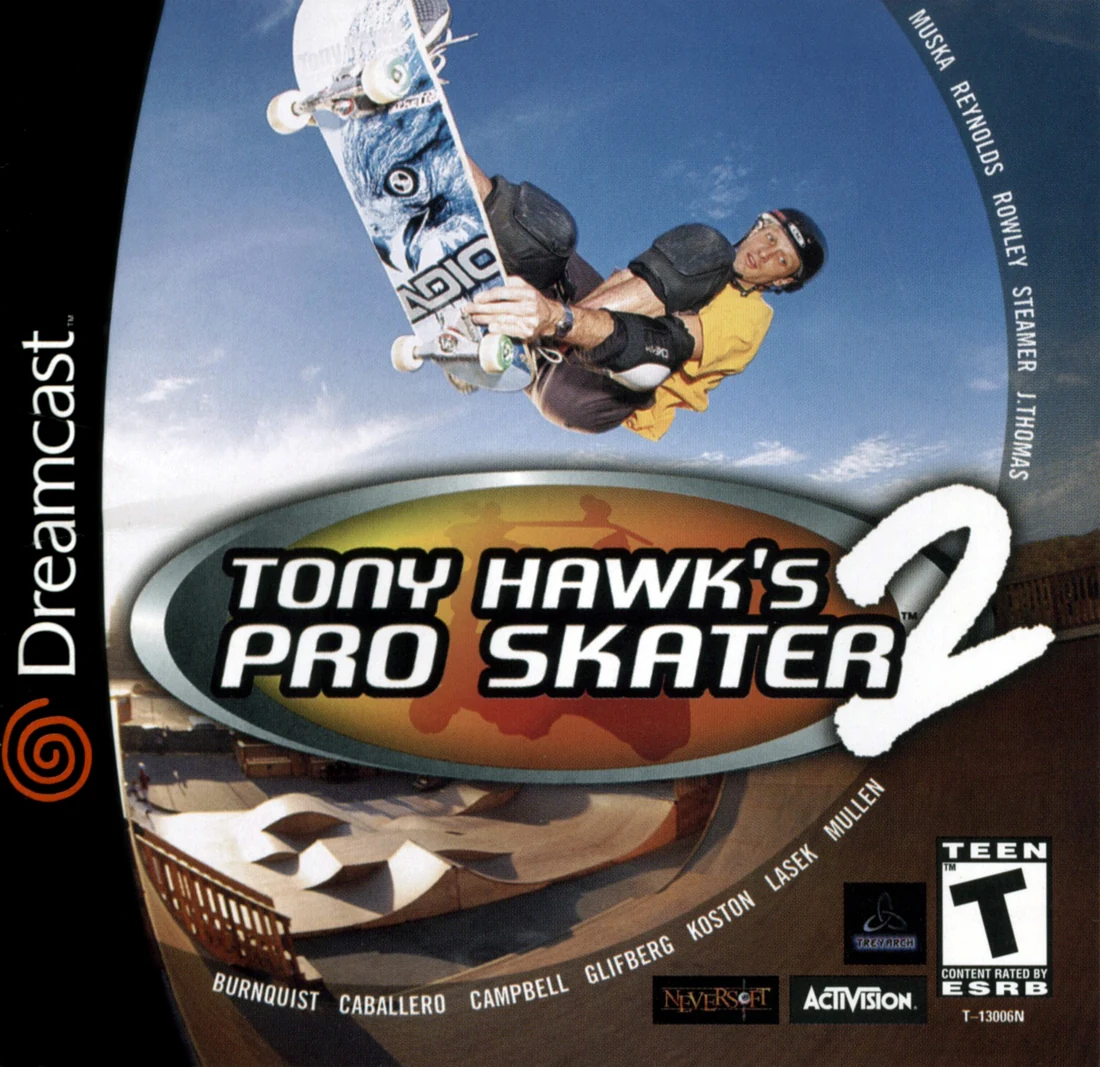
Tony Hawk's Pro Skater 2 — Dreamcast (North America) Strategy Guide
A Dreamcast-specific campaign guide for the original North American release. It covers the five regular Career levels—The Hangar, School II, New York City, Venice Beach, and Philadelphia—the three competition parks—Marseille, Skatestreet, and The Bullring—plus controls, combo building, skater development, hidden areas, gap completion, local multiplayer, bonus characters, secret stages, and a save-and-reload completion audit.

Find a copy
Tony Hawk's Pro Skater 2 Dreamcast
We may earn a commission if you buy through these links, at no extra cost to you. As an Amazon Associate I earn from qualifying purchases.
Opens retailer search results. Check the model, edition, seller, availability and current price before buying.
Before you begin
This guide covers the original North American Sega Dreamcast release of Tony Hawk's Pro Skater 2.
The Career route contains five regular goal levels—The Hangar, School II, New York City, Venice Beach, and Philadelphia—and three competition parks—Marseille, Skatestreet, and The Bullring.
It separates required Career progression from optional gap hunting, character videos, hidden areas, and roster-wide secret-level unlocks.
Use the level-specific routes to complete objectives and cash, then use the final checklist to verify each separate unlock condition on the Dreamcast menus.
Set yourself up for the run
Use the Dreamcast controller layout shown in Options and practice ollies, grabs, flip tricks, grinds, manuals, stance changes, and air rotation in Free Skate.
Start Career in The Hangar, then follow the displayed money and medal requirements for School II, Marseille, New York City, Venice Beach, Skatestreet, Philadelphia, and The Bullring.
Spend Career cash on the stat or trick that fixes the failure you are actually experiencing; do not assume every late objective requires the same build.
Learn each hidden-area trigger in Free Skate, but perform the objective in Career when it must be recorded.
Keep separate checklists for regular-level goals and cash, competition medals, character videos, the regular-game gap list, Chopper Drop, and Skate Heaven.
Save after major Career progress and reload the file before declaring an unlock complete.
Dreamcast Controls and Interface
The North American Dreamcast release uses A for crouch and ollie, B for grabs, X for flip tricks and Y for grinds. The D-pad and analog stick both steer, balance grinds and select trick directions. The left and right shoulder triggers rotate the skater in the air; on the ground they prepare a nollie or fakie and change stance. Start pauses the current session, while A confirms and B cancels in menus. The Options menu includes Player 1 Controls, vibration, Autokick, control reset, display settings and Memory Card functions. Free Skate is the safest place to rehearse the timing for ollies, tricks, grinds, manuals and camera changes before starting Career. Save Career and Create-a-Skater progress through Options → Memory Card and wait for the confirmation before turning off the console.
1. Learn the Dreamcast action buttons
Hold A while rolling to crouch, then release it to ollie. Holding A longer produces a higher jump, so begin by testing short and long holds on level ground. In the air, hold B plus a direction on the D-pad or analog stick to perform a grab trick. Press X plus a direction for a flip trick.
Press Y as you pass over a grindable rail, lip or edge. The directional input selects the grind variation when one is available. Press A to ollie off the rail deliberately; do not wait until the balance meter is nearly empty if you need to reach another feature safely. Start pauses the session. In menus, A confirms and B cancels, so use the labeled Dreamcast buttons rather than translating PlayStation button names by position.
- A crouches and ollies.
- B performs grab tricks and cancels menus.
- X performs flip tricks.
- Y initiates grinds.
- Start pauses the game.
2. Steer, balance and use the shoulder triggers
Use either the analog stick or the D-pad to steer. The same directional controls select grab, flip and grind variations. During a grind, those directions also control balance; make small corrections toward the center of the balance meter instead of holding one direction continuously.
In the air, hold the left shoulder trigger to rotate counterclockwise and the right shoulder trigger to rotate clockwise. On the ground, tap the left shoulder trigger to prepare a nollie or fakie, and press the right shoulder trigger to switch stance. These inputs are useful for setting up a return line, but do not switch stance immediately before a difficult landing until you know which direction your skater will face.
The normal view follows the skater, but the Dreamcast version also has a camera-angle shortcut in single-player skating. Hold both shoulder triggers and press Start. Test this once in Free Skate, then return to the normal view if the alternate angle makes rails or landings harder to judge.
- Use the D-pad or analog stick for steering and balance.
- Use the shoulder triggers for air rotation.
- Test nollie, fakie and stance changes separately.
- Verify the shoulder-trigger plus Start camera shortcut in single-player.
3. Set the available Player 1 options
From the main menu, open Options and enter Player 1 Controls. The menu lets you turn Autokick and vibration on or off and reset the control configuration to its default. It is not safe to assume that every Dreamcast port or third-party controller supports unrestricted remapping, so use the actual options shown by this release instead of relying on a PlayStation control guide.
In General Options, decide whether to keep Trick Tips and Score Display enabled while learning. Score Display is useful for confirming that a combo has continued, while Trick Tips can be disabled after the basic button combinations are familiar. The same area also includes Stereo Sound and Memory Card Beeps. Leave Memory Card Beeps enabled until you are comfortable recognizing save activity.
- Open Player 1 Controls before Career.
- Choose an Autokick setting and test it immediately.
- Confirm vibration and reset controls are where expected.
- Keep Score Display enabled while learning.
4. Practice the complete combo sequence in Free Skate
Choose Free Skate, select a familiar park and begin with a controlled ollie. Hold A, release it, perform a simple B grab, and land with the skater aligned toward the next feature. Approach a nearby rail and press Y to grind. Ollie off with A before the balance meter becomes dangerous, then continue toward an open landing area.
To start a manual, tap Up then Down immediately before landing. To start a nose manual, tap Down then Up. The two directions must be entered as a quick sequence while skating or descending toward the landing; simply holding one direction will not start the manual. Once the manual begins, make light left and right corrections to keep the balance marker away from either end of the meter.
Repeat this line until you can link an air, a grind and a manual without checking the controller. In Career, these links are the foundation for high-score objectives because the game rewards connected tricks and multipliers more than isolated trick spam. Free Skate has no time limit, but its score is not a persistent high-score record, so use it for timing rather than score qualification.
- Link an ollie, grab and safe landing.
- Enter a grind with Y and leave it with A.
- Tap Up then Down for a manual.
- Tap Down then Up for a nose manual.
- Balance the manual with small corrections.
5. Save Career and Create-a-Skater data to the VMU
Insert the VMU before starting a Career or creating a skater, and check that it has enough free space. From the main menu, open Options and choose Memory Card. The Dreamcast menu provides Load Data, Save Data and Load Replay functions. Use Save Data after creating a skater and after a substantial Career session rather than assuming every change has already been written to the VMU.
If multiple VMUs are connected, read the destination prompt carefully and select the intended card. Wait until the game confirms that saving has finished before returning to the title screen, removing the VMU or powering down the Dreamcast. Then use Load Data or Continue Career to verify that the skater, cash, level progress and completed objectives remain available.
- Insert and inspect the VMU before playing.
- Use Options → Memory Card → Save Data.
- Select the intended VMU when prompted.
- Wait for the save confirmation.
- Reload or continue once to verify the data remains present.
Before you move on
- You can crouch and ollie with A, grab with B, flip with X and grind with Y.
- You can rotate in both directions with the shoulder triggers and switch stance with the right shoulder trigger.
- You can start both a manual and a nose manual using the correct two-direction sequences.
- You can locate Player 1 Controls, General Options and Memory Card from the main menu.
- You have tested the alternate camera angle without confusing it with the normal view.
- A test save reloads successfully from the intended VMU, preserving Career or Create-a-Skater data.
Core Mechanics: Manuals, Grinds, Aerials and Combo Flow
Tony Hawk's Pro Skater 2 on Dreamcast rewards planned lines rather than random trick use. Build speed, launch from a ramp or kicker, and connect aerials to rails, grinds, and manuals where the terrain allows. Manuals are the main ground-based connector: use an up-down or down-up directional input after a suitable landing, then make small balance corrections while traveling toward the next feature. This original release does not have the later revert mechanic, so a quarterpipe landing cannot be turned directly into a manual. Instead, use flat-ground manuals after ollies, gaps, and grind exits. Extend combos with different flip, grab, grind, and manual tricks, then end safely so the score is recorded.
1. Learn the Dreamcast trick buttons
The standard Dreamcast layout uses A for the ollie, B for grab tricks, X for flip tricks, and Y for grinds or lip tricks. Hold A while skating to crouch and release it to jump; holding it longer produces a higher ollie. In the air, combine B or X with a direction to select the assigned grab or flip trick. Near a rail, edge, or lip, press Y with the appropriate direction to perform the available grind or lip trick.
Before attempting a Career score, enter Free Skate and confirm that each face button produces the expected action. If you changed the control setup, follow the on-screen assignment rather than assuming the default layout. A reliable combo depends more on predictable inputs than on using a particular button arrangement.
- Confirm ollie, grab, flip, and grind inputs before a Career attempt.
- Hold A only as long as needed for the height and distance of the line.
- Use the trick list to learn which directional combinations are assigned to the skater.
2. Build a combo from entry, connector, and finish
A dependable line has three parts. First, use a quarterpipe, kicker, bank, or gap as the entry for an aerial or special trick. Second, use a rail, lip, or manual as the connector that keeps the combo active while you travel. Third, finish with a safe landing, grind exit, or final aerial instead of forcing another feature after your balance is already unstable.
The score is calculated from the tricks linked in the same combo, with the multiplier increasing as more tricks are added. A large aerial performed by itself is useful for learning timing, but it is usually less valuable than a controlled sequence containing different flip, grab, grind, manual, and gap tricks. Change the trick choice when the route gives you room; repeated use of the same trick is less efficient than extending the line with variety.
- Choose the opening ramp before starting the run.
- Know where the combo will connect to a rail or manual.
- End the line while the skater is still under control.
3. Start and stabilize a manual
To begin a regular manual, tap up then down while skating or landing on a suitable flat surface. Tap down then up for a nose manual. The input must be a quick sequence rather than one direction held continuously. A manual can follow an ollie, a gap, or an appropriate grind exit, but it cannot be created by using a revert after a quarterpipe landing because the original Dreamcast release predates that mechanic.
Once the manual begins, a balance meter appears. Make small directional corrections to keep the marker near the center. Do not repeatedly hold a direction or wait until the marker is already at an extreme. Aim for the next rail, bank, or ramp and leave the manual at a safe point by ollieing or transitioning into the next feature. The manual’s main purpose is to connect scoring features while preserving the combo.
- Practice both manual directions in an open flat area.
- Use short balance corrections instead of long holds.
- Exit before the balance meter reaches either extreme.
4. Connect grinds to manuals and aerials
Approach a rail with enough speed to clear its near edge, hold A to ollie, and press Y with a direction while airborne near the rail. Aim for the middle of the rail whenever possible. Landing too close to the end leaves little room to choose the next connection and can send the skater into an uncontrolled drop.
As the grind continues, watch the balance meter and prepare the exit. Press A to ollie away when the rail is ending or the balance is becoming unsafe. If the landing area is flat, use the up-down or down-up manual input immediately after touchdown. From there, steer toward another rail or a ramp. If the grind exits directly into a quarterpipe, use the resulting aerial as the next link instead of trying to force a manual onto the transition.
- Line up the rail before jumping.
- Begin the grind near its middle when the route allows it.
- Plan the landing surface before leaving the rail.
5. Make aerials score without losing the line
Hold A to gain height, then combine B with a direction for a grab or X with a direction for a flip trick. Keep the board aligned with the landing surface and release the trick input in time to prepare for touchdown. A long aerial can produce a strong base score, but it is only useful in a high-value combo if the landing connects to the next feature.
Use quarterpipes, bowls, and kickers as repeatable launch points. A safe practice route can alternate between two ramps, adding a grind or manual across the center section. Save difficult rotations and long-distance gaps until you know the required speed and landing direction. If the landing is narrow, a simpler trick that completes cleanly is better than a high-value move that ends the combo.
- Start flip or grab inputs early enough to complete them.
- Align the board with the landing surface before touchdown.
- Use the ramp’s next feature as the target, not merely the highest possible air.
6. Diagnose bails and practice the weak connection
Common failures come from insufficient speed, an incorrect approach angle, releasing a grab too late, over-rotating, or entering a rail without enough clearance. If the skater is still airborne, stop adding unnecessary trick inputs and concentrate on lining up the board. If a manual begins to tilt, make one measured correction and leave it at the next safe feature rather than trying to hold it indefinitely.
When a combo fails, identify the exact connection that failed. Return to Free Skate and practice only that section: the launch speed, the rail approach, the manual input, or the landing angle. Do not rebuild the entire route around a single bad attempt. In Career, bank a reliable score when the timer is low and return later for the risky gap or longer extension.
- Classify the failure as a speed, angle, timing, or balance problem.
- Repeat the failing connection in isolation.
- Restart when the opening setup is already too slow or misaligned.
7. Use structured practice lines for Career scores
Choose one repeatable loop in each park: an opening ramp or kicker, a nearby rail, a flat section for a manual, and a final ramp or grind. First run the basic version without chasing every gap. After it succeeds consistently, add a different flip or grab, extend the grind, or connect a second manual only when the landing remains safe.
For a high-score objective, build the multiplier before attempting the final feature. A controlled aerial into a grind, a grind exit into a manual, and a final aerial is a practical starting pattern. Gaps and varied tricks can raise the result, but they should be added to a line that already finishes cleanly. The score is not secured until the combo ends without a bail.
- Know the opening, middle connector, and finishing feature.
- Repeat the basic route until it succeeds several times.
- Add one difficult connection at a time and verify the score afterward.
Before you move on
- You can identify the Dreamcast buttons for ollie, grab, flip, and grind without checking another platform’s layout.
- You can start both a manual and a nose manual on flat ground and keep the balance marker near the center.
- You can complete an aerial-to-grind-to-manual line without using a revert.
- You can distinguish a flat landing suitable for a manual from a quarterpipe transition that must be treated as an aerial or landing.
- You can build a repeatable route around at least one ramp, one rail, and one manual section.
- You can finish a combo safely and confirm that its score is added to the current Career objective.
Skater Choice, Create-a-Skater and Stat Investment
Choose a skater by the individual attributes shown on the Dreamcast roster, not by an assumed overall rating. Air and Hang Time help with quarterpipe launches and extended aerials, Ollie affects ground-jump height, Speed affects flat-ground movement, and Rail Balance and Manual Balance make technical lines more forgiving. Create-a-Skater is useful when you want a chosen specialty and a character built around your preferred approach, but it is not automatically stronger than a professional skater. After each Career run, open the selected skater's menu and use Buy Stats to fix the weakness that is blocking progress. Buy Tricks and Skate Shop boards are useful additions, but movement and balance upgrades should normally come first.
1. Compare the displayed attributes before starting Career
At the skater-select screen, highlight each available professional and read the individual stat bars. The useful categories for early Career play are Air, Hang Time, Ollie, Speed, Rail Balance, Lip Balance and Manual Balance. Air affects the boost from a quarterpipe; Hang Time affects how long the skater remains airborne; Ollie affects ground-jump height; Speed affects flat-ground movement; Rail Balance affects rail grinds; Lip Balance affects lip tricks; and Manual Balance affects manual stability.
Choose according to the objectives you find difficult. For distant gaps and high transfers, favor a skater with stronger Air, Hang Time, Ollie or Speed. For a line built from grinds and manuals, favor stronger Rail Balance and Manual Balance. If two skaters seem suitable, choose the one whose weak category is easier for you to manage rather than relying on a general impression of the character.
- Read the individual stat bars before selecting a professional.
- Use Air, Hang Time, Ollie and Speed for aerial or distance problems.
- Use Rail Balance and Manual Balance for technical combo stability.
2. Set up Create-a-Skater around a clear specialty
From the main menu, choose Create a Skater and set the character's specialty to Vert, Street or All Around. The Dreamcast Create-a-Skater options also include stance, weight and appearance settings. Specialty is a planning choice, not a guarantee that the created character will outperform the professional roster; select the style that matches the kind of routes you intend to skate.
For a general Career run, All Around is the safest starting concept because it does not commit you entirely to aerial or street-focused play. Choose Vert if your reliable scoring comes from quarterpipes and aerials, or Street if you are more comfortable connecting rails and manuals. Do not spend time perfecting appearance until you have confirmed that the character's movement and trick setup feel comfortable in Free Skate.
- Choose Vert, Street or All Around deliberately.
- Set Regular or Goofy stance according to the stance you control best.
- Test the created character in Free Skate before spending Career money.
3. Use Buy Stats to solve a repeatable failure
After earning money in Career, return to the skater-select screen, select the character, and open Buy Stats. The Dreamcast Career menu provides this option when you have enough cash. Spend on the category connected to the failure you can identify: Air or Hang Time when quarterpipe launches are too low or short, Ollie when ground jumps fail to clear an obstacle, Speed when you cannot reach a feature with enough momentum, Rail Balance when grinds end early, and Manual Balance when manuals become unstable before the next feature.
Upgrade two related weaknesses rather than placing a small amount of money into every category. For example, Air plus Hang Time supports aerial transfers, while Speed plus Ollie helps with ground-based gaps. Speed plus Manual Balance supports routes that require crossing open ground and then holding a manual. The manual confirms that Career purchases can raise stats toward the maximum, so continue improving the categories that matter to your route instead of treating the first upgrade as sufficient.
- Name the failed action before buying an upgrade.
- Pair movement with the balance or aerial stat that supports it.
- Retest the same gap, rail or manual line after buying a stat.
4. Keep Buy Tricks and Skate Shop purchases secondary
Open Buy Tricks when you need a new flip, grab, lip or special trick, or when your current trick set does not give you a comfortable option for a required objective. The game separates tricks into those categories, and different moves have different prices. Buy a required move when it directly helps the next goal; otherwise keep the money for movement stats.
Use Skate Shop after your important stat problems are under control. The Dreamcast guide identifies boards as a source of board-stat increases, and the manual explains that Career money can buy new decks for both professionals and created skaters. Treat a board as an incremental improvement, not as a replacement for Air, Speed, Rail Balance or Manual Balance.
- Buy a trick when a current objective requires or clearly benefits from it.
- Prioritize stats over cosmetic or marginal equipment purchases.
- Use boards to supplement a functioning build, not rescue a poor route.
5. Reinvest only after checking route and timing
A stat upgrade makes an action more forgiving, but it does not correct a bad approach. Return to the same park in Free Skate or replay the Career objective and check your run-in speed, launch angle, landing direction and manual input before buying another upgrade. Free Skate is untimed and does not count high scores, making it suitable for testing a route without spending the two-minute Career clock.
Once your main route is reliable, use later Career cash to fill the next weakness. Raise remaining balance, movement and landing-related categories as the objectives become more demanding. Keep a reserve for an important trick or stat purchase, and save through the Dreamcast Memory Card option after making significant progress; the Career menu includes Load Data and Save Data functions.
- Test execution and route choice before assuming the stat is too low.
- Use Free Skate to practice without a timer or score requirement.
- Save after major purchases and completed objectives.
Before you move on
- The selected professional or created skater has a clear role: aerial, technical or all-around.
- You can identify which displayed stat affects each major failure in your current Career park.
- Buy Stats has been used to improve at least the two categories most relevant to your route before money is diverted to secondary purchases.
- Any trick needed for a current objective has been purchased and assigned.
- A previously failed gap, grind or manual line has been retested after upgrading and is now limited by execution rather than an obvious stat weakness.
- Career progress and purchases have been saved through the Dreamcast Memory Card option.
Career Mode: Objectives, Cash, and Unlock Flow
The North American Dreamcast Career route combines five regular goal levels with three competitions. The Hangar, School II, New York City, Venice Beach, and Philadelphia each use a ten-entry objective list, while Marseille, Skatestreet, and The Bullring use three one-minute judged runs plus their own 100% Goals and Cash record. Objectives and cash can be completed over multiple attempts, so do not treat one successful run or a single medal as full completion. Use Career earnings and medals to open later parks, spend rewards on the stat or trick that is blocking progress, and maintain separate checklists for regular objectives, competition results, cash, gaps, videos, characters, Chopper Drop, and Skate Heaven.
1. Start each regular level by dividing the objective list into manageable runs
Enter Career with the objective screen open and plan each two-minute attempt around a small group of tasks. Regular Dreamcast levels are The Hangar, School II, New York City, Venice Beach, and Philadelphia. Their displayed goals cover score targets, S-K-A-T-E, level-specific actions, named tricks or grinds, the Secret Tape, and the 100% Goals and Cash entry. The game’s objective screen is the authority for the exact wording of a level’s individual tasks; do not import a checklist from another version.
Use early attempts to learn the route, collect letters, open local secret areas, and identify the Secret Tape path. Score objectives are easier when built around a repeatable line of quarterpipes, rails, ramps, manuals, and reverts rather than improvised trick attempts. Objectives persist between attempts, so a failed run does not erase previously completed goals. The 100% Goals and Cash entry should be treated as the final regular-level confirmation after the other displayed goals are complete and every cash icon has been collected.
- Read the full objective list before skating.
- Treat objectives and cash pickups as separate records until the game confirms both.
- Return to the level after failed attempts instead of restarting the entire Career file.
2. Use earnings and medals to open the Career route
Career progression is cumulative. Use the early rewards from The Hangar to reach the requirement for School II, then continue earning money and medals to open the remaining locations. The Dreamcast route contains The Hangar, School II, Marseille, New York City, Venice Beach, Skatestreet, Philadelphia, and The Bullring. A competition medal advances location access, but the final completion target requires more than merely opening every park.
The exact unlock thresholds are displayed by the level-select progression and are also documented in the Dreamcast walkthrough. Confirm each new location on the level-select screen rather than assuming a reward was recorded. The practical order is not a one-pass obligation: revisit earlier parks whenever you need more cash, a better stat spread, a required trick, or a safer route for a gap or Secret Tape.
- Use Career rewards to open later parks.
- Confirm new locations on the level-select screen.
- Remember that spending money on upgrades does not undo cumulative Career earnings.
- Do not confuse unlocking a park with completing it.
3. Spend rewards on the specific weakness stopping progress
Use cash and stat rewards to fix a diagnosed problem. Speed and Air help with long transfers, high launches, and distant tape routes. Manual and Balance improve the reliability of links between separated ramps and rails. Grind and Lip Balance help with long rail objectives. If an objective names a trick, purchase or equip that trick before attempting it instead of assuming the starter move set is sufficient.
If a combo repeatedly dies after landing, practice the manual input and improve the relevant balance stat. If a skater reaches a launch but falls short, improve Speed or Air and use a cleaner run-in. Delay cosmetic purchases when an objective is being failed for a clear performance reason. Earlier parks remain useful sources of repeatable score and cash, and returning to them does not remove progress in later locations.
- Identify whether the failure is caused by speed, air, balance, grind length, or a missing trick.
- Buy performance upgrades before cosmetic items when necessary.
- Use reliable earlier score lines to build additional Career earnings.
4. Treat competitions as a different completion category
Marseille, Skatestreet, and The Bullring are competitions rather than ordinary ten-objective parks. Each gives three one-minute runs. The best two run scores are combined for the judged result, so protect two clean attempts instead of forcing every run into a risky maximum-score line. A bronze, silver, or gold result can provide progression and prize money, but it does not automatically collect the park’s cash icons or complete its separate 100% Goals and Cash entry.
Build a competition line from repeatable nearby features. Start with an aerial or grind, connect it to a manual when the landing permits, and vary the trick types to improve the judging score. Bowls and halfpipes are dependable sources of airs and spins; rails and quarterpipes provide safer connectors when a large transfer is inconsistent. Return later for gold medals, because gold is required for the relevant character video and for the roster-wide Chopper Drop condition.
- Complete three one-minute runs in each competition.
- Use the best two scores for the judged result.
- Record the medal and cash completion separately.
- Check the competition’s 100% Goals and Cash entry after collecting its cash icons.
5. Finish character rewards and secret-stage requirements independently
Complete Career 100% with a Custom Skater to unlock Spider-Man. Complete Career 100% with Tony Hawk to unlock McSqueeb, the 1980s Tony Hawk style. Officer Dick is a separate reward: complete Career 100% with any already playable character other than Tony Hawk or Spider-Man. These character unlocks should be verified in Character Select after saving the Career file.
The Dreamcast Chopper Drop condition is three gold medals in Marseille, Skatestreet, and The Bullring for every character except Trixie. The qualifying roster is Tony Hawk, Andrew Reynolds, Bob Burnquist, Bucky Lasek, Chad Muska, Elissa Steamer, Eric Koston, Geoff Rowley, Jamie Thomas, Kareem Campbell, Rodney Mullen, Rune Glifberg, Steve Caballero, McSqueeb, Officer Dick, Spider-Man, and one Custom Skater. McSqueeb must be included; do not stop after completing only the standard professionals.
Skate Heaven requires 100% Career completion with every character except Trixie. Use the same qualifying roster: the thirteen standard professionals, McSqueeb, Officer Dick, Spider-Man, and one Custom Skater. Trixie is separate and is unlocked by completing every gap in the regular game, excluding the gaps in Chopper Drop and Skate Heaven. Secret levels are not ordinary ten-objective Career parks and should not be folded into the regular-level checklist.
After each major unlock, save to the VMU, return to the main menus, and reload the file. Check Career records, Level Select, Character Select, Videos, Extras, and the gap list. A complete file should show all ten objectives and all cash in the five regular levels, medal and cash completion for all three competitions, the required videos and characters, Trixie’s eligible gaps, Chopper Drop, and Skate Heaven.
- Unlock Spider-Man with a Custom Skater’s 100% Career.
- Unlock McSqueeb with Tony Hawk’s 100% Career.
- Unlock Officer Dick with one qualifying 100% Career character.
- Earn three competition golds with every Chopper Drop character except Trixie, including McSqueeb.
- Complete 100% Career with every Skate Heaven character except Trixie, including McSqueeb.
- Complete all gaps outside Chopper Drop and Skate Heaven for Trixie.
- Save, reload, and verify the final records menu by menu.
Before you move on
- The Hangar, School II, New York City, Venice Beach, and Philadelphia each show all ten objectives complete, including 100% Goals and Cash.
- Every cash icon in the five regular levels has been collected.
- Marseille, Skatestreet, and The Bullring each show a medal result, collected cash, and their separate 100% Goals and Cash completion state.
- Character videos have been checked for the characters whose three competitions were won with gold medals.
- Officer Dick, McSqueeb, and Spider-Man are present in Character Select.
- Trixie’s gap requirement is complete using every gap except those in Chopper Drop and Skate Heaven.
- Chopper Drop is unlocked after the qualifying all-character gold records, including McSqueeb and excluding Trixie.
- Skate Heaven is unlocked after 100% Career completion with the qualifying roster, including McSqueeb and excluding Trixie.
- The VMU save has been reloaded and the final Career, character, video, gap, and secret-stage records have been checked.
Park Pairing: Hangar and School II — momentum and roof-line routes
The Hangar is the first Career park and has two secret areas. Build reliable speed through the opening half-pipe, use the glass divider to move between the plane and helicopter rooms, and connect aerials to manuals or grinds for score goals. Grind the black propeller blade to open the Wind Tunnel, then grind a helicopter rotor to open the snowy outdoor section containing the Secret Tape. School II has ten Career objectives, including 15,000-, 40,000-, and 100,000-point scores, S-K-A-T-E, five bells, five hall passes, TC's Roof Gap, three Roll Call Rails, the Secret Tape, and 100% Goals and Cash. Its Gym opens only when the full Opunsezmee Rail is grinded as the second school bell sounds. The other secret area is reached by launching to one roof, crossing to another roof, and dropping into the enclosed section. Learn these routes in separate warm-up runs before attempting high-score or full-cash sessions.
Establish a dependable Hangar scoring loop
From the Hangar start, roll toward the opening half-pipe and launch a controlled grab or spin. Aim to land in a manual, carry the manual toward the rear lip, then transfer into a grind before reaching the glass divider. Jump through the glass into the plane or helicopter side only when your landing direction is clear.
For the 10,000- and 25,000-point goals, repeat this air-to-manual-to-grind pattern instead of forcing every gap. In the second half-pipe, vary grab tricks and rotations, then finish with a manual or grind when your balance is stable. Repeated identical tricks lose value, so change the trick type before extending the line.
- Land one clean aerial into a manual.
- Transfer through the glass without bailing.
- Return to a half-pipe or rail with enough speed for another attempt.
Open the Hangar Wind Tunnel
From the start, skate down the roll-in and stay along the right wall. Near the half-pipe, follow the mound beside the wall until you reach the black propeller blade positioned level with the half-pipe lip. Jump onto the blade and grind all the way across it. Jumping off early can fail to activate the opening.
After the confirmation sound, enter the opening beneath the blade where the half-pipe meets the wall. The Wind Tunnel is a separate half-pipe area with a large fan and additional cash icons. Use it for controlled aerials and cash collection, but leave through the same opening if a landing becomes unstable.
- Reach the black propeller blade from the right-wall route.
- Grind from one end of the blade to the other.
- Enter the opened Wind Tunnel and identify its exit.
Open the Hangar snow section and collect the tape
Break through the glass into the helicopter room. Use either wooden kicker beside the helicopter to launch onto a rotor blade, then grind across the rotor from end to end. The helicopter takes off and opens the passage behind it; a confirmation sound indicates that the trigger registered.
Enter the snowy outdoor section and use the wooden quarter-pipe at the back to build height. The Secret Tape is reached from this outdoor route, not from a blind jump beside the helicopter. Approach the quarter-pipe straight, launch high, and steer toward the tape. If you miss, land and reset through the helicopter room rather than repeatedly attempting a sideways jump.
- Grind a complete helicopter rotor.
- Enter the opened snowy section.
- Collect the Hangar Secret Tape from the quarter-pipe route.
Learn School II's ground route and score line
At the School II start, turn right into the tunnel. The rail descending through the tunnel carries the S in S-K-A-T-E and provides a safe first grind. At the bottom, turn toward the central raised area and use the quarter-pipe for the K. Continue toward the Opunsezmee Rail, where the A is located; the T is above the curved quarter-pipe farther around the campus, and the E is near the small quarter-pipes beyond TC's Roof.
For score goals, begin with the bell-side kicker, wallride the bell, then wallie onto the ledge. Grind, add a flip trick, and jump into a manual. If the landing is aligned, continue through the window onto the adjoining roof; otherwise end the combo safely. Repeat the line in switch stance only after the normal-stance version is reliable.
- Know the tunnel, central plaza, Opunsezmee Rail, and TC's Roof landmarks.
- Practice the bell-to-ledge-to-manual line.
- Collect S-K-A-T-E without relying on a risky roof transfer.
Reach the School II roof route and secret area
From the start, take the right tunnel and turn left at the bottom. Continue to the cement ramp with rails on both sides, ride up it, then turn right toward the wooden quarter-pipe associated with the K. After landing, skate toward the end of the raised section and line up with the tire marks.
Follow the wooden ramp and launch from the upward slope with the planters. Use a No Comply or boneless if your skater needs extra height, then land on the upper roof. Keep your speed and take the ramp on the right to cross toward the second roof, using the flag structure as the landmark. Once on the second roof, skate forward and drop into the enclosed secret area.
The Secret Tape is obtained from the upper roof route before or during this sequence: approach the quarter-pipe on the first roof and launch toward the tape. Do not describe the tape as a cable pickup or assume that entering the secret area itself completes the tape objective.
- Launch from the tire-marked route to the first roof.
- Collect the Secret Tape from the roof quarter-pipe.
- Cross to the second roof and drop into the enclosed secret area.
Open the School II Gym at the second bell
Reach the blue-locker section before the timing window. From the start, go through the right tunnel, turn away from the boys' bathroom at the bottom, and continue forward past the lockers to the Opunsezmee Rail. Position yourself so you can begin the full rail grind as the second school bell sounds, around 1:41 remaining on the two-minute clock.
Grind the entire Opunsezmee Rail without jumping off. The Roll Call! Opunsezmee Rail! confirmation indicates that the timing and completion were correct. At the rail's bottom, pass through the gap between the buildings and enter the door at the end of the passage. The Gym is to the left and the pool is to the right. Save after opening it; the Gym remains available after the save.
- Reach the Opunsezmee Rail before the second bell.
- Grind its full length as the bell sounds.
- Enter the Gym and save the Career file.
Finish the two parks in separate objective runs
Treat collection objectives and score objectives as separate tasks. In Hangar, clear S-K-A-T-E, Barrel Hunt, the five Pilot Wings, Nosegrind Over the Pipe, the three Hangtime Gaps, the Secret Tape, and the two secret areas before hunting the final cash icon. The difficult Hangar cash near the light is easier after the helicopter section is open and the skater has enough speed and air.
In School II, collect the five bells and five Hall Passes while learning the campus route, then complete TC's Roof Gap and the three Roll Call Rails. Use the Gym pool for the 100,000-point goal after the Gym is permanently opened. Finish all cash icons only after the required goals are complete; the game awards 100% Goals and Cash when the objective and cash requirements are satisfied.
- Complete every listed Career objective in Hangar.
- Complete every listed Career objective in School II.
- Confirm 100% Goals and Cash separately for each park.
Before you move on
- Hangar's Career list shows completion for its three score goals, S-K-A-T-E, Barrel Hunt, five Pilot Wings, Nosegrind Over the Pipe, three Hangtime Gaps, Secret Tape, and 100% Goals and Cash.
- Hangar's Wind Tunnel and snowy helicopter section have both been opened during Career play.
- School II's Career list shows completion for its three score goals, S-K-A-T-E, five bells, five Hall Passes, TC's Roof Gap, three Roll Call Rails, Secret Tape, and 100% Goals and Cash.
- The School II Gym can be entered through the building door after the correctly timed Opunsezmee Rail trigger and remains open after saving.
- The School II roof secret area has been entered, and the final Career save is present on the Dreamcast VMU.
Venice Beach and Marseille — seaside bowls and rail sequences
Marseille is the first Dreamcast Career competition and unlocks at $3,000. It is not a regular ten-objective park: skate three one-minute runs, with the best two scores determining the result, then collect every cash icon to complete the competition’s separate 100% Goals and Cash state. The underground fountain is opened by breaking the wooden support holding up the telephone pole in the foliage planter; repeat this trigger whenever you begin a new session. Venice Beach unlocks at $15,000 and uses the regular ten-objective format: three score targets, S-K-A-T-E, five Magic Bum hits, five spray cans, Tailslide Venice Ledge, four VB Transfers, the Secret Tape, and 100% Goals and Cash. Use Marseille’s bowls, banks, canals, and rails to build controlled air-grind-manual lines. In Venice, preserve speed across the sand by routing through quarterpipes, fences, roofs, and pits. Treat medal results, cash, local hidden areas, and regular objectives as separate checks rather than trying to force every task into one risky run.
1. Unlock Marseille and Venice Beach
Marseille becomes available when your Career cash reaches $3,000. Enter it through the competition option rather than looking for a normal ten-goal checklist. You receive three one-minute runs, and the game uses your best two scores for the final competition result. A medal records the event for ordinary Career advancement; a gold is a separate requirement for later character-video and roster-wide unlock work.
Venice Beach unlocks at $15,000. It is a regular Career level with ten displayed objectives. Begin by completing collection goals and the easier score target, then return with improved stats for the Secret Tape, the four VB Transfers, the Venice Ledge, and the higher score targets.
- Reach $3,000 in Career cash and unlock Marseille.
- Record a Marseille medal for normal Career progress.
- Reach $15,000 and unlock Venice Beach.
- Keep Marseille’s competition record separate from Venice’s ten-objective checklist.
2. Build reliable Marseille competition runs
Marseille’s triple-bowl area is the safest place to establish speed and score. Start with an air from one bowl, vary the grab or spin, and land into the transition whenever possible. From there, use the banks and canals to redirect toward another quarterpipe or a nearby rail. A grind followed by a manual is useful only when the landing is lined up; abandoning a risky manual is better than losing an otherwise strong run.
Use the first run to learn the route and secure a clean score. On the second and third runs, improve the weaker result with a longer bowl-to-bowl air, a controlled grind, or a manual connecting two features. Because the lowest run is discarded, one failed attempt does not ruin the competition. If a run begins badly, stop chasing a maximum line and make a compact bowl combo instead.
The game’s competition result screen is authoritative for bronze, silver, or gold. Do not rely on score bands copied from another version or difficulty setting. Protect two complete runs, confirm the medal after the judging sequence, and replay the event later if you need a gold.
- Use the bowls to gain speed before attempting the longer lines.
- Complete all three one-minute runs.
- Protect two clean scores because the best two are combined.
- Confirm the displayed medal on the competition results screen.
3. Open the Marseille underground fountain
From the start, skate forward through the opening street area toward the raised foliage planter. Look for the telephone pole supported by a short wooden plank near the back of the planter. Approach the plank and collide with it to knock it away. The pole falls and opens the route into the hidden area.
Enter the opening and drop through the hole beneath the light beams. This leads to the underground fountain section, which contains additional ramps, rails, and cash. The area is useful for a dedicated cash run because it gives you room to approach the icons from several directions.
The trigger is session-based. If you leave Marseille and later start a new session, repeat the support-breaking action before attempting to collect cash in the fountain area. Opening the route is optional for the medal but necessary for completing Marseille’s cash audit.
- Reach the foliage planter and locate the supported telephone pole.
- Break the wooden support.
- Enter the hidden opening and drop into the fountain area.
- Repeat the trigger after starting a new Marseille session.
4. Finish Marseille’s separate 100% Goals and Cash state
Marseille is a competition, so it does not use Venice Beach’s ordinary ten displayed objectives. Its completion has two parts: earn and record a competition medal, then collect all of the level’s cash icons. The results screen tracks the competition’s separate completion state, including the displayed 100% Goals and Cash status. Winning alone does not collect cash, and collecting cash alone does not replace the medal result.
Use one or more dedicated collection runs. Check the open bowl area, the banks and canals, the rear flatland section, and the underground fountain after opening it. When a run ends, let the results screen register the pickups before restarting or leaving the level. If the displayed completion indicator does not update, revisit the locations rather than assuming a cash icon counted.
For full Career auditing, verify both the medal and the competition’s 100% Goals and Cash indicator. Gold is only necessary when pursuing gold-specific rewards or roster-wide secret-stage requirements.
- Record a Marseille bronze, silver, or gold medal.
- Collect every Marseille cash icon, including the hidden-area cash.
- Verify the competition’s displayed 100% Goals and Cash completion state.
- Do not treat Marseille as a regular ten-objective level.
5. Complete Venice Beach’s collection objectives
For S-K-A-T-E, use the opening ramps, fences, and roof route instead of crossing the sand at low speed. After collecting a letter, return to a quarterpipe or fence to rebuild momentum before setting up the next jump. If a letter attempt leaves you poorly aligned, finish the run and collect it separately rather than risking the other objectives.
The five spray cans are spread through the opening, pit, quarterpipe, and Seaside Rail areas. A dedicated collection run is more reliable than combining every can with a score attempt. Use nearby quarterpipes and wall edges to reach elevated cans; the sand reduces speed and makes late corrections difficult.
The Magic Bum moves after each successful ollie. Follow the sequence rather than repeatedly checking the first location. The route begins near the wooden quarterpipes beyond the opening steps, then leads through the wall, stair, Seaside Rail, and quarterpipe areas. After each successful hit, leave the spot and search the next part of the route. The goal is five successful ollies, not five hits on one stationary target.
- Collect all five S-K-A-T-E letters.
- Collect all five spray cans.
- Ollie the Magic Bum five times in sequence.
- Use ramps and fences to preserve speed across the sand.
6. Reach Venice Ledge and complete the four VB Transfers
To reach the Venice Ledge area, skate forward from the start, descend the four steps, and stay toward the left side. Continue toward the Seaside Rail section and the wooden quarterpipe at its back. Approach with speed and ollie over the quarterpipe’s top lip while holding forward. This carries you into the hidden ledge area rather than sending you straight upward. Align with the gray cement ledge and perform the required Tailslide.
The four VB Transfers are separate requirements grouped into one objective. For VB Huge Transfer, build speed toward the rightmost wooden halfpipe and clear the intervening small halfpipe to land on the far-left halfpipe. For VB Pit Transfer, launch from the wooden quarterpipe group across the small roof gap to the opposite quarterpipe. For VB Skinny Transfer, use the halfpipe near the Magic Bum route and cross the narrow triangular concrete gap. For VB Ledge Transfer, enter the Venice Ledge area, launch from the high quarterpipe, and land on the lower quarterpipe beyond the ledge.
Practice each transfer in Free Skate first. The important variables are the run-in direction, launch point, and landing surface. If the angle is wrong, reset instead of trying to correct after takeoff. The Venice Ledge objective and the four-transfer objective are independent.
- Reach the Venice Ledge hidden area.
- Complete Tailslide Venice Ledge.
- Complete VB Huge, VB Pit, VB Skinny, and VB Ledge Transfer.
- Confirm that the grouped four-transfer objective registers.
7. Collect the Venice Secret Tape, cash, and score goals
For the Secret Tape, skate down into the pit and locate the wire stretched between two poles. The tape hangs above the popper tables. Use the middle table as the launch point, approach with speed, and correct your direction before takeoff. A high ollie or fastplant-style launch is safer than trying to improvise from the sand.
Collect cash in separate loops through the fence line, roofs, vents, pit ramps, rails, and Venice Ledge area. Use quarterpipes to reach elevated icons and check narrow corners after opening the relevant hidden route. Do not assume that completing the Secret Tape or a transfer also collects nearby cash.
For score attempts, use a repeatable line: launch an air from a wooden quarterpipe, land into a manual when aligned, connect to a short grind, then return to another transition. Vary tricks and avoid extending a manual after balance becomes unstable. Complete the High, Pro, and Sick targets across as many two-minute attempts as necessary.
Venice is complete only when all ten displayed objectives and every cash icon are registered. Check the level results screen for 100% Goals and Cash after the final successful run, then save before leaving Career.
- Collect the Venice Secret Tape from the wire above the popper tables.
- Collect every Venice cash icon.
- Complete the High, Pro, and Sick score targets.
- Verify S-K-A-T-E, five Magic Bum hits, five spray cans, Tailslide Venice Ledge, four VB Transfers, and Secret Tape.
- Confirm Venice Beach shows 100% Goals and Cash.
Before you move on
- Marseille has a recorded bronze, silver, or gold medal.
- Every Marseille cash icon has been collected, including the underground fountain area.
- Marseille’s competition results screen shows its separate 100% Goals and Cash completion state.
- Venice Beach is unlocked at $15,000.
- Venice shows completed High, Pro, and Sick scores.
- Venice shows S-K-A-T-E, five Magic Bum hits, five spray cans, Tailslide Venice Ledge, four VB Transfers, and the Secret Tape.
- Venice shows 100% Goals and Cash after all displayed objectives and cash icons are complete.
- The successful results screens have been checked and the Career save has been written to the VMU.
References for this chapter
New York City — street loops, Subway Tokens, and the Banks
Tony Hawk's Pro Skater 2 on Dreamcast has New York City as the relevant urban Career stage; the Mall is not a separate level in this game. New York's required objectives cover score totals, S-K-A-T-E, three hydrants, five Subway Tokens, Joey's Sculpture, the subway rails, the Secret Tape, and all goals and cash. The five Subway Tokens are the progression gate: collecting them opens the escalator to the elevated subway tracks and the Banks area. Learn the token route in Free Skate, then complete the token objective in one timed run. Handle the score and street objectives through repeatable quarter-pipe, rail, and manual lines, and leave the subway and Secret Tape for dedicated attempts once the route is familiar.
1. Map the level and establish a safe loop
Begin by identifying the starting street, the park and large rock, the bridge, Joey's Sculpture, the 125th Street Station escalator, and the route into the Banks. Use the street and park as your main return loop. The level contains taxis and several changes in elevation, so avoid crossing blindly while moving at top speed.
For score goals, use a repeatable line instead of isolated tricks. Launch from a quarter pipe or bank, land into a manual on flat ground, then connect to a rail or another ramp. A clean, moderate combo is safer than forcing a difficult gap before you know where the landing sends you.
- Locate the large rock, bridge, Joey's Sculpture, station escalator, and Banks route.
- Practice returning to the starting street after a missed jump.
- Build score with quarter pipes, rails, and manuals rather than random single tricks.
2. Complete S-K-A-T-E and the hydrants
Collect the S-K-A-T-E letters while following the level's normal street-and-park route. The letters lead through the starting streets, the park or sculpture side, and the section near the bridge. Approach elevated letters from the nearest bank or quarter pipe so you have enough speed and height; do not waste a run trying to jump them from a slow roll.
The Ollie the Hydrants objective uses three hydrants. From the start, turn around and take the left-hand route down Riverside Drive to the hydrant on the sidewalk. Turn back and continue along Riverside Drive to the junction, then take the right-hand road to the second hydrant. Turn around again, continue along 125th Street, cross to the right side, and find the third hydrant in front of Spanky's Loans. A successful ollie must knock each hydrant out of position and make water spray.
- Collect S, K, A, T, and E in the level.
- Knock over all three hydrants so each one produces the water effect.
- Use a separate attempt if the letter route and hydrant route become unreliable together.
3. Collect the five Subway Tokens in one timed attempt
The Subway Tokens are close enough to collect as a planned sequence. At the start, turn around into the park and use the large rock to launch into the first token. Continue toward the bridge and grind the right-side ledge for the second. Keep moving forward and grind the guard rail for the third.
After leaving that rail, continue into the street. The fourth token is above a quarter pipe set against a brick rail; cross carefully because taxis can interrupt the approach. After landing, look for the wooden ramp against the park wall. Launch from it with an ollie to collect the fifth token. The final jump allows little time to correct your direction, so line up before reaching the ramp rather than steering after takeoff.
The five-token objective must be completed during the same timed run. Once the objective registers, the subway entrance stays available for later attempts, so you do not need to repeat the token route when pursuing the rails, Secret Tape, or cash.
- Collect the rock, bridge, guard-rail, quarter-pipe, and wooden-ramp tokens.
- Confirm the five-token objective registers before ending the run.
- If the final token is missed, restart and correct the approach to the wooden ramp rather than improvising midair.
4. Grind Joey's Sculpture
From the starting area, cross toward the sidewalk and locate the large metal triangular sculpture. Approach the sculpture as straight as possible, ollie over its surrounding rail, and perform a 50-50 on the sculpture's grindable surface. Continue the grind down its length and land cleanly. This is a separate objective from the subway rails, so do not confuse the sculpture with the elevated tracks beyond the station.
- Find the large metal sculpture near the starting street.
- Perform a 50-50 and ride it through the sculpture's length.
- Land without bailing so the goal notification appears.
5. Open the station and grind the subway rails
After the five-token objective is complete, go to the escalator for 125th Street Station near the starting district, pass Joey's Sculpture, and ride up to the elevated platform. Drop onto one of the subway tracks with enough speed to sustain the grind. Keep the grind going through the long section until the game records the subway-rail gap; jumping off immediately after landing on the rail may not be far enough.
Watch for the train and keep your approach aligned with the track. If balance is the problem, improve Rail Balance through Career stat investment, but a straight entry and adequate speed are still essential. If you bail, repeat the attempt from the platform rather than trying to recover from a poor landing on the track.
- Confirm the escalator is open after completing the token objective.
- Reach the elevated tracks without dropping into the lower street route.
- Grind far enough for the subway-rail objective to register, then exit safely.
6. Reach the Banks and collect the Secret Tape
Continue along the subway route into the Banks area. Follow the grey unfinished path until you reach the section with three rebars projecting from it. Grind the longest rebar first, then ollie left onto the parallel rebar and continue to its end. The Secret Tape is positioned along this second rail route, so aim for the transfer instead of jumping away early.
This transfer is easier when practiced separately in Free Skate. Start with a straight approach, keep the first grind centered, and jump only when the second rebar is alongside you. The Banks can also be used for additional cash and score lines, but secure the Secret Tape before attempting risky cash pickups.
- Enter the Banks through the opened subway route.
- Grind the longest rebar and transfer to the parallel rebar.
- Collect the Secret Tape and land in the Banks without bailing.
- Return later for remaining cash after the required objectives are secure.
Before you move on
- The New York City Career screen shows completed score goals, S-K-A-T-E, Ollie the Hydrants, five Subway Tokens, 50-50 Joey's Sculpture, Grind the Subway Rails, Find the Secret Tape, and 100% Goals and Cash as applicable.
- The five-token objective has opened the 125th Street Station escalator and the elevated subway route.
- The subway-rail objective has registered after a sustained grind rather than a short landing.
- The Secret Tape has been collected from the Banks rebar transfer.
- The level has been revisited for remaining cash icons, and its Career completion indicators confirm that no required New York objective remains.
Gap Hunting and Precision Challenges — planning jump lines and recoveries
Treat gaps as repeatable lines with a known launch, route, and landing rather than as improvised tricks. The Dreamcast release provides a Gaps list in the Options menu, and its level lists are not identical to every other version. The Hangar has 21 listed gaps and School II has 42, so use the Dreamcast list to confirm that a target belongs to this edition. Practice the route in Free Skate, standardize your starting position, and change only one variable after a failure. Gaps are normally separate from ordinary Career goals, although some Career objectives specifically require one, such as School II's Kickflip TC's Roof Gap. Confirm registration by checking the named gap or objective after the run, then save the Career data before shutting down.
1. Identify the exact gap and whether it is required
Open Options and select the Gaps list before attempting a precision target. Record the level and the exact name. The list groups entries as Air, Grind, Manual, Lip, or Other; treat that label as a description of how the gap registers, not as proof that every gap is required for Career completion. Most gaps are optional score bonuses, while a Career objective may name a specific one. School II, for example, includes Kickflip TC's Roof Gap as a separate Career goal.
Confirm the target belongs to the original Dreamcast level list. The documented Dreamcast guide lists 21 gaps in The Hangar and 42 in School II. Lists from the PlayStation version, THPS2X, a remake, or another port can contain different names or counts.
- Write down the exact gap name.
- Check whether it is an optional gap or a named Career objective.
- Use the Dreamcast Gaps list rather than a later compilation's list.
2. Scout the complete route in Free Skate
Begin at the landing feature and look back toward the launch. This makes the route easier to understand than starting at a ramp and guessing what it connects to. Locate the quarter pipe, kicker, bank, rail, roof, or lip that begins the gap, then identify the surface that must be crossed or contacted.
Use Free Skate to establish a repeatable starting position. Practice the line without spending Career time, and use an ordinary air or grind until the route works. The objective is to learn the approach and landing first; add a grab, spin, or manual only when it does not disturb the trajectory.
- Find both the launch and landing before attempting the gap.
- Choose one repeatable starting point.
- Practice the route without prioritizing score.
3. Build speed and align before takeoff
Use a quarter pipe, bank, or long straightaway to build speed. Start far enough away that you can line up squarely instead of arriving at the launcher already turning. If you repeatedly fall short, increase the run-in or improve speed before changing the landing angle. If you overshoot, shorten the approach or reduce steering input rather than changing every part of the line.
For transfers, face the receiving feature before leaving the ramp. Hold the approach straight through takeoff and make only the correction needed to meet the destination. A late turn often causes a visible clearance without a registered gap because the skater misses the intended landing surface.
- Use the same run-in for each retry.
- Face the destination before takeoff.
- Change only speed, angle, or timing in a single retry.
4. Handle Hangar and School II routes deliberately
In The Hangar, use the open main room and the half-pipe areas to standardize speed. The Dreamcast gap list includes targets such as Rollin Gap, Chopper Hop, Halfpipe Hangtime, Wingtip Hangtime, Air Over The Door, Instrument Landing, and the light-related Grind gaps. Approach each from a known runway or quarter pipe and verify the named result in the list instead of assuming that crossing the room was enough.
In School II, separate roof transfers from the lower-campus rail lines. The TC's Roof Gap starts near the small buildings and requires the specified roof transfer for its Career goal. Other documented routes use the gym, benches, awnings, stairs, and roof sections. Practice the entry and landing as one line; a roof jump that lands on the wrong section may look successful but will not register the intended named gap.
- Use Hangar runways and quarter pipes as consistent speed sources.
- For School II, distinguish the TC's Roof objective from optional roof gaps.
- Verify the named gap after landing.
5. Diagnose bails and recover efficiently
After a bail, classify the failure before restarting: short means insufficient speed or an early jump; long means excessive speed or late braking; a sideways landing means poor alignment; a missed grind or lip usually means the contact was begun too late or aimed at the wrong section. Restart the session and repeat the same route with one correction.
Do not spend an entire timed Career run on an uncertain gap. If the line is not ready, finish reliable goals and return in another run. When a gap is part of a named objective, prioritize the required trick and landing over a high-scoring variation.
- Name the failure before changing the route.
- Make one correction per retry.
- Abandon a failing attempt when the remaining Career time is better spent on reliable goals.
6. Confirm registration and save progress
After landing, watch for the named gap notification and then check the Gaps list. A score increase or a visible clearance alone is not enough. For a Career objective, allow the run to end and verify the objective or reward on the result screen before leaving the level.
If the gap is absent from the list, reproduce the same line in Free Skate and adjust the landing contact rather than inventing a completely new route. Once the gap or Career goal is recorded, save the Career data to the VMU before turning off the Dreamcast.
- The named gap appears in the Gaps list, or the named Career objective registers.
- The result screen records any associated objective or cash reward.
- Career data is saved before ending the session.
Before you move on
- Every targeted gap appears by name in the Dreamcast Gaps list, or every named Career gap objective shows completion.
- School II's Kickflip TC's Roof Gap is confirmed if that Career objective is being pursued.
- The result screen records any associated Career cash or objective completion.
- The route for at least one difficult gap can be repeated from the same starting position with a controlled landing.
- The Career save has been written to the VMU after registration.
Competition Golds and High-Score Runs — strategy for reliability
The original North American Dreamcast Career route has three competition parks: Marseille, Skatestreet, and The Bullring. Each contest provides three one-minute heats, and the two best scores determine the medal result. A medal can advance Career progression, but gold is separately required for relevant character videos and roster-wide bonus unlocks. Each competition also has its own all-cash requirement, recorded as a separate 100% Goals and Cash state rather than as a regular ten-objective checklist. Collecting the cash does not happen automatically when you win a medal. Philadelphia is a regular Career level with three displayed score targets, six named non-score goals, and its own 100% Goals and Cash objective. Because published Dreamcast guides disagree on the numeric Philadelphia targets, use the values shown on the USA Dreamcast objective screen.
1. Separate competition medals from 100% Goals and Cash
Every competition gives three one-minute heats. The game combines your two best heat scores to determine the medal result, so one poor attempt does not ruin the event. Use the first heat to establish a safe score, then repeat a reliable line in the second. Reserve the third for improvement or cash collection if your medal is already secure.
Build each scoring run around a repeatable feature: a bowl, half-pipe, or rail loop. Link an air or lip trick into a grind, land into a manual only when the landing is aligned, and finish before balance becomes unstable. Vary grabs, flips, spins, and grinds so repeated tricks lose less value. A clean moderate run is more useful than a risky line that ends in a bail.
Treat cash as a separate completion task. The competition screen records the medal objective and the all-cash 100% Goals and Cash state independently. Winning bronze, silver, or gold does not collect scattered cash icons automatically.
- Complete three one-minute heats in each competition.
- Record the medal result separately from cash collection.
- Use the displayed competition 100% Goals and Cash state to confirm every cash icon.
- Replay for gold when pursuing videos or roster-wide rewards.
2. Marseille: secure the medal, then reopen the Underground Fountain
Marseille is the first Dreamcast competition. For a reliable medal attempt, enter the connected bowls and use their walls for repeated airs, lip tricks, and grinds. Change trick types between launches, and end a combo while the balance meter is still controllable. If vert lines are uncomfortable, use the flowing banks and rails as connectors into a manual and then another grind.
For the cash route, skate forward from the start past the bins, dumpster, and poles until you reach the raised grassy area with trees and the fence. At the far side, locate the gray pole supported by a small piece of wood. Skate into the wood to knock it away. The pole falls through the fence and opens the Underground Fountain entrance.
Enter the opening and drop through the hole marked by beams of light. Collect the cash inside using the quarter-pipe, fountain, and rails to gain height. The entrance must be reopened during each new visit to Marseille, so perform the pole trigger again after restarting or beginning another attempt. Finish by checking Marseille's displayed cash total and its separate 100% Goals and Cash result, not just the medal.
- Record a Marseille medal.
- Knock down the supported pole.
- Enter the Underground Fountain through the lighted hole.
- Collect the main-area and underground cash icons.
- Confirm Marseille's separate 100% Goals and Cash state.
- Replay for gold if required by the current bonus objective.
3. Skatestreet: use the bowl or half-pipe and open both outdoor areas
For the competition, turn around from the start and choose either the large bowl or the giant half-pipe. In the bowl, alternate airs, lip tricks, and coping grinds while changing trick selections. In the half-pipe, build speed with controlled transfers and land into a manual only when you have a clear exit. Repeat the same line for two heats so the combined result is dependable.
Skatestreet has two local secret areas. To open the first, grind the continuous coping around the front of the giant wooden half-pipe until the door opens. To open the second, use the large wave-shaped quarter-pipe and reach the suspended rail on its left side. Grind the suspended rail far enough to trigger the second area.
Collect the main-park cash along the bridge, rails, quarter-pipes, and elevated routes. Then enter both opened areas and collect their dependent icons. In the second outdoor section, use the wooden quarter-pipes to launch between the ramps and reach the cash suspended above them. A gold medal does not replace this route: leave only after the cash total and the competition's separate 100% Goals and Cash state confirm completion.
- Earn a Skatestreet medal.
- Open the first outdoor area by grinding the giant half-pipe coping.
- Open the second outdoor area by grinding from the wave quarter-pipe to the suspended rail.
- Collect every main-park and outdoor cash icon.
- Confirm Skatestreet's separate 100% Goals and Cash state.
- Replay for gold when required.
4. The Bullring: build a safe medal line and collect the elevated cash
The Bullring is the final competition and the most demanding of the three. The giant half-pipe is the safest starting point for a vert-focused run: alternate controlled airs, vary grabs and spins, and use the roll-in transfer only when you can land cleanly. The Wussy Rollin Gap and longer roll-in transfer can add score, but they are optional if they threaten the medal.
A street-focused route follows the rounded outer passage around the bull area. Grind the inner or outer ledges, then use a manual across the doorways to reconnect with the next grind. Near the end of a heat, reach the stands above a doorway. Use the quarter-pipe and the ramp aimed toward the center to launch onto the crossing wires. Approach straight and use a boneless if necessary.
Collect the cash separately from the medal. Enter the bull-running area over the red outer wall and ride across the lighter-green piles to reveal the four concealed 250-dollar notes. Return to the central area for the suspended cash near the crossing wires, then use the stands, quarter-pipes, and ramps to reach the remaining elevated icons. Verify both the cash total and the Bullring 100% Goals and Cash state before leaving.
- Earn a Bullring medal.
- Use the half-pipe or outer ledge route for reliable scoring.
- Collect all four concealed notes in the bull-running area.
- Collect the suspended and elevated wire cash.
- Confirm The Bullring's separate 100% Goals and Cash state.
- Replay for gold when required.
5. Philadelphia: complete the regular ten-objective Career level
Philadelphia is a regular Career level, not a competition. Its objective list contains three score targets—High, Pro, and Sick—plus Collect S-K-A-T-E, Drain the Fountain, Collect 5 Bells, Bluntslide the Awning, Liptrick 4 Skatepark Lips, Find the Secret Tape, and the displayed 100% Goals and Cash condition. The numeric score targets differ between published Dreamcast references, so read all three values directly from the North American Dreamcast objective screen.
Open the skatepark before attempting its lip goals or dependent cash. From the start, work toward the area marked by the S-K-A-T-E route and locate the telephone pole supported against the fence. Grind or jump through the support so the pole falls and opens the skatepark entrance. If the first attempt misses, reset and approach with more speed and a boneless.
For S-K-A-T-E, follow the letters through the starting wall, curved launchers, blue awning, low wall, rail, and upper route. Reach the balcony above the fountain using the stairs, ramps, and rails. Skate across the three circular fountain handles to drain it. From the concrete curves beside the fountain, launch onto the blue awning and perform the required bluntslide.
Inside the opened skatepark, lip-trick four distinct lips, including the half-pipe and the separate bowl lips. For the Secret Tape, reach the balcony and transfer from its front railing onto the telephone wire, then grind along the wire to the tape. Collect all Philadelphia cash and confirm the regular 100% Goals and Cash entry after the ten displayed objectives register.
- Read the three Philadelphia score targets from the USA Dreamcast screen.
- Collect S-K-A-T-E and five bells.
- Topple the telephone pole to open the skatepark.
- Drain the fountain.
- Bluntslide the awning.
- Lip-trick four distinct skatepark lips.
- Reach the Secret Tape on the high wire.
- Collect every Philadelphia cash icon.
- Confirm all ten objectives and regular 100% Goals and Cash.
6. Perform the final competition and save check
Review each competition from its level screen. Marseille, Skatestreet, and The Bullring must each show a medal result and a separately completed all-cash 100% Goals and Cash state. Do not count a medal as proof that the cash requirement is complete, and do not describe these parks as regular ten-objective levels.
Philadelphia must show its three score goals, six named non-score goals, and regular 100% Goals and Cash. If any competition has only bronze or silver, replay it for gold when completing character videos or roster-wide rewards. Gold is a separate achievement from opening later Career content.
Save the results to the VMU, return to the main menu, reload the North American Dreamcast save, and inspect each level screen again. Confirm that the medals, cash totals, Philadelphia goals, and 100% states remain registered after the fresh reload.
- Marseille: medal and separate all-cash 100% Goals and Cash state.
- Skatestreet: medal, both outdoor areas, cash, and separate 100% Goals and Cash state.
- The Bullring: medal, bull-area notes, elevated cash, and separate 100% Goals and Cash state.
- Philadelphia: three displayed score targets, six named non-score goals, all cash, and regular 100% Goals and Cash.
- Gold medals earned wherever videos or roster-wide rewards require them.
- VMU save survives a fresh reload.
Before you move on
- The competition list contains Marseille, Skatestreet, and The Bullring only.
- Each competition has three one-minute heats, with the two best scores used for the medal result.
- Each competition has a separately verified medal and all-cash 100% Goals and Cash result.
- Marseille's Underground Fountain has been reopened and its cash collected.
- Both Skatestreet outdoor areas have been triggered and their dependent cash collected.
- The Bullring's four concealed bull-area notes and elevated cash have been collected.
- Philadelphia shows its three Dreamcast score targets, S-K-A-T-E, Drain the Fountain, five bells, Bluntslide the Awning, four skatepark lips, Secret Tape, all cash, and regular 100% Goals and Cash.
- Gold medals have been earned separately wherever the final video and roster-wide rewards require them.
- The VMU save has been reloaded from the main menu and all results remain registered.
Two-Player and Local Multiplayer on Dreamcast: strategic modes and settings
The North American Dreamcast edition supports two-player local split-screen play in Trick Attack, Graffiti, Horse, Tag, and Free Skate. Trick Attack and Graffiti are the most useful practice modes for repeatable scoring lines and object routes, while Horse isolates individual trick execution. Tag combines movement with trick-based speed control, and Free Skate provides an untimed space for rehearsing lines without recording competitive scores. The Dreamcast release has no online multiplayer. Several parks are shortened or altered in multiplayer, so use versus sessions to practice transferable skills rather than to verify Career gaps, collectibles, or secret-area routes.
1. Connect both controllers and select a multiplayer mode
Plug both Dreamcast controllers into the console before entering the two-player menu. Choose 2 Player from the main menu, then select Trick Attack, Graffiti, Horse, Tag, or Free Skate. Select the skater, deck, and level for each player before starting the session.
Use the Handicap Screen when the two skaters have noticeably different statistics. The handicap setting can raise or lower a player’s stats, making it possible to keep a strong Career skater from overwhelming a beginner. This changes the match balance, not Career progress or the underlying save file.
The five modes are local only. The Dreamcast edition does not provide online multiplayer, so no network connection or later-release online feature is required for this chapter or for the North American campaign.
- Both controllers respond during player selection.
- A mode and level have been chosen before the session begins.
- Handicap values are adjusted when the two players have a substantial skill or stat difference.
2. Build a repeatable Trick Attack line
Trick Attack is a simultaneous score contest. Choose one of the available 1-, 2-, 5-, or 10-minute limits; the player with the higher final score wins. Start with two minutes when practicing a normal timed run, then use longer settings to test whether your route remains reliable after the opening line.
Plan a route around two or three dependable launch points. Begin with an air, special, or grind, land into a manual where the terrain permits it, then continue toward another rail, ramp, or quarterpipe. Mix flip, grab, grind, manual, nollie, and switch tricks because repeating the same trick lowers its value during a run.
Both players can collide and knock one another down. Leave room around shared rails and use wider approaches when practicing under interference. The goal is not to reproduce one lucky score; it is to finish a connected line cleanly and retain control before the timer expires.
- You can complete the same line without bailing in three consecutive sessions.
- The line uses at least one manual or grind to connect separate features.
- You can end the combo safely instead of forcing an extra trick as time runs out.
3. Use Horse to isolate difficult tricks
Horse is a turn-based best-trick contest. At the start, choose the word used for the match. Each player takes a turn attempting one trick or combo, and the opponent must match or beat that result. A lower score or a bail adds the next letter; the first player to receive every letter loses.
Use Horse to practice a specific Career-relevant action: a special, a long grind, a manual transition, or a gap-based combo. Choose a clean quarterpipe or rail with a predictable run-in rather than a crowded feature. First make the landing reliable, then add rotation, a grab, or a manual only when the basic attempt is consistent.
When answering a difficult attempt, use a safer alternate line if it produces a higher result. Horse is useful because it separates takeoff, trick execution, and landing problems instead of hiding them inside a long timed run.
- The chosen trick has a repeatable setup and landing.
- You can identify whether a failed attempt went wrong during approach, execution, or landing.
- You can answer a difficult attempt with a reliable alternate feature.
4. Practice route ownership in Graffiti
Graffiti is a timed object-control contest. Performing a trick from, over, or off an object such as a rail, kicker, or quarterpipe tags that object with your color. The opponent can steal it by performing a better trick on the same object. The player controlling the most objects when time expires wins.
Choose one- or two-minute rounds while learning a park. Make a loop through several nearby rails, ramps, and quarterpipes, tagging each with a clean trick rather than stopping to force a high-risk score. Once the loop is reliable, practice returning to steal an opponent’s strongest tag without losing the route’s momentum.
Graffiti teaches quick decisions that transfer to Career play: choose a feature, execute a controlled trick, and move immediately toward the next objective. It does not award Career cash, complete level goals, or register collectibles.
- You know a practical loop containing several taggable objects.
- You can tag an object without stopping in the middle of the route.
- You can decide whether to retake a tag or continue toward an unclaimed object.
5. Turn Tag and Free Skate into targeted practice
In Tag, one player is It and the other player escapes. The match begins with a 10-second opening exchange; the player who performs fewer tricks becomes It. While It, the timer counts down. Performing bigger and better tricks weakens the opponent’s movement, helping the It player pursue and catch up. The selected match length can be 1, 2, 5, or 10 minutes.
Use short Tag rounds to practice quick turns, route knowledge, and recovery after a collision. If you become It, link a simple trick into the pursuit rather than wasting time on a risky special. If you are escaping, choose routes with multiple exits and avoid committing to a feature that leaves you stationary or trapped.
Free Skate has no time limit and does not tally competitive scores; the displayed score is only the last trick or combo. Use it with a friend to set one concrete task, such as connecting two rails with a manual, repeating a Hangar launcher, or landing a difficult gap three times. After practicing, confirm the route in the full single-player or Career layout.
- Both players understand how the opening Tag exchange determines who is It.
- A Tag session has a defined escape, pursuit, or recovery objective.
- A Free Skate session has one specific practice target rather than aimless skating.
- Any gap or Career objective practiced in multiplayer is checked again in the full single-player level.
6. Account for altered multiplayer parks
Several Dreamcast parks are modified for split-screen play. Reported examples include Skatestreet losing its outdoor areas, Philadelphia losing its skatepark section, and Bullring restricting access to the stands. Other parks may also route differently because split-screen play uses a reduced or adjusted space.
Before planning a versus route, skate the selected multiplayer version and identify which launchers, rails, and exits are actually present. Do not assume that a successful Career route, collectible path, or secret-area setup will work unchanged.
Use multiplayer for transferable skills: speed control, manual timing, grind approaches, collision recovery, and route awareness. Return to Career, Single Session, or single-player Free Skate when verifying a gap, collectible, hidden area, objective, unlock condition, or final completion status.
- The selected park has been checked in its actual multiplayer layout.
- No multiplayer score, tag count, or Horse result is being counted toward Career completion.
- The full single-player layout is used to verify gaps, collectibles, and secret areas.
Before you move on
- The two-player menu displays Trick Attack, Graffiti, Horse, Tag, and Free Skate.
- You can complete one repeatable Trick Attack line using connected airs, grinds, or manuals.
- You have practiced one Career-relevant route or gap in Free Skate and then confirmed it in the full single-player layout.
- You have used Graffiti to learn an object loop, Horse to isolate a trick or landing problem, and Tag to practice pursuit or escape movement.
- You have verified that no online or later-release multiplayer feature is required for the North American Dreamcast campaign.
Create-A-Skater: practical builds and equipment choices
Create Skater is a strong choice for a Career run because you can select a specialty, assign five bonus stat points, arrange the starting trick set, and improve the skater with Career earnings. Choose the specialty that matches the routes you can perform consistently, then spend the bonus points on the handling problems most likely to stop your combos. Air, Hang Time, Ollie, Speed, Rail Balance, and Manual Balance solve different problems, so do not treat them as interchangeable. Use Career cash first on the stat or trick that fixes repeated failures; buy boards for their performance increases and leave purely visual clothing choices until the build is reliable.
1. Open Create Skater and choose the specialty
From the roster or skater-select screen, choose an empty created-skater slot and enter Create Skater. The game provides four custom-skater slots. Complete the biography fields first: name, hometown, age, stance, specialty, and weight. These choices identify the skater, while stance determines whether the skater rides Regular or Goofy. Weight changes the character's appearance rather than directly improving the skating statistics.
Choose All Around for the safest first Career build. Choose Vert if your reliable lines are based on quarter-pipes, bowls, and aerials. Choose Street if you expect to score mainly with rails, manuals, and technical lines. The specialty changes the created skater's starting stat distribution and available starting tricks, so it is the most important decision on this screen. Do not select a specialty only because its name sounds suitable; match it to the features you can already use consistently.
- Select one of the four created-skater slots.
- Choose Regular or Goofy according to the stance you read most comfortably.
- Use All Around for a general build, Vert for air-focused play, or Street for rail-and-manual play.
2. Assign all five bonus stat points
After the appearance screen, continue to the stats screen and place all five bonus points before advancing. The game gives these points separately from the specialty's starting distribution; leaving them unassigned when you leave the screen wastes the opportunity. Put the points into attributes that support your planned route rather than distributing them randomly across every category.
For a general Career opening, a practical starting allocation is two points in Speed, two in Air, and one in Manual Balance. This is a recommendation, not a requirement. If your chosen specialty already supplies strong Air or Speed, move one of those points into Rail Balance or Manual Balance instead. Air improves the boost from a quarter-pipe; Hang Time keeps the skater airborne longer; Ollie raises a flat-ground jump; Speed increases ground movement; Rail Balance and Manual Balance govern stability on their respective surfaces.
- Verify that all five bonus points are assigned before continuing.
- Use Speed and Air when you regularly miss a feature or land short.
- Use Rail Balance or Manual Balance when you reach the feature but lose the combo during the balance section.
3. Build an air-and-manual skater
For routes built around launchers, quarter-pipes, and connected combos, prioritize Air, Speed, and Manual Balance. A dependable line is to approach a quarter-pipe with speed, perform a grab or flip, land into a manual, and continue toward another ramp or rail. Air helps with the launch, Speed determines whether you reach the next feature, and Manual Balance keeps the connection alive after landing.
Raise Hang Time or Ollie when the problem is specifically airtime or a flat-ground gap rather than quarter-pipe height. Do not assume that increasing Air solves every jump. If you clear the ramp but fall out of the manual immediately, the missing stat is more likely Manual Balance. If you never reach the ramp with enough momentum, improve Speed before adding more balance. The manual describes these stats as separate performance attributes, so spend according to the failure you can observe.
- Raise Air for weak quarter-pipe launches.
- Raise Hang Time for aerials that end before the intended landing.
- Raise Ollie for low flat-ground jumps or gaps.
- Raise Manual Balance when the aerial-to-manual connection fails after a successful landing.
4. Build a rail-and-manual skater
For street objectives and long-grind routes, prioritize Rail Balance and Speed, then add Manual Balance. Rail Balance gives you more control while holding a grind, while Speed helps you reach rails and carry momentum between separated features. After the grind, use a manual to connect to the next ramp or rail rather than treating the grind as the end of the line.
Air and Ollie still matter for entry. If you cannot reach a raised rail, roof, or gap, improve the jump-related attribute that matches the obstacle: Air for a quarter-pipe launch, Ollie for a ground jump, or Speed when the approach is too slow. Avoid pushing Rail Balance to the exclusion of movement and landing skills; a stable grind is not useful if the skater cannot enter it or safely exit toward the next feature.
- Use Rail Balance for long or technically positioned grinds.
- Use Speed to connect street features and maintain rail-entry momentum.
- Add Manual Balance when a grind-to-manual transition is part of the route.
- Use Air or Ollie only when the height of the obstacle is the actual problem.
5. Spend Career cash on performance in the right order
A created skater begins with a basic trick set and no Career cash. Once the skater earns money in Career Mode, open the skater's management options to buy additional stats, tricks, and boards. The game allows Career earnings to raise stats toward the maximum, while trick purchases expand the moves available for your routes.
Spend the first money on the cause of your repeated failures. If you reach the rail but bail while grinding, buy Rail Balance. If the combo ends after a clean landing, buy Manual Balance. If you miss the launch entirely, buy Speed, Air, Hang Time, or Ollie according to the obstacle. After handling improves, buy tricks that fit your existing lines and can be landed into a manual or grind. A high-value trick that you cannot control is less useful than a dependable connector.
Boards are performance equipment, not merely visual items. The Skate Shop's boards provide stat increases, but treat them as a secondary purchase after the most important individual stats and practical tricks. Clothing, colors, tattoos, and other appearance choices can wait because they do not fix a missed jump, unstable grind, or failed manual.
- Review the exact failure that ended the last attempt before spending cash.
- Buy the relevant stat before purchasing optional appearance items.
- Choose tricks that extend a route you already know how to land.
- Use boards for additional performance after essential stats and tricks are covered.
6. Arrange tricks, choose equipment, and verify the build
Before starting the Career run, review the created skater's trick screen. The custom skater begins with a specialty-dependent basic set, and the creation process lets you rearrange available tricks onto different button combinations. Place reliable flip, grab, and grind choices where you can reach them without interfering with the inputs needed for manuals or balance corrections. New tricks can be purchased later when cash is available.
Choose the starting deck and truck setting during creation, then save the skater to the Career file. Use Free Skate on a familiar park before committing to difficult Career objectives. Test one quarter-pipe aerial into a manual, one ground jump into a manual, and one basic grind followed by a controlled exit. If the skater repeatedly fails one test, return to the stats or trick setup and address that specific weakness.
Finish clothing and color choices after the performance setup is confirmed. The build is ready when the intended specialty produces a repeatable line, all five bonus points are assigned, the trick inputs are comfortable, and the skater appears in the saved roster with the expected stats and equipment.
- Rearrange starting tricks into inputs you can use reliably.
- Select the starting board and preferred truck setting.
- Save the created skater to the Career file.
- Test an aerial-to-manual line and a grind exit in Free Skate.
- Confirm the skater remains present after returning to the roster.
Before you move on
- The created skater appears in one of the four custom roster slots with the intended name, stance, specialty, and appearance.
- All five bonus stat points were assigned before leaving Create Skater.
- The skater's trick set is arranged on usable inputs, and the starting deck and truck setting are selected.
- Free Skate confirms one reliable aerial-to-manual connection, one grind exit, and adequate movement for the intended route.
- The first Career purchase is tied to an observed weakness, while purely visual spending has been postponed until the essential handling and trick setup are functional.
Recovering from Bails, Time Management and Quick-Restart Tactics
Career Mode gives you a separate two-minute run for each attempt, while completed objectives remain part of the skater’s saved Career progress. Use that structure instead of trying to clear every goal in one run. Practice difficult routes in untimed Free Skate, isolate the first cause of each bail, and change only one variable at a time. The Dreamcast version unlocks Skip to Restart after Career Mode reaches 100% with two different characters, excluding Tony Hawk, Officer Dick, and Spider-Man. The feature supplies fixed in-level restart points; it does not let you create your own markers. Save after confirmed completions and verify the objective list before leaving the game.
1. Choose one objective route before starting the run
Open the park’s Career objective list before skating and decide what the attempt is meant to accomplish. A score objective needs a repeatable combo line. S-K-A-T-E or cash objectives need a memorized route through recognizable landmarks. A gap or level-specific trick objective needs a controlled setup rather than a long improvised combo. Competitions should be treated separately because their scores are judged across timed runs, not as ordinary ten-goal park sessions. The Dreamcast guide identifies normal levels as ten-objective stages and describes Career and Single Session runs as two minutes.
Do not force unrelated goals into one attempt. Combine objectives only when they use the same safe line, such as collecting a nearby cash icon while traveling toward a rail needed for another goal. Once an objective has registered and the result screen has been completed, it can be checked again from the Career list instead of being treated as unfinished.
- Read the current objective list before pressing start.
- Choose one primary target for the run.
- Combine only nearby objectives that share a safe route.
2. Identify the first cause of every bail
When a line fails, identify the first action that went wrong rather than blaming the final fall. A missed grind usually means the approach height or board angle was wrong. A failed manual can result from landing too far toward the nose or tail, entering with insufficient speed, or making an overly large balance correction. A missed gap usually points to the run-in, launch edge, or landing direction. A failed aerial can come from a late ollie, an incorrect rotation, or releasing the trick before the landing is lined up.
Repeat the same approach while changing one variable. Keep the route and trick selection unchanged while adjusting speed. If speed is not the issue, restore it and change the approach angle. Do not simultaneously alter the camera, rotation, trick, and launch point; that produces no useful information about what actually caused the bail.
- Locate the first failure, not merely the final fall.
- Change one variable per retry.
- Repeat the same line until the cause is identifiable.
3. Use Free Skate to learn routes without the clock
Select Free Skate when you need to learn a gap, rail sequence, hidden-area entrance, or cash route. The Dreamcast guide describes Free Skate as an untimed mode in which you can continue for as long as needed, although its score does not count toward high-score records. Use a visible landmark as the start of the practice line, such as a quarter pipe, staircase, pool edge, or distinctive building. Learn the complete approach, the target feature, and the landing or exit that keeps the skater moving.
For score attempts, practice only the opening section first. Build speed, hit the first reliable launcher or rail, land cleanly, and then add a manual or second feature. Once the opening works repeatedly, extend the line. This prevents a difficult late-combo connection from hiding a weak first approach.
- Practice difficult sections in untimed Free Skate.
- Start each practice line at a recognizable landmark.
- Add later combo links only after the opening is reliable.
4. Spend the two-minute session deliberately
At the beginning of a Career run, collect nearby dependable objectives before crossing the park for a difficult target. Memorize the order of landmarks in Free Skate so the timed attempt is spent skating rather than searching. If a score, letter set, or cash target is already complete, stop taking unnecessary risks. Land safely, finish the combo, and use the remaining seconds for a nearby objective that has a known setup.
A bail does not make the entire Career file worthless, but it does end that particular attempt’s useful line. Restart the session normally and repeat the same route with the diagnosed correction. The game’s Career structure is designed around separate two-minute attempts, so use individual runs for score building, collection, gap work, and level-specific actions instead of gambling everything on one sequence.
- Secure simple objectives early in the run.
- Use memorized landmarks instead of searching under time pressure.
- Protect a completed target with a safe landing.
5. Attempt difficult gaps as controlled movements
Practice a difficult gap without wrapping it inside a long score combo. Establish the starting landmark, build the required speed, approach the correct launch edge, and land facing a surface that permits recovery. After the movement works repeatedly in Free Skate, reproduce the same approach in Career. Keep the trick simple unless the objective specifically requires a particular trick; the main requirement is a controlled launch and landing.
If the gap fails, correct the run-in before inventing a wholly different route. A long combo can change speed, stance, and orientation, making it harder to tell whether the jump itself is reliable. Run the gap independently first, then add it to a scoring route only after the basic movement is consistent.
- Learn the complete gap approach outside Career time.
- Use the same starting landmark and launch direction.
- Keep risky gaps separate from score attempts until reliable.
6. Unlock and use Skip to Restart correctly
On the North American Dreamcast release, Skip to Restart is earned by completing Career Mode 100% with two different characters. The Dreamcast unlock listing excludes Tony Hawk, Officer Dick, and Spider-Man from those two qualifying characters. It does not list a Custom Skater among the exclusions for this particular unlock, so a Custom Skater should not be treated as automatically disqualified here.
After the second qualifying 100% completion, confirm the feature in the Cheats or Options area, then enter a playable level and pause. Skip to Restart presents a list of restart points supplied by the game. Selecting one restarts the level from that fixed location; it does not place a marker wherever you happen to bail or stop. The number and position of restart points vary by level. Choose a point with enough approach distance for the line you are practicing, because a restart immediately beside a rail or ramp may not reproduce the setup you need.
Until the unlock has been earned, use ordinary restarts and untimed Free Skate. Do not waste a Career attempt looking for a restart-point menu that is not yet available.
- Complete 100% Career with two qualifying characters.
- Exclude Tony Hawk, Officer Dick, and Spider-Man from that count.
- Use only the fixed restart points supplied by the game.
- Confirm the feature appears before planning routes around it.
7. Verify the objective and save the Career file
Let the run reach its result state, then return to the park’s Career objective list and confirm that the intended goal is visibly marked. A successful-looking trick is not enough if the objective did not register. Re-enter the level or skater menu and check that earlier objectives remain marked before moving on to a different task.
Use the normal save process after important progress. The Dreamcast guide describes a save-skater stage that writes the skater to the selected memory card and warns that turning off the machine without saving loses unsaved progress. Save after completing a group of objectives, after a competition result, and immediately after a qualifying 100% character completion.
- Allow the run to finish normally.
- Confirm the objective mark in the Career list.
- Recheck earlier completions before leaving the level.
- Save the Career file to the VMU through the normal menu.
Before you move on
- The current objective has a visible completion mark in the park’s Career list.
- Previously completed objectives remain marked after re-entering the park or loading the Career file.
- A difficult route works repeatedly in Free Skate before being attempted under the two-minute Career limit.
- Skip to Restart is either correctly unavailable or has been unlocked through two qualifying 100% Career completions.
- The two Skip to Restart characters are not Tony Hawk, Officer Dick, or Spider-Man.
- Any restart used for practice comes from the game’s fixed restart-point list.
- The Career file has been saved to the VMU after the successful attempt.
Final Completion Checklist — confirming the Dreamcast campaign ending and extras
Complete The Hangar, School II, New York City, Venice Beach, and Philadelphia with all ten displayed entries and every cash pickup. Then finish Marseille, Skatestreet, and The Bullring as separate competitions by recording medal results, collecting their cash, and confirming each 100% Goals and Cash state. Gold in all three competitions unlocks the applicable character video. Trixie requires every gap in the eight regular parks, excluding Chopper Drop and Skate Heaven. Chopper Drop requires three golds in all three competitions with the thirteen standard professionals, McSqueeb, Officer Dick, Spider-Man, and one Custom Skater. Skate Heaven requires 100% completion of the five regular parks with that same roster. Save to the VMU, reload the file, and verify every reward and record through the menus.
Complete the five regular Career parks
The regular Dreamcast Career parks are The Hangar, School II, New York City, Venice Beach, and Philadelphia. Each park has ten displayed entries. The correct structure is three score goals, S-K-A-T-E, five additional named goals, and the final 100% Goals and Cash entry. Find The Secret Tape is one of those five additional named goals, not an eleventh entry. The final entry registers only after the other nine goals and every cash note in that park are complete.
Use Career mode to register progress. Free Skate is useful for learning routes, secret-area triggers, and difficult launches, but practice does not replace the Career objective. After each timed run, open the park’s objective screen and confirm that the goal and cash progress registered before leaving the level.
Philadelphia’s ten entries are High Score 50,000; Pro Score 125,000; SICK Score 250,000; Collect S-K-A-T-E; Drain the Fountain; Collect 5 Bells; Bluntslide The Awning; Liptrick 4 Skatepark Lips; Find The Secret Tape; and 100% Goals and Cash. Open the skatepark by draining the fountain, then use the roof, awnings, rails, and fountain routes to reach the higher cash icons. Return for any money missed on the first pass.
- The Hangar shows all ten entries complete and all cash collected.
- School II shows all ten entries complete and all cash collected.
- New York City shows all ten entries complete and all cash collected.
- Venice Beach shows all ten entries complete and all cash collected.
- Philadelphia shows all ten entries complete and all cash collected.
- Philadelphia’s objective names and score targets match the North American Dreamcast release.
Finish Marseille, Skatestreet, and The Bullring as separate competition records
The Dreamcast competitions are Marseille, Skatestreet, and The Bullring. Each gives three one-minute runs, and the best two scores determine the final result. Medal placement and cash completion are separate records: a medal does not prove that every cash icon has been collected.
For Marseille, use the connected bowls and banks for repeatable airs, then carry the line through the fountain-side and rail areas. In Skatestreet, choose a reliable bowl-and-half-pipe circuit or a rail route connected by manuals. In The Bullring, use the large half-pipe and roll-in for repeated spins, grabs, and flip tricks. Favor clean landings over a risky final trick, because the best two runs are what matter.
After recording the medal, replay each competition specifically for cash. Check elevated rails, bowl edges, fountain or tunnel sections, and any area opened by a level trigger. Leave only after the menu shows the medal result, the cash collected, and the separate 100% Goals and Cash state.
- Marseille has a recorded medal result.
- All Marseille cash icons are collected and its cash state is complete.
- Skatestreet has a recorded medal result.
- All Skatestreet cash icons are collected and its cash state is complete.
- The Bullring has a recorded medal result.
- All Bullring cash icons are collected and its cash state is complete.
- Gold is recorded for every character whose competition video or roster unlock is being claimed.
Unlock the separate character rewards
Complete Tony Hawk’s regular Career route at 100% to unlock McSqueeb, Tony’s 1980s costume. Complete the regular Career route at 100% with a Custom Skater to unlock Spider-Man. These are regular Career rewards and do not by themselves complete either secret-stage roster.
Officer Dick is a separate reward. Complete Career at 100% with any qualifying character other than Tony Hawk or Spider-Man, then confirm Officer Dick in Character Select. A single qualifying 100% completion unlocks the character but does not complete the roster-wide requirements for Chopper Drop or Skate Heaven.
For an individual character video, earn gold in Marseille, Skatestreet, and The Bullring with that character. Regular Career completion does not substitute for the three gold medals, and a video does not prove that the character has collected all regular-park cash.
- McSqueeb is available after Tony Hawk reaches 100% regular Career completion.
- Spider-Man is selectable after a Custom Skater reaches 100% regular Career completion.
- Officer Dick is available after one qualifying character other than Tony Hawk or Spider-Man reaches 100%.
- Each claimed character video has three gold competition results with that character.
Complete the regular-park gap list for Trixie
Trixie is the Dreamcast-specific replacement for Private Carrera. Her requirement is every gap in the eight regular parks: The Hangar, School II, New York City, Venice Beach, Philadelphia, Marseille, Skatestreet, and The Bullring. Use the in-game gap checklist as the final authority, and practice difficult launches in Free Skate before attempting them under the two-minute timer.
Include gaps in local hidden areas when they belong to one of those eight regular parks. Do not include Chopper Drop or Skate Heaven. When the final qualifying gap registers, check Character Select for Trixie before beginning another roster grind.
- Every gap in the eight regular parks is registered.
- Gaps inside regular-park hidden areas are included where applicable.
- Chopper Drop gaps are excluded.
- Skate Heaven gaps are excluded.
- Trixie is visible and selectable.
Unlock Chopper Drop with the complete qualifying gold roster
Chopper Drop requires gold medals in Marseille, Skatestreet, and The Bullring with every qualifying character except Trixie. Track these characters separately: Tony Hawk, Andrew Reynolds, Bob Burnquist, Bucky Lasek, Chad Muska, Elissa Steamer, Eric Koston, Geoff Rowley, Jamie Thomas, Kareem Campbell, Rodney Mullen, Rune Glifberg, Steve Caballero, McSqueeb, Officer Dick, Spider-Man, and one Custom Skater.
Do not stop after the thirteen standard professionals. McSqueeb, Officer Dick, Spider-Man, and one Custom Skater must also have three golds each. Trixie is excluded from this roster; her competition golds may unlock her own video but do not count toward Chopper Drop. After the final qualifying gold, leave and re-enter Level Select to confirm that Chopper Drop is present.
- All thirteen standard professionals have gold in all three competitions.
- McSqueeb has gold in Marseille, Skatestreet, and The Bullring.
- Officer Dick has gold in all three competitions.
- Spider-Man has gold in all three competitions.
- One Custom Skater has gold in all three competitions.
- Trixie is excluded from the Chopper Drop roster.
- Chopper Drop appears in Level Select.
Unlock Skate Heaven with the same qualifying roster
Skate Heaven requires 100% regular Career completion with every qualifying character except Trixie: the thirteen standard professionals, McSqueeb, Officer Dick, Spider-Man, and one Custom Skater. For each character, complete all ten displayed entries and all cash requirements in The Hangar, School II, New York City, Venice Beach, and Philadelphia.
Do not substitute competition golds for regular Career completion. Do not count Trixie or omit McSqueeb. Keep a separate record for each qualifying character’s five-park result, because one character’s 100% status is not proof of the roster-wide unlock. Skate Heaven has its own gaps and those gaps are not part of Trixie’s requirement.
- Each of the thirteen standard professionals has 100% completion in the five regular parks.
- McSqueeb has 100% completion in the five regular parks.
- Officer Dick has 100% completion in the five regular parks.
- Spider-Man has 100% completion in the five regular parks.
- One Custom Skater has 100% completion in the five regular parks.
- Trixie is excluded from the Skate Heaven roster.
- Skate Heaven appears in Level Select.
- Chicago and Hoffman Bike Headquarters are not used in this Dreamcast checklist.
Verify Skip to Restart, save the VMU, and reload the finished file
Skip to Restart is awarded after 100% completion with two different qualifying characters, excluding Tony Hawk, Officer Dick, and Spider-Man. It supplies fixed game-provided restart points; it does not create player-defined markers. Check the Options menu after the second qualifying completion rather than assuming it appeared after one 100% run.
Save the completed file to the intended VMU before shutting down. If the VMU is full, manage its files through the Dreamcast system screen and save again. Restart the console, load the same file, and inspect the menus in order: the five regular park summaries, the three competition records, Character Select for McSqueeb, Officer Dick, Spider-Man, and Trixie, Level Select for Chopper Drop and Skate Heaven, and Extras for the claimed videos.
The completion check is successful only when the records survive the reload. A reward visible before saving is not enough; confirm that the same Career, cash, medal, gap, character, video, and secret-level entries remain after loading the VMU file.
- Skip to Restart is present after two qualifying 100% completions.
- The completed file saves successfully to the intended VMU.
- A fresh VMU reload preserves regular goals, cash, competition results, and gaps.
- McSqueeb, Officer Dick, Spider-Man, and Trixie remain available.
- Chopper Drop and Skate Heaven remain in Level Select.
- Claimed character videos remain available.
- Custom Skater data and all Career records remain intact.
Before you move on
- The Hangar, School II, New York City, Venice Beach, and Philadelphia each show ten entries and all required cash complete.
- Marseille, Skatestreet, and The Bullring each show a medal result and a separate completed cash check.
- Every claimed character video is supported by gold in all three competitions with that character.
- Tony Hawk’s 100% regular Career completion has unlocked McSqueeb.
- A Custom Skater’s 100% regular Career completion has unlocked Spider-Man.
- A qualifying character other than Tony Hawk or Spider-Man has completed Career at 100%, and Officer Dick is confirmed in Character Select.
- Skip to Restart is present after two qualifying 100% completions.
- Every gap in the eight regular parks is complete, with Chopper Drop and Skate Heaven excluded from Trixie’s condition.
- Chopper Drop is present after the thirteen professionals, McSqueeb, Officer Dick, Spider-Man, and one Custom Skater each earn three competition golds.
- Skate Heaven is present after that same qualifying roster completes all five regular parks’ entries and cash.
- The VMU file has been saved, reloaded, and checked menu by menu.
Finishing up
Confirm all ten objectives and all cash pickups for each regular level: The Hangar, School II, New York City, Venice Beach, and Philadelphia.
Confirm Marseille, Skatestreet, and The Bullring separately: record the medal result, collect every cash icon, and verify the competition's 100% Goals and Cash completion state where the game displays it. Earn gold medals where character videos or roster-wide gold requirements are being pursued.
Check Character Select and Extras for Officer Dick, McSqueeb, Spider-Man, Trixie, and the completed character videos. Unlock Officer Dick by completing Career 100% with any already playable character other than Tony Hawk or Spider-Man; keep this single-character reward separate from the roster-wide secret-stage requirements.
Complete every gap in The Hangar, School II, New York City, Venice Beach, Philadelphia, Marseille, Skatestreet, and The Bullring to verify Trixie, excluding Chopper Drop and Skate Heaven.
Earn three gold medals in Marseille, Skatestreet, and The Bullring with every character except Trixie: the thirteen standard professionals, McSqueeb, Officer Dick, Spider-Man, and one Custom Skater. This is the Chopper Drop roster; do not omit McSqueeb.
Complete 100% Career with every character except Trixie: the thirteen standard professionals, McSqueeb, Officer Dick, Spider-Man, and one Custom Skater. This is the Skate Heaven roster; do not omit McSqueeb.
Save, quit to the main menu, reload the same VMU file, and confirm the goals, cash, competition completion, characters, stages, videos, and cheats remain present.
Choose your next gameScreenshots & video
Game imagery for reference. Follow the written chapters above for the route and strategies.
Sources & references
Our original guide draws on the references below. Check the edition at the top of this page before following controls or unlock requirements.
- Tony Hawk's Pro Skater 2 - Guide and Walkthrough - Dreamcast - By Pyro_Vesten
- Tony Hawk's Pro Skater 2/Controls
- Tony Hawk 2 Guide manual
- Tony Hawk's Pro Skater 2 - Guide and Walkthrough - Dreamcast - By Delta
- Tony Hawk's Pro Skater 2/Gameplay - StrategyWiki
- Tony Hawk's Pro Skater 2 User Manual
- Tony Hawk's Pro Skater 2 Game Manual
- Tony Hawk's Pro Skater 2 Cheats, Codes, and Secrets for Dreamcast
- THPS2 Dreamcast Codes - Planet Tony Hawk
- Tony Hawk's Pro Skater 2 DreamCast Cheats
- Tony Hawk's Pro Skater 2/School II — StrategyWiki
- Tony Hawk's Pro Skater 2 - Guide and Walkthrough - PlayStation - By Shotgunnova
- Tony Hawk's Pro Skater 2/NY City — StrategyWiki
- Trixie - Tony Hawk's Games Wiki
- Tony Hawk's Pro Skater 2 Review - GameSpot
- Tony Hawk's Pro Skater 2 Philadelphia - StrategyWiki
- Tony Hawk's Pro Skater 2 Walkthrough - StrategyWiki
- Tony Hawk's Pro Skater 2/Create Skater - StrategyWiki
About the game & collecting notes
- Platform
- Dreamcast
A Dreamcast-specific campaign guide for the original North American release. It covers the five regular Career levels—The Hangar, School II, New York City, Venice Beach, and Philadelphia—the three competition parks—Marseille, Skatestreet, and The Bullring—plus controls, combo building, skater development, hidden areas, gap completion, local multiplayer, bonus characters, secret stages, and a save-and-reload completion audit.
Darryl Polo
Darryl Polo loves tinkering with emulation and revisiting retro games. He enjoys exploring how old favorites play on different setups and sharing what he learns along the way. At Joking Joystick, he writes about the games, hardware, and small discoveries that keep the hobby fun.
Our editorial standardsFound a step that needs another look? Help us improve this guide.