A broad development update for the PlayStation emulator
DuckStation latest is a rolling development build of the PlayStation 1 emulator, published on November 19, 2026, with the newest build tagged latest. The preceding build, v0.1-12640, was published shortly beforehand on the same day. Together, these builds cover a large set of changes across emulated hardware, rendering, audio, input, the desktop interfaces and developer tools.
DuckStation runs PlayStation software on a host computer rather than on a modified PlayStation console. It is designed around accurate emulation while retaining features such as resolution scaling, PGXP geometry correction, save states, controller remapping, cheats, RetroAchievements and multiple graphics backends. The project provides builds for Windows 10 and 11, Linux through AppImage packages, and macOS 13.3 or newer. Android support is documented by the project, but Android packages are not included among the assets listed for this build.
PlayStation timing and CD-ROM behavior receive major attention
The newest build contains a substantial pass over PlayStation GPU, DMA and CD-ROM behavior. GPU command decoding now handles GP1 command bits more accurately, while DMA requests are held and released at hardware-relevant points during polygon, line and VRAM operations. The update also replaces a FIFO-size workaround with the PlayStation’s documented 16-word FIFO and uses measured costs for polygons, rectangles, lines, fills and VRAM copies. These changes are intended to make the relationship between the emulated GPU and DMA engine more faithful, especially in software that depends on precise command timing.
GPU timing work also covers display and scanout behavior. The build uses documented NTSC and PAL scanline lengths, handles interlaced field lengths, improves vblank transitions and updates the line counter and timer behavior around interlacing changes. It also improves handling of GPUREAD transfers, interrupted VRAM writes, odd-length reads and GPU status bits. These are low-level changes, but they can matter to games and homebrew that rely on exact display timing or the ordering of graphics transfers.
CD-ROM emulation has been retuned around measured hardware behavior. Seek and speed-change operations can overlap in more situations, motor braking continues in the background after a stop request, and initialization can spin the motor back up after braking completes. Stop timing now follows the disc’s angular velocity, while command response handling has been adjusted for queued GetID responses and replacement of responses that have not yet been sent. The build also rejects ReadTOC on vC0 mechanisms where that command is not valid.
Earlier in the included update, CD image handling fixed pregap and logical block address accounting for CHD, CCD and cue-sheet images. The CHD path now generates subchannel Q data for virtual pregaps, while CCD and single-file cue images no longer count certain pregap sectors twice. These changes are particularly relevant to users working with disc images whose track layout depends on pregap information. DuckStation also supports direct CD reading and several disc-image formats, including CHD, BIN/CUE, CCD, MDS/MDF, ECM and PBP files without console-specific encryption.
Rendering updates target accuracy across graphics backends
The graphics changes span Vulkan, Direct3D 12, OpenGL and Metal. Vulkan and Direct3D 12 now handle compute-dispatch texture state and workgroup counts more reliably, while Metal fixes compute-image aliasing and enables compute support after renderer correctness fixes. OpenGL gains compute-shader support, with a compatibility blacklist for the vmwgfx driver, and its framebuffer fallback and diagnostic labels have been corrected.
The build adds a compute-based path for encoding VRAM readbacks and fixes a reset issue that could leave the framebuffer VRAM view uncleared. It also corrects texture-format reporting, adds missing coordinate flips to memory states and improves depth-copy handling. A new optional 2 MB VRAM mode is available, and depth normalization can now be selected according to the active depth buffer rather than relying on a single general setting.
PGXP, DuckStation’s system for improving polygon geometry and depth precision, receives several correctness fixes. The changes cover immediate moves, packed shifts, bit-field extraction, store-word-right behavior, precise zero-register handling and validation of recompiled instructions. CPU-mode MVMVA calculations are now more precise. Game-specific updates enable PGXP-CPU for Ape Escape and Crime Crackers, while Tekken 3 receives a revised PGXP depth threshold.
Audio, display pacing and input changes
Audio handling receives an extensive update, especially on macOS through the CoreAudio stream. Buffer allocation now follows stretch-mode changes, audio stretching runs on the audio thread, and repeated short underruns can raise the stretch target. The stream can buffer more when emulation falls behind, preserves its stretch tempo through underruns, and fades around underrun recovery. Several writer, output-volume and stream-lifecycle races have also been fixed, and playback simulation tests were added.
Sound effects now have volume control, while audio reset behavior in the Qt frontend no longer incorrectly clears settings inherited from the base configuration. Media capture also corrects the default codec selection for MP3 and WAV containers.
Display pacing has been refined across several host environments. DuckStation can synchronize to host refresh rates that are multiples of the emulated console’s rate, can disable vertical synchronization during fast-forward when switching is inexpensive, and can change Vulkan between FIFO and immediate presentation without recreating the swap chain. Subframe presentation and missed-vblank accounting have also been adjusted. These changes are aimed at reducing pacing irregularities while preserving the original console’s timing model.
Window and surface sizing fixes cover X11, Wayland, macOS scaling, minimized-window restoration and zero-sized render-window transitions. The Qt frontend now accepts additional Wayland platform names and follows fractional-scale sizing rules more closely. On Windows 10, it avoids applying a rounded-corner state that is not appropriate for that operating system.
Input handling gains better device notifications, periodic polling for disconnected XInput slots and automatic resume when a controller reconnects after a disconnect-induced pause. Sensor tilt now uses the correct axis, binding capture better handles triggers and axes resting at their endpoints, and pointer input is only captured when mouse mapping is enabled. The fullscreen interface adds Bind All Buttons, while the earlier build fixed a binding-clear action that could remove more assignments than intended.
A more capable fullscreen interface and desktop frontend
The fullscreen interface now supports drag and swipe scrolling with inertia, with further adjustments to improve the feel of touch and pointer navigation. Toggle buttons activate on release instead of press, gamepad navigation retains its correct input source, and touchscreen pointers are handled without hover behavior. Dialog shutdown, directory-selector checks, dropdown sizing, progress-bar animation and hidden sidebar state have all received fixes.
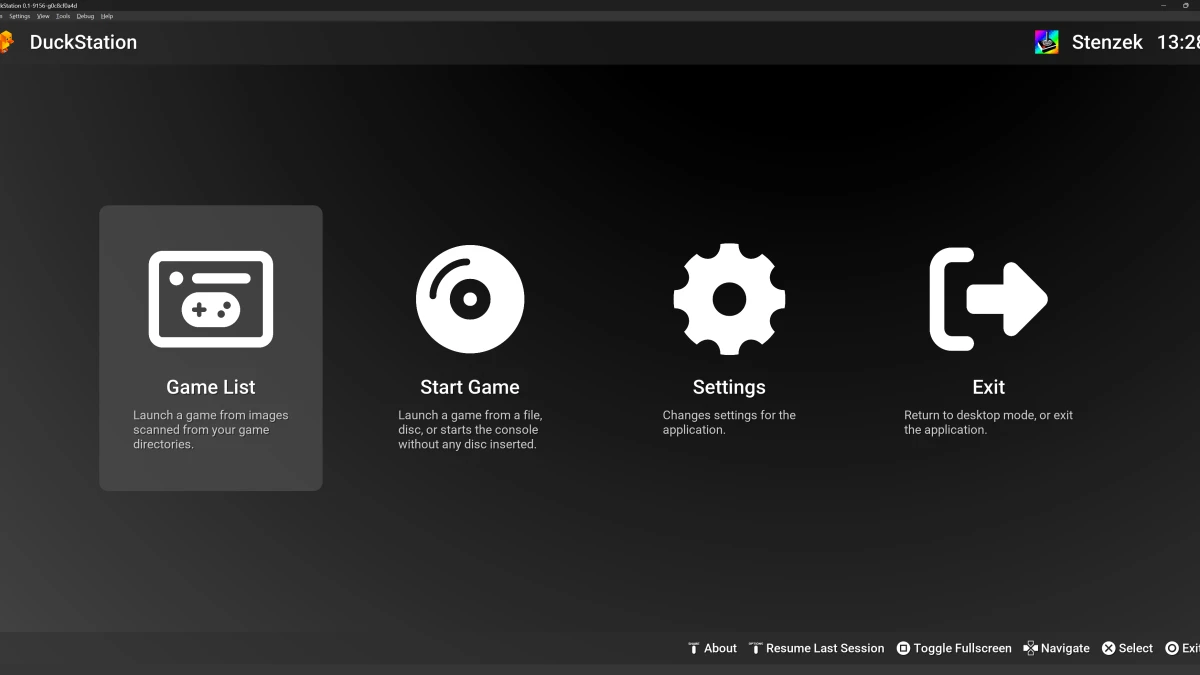
Save-state browsing gets a visual refresh. The selector can show a larger preview alongside the slot list, uses a shared dashed tile for empty slots and supports scroll-fade treatment. Missing game artwork can now use generated gradient artwork and monograms instead of leaving blank cover areas. The Qt game list also shows achievement progress as a ring, loads game icons asynchronously and falls back to the first disc icon for multi-disc games when needed.
The Qt frontend adds a Midnight Amber theme and makes smaller visual adjustments to existing themes, help text and search controls. The post-processing settings page gains descriptions and a simpler layout. Machine translations were updated for Spanish, Russian and Android-related strings, with additional Swedish terminology and setting-description improvements.
Debugging, cheats and homebrew tools
Developers and technical users gain several debugger improvements in the Qt frontend. CPU registers can be edited, code addresses align to instruction boundaries, memory views refresh when a system starts, and symbols are supported. The debugger also gains call-stack context-menu actions, closable debugger windows, tabbed call-stack, breakpoint and thread views, plus copy and dump options for register and stack lists. Breakpoint behavior was refined for COP0 status conditions, effective addresses used by LWR and SWR, alignment exceptions and interpreter fetch faults.
The update improves GDB-client behavior by processing core-thread events while throttling and moves socket multiplexing work to a worker thread. It also corrects several CPU debugging details, including the priority of data-breakpoint and alignment exceptions and the handling of delayed interrupts in the interpreter.
Cheat support gains block-write code types, an activation mode tied to the frame start, and vectorized handling for compatible runs of constant or matching writes. Cheats and achievements are now delayed until the game has actually started, avoiding application during earlier startup states. A script for converting PSX executables to ELF files is included, which is useful for homebrew workflows and analysis. DuckStation supports direct booting of homebrew executables as part of its broader toolset.
The emulator also expands support for unusual hardware configurations and debugging scenarios. The build supports 4 MB to 16 MB expanded memory, can force mapping of installed RAM through an explicit option, and improves bus-error reporting for unmapped cached fetches. Xplorer parallel-port behavior has been refined, including flash, latch and banked-code reads.
Game database and compatibility adjustments
Several game-specific workarounds were removed or changed as the underlying emulation becomes more accurate. DMA timing overrides were removed for Chrono Cross, and additional hacks were dropped from the game database. Full-boot hacks were removed for Lomax and Nightmare Creatures. The Next Tetris and Otona no Asobi no longer use their previous hacks, while widescreen is disabled for Marionette Company 2 and automatic analog is disabled for Silhouette Mirage.
These database changes do not mean every title has identical behavior across host systems or graphics backends. They indicate that the project has revised its default behavior for the named games, generally because newer core timing or rendering behavior makes an old workaround unnecessary or undesirable.